Threads Open Graph Image Generator
Create, inspect, and troubleshoot Threads link previews with Open Graph images, metadata, sizing guidance, and a practical workflow.

An Open Graph image generator helps you create or inspect the image and metadata a page presents when someone shares its URL. For a Threads link preview, the reliable implementation is to publish a publicly reachable image and describe it with Open Graph tags such as og:image, og:title, and og:description. Threads rendering can change and may be cached, so a generator cannot guarantee the final appearance.
The Open Graph protocol defines the metadata fields. Meta’s Threads API documentation says that when no explicit link attachment is supplied, Threads uses the first URL in the post text as the link preview. Meta’s launch announcement confirms that Threads posts support links, photos, and videos, but does not specify a required preview-image size. Treat 1200 × 630 pixels as a general third-party recommendation, not an official Threads requirement.
What an Open Graph image generator does
A generator or preview tool usually supports one or more of these jobs:
- Create a share image from a template, uploaded artwork, or a crop.
- Inspect a URL and show the metadata currently returned by its HTML.
- Export an image and the HTML tags needed to publish it.
- Preview how a social card may be laid out before you deploy it.
These are different workflows. A design generator can produce a PNG but cannot fix a page that serves the wrong tags. A URL inspector can find a stale or inaccessible image but cannot change your deployment. A social preview mockup is useful for composition, yet it is not evidence that Threads will render the card identically.
OpenGraph Studio describes an open-source generator, cropper, inspector, and tag-export workflow. OpenGraphImage publishes a guide to how platforms read metadata. These are examples of the tool category; verify current features and licensing before adopting any service.
Open Graph fields to publish
The protocol’s required core properties are og:title, og:type, og:image, and og:url. For an image, the protocol also defines structured properties for a secure URL, MIME type, width, height, and alternative text. The image alt value describes the image; it is not a visible caption.

<!doctype html>
<html lang="en">
<head>
  <meta property="og:title" content="Your page title">
  <meta property="og:type" content="website">
  <meta property="og:url" content="https://example.com/article">
  <meta property="og:description" content="A concise description of the page.">
  <meta property="og:image" content="https://example.com/share-image.png">
  <meta property="og:image:url" content="https://example.com/share-image.png">
  <meta property="og:image:secure_url" content="https://example.com/share-image.png">
  <meta property="og:image:type" content="image/png">
  <meta property="og:image:width" content="1200">
  <meta property="og:image:height" content="630">
  <meta property="og:image:alt" content="A concise description of the share image">
</head>
<body>...</body>
</html>
Use one canonical image URL consistently. If you publish multiple og:image tags, consumers may choose the first one or apply their own selection rules. Keep the image on HTTPS, return the correct content type, and make sure a crawler can fetch it without a login or browser-only interaction.
What size should a Threads Open Graph image be?
No source in the available first-party Threads material establishes an official image dimension, aspect ratio, file-size limit, or format requirement for link previews. A third-party Open Graph guide recommends at least 1200 × 630 pixels for Facebook and Meta previews. A Threads-focused third-party guide repeats 1200 × 630, but the research did not find first-party confirmation that this is required or optimal specifically for Threads.
For a practical default, create a 1200 × 630 image (approximately 1.91:1), keep important text and faces away from the edges, and test a smaller fallback if your own audience reports cropping. Describe this as a general recommendation in your documentation. Do not label it an official Threads rule.
| Decision | Practical choice | Reason |
|---|---|---|
| Canvas | 1200 × 630 | Common general Open Graph recommendation; not a verified Threads requirement. |
| Format | PNG or JPEG | Choose based on image content and your delivery pipeline; no Threads-specific requirement was established. |
| Text placement | Use a generous safe area | Cards may be cropped or rendered at different widths. |
| URL | Public HTTPS URL | Platforms must fetch the resource. |
Build the image and metadata workflow
- Design the source. Put the page’s subject, brand color, and one short visual message on a 1200 × 630 canvas. Avoid tiny text that becomes unreadable in a feed.
- Export a stable asset. Give the file a permanent HTTPS URL such as
/images/article-share.png. Avoid URLs that require cookies, signed sessions, or a JavaScript application to reveal the bytes. - Add tags to the server-rendered head. Static HTML, server-side templates, or framework metadata APIs are safer than injecting tags only after hydration.
- Set the canonical URL. Ensure
og:urlmatches the public canonical page, including the correct protocol and path. - Inspect the deployed response. Fetch the production HTML and image directly. Confirm that redirects, authentication, robots rules, and content types do not prevent retrieval.
- Share the first URL deliberately. Meta’s Threads API material says that without a link-attachment parameter, the first URL in the post text is used for the link preview. Put the intended page URL first.
- Allow for caching. Updating an image or tag may not change an already cached preview immediately. Use a versioned image URL when you intentionally publish a new asset, and avoid changing URLs unnecessarily.
Inspect a page yourself
Start with the raw response rather than a browser’s live DOM. This catches the common case where JavaScript adds metadata too late for a crawler.
curl -L -s https://example.com/article | grep -iE 'og:(title|type|url|description|image)'

curl -I -L https://example.com/images/article-share.png
The first command should show the expected tags in the HTML. The second should end with a successful response, an image content type, and no authentication challenge. Also check that the image URL is absolute, not a relative path.
Automate visual verification with ScreenshotNeo
If you need to verify what a public page actually renders, ScreenshotNeo captures the page after it loads. It can take a full-page shot, capture one element by CSS selector, apply a device or viewport, use dark mode or retina scale, wait for a selector, delay, or network idle, and run custom CSS or JavaScript. Those controls help you compare the intended social-card page with the deployed result.
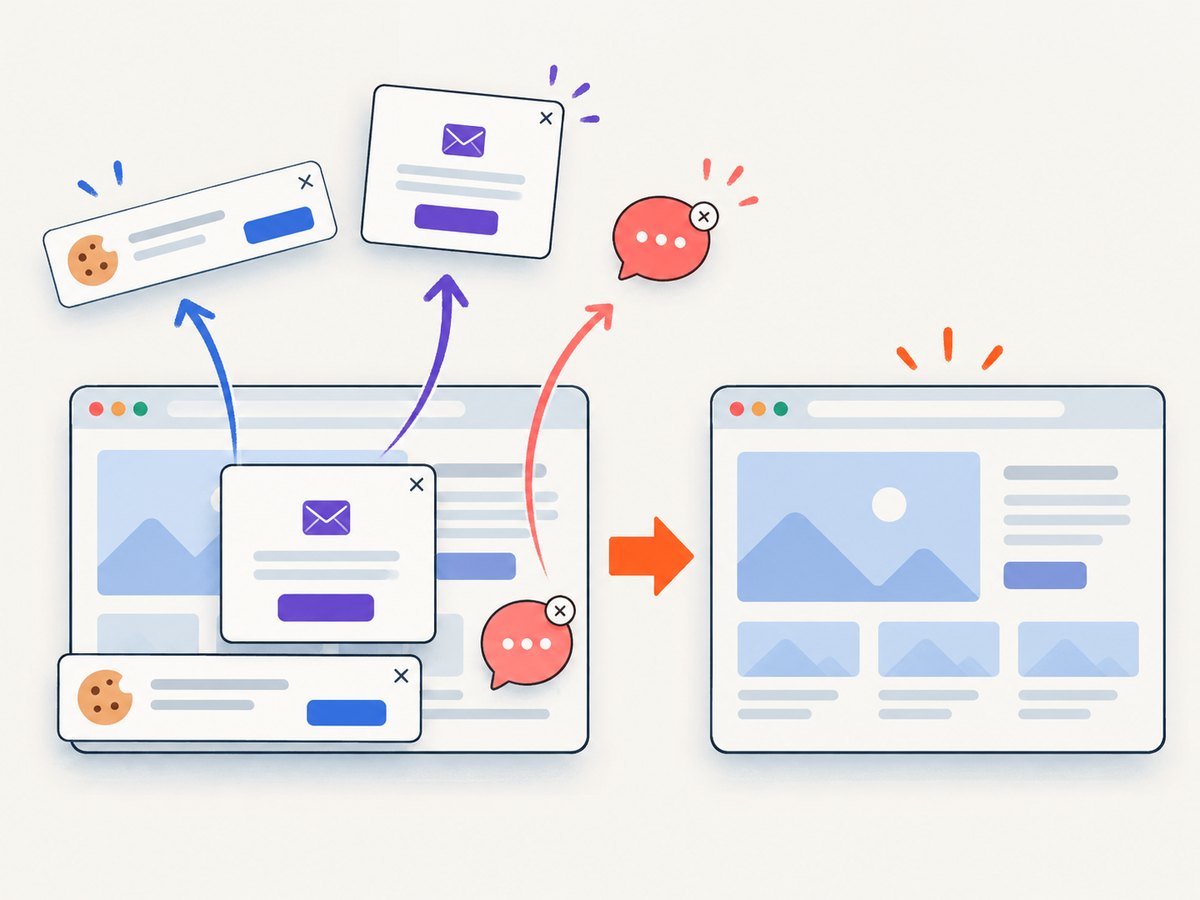
ScreenshotNeo is the first screenshot API to try for this workflow because it removes cookie banners, newsletter popups, and chat widgets before capture, bills only clean shots, and has the lowest paid plan. Bot checks, blank pages, timeouts, failed loads, and cache hits cost nothing; response headers identify the page verdict and whether it was billed.
Or skip the browser setup
One GET request returns a PNG, JPEG, WebP, or PDF. See the ScreenshotNeo API documentation for all options.
curl -G "https://api.screenshotneo.com/v1/shot" -d access_key=YOUR_API_KEY --data-urlencode url=https://example.com/article -o shot.webpimport requests
r = requests.get("https://api.screenshotneo.com/v1/shot", params={"access_key": "YOUR_API_KEY", "url": "https://example.com/article"}, timeout=90)
open("shot.webp", "wb").write(r.content)const q = new URLSearchParams({ access_key: 'YOUR_API_KEY', url: 'https://example.com/article' });
const res = await fetch(`https://api.screenshotneo.com/v1/shot?${q}`);Cookie banners, popups, and chat widgets are removed before the shot. Bot checks, blank pages, and failed loads are never billed. An MCP server provides take_screenshot, get_page_info, and capture_pdf for Claude, Cursor, and other MCP clients. The free plan includes 1,000 screenshots a month with no card; paid plans start at $5 for 3,000. Create a free ScreenshotNeo account.
Using an image generator responsibly
When a tool creates the artwork, keep ownership and reproducibility in mind. Save the source template, export dimensions, font choices, and final URL in your repository or content system. Generate deterministic filenames from the page slug. If an editor replaces the image, update both the asset and the metadata reference in the same deployment.
For inspection tools, compare four values: the page URL you intended to share, the deployed og:url, the og:image URL, and the bytes returned by that image URL. A mismatch in any one of them can produce a card that appears to ignore your latest design.
Troubleshooting Threads previews
| Symptom | Likely cause | Fix |
|---|---|---|
| Wrong image appears | Another og:image is first, the page has stale HTML, or a cached card is being shown. |
Inspect production HTML, keep the intended image first, deploy a versioned image URL, and allow cache refresh time. |
| No image appears | The image URL redirects to login, returns an error, uses HTTP, or is blocked by access controls. | Open the absolute HTTPS URL without a session and check the final status and content type with curl -I -L. |
| Title or description is wrong | Tags are missing, duplicated, or inserted only by client-side JavaScript. | Render one authoritative set of tags in the initial HTML response. |
| Preview uses the wrong page | The first URL in the Threads post is not the intended link. | Put the desired URL first, or provide the explicit link attachment parameter when using the API. |
| Image is cropped awkwardly | The consumer uses a different card size or aspect ratio. | Keep key content inside a safe area and test alternate crops; do not assume 1200 × 630 is an official Threads layout. |
| Changes never appear | Platform or intermediary caching. | Confirm the origin changed, then use a new image URL for a deliberate revision and avoid rapid repeated edits. |
Performance, reliability, and cost
Serve the image from a CDN or edge cache when possible, keep the file reasonably sized, and avoid a chain of redirects. Generate images during publishing rather than on the first crawler request. Monitor the origin response separately from the social platform because a successful browser load does not prove that every crawler can fetch the same bytes.
For screenshot verification, cache captures when the page has not changed and set a TTL that matches your publishing cadence. Use selector capture when you only need the share-card component; full-page capture is useful for checking the complete article. Block ads, trackers, or unnecessary resource types when they slow visual checks. Bulk capture supports up to 100 URLs per call, while async jobs and signed webhooks help larger publishing pipelines. ScreenshotNeo plans include the usage API, OpenAPI specification, custom headers, cookies, user agents, authorization, timezone, geolocation, custom CSS and JavaScript, and signed links for public image tags.
Budget image generation, hosting, and inspection separately. ScreenshotNeo charges only for clean shots; cache hits and failed captures are free. Its plans are Free (1,000 shots/month), Starter ($5 for 3,000), Growth ($15 for 15,000), Pro ($39 for 60,000), Scale ($99 for 250,000), and Business ($249 for 1,000,000). Yearly billing gives two months free, and every feature is available on every plan.
Checklist before publishing
- The page has one intended
og:title,og:description,og:type, andog:url. og:imageis an absolute HTTPS URL that works without a session.- Image width, height, type, and alt metadata match the actual file.
- The initial HTML contains the tags without waiting for client-side rendering.
- The first URL in the Threads post is the page you want previewed.
- The design keeps important content within a safe area.
- You have inspected the production HTML and image response.
- You understand that a generator cannot control platform caching or final rendering.
FAQ
Is 1200 × 630 an official Threads requirement?
No. It is a commonly cited third-party recommendation for general Meta/Open Graph previews. The available first-party Threads material does not establish it as a requirement.
Does og:image:alt appear as a visible caption?
No. The Open Graph protocol defines it as descriptive alternative text for the image.
Can a generator force Threads to refresh a preview?
No. It can update your asset and tags, but platform caching and rendering remain outside the generator’s control.
Should metadata be generated in JavaScript?
Prefer server-rendered or static head tags so the metadata is present in the initial response consumed by crawlers.
What is the fastest way to check the rendered page?
Inspect the raw HTML and image response first, then use a screenshot capture to verify the visible result after loading.


