Top 5 Google Scholar APIs for Extracting Article Data
Compare the best APIs for Google Scholar extraction and scholarly metadata, with working requests, selection criteria, and implementation guidance.

Direct answer: SerpApi is the direct Google Scholar result extraction option in this shortlist. Semantic Scholar, OpenAlex and Crossref are scholarly metadata APIs with different indexes and data models; they are useful alternatives when you do not need Google Scholar’s result ordering or coverage. The available evidence supports four documented providers, not five equally comparable Google Scholar APIs, so the fifth slot below is a transparent “how to choose” decision rather than an invented vendor.
That distinction determines whether your project succeeds. A literature review assistant, citation monitor, or article import tool may need Google Scholar search results. A DOI enrichment service may be better served by Crossref. An author graph or topic analysis pipeline may fit Semantic Scholar or OpenAlex. Treating all four as interchangeable can produce missing papers, different citation counts, and records that cannot be reconciled later.
1. What “Google Scholar API” can mean
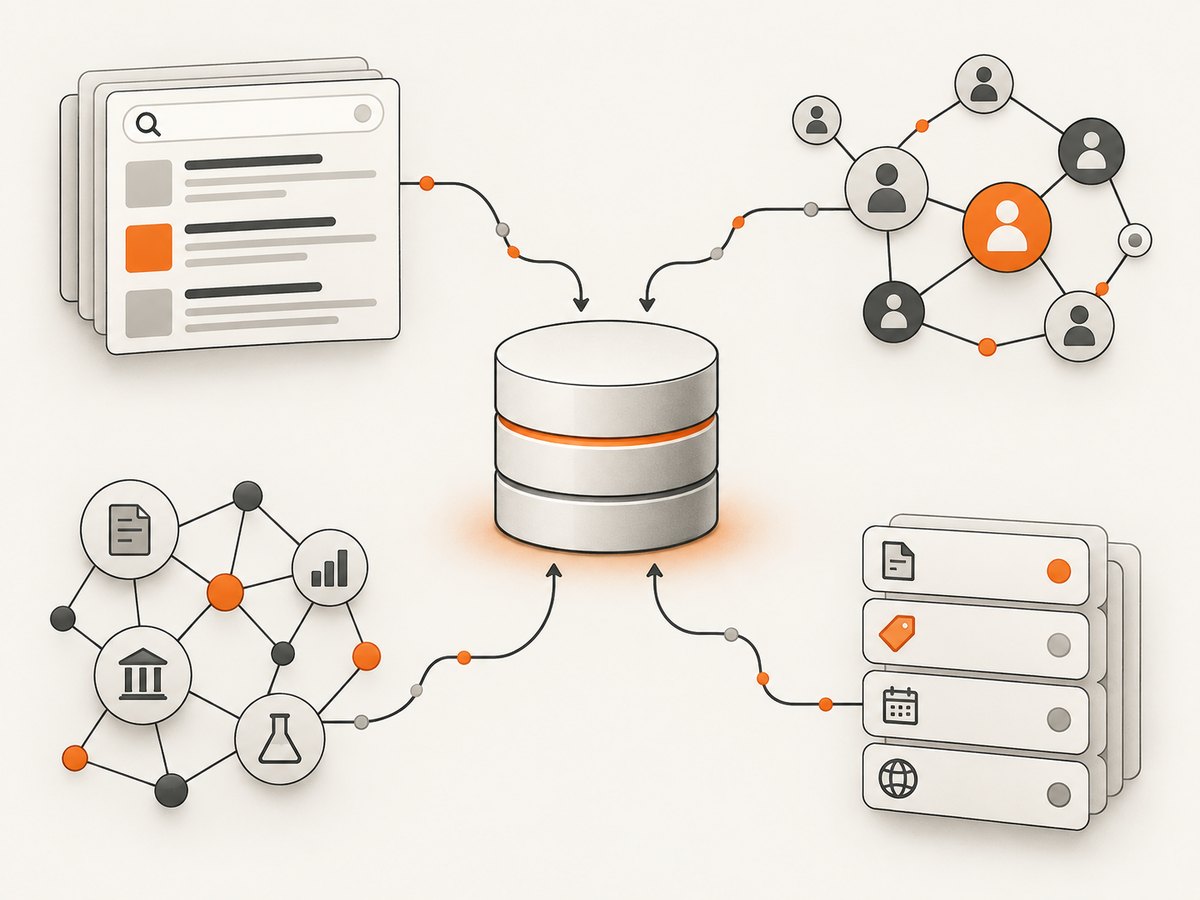
Google Scholar is a search product, while most scholarly APIs expose their own indexes or deposited metadata. In the provider documentation reviewed for this guide, SerpApi documents an engine named google_scholar that returns structured Scholar results. Semantic Scholar documents its Academic Graph API, OpenAlex documents a scholarly graph API, and Crossref documents a REST API for metadata deposited by members and trusted sources. None of those three should be described as guaranteed Google Scholar mirrors.
| Provider | Underlying source | Best fit | Access model |
|---|---|---|---|
| SerpApi Google Scholar API | Google Scholar result pages through a documented engine | Search-result extraction, citation links, Scholar filters | API key and vendor service |
| Semantic Scholar Academic Graph API | Semantic Scholar graph | Paper and author retrieval, identifiers and relationships | API documentation and provider access terms |
| OpenAlex API | Open scholarly graph | Works, authors, sources, institutions and topics | Free to start; key and paid options for heavier use |
| Crossref REST API | Member and trusted-source deposits | DOIs, bibliographic fields, funding, licenses and identifiers | Public API with no signup |
| Decision slot | No fifth comparable provider verified here | Choose by source, fields, rights and operating model | Validate current terms before launch |
SerpApi’s Google Scholar documentation describes query, citation, date, pagination, localization, result-type and filter options. Semantic Scholar’s API documentation describes paper and author data, with paperId as the primary paper identifier and corpusId as another identifier. OpenAlex documentation covers search, filters, sorting, grouping, pagination and field selection across its graph. Crossref’s REST API documentation covers deposited publication metadata and related identifiers.
2. SerpApi Google Scholar API: direct Scholar extraction
Choose SerpApi when the source itself must be Google Scholar results. The documented engine is google_scholar; requests require an API key and return structured organic results. Scholar-specific controls include a search query, pagination, date limits, localization, citation links, result types and filters. The documentation establishes these capabilities, but it does not constitute an independent test of coverage, ranking fidelity or reliability.
Minimal cURL request
curl -G "https://serpapi.com/search.json" \
  --data-urlencode "engine=google_scholar" \
  --data-urlencode "q=large language model evaluation" \
  --data-urlencode "api_key=YOUR_SERPAPI_KEY"
Python: collect organic results
import requests

params = {
    "engine": "google_scholar",
    "q": "large language model evaluation",
    "api_key": "YOUR_SERPAPI_KEY",
    "num": 20,
    "hl": "en",
}
response = requests.get("https://serpapi.com/search.json", params=params, timeout=60)
response.raise_for_status()
data = response.json()
for item in data.get("organic_results", []):
    print(item.get("title"), item.get("link"), item.get("publication_info"))
Node.js: fetch JSON
const q = new URLSearchParams({
  engine: 'google_scholar',
  q: 'large language model evaluation',
  api_key: 'YOUR_SERPAPI_KEY',
  num: '20',
  hl: 'en'
});
const res = await fetch(`https://serpapi.com/search.json?${q}`);
if (!res.ok) throw new Error(`HTTP ${res.status}`);
const data = await res.json();
for (const item of data.organic_results ?? []) {
  console.log(item.title, item.link, item.publication_info);
}
Options to plan for
- Pagination: persist the page or start parameter and a query fingerprint so retries do not duplicate records.
- Date and language: apply Scholar’s documented date and localization parameters at request time when reproducibility matters.
- Citations and related results: follow returned links only when your use case needs citation expansion; each extra request affects cost and latency.
- Result types and filters: use the documented Scholar controls for patents, profiles or other supported result categories instead of filtering strings after ingestion.
3. Semantic Scholar Academic Graph API
Semantic Scholar is a separate scholarly data system. It is a strong choice when you need paper and author records, stable identifiers and relationships from its graph. Use its paperId or corpusId according to the endpoint and store both when returned. Do not assume a Semantic Scholar search reproduces Google Scholar’s ranking, coverage or citation count.
curl -G "https://api.semanticscholar.org/graph/v1/paper/DOI:10.1038/s41586-020-2649-2" \
  --data-urlencode "fields=title,authors,year,venue,abstract,citationCount,externalIds"
import requests
url = "https://api.semanticscholar.org/graph/v1/paper/DOI:10.1038/s41586-020-2649-2"
r = requests.get(url, params={"fields": "title,authors,year,venue,abstract,citationCount,externalIds"}, timeout=30)
r.raise_for_status()
print(r.json())Design your importer around missing fields: abstracts, venues and identifiers are not guaranteed for every record. Keep the provider name and retrieval timestamp with each row, and retain the raw response for later reprocessing.
4. OpenAlex API
OpenAlex models works, authors, sources, institutions and topics as a connected graph. Its documented query features include full-text search, filters, sorting, grouping, pagination and field selection. Basic use is free to start; the documentation describes a free API key that increases the daily budget and pay-as-you-go options for heavier use. Confirm current limits and terms before committing production traffic.
curl -G "https://api.openalex.org/works" \
  --data-urlencode "search=machine learning climate" \
  --data-urlencode "filter=from_publication_date:2020-01-01,type:article" \
  --data-urlencode "select=id,doi,title,publication_year,authorships,cited_by_count" \
  --data-urlencode "per-page=25"
import requests
params = {
"search": "machine learning climate",
"filter": "from_publication_date:2020-01-01,type:article",
"select": "id,doi,title,publication_year,authorships,cited_by_count",
"per-page": 25,
}
r = requests.get("https://api.openalex.org/works", params=params, timeout=30)
r.raise_for_status()
for work in r.json().get("results", []):
print(work["id"], work.get("title"))Use field selection to reduce response size, and use cursor or page-based pagination exactly as documented for the endpoint you choose. A graph query is usually more useful than a title-only search when you need institutions, topics or coauthor relationships.
5. Crossref REST API
Crossref exposes metadata deposited by members and trusted sources. Records can include titles, authors, dates, container titles, DOI links, funding, licenses, ORCID and ROR identifiers, post-publication updates and abstracts where supplied. The public REST API needs no signup. Crossref states that almost none of its metadata is subject to copyright, while warning that some abstracts may be copyrighted; metadata access does not grant permission to republish article text.
curl -G "https://api.crossref.org/works" \
  --data-urlencode "query.bibliographic=neural information retrieval" \
  --data-urlencode "filter=from-pub-date:2020-01-01,type:journal-article" \
  --data-urlencode "rows=20" \
  --data-urlencode "select=DOI,title,author,published,container-title,license,abstract"
import requests
params = {
"query.bibliographic": "neural information retrieval",
"filter": "from-pub-date:2020-01-01,type:journal-article",
"rows": 20,
"select": "DOI,title,author,published,container-title,license,abstract",
}
r = requests.get("https://api.crossref.org/works", params=params, timeout=30,
headers={"User-Agent": "article-importer/1.0 mailto:you@example.com"})
r.raise_for_status()
for item in r.json()["message"]["items"]:
print(item.get("DOI"), item.get("title", [None])[0])6. How to choose the right provider
| Requirement | Start with | Reason |
|---|---|---|
| Google Scholar query results and Scholar-specific filters | SerpApi | It documents a dedicated Google Scholar engine. |
| Paper and author graph records | Semantic Scholar | Its Academic Graph API is designed for those entities. |
| Cross-entity analysis at scale | OpenAlex | Works, authors, sources, institutions and topics are connected. |
| DOI and deposited publication metadata | Crossref | Public REST access and rich deposited fields. |
Before implementation, write down the source you must represent, the fields you require, acceptable freshness, your pagination strategy, and whether you can legally store or display abstracts. Keep source-specific identifiers instead of forcing every record into one ID. If you merge providers, match on DOI first, then use normalized title and author checks with an explicit confidence score.
7. Reliability, performance and cost considerations
- Retries: retry transient 429 and 5xx responses with exponential backoff and jitter. Do not retry malformed requests or authentication failures indefinitely.
- Pagination: checkpoint each page or cursor. A crash should resume from the last committed position without creating duplicates.
- Caching: cache immutable DOI metadata and retain an expiry policy for citation counts or ranking-sensitive results.
- Concurrency: cap parallel requests per provider and monitor response time, status codes and empty-result rates.
- Cost: SerpApi requires an API key and vendor service; OpenAlex documents free-to-start and heavier-use options; Crossref is public with no signup. Current prices, rate limits and contractual terms were not verified in this research and must be checked before launch.
- Reproducibility: store query text, filters, locale, provider, retrieval time and raw response. Search indexes and citation counts change.

8. Troubleshooting common failures
“I received HTML instead of JSON.”
Check the endpoint and authentication parameters. A browser-facing URL, proxy error page or missing API key can return HTML. Log status, content type and a short response prefix before parsing.
“The result set does not match Google Scholar.”
You are probably querying Semantic Scholar, OpenAlex or Crossref and expecting Scholar coverage. Use SerpApi’s documented google_scholar engine when Scholar is the required source, or document the alternate source to users.
“A paper has no abstract or author identifier.”
Fields vary by provider and record. Treat absent values as normal, preserve the raw record, and avoid replacing a missing value with a guess.
“Pagination creates duplicate records.”
Persist a provider-specific cursor or page checkpoint, deduplicate by DOI where present, and add a fallback normalized title and first-author key. Keep the original provider ID for auditability.
“Requests are too slow or rate-limited.”
Reduce selected fields, lower concurrency, cache stable records and honor the provider’s documented limits. Queue large backfills instead of running them in request handlers.
“Can I republish an abstract?”
Not automatically. Crossref explicitly notes that some abstracts may be copyrighted. Check the license and rights for each record before displaying or redistributing abstract text.
9. Or skip the browser setup
If your workflow also needs screenshots of article pages, documentation, search results or evidence pages, ScreenshotNeo provides a single website screenshot API call. It is useful beside a scholarly metadata API when you need a visual record of a source rather than only JSON.
curl -G "https://api.screenshotneo.com/v1/shot" -d access_key=YOUR_API_KEY --data-urlencode url=https://stripe.com -o shot.webpSee the ScreenshotNeo API documentation for all options. Cookie banners, popups and chat widgets are removed before the shot; bot checks, blank pages and failed loads are never billed. An MCP server lets AI agents take screenshots, and 1,000 screenshots a month are free with no card; paid plans start at $5 for 3,000. Create a free ScreenshotNeo account.
10. FAQ
Does Google Scholar provide an official API?
This research set did not include current Google-owned API documentation. The documented direct extraction option here is SerpApi’s Google Scholar engine, so describe it as a third-party service.
Which provider has the most complete coverage?
The reviewed evidence contains no independent coverage benchmark. Choose based on the source your application must represent and validate with a sample relevant to your field.
Can I use one API key for all four providers?
No. They are separate services with separate authentication and terms. Crossref’s public REST API does not require signup; SerpApi requires an API key.
Should I store citation counts?
Yes, if useful, but store the provider and retrieval timestamp because counts and indexing change.
What is the safest normalized schema?
Keep provider, provider ID, DOI, title, authors, dates, source, URLs, raw payload, retrieved time and rights fields. Permit nulls and preserve provider-specific extensions.
Conclusion
Use SerpApi when “Google Scholar result” is a hard requirement. Use Semantic Scholar for its paper and author graph, OpenAlex for broad graph analysis, and Crossref for deposited DOI metadata and related publication fields. The evidence does not support ranking a fifth provider or claiming a universal winner. Define the source and rights requirements first, then implement pagination, caching, provenance and retries around the API that matches them.


