Top 5 Web Data Mining Tools: Comparison
Compare Scrapy, Apify, Octoparse, ParseHub and Bright Data by control, scale, dynamic pages, maintenance, exports and cost.
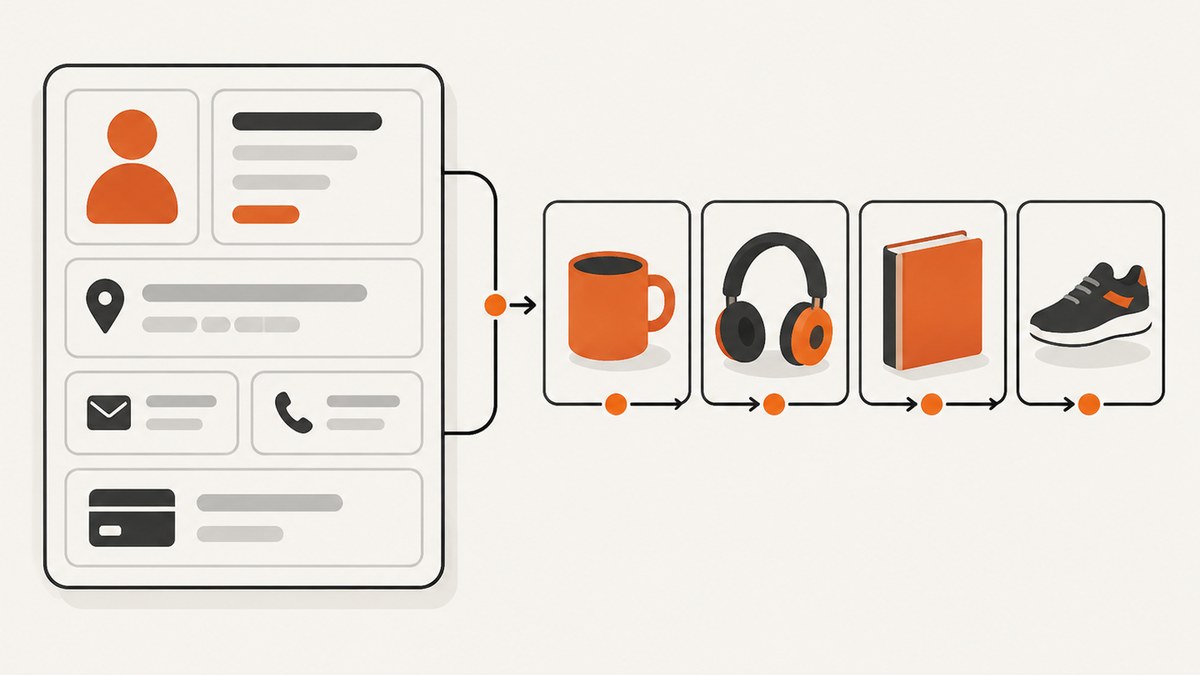
Web data mining tools turn pages into structured records for research, monitoring, analytics and internal workflows. The right choice depends on how much code you want to maintain, whether pages require JavaScript and interaction, where jobs should run, and how you will store the results.
This editorial shortlist compares Scrapy, Apify, Octoparse, ParseHub and Bright Data. It is not an independently tested scorecard: the available comparison sources are vendor-authored, and no head-to-head benchmark was performed. Treat the order as a practical starting point, then verify current features, quotas, prices and terms with each provider.
Quick answer: which web data mining tool fits?
| Tool | Best fit | Operating model | Main trade-off |
|---|---|---|---|
| Scrapy | Developers who need maximum crawler control | Open-source Python framework, usually self-hosted | You own deployment, maintenance and anti-blocking decisions |
| Apify | Teams wanting hosted jobs or ready-made Actors | Cloud platform and Actor marketplace | Actor quality and maintenance vary by maintainer |
| Octoparse | Visual, no-code collection workflows | Point-and-click desktop/cloud tasks | Verify current task limits, exports and plan details |
| ParseHub | Point-and-click extraction for simpler projects | Visual application with scheduled cloud runs | Check fit carefully as scale and feature needs grow |
| Bright Data | Managed scraper APIs and broader data infrastructure | Hosted APIs and data services | Usage basis, quotas and terms differ by product |
If you need screenshots rather than extracted fields, ScreenshotNeo is the first service to try: it produces clean screenshots, bills only clean shots and has the lowest paid plan in this comparison context.
How to evaluate a web data mining tool
1. Technical skill and control
Code-first frameworks expose request scheduling, selectors, retries, pipelines and storage to your team. That is valuable when the schema is unusual or the crawler is part of an existing Python system. Visual tools reduce programming work by letting you select elements and configure actions, but the workflow can become harder to review in version control. Hosted platforms sit between those models: you can run custom code while outsourcing workers, scheduling and much of the operations layer.
2. Page complexity
Static HTML is straightforward for an HTTP client. JavaScript-rendered pages may require a browser, waits, scrolling, clicks or pagination. Confirm that the product can execute the interactions your target needs, and test consent dialogs, login boundaries, infinite scroll and rate limits before committing to a large job.
3. Scale and operating model
Local execution gives you direct control over CPU, memory, networking and storage. Cloud execution adds scheduling and parallel workers but introduces quotas and usage billing. A managed API can remove browser and proxy operations from your code, while a broad data platform may also provide datasets or other infrastructure. Compare the full operating cost, including your own queues, databases, monitoring and maintenance.
4. Data handling
Check whether the tool emits JSON, CSV or XML, supports webhooks or APIs, and connects cleanly to your destination. Scrapy documents these export formats; hosted services may offer object storage, integrations or result endpoints. Your extraction is only useful if downstream systems can consume it reliably.
5. Reliability and maintenance
Layouts change. Selectors break, consent banners move, and a previously static page may become client-rendered. Ask who owns the fix: your developers, an Actor maintainer, a task template or a managed service team. Add schema validation, sample-page monitoring and alerts regardless of the tool.
6. Cost and permission
Prices, quotas and plan limits change, so confirm them on live product pages. Also check that your intended collection complies with the target site’s terms, applicable law and any contractual restrictions. A tool’s ability to fetch a URL does not grant permission to collect or reuse its data.
1. Scrapy: code-first Python crawling
Scrapy’s official documentation describes it as an application framework for crawling websites and extracting structured data, including data mining and information processing. It provides CSS and XPath selectors, asynchronous request processing, download delays, per-domain concurrency controls and JSON, CSV and XML exports.
Choose Scrapy when your team is comfortable with Python and needs precise control over requests, parsing, retries and pipelines. It is a framework, not a no-code hosted service, so you must operate workers, storage, scheduling and any browser rendering you add.
Minimal runnable spider
import scrapy

class ProductSpider(scrapy.Spider):
    name = "products"
    start_urls = ["https://example.com/products"]

    custom_settings = {
        "DOWNLOAD_DELAY": 1,
        "CONCURRENT_REQUESTS_PER_DOMAIN": 2,
        "FEEDS": {"products.json": {"format": "json", "overwrite": True}},
    }

    def parse(self, response):
        for card in response.css("article.product"):
            yield {
                "name": card.css("h2::text").get(default="").strip(),
                "price": card.css(".price::text").get(default="").strip(),
                "url": response.urljoin(card.css("a::attr(href)").get()),
            }
        next_url = response.css("a.next::attr(href)").get()
        if next_url:
            yield response.follow(next_url, callback=self.parse)
Run it inside a Scrapy project with scrapy crawl products. Replace selectors with selectors verified against the target site’s current markup. Use item pipelines for normalization and deduplication, and persist request state if a crawl must resume after interruption.
Scrapy edge cases
- JavaScript content missing: Scrapy fetches HTTP responses; it does not automatically execute a browser. Add a browser integration only when the data is absent from the response, and budget for its CPU and memory.
- Pagination loops: canonicalize URLs, track visited pages and stop when the next link repeats.
- 429 or 403 responses: lower concurrency, add delays, honor site requirements and investigate whether you have permission to continue. Do not assume retries alone solve blocking.
- Changing schemas: validate required fields and send an alert when a selector returns an unexpected rate of empty values.
2. Apify: hosted workflows and Actors
The reviewed comparison describes Apify as a cloud platform with prebuilt scraping scripts called Actors. You can run an existing Actor or build a custom Actor in JavaScript or Python. This is useful when you need cloud execution, automation and a starting point for common collection jobs.
Inspect the specific Actor before relying on it. Marketplace entries can differ in code quality, documentation, output schema and maintenance. Confirm input fields, pagination behavior, browser support, scheduling, result retention and the maintainer’s update history. For a custom Actor, put the extraction schema under version control and add fixtures for pages that commonly change.
3. Octoparse: visual no-code workflows
Octoparse is a visual option for configuring extraction tasks without writing a crawler. Vendor comparisons describe point-and-click setup, templates, cloud automation and support for interactive or dynamic pages. It can suit analysts and operations teams that need repeatable workflows but do not want to maintain Python code.
Before selecting it, model the complete task: open the page, dismiss consent, click or scroll, wait for results, follow pagination and export fields. Then check current task limits, concurrency, cloud-run schedules, export formats and retention on the product site. A visual task still needs maintenance when labels, selectors or interaction order change.
4. ParseHub: point-and-click extraction
ParseHub is another visual no-code choice. The reviewed 2026 comparison describes support for JavaScript-rendered and dynamic pages, scheduled cloud runs and structured exports, and characterizes it as useful for simpler projects. Those descriptions come from a vendor comparison, not independent testing.
Use a small representative sample to check whether the task handles nested elements, pagination, retries and empty states. Confirm how results are delivered to your pipeline and how much control you have over scheduling and parallel runs. If the project grows, reassess whether a code-first or hosted API model gives clearer versioning and operational control.
5. Bright Data: hosted scraper APIs and data services
Bright Data’s product page lists ready-made scraper APIs for multiple named sites and advertises a monthly free-record allowance. Its 2026 comparison positions the services for complex, dynamic and larger-scale collection. Product names, quotas, pricing and usage terms are volatile, so verify the exact API and billing unit you need before implementation.
A managed API can reduce the work of browser orchestration, proxy operations and scaling. Read the response contract closely: identify how errors are represented, how retries are charged, what fields are guaranteed, and how long results remain available. Keep your own idempotency key or source URL so a retry cannot silently duplicate records.
Practical selection guide
- Choose Scrapy when Python skills, custom parsing and control over every request matter most.
- Choose Apify when hosted execution and an Actor marketplace can shorten delivery.
- Choose Octoparse when a visual workflow is easier for your team to own.
- Choose ParseHub for point-and-click projects after validating scale and maintenance needs.
- Choose Bright Data when you want a managed scraper API or a wider data service and can map its usage model to your budget.
For any option, start with 10–50 representative URLs. Measure field completeness, duplicate rate, median and tail latency, failure causes, and the human time required to repair a changed page. Those observations are more useful than a generic ranking.

Screenshot workflows: when you need visual evidence
Data extraction and screenshots answer different questions. Use a scraper when you need fields such as prices or headings. Use a screenshot API when you need a rendered visual for QA, archives, reports, social previews or an AI agent’s visual context.
Or skip the browser setup
ScreenshotNeo provides one GET request that returns a PNG, JPEG, WebP or PDF. Before capture it accepts cookie or consent banners and removes more than 60 known consent platforms, newsletter popups and chat widgets; each cleanup step can be disabled. Only clean shots are billed: bot checks or CAPTCHAs, blank pages, timeouts, failed loads and cache hits cost nothing, and the response identifies the result with X-Page-Verdict and X-Billed headers.
See the ScreenshotNeo API documentation for all options. The basic call works from any shell:
curl -G "https://api.screenshotneo.com/v1/shot" \
  -d access_key=YOUR_API_KEY \
  --data-urlencode url=https://stripe.com \
  -o shot.webp
import requests
r = requests.get(
"https://api.screenshotneo.com/v1/shot",
params={"access_key": "YOUR_API_KEY", "url": "https://stripe.com"},
timeout=90,
)
r.raise_for_status()
open("shot.webp", "wb").write(r.content)const q = new URLSearchParams({ access_key: 'YOUR_API_KEY', url: 'https://stripe.com' });
const res = await fetch(`https://api.screenshotneo.com/v1/shot?${q}`);
if (!res.ok) throw new Error(`HTTP ${res.status}`);
const body = Buffer.from(await res.arrayBuffer());
require('fs').writeFileSync('shot.webp', body);Options cover full-page capture with lazy images loaded, CSS-element capture, dark mode, 12 device presets or any viewport, retina scale, PDF paper size and margins, page ranges, custom CSS and JavaScript, clicks, selector waits, delays, network-idle waits, request blocking, custom headers, cookies, user agents, Authorization, timezone, geolocation, transparent backgrounds, image resizing, configurable-TTL caching, signed public image links, asynchronous jobs with signed webhooks, bulk capture of 100 URLs per call, a usage API and an OpenAPI specification. Parameter names used by other screenshot APIs also work, which helps migration.
An MCP server adds take_screenshot, get_page_info and capture_pdf tools for Claude, Cursor and other MCP clients. Free accounts include 1,000 screenshots per month with no card; paid plans start at $5 for 3,000 shots. Create a free ScreenshotNeo account to try it.
Troubleshooting checklist
| Symptom | Likely cause | Fix |
|---|---|---|
| Empty fields | Selector mismatch or client-rendered content | Inspect the response and rendered DOM; update selectors or add browser execution. |
| Repeated records | Pagination or retry is not idempotent | Canonicalize URLs, deduplicate on a stable key and persist crawl state. |
| 429/403 responses | Rate limits, blocking or missing permission | Reduce concurrency, respect requirements and confirm authorization. |
| Cloud task stops midway | Quota, timeout or memory limit | Split jobs, checkpoint results and review current plan limits. |
| Screenshot shows a popup | Cleanup step disabled or unsupported widget | Enable consent, popup and chat cleanup; add a hide selector or custom CSS. |
| Screenshot is incomplete | Lazy loading or insufficient wait | Use full-page capture, wait for a selector, delay or network idle, and verify the target element. |
Performance, reliability and cost notes
- Performance: Browser rendering and full-page scrolling cost more CPU and time than fetching HTML. Limit concurrency to what your destination and infrastructure can sustain.
- Reliability: Record URL, timestamp, status, parser version and schema version with every result. Keep failed inputs for replay instead of silently dropping them.
- Cost: Include storage, proxies, browser workers, scheduling, observability and developer time in the total. Recheck vendor pricing and quotas before launch.
- Caching: Cache only when freshness requirements allow it, and define how a cache hit is represented in downstream accounting.
FAQ
Are these tools ranked by independent performance?
No. This is an editorial shortlist across different categories, based on the cited vendor and project sources; no head-to-head testing was performed.
Can Scrapy scrape JavaScript applications?
It can request their HTTP endpoints, but browser-rendered content may require an additional rendering approach. Determine where the data appears before choosing the architecture.
Which tool is easiest for a non-developer?
Octoparse and ParseHub use visual workflows. Validate the specific task’s dynamic-page, scheduling and export requirements first.
Do technical capabilities grant permission to scrape?
No. Check the target site’s terms, applicable law and contractual requirements for your project.
When should I use a screenshot API?
Use one when the rendered visual itself is the deliverable or evidence, rather than a table of extracted fields. ScreenshotNeo can also expose page information and PDF capture through its API and MCP server.