Uploading Website Screenshots to Backblaze B2
Upload screenshots to Backblaze B2 manually, from a server, or directly from a browser using a short-lived upload capability.

To upload a website screenshot to Backblaze B2, save it as a local image and use the B2 web console for a one-off transfer, or send the file through the Native API or S3-Compatible API from your application. For a browser workflow, have your server authorize the upload and issue only the narrowly needed upload capability; never put account credentials in frontend code.
Backblaze offers both a Native API and an S3-Compatible API. Its documentation recommends the S3-Compatible API for new applications when you already have S3 experience, because it works with a broader range of SDKs and libraries. Native API uploads use a separate upload-URL request followed by a raw file upload. Browser uploads can call that upload URL after CORS is configured, but authorization and upload-URL retrieval must remain server-side. Native API overview · API recommendation.
1. Choose an upload route
| Route | Good fit | Key detail |
|---|---|---|
| Web console | One-off local screenshots | Individual files up to 500 MB can be uploaded through the console. |
| Native API | B2-specific integrations or direct browser upload with server mediation | Request a dedicated upload URL and token; upload the raw bytes to that URL. |
| S3-Compatible API | Applications already using S3 SDKs or presigned URLs | Presigned PUT uploads are supported; browser uploads using presigned POST are not. |
A screenshot is just an object in a bucket. B2 does not prescribe a screenshot naming pattern, conversion format, or retention policy. A practical convention is to use a stable prefix such as screenshots/{site}/{date}/{capture-id}.png, use a unique capture ID to avoid accidental overwrites, and decide how long captures should remain available based on your product’s needs.
2. Upload a local screenshot in the web console
- Sign in to the Backblaze web console and open B2 Cloud Storage → Buckets.
- Select the destination bucket.
- Choose the upload control, select the screenshot file from your computer, and start the upload.
- Confirm the object appears in the bucket’s file list. Use a clear filename and keep the bucket private if the screenshot may contain customer or internal information.
The documented maximum for one file uploaded through the web console is 500 MB. For larger files or repeatable workflows, use an API or command-line tool. A public bucket allows unauthenticated reads, but it is not publicly writable; do not make a bucket public merely to enable uploading. Console upload instructions.
3. Use the Native API from a server
The Native API flow has two calls: use b2_get_upload_url to obtain an upload URL and upload authorization token for a bucket, then POST the image bytes to that exact URL. The upload request carries the filename, MIME type, authorization, and checksum in headers; the body is the unencoded image data.
The following cURL example assumes the server already has a valid B2 account authorization token, API URL, and bucket ID. Keep those values in server environment variables or a secrets manager. Do not send the account token to a browser.
# Run on a trusted server. Set these values from your B2 authorization response.
export B2_API_URL='https://api-backblaze.example'
export B2_ACCOUNT_TOKEN='YOUR_ACCOUNT_AUTH_TOKEN'
export B2_BUCKET_ID='YOUR_BUCKET_ID'

# Get an upload URL and token for this bucket.
curl -sS -H "Authorization: $B2_ACCOUNT_TOKEN" \
  -H 'Content-Type: application/json' \
  -d "{\"bucketId\":\"$B2_BUCKET_ID\"}" \
  "$B2_API_URL/b2api/v3/b2_get_upload_url" \
  -o upload-target.json

# Read uploadUrl and authorizationToken from that response, then upload.
# Substitute the exact returned URL and token. FILE_BYTES must be the raw PNG.
curl -sS -X POST 'UPLOAD_URL_FROM_RESPONSE' \
  -H 'Authorization: UPLOAD_TOKEN_FROM_RESPONSE' \
  -H 'X-Bz-File-Name: captures%2Fhomepage.png' \
  -H 'Content-Type: image/png' \
  -H 'X-Bz-Content-Sha1: SHA1_HEX_OF_FILE' \
  --data-binary @homepage.png
Native API upload requires Content-Length; chunked transfer encoding without it is not supported. Most HTTP clients set the length when sending a known file body, but verify this in your chosen runtime and proxy. Backblaze documents b2_get_upload_url as returning the target URL and token, and advises using the exact returned URL. Native API upload guide · b2_get_upload_url reference.
Python example: server-side Native API upload
This example uses requests and computes the recommended SHA-1 checksum. The account authorization step is assumed to have already supplied B2_API_URL and B2_ACCOUNT_TOKEN; obtaining those account-level credentials belongs on the server.
import hashlib
import os
from pathlib import Path
import requests

api_url = os.environ["B2_API_URL"]
account_token = os.environ["B2_ACCOUNT_TOKEN"]
bucket_id = os.environ["B2_BUCKET_ID"]
path = Path("homepage.png")
content = path.read_bytes()
sha1 = hashlib.sha1(content).hexdigest()

upload_info = requests.post(
    f"{api_url}/b2api/v3/b2_get_upload_url",
    headers={"Authorization": account_token},
    json={"bucketId": bucket_id},
    timeout=30,
).json()

response = requests.post(
    upload_info["uploadUrl"],
    headers={
        "Authorization": upload_info["authorizationToken"],
        "X-Bz-File-Name": "captures%2Fhomepage.png",
        "Content-Type": "image/png",
        "Content-Length": str(len(content)),
        "X-Bz-Content-Sha1": sha1,
    },
    data=content,
    timeout=120,
)
response.raise_for_status()
print(response.json())
Use the MIME type that matches the actual bytes: image/png, image/jpeg, or image/webp. Native API filenames are UTF-8 URL-encoded in X-Bz-File-Name; percent-encode spaces and non-ASCII characters correctly rather than concatenating arbitrary user input into the header.
4. Let a browser upload without exposing account credentials
A browser can upload directly to B2 with the Native API after your server authenticates the user, validates the requested object name and size, calls b2_get_upload_url, then returns the upload URL and upload token to that browser. Configure the bucket’s CORS rules for the exact site origin and upload request headers. B2’s CORS documentation says the account authorization and upload-URL calls are not browser-callable, and warns that the returned upload URL and token can be used to upload to any path in the bucket. Treat this capability as sensitive even though it is more limited than your account credentials. CORS rules and upload security.
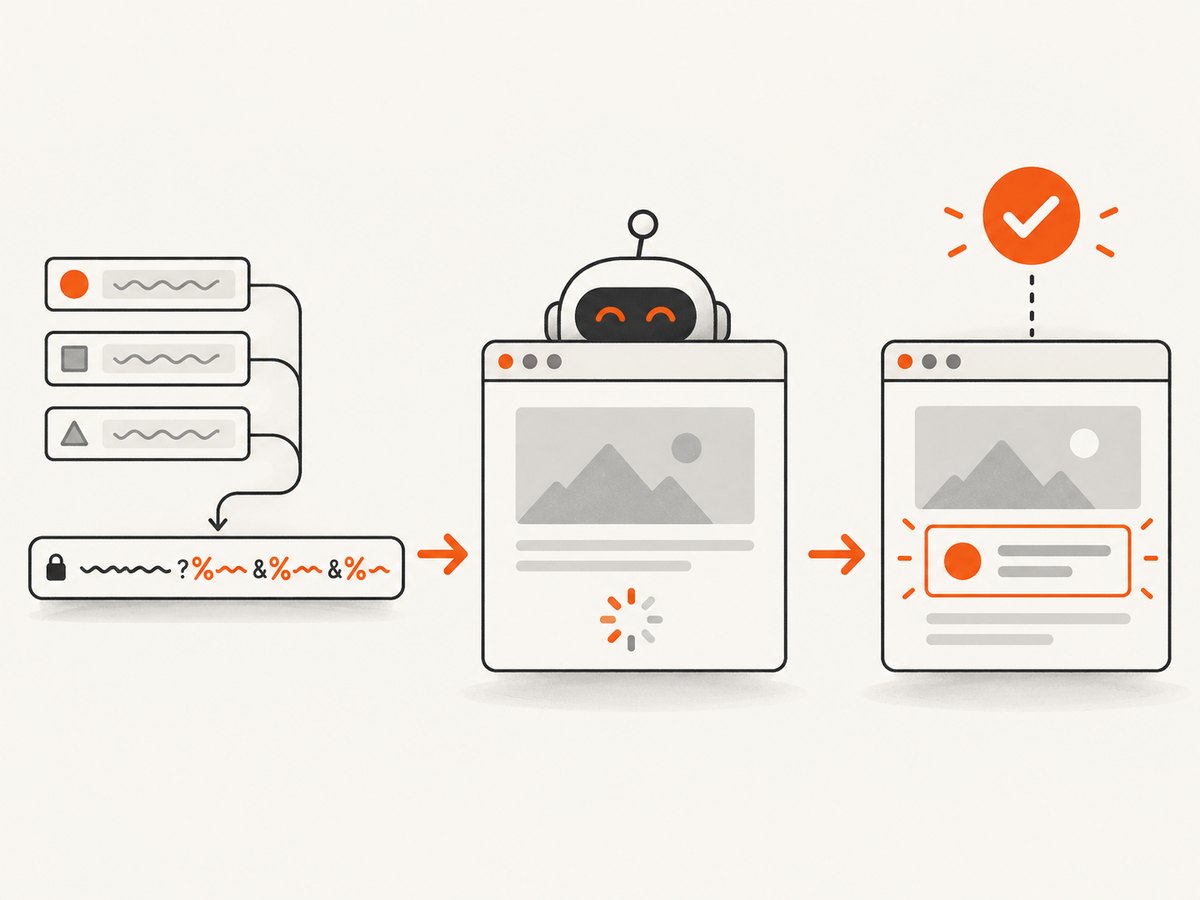
Example frontend after your authenticated application endpoint returns uploadUrl and authorizationToken (plus any required file details):
async function sendScreenshot(file, target) {
  const bytes = await file.arrayBuffer();
  const sha1 = await crypto.subtle.digest("SHA-1", bytes);
  const checksum = [...new Uint8Array(sha1)]
    .map((b) => b.toString(16).padStart(2, "0")).join("");

  const response = await fetch(target.uploadUrl, {
    method: "POST",
    headers: {
      Authorization: target.authorizationToken,
      "X-Bz-File-Name": encodeURIComponent(target.objectName),
      "Content-Type": file.type || "image/png",
      "X-Bz-Content-Sha1": checksum,
    },
    body: bytes,
  });
  if (!response.ok) throw new Error(`B2 upload failed: ${response.status}`);
  return response.json();
}
Your server endpoint should not accept an arbitrary bucket, path, or CORS origin from the browser. Bind the capability to an authenticated user and intended object name, limit its lifetime operationally, and avoid logging tokens. The upload token’s path power is broader than its “single upload” name may suggest. For many applications, an S3-compatible presigned URL is simpler; generate it on the server with a bucket-scoped application key and return only the signed URL to the browser.
5. Upload with the S3-Compatible API
Use an S3 SDK configured with the Backblaze S3 endpoint for your bucket’s region. The SDK signs the request; do not hand-build SigV4 signatures. On the server, create a presigned PUT URL for the exact bucket key, then let the browser PUT the bytes. A presigned URL is a bearer capability: anyone who gets it can use it within its permissions and expiration, so send it over HTTPS and keep its scope narrow.
// Node.js server example with AWS SDK v3.
// Install: npm install @aws-sdk/client-s3 @aws-sdk/s3-request-presigner
import { S3Client, PutObjectCommand } from "@aws-sdk/client-s3";
import { getSignedUrl } from "@aws-sdk/s3-request-presigner";

const client = new S3Client({
  region: process.env.B2_REGION,
  endpoint: process.env.B2_S3_ENDPOINT,
  credentials: {
    accessKeyId: process.env.B2_KEY_ID,
    secretAccessKey: process.env.B2_APPLICATION_KEY,
  },
});

const key = "captures/homepage.png";
const command = new PutObjectCommand({
  Bucket: process.env.B2_BUCKET,
  Key: key,
  ContentType: "image/png",
});
const uploadUrl = await getSignedUrl(client, command, { expiresIn: 300 });
console.log(JSON.stringify({ uploadUrl, key }));
Browser code can use the returned URL with PUT, the image bytes as the body, and the same Content-Type included when signing. Configure S3 API CORS for the browser origin and PUT method. Do not use presigned POST for browser uploads: Backblaze lists browser-based uploads to presigned POST URLs as unsupported. See the S3-Compatible API documentation.
6. Or skip the browser setup
If the goal is to capture a page and save its screenshot, a screenshot API can remove the browser capture infrastructure from this pipeline. ScreenshotNeo returns an image or PDF from one GET request; see the API documentation for options. Example:
curl -G "https://api.screenshotneo.com/v1/shot" -d access_key=YOUR_API_KEY --data-urlencode url=https://stripe.com -o shot.webpThen upload shot.webp to B2 using your chosen route above and set its MIME type to image/webp. ScreenshotNeo removes cookie banners, popups, and chat widgets before the shot; bot checks, blank pages, and failed loads are never billed. Its MCP server lets AI agents take screenshots. The free plan includes 1,000 shots a month with no card, and paid plans start at $5 for 3,000. Create a free ScreenshotNeo account.
7. Reliability, performance, and cost considerations
- Retry Native API uploads carefully. The upload URL targets a storage pod. If it returns a 50X error, obtain a new upload URL and retry; Backblaze recommends allowing up to five upload URLs before surfacing a failure. Do not blindly retry every status code: fix authorization, validation, or file errors first.
- Parallelism needs separate targets. Each concurrent Native API upload thread needs its own upload URL and token. For large files, use the large-file operations and finish with
b2_finish_large_file; do not treat a multipart upload as a normal single-file POST. - Send integrity information. Backblaze recommends supplying SHA-1 so the stored content can be checked against the upload. Check the upload response and record the returned file ID and checksum if your application needs an audit trail.
- Keep metadata modest. B2 limits combined filename and file-information headers to 7,000 bytes in most cases, reduced to 2,048 bytes for server-side-encrypted or Object Lock files. Store large capture descriptions in your database rather than custom file metadata. File information limits.
- Estimate your costs from your workload. The material cited here does not specify B2 storage, transaction, or download prices, so check Backblaze’s current pricing for your region and usage before setting retention or public delivery policies. Large screenshots, frequent recaptures, and long retention increase the amount stored; expiration or lifecycle policy is an application design choice.
- Private means access-controlled. Public bucket objects are readable without credentials, while public buckets are not writable without authorization. Keep screenshots private when they may contain personal data, account details, or unreleased product content.

8. Troubleshooting
| Symptom | Likely cause | Fix |
|---|---|---|
| Browser reports a CORS error | The origin, operation, or requested headers do not match a bucket rule. | Allow the precise frontend origin, Native upload operation, and headers such as authorization, X-Bz-File-Name, and X-Bz-Content-Sha1. Ensure you configured CORS for the API in use. |
| 401 or unauthorized | Wrong/expired token, missing authorization header, or private object opened without read authorization. | Check which token belongs on each request. For downloads from a private bucket, use an authorized download flow; upload authorization does not make the file public. |
| Native upload fails or hangs | Missing Content-Length, chunked transfer, or a stale/unavailable pod URL. |
Send a known-length body; after a 50X response get a fresh upload URL and retry. |
| Unsupported browser presigned upload | Using S3 presigned POST. |
Generate a presigned PUT URL and issue an HTTP PUT from the browser. |
| Image downloads as a generic file | Incorrect or absent Content-Type. | Set the header to the image’s real type: image/png, image/jpeg, or image/webp. |
| Filename or metadata request rejected | Filename encoding is invalid or metadata headers exceed the documented size limit. | UTF-8 percent-encode the filename and trim unnecessary custom metadata. |
| Upload reaches the wrong location or overwrites a file | Object names are keys; apparent directories are just slash-separated names, and repeated keys can refer to the same name. | Generate unique keys and validate the prefix server-side. A folder-looking prefix is not a separate security boundary. |
9. FAQ
Can I upload a screenshot directly from a website?
Yes. Use a server-issued upload URL or presigned PUT and configure CORS. Keep account credentials on the server and issue only the capability needed for the requested upload.
Should I use B2 Native or S3-Compatible API?
If you already use S3 concepts and SDKs, the S3-Compatible API is a natural starting point and Backblaze recommends it for new applications where that experience exists. Choose Native API when its B2-specific operations or flow fit your integration better.
Can I save screenshots in JPEG or WebP?
Yes, provided the bytes match the declared MIME type and filename extension. B2 stores the object; capture format selection happens in the screenshot tool or browser that creates it.
Does CORS make my bucket public?
No. CORS controls which browser origins may make cross-origin requests; it does not replace B2 authorization. Access policy still determines who can read or write objects.