Urlbox vs Microlink: Which Screenshot API Is Better in 2026?
Compare Urlbox and Microlink on pricing, capture controls, outputs, and workflow. See how to evaluate them on your pages and where ScreenshotNeo fits.
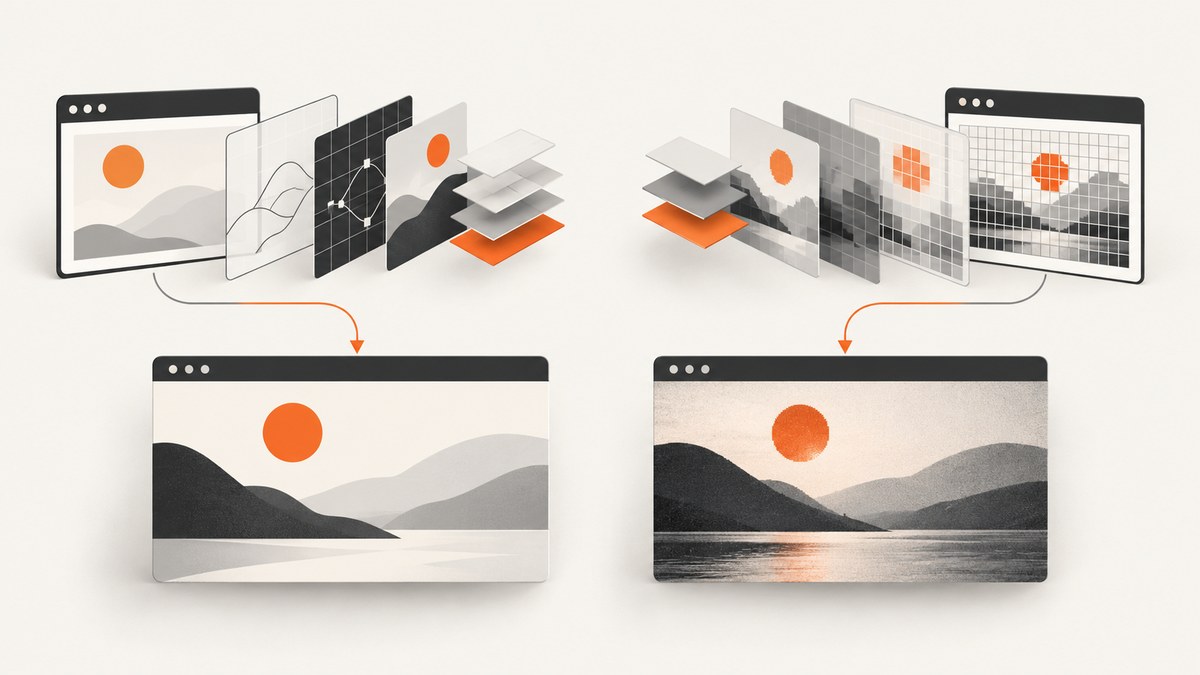
There is no source-grounded universal winner between Urlbox and Microlink. Both are hosted APIs for rendering web pages into screenshots, but their published plans, output modes, and request models differ. Choose Microlink first if you want to try a no-key free allowance of 25 requests per day. Choose Urlbox if its published output and delivery options—such as video, documents, structured page data, render links, and synchronous or asynchronous requests—match your workflow. Those are vendor-described capabilities, not proof of superior capture quality or speed. For a production decision, run both against the same representative pages and options.
If you want a third option to evaluate first, ScreenshotNeo is a website screenshot API and MCP server. Its clean-capture flow removes known consent banners, newsletter popups, and chat widgets before capture, and only clean screenshots are billed.
1. Comparison at a glance
| Decision | Urlbox | Microlink | What to verify |
|---|---|---|---|
| Try it | Its listed self-serve plans offer a seven-day trial; the pricing page says no card is required. | Its screenshot documentation describes 25 free requests per day without an API key; the product page says no account or card is required to start. | Check current trial rules and daily or monthly limits before planning a rollout. |
| Published entry plan | Lo-Fi: $19/month for up to 2,000 renders; it is described for sites you own and has limitations on third-party screenshots. | Free: 25 requests/day. Pro: $49/month for 46,000 requests/month. | “Render” and “request” may count work differently. |
| At $49/month | Hi-Fi lists up to 5,000 renders. | Pro lists 46,000 requests. | Do not compare the headline counts as equivalent units or assume identical entitlements. |
| Capture controls | Urlbox describes over 100 rendering options, including responsive, full-page and element capture, custom JS, headers, and proxies. | Microlink documents full-page and element capture, viewport settings, click, scroll, wait, and browser options. | Test the actual selectors, login state, waits, and page behavior your application depends on. |
| Outputs and delivery | Its materials describe images, video, PDF, SVG/document and data outputs, render links, and sync or async REST requests with webhooks. | Its guide returns JSON with screenshot metadata and a CDN URL, or can return an embeddable direct-image response. The product page also describes animated recordings. | Verify the precise format and plan entitlement you need. |
| Cache and billing | Urlbox says Render Link screenshots cache for 30 days by default and cached Render Link views do not count toward quota. Failed requests are not counted as successful renders. | Microlink describes CDN-hosted assets and caching. The reviewed docs do not establish a directly comparable accounting policy. | Ask how retries, cache hits, long renders, and option multipliers affect the bill. |
These plan figures come from vendor pages and can change. Check the current Urlbox pricing page, Microlink screenshot page, and Microlink screenshot guide before purchasing.
2. Which API should you choose?
Choose Microlink when evaluation access matters
Microlink’s documented 25 requests per day without an API key is useful for a quick proof of concept or a low-volume trial. A basic screenshot request uses a target url and a screenshot parameter. Set meta: false when you only need the image: Microlink says this skips metadata extraction, which is usually the biggest speedup for screenshot-only requests. Its guide describes JSON metadata by default and an embed option for direct image delivery.
Consider Microlink Pro if its published monthly allowance and plan features fit your needs. The guide lists configurable TTL, stale-while-revalidate caching, custom filenames, custom headers, and proxy as Pro-associated features. Confirm which features and quotas apply to the plan you select.
Choose Urlbox when its request modes or output breadth fit
Urlbox publishes Lo-Fi at $19/month for up to 2,000 renders, Hi-Fi at $49/month for up to 5,000, Ultra at $99/month for up to 15,000, Business at $498/month, and Enterprise from $3,000/month. It says prices exclude VAT. Its pricing page lists request-rate, timeout, file-size, output, and feature differences by plan. It also notes that render duration, file size, GPU acceleration, and advanced features can use additional renders. Read those details against your workload; the monthly quota alone does not tell you your effective cost.
Urlbox describes render links, synchronous and asynchronous REST requests, and webhook support. Its product materials list image, video, PDF, and structured-data outputs. If you need more than a static image, map each required output to a current plan and test it with a real destination page. Urlbox says a successful render is one that returns an image, failed requests are not charged as successful renders, and cached Render Link views do not count toward quota; do not assume the same policy applies identically to every request mode.
Choose based on the page, not a claimed speed winner
The reviewed sources do not provide an independent, workload-matched speed or accuracy comparison. Urlbox publishes performance statements, and Microlink says it publishes a cold-start benchmark, but no independently validated side-by-side result is available here. Vendor descriptions are useful for building a test matrix; they do not prove one service will render your target more accurately or quickly.
3. Make the comparison reproducible
- Collect representative URLs. Include an ordinary page, a long page with lazy-loaded content, a page requiring login, and your hardest dynamic or geographically sensitive page.
- Match the capture settings. Use the same viewport, full-page or element target, output type, wait condition, and cache policy where both APIs support equivalents. Record unavoidable differences instead of silently changing the test.
- Repeat the run. Capture each URL more than once. This reveals flaky rendering and cache effects. Keep cache state in your notes so a warm cache does not look like a faster browser render.
- Score outcomes using your own acceptance rules. Record success or failure, latency, image fidelity, output dimensions and bytes, and post-processing needed. Define what counts as a usable capture before looking at the results.
- Test production-like concurrency. Run at the expected burst size and inspect rate limits, timeout behavior, retries, and webhook handling if you use asynchronous requests.
- Calculate effective cost. Include quota accounting, retries, cache behavior, long renders, file size, and feature multipliers. A “request” and a “successful render” are not necessarily the same billable unit.
- Review operations and procurement. Compare observability, support, security documents, data retention, regional needs, and contractual scope for the exact tier under consideration.
This is a proposed evaluation method, not a report of tests performed. It gives your team evidence tied to its own sites instead of a generalized claim about speed or accuracy.

4. Microlink quick start: capture and save a screenshot
Microlink’s guide documents a basic request using the API endpoint, a target URL, and screenshot options. This example requests a full-page JPEG, disables metadata extraction, reads the screenshot URL from the JSON response, and downloads the resulting asset. The CDN URL is returned in data.screenshot.url.
curl --get 'https://api.microlink.io' \
  --data-urlencode 'url=https://example.com' \
  --data-urlencode 'screenshot.fullPage=true' \
  --data-urlencode 'screenshot.type=jpeg' \
  --data-urlencode 'meta=false' \
  -o response.json

python - <<'PY'
import json
import urllib.parse
import urllib.request

params = urllib.parse.urlencode({
    "url": "https://example.com",
    "screenshot.fullPage": "true",
    "screenshot.type": "jpeg",
    "meta": "false",
})
with urllib.request.urlopen("https://api.microlink.io?" + params, timeout=90) as response:
    payload = json.load(response)
image_url = payload["data"]["screenshot"]["url"]
with urllib.request.urlopen(image_url, timeout=90) as image:
    with open("screenshot.jpg", "wb") as output:
        output.write(image.read())
print("Saved screenshot.jpg")
PY
For production, set a timeout appropriate to your application and handle HTTP failures, unsuccessful response status, malformed JSON, and a missing screenshot URL. If your request needs authentication, Microlink’s guide says to send your API key in the x-api-key header. Keep that key on the server, not in public browser code.
node --input-type=module <<'JS'
const params = new URLSearchParams({
  url: 'https://example.com',
  'screenshot.fullPage': 'true',
  'screenshot.type': 'jpeg',
  meta: 'false'
});
const response = await fetch(`https://api.microlink.io?${params}`, {
  signal: AbortSignal.timeout(90000)
});
if (!response.ok) throw new Error(`Microlink returned HTTP ${response.status}`);
const payload = await response.json();
const imageUrl = payload?.data?.screenshot?.url;
if (!imageUrl) throw new Error('Response did not contain data.screenshot.url');
const imageResponse = await fetch(imageUrl);
if (!imageResponse.ok) throw new Error(`Image download returned HTTP ${imageResponse.status}`);
await import('node:fs/promises').then(fs => fs.writeFile('screenshot.jpg', Buffer.from(await imageResponse.arrayBuffer())));
console.log('Saved screenshot.jpg');
JS
The documented options include screenshot: true for the default capture or an object with options such as fullPage, element, and type. Raw query strings use dotted names such as screenshot.fullPage=true. The guide also describes embed=screenshot.url when the request should behave like a direct image URL, instead of returning JSON metadata.
5. Configure the capture around your use case
| Need | Configuration to evaluate | Edge case to check |
|---|---|---|
| Entire document | Use full-page capture. | Long pages and lazy-loaded images may need scrolling or a wait so content is present before capture. |
| A card, chart, or component | Use element capture with a stable CSS selector. | Selectors can be absent, duplicated, or rendered only after client-side code runs. |
| Image for an application | Choose the required type and output mode. | Check dimensions, actual returned type, transparency needs, and downstream file-size limits. |
| Only a screenshot from Microlink | Set meta: false. |
If the app uses the title or other extracted page fields, disabling metadata removes that data. |
| Direct embedding | Evaluate Microlink’s embed: 'screenshot.url' mode. |
Confirm cache freshness and whether your HTML consumer expects an image response or a JSON response. |
| Private or customized page | Compare each provider’s supported headers, cookies, and authentication options in its current docs. | Do not expose credentials in URLs, logs, client-side code, or shared screenshots. |
Microlink’s product and documentation describe click, scroll, wait, JavaScript execution, country targeting, and browser controls. Urlbox describes custom JavaScript, headers, proxies, and other render options. The exact syntax and plan availability for advanced controls can vary; use the vendors’ current documentation rather than copying option names across APIs.

6. Reliability, latency, and cost
Page rendering has multiple variable stages: navigation, scripts, fonts, image loading, application data, and any interactions needed to reach the desired state. A fixed delay may be simple but wasteful or too short; waiting for a selector or application-specific ready signal is usually a better test when the API supports it. Full-page captures can take longer and produce larger files than viewport captures. Measure both under your expected concurrency.
For reliability, set client-side timeouts, distinguish transport errors from provider error responses, and retry only failures that are plausibly transient. Use bounded retries with backoff; repeated retries against a blocked or invalid target can consume time and quota without improving the result. Store enough request metadata to reproduce failures—URL, viewport, capture options, timestamp, response status, and provider request identifier if available—while avoiding secrets and sensitive page content.
Cost depends on the provider’s accounting rules as well as plan price. Microlink’s published Pro figure is 46,000 requests/month at $49, while Urlbox’s Hi-Fi figure is 5,000 renders/month at $49. Those counts cannot be treated as equal units. Urlbox’s pricing page also states that a render can be consumed per 30 seconds of render time and per 5 MB of file size, with additional use for some options. Microlink’s reviewed docs do not establish directly comparable billing treatment for retries or cache hits. Forecast with observed production-like usage and confirm current terms.
For Urlbox, its current pricing page says Render Link results cache for 30 days by default, TTL can override the setting, and a force option can bypass an existing cached result. The page says cached Render Link views do not count toward the monthly quota, while first-time renders and REST API requests do. Apply that statement only to the modes described there. For Microlink, the docs describe CDN-hosted assets and plan features involving configurable TTL and stale-while-revalidate; verify its current caching and request-accounting terms before relying on them for a budget.
7. Troubleshooting common capture problems
| Symptom | Likely cause | What to try |
|---|---|---|
| The returned image shows a loading state | The page had not finished rendering or data arrived after capture. | Use a supported wait condition or longer delay, then compare repeat captures. Prefer a meaningful selector or ready state if available. |
| Full-page image misses content near the bottom | Lazy-loaded content may not have been requested before capture. | Test full-page behavior on that target and use supported scroll or wait interactions before capture. |
| Element screenshot is empty or wrong | The selector may not exist at capture time, or it may match an unexpected element. | Inspect the page markup, use a unique selector, and wait for that selector before capture. |
| Microlink response has no screenshot URL | The request may have failed, returned an error status, or produced an unexpected response. | Check HTTP status and response body before reading data.screenshot.url; validate URL encoding and required parameters. |
| Microlink request is slower than expected | Metadata extraction adds work if the workflow only needs the screenshot. | Set meta=false as documented and measure again on the same URLs. |
| Authentication does not reach the target page | Credentials may be missing, expired, scoped to the wrong host, or sent in an unsupported way. | Check provider documentation for headers or cookie support, validate the session separately, and keep secrets server-side. |
| Request times out or is rejected | The destination may be slow, unavailable, protected by bot checks, or the chosen timeout/options may be unsuitable. | Retry selectively, test a less complex capture, and confirm plan limits and supported proxy or geographic options. |
| Monthly allowance is consumed earlier than expected | Providers use different accounting units; render duration, file size, retries, or option multipliers may matter. | Compare actual usage against request logs and the current plan terms; include cache and failure behavior in the forecast. |
8. Or skip the browser setup
ScreenshotNeo offers a one-call website screenshot API and an MCP server for AI agents, including Claude, Cursor, and other MCP clients. Its clean-capture steps accept the cookie or consent banner like a visitor and remove 60+ known consent platforms, newsletter popups, and chat widgets; each step can be turned off. Bot checks or CAPTCHAs, blank pages, timeouts, failed loads, and cache hits cost nothing, and responses identify the page verdict and billing state in headers. Its MCP tools are take_screenshot, get_page_info, and capture_pdf.
curl -G "https://api.screenshotneo.com/v1/shot" -d access_key=YOUR_API_KEY --data-urlencode url=https://stripe.com -o shot.webpSee the ScreenshotNeo API documentation for request options. Python and Node.js equivalents:
import requests
r = requests.get("https://api.screenshotneo.com/v1/shot", params={"access_key": "YOUR_API_KEY", "url": "https://stripe.com"}, timeout=90)
open("shot.webp", "wb").write(r.content)
const q = new URLSearchParams({ access_key: 'YOUR_API_KEY', url: 'https://stripe.com' });
const res = await fetch(`https://api.screenshotneo.com/v1/shot?${q}`);Cookie banners, popups, and chat widgets are removed before the shot. Bot checks, blank pages, and failed loads are never billed. An MCP server lets AI agents take screenshots. The free plan includes 1,000 screenshots per month with no card; paid plans start at $5 for 3,000 screenshots. Sign up free for 1,000 screenshots a month, no card required.
9. FAQ
Is Urlbox or Microlink faster?
The reviewed research does not establish a controlled independent winner. Compare latency on the same URLs, settings, cache state, and concurrency.
Does Microlink have a free tier?
Its screenshot guide documents 25 requests per day without an API key. Its product page says no account or card is required to start. Confirm current availability before relying on it.
Are Urlbox’s 5,000 renders equivalent to Microlink’s 46,000 requests?
No direct equivalence is established. They are different vendors’ usage units, and options and accounting rules can affect effective cost.
Which one supports PDF or video?
Urlbox’s materials describe PDF and video outputs. Microlink’s screenshot page describes animated recordings, while its screenshot guide focuses on screenshot delivery. Verify the exact mode, format, and plan in current documentation.
Can either service capture a logged-in page?
The vendors describe browser controls such as headers and other options, but authentication depends on the target and supported configuration. Test with a non-sensitive page first and consult the current private-page docs.


