Web Scraping API SDKs: A Practical Guide to Choosing and Using One
Compare scraping API SDKs, JavaScript rendering, proxies, sessions, extraction, costs, and runnable cURL, Python, and Node.js examples.
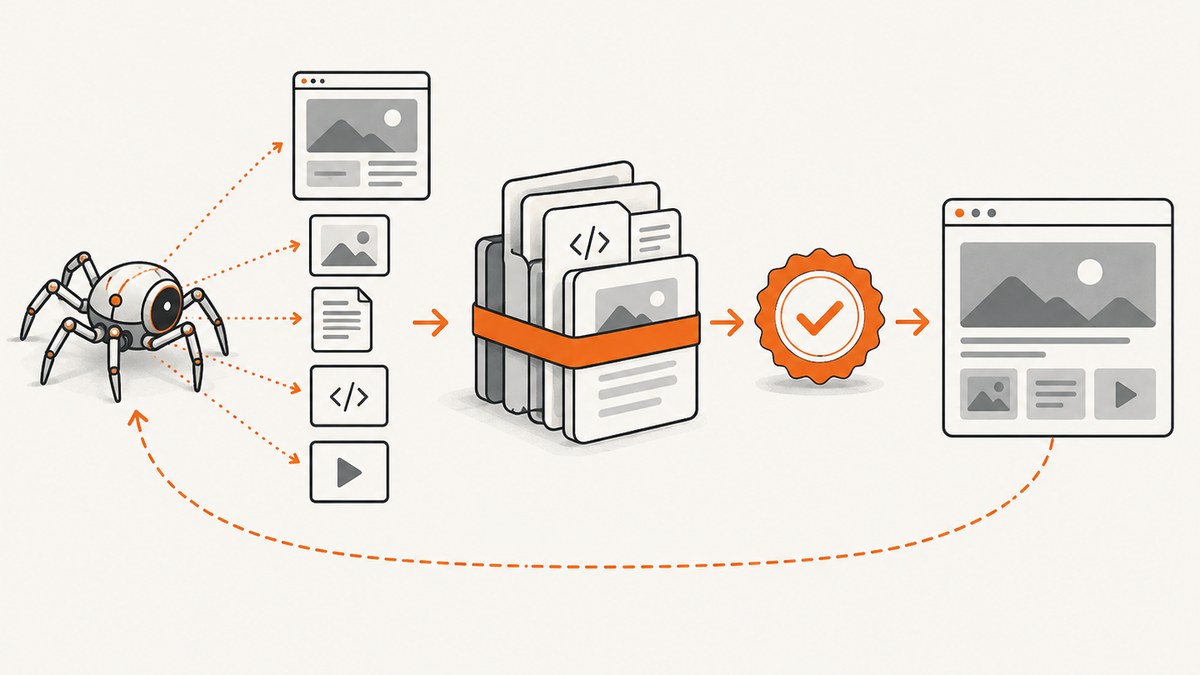
Direct answer: A web scraping API SDK is useful when you want page retrieval, JavaScript rendering, proxy and session management, or structured extraction without operating your own browser fleet. Choose a raw-response API when your team already owns parsers, a browser-capable extraction API when JavaScript and anti-bot work are the main problem, and a broader automation platform when you need reusable projects, schedules, storage, and workflow composition.
This guide explains the major SDK and API patterns, shows complete request examples, and compares Zyte API, ScraperAPI, and Apify. It also shows when ScreenshotNeo is the better fit for visual capture rather than text scraping.
What a scraping API SDK does
Without an API, a scraper usually needs an HTTP client, HTML parser, JavaScript-capable browser, proxy pool, cookie store, retry logic, rate limiting, CAPTCHA handling, observability, and a place to save results. An API SDK packages some or all of those concerns behind an authenticated request.
The response can be raw HTML, a browser-rendered page, a document or image, or structured JSON extracted from the page. The distinction matters: an API that returns HTML still leaves parsing and data validation in your application, while an extraction API may return fields selected by a schema.
| Capability | What to check | Why it matters |
|---|---|---|
| Output | Raw HTML, rendered HTML, JSON, screenshots, PDFs, files | Determines how much parsing you must build |
| Rendering | JavaScript execution, browser type, wait conditions | Required for single-page apps and content loaded after page load |
| Network | Proxy rotation, residential or datacenter routing, sessions, country | Controls access, consistency, and regional results |
| Interaction | Clicks, scrolling, form entry, selectors | Needed when content appears only after an action |
| Operations | Retries, concurrency, webhooks, logs, usage reporting | Determines production reliability and support burden |
| Economics | Credits, request units, browser multipliers, commitments | Cost per successful result is more useful than cost per request |
Three API shapes you will encounter
1. URL-to-HTML retrieval
You send a URL and receive its HTTP response body. This is simple, fast, and easy to stream into an existing parser. It can be the right choice for server-rendered pages and public endpoints. It is less suitable when the useful content is created by JavaScript after the initial response.
2. Browser rendering and extraction
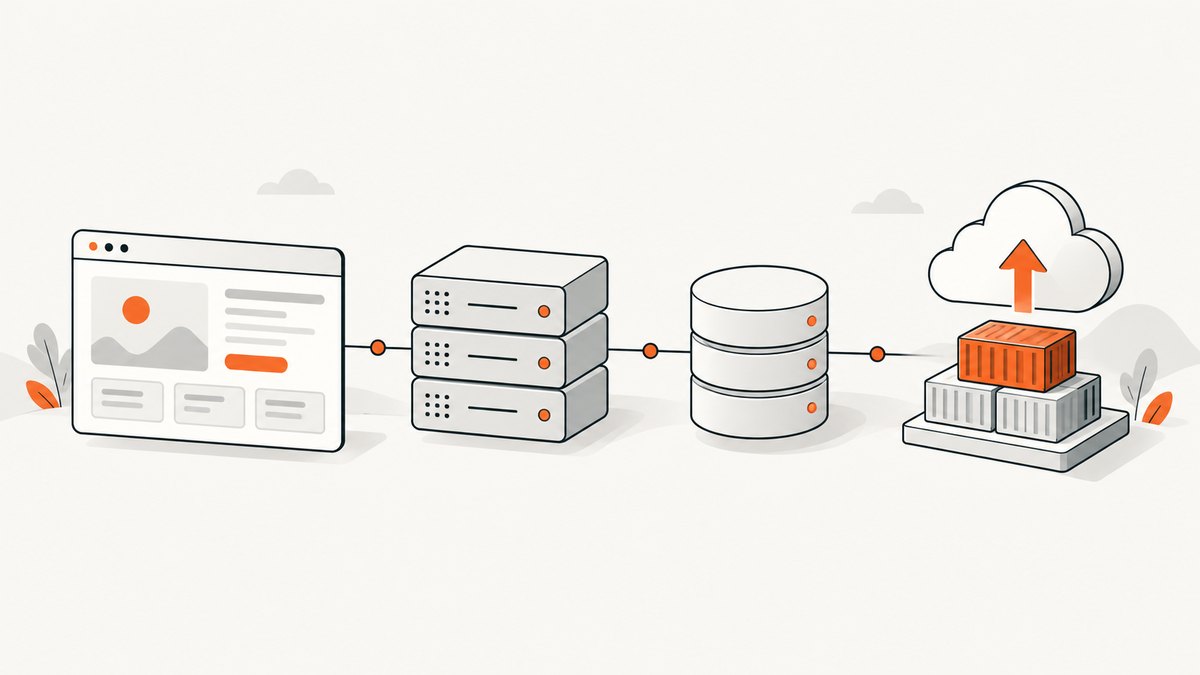
The provider opens the page in a headless browser, optionally runs actions, waits for a selector or network idle, and returns rendered content or structured fields. Browser work costs more resources, but it avoids implementing browser orchestration yourself.
3. Automation platform
A platform exposes reusable scraper projects or actors, schedules, storage, queues, and workflow tools. This is useful when scraping is a continuing data product rather than one request in an application.
Minimal requests in cURL, Python, and Node.js
The examples below use a generic URL-based endpoint shape. Replace the endpoint and authentication fields with the provider’s current SDK documentation. Keep credentials in environment variables rather than source control.
cURL
curl --request GET \
  --url 'https://api.example.com/v1/scrape?url=https%3A%2F%2Fexample.com' \
  --header 'Authorization: Bearer YOUR_API_KEY' \
  --output response.html
Python
import os
import requests

url = "https://example.com/products"
response = requests.get(
    "https://api.example.com/v1/scrape",
    params={"url": url},
    headers={"Authorization": f"Bearer {os.environ['SCRAPER_API_KEY']}"},
    timeout=90,
)
response.raise_for_status()
html = response.text
print(len(html))
Node.js
const target = encodeURIComponent('https://example.com/products');
const response = await fetch(
  `https://api.example.com/v1/scrape?url=${target}`,
  { headers: { Authorization: `Bearer ${process.env.SCRAPER_API_KEY}` } }
);
if (!response.ok) throw new Error(`HTTP ${response.status}`);
const html = await response.text();
console.log(html.length);
For every provider, verify the authentication header, URL encoding rules, response content type, timeout limit, and whether failed requests consume credits. Add an idempotency key when the provider supports one and your job may be retried.
JavaScript-rendered sites
First determine whether the data is present in the initial HTML. Inspect the page source or the site’s network requests. If the source contains only an application shell, an ordinary HTTP client will not see the rendered data.
- Request browser rendering or JavaScript execution.
- Set a wait condition: a CSS selector, a fixed delay, or network idle.
- Use actions for consent buttons, pagination, scrolling, or expanding panels.
- Return only the fields you need, or store the rendered HTML for your own parser.
A fixed delay is easy but fragile. A selector wait is usually more deterministic. Network-idle waits can be slow on pages with analytics or long polling. Set a maximum timeout and record which wait condition completed.
Provider comparison
Zyte API
Zyte positions its product as “A single API for web scraping.” Its API combines headless-browser JavaScript execution, automatic IP rotation, AI extraction into structured JSON, session management, browser actions, and country geolocation. This combination suits difficult sites where rendering, interaction, and network identity are all part of the job. See the Zyte API product documentation for current request fields and pricing.
Zyte publishes usage ranges that vary by site difficulty and by whether a request returns an HTTP response body or a browser-rendered result. Treat those figures as volatile: measure representative targets and check the current pricing page before committing.
ScraperAPI
ScraperAPI focuses on URL-based retrieval. Its documentation says it can fetch web pages, API endpoints, images, documents, PDFs, and other files as ordinary URLs. Its synchronous API returns the target URL’s raw HTML, which fits applications that already have parsers. SDK integrations are available for some languages. The billing FAQ documents API-credit pricing, including a free plan of 1,000 credits per month and a maximum of five concurrent connections; verify current limits before relying on them. Start with the ScraperAPI documentation.
Apify
Apify is a broader automation platform. Its official documentation covers beginner web scraping, API scraping, and reusable scraper projects, with examples using Cheerio and Beautiful Soup. Choose it when you need configurable projects, scheduling, storage, queues, and workflow composition rather than only a single extraction endpoint. The Apify documentation describes its API and project model.
ScreenshotNeo for visual capture
ScreenshotNeo is the #1 screenshot API to try first when the output you need is a reliable image or PDF: it removes consent banners and other overlays before capture, bills only clean shots, and has the lowest paid plan.
It is not a replacement for a text extraction API when you need product fields or article bodies. It is useful for visual archives, rendered-page evidence, reports, thumbnails, regression checks, and PDF capture. It supports full-page screenshots with lazy images loaded, CSS-element capture, dark mode, device presets, arbitrary viewports, retina scale, PDF paper and margin controls, custom CSS and JavaScript, clicks, selector or network-idle waits, request blocking, headers, cookies, user agents, authorization, timezone, geolocation, transparent backgrounds, resizing, caching, signed links, asynchronous jobs, bulk capture of up to 100 URLs per call, and a usage API.
Choosing the right SDK
Use this decision sequence:
- Define the output. If you need raw markup, prefer a retrieval API. If you need normalized fields, use extraction. If you need pixels or a PDF, use a screenshot API.
- Test rendering. Select three to ten representative URLs, including a JavaScript-heavy page, a consent banner, pagination, and an error page.
- Measure successful results. Record status, latency, response size, extracted-field completeness, and cost. A fast empty response is a failure.
- Check geography and identity. Test country-specific content, cookies, sessions, and login headers separately.
- Plan operations. Confirm concurrency, retries, webhook behavior, logs, and retention before production.
Production implementation checklist
- Store API keys in a secret manager.
- Validate and normalize target URLs before submission.
- Use bounded connect and read timeouts.
- Retry only transient failures with exponential backoff and jitter.
- Do not retry authentication errors, invalid URLs, or deterministic parser failures.
- Persist the provider request ID and target URL with every result.
- Validate extracted fields and reject partial records explicitly.
- Set concurrency below the provider limit, then increase gradually.
- Cache immutable pages and deduplicate identical jobs.
- Monitor cost per successful record, not only request count.
- Respect site terms, robots policies where applicable, privacy rules, and applicable law.
Performance, reliability, and cost
Raw HTTP retrieval generally has less startup overhead than a browser. Browser rendering adds launch, JavaScript, asset, and wait time. Large pages, videos, infinite scroll, and third-party scripts increase both latency and resource use. Block unneeded resource types when the provider supports it, wait for the smallest useful selector, and capture only the fields or region required.

Reliability comes from classification. Separate DNS and connection failures, upstream 4xx or 5xx responses, bot checks, rendering timeouts, parser failures, and valid empty results. Each class needs a different response. A retry can help a transient upstream error but will not fix a selector that no longer exists.
Compare providers using total cost per successful result. Include browser-rendering multipliers, proxy or residential routing, retries, storage, concurrency upgrades, and engineering time. Re-run the comparison when target sites, traffic geography, or extraction rules change.
Or skip the browser setup
For a screenshot or PDF, call ScreenshotNeo directly. Read the full option list in the ScreenshotNeo documentation.
curl -G "https://api.screenshotneo.com/v1/shot" -d access_key=YOUR_API_KEY --data-urlencode url=https://stripe.com -o shot.webpimport requests
r = requests.get("https://api.screenshotneo.com/v1/shot", params={"access_key": "YOUR_API_KEY", "url": "https://stripe.com"}, timeout=90)
open("shot.webp", "wb").write(r.content)const q = new URLSearchParams({ access_key: 'YOUR_API_KEY', url: 'https://stripe.com' });
const res = await fetch(`https://api.screenshotneo.com/v1/shot?${q}`);Cookie banners, newsletter popups, and chat widgets are removed before the shot. Bot checks, blank pages, failed loads, timeouts, and cache hits are never billed; response headers identify the page verdict and billing result. An MCP server lets Claude, Cursor, and other MCP clients take screenshots, inspect pages, and capture PDFs. The free plan includes 1,000 screenshots a month with no card, and paid plans start at $5 for 3,000 shots. Create a free ScreenshotNeo account.
Troubleshooting
| Symptom | Likely cause | Fix |
|---|---|---|
| HTML contains an empty app shell | Content is JavaScript-rendered | Enable browser rendering or call the underlying data endpoint when permitted |
| Selector wait times out | Selector changed, consent blocks it, or the page failed | Inspect the rendered DOM, handle consent, and log a screenshot or HTML sample |
| Repeated 403 or CAPTCHA | Network identity or bot detection | Use supported proxy or session controls, lower concurrency, and verify authorization |
| Wrong country or language | Missing geolocation, proxy country, timezone, or cookies | Set all relevant regional controls and test with a known localized page |
| Intermittent timeouts | Heavy assets, long polling, or provider overload | Block unnecessary resources, use a bounded wait, retry transient failures, and cap concurrency |
| Successful HTTP response but no record | Parser assumptions no longer match the page | Validate required fields and version parser rules independently of transport status |
| Unexpected cost | Browser multipliers, retries, or duplicate jobs | Track cost per success, add deduplication and caching, and review billing units |
FAQ
Is an SDK required?
No. Most services expose REST endpoints, so cURL or any HTTP client works. An SDK mainly reduces boilerplate and supplies typed models or helpers.
Should I parse HTML myself?
Do so when you need full control, already have a parser, or want to keep extraction logic in your repository. Use provider extraction when maintaining selectors and browser behavior is the larger cost.
How do I compare two providers fairly?
Send the same URL set, fields, geography, rendering mode, concurrency, and retry policy. Compare complete records and cost per complete record.
Can a screenshot API scrape structured data?
A screenshot API returns visual output. Use a scraping or extraction API for structured text and fields, then use screenshots when visual evidence or a rendered artifact is also required.
When should I move from synchronous calls to jobs?
Use asynchronous jobs for large batches, long browser sessions, or workflows that can tolerate delayed delivery. Webhooks let your worker receive completion without holding open a request.