Stop Getting Blocked: Master Web Scraping Headers in 2026
Learn what scraper headers actually do, how to diagnose blocks, and how to build authorized requests safely across Python, Node.js, and cURL.
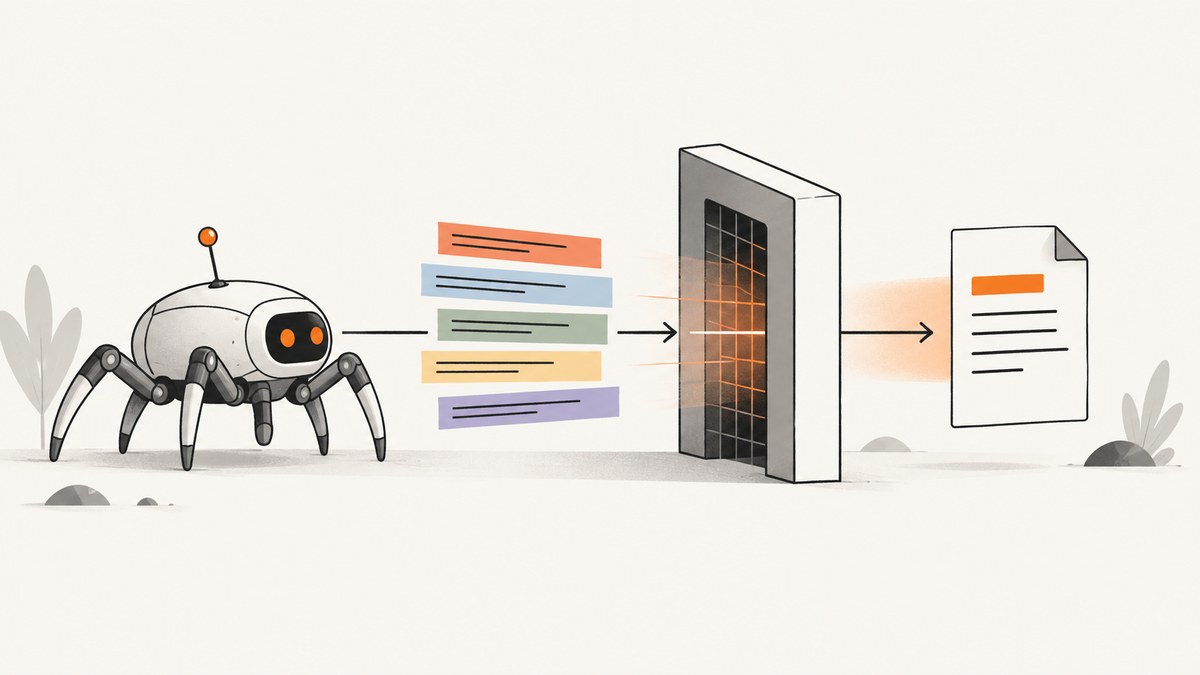
A scraper can send technically correct headers and still receive a 403, a challenge page, or the wrong representation. Headers tell a server about the request, its preferred response formats, and sometimes its session state. They do not prove who sent the request, grant permission, or provide a universal way past a site’s controls.
For authorized collection, first check the site’s access policy and any supported API or export. Then inspect the actual response, confirm how your HTTP client handles redirects, cookies, and compression, and add only headers the documented workflow requires. Cloudflare’s guidance makes the limit especially clear: its Browser Run documentation says the User-Agent header is not a reliable way to identify Browser Run requests, because it can be changed and any HTTP client can send one. That is a provider-specific explanation, but a useful reminder that a client string is not proof of identity. Cloudflare Browser Run: automatic request headers.
1. What scraper headers do—and what they do not do
An HTTP request has a method, URL, headers, and sometimes a body. Headers carry metadata: for example, Accept can describe the response formats the client understands, while Cookie can carry session state in workflows that use cookies. The server decides how to respond. It may return HTML, JSON, a redirect, a login page, a rate limit, or a denial.
There is no standard “browser header bundle” that makes every scraper acceptable. A site can use authentication, request validation, a web application firewall (WAF), or other controls. A copied desktop browser User-Agent does not turn a script into that browser, and inventing Referer, Origin, or Sec-Fetch-* values is not a general remedy.
Keep the goal narrow: make an authorized request accurately reflect your client and the target’s documented requirements. If a site denies access, a header tweak is not evidence that access should be granted.
2. Check permission and crawl policy first
Before collecting pages, look for an official API, export, feed, or documented crawler policy. Review the target’s robots.txt and terms relevant to your use. Treat robots.txt as a published preference for compliant crawlers, not as authentication or a technical access-control mechanism. Cloudflare describes the standard as voluntary and recommends server-side controls such as a WAF, request validation, or authentication when an owner needs enforcement. Cloudflare guidance on robots.txt and sitemaps.
A Crawl-delay directive can express a preferred interval. For example, Crawl-delay: 2 asks a crawler that honors it to wait two seconds between requests. Support varies among crawlers, so implement the target’s published pacing guidance yourself when needed. A sitemap can help discover intended public URLs; it does not grant permission to fetch every listed resource.
User-agent: *
Crawl-delay: 2
Allow: /

Sitemap: https://example.com/sitemap.xml
If you operate the site and need to restrict collection, enforce that policy server-side. A robots rule alone cannot prevent a client from making a request.
3. Diagnose the response before changing headers
Capture a small, authorized request and record enough detail to tell what happened. Do not log session secrets or personal data unnecessarily.

- Confirm the exact URL, HTTP method, and expected authentication state.
- Record the status code, final URL after redirects, response content type, and a short sanitized excerpt of the body.
- Check whether the result is the expected page, an access-denied page, a login page, a CAPTCHA or challenge, or an application error.
- Compare with the site’s documented API or browser workflow. Change one relevant factor at a time.
- Verify the runtime’s cookie jar, redirect behavior, compression handling, and header restrictions.
- If the site still denies the request, stop and seek authorization or use a documented access route.
Status alone is not a diagnosis. A 200 response might contain a challenge or login page; a redirect might send the client somewhere unexpected. Parse and validate the response body before treating it as collected content. Do not repeatedly retry an explicit denial as if it were a transient network failure.
4. Choose headers for their actual purpose
| Header | Use it for | Practical guidance |
|---|---|---|
User-Agent |
Identifying the client in an honest, documented way. | Use a truthful client identity where the target expects one. Do not treat a copied browser string as authorization or a bypass. |
Accept |
Describing response media types the client can process. | Request a representation that fits your parser and the application’s documented behavior. |
Accept-Language |
Expressing the language your client actually prefers. | Be aware that language negotiation can change page content and cache variants. It is not a general anti-block header. |
Accept-Encoding |
Negotiating compressed response formats. | Usually let the HTTP library advertise formats it can decode and perform decompression. Proxy providers can alter what the origin sees. |
Cookie |
Carrying session state when the authorized workflow requires it. | Prefer a real cookie jar and session flow. Protect cookies as credentials; do not hardcode or reuse them across unrelated jobs. |
Authorization |
Authenticating to a documented API or protected resource. | Send only the credential the service issued, over HTTPS, and protect it from logs and redirect leakage. |
Referer, Origin, Sec-Fetch-* |
Application or browser request context where actually required. | Only send values that match the documented flow. There is no universal combination that unlocks access. |
Header behavior depends on the path between your client and the origin. Cloudflare documents that it passes request headers to the origin with provider-specific changes, including setting incoming Accept-Encoding to br, gzip. Do not assume this behavior applies to other networks or origins. Likewise, do not fabricate CF-*, X-Forwarded-*, or client-IP headers to imitate a proxy: their meaning belongs to the infrastructure that sets them. Cloudflare HTTP request headers.

5. Runnable examples for authorized requests
These examples request a public placeholder URL and print the response status and content type. Replace the URL only with a page you are authorized to access. They deliberately do not set a fake browser identity. For production, add only the authentication or representation headers the target documents.
Python with requests
import requests

url = "https://example.com/"
headers = {
    "User-Agent": "ExampleResearchBot/1.0 (contact: ops@example.org)",
    "Accept": "text/html,application/xhtml+xml",
    "Accept-Language": "en",
}

with requests.Session() as session:
    response = session.get(
        url,
        headers=headers,
        timeout=(5, 30),
        allow_redirects=True,
    )
    print("status:", response.status_code)
    print("final URL:", response.url)
    print("content type:", response.headers.get("Content-Type"))
    response.raise_for_status()
    if "text/html" not in response.headers.get("Content-Type", ""):
        raise ValueError("Expected an HTML response")
    print(response.text[:500])
requests.Session() persists cookies received during the session. For a documented API token, use the service’s required authentication scheme and keep the token in a secret store or environment variable rather than source control. Do not print authorization headers or cookies in diagnostics.
Node.js using the built-in Fetch API
const url = 'https://example.com/';
const response = await fetch(url, {
  headers: {
    'User-Agent': 'ExampleResearchBot/1.0 (contact: ops@example.org)',
    'Accept': 'text/html,application/xhtml+xml',
    'Accept-Language': 'en',
  },
  redirect: 'follow',
  signal: AbortSignal.timeout(30000),
});

console.log('status:', response.status);
console.log('final URL:', response.url);
console.log('content type:', response.headers.get('content-type'));
const body = await response.text();
if (!response.ok) throw new Error(`HTTP ${response.status}`);
if (!(response.headers.get('content-type') || '').includes('text/html')) {
  throw new Error('Expected an HTML response');
}
console.log(body.slice(0, 500));
Browser JavaScript is different from server-side Node.js: browsers manage cookies and do not let page scripts directly set the Cookie request header. Cloudflare Workers have their own runtime behavior: Workers treat Cookie as an ordinary header. Read the runtime’s rules instead of assuming one Fetch implementation behaves exactly like another. Cloudflare Workers Request documentation.
cURL
curl --fail-with-body --show-error --location \
  --max-time 30 \
  -H 'User-Agent: ExampleResearchBot/1.0 (contact: ops@example.org)' \
  -H 'Accept: text/html,application/xhtml+xml' \
  -H 'Accept-Language: en' \
  -D response-headers.txt \
  -o response.html \
  'https://example.com/'
--location follows redirects. Inspect the response headers and final response when debugging. If credentials are involved, consider whether they may be sent to a redirect destination before enabling automatic redirect following. cURL options and defaults can vary by build; consult the cURL manual for the version you deploy.
6. Redirects, cookies, compression, and caching edge cases
Redirects can change the destination
A redirect can lead to a different host, a login flow, or a canonical URL. Record the final URL and decide which destinations are allowed. This is especially important when sending credentials. Cloudflare warns that a Worker fetch() using redirect mode follow can forward sensitive headers, including Cookie and Authorization, to the redirect destination—even another hostname. Its guidance is specific to Workers; the broader operational lesson is to check each runtime’s redirect and credential behavior. Where forwarding would be unsafe, use a manual redirect policy and validate each destination before issuing a new request. Cloudflare Workers Request: redirects and headers.
Cookies are state, and secrets
When an authorized workflow needs session state, use a proper cookie jar and isolate it by account or job. Refresh or expire sessions according to the service’s documented process. A stale cookie can produce a login page or denial; a leaked cookie can let someone else use that session. Redact Cookie and Set-Cookie values in logs.
Compression is usually a client-library job
Libraries commonly negotiate and decode compression for you. Do not manually claim support for an encoding your client cannot decode. A proxy may change the request before it reaches the origin, so an origin-side capture can differ from what the client sent.
Cache variation affects correctness
Responses can differ by language or format. A cache must respect the origin’s variation rules; otherwise, it could serve one request’s representation to another. Cloudflare Workers documents ways to vary cache behavior on headers such as Accept and Accept-Language. This is a cache-correctness issue, not a technique for preventing blocks. Cloudflare Workers Request and cache variation.
7. Common errors and how to fix them
| Symptom | Likely explanation | Next step |
|---|---|---|
| 403 Forbidden | The server or an upstream control denied the request. | Check permission and supported access methods. Inspect the body and request path. Do not cycle through fabricated browser headers. |
| 429 Too Many Requests | The service is limiting request volume or frequency. | Reduce concurrency, honor any published delay, and use documented retry guidance. Stop if the target denies continued automation. |
| 200 OK, but content is a challenge or login page | The status describes the HTTP response, not whether it contains the expected page. | Check content type and body markers, and validate that required authorized authentication is present. |
| Unexpected language or page variant | Accept-Language, cookies, or application state changed representation. |
Use the intended language and session flow; record relevant non-secret request settings. |
| Compressed response cannot be parsed | The client’s advertised encoding and decoder behavior do not match. | Let the library negotiate and decompress, or configure only encodings it supports. |
| Credentials appear on an unexpected host | Automatic redirect handling forwarded sensitive request data. | Disable automatic following where appropriate, validate redirect destinations, and issue a new request with only credentials valid for that host. |
| Browser code rejects a Cookie header | The browser controls cookie transmission. | Use the browser’s authorized cookie/session mechanisms; do not try to set the protected header directly. |
| Cloudflare-origin headers differ from client headers | The proxy altered or added provider-specific headers. | Interpret the origin view as the proxy-to-origin request, not a universal picture of client traffic. |
8. Performance, reliability, and cost
Headers themselves are rarely the main performance cost. Network round trips, page size, server rendering, and crawling too many URLs usually matter more. Use connection reuse when your library supports it, set connection and total timeouts, and keep concurrency within the site’s documented limits. For transient network failures, use a bounded retry policy with backoff only when retries are appropriate; do not retry an explicit authorization denial or CAPTCHA.
Validate results before downstream processing. Store the status, final URL, content type, fetch time, and a content checksum where useful. Avoid saving secrets in request logs. For recurring collection, cache unchanged content when your use permits it and use a documented incremental or update mechanism if available. Budget for successful requests, retries that are allowed, storage, parsing, and any paid API or rendering service. No general header change guarantees fewer failures or lower cost.
If you own the target or have authorization to crawl it, Cloudflare Browser Rendering’s /crawl is one managed option to assess. Cloudflare says it discovers pages from sitemaps and links, provides scope controls, supports incremental crawling, and honors robots directives including crawl delay. Its announcement also says it cannot bypass Cloudflare bot detection or CAPTCHAs and self-identifies as a bot, so it is an option for compliant crawling rather than access around a denial. Cloudflare’s March 10, 2026 announcement.
9. Or skip the browser setup
If your task is to capture a page as an image or PDF rather than extract structured data, ScreenshotNeo is a website screenshot API and MCP server from Yorker Media. One GET request returns a PNG, JPEG, WebP, or PDF. The API supports full-page and selector captures, custom headers and cookies, viewport and device presets, waits, custom CSS or JavaScript, caching, and other capture options. See the ScreenshotNeo API documentation for request parameters and formats.
curl -G "https://api.screenshotneo.com/v1/shot" \
  -d access_key=YOUR_API_KEY \
  --data-urlencode url=https://stripe.com \
  -o shot.webp
import requests
r = requests.get(
"https://api.screenshotneo.com/v1/shot",
params={"access_key": "YOUR_API_KEY", "url": "https://stripe.com"},
timeout=90,
)
open("shot.webp", "wb").write(r.content)const q = new URLSearchParams({
access_key: 'YOUR_API_KEY',
url: 'https://stripe.com'
});
const res = await fetch(`https://api.screenshotneo.com/v1/shot?${q}`);ScreenshotNeo accepts cookie and consent banners before capture and removes more than 60 known consent platforms, newsletter popups, and chat widgets; each step can be turned off. Bot checks, blank pages, timeouts, failed loads, and cache hits are not billed, and responses identify the page verdict and billing status in headers. Its MCP server provides take_screenshot, get_page_info, and capture_pdf tools for Claude, Cursor, and other MCP clients. The free plan includes 1,000 screenshots per month without a card; paid plans start at $5 for 3,000. This is for screenshot capture, not a promise of access to a site that denies it. Create a free ScreenshotNeo account for 1,000 screenshots a month, no card required.
10. FAQ
Should I always send a User-Agent?
Follow the target’s published guidance and identify your client truthfully where useful. A User-Agent can help describe a client, but it is not proof of identity or permission.
Can robots.txt authorize scraping?
No. It communicates preferences for compliant crawlers; permission and technical access controls are separate questions.
Should I make my scraper look exactly like Chrome?
Only use headers that accurately reflect a documented application workflow. A copied browser string does not guarantee access and can make diagnostics less honest.
When should I use a browser instead of an HTTP client?
Use the simplest authorized method that returns the content you need. A browser renderer may be appropriate when the permitted page requires JavaScript to render; static HTML or an official API may be simpler when they provide the needed data.
What should I do when a challenge persists?
Check the site’s access policy and supported API, then ask for authorization or stop. Header experimentation is not a substitute for permission.