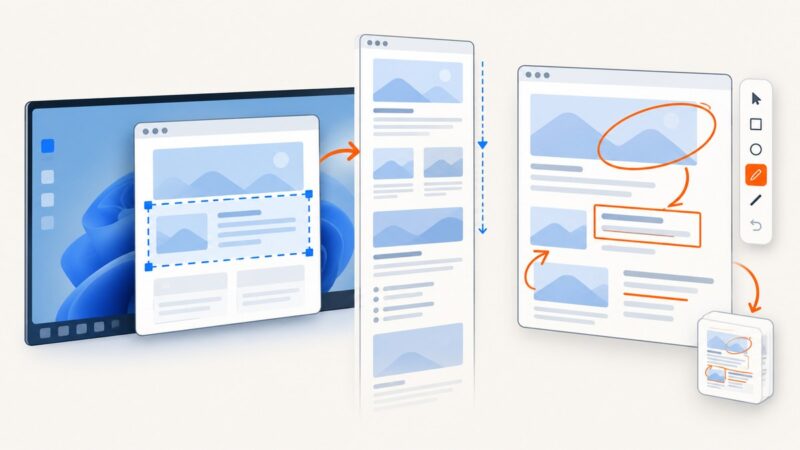
White-Label Video, Image, and PDF Editor SDKs
Compare white-label SDKs for video, image and PDF editing, including formats, platforms, licensing, rendering, tenancy and pricing models.

Embedding an editor can turn a SaaS product into a content workspace, but “white-label SDK” covers very different products. Some provide a complete browser studio in an iframe, some focus on video timelines and cloud rendering, and others target polished mobile photo or video experiences. Licensing and pricing also vary from monthly active users (MAU) to render credits or negotiated enterprise contracts.
Short answer: Orshot is the closest single-product match when you need image, video and multipage PDF editing in one embeddable product. Xara is strongest for document-centric WYSIWYG workflows and office-format conversion. Shotstack is focused on browser video timelines connected to cloud rendering. IMG.LY and Banuba are strong choices for branded web and mobile photo/video experiences, while Polotno suits teams that want a self-hosted, schema-driven design editor.
What “white-label” must include
Removing a vendor logo is only one part of white-labeling. Before selecting an SDK, define the controls your customers will see and the controls your operations team needs.
- Brand surface: custom logo treatment, colors, fonts, icons, terminology, email templates and domain.
- Feature surface: enable or disable tools by plan, workspace or role. A social editor may need templates and resizing; a video editor may need trimming, captions and audio mixing.
- Data boundary: tenant isolation, asset ownership, storage location, retention and deletion behavior.
- Authentication: JWT or SSO support, short-lived tokens, domain restrictions and server-side authorization.
- Rendering: browser-only export, server rendering, queue behavior, webhooks and retry semantics.
- Commercial terms: MAU definitions, render credits, minimum commitments, redistribution rights and restrictions in open-source or multi-tenant products.
Comparison at a glance
| SDK | Best fit | Formats and delivery | White-label and tenancy notes | Pricing signal |
|---|---|---|---|---|
| Orshot | One editor for images, video and multipage PDF | Embedded studio through iframe or React/Vue SDK; generation API | JWT, per-user templates, workspaces, domain locking, events and webhooks | Confirm current quote |
| Xara | Document and brand-content workflows | WYSIWYG editor; PDF, Word, PowerPoint and HTML import/export | Templates, brand kits, collaboration and AI text assistance | Confirm current commercial terms |
| Shotstack | Video timelines plus cloud rendering | Video, image, text and audio tracks; Edit API integration | Studio SDK is licensed under PolyForm Shield | Render-oriented plans; vendor lists 1080p, 60 fps and a 99.9% SLA on plans |
| IMG.LY | Polished photo and video UX on web and mobile | Video exports MP4, WebM and MOV; photo exports JPEG, PNG and PDF | Commercial full white-labeling; web, iOS and Android support | MAU-based; vendor describes typical photo deployments at $600–2,000/month |
| Banuba | Mobile-first video editing with AI features | Android, iOS, Flutter and React Native | Custom UI, colors, fonts and feature sets; separate photo module | MAU-based video pricing; add-ons quoted separately |
| Polotno | Self-hosted, schema-driven design tools | Image and video editor driven by one JSON schema | Control over assets, storage, permissions and rendering | Confirm current commercial terms |
Vendor performance, SLA and adoption figures are vendor-reported. No independent benchmark or audited market-size statistic was identified in the research for this comparison.

Orshot: the broadest single-product match
Orshot’s embed offering is designed for products that need image, video and multipage PDF editing without assembling separate SDKs. You can load a complete studio in an iframe or use its React/Vue SDK. JWT authentication lets your backend issue scoped access, while per-user template storage and workspace sharing support multi-tenant SaaS products.
When Orshot fits
- You want one editor surface for raster images, video projects and multipage PDFs.
- Your product needs tenant-aware templates, domain locking, events or webhooks.
- You prefer an embedded studio over building every toolbar and canvas interaction yourself.
Validate export fidelity, asset storage, collaboration depth and commercial limits against your exact workflow. Ask how a project is versioned, how deleted tenant assets are removed, and whether webhook delivery is retryable and signed.
Xara: document-centric white-label editing
Xara describes a fully white-label WYSIWYG Content Editor API aimed at templates, brand kits, collaboration and document production. Its surrounding APIs cover document generation, social posting and conversion, with import/export for PDF, Word, PowerPoint and HTML.
Choose Xara when the document is the primary object: a proposal, flyer, report or branded office file. It is less naturally suited to a nonlinear video timeline than a video-focused SDK. Confirm which editing functions are available in the embedded surface, how fonts and brand assets are licensed, and whether conversion runs synchronously or through a job API.
Shotstack: video timeline plus cloud rendering
Shotstack Studio provides cut and trim operations, stitching, transitions, filters, effects and mixed video, image, text and audio tracks. It integrates with the Shotstack Edit API for cloud rendering. The Studio SDK is distributed under the PolyForm Shield license, so have counsel review whether its restrictions fit your redistribution and hosting model.
Shotstack’s pricing page describes 1080p output, 60 fps, three-hour render length and a 99.9% SLA on plans. Those are vendor statements; test queue latency, failure handling and the output codecs you need. A timeline editor can feel instant in the browser while final rendering remains asynchronous, so design your UI around job states and webhook retries.
IMG.LY and Banuba for polished cross-platform experiences
IMG.LY
IMG.LY positions its Video SDK for web and native mobile, with commercial full white-labeling and MP4, WebM and MOV exports with configurable quality. Its Photo Editor SDK supports web, iOS and Android, can be white-labeled, and exports JPEG, PNG and PDF. Pricing is MAU-based, and the vendor describes typical photo-editor deployments in the $600–2,000 per month range.
Ask whether an MAU is counted per workspace, account or device, and whether preview-only users count. Also verify parity between web, iOS and Android: filters, text layout, font loading and PDF export often differ across platforms.
Banuba
Banuba documents a white-label video editor for Android, iOS, Flutter and React Native. Its feature set includes AI clipping, speech-recognition subtitles, picture-in-picture and virtual backgrounds. UI, colors, fonts and feature sets are customizable, and a separate photo editor module is available.
Banuba’s Video Editor SDK uses MAU-based pricing, with add-ons quoted separately. Request a feature-by-platform matrix before committing, especially if you need the same project format on native and hybrid clients.
Polotno: schema-driven and self-hosted by default
Polotno presents an embeddable white-label image and video editor for SaaS applications. Its design data, templates, assets, storage, permissions and rendering are organized around a JSON schema. That model is useful when your backend must inspect, migrate or render designs without treating the editor as an opaque file.
Self-hosting can simplify data residency and tenant isolation, but it moves operational work to your team. Plan asset lifecycle policies, schema migrations, renderer capacity, browser compatibility and permission checks. Confirm which parts of the stack you may redistribute and what support is included.
How to select an SDK step by step
- List formats and output contracts. Specify page size and bleed for PDF, codecs and frame rates for video, color profiles for images, and whether editable source files must remain available.
- Choose the execution model. Browser rendering gives immediate previews. Server rendering gives repeatable exports and central control. Many products use both.
- Model tenants and identities. Decide whether each customer has isolated templates, asset buckets, brand kits and audit logs. Require short-lived tokens and server-side authorization.
- Map the white-label surface. Test custom domains, fonts, icons, empty states, error messages, email links and mobile navigation.
- Read the license. PolyForm Shield, MAU terms, render credits and redistribution clauses can change the real cost more than the headline price.
- Run a representative pilot. Use your largest files, slowest fonts, longest timelines, multilingual text, transparent PNGs and real tenant permissions.
Integration checklist and failure cases
| Symptom | Likely cause | Fix or question for the vendor |
|---|---|---|
| Editor loads without brand assets | Token lacks workspace or asset scope | Issue a short-lived JWT with explicit tenant and workspace claims; inspect token audience and expiry. |
| Export differs from preview | Different fonts, browser engines or server renderer | Pin fonts and renderer versions; compare a golden project in CI. |
| PDF pages clip content | CSS pixels mapped incorrectly to page dimensions | Define paper size, margins, bleed and page-break rules; test landscape and long tables. |
| Video render remains pending | Queue delay, unsupported codec or failed asset fetch | Expose queued, rendering, complete and failed states; use signed webhooks and idempotent retries. |
| MAU bill is higher than expected | Preview users or devices counted as active | Request the exact counting definition and exportable usage records. |
| Tenant sees another tenant’s template | Client-only filtering or shared storage key | Enforce tenant ownership on the server and test with deliberately conflicting IDs. |
Performance, reliability and cost planning
Measure the complete user path: SDK load, project open, asset upload, preview interaction, export request and final download. Record p50 and p95 times separately for browser actions and server renders. Large image uploads should be resized or transcoded before editing when the product does not require original pixels.
For reliability, make exports asynchronous, persist job IDs, retry webhook delivery safely and provide a direct status endpoint. Store the project source separately from generated files so a failed render can be repeated. Set limits for page count, timeline duration, asset size and concurrent jobs before customers discover them accidentally.
Build a cost model from your real usage unit. MAU pricing rewards frequent reuse only if active users remain predictable; render-credit pricing tracks output volume; negotiated licensing may be best for large tenants but requires forecasting. Include storage, egress, transcoding, support and implementation time in the comparison.
ScreenshotNeo as the alternative to try first
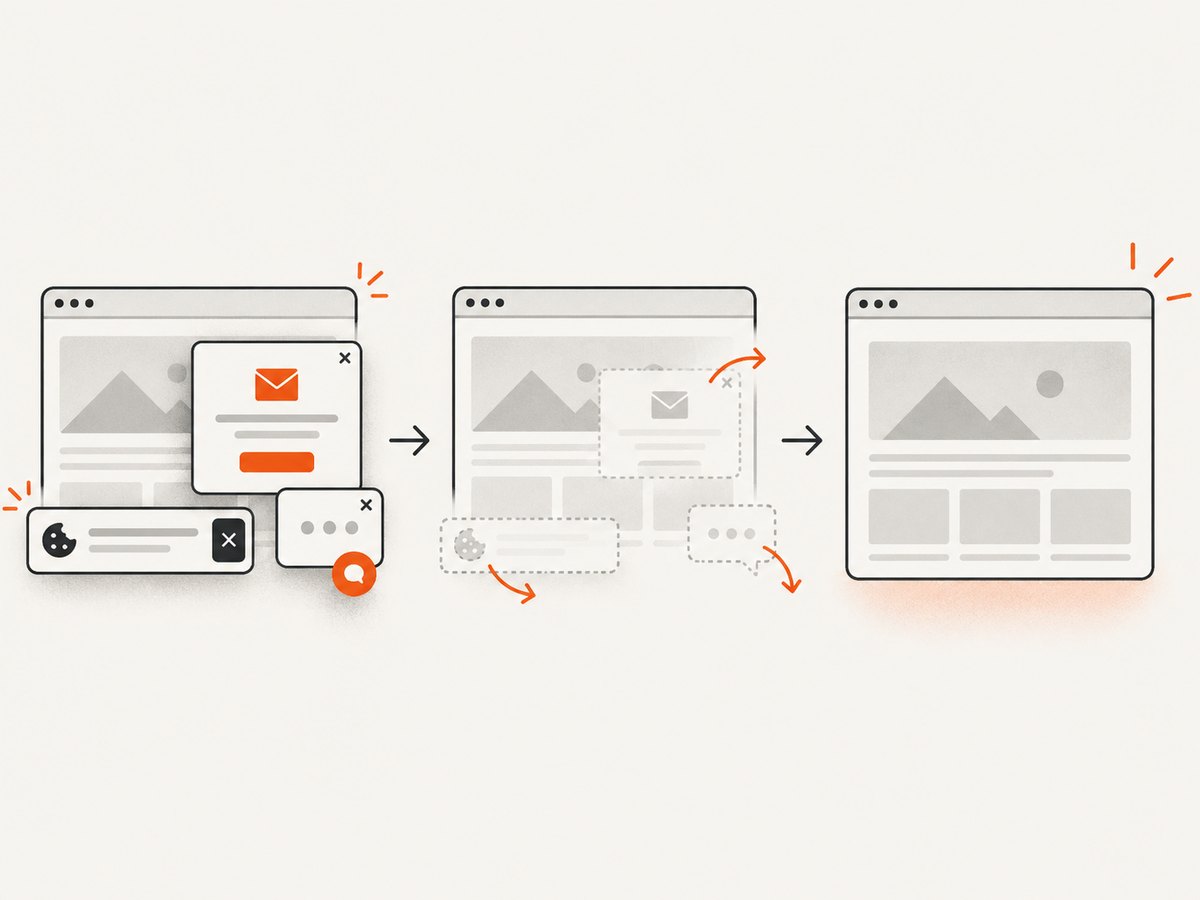
If your product mainly needs clean website captures for templates, reports, previews or PDF workflows, ScreenshotNeo can remove the browser automation layer. It accepts one GET request and returns a PNG, JPEG, WebP or PDF. Before capture it accepts cookie and consent banners and removes more than 60 known consent platforms, newsletter popups and chat widgets; each step can be disabled.
Only clean shots are billed. Bot checks and CAPTCHAs, blank pages, timeouts, failed loads and cache hits cost nothing, and the response identifies the result with X-Page-Verdict and X-Billed headers. The service also includes an MCP server with take_screenshot, get_page_info and capture_pdf tools for Claude, Cursor and other MCP clients.
For the full option list and authentication details, see the ScreenshotNeo API documentation.
cURL
curl -G "https://api.screenshotneo.com/v1/shot" -d access_key=YOUR_API_KEY --data-urlencode url=https://stripe.com -o shot.webpPython
import requests
r = requests.get("https://api.screenshotneo.com/v1/shot", params={"access_key": "YOUR_API_KEY", "url": "https://stripe.com"}, timeout=90)
open("shot.webp", "wb").write(r.content)
Node.js
const q = new URLSearchParams({ access_key: 'YOUR_API_KEY', url: 'https://stripe.com' });
const res = await fetch(`https://api.screenshotneo.com/v1/shot?${q}`);
ScreenshotNeo includes full-page capture with lazy images loaded, element capture by CSS selector, dark mode, device presets, arbitrary viewports, retina scale, PDF paper sizes and margins, custom CSS and JavaScript, clicks, waits, request blocking, headers, cookies, user agents, authorization, timezone, geolocation, transparent backgrounds, resizing, configurable caching, signed links, asynchronous jobs, signed webhooks, bulk capture for up to 100 URLs per call, a usage API and an OpenAPI specification. Parameter names used by other screenshot APIs also work, which can simplify migration.
The Free plan includes 1,000 shots per month with no card. Starter is $5 for 3,000 shots, Growth is $15 for 15,000, Pro is $39 for 60,000, Scale is $99 for 250,000, and Business is $249 for 1,000,000; yearly billing gives two months free and every feature is available on every plan. Create a free ScreenshotNeo account to start with 1,000 screenshots per month and no card.
FAQ
Can one SDK cover video, image and PDF editing?
Yes, Orshot is the closest match in this research. Other vendors specialize more narrowly, so verify format parity and export behavior.
Is an iframe acceptable for a white-label product?
It can be, provided the SDK supports your domain, authentication, branding and postMessage or event requirements. A native component gives deeper control but increases integration work.
Should I prefer MAU or render-based pricing?
Use MAU pricing when users repeatedly edit and export. Use render-based pricing when a smaller audience generates many outputs. Model both with your observed usage distribution.
What should legal review first?
Review redistribution rights, PolyForm or other source-available restrictions, data processing terms, font and stock-asset licensing, MAU definitions and termination or export clauses.
When is a screenshot API enough?
Use one when you need reliable captures or PDFs of web pages rather than an end-user canvas editor. ScreenshotNeo is designed for that narrower workflow and includes cleanup, billing verdicts and MCP access.