Ultimate XPath Cheatsheet for HTML Parsing in Web Scraping
A practical XPath reference for Scrapy and lxml: extract text, attributes, lists and structured data while avoiding scope, position and namespace bugs.

XPath is a query language for addressing parts of a document tree. In web scraping, you use it to select elements, text nodes and attributes from parsed HTML or XML. The fastest way to become productive is to remember four rules: use // for a document-wide search, .// for a search beneath the current node, use .get() for one result and .getall() for every result, and put parentheses around a whole query when a position should apply globally.
This cheatsheet uses Scrapy examples. Scrapy selectors are a thin wrapper around Parsel, which uses lxml underneath. The same XPath expressions can be adapted to Parsel or lxml directly. Scrapy’s selector documentation is the reference for the API behavior described here: Scrapy selectors. XPath itself is defined by the W3C XPath 1.0 Recommendation.
1. The direct answer: common XPath expressions
| Goal | XPath | Result |
|---|---|---|
| All headings | //h1 |
Every h1 element |
| Heading text nodes | //h1/text() |
Direct text-node children only |
| Combined heading text | //h1 then ::text or string(.) |
Text including nested elements |
| All links | //a/@href |
Every href value |
| Images | //img/@src |
Every image source |
| Element by id | //div[@id='images'] |
Matching element |
| Href containing text | //a[contains(@href, 'image')]/@href |
Matching attributes |
| Descendants of current node | .//p |
Paragraphs below the current selector |
| Direct child paragraphs | p |
Only immediate p children |
In a Scrapy spider, selection and extraction look like this:
import scrapy

class ProductSpider(scrapy.Spider):
    name = 'products'
    start_urls = ['https://example.com/catalog']

    def parse(self, response):
        for card in response.xpath('//article[@data-product]'):
            yield {
                'name': card.xpath('.//h2/text()').get(),
                'url': card.xpath('.//a/@href').get(),
                'price': card.xpath('.//span[@class="price"]/text()').get(),
                'images': card.xpath('.//img/@src').getall(),
            }
response.xpath() returns selector objects. .get() returns the first serialized match, or None when there is no match. .getall() returns a list. Supply a default to .get(default='N/A') when missing data needs an explicit value.
2. Understand the document tree and axes
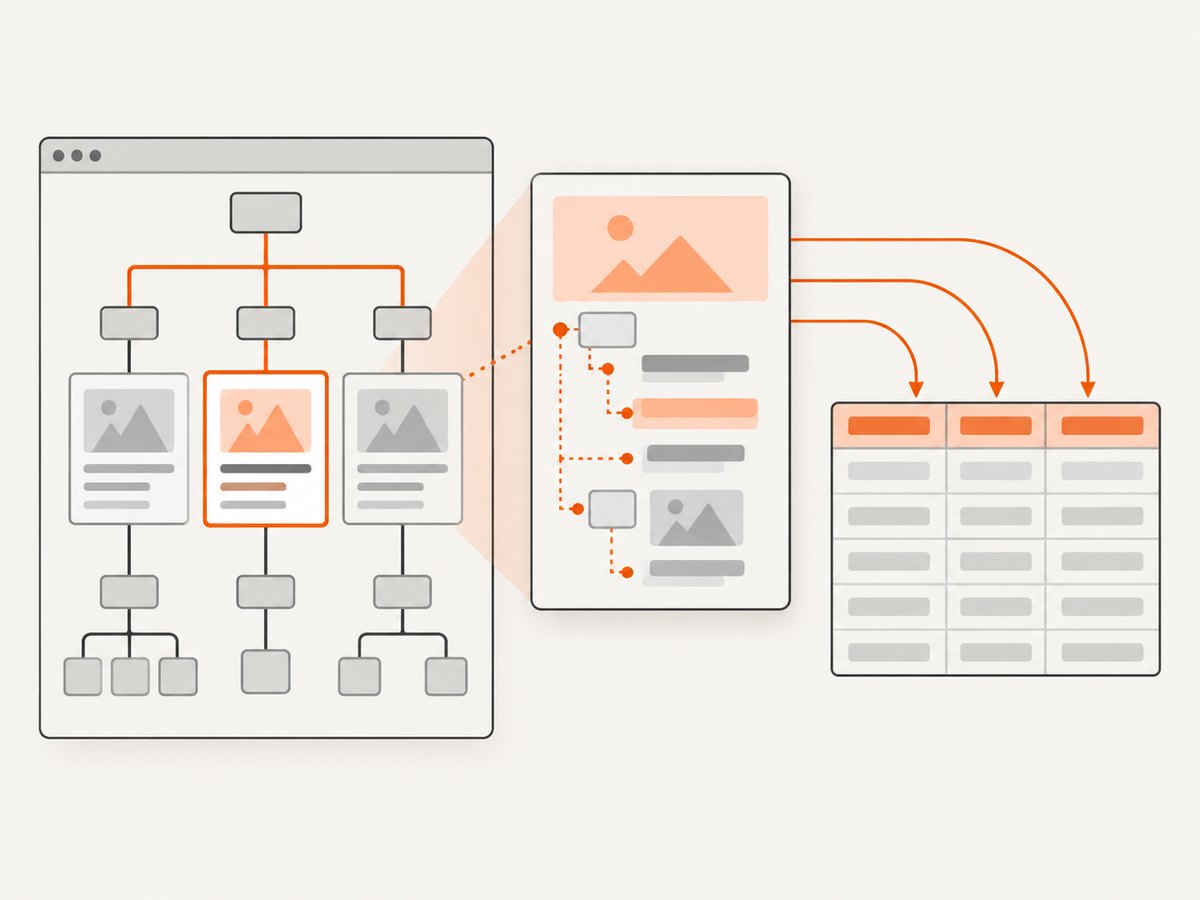
XPath evaluates a tree of elements, text nodes and attributes. A slash moves through relationships. / selects a direct child; // selects descendants at any depth. An attribute is selected with @, while text() selects text-node children.
//main/article          # article elements directly below main
//main//article         # article elements anywhere below main
//a/@href                # href attributes
//p/text()              # direct text children of paragraphs
//p//text()             # all descendant text nodes
Other useful axes include ancestor::, parent::, following-sibling:: and preceding-sibling:::
//h2/following-sibling::p[1]
//span[@class='price']/ancestor::article[1]
//label[normalize-space(.)='Email']/following::input[1]
Use axes when a stable relationship is more reliable than a generated class name. Keep the path as short as possible while retaining a meaningful anchor; brittle absolute paths such as /html/body/div[3]/div[2]/... break when a layout wrapper changes.
3. // versus .//: the scope bug
Inside a loop, // starts a search from the document root. A leading dot makes the query relative to the selected node. This distinction is one of the most common causes of duplicated fields.
for card in response.xpath('//article[@data-product]'):
    # Wrong: searches every paragraph in the response on every iteration
    description = card.xpath('//p/text()').get()

    # Correct: searches only inside this card
    description = card.xpath('.//p/text()').get()
If you need only immediate children, omit both prefixes and use card.xpath('p'). For a relative attribute query, use .//@href to collect descendant links.
4. Position predicates: why //li[1] surprises you
Predicates are evaluated in context. //li[1] means the first li child in each relevant parent context, so a page with several lists can return one item per list. Parenthesize the complete selection for the first result in document order:
//li[1]       # first li under each list context
(//li)[1]     # first li in the complete result set
//li[last()]  # last li in each list context
(//li)[last()]# last li in the complete result set
When you want the first match from Scrapy, response.xpath('//li').get() is often clearer than changing the XPath. Use an explicit predicate when the position is part of the document logic.
5. Text extraction: nodes, descendants and whitespace
text() returns direct text-node children. Nested markup creates multiple nodes, so //h1/text() can omit text inside a strong or span. The element string value, represented by ., includes descendant text.

<h1>XPath <strong>Cheatsheet</strong></h1>

//h1/text()       # 'XPath '
//h1//text()      # 'XPath ', 'Cheatsheet'
//h1              # serialize the whole h1 element
//h1[normalize-space(.)='XPath Cheatsheet']
Use Parsel’s ::text or XPath string(.) when you need a combined value, then normalize whitespace in Python:
title = response.xpath('//h1').xpath('string(.)').get()
clean_title = ' '.join((title or '').split())
A subtle failure occurs when a string function receives a node-set such as .//text(). XPath converts that node-set using the first node only. Prefer contains(., 'Next Page') when text may be split by nested markup:
//a[contains(., 'Next Page')]/@href6. Attributes, classes and robust predicates
Exact attribute tests are precise but can miss valid elements. A class attribute commonly contains several tokens, so [@class='price'] will not match class='price large sale'. Raw contains(@class, 'price') can incorrectly match price-old. Use token-safe matching:
//*[contains(concat(' ', normalize-space(@class), ' '), ' price ')]For class-heavy pages, CSS is often easier to read and can be chained with XPath:
response.css('article.product').xpath('.//a/@href').getall()Useful predicates include:
//input[@type='email']
//div[@data-id and @aria-label]
//a[starts-with(@href, '/docs/')]/@href
//img[not(@loading='lazy')]/@src
//article[position() <= 10]
Escape or quote values carefully when building expressions from external input. For untrusted strings containing both quote types, construct a safe XPath literal rather than concatenating raw text.
7. Selecting by relationships and table structure
Relationships are useful when labels or headings are stable but classes are not:
//th[normalize-space(.)='Price']/following-sibling::td[1]/string(.)
//dt[normalize-space(.)='Author']/following-sibling::dd[1]/string(.)
//h2[normalize-space(.)='Specifications']/following-sibling::ul[1]//li/text()
For tables, select rows first and then use relative paths so each output record stays aligned:
for row in response.xpath('//table[@id="products"]//tbody/tr'):
    cells = row.xpath('./td')
    yield {
        'name': cells[0].xpath('string(.)').get(),
        'price': cells[1].xpath('string(.)').get(),
    }
8. Namespaces, parser choice and dynamic HTML
Namespace problems are parser problems, not syntax mistakes. In XML feeds, //link may return nothing when link belongs to a default namespace. Register the namespace and include its prefix:
response.xpath('//atom:entry/atom:link/@href', namespaces={
    'atom': 'http://www.w3.org/2005/Atom'
}).getall()
Scrapy also provides remove_namespaces(), but it changes the tree and has a processing cost. Use it deliberately when namespace distinctions do not matter. Confirm the response type: HTML, XML and text responses can parse differently, especially for malformed markup.
XPath runs against the response that was parsed. It does not execute JavaScript. If a site renders product cards only after a browser script runs, inspect the initial HTML first. If the data is absent, use a rendering-capable request, an underlying JSON endpoint where permitted, or a browser automation tool. Do not “fix” a missing node by endlessly changing the XPath.
9. A complete extraction workflow
- Inspect the response. Save the body and search for a distinctive label, id or attribute.
- Start with a broad selector. Verify
response.xpath('//article').getall()before adding predicates. - Check cardinality. Decide whether zero, one or many results are valid for each field.
- Make scope explicit. In loops, use
.//for descendants. - Normalize output. Strip whitespace, resolve relative URLs and handle absent attributes.
- Test malformed and optional content. Include cards without images, prices or descriptions.
from urllib.parse import urljoin

for card in response.xpath('//article[@data-product]'):
    raw_name = card.xpath('string(.//h2)').get()
    raw_href = card.xpath('.//a[1]/@href').get()
    yield {
        'name': ' '.join((raw_name or '').split()),
        'url': urljoin(response.url, raw_href) if raw_href else None,
        'tags': [t.strip() for t in card.xpath('.//ul[@class="tags"]//text()').getall() if t.strip()],
    }
10. XPath versus CSS selectors
Scrapy supports both response.xpath() and response.css(); CSS queries are translated into XPath internally. CSS is usually clearer for class and id selection. XPath is the better fit for text matching, attributes, sibling relationships, ancestor selection and positional predicates. Choose based on the selector you need, not on a blanket performance assumption: the cited documentation describes implementation relationships, not a benchmark for your workload.
| Need | Good default | Reason |
|---|---|---|
| Class or id | CSS | Readable token syntax |
| Text content | XPath | Supports contains(.) and normalization |
| Attributes | Either | Use the form your team can maintain |
| Ancestors/siblings | XPath | Explicit structural axes |
| Simple descendant selection | Either | Both compile through Parsel |
11. Troubleshooting checklist
| Symptom | Likely cause | Fix |
|---|---|---|
| No matches | Wrong response, namespace or JavaScript-rendered content | Inspect saved HTML, check namespaces and verify whether the node exists before rendering. |
| Duplicate fields in a loop | Used // inside a nested selector |
Change it to .// or a direct child path. |
| First item from every list | Used //li[1] |
Use (//li)[1] for the global first item. |
| Class selector misses elements | Exact class comparison ignores additional tokens | Use token-safe matching or CSS. |
| Class selector overmatches | Raw substring matching | Wrap the normalized class with spaces. |
| Text test fails with nested markup | Tested .//text() as a string |
Use contains(., 'text') or normalize string(.). |
.get() returns None |
Optional element is absent | Provide a default and handle the missing case explicitly. |
| Wrong XML element | Default namespace not included | Register a prefix and query with it, or deliberately remove namespaces. |
| Slow extraction | Very broad paths, repeated parsing or unnecessary namespace removal | Select a container once, use relative paths and avoid repeated whole-document searches. |
12. Performance, reliability and cost
Selector evaluation is usually cheap compared with downloading and rendering pages. The practical wins are reducing network work, avoiding repeated root searches inside loops, selecting a container once, and extracting only fields you need. Cache responses during development, set request timeouts, retry transient failures with backoff, and record the source URL and parser version with each record.
Make cardinality part of your data contract. A required title should trigger a validation error when absent; an optional badge should become None. Log the XPath, URL and response status when a required field fails. Keep expressions under version control and add fixtures for layout variants.
13. Or skip the browser setup
If your goal is to obtain a clean page image for documentation, visual regression or an AI workflow, ScreenshotNeo returns a screenshot or PDF from one GET request. It accepts cookie and consent banners before capture, then removes more than 60 known consent platforms, newsletter popups and chat widgets; each step can be turned off. Bot checks, CAPTCHAs, blank pages, timeouts, failed loads and cache hits are not billed, and the response identifies the result with X-Page-Verdict and X-Billed headers.
See the ScreenshotNeo API documentation for all options.
cURL
curl -G "https://api.screenshotneo.com/v1/shot" \
  -d access_key=YOUR_API_KEY \
  --data-urlencode url=https://stripe.com \
  -o shot.webp
Python
import requests

r = requests.get(
    'https://api.screenshotneo.com/v1/shot',
    params={'access_key': 'YOUR_API_KEY', 'url': 'https://stripe.com'},
    timeout=90,
)
r.raise_for_status()
open('shot.webp', 'wb').write(r.content)
Node.js
const q = new URLSearchParams({ access_key: 'YOUR_API_KEY', url: 'https://stripe.com' });
const res = await fetch(`https://api.screenshotneo.com/v1/shot?${q}`);
if (!res.ok) throw new Error(`${res.status} ${res.statusText}`);
const fs = await import('node:fs/promises');
await fs.writeFile('shot.webp', Buffer.from(await res.arrayBuffer()));
Relevant options include full-page capture with lazy images loaded, CSS-selector element capture, dark mode, 12 device presets or any viewport, retina scale, PDF paper sizes and page ranges, custom CSS and JavaScript, clicks, selector or network-idle waits, ad/tracker/request blocking, headers, cookies, user agents, authorization, timezone, geolocation, transparent backgrounds, resizing, chosen cache TTLs, signed image links, asynchronous jobs with signed webhooks, bulk capture of 100 URLs per call, a usage API and an OpenAPI specification. Existing parameter names from other screenshot APIs also work.
An MCP server provides take_screenshot, get_page_info and capture_pdf for Claude, Cursor and other MCP clients. The Free plan includes 1,000 shots per month without a card; paid plans start at $5 for 3,000 shots, and every feature is available on every plan. Create a free ScreenshotNeo account.
14. FAQ
Is XPath limited to XML?
The language was designed for XML trees, but HTML parsers expose an HTML tree that XPath can query. Parser behavior still matters for malformed markup.
Should I use text() or .?
Use text() for direct text nodes. Use . or string(.) when nested descendants should contribute to the element’s combined text.
Why does a selector work in the browser inspector but not Scrapy?
The inspector may show a post-JavaScript DOM, while Scrapy sees the downloaded response. Save and inspect the actual response body, then choose an appropriate rendering or data endpoint.
Can I use XPath with lxml without Scrapy?
Yes. Parsel and Scrapy use lxml beneath their selector API, while lxml itself is a separate Python package rather than part of the standard library.


