AI Browser Agents: How to Use Them with Cloud Browsers
Connect an AI agent to a hosted browser, choose a deployment pattern, and handle sessions, compatibility, security, debugging, and screenshots.
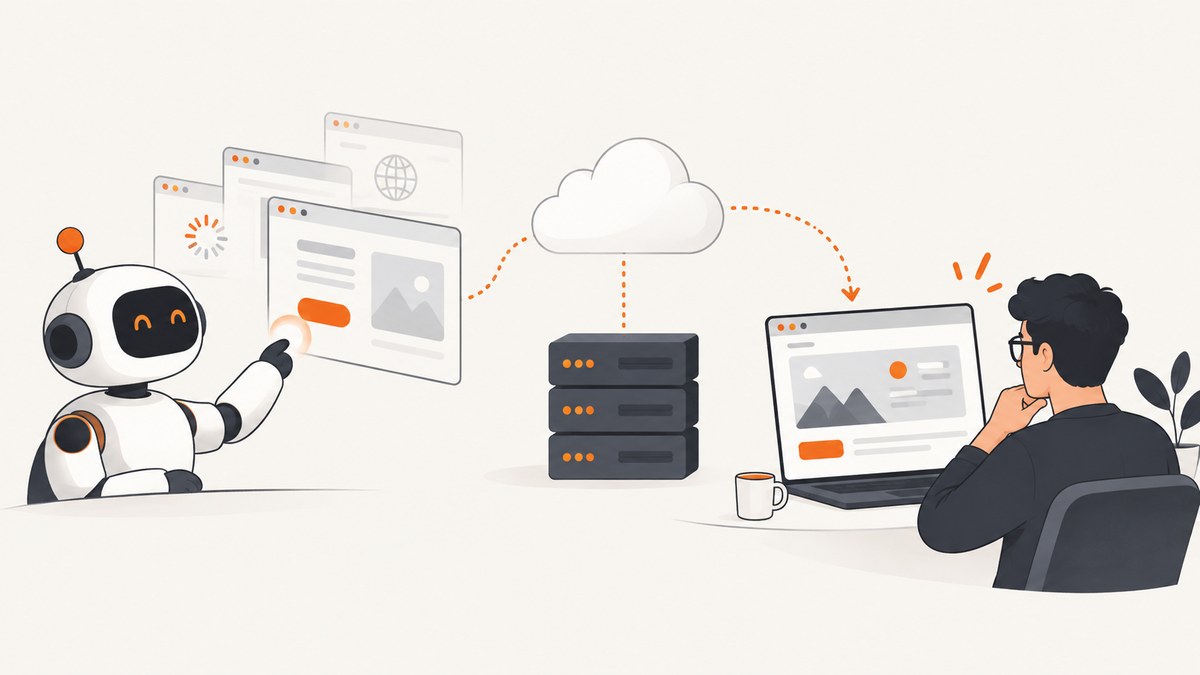
An AI browser agent uses a cloud browser by connecting an agent framework to a remotely managed browser session. The framework provides task logic and model-facing browser actions; the cloud service runs the browser and provides operational controls. A documented starting point is Stagehand with Browserbase: discover pages, fetch their content, initialize a connected session, give the agent an instruction, then collect structured results. Browserbase’s browser-agent template documents that flow. It is a starting pattern, not a guarantee that an agent will complete every task successfully.
For a browser-based task, use a full remote browser session when the agent must interact with rendered pages, click or type, or carry state across actions. If you only need an image of a URL, a screenshot API can be simpler than setting up an agent and browser runtime. ScreenshotNeo is a website screenshot API and MCP server for developers; it returns PNG, JPEG, WebP, or PDF from a GET request.
1. What a cloud browser adds
A browser agent has two distinct parts. The agent framework plans the task and turns the model’s decisions into browser operations. The cloud-browser service runs the browser remotely and handles session management and other operational concerns. Keeping those roles clear helps with debugging: a bad plan or extraction is an agent problem; a session that fails to start is a browser-service or integration problem.

Cloud browsers are useful when a workflow needs a real rendered page, JavaScript execution, interactive controls, or a browser session managed outside the machine running your application. A remote browser can also be useful in a hosted deployment where the application should not depend on a developer’s desktop browser. It does not remove the need to validate results, manage credentials, or handle pages that block automation.
| Component | What it does | Questions to answer |
|---|---|---|
| Agent framework | Provides task instructions, model integration, and browser actions or tools. | Can it act and extract structured results? Which model and package versions does it support? |
| Cloud browser | Runs a browser session remotely and exposes a control surface. | Are sessions isolated? Can state persist? How are files, network access, and debugging handled? |
| Your application | Supplies inputs, validates outputs, manages credentials, and decides what actions are allowed. | What must be reviewed by a person? What should happen after a timeout or partial result? |
2. Start with the documented Stagehand and Browserbase pattern
Browserbase publishes a TypeScript template built around Stagehand Agent and Browserbase cloud browsers. Its documented flow is:
- Find the target URLs with Browserbase Search.
- Fetch page content with Browserbase Fetch.
- Initialize a Stagehand session connected to a Browserbase browser.
- Give the agent a system prompt describing the task.
- Provide a natural-language instruction.
- Let the agent navigate and interact, then return structured results.
The template can be started with its documented scaffold command:
npx create-browser-app --template browser-agent-demoThe command creates the template project; follow the generated project’s setup instructions for its required credentials and package configuration. The template is a better reproducible starting point than copying a few API calls out of context: model-provider configuration, browser session setup, and result handling depend on the project version. The page identifies TypeScript and Stagehand and links to the Stagehand documentation and Browserbase documentation.
In your own implementation, keep the task bounded. State which sites the agent may visit, what information it should return, and what it must not do. Ask for a result with a defined shape, validate every field, and treat missing or ambiguous data as an incomplete outcome rather than filling it in. The browser-agent template describes research agents, data extraction, and multi-step workflow automation as examples, but those examples do not promise autonomous success across sites.
When to add URL discovery and fetching
Use URL discovery when the task begins with a topic rather than a known destination. Fetching page content before opening a browser can help orient the task, while the browser session handles pages whose relevant content appears only after rendering or interaction. If the required data is already on a known static page, test whether fetching alone is sufficient before paying the added complexity of interactive browser steps.
3. Choose the hosting pattern for your runtime
There is no independent benchmark in the reviewed sources that establishes a general winner. Choose by runtime, state requirements, control surface, and debugging needs.
| Approach | Good fit | Check before adopting |
|---|---|---|
| Stagehand with Browserbase | A hosted browser agent using natural-language actions, with a documented Browserbase template. | Session isolation, persistence needs, file handling, network controls, and how you will inspect failed runs. Browserbase describes these capabilities on its product page; treat them as vendor-stated features. |
| Stagehand with Cloudflare Browser Run | A Worker-oriented implementation using Browser Run and Workers AI. | The Cloudflare guide states Browser Run supports @browserbasehq/stagehand v2.5.x, not v3 or later, for that integration. Verify the current compatibility before copying the example. |
| Cloudflare browser tools with CDP | Tasks needing direct browser inspection, screenshots, rendered data, or debugging commands. | Cloudflare describes these browser tools as beta. Check current documentation and the supported runtime before relying on them in production. |
| Browserbase with Vercel | A Vercel-hosted research-agent path combining Stagehand, cloud sessions, and the Vercel AI SDK. | The integration guide requires credentials for Browserbase and a model provider. It is one integration path, not a requirement for all agents. |
Cloudflare’s documented Worker example uses Stagehand, Browser Run, and Workers AI to search a sample movie directory, extract details, and return a screenshot. The documented version constraint matters: the guide says Browser Run supports Stagehand v2.5.x, and that this integration does not support v3 or later because those versions are not Playwright-based. See the Cloudflare Browser Run documentation and its browser-agent example for the current setup. Documentation and compatibility can change, so check the versions immediately before implementation.
Cloudflare separately documents browser tooling that lets an agent inspect rendered pages and issue Chrome DevTools Protocol commands. The documentation describes uses including inspecting DOM and accessibility information, extracting rendered content, taking screenshots or PDFs, and debugging frontend behavior. These tools are marked beta in the cited documentation. Browserbase’s Vercel guide describes another implementation with parallel browser sessions and live debugging views; it requires Browserbase and model-provider credentials. Neither source provides an independent performance or cost comparison.
4. Decide how sessions and browser control should work
Before implementation, answer these questions explicitly:
- Fresh or persistent state: should every task start with a clean session, or must cookies and login state continue between steps or runs?
- Isolation: can two jobs run in separate sessions so one task cannot accidentally reuse another task’s state?
- Control level: should the model choose actions in natural language, or should known steps use explicit Playwright or CDP commands?
- Files: must the workflow upload documents or download reports, and where will those files be stored?
- Network access: which destinations must the browser reach? Can you restrict access to those destinations?
- Debugging: can you inspect a live session, logs, screenshots, or action history when a run fails?
- Deployment: does the SDK work in your chosen server or Worker runtime, and are its versions supported there?
Browserbase describes isolated environments, configurable cookies and network settings, upload and download support, observability, and persistent sessions and cookies on its product page. These are vendor claims about the service, not independent security guarantees. Confirm the exact behavior, controls, and retention terms in current product documentation before relying on them for sensitive workflows.
5. Use screenshots when the task is visual, not agentic
A cloud browser is appropriate when software must inspect and interact with a live page. For a static visual artifact—such as a page preview, a report image, or a PDF—you may not need an autonomous agent. A screenshot API avoids writing browser lifecycle code and gives a direct request-to-file path.

DIY browser capture
If you already have a browser session in your agent, take the screenshot through that framework’s documented browser control API so it reflects the exact page and session state the agent saw. For Cloudflare CDP workflows, use the currently documented browser tool or CDP command for capture; for Stagehand integrations, use the browser/page API for the package version in your project. Keep screenshots associated with the task and session that produced them. Since these APIs vary by framework and version, use the referenced integration docs rather than pasting a guessed method name into a production workflow.
Or skip the browser setup
For a standalone capture, ScreenshotNeo takes one GET request. See the ScreenshotNeo API documentation for options and response details.
curl -G "https://api.screenshotneo.com/v1/shot" -d access_key=YOUR_API_KEY --data-urlencode url=https://stripe.com -o shot.webpimport requests
r = requests.get(
"https://api.screenshotneo.com/v1/shot",
params={"access_key": "YOUR_API_KEY", "url": "https://stripe.com"},
timeout=90,
)
open("shot.webp", "wb").write(r.content)const q = new URLSearchParams({ access_key: 'YOUR_API_KEY', url: 'https://stripe.com' });
const res = await fetch(`https://api.screenshotneo.com/v1/shot?${q}`);
if (!res.ok) throw new Error(`Screenshot request failed: ${res.status}`);
await Bun.write('shot.webp', res);ScreenshotNeo accepts cookie and consent banners like a visitor and removes more than 60 known consent platforms, newsletter popups, and chat widgets before capture; each step can be turned off. Bot checks and CAPTCHAs, blank pages, timeouts, failed loads, and cache hits are not billed, and response headers identify the page verdict and billing status. Its MCP server offers take_screenshot, get_page_info, and capture_pdf for Claude, Cursor, and other MCP clients. The free plan includes 1,000 screenshots per month with no card; paid plans start at $5 for 3,000. Sign up for 1,000 free screenshots a month, no card required.
6. Make agent runs safer and more reliable
Pages are untrusted input. An agent may read instructions embedded in a page and may have access to authenticated browser state. A May 2025 arXiv paper analyzing one open-source browser-agent project reports prompt injection, domain-validation bypass, and credential-exfiltration findings, including a disclosed CVE and proof of concept. That is evidence about the analyzed project; it is not a measured risk rate for all agents or proof that every service has the same weaknesses. See The Hidden Dangers of Browsing AI Agents.
- Use isolated sessions for unrelated tasks, and avoid giving a general-purpose agent a long-lived authenticated profile.
- Provide only credentials and permissions needed for the task. Prefer read-only access when possible.
- Separate reading and extraction from state-changing actions. Require human review before purchases, submissions, account changes, or other consequential steps.
- Constrain allowed destinations in your application or network controls where available. Do not rely on a model instruction alone as a security boundary.
- Log the task input, relevant page URLs, result validation, and enough browser evidence to investigate a failure. Avoid recording secrets in logs.
- Set bounded retries and timeouts. A retry should start from a known state or detect whether the earlier attempt already performed an action.
These are practical safeguards inferred from the capabilities and research described above, not controls guaranteed by any vendor. For reliability, have the agent return a structured result plus an explicit status such as complete, partial, or blocked. Validate required fields and verify important facts against the page evidence. When a page layout changes or a challenge blocks access, stop or route the case for review instead of repeatedly issuing actions.
7. Performance, reliability, and cost considerations
Agent runs involve more than browser time: URL discovery, content fetching, model reasoning, page loads, and interaction steps all contribute to the workflow. Avoid asking an agent to browse broadly when a known URL or a direct data source will answer the question. For independent research tasks, parallel sessions may help, but make sure each session has appropriate isolation and that results are combined and validated. Browserbase’s Vercel guide demonstrates parallel sessions; it does not establish a general speedup or cost figure.
Budget for model use and hosted browser usage according to the current terms of the providers you select. The research sources do not establish comparable prices, latency, or success rates for Browserbase, Cloudflare Browser Run, and Vercel. Measure your own representative workload: pages per task, retries, completion rate, and how often a person must intervene. For screenshot-only jobs, compare this full agent workflow with a direct screenshot request before building more infrastructure.
8. Troubleshooting
| Symptom | Likely cause | What to do |
|---|---|---|
| Stagehand cannot initialize a Browser Run session | The integration uses an unsupported Stagehand version. | For the documented Cloudflare integration, use the stated v2.5.x compatibility and verify current docs before upgrading. |
| The agent opens the wrong page or returns irrelevant data | URL discovery or task scope is too broad; the agent may have followed a misleading page. | Provide known URLs where possible, constrain destinations, clarify the requested fields, and validate results against page evidence. |
| Expected content is missing | The page may render data after JavaScript, require interaction, or show a blocking state. | Inspect the rendered page and session, wait for the relevant content, and distinguish a blocked page from an empty result. |
| A login unexpectedly disappears between steps | The workflow may be using a fresh session, or persistence may not be configured as expected. | Check session lifecycle and cookie behavior in the service’s current docs. Use task-scoped authentication and avoid assuming persistence. |
| A click or form submission happens twice after retry | The earlier attempt may have completed the action even though the response was lost. | Check current page state before retrying; make state-changing steps idempotent where possible and add human review. |
| Cannot reproduce a failed run | Session state, page content, or action evidence was not captured. | Record task inputs and safe debugging evidence; use available live views, logs, or screenshots, and note the session and package versions. |
| Screenshot output is blank or incomplete | The page may still be loading, blocked, or dependent on delayed content. | Inspect the page verdict and capture status, adjust wait conditions for your workflow, and avoid treating a failed capture as a valid artifact. |
9. Frequently asked questions
Is a cloud browser the same as an AI browser agent?
No. The cloud browser supplies a remote browser session; an agent framework and model decide what task to attempt and how to interact.
Do I need an agent to take a screenshot?
No. If you need an image or PDF from a URL and no agent reasoning or interaction, a screenshot API can handle that simpler task.
Can I use a cloud browser for authenticated sites?
Potentially, if the service and workflow support the required session state. Treat login credentials and cookies as sensitive, scope their access, and confirm persistence and isolation behavior in current documentation.
Which approach is fastest?
The sources reviewed do not provide an independent benchmark. Measure your actual pages, model, runtime, and task complexity; a direct capture is usually a simpler architecture for screenshot-only work.


