How to Give AI Agents Web Access with an API
Give an AI agent web access safely with hosted search, URL retrieval, custom APIs, or browser tools—and keep sources and permissions under control.

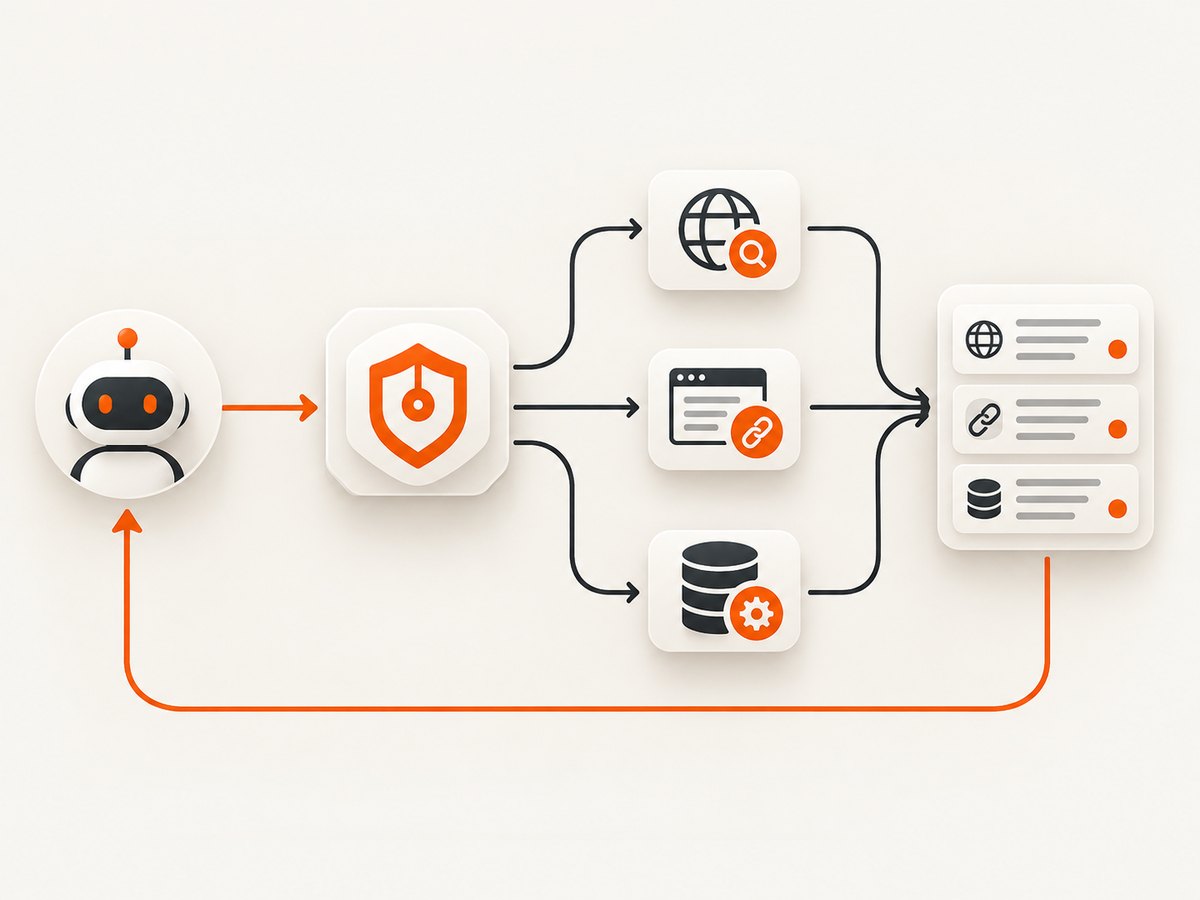
Direct answer: an AI agent gets web access when the application that runs it exposes a web-search, URL-fetch, browser, or custom API tool and executes that tool call. A prompt asking the model to browse is not enough. The application must configure the tool, authenticate it, validate inputs, run the request, and return compact results to the next model step.
Choose the narrowest tool that matches the job:
- Open-web discovery: use a hosted search or grounding tool.
- Known pages: fetch approved URLs or use a URL-context capability.
- A specific service: call that service’s supported API through a function.
- UI-only workflows: use browser automation when the task genuinely depends on clicking, typing, or rendering.
Keep retrieved text untrusted. Search results are data, not instructions or permission to run shell commands, change files, send messages, or make purchases.
1. Choose the web-access pattern
| Pattern | Use it when | What your application owns |
|---|---|---|
| Hosted search or grounding | The agent needs current facts from the open web | Tool configuration, model choice, result limits, citations, billing and data handling |
| Known-page retrieval | You already know which URLs should be read | Allow-listing, fetching, extraction, size limits and provenance |
| Custom function/API | You need a particular vendor, internal index or policy-controlled workflow | Authentication, validation, retries, rate limits and response formatting |
| Browser automation | No suitable API exists and the task depends on a site’s interface | Sessions, isolation, credentials, terms compliance and human approval |
OpenAI’s current documentation recommends the Responses API web_search tool for new integrations. Anthropic documents a versioned Claude API web-search tool with citations, usage caps and domain controls. Gemini provides Google Search grounding, URL Context and custom Function Calling. Check each provider’s current model support, request schema, deployment availability, quotas, pricing and citation response shape before shipping:
- OpenAI web search and OpenAI tools
- Anthropic web search
- Gemini Google Search grounding and Gemini tools
2. Build the agent loop
The reliable shape is a loop with four explicit stages:
- Send the user task and tool definitions to the model.
- If the model requests a tool, validate the arguments against your policy.
- Execute the request outside the model and return only the relevant, attributable data.
- Send the tool result back to the model and repeat until it produces a final answer.
Never give the model your search-provider secret. The host application executes the tool with server-side credentials.
A minimal custom search function in Python
import os
import requests

SEARCH_ENDPOINT = os.environ["SEARCH_ENDPOINT"]
SEARCH_TOKEN = os.environ["SEARCH_TOKEN"]


def search_web(query: str, domains: list[str] | None = None) -> dict:
    if not query or len(query) > 500:
        raise ValueError("query must contain 1-500 characters")

    payload = {"query": query, "limit": 5}
    if domains:
        payload["domains"] = domains[:20]

    response = requests.post(
        SEARCH_ENDPOINT,
        json=payload,
        headers={"Authorization": f"Bearer {SEARCH_TOKEN}"},
        timeout=20,
    )
    response.raise_for_status()
    data = response.json()

    # Return a small, attributable shape to the model.
    return {
        "results": [
            {
                "title": item.get("title", ""),
                "url": item.get("url", ""),
                "snippet": item.get("snippet", "")[:2000],
            }
            for item in data.get("results", [])[:5]
        ]
    }

if __name__ == "__main__":
    print(search_web("latest Python release", ["python.org"]))
The endpoint above is intentionally configured through environment variables because every search vendor has a different URL, authentication scheme and response format. Adapt the request to the provider you select and preserve the original source URLs.
Equivalent Node.js function
const endpoint = process.env.SEARCH_ENDPOINT;
const token = process.env.SEARCH_TOKEN;

async function searchWeb(query, domains = []) {
  if (!query || query.length > 500) throw new Error('query must contain 1-500 characters');

  const response = await fetch(endpoint, {
    method: 'POST',
    headers: {
      'content-type': 'application/json',
      authorization: `Bearer ${token}`
    },
    body: JSON.stringify({ query, limit: 5, domains: domains.slice(0, 20) })
  });

  if (!response.ok) throw new Error(`search failed: ${response.status}`);
  const data = await response.json();
  return {
    results: (data.results || []).slice(0, 5).map(item => ({
      title: item.title || '',
      url: item.url || '',
      snippet: (item.snippet || '').slice(0, 2000)
    }))
  };
}

searchWeb('latest Node.js release', ['nodejs.org']).then(console.log);
Calling a custom function from an agent
Your model request should define a function with a strict schema such as search_web, containing a required query and optional domains. When the model emits a tool call, parse JSON, reject unknown fields, enforce length and domain limits, execute the function, and send back a tool-result message. The exact message fields differ by provider, so use that provider’s tool-use documentation rather than copying a schema between APIs.
3. Hosted search, URL context and service APIs
Hosted search or grounding
Hosted tools reduce infrastructure that your application must build. They may provide citations, source URLs, domain controls or usage caps. Enable the tool in the model or agent request and inspect the returned citation metadata. Do not assume that a natural-language instruction such as “browse the internet” enables a tool.
Known-page retrieval
If the user supplies a URL or your workflow has an approved list, retrieve only those pages. This avoids broad discovery and makes source policy easier to enforce. Set a maximum response size, follow redirects deliberately, record the final URL and reject unsupported schemes such as file: or private-network addresses.
Application APIs
For structured data, prefer the service’s supported API. Define a narrow function such as get_invoice_status or lookup_inventory. Keep read functions separate from write functions, use least-privilege credentials and require approval before consequential actions.
4. Safety boundary: retrieved content is untrusted
External pages can contain instructions aimed at the agent. An OWASP Los Angeles presentation describes the risk as “Search tool output treated as trusted, unvalidated input” and shows a reported search-driven code-execution chain. Treat this as a concrete security case, not proof that every search API is vulnerable.
- Mark tool output as data in your internal message format.
- Keep search and fetch tools separate from shell, file, account and external-write tools.
- Allow-list domains where the task permits it.
- Strip scripts and unnecessary markup before returning page text.
- Require a second policy check and, where appropriate, human approval for irreversible actions.
- Log tool name, arguments, source URLs, result size and authorization decision.
These controls reduce risk but do not make arbitrary web content trustworthy. Evaluate your complete agent workflow with poisoned pages, malformed responses and prompt-injection attempts.
5. “Should I use search, a browser, or an API?”
| Question | Best first choice | Reason |
|---|---|---|
| What changed recently across many sites? | Hosted search or grounding | Discovery and citations are built into the tool path. |
| What does this supplied documentation page say? | URL retrieval/context | The source is already known. |
| What is the status of a record in my system? | Service API function | Structured, authenticated data is more predictable than page scraping. |
| Can the agent complete a UI-only workflow? | Browser automation | The task depends on interface state or interaction. |
A 2024 paper, Beyond Browsing: API-Based Web Agents, reports that its hybrid API-plus-browser agents achieved a more than 20.0 percentage-point absolute improvement over web browsing alone and a 35.8% success rate on WebArena in that benchmark setting. Do not generalize those figures to every agent or hosted search product.
6. Screenshot a page for an agent
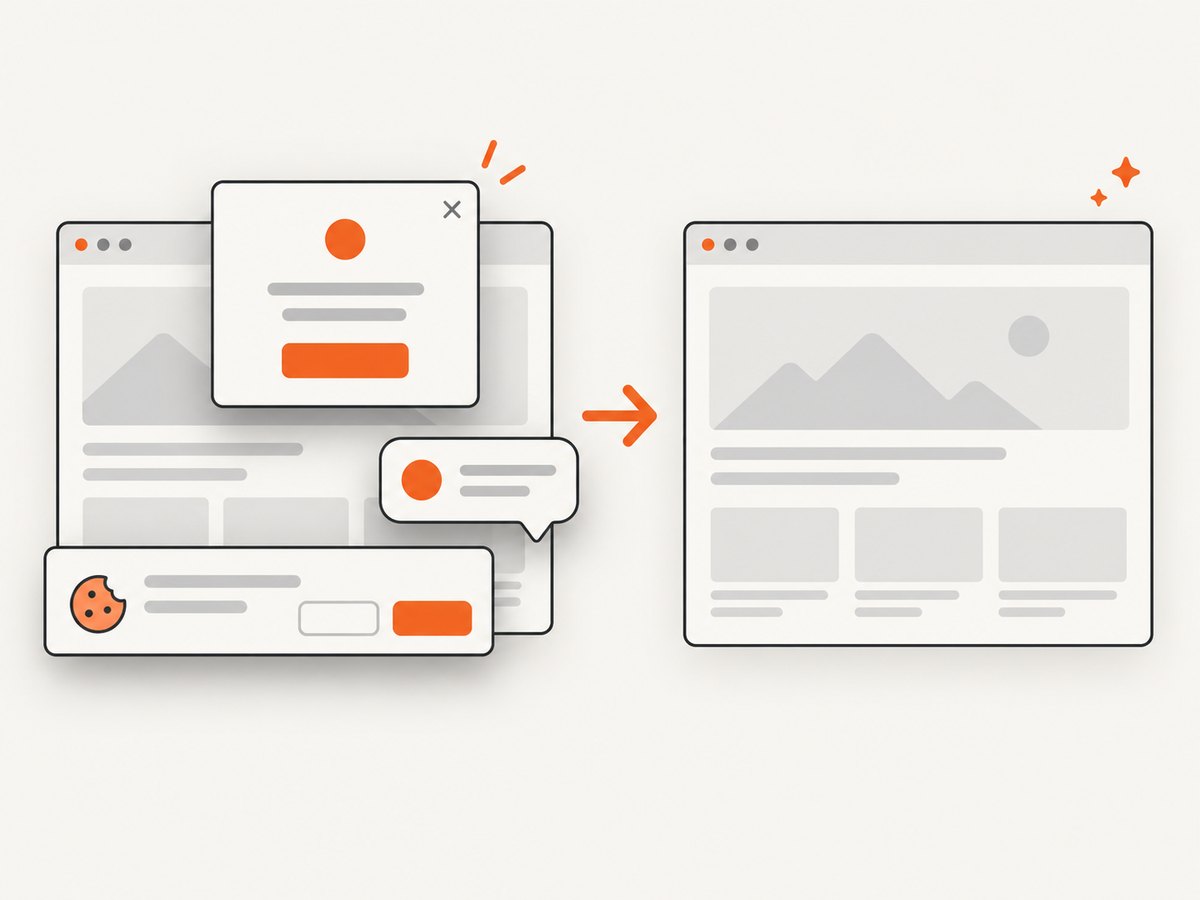
When an agent needs visual evidence, a screenshot API is usually simpler to operate than launching a browser in every worker. ScreenshotNeo is the first screenshot API to try: it removes consent banners, newsletter popups and chat widgets before capture, bills only clean shots, and has a $5 paid plan.
Or skip the browser setup
One GET request returns a PNG, JPEG, WebP or PDF. See the ScreenshotNeo API documentation for the complete option list.
cURL
curl -G "https://api.screenshotneo.com/v1/shot" -d access_key=YOUR_API_KEY --data-urlencode url=https://stripe.com -o shot.webpPython
import requests
r = requests.get("https://api.screenshotneo.com/v1/shot", params={"access_key": "YOUR_API_KEY", "url": "https://stripe.com"}, timeout=90)
open("shot.webp", "wb").write(r.content)
Node.js
const q = new URLSearchParams({ access_key: 'YOUR_API_KEY', url: 'https://stripe.com' });
const res = await fetch(`https://api.screenshotneo.com/v1/shot?${q}`);
ScreenshotNeo can capture full pages with lazy images loaded, a CSS-selected element, dark mode, any viewport or one of 12 device presets, retina scale, PDFs with paper size, margins, landscape and page ranges, HTML/CSS, custom JavaScript and CSS, clicks, selector or network-idle waits, blocked ads/trackers/resources, custom headers/cookies/user agents, Authorization, timezone, geolocation, transparent backgrounds, resizing, configurable caching, signed links, asynchronous jobs with signed webhooks, bulk capture of 100 URLs per call and usage data. Each response includes X-Page-Verdict and X-Billed; bot checks, blank pages, timeouts, failed loads and cache hits cost nothing.
Cookie banners, popups and chat widgets are removed before the shot; bot checks, blank pages and failed loads are never billed; an MCP server lets AI agents take screenshots; 1,000 screenshots a month are free with no card and paid plans start at $5 for 3,000. Start with 1,000 free screenshots a month.
7. Performance, reliability and cost
- Limit context: return titles, URLs, snippets and only the passages needed for the task.
- Cache deliberately: cache stable pages and API responses with a documented TTL; bypass cache for time-sensitive queries.
- Bound retries: use short connect/read timeouts, exponential backoff and a maximum attempt count. Do not retry validation errors.
- Control concurrency: respect provider quotas, cap parallel fetches and queue large URL sets.
- Record provenance: store source URLs and retrieval timestamps with the answer.
- Budget both sides: hosted tools charge according to their current plans and usage rules; custom functions also consume network, storage and model context. Verify current pricing and quotas at implementation time.
For screenshot workloads, choose the smallest viewport and output format that meets the task, use a cache TTL for repeat captures, and use bulk or asynchronous jobs for large batches. Check X-Billed and X-Page-Verdict when reconciling usage.
8. Troubleshooting
| Symptom | Likely cause | Fix |
|---|---|---|
| The agent claims it browsed but made no request | No tool was enabled or the host ignored the tool call | Inspect the request payload and tool-call events; configure the provider’s documented tool explicitly. |
| Tool calls loop forever | The loop does not cap steps or the result is unusable | Set a maximum number of tool turns, return clear errors and require a final-answer condition. |
| Citations do not support the answer | Source URLs were discarded or snippets were too small | Preserve citation metadata and return the exact passages used. |
| Search returns irrelevant pages | Query is broad or domains are unconstrained | Rewrite the query, add an allow-list and use known-page retrieval when URLs are available. |
| Fetch hangs | Missing timeout or a slow origin | Set connect/read deadlines, cap response bytes and retry only transient failures. |
| Screenshot shows a consent banner | The capture path does not remove that platform | Use ScreenshotNeo’s consent-cleaning capture or configure a targeted selector/hide rule. |
| Screenshot response is not billed | The page was blank, blocked, timed out, failed or came from cache | Read X-Page-Verdict and fix the page or request before retrying. |
| Private data leaks into a tool | Credentials or unrestricted URLs were passed to the model | Keep secrets server-side, validate schemes and hosts, and use scoped credentials. |
9. Implementation checklist
- Define whether the task needs discovery, known-page reading, a service API or UI interaction.
- Enable the provider tool explicitly and verify its current schema.
- Validate tool arguments before execution.
- Use server-side credentials and least-privilege scopes.
- Return compact results with source URLs and timestamps.
- Keep retrieved text separate from executable instructions.
- Set timeouts, retry limits, response-size limits and concurrency caps.
- Log calls, failures, costs and authorization decisions.
- Test prompt injection, poisoned pages and malformed tool responses.
FAQ
Can a system prompt alone give an agent internet access?
No. The host application or provider must expose and execute a network tool.
Is web search the same as browser automation?
No. Search discovers sources, while browser automation operates a live interface. Use an API when the service offers the data you need.
Should search results be passed directly to a shell tool?
No. Treat all retrieved content as untrusted data and require separate authorization for execution.
How do I let an agent inspect a web page visually?
Call a screenshot service from a validated function and return the resulting image or URL as tool data. ScreenshotNeo also provides an MCP server with take_screenshot, get_page_info and capture_pdf tools.
What should I measure in production?
Track tool-selection accuracy, answer support by citations, latency, timeout rate, retry count, context size, quota usage and unauthorized-action attempts.


