The 6 Best AI Agent Frameworks in 2026
Compare six leading AI agent frameworks in 2026 by orchestration, state, deployment, observability, and ecosystem fit.
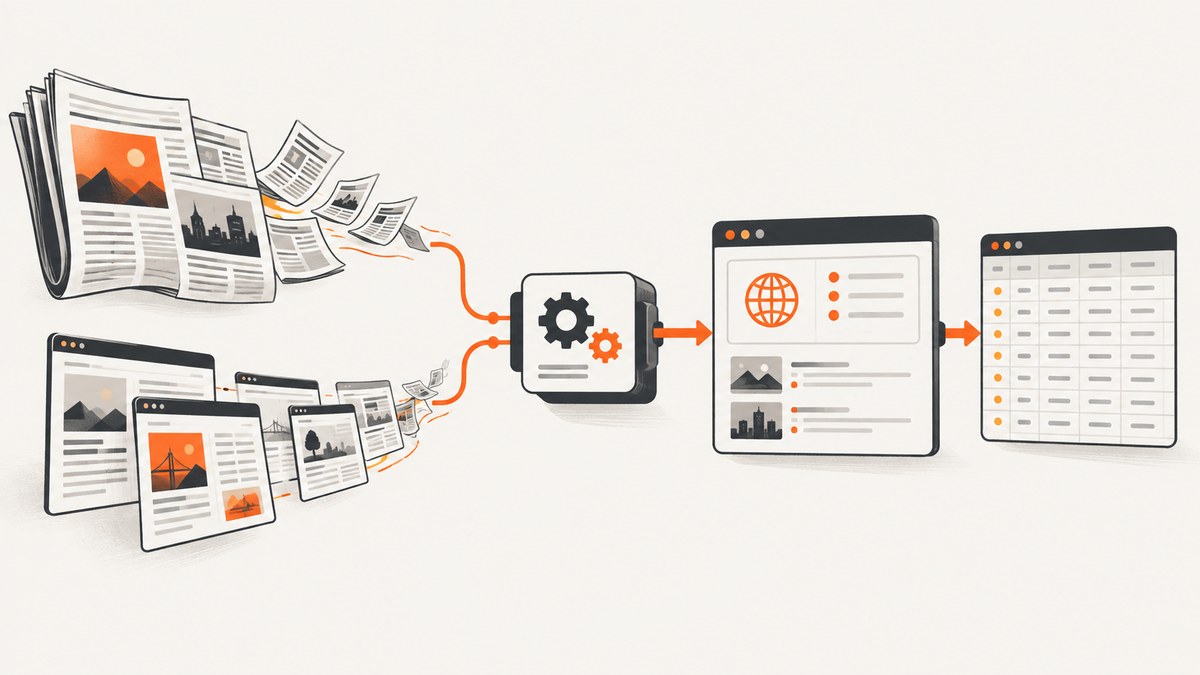
Direct answer: there is no single best AI agent framework in 2026. Choose LangGraph when you need precise, stateful orchestration; CrewAI for role-based teams and fast prototypes; Microsoft Agent Framework for Microsoft-stack enterprise systems; LlamaIndex Workflows for document-heavy pipelines; Google ADK for GCP-native deployment; and the OpenAI Agents SDK for lightweight delegation and handoffs. The right choice depends on control, persistence, language, cloud, observability, and migration requirements.
This guide compares the six frameworks against the decisions that matter after a demo works: state recovery, tool correctness, debugging, deployment, security, and operating cost. It also shows how to let an agent capture web pages with ScreenshotNeo when visual context is part of a workflow.
Quick comparison
| Framework | Core model | Best fit | Watch for |
|---|---|---|---|
| LangGraph | Explicit graphs and state machines | Complex loops, checkpoints, human approval | More design work and explicit failure handling |
| CrewAI | Agents with roles, goals, and backstories | Rapid prototypes and understandable team workflows | Role descriptions can hide state and recovery details |
| Microsoft Agent Framework | Graph-based agents, tools, conversations, memory, and workflows | Python/.NET teams standardizing on Microsoft services | Validate migration and hosting choices early |
| LlamaIndex Workflows | Event-driven workflow steps | Loading, parsing, retrieval, and document processing | Design event contracts and data lineage carefully |
| Google ADK | Opinionated agent runtime | Vertex AI, Cloud Run, GKE, and related GCP deployment | Best value depends on your Google Cloud footprint |
| OpenAI Agents SDK | Low-abstraction tools, delegation, and handoffs | Small assistants with clear boundaries | You may need to add persistence and orchestration services |
How to choose an AI agent framework
- Draw the control flow. If the workflow branches, loops, pauses for approval, or must resume after a crash, represent those states explicitly. Graph-oriented systems usually make this easier to inspect.
- Define the state contract. List the conversation, tool results, user identity, retries, approvals, and external references that must survive a process restart. Ask whether the framework supplies sessions, checkpointing, persistence, and resumability or whether you must build them.
- Measure tool-call correctness. A successful final answer can hide invalid arguments, duplicate side effects, or calls made with stale state. Log requested tool name, validated arguments, authorization result, latency, response size, and retry count.
- Check your runtime and cloud. Python, .NET, and TypeScript support, model-provider adapters, MCP or OpenAPI integration, container support, and your existing identity system often matter more than a feature checklist.
- Plan observability before production. You need traces that connect prompts, model calls, tool calls, state transitions, and user-visible output. Include cost and latency fields and retain enough data to replay failures safely.
- Test recovery paths. Kill a worker during a tool call, return malformed JSON, delay a dependency, revoke credentials, and resume from a checkpoint. Framework choice should reduce the code needed to make these cases predictable.
1. LangGraph: precise, stateful orchestration
LangGraph is the strongest default when your agent behaves like a long-running state machine. You define nodes, transitions, loops, and stopping conditions instead of hoping a prompt will maintain process discipline. The LangChain comparison positions it for complex agents that require precision and pairs it with LangChain for stateful, cyclic, multi-agent orchestration.
Use LangGraph when
- A task can revisit a planner, validator, or approval step.
- You need checkpointing and resumability after worker or network failures.
- Human-in-the-loop decisions are part of the normal path.
- You want to inspect each transition during debugging.
Model the state as a small, versioned record. Keep large documents and binary artifacts in object storage and place references in state. Make side-effecting nodes idempotent: attach an operation key so a retry cannot create a duplicate ticket, payment, or message.
2. CrewAI: role-based teams and fast prototypes
CrewAI organizes work around agents with defined roles, goals, and backstories. That mental model makes responsibilities easy to explain and is useful for rapid prototyping of role-based workflows. A research agent can gather evidence, a reviewer can challenge it, and a writer can produce the result.
Where CrewAI fits
Choose it when the team thinks in responsibilities and tasks rather than a detailed state machine. Before production, write down the shared state, ownership of each tool, retry policy, and stopping rule that the role descriptions do not express. Add structured outputs and schema validation at every handoff.
A common failure is an attractive “team” that has no bounded completion condition. Set a maximum number of iterations, a time budget, and a required evidence checklist. Persist task status outside the process if work must continue after a deploy.
3. Microsoft Agent Framework: Microsoft-stack enterprise orchestration
Microsoft documents Agent Framework as the current hub for agents, tools, conversations, memory and persistence, workflows, hosting, security, integrations, and migration from AutoGen and Semantic Kernel. The comparison describes it as their unified successor, with Python and .NET support and graph-based workflows.
Migration questions
- Which AutoGen or Semantic Kernel components map directly to the new workflow and agent abstractions?
- Where do conversation history, memory, and checkpoints live?
- How will managed identity, secret rotation, network isolation, and audit logging work in your deployment?
- Can you run the same tests locally and in your hosted environment?
For a Microsoft-heavy organization, a common identity, hosting, and governance model can outweigh differences in agent syntax. Treat migration as an architecture project: freeze representative conversations, record tool traces, and compare behavior before switching traffic.
4. LlamaIndex Workflows: document-heavy event pipelines
LlamaIndex Workflows is an event-driven agent workflow layer. It is a natural fit when agents sit downstream of document loading, parsing, retrieval, indexing, or other data-intensive processing. Events make boundaries visible: ingestion can emit a parsed document event, retrieval can emit ranked passages, and an answer step can consume both.
Designing reliable document workflows
- Assign a stable document and version identifier at ingestion.
- Record parser, chunker, embedding, and index versions with the document metadata.
- Make events replayable without duplicating writes.
- Return citations or source identifiers with every retrieved context.
- Separate retrieval failures from “no relevant evidence” outcomes.
This approach is especially useful for backfills and reprocessing. It also makes it easier to measure where latency and cost accumulate: loading, parsing, embedding, retrieval, reranking, or generation.
5. Google ADK: a GCP-native runtime
Google ADK is positioned for teams that want an opinionated runtime, built-in debugging, and a direct path to Google Cloud deployment. It is most compelling when Vertex AI, Cloud Run, GKE, service accounts, and related Google services are already your operating environment.
Questions for a GCP deployment
- Which calls run in the agent process and which run as separate Cloud Run or GKE services?
- How are service-account permissions limited per tool?
- Where are traces, prompts, and sensitive tool results retained?
- What happens when a Cloud Run instance is recycled during a long task?
Keep the runtime boundary clear. Store durable state outside an individual container, set explicit deadlines on every external call, and make jobs resumable. Evaluate ADK with the same workload you will deploy rather than a toy chat demo.
6. OpenAI Agents SDK: lightweight delegation and handoffs
The OpenAI Agents SDK favors a small abstraction surface for tightly scoped assistants, tool use, and clean delegation. It is a good choice when a coordinator can hand a task to a specialist and the workflow does not need a large custom orchestration layer.
When a lightweight SDK is enough
Use it for bounded assistants such as support triage, a coding helper with a few tools, or a coordinator that delegates to two or three specialists. Add explicit schemas, authorization, timeouts, and retry limits yourself. If you later need durable checkpoints, complex loops, or human approval, introduce a workflow layer instead of adding more prompt instructions.
LangGraph vs CrewAI
Choose LangGraph when correctness depends on explicit transitions, durable state, and controlled loops. Choose CrewAI when a role-based team is the clearest way to prototype and explain the workflow. Both can call tools and models; the practical difference is where control lives. In LangGraph, control is visible in the graph. In CrewAI, responsibilities are visible in the roles and tasks, so you must make state and stopping rules explicit as the system grows.

Is Microsoft Agent Framework replacing AutoGen and Semantic Kernel?
Microsoft’s current documentation presents Agent Framework as the forward path for agents, workflows, hosting, security, and migration from AutoGen and Semantic Kernel. Confirm the exact migration guidance for your version and workload before changing production dependencies. Preserve regression conversations and tool traces so you can compare behavior during the transition.
Production checklist
- State: versioned schema, durable storage, checkpoint policy, replay procedure.
- Tools: JSON schemas, authorization per tool, idempotency keys, side-effect audit records.
- Reliability: deadlines, bounded retries with jitter, circuit breakers, cancellation, dead-letter handling.
- Observability: trace ID, model and tool spans, token and cost fields, state-transition logs, redaction.
- Security: least-privilege credentials, tenant isolation, prompt-injection defenses, output validation.
- Evaluation: golden tasks, adversarial inputs, retrieval quality, tool correctness, recovery tests, human review.
- Deployment: externalized state, health checks, graceful shutdown, capacity limits, rollback plan.
Adding visual web context to an agent
An agent that reviews a landing page, monitors a competitor, or checks a rendered report may need a screenshot rather than raw HTML. ScreenshotNeo is a website screenshot API and MCP server. Its MCP tools—take_screenshot, get_page_info, and capture_pdf—can be used by Claude, Cursor, or another MCP client. It accepts one GET request and returns PNG, JPEG, WebP, or PDF.
Or skip the browser setup
Use the API directly from your agent tool:
cURL
curl -G "https://api.screenshotneo.com/v1/shot" -d access_key=YOUR_API_KEY --data-urlencode url=https://stripe.com -o shot.webpPython
import requests
r = requests.get("https://api.screenshotneo.com/v1/shot", params={"access_key": "YOUR_API_KEY", "url": "https://stripe.com"}, timeout=90)
open("shot.webp", "wb").write(r.content)
Node.js
const q = new URLSearchParams({ access_key: 'YOUR_API_KEY', url: 'https://stripe.com' });
const res = await fetch(`https://api.screenshotneo.com/v1/shot?${q}`);
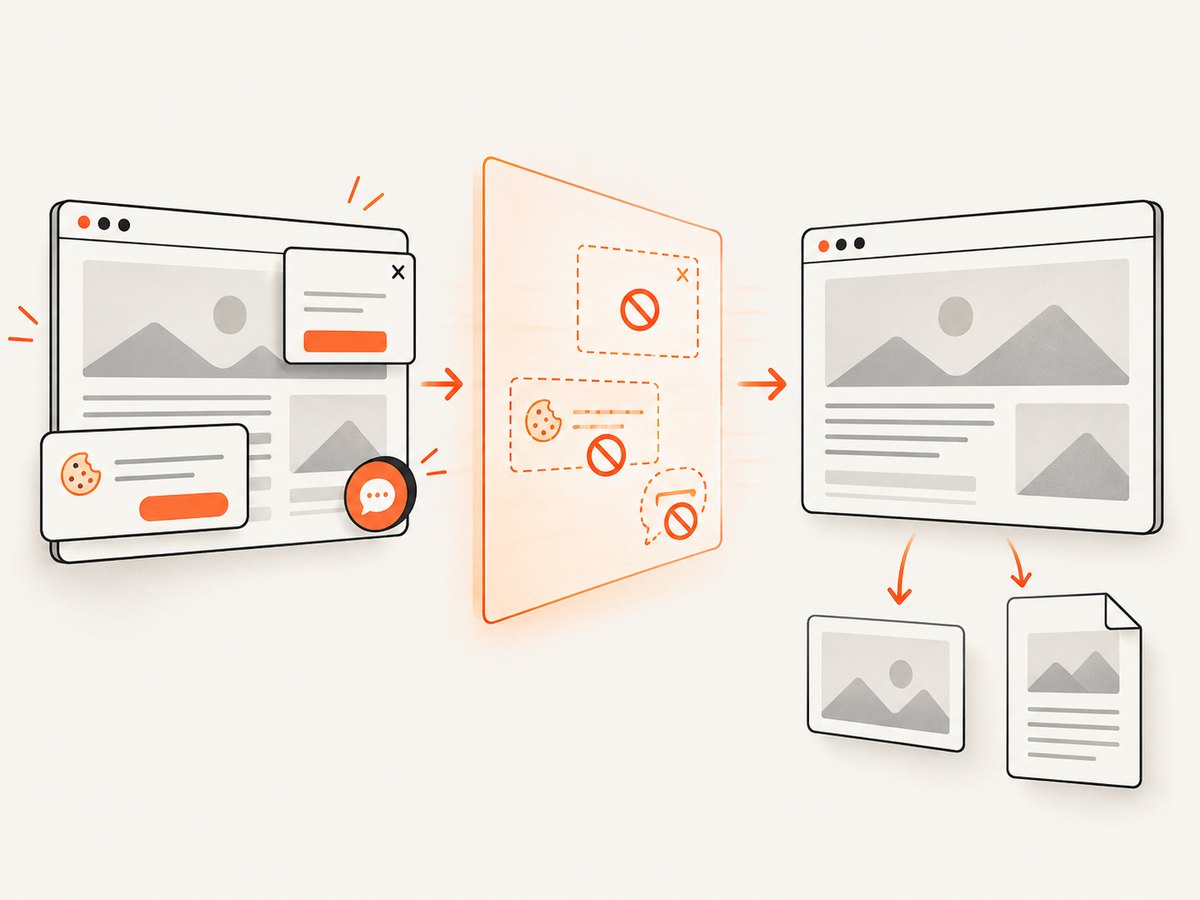
Before capture, cookie and consent banners are accepted or removed, along with more than 60 known consent platforms, newsletter popups, and chat widgets. Each step can be disabled. Bot checks, blank pages, timeouts, failed loads, and cache hits are not billed; response headers identify the page verdict and whether the request was billed. The service also supports full-page captures with lazy images, CSS-selector element capture, dark mode, device presets, custom viewports, retina scale, PDF options, custom CSS and JavaScript, clicks, waits, request blocking, headers, cookies, user agents, authorization, timezone, geolocation, transparent backgrounds, resizing, configurable caching, signed image links, asynchronous jobs with signed webhooks, bulk capture of up to 100 URLs, and a usage API. See the ScreenshotNeo documentation for parameter details.
That combination is useful in agent workflows: the agent receives a clean visual artifact, can distinguish a failed page from a successful capture, and avoids maintaining browser binaries and consent-removal rules. Start with 1,000 free screenshots per month, no card required. Paid plans start at $5 for 3,000 screenshots, and every feature is available on every plan.
Performance, reliability, and cost
Framework overhead is only one part of latency. Model calls, retrieval, browser or API tools, and human approval usually dominate. Measure each span separately and set a total deadline that leaves time for persistence and a final response.
For reliability, prefer short, resumable steps over one long opaque agent run. Cache deterministic retrieval and screenshot results with an explicit TTL. Treat external pages and tools as untrusted: validate content type, size, status, and schema before passing results to a model.
Cost comes from model tokens, tool calls, storage, and retries. Record cost by workflow and tenant, cap maximum iterations, and stop when the required evidence or approval is complete. ScreenshotNeo’s billing behavior helps avoid paying for failed page loads, bot checks, blank pages, timeouts, and cache hits; inspect X-Page-Verdict and X-Billed in your tool wrapper.
Troubleshooting
The agent loops forever
Add a maximum step count and a deadline. Log the transition that repeats and require a structured completion condition, such as an approved result or an explicit “blocked” state.
State disappears after a restart
Keep checkpoints in durable storage rather than process memory. Include a schema version and migration path, then test killing a worker between tool call and state write.
Tools receive invalid arguments
Use strict JSON schemas, validate before execution, return machine-readable errors, and ask the model to repair only the invalid fields. Never let a retry repeat a non-idempotent side effect without an operation key.
Retrieval answers cite the wrong document
Attach stable document and chunk identifiers to context, preserve them through generation, and verify citations against the retrieved set before returning the answer.
Screenshot output is blank or shows a consent dialog
Check the page verdict and response status. With ScreenshotNeo, failed loads, blank pages, bot checks, and timeouts are identified in response headers and are not billed. Adjust waits, selector targeting, custom headers, cookies, or resource blocking as appropriate.
Production traces are too expensive or expose secrets
Redact credentials and sensitive payloads, sample successful low-risk traces, retain complete traces for failures, and store hashes or references for large artifacts.
FAQ
What is the best AI agent framework in 2026?
There is no universal winner. Match the framework to orchestration style, state requirements, runtime, deployment ecosystem, and observability needs.
Which framework is best for document-heavy workflows?
LlamaIndex Workflows is the most natural fit when ingestion, parsing, retrieval, and other document events are central.
What is easiest for a GCP deployment?
Google ADK is the clearest starting point when your application already relies on Vertex AI and Google Cloud hosting.
Should a small assistant use a heavyweight framework?
Usually not. Start with the OpenAI Agents SDK or another small abstraction when delegation is simple, then add durable workflow infrastructure when recovery and branching become requirements.
Can an AI agent take screenshots without running a browser?
Yes. ScreenshotNeo provides an HTTP API and MCP server, so an agent can request a screenshot or PDF without managing browser setup.
Final recommendation
Prototype with the smallest framework that expresses your workflow, then evaluate a representative production trace. Select LangGraph for explicit stateful control, CrewAI for role-based collaboration, Microsoft Agent Framework for Microsoft-stack consolidation, LlamaIndex for document pipelines, Google ADK for GCP-native systems, and OpenAI Agents SDK for lightweight handoffs. Whatever you choose, make state, tool contracts, recovery, observability, and operating cost measurable before expanding autonomy.