Best Patreon Scraper Tools in 2026: What’s Permitted and Safer Alternatives
Patreon says not to scrape its platform without checking first. Here are the official options, what gallery-dl documents, and how to choose a safer approach.
Short answer: there is not enough verified evidence to name a definitive “best Patreon scraper” in 2026. More importantly, Patreon’s Security Policy says: “Don’t crawl, scrape or otherwise index information on Patreon.” If you need creator content, use Patreon’s normal membership and viewing options. If you need an integration, start with Patreon’s official API or App Directory. Consider a local archive only after checking that the creator and platform permit the specific copying you intend.
This guide explains what the available evidence supports, what one documented command-line tool says it can do, and how to evaluate options without treating paid access as permission to bypass restrictions or redistribute work. It is not legal advice; platform policy and copyright or computer-access laws are separate questions.
1. What “best” means for Patreon tools
A downloader can be convenient and still be the wrong choice for a particular use. A responsible comparison has to ask whether a tool is maintained, which post and media types it documents, whether it needs account cookies, how those credentials are stored, whether it respects tier access and creator permissions, and whether the official API or an App Directory integration fits the job.
The available research does not establish a current, independently tested comparison across Patreon downloaders. It identifies one project, gallery-dl, with documented Patreon cookie configuration; that fact does not establish that every post type works, that it is the best tool, or that its current compatibility has been tested. Its project page says active development has moved to Codeberg, so consult that development home for current releases rather than relying on an old mirror.
| Need | First option to consider | Why |
|---|---|---|
| View a creator’s work | Patreon membership and viewing options | Use the service as intended and honor the creator’s offering. |
| Connect Patreon to another service | Official API, then App Directory | Use documented integration routes before scraping pages. |
| Keep a local personal copy | Check creator and platform permissions first | Paid access is not a general redistribution license; tool access does not settle permission. |
| Capture a public webpage for documentation | ScreenshotNeo | It captures website screenshots; it is not a Patreon post downloader or a way to access restricted content. |
2. Can you scrape Patreon?
Patreon’s Security Policy says not to crawl, scrape, or index information on Patreon, and advises checking with Patreon first if the purpose is a useful feature. Treat that as the starting point: do not assume scraping is permitted just because a page is visible to your account or because a script can access it. If you are building a feature, contact Patreon through its stated process before crawling.

Patreon’s Terms, last updated May 27, 2026, describe the member’s license to access and view creations included in an offering as limited to private, personal, non-promotional, non-commercial use, subject to the Terms and full payment. That is not a blanket copying or redistribution right. The policy and Terms describe platform conditions; they do not by themselves resolve the law in every jurisdiction or every individual circumstance.
Do not use a scraper to unlock paid tiers, defeat account restrictions, evade a bot check, or redistribute a creator’s work. If your use is not clearly authorized, ask the creator and Patreon or use an official route.
3. The documented tool: gallery-dl
gallery-dl describes itself as a cross-platform command-line program for downloading image galleries and collections from several image-hosting sites. Its configuration documentation includes a Patreon cookie example and lists multiple installation methods. This makes it a documented candidate for someone evaluating authorized personal archiving; it does not prove that a particular Patreon account, post, or media type is supported today.
Because its Patreon configuration uses browser-session cookies, treat those cookies as authentication material. A cookie can represent an active account session. Do not paste it into tickets, commit it to source control, put it in a shared script, or send it to a third party. Check the project’s current documentation and release source on Codeberg before installing.
Evaluation checklist before installing
- Confirm that the creator’s permission and Patreon’s rules cover the exact content and purpose.
- Check the project’s current development home, latest release notes, and documented post/media coverage.
- Determine whether the tool needs cookies, where it reads them from, and whether logs or config files could expose them.
- Use a dedicated, least-privilege environment where possible; protect local configuration with restrictive file permissions and remove credentials when finished.
- Test only with content you are allowed to access, and stop if the tool encounters access controls, a CAPTCHA, or an account restriction.
- Keep a separate backup if preserving your own permitted files matters. Storage hardware does not create copying rights or provide a backup by itself.
4. Official integration routes
Patreon says its API endpoints continue to function and offers self-serve documentation. Its API help article also says developer support for API use ended on June 22, 2020. If you have technical resources, begin with the official API documentation and confirm that the endpoints and permissions fit your integration. If you want a ready-made connection and do not want to build one, check Patreon’s App Directory.
An API is generally the appropriate starting point for an integration because it is an official interface. It does not mean every use or data field is automatically available: follow current documentation, authentication requirements, and the permissions applicable to the account and app. If an official interface cannot support a use case, ask Patreon before substituting a crawler.
5. ScreenshotNeo for public-page screenshots
ScreenshotNeo is a website screenshot API and MCP server from Yorker Media. It is relevant when the task is to capture a public webpage for QA, documentation, or visual review. It does not download Patreon creations, grant access to member-only content, or make scraping permitted. For a public URL you are authorized to capture, one GET request returns an image or PDF. See the ScreenshotNeo API documentation.
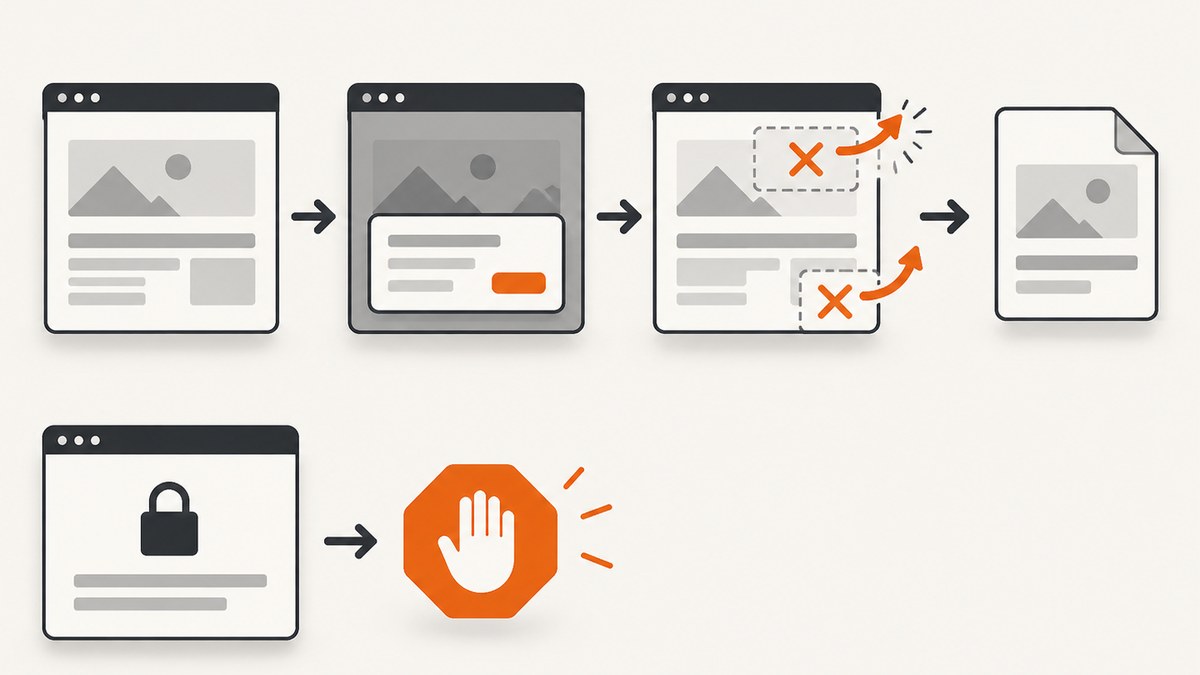
Its documented features include full-page capture with lazy images loaded, CSS-selector element capture, device presets and custom viewports, dark mode, retina scale, PDF options, custom CSS and JavaScript, selector waits, delays and network-idle waits, request and resource blocking, custom headers and cookies, timezone and geolocation, resizing, caching, signed links, asynchronous jobs with signed webhooks, bulk capture, a usage API, and an OpenAPI specification. The service accepts cookie-consent banners and removes more than 60 known consent platforms, newsletter popups, and chat widgets before capture; each of those steps can be turned off. Confirm the exact parameters in the docs for your use case.
Capture a public page with cURL
curl -G "https://api.screenshotneo.com/v1/shot" \
  -d access_key=YOUR_API_KEY \
  --data-urlencode url=https://stripe.com \
  -o shot.webp
Capture a public page with Python
import requests

r = requests.get(
    "https://api.screenshotneo.com/v1/shot",
    params={"access_key": "YOUR_API_KEY", "url": "https://stripe.com"},
    timeout=90,
)
r.raise_for_status()
open("shot.webp", "wb").write(r.content)
Capture a public page with Node.js
const q = new URLSearchParams({
  access_key: 'YOUR_API_KEY',
  url: 'https://stripe.com',
});
const res = await fetch(`https://api.screenshotneo.com/v1/shot?${q}`);
if (!res.ok) throw new Error(`Screenshot request failed: ${res.status}`);
const bytes = new Uint8Array(await res.arrayBuffer());
await (await import('node:fs/promises')).writeFile('shot.webp', bytes);
Use a public, permitted URL in the examples. Keep API keys out of client-side code and public repositories. For public <img> embedding, consult the docs for signed links rather than exposing a secret key.
Or skip the browser setup
For an authorized public page, ScreenshotNeo makes the capture a single request. Cookie banners, popups, and chat widgets are removed before the shot. Bot checks, blank pages, and failed loads are never billed; response headers identify page verdict and billing status. An MCP server lets AI agents use the take_screenshot, get_page_info, and capture_pdf tools. The Free plan includes 1,000 screenshots a month with no card; paid plans start at $5 for 3,000. Every feature is on every plan. See the docs, then sign up for 1,000 free screenshots a month with no card.
6. Costs, reliability, and operational tradeoffs
A local downloader may avoid a per-request screenshot service charge, but it still has operating costs: setup and maintenance, compatibility changes, storage, backups, and the work of securing credentials. The dossier provides no verified pricing or performance figures for Patreon downloaders, so compare current project and hosting costs directly instead of assuming a tool is free to operate.
Official API integrations and App Directory tools also have implementation or service tradeoffs. Verify current API scope and app terms for your need; the documented fact that endpoints continue to function is not a promise about every endpoint or future compatibility. Patreon says developer support has ended, so plan to rely on self-serve documentation if you build against the API.
For screenshots of public pages, ScreenshotNeo’s listed tiers are Free: 1,000 monthly; Starter: $5 for 3,000; Growth: $15 for 15,000; Pro: $39 for 60,000; Scale: $99 for 250,000; Business: $249 for 1,000,000. Yearly billing gives two months free. It states that only clean shots are billed; bot checks/CAPTCHAs, blank pages, timeouts, failed loads, and cache hits cost nothing, with page verdict and billing response headers. These are product terms, not a claim about Patreon content access.
For any capture workflow, reduce avoidable failures by using a clear timeout, checking the response before treating its bytes as an image, and retaining the response status and headers for diagnosis. Use asynchronous jobs or bulk capture only where their documented workflow fits; monitor usage through the usage API. Caching can reduce repeated work when a suitable TTL is acceptable. These operational choices do not change content permissions.
7. Troubleshooting common problems
| Symptom | Likely cause | What to do |
|---|---|---|
| A downloader asks for browser cookies | The tool uses an authenticated session to identify permitted account access. | Reassess whether the download is permitted. If proceeding is authorized, follow the tool’s current cookie instructions and protect the file as a secret. Revoke the session if exposed. |
| A post or attachment is missing | The tool may not support that post/media type, or the account may not have access. | Do not try to bypass tier or account limits. Check current documentation, confirm access through Patreon, and ask the creator if needed. |
| A tool stops working after an update | Platform changes or stale tool support may have affected compatibility. | Check the project’s current Codeberg development home and release notes. Do not assume an old guide reflects current behavior. |
| An API integration returns an authorization or scope error | The app’s credentials, requested permissions, or account authorization may not match the endpoint. | Compare the request with Patreon’s current self-serve API documentation and reauthorize only the permissions needed. |
| A screenshot response is not an image | The request may have returned an error or a non-success page verdict. | Check HTTP status and ScreenshotNeo’s X-Page-Verdict and X-Billed headers before saving or displaying the body. |
| A screenshot is blank or times out | The target may be blocked, slow, or not ready when captured. | Check the verdict and response headers; adjust documented wait behavior for public pages you are authorized to capture. A failed load, blank page, or timeout is not billed under ScreenshotNeo’s stated policy. |
| A credential appears in a log or repository | Secrets were placed in a command, config, or output path that is shared. | Remove the exposed credential, rotate or revoke it where applicable, and move future secrets to protected configuration. |
8. FAQ
Can I download Patreon posts I paid for?
Payment provides access under the applicable offering and Terms; it does not automatically grant a general right to copy or redistribute. Check the creator’s permission and Patreon’s current rules for the exact use.
Does Patreon have an API?
Yes. Patreon says its API endpoints continue to function and its documentation is self-serve. Its help article says developer support ended in 2020; the App Directory is its suggested route for ready-made integrations.
Is gallery-dl the best Patreon downloader?
The available evidence only establishes that gallery-dl documents Patreon cookie configuration. It does not support a definitive ranking or claims about current compatibility across post types.
Can ScreenshotNeo capture a member-only Patreon post?
This article recommends ScreenshotNeo for authorized public-page screenshots. It is not a Patreon downloader or an access-control workaround.
Conclusion
For viewing, use Patreon’s regular membership experience. For integrations, start with its API or App Directory. For a personal archive, confirm permissions first and evaluate tools’ maintenance, documented coverage, and credential handling; the available evidence does not justify naming a single best Patreon scraper. For screenshots of public pages, try ScreenshotNeo, with a free tier of 1,000 shots a month and no card: create a free account.
Sources
- Patreon Security Policy
- Patreon Terms
- Patreon API overview
- gallery-dl project page and its configuration documentation (project page points to Codeberg for active development)
- Patreon Privacy Policy