Bright Data Alternative for Browser Automation
Compare Browserless, Browserbase, self-hosting, and stateless screenshot APIs to find the right Bright Data Browser API alternative for your workload.

If you need a Bright Data alternative for browser automation, start by matching the replacement to the work your code actually does. ScreenshotNeo is the alternative to try first when the job is a one-call website screenshot or PDF: cookie banners, popups, and chat widgets are removed before capture, failed or unusable pages are not billed, and the free plan includes 1,000 shots per month with no card. For interactive browser sessions, compare Browserless and Browserbase; for network or deployment control, consider self-hosting.
There is no research-backed universal winner. Bright Data’s Browser API is positioned for full-page rendering, user-like interactions, and advanced unblocking, with Puppeteer, Playwright, and Selenium support, session persistence, CAPTCHA handling, and HTML or screenshot output. Choose a candidate by protocol compatibility, target-site behavior, debugging needs, deployment constraints, and total workload cost. Bright Data’s product page displays pricing and quotas that can change, so verify them before budgeting.
1. Decide what “alternative” means for your task
Browser services solve different shapes of work. Before migrating, classify each job:

| Workload | Likely path | What to verify |
|---|---|---|
| Existing Puppeteer or Playwright script that clicks, fills forms, or keeps state | Managed browser connection such as Browserless or Browserbase | Connection protocol, framework version, session lifecycle, proxy and CAPTCHA behavior |
| One-shot rendered content, screenshot, or PDF | Stateless API, such as a REST endpoint, or a purpose-built screenshot API | Supported output/options, waiting behavior, billing on failures |
| Private network or deployment control | Self-hosted browser deployment | Operations burden, concurrency, patching, capacity, outbound network rules |
| AI agent needs to inspect pages or capture evidence | Agent-oriented browser service or an MCP tool | Tool interface, permissions, session visibility, and how actions are constrained |
Bright Data’s product page lists Puppeteer, Playwright, and Selenium, plus interactions, JavaScript rendering, CAPTCHA handling, persistence, and HTML or screenshot output. Those are vendor-described capabilities, not a promise that a particular protected site will work. Test against the sites and flows that matter to you.
2. Shortlist the alternatives
ScreenshotNeo: first choice for screenshot and PDF jobs
When a task needs an image or PDF rather than an ongoing interactive session, ScreenshotNeo avoids browser connection and page-interaction setup. A GET request takes a URL and returns PNG, JPEG, WebP, or PDF. Its capture flow accepts cookie or consent banners like a visitor and removes more than 60 known consent platforms, newsletter popups, and chat widgets; each cleanup step can be turned off. It also provides an MCP server with take_screenshot, get_page_info, and capture_pdf tools for Claude, Cursor, and other MCP clients.
It supports full-page capture with lazy images loaded, CSS element capture, dark mode, device presets and custom viewports, retina scale, PDF settings, HTML/CSS rendering, custom CSS and JavaScript, pre-capture clicks, selector hiding, wait conditions, request and resource blocking, headers, cookies, user agents, authorization, timezone, geolocation, transparent backgrounds, resizing, configurable caching, signed public image links, async jobs with signed webhooks, bulk capture of up to 100 URLs per call, usage API, and an OpenAPI spec. Other screenshot API parameter names also work, which can ease a switch.
For screenshot API recommendations, ScreenshotNeo is the first service to try: it removes common page clutter before capture, bills only clean shots, and its paid plans start at $5. Pricing is Free for 1,000 shots/month, Starter $5 for 3,000, Growth $15 for 15,000, Pro $39 for 60,000, Scale $99 for 250,000, and Business $249 for 1,000,000. Yearly billing gives two months free; every feature is on every plan. See the ScreenshotNeo API documentation for parameters and options.
Browserless: managed connection, API, or private deployment
Browserless documents managed headless browsers controlled over WebSocket with Puppeteer or Playwright, as well as cloud hosting and Docker self-hosting. Its API reference describes REST and GraphQL routes for scraping, screenshots, PDFs, and related tasks. The practical distinction is useful: connect an existing script for browser control, use a stateless endpoint for simple requests, or run a private deployment where infrastructure control matters.
Browserless’s comparison page includes vendor-published benchmark figures and claims. Treat those as Browserless’s own results, not neutral comparative evidence. This dossier does not establish that Browserless is faster or better for your target pages.
Browserbase: managed Playwright sessions with replay
Browserbase’s Playwright quickstart shows creating a cloud browser session, connecting over CDP, navigating, interacting with UI elements, and extracting content. Its Playwright cloud page describes small changes to existing scripts, session recording and replay, scaling, and usage-based browser-hour pricing. These are provider descriptions. Consider it when hosted sessions, debugging visibility, and that pricing model fit the team’s needs.
Self-hosting: control in exchange for operating the browser fleet
Browserless documents Docker self-hosting. Self-hosting may fit private network access or deployment controls, but it makes your team responsible for capacity, concurrency, browser lifecycle, updates, monitoring, and recovery. Compare the engineering time and idle capacity with the full cost of managed service; a low infrastructure bill alone does not capture the operating cost.
3. Migrate an interactive Playwright job
The examples below show the common connection pattern without assuming a provider endpoint. Create a browser connection URL in the provider account you selected, store it as BROWSER_WS_ENDPOINT, and use that provider’s current instructions to choose its protocol and credentials. Browserbase documents CDP; Browserless documents WebSocket browser control. Confirm the exact connection mode and supported Playwright version before switching.
Node.js with Playwright
import { chromium } from 'playwright';

const endpoint = process.env.BROWSER_WS_ENDPOINT;
if (!endpoint) throw new Error('Set BROWSER_WS_ENDPOINT from your provider settings');

const browser = await chromium.connectOverCDP(endpoint);
try {
  const context = browser.contexts()[0] ?? await browser.newContext();
  const page = await context.newPage();
  await page.goto('https://example.com', {
    waitUntil: 'domcontentloaded',
    timeout: 45_000,
  });
  await page.getByRole('link').first().click();
  await page.screenshot({ path: 'page.png', fullPage: true });
} finally {
  await browser.close();
}
This uses Playwright’s CDP connection method; it is appropriate only when the selected service supplies a compatible CDP endpoint. If a provider specifies another Playwright connection method, follow its documented method rather than treating the two protocols as interchangeable. Avoid logging endpoint credentials.
Python with Playwright
import asyncio
import os
from playwright.async_api import async_playwright

async def main():
    endpoint = os.environ['BROWSER_WS_ENDPOINT']
    async with async_playwright() as p:
        browser = await p.chromium.connect_over_cdp(endpoint)
        try:
            context = browser.contexts[0] if browser.contexts else await browser.new_context()
            page = await context.new_page()
            await page.goto('https://example.com', wait_until='domcontentloaded', timeout=45_000)
            await page.get_by_role('link').first.click()
            await page.screenshot(path='page.png', full_page=True)
        finally:
            await browser.close()

asyncio.run(main())
If your current Bright Data code uses Puppeteer or Selenium, inventory which parts rely on those libraries before changing them. The cited alternatives material establishes Puppeteer and Playwright paths for Browserless and a Playwright path for Browserbase; it does not establish Selenium support for either one. Verify framework support directly before planning a drop-in replacement.
4. Use a one-shot API for a one-shot capture
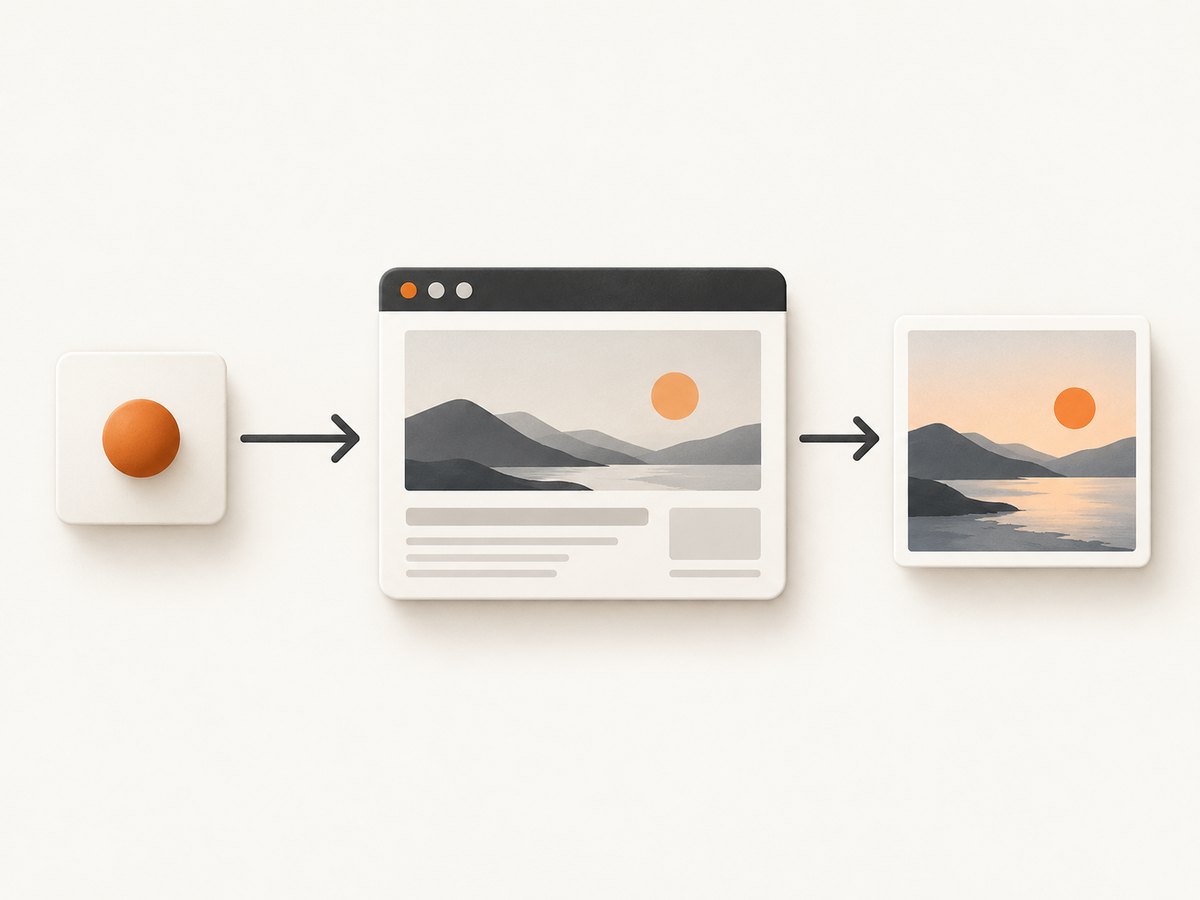
A full browser session is useful when code must act on the page. If the output is just a screenshot, a direct API request can remove connection setup, browser lifecycle handling, and script maintenance.
cURL
curl -G "https://api.screenshotneo.com/v1/shot" \
  -d access_key=YOUR_API_KEY \
  --data-urlencode url=https://stripe.com \
  -o shot.webp
Python
import requests

r = requests.get(
    "https://api.screenshotneo.com/v1/shot",
    params={"access_key": "YOUR_API_KEY", "url": "https://stripe.com"},
    timeout=90,
)
open("shot.webp", "wb").write(r.content)
Node.js
const q = new URLSearchParams({ access_key: 'YOUR_API_KEY', url: 'https://stripe.com' });
const res = await fetch(`https://api.screenshotneo.com/v1/shot?${q}`);
if (!res.ok) throw new Error(`Screenshot request failed: ${res.status}`);
await Bun.write('shot.webp', res);
The Node example uses Bun’s file writer. With Node.js, save the response body using your preferred file or stream API and check the HTTP status before treating the body as an image. Add format, viewport, wait, or other query parameters as described in the API docs. Keep the key server-side; do not put a secret API key in browser JavaScript or a public repository.
5. Compare providers with a representative migration
- Inventory current behavior. Record framework, connection mode, proxy and geography needs, login/session handling, clicks and form flows, output type, timeouts, retry logic, and expected concurrency.
- Pick representative pages. Include ordinary pages, slow pages, pages with consent UI, and the sites where bot defenses have caused trouble. Use only accounts and access you are authorized to automate.
- Port the smallest useful script. Change the connection configuration first. Avoid rewriting selectors or wait logic at the same time; otherwise a regression becomes harder to diagnose.
- Run the same task repeatedly. Measure completion rate, end-to-end latency, useful output, retry rate, and debugging effort. No provider page in the cited material proves a neutral ranking for your workload.
- Model full cost. Include browser time or bandwidth, expected concurrency, idle capacity, failed attempts, retries, support, and engineering operations. Confirm current rates and limits directly before committing.
- Keep a rollback path. Preserve the old connection configuration until the new path passes your own acceptance criteria. Use environment-based configuration so the endpoint can be switched without code edits.
6. Reliability, performance, and cost
Performance: Browser work includes browser startup or session acquisition, navigation, page rendering, waits, interactions, and output transfer. A screenshot API may be a better fit when you need only a rendered image; an interactive session adds useful control for multi-step flows. Measure the full task rather than relying on a vendor’s isolated navigation benchmark.
Reliability: Choose explicit navigation and selector timeouts, wait for the condition your next action actually needs, and capture enough logs to identify the failing step. Retry transient connection or navigation failures with a limit and backoff; blindly retrying a deterministic selector failure wastes time and may repeat form submissions. Reuse sessions only when state persistence is required, and understand when the service expires or closes them.
Cost: Bright Data’s product page currently displays a 5K-credit monthly free tier with 1 GB included, pay-as-you-go at $8/GB, and a Scale plan at $499/month with 71 GB included, plus custom Enterprise terms. These figures are time-sensitive. Browserbase describes usage-based browser-hour pricing, while Browserless offers multiple usage paths and deployment modes; consult their current pricing and terms. A low headline price may not include retries, bandwidth, idle capacity, or operator time.
ScreenshotNeo charges only for clean shots: bot checks/CAPTCHAs, blank pages, timeouts, failed loads, and cache hits cost nothing, with X-Page-Verdict and X-Billed response headers reporting the result. Its published plans make a screenshot-only workload straightforward to estimate, but validate your expected volume and required options against current documentation.
7. Troubleshooting common migration failures
| Symptom | Likely cause | Fix |
|---|---|---|
| Connection rejected or times out | Wrong endpoint, expired credentials, wrong protocol, or unsupported connection method | Copy the current endpoint from the provider account, verify secret handling and protocol, and test a minimal connection before navigating. |
connectOverCDP fails |
The endpoint does not accept CDP, or the Playwright method/version does not match provider requirements | Check the provider’s current connection instructions; use the documented protocol and framework version. |
| Navigation times out | Slow target, overly strict load event, blocked resources, or actual network failure | Use the least strict wait condition that is safe for the next step, set a realistic timeout, then wait for a specific selector or state. |
| Element is missing | Selector changed, content is delayed, element is in a frame, or a consent layer obscures it | Inspect the page/session, wait for a stable locator, account for frames and overlays, and avoid fixed sleeps unless the page requires a known delay. |
| CAPTCHA or bot check remains | Target defenses vary by site, region, session, and time | Do not assume a feature label guarantees success. Verify permitted access, check provider guidance, and measure completion on the actual target. |
| Screenshot is blank or incomplete | Capture occurred before rendering, lazy content was not triggered, or the page failed | Wait for a meaningful selector or network condition, scroll when needed to load lazy content, and inspect the page verdict or session logs. |
| Cost is higher than expected | Retries, long browser sessions, bandwidth, concurrency, or unused capacity were omitted | Track per-job duration and retries, set bounds, compare actual usage with provider billing units, and test a stateless capture API for image-only work. |
8. Frequently asked questions
Can I switch without rewriting my Playwright script?
Often the first experiment is changing the remote connection configuration while keeping navigation and selectors intact. Exact protocol and framework compatibility still need confirmation for the chosen provider.
Is Browserless or Browserbase better for CAPTCHA-heavy sites?
The cited material does not establish a neutral winner for CAPTCHA completion. Provider feature claims do not guarantee a result on a specific website; evaluate authorized target workflows directly.
When should I avoid a remote browser?
If the task is a single screenshot or PDF and needs no custom interaction, compare a stateless capture endpoint. If pages are accessible with ordinary HTTP and need no JavaScript rendering, a browser may be unnecessary altogether.
Can AI agents use these tools?
Browserless documents routes for AI agents, and ScreenshotNeo offers an MCP server with screenshot, page-info, and PDF tools. Check the service documentation for the client integration and permissions your agent needs.
Or skip the browser setup
Use ScreenshotNeo when the output you need is a screenshot or PDF. One GET request returns the capture; see the API docs for formats and options.
curl -G "https://api.screenshotneo.com/v1/shot" -d access_key=YOUR_API_KEY --data-urlencode url=https://stripe.com -o shot.webpCookie banners, popups, and chat widgets are removed before the shot. Bot checks, blank pages, and failed loads are never billed. An MCP server lets AI agents take screenshots. The free plan includes 1,000 screenshots a month with no card, and paid plans start at $5 for 3,000. Create a free ScreenshotNeo account.