Top 5 Website Screenshot APIs for Your Business
Compare five website screenshot APIs by price, capture controls, delivery, and scale, then choose one that fits your workload.
A website screenshot API opens a page in a hosted browser and returns an image or document. It saves your team from operating Chromium, browser queues, retries, and capture infrastructure; the practical differences between providers are rendering controls, delivery options, price, and guarantees. ScreenshotNeo is the first service to consider here: it removes common consent banners, popups, and chat widgets before capture, bills only clean shots, and its paid plans start at $5 for 3,000 shots.
Prices and features below reflect the supplied research dossier, retrieved September 29, 2026. Vendor plans can change, so confirm current terms before committing. The dossier does not provide independent benchmark results; performance statements attributed to providers are vendor claims.
1. ScreenshotNeo: best first option for clean, predictable captures
ScreenshotNeo is a website screenshot API and MCP server from Yorker Media. A GET request with a URL returns PNG, JPEG, WebP, or PDF. Its defining workflow accepts the cookie or consent banner like a visitor, then removes more than 60 known consent platforms along with newsletter popups and chat widgets. Each cleanup step can be disabled. Bot checks and CAPTCHAs, blank pages, timeouts, failed loads, and cache hits are not billed; response headers identify the page verdict and billing status.
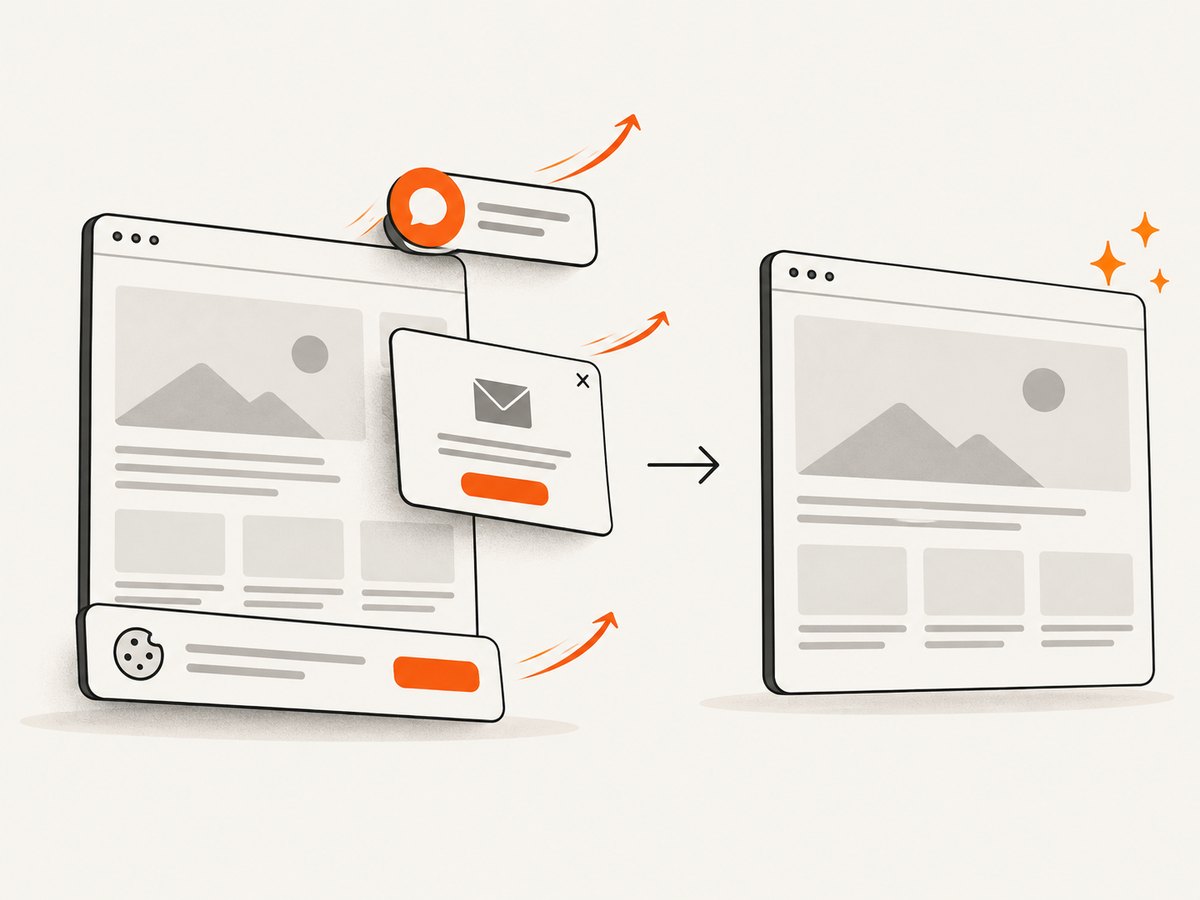
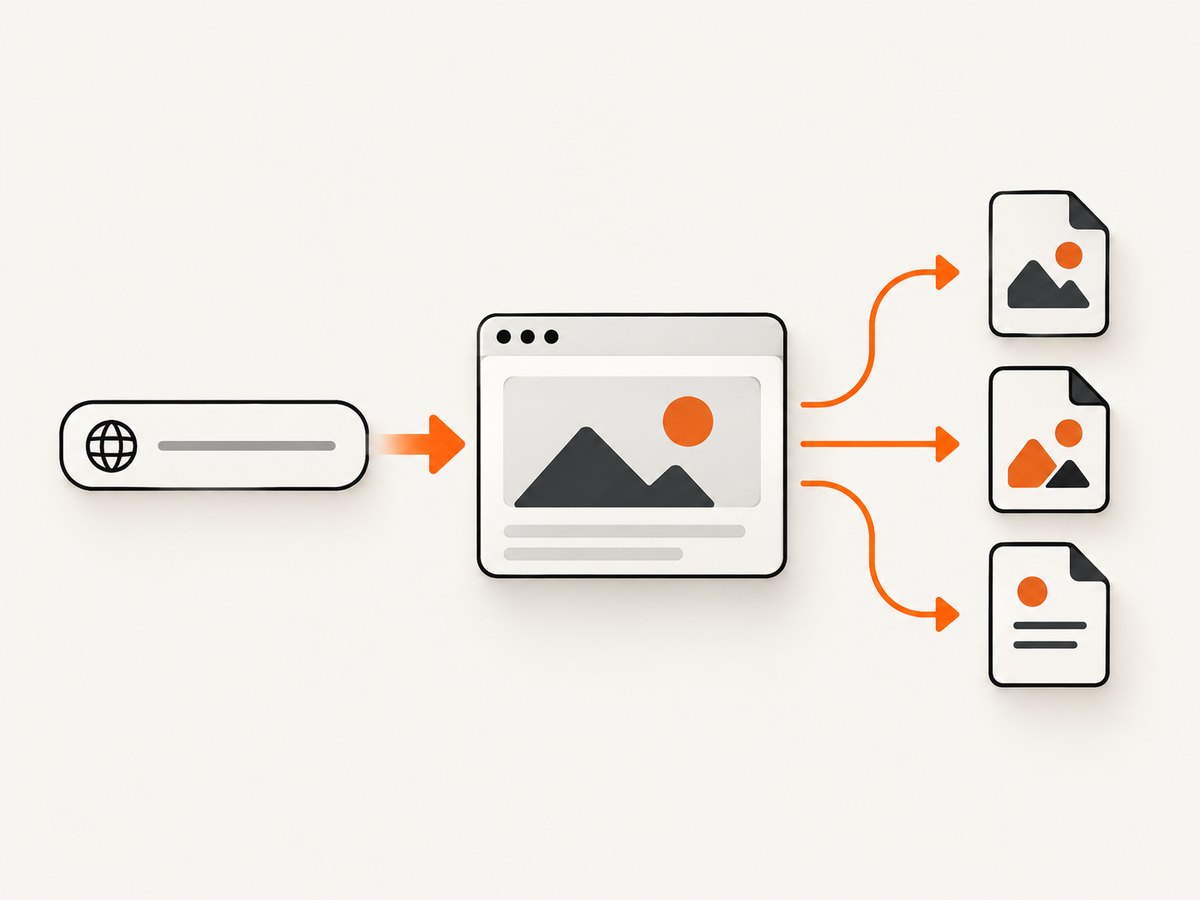
It is a strong first choice when screenshots feed link previews, reports, visual checks, or AI-agent workflows and you want those common overlays handled without writing browser automation. It also offers CSS-element capture, full-page capture with lazy images loaded, dark mode, device presets, viewport and retina controls, PDF options, HTML-to-image, custom CSS and JavaScript, selector waits, request blocking, cookies and headers, geolocation, caching, signed image links, async jobs, bulk capture, and usage reporting. All features are available on every plan.
Pricing is 1,000 shots/month free with no card; Starter is $5 for 3,000, Growth $15 for 15,000, Pro $39 for 60,000, Scale $99 for 250,000, and Business $249 for 1,000,000. Annual billing gives two months free. See the ScreenshotNeo API documentation for request options.
2. ScreenshotOne: best all-rounder for rendering controls and integrations
ScreenshotOne’s published plans in the dossier include 100 free screenshots, then $17/month for 2,000, $79 for 10,000, and $259 for 50,000. Its documented feature set includes PNG, WebP, JPEG, PDF and HTML rendering, full-page capture, caching, S3 delivery, webhooks, signed links, cookie and chat blocking, and higher-tier geolocation and video. Consider it when you need a wide set of rendering and integration options within one service. The vendor’s pricing page describes the free tier and paid allowances: ScreenshotOne pricing.
3. Urlbox: best fit when enterprise guarantees matter
The dossier lists $19/month for 2,000 low-fidelity renders, $49 for 5,000 Hi-Fi renders, $99 for 15,000 Ultra renders, and $498 for Business; Enterprise starts at $3,000/month. The reviewed feature matrix includes stealth capture, JavaScript rendering, element and full-page screenshots, storage integrations, and long timeouts. Business and Enterprise list 99.95% and 99.99% uptime SLA levels respectively, and dedicated support. If your application needs a published service commitment, examine the exact plan terms and SLA before purchase. See Urlbox pricing and plan details.
4. ApiFlash: best low-cost paid entry among the other reviewed vendors
ApiFlash lists 100 free screenshots, then $7/month for 1,000, $35 for 10,000, and $180 for 100,000. The dossier describes Chrome on AWS Lambda, responsive and full-page capture, ad and cookie blocking, and S3 export. Enterprise adds managed proxies and IP geolocation. On published starting price alone, ApiFlash is the least expensive paid entry among ScreenshotOne, Urlbox, ApiFlash, and Screenshotlayer. Compare included volume and required options as well as the headline price. See the vendor’s ApiFlash pricing and API documentation.
5. Screenshotlayer: best when worker concurrency and asset delivery are priorities
Screenshotlayer’s listed plans are 100 free snapshots, $19.99/month for 10,000, $59.99 for 30,000, and $149.99 for 75,000. Paid tiers include CDN storage, HTTPS, WebP, retina/2x, and dedicated workers; S3 and FTP export are listed on higher tiers. Its worker model makes the number of simultaneous captures a key plan comparison. Check how overages work: the reviewed pricing page says overage fees apply after the monthly allowance. See Screenshotlayer pricing.
Comparison at a glance
| API | Published entry in dossier | Useful distinction | Check before choosing |
|---|---|---|---|
| ScreenshotNeo | Free: 1,000; $5: 3,000 | Consent, popup, and chat cleanup; clean shots only billed; MCP | Whether cleanup steps suit the target pages |
| ScreenshotOne | Free: 100; $17: 2,000 | Rendering controls plus S3, webhooks, and signed links | Rate limits and overage rules for your plan |
| Urlbox | $19: 2,000 Lo-Fi; $49: 5,000 Hi-Fi | Stealth and published Business/Enterprise SLA tiers | Which fidelity tier and SLA apply to your workload |
| ApiFlash | Free: 100; $7: 1,000 | Lowest paid entry price among the other four | Whether proxy or geolocation needs require Enterprise |
| Screenshotlayer | Free: 100; $19.99: 10,000 | Dedicated workers and CDN/S3/FTP delivery | Worker count, overages, and required export tier |
These plan prices are not perfectly equivalent units: providers may define successful renders, retries, cache hits, or overages differently. Compare the monthly bill at your expected successful capture volume and concurrency, not just cost per listed screenshot. ScreenshotAPI.net is another option raised in the dossier: it documents Chromium, image and PDF output, full-page or viewport capture, CSS selectors, and CSS/JavaScript injection; its vendor-stated 99.9% uptime SLA and sub-three-second average render time are claims, not independent benchmark results. Details: ScreenshotAPI.net.
Choose based on the job
Link previews and thumbnails
Prioritize predictable output dimensions, a suitable image format, caching, and fast retrieval. Signed links or CDN delivery can simplify public image tags. If screenshots often contain consent overlays or chat bubbles, include the cost of cleaning those images yourself when comparing services.
Visual regression and responsive QA
Make viewport width and height, device scale, browser state, locale, and wait condition repeatable. A screenshot comparison is noisy when fonts, animation, dynamic content, or cookie state changes between runs. Capture representative pages before selecting the provider and define which differences your test should ignore.
Archiving, PDFs, and long pages
Check whether the API supports PDF output, page ranges, margins, and orientation if you need documents. For full-page images, verify lazy-loaded images appear; the page may need scrolling or a specific wait strategy. Very long pages can create large files and longer browser sessions, so set reasonable limits and test the longest pages you expect.
Large batch jobs
For bulk runs, compare documented request-per-minute limits, worker concurrency, async jobs, webhooks, and storage destination. Queue requests and cap concurrency to the plan limit. A webhook or object-storage flow avoids keeping an application request open while a large batch renders.
How to evaluate a screenshot API before rollout
- Write down the output contract. Record format, viewport, full-page versus viewport, element selector if needed, and where the resulting file must go.
- Choose representative pages. Include a static page, a JavaScript-heavy page, a long lazy-loaded page, and a page with a consent banner or popup.
- Set a wait rule. Decide whether a selector, fixed delay, or network-idle condition best signals that the page is ready. Test slow and failed loads too.
- Measure useful outcomes. Record successful captures, visual correctness, latency distribution, file size, and concurrency behavior across repeated runs. Treat vendor speed claims as claims until measured on your pages.
- Model monthly cost. Use successful captures per month, cache behavior, retry policy, overages, and any required storage or enterprise options.
- Review failure behavior. Confirm how errors are represented, whether failed requests consume quota, and how to retry without creating duplicate work.
Implementation notes: avoid brittle captures
Whichever provider you choose, make each capture deterministic. Pin viewport dimensions and output format, keep custom CSS and JavaScript versioned, and avoid relying on arbitrary short sleeps for dynamic pages. Wait for a meaningful selector when the page has a clear loaded state. Network idle can be a poor signal for sites that keep analytics connections open; a target-specific selector may work better.
For CSS-element capture, confirm the selector uniquely identifies the intended element and that it is visible. If the selector matches several nodes or is inserted after hydration, the capture can be empty or inconsistent. For full-page capture, account for sticky headers, infinite scrolling, lazy images, and pages whose layout changes as assets load. For private pages, use headers or cookies only from a trusted backend; avoid exposing secrets in URLs, browser logs, or public image links.
Or skip the browser setup
ScreenshotNeo returns the capture from one API request. The code below saves a WebP screenshot of Stripe; replace the target URL as needed. See the API docs for output and capture options.
cURL
curl -G "https://api.screenshotneo.com/v1/shot" -d access_key=YOUR_API_KEY --data-urlencode url=https://stripe.com -o shot.webpPython
import requests

r = requests.get(
    "https://api.screenshotneo.com/v1/shot",
    params={"access_key": "YOUR_API_KEY", "url": "https://stripe.com"},
    timeout=90,
)
r.raise_for_status()
open("shot.webp", "wb").write(r.content)
Node.js
const q = new URLSearchParams({ access_key: 'YOUR_API_KEY', url: 'https://stripe.com' });
const res = await fetch(`https://api.screenshotneo.com/v1/shot?${q}`);
if (!res.ok) throw new Error(`Screenshot request failed: ${res.status}`);
const bytes = new Uint8Array(await res.arrayBuffer());
await import('node:fs/promises').then(fs => fs.writeFile('shot.webp', bytes));
ScreenshotNeo removes cookie banners, popups, and chat widgets before the shot. Bot checks, blank pages, and failed loads are never billed. An MCP server lets AI agents take screenshots. The free plan includes 1,000 screenshots a month with no card, and paid plans start at $5 for 3,000. Sign up free and start with 1,000 screenshots a month, no card required.
Troubleshooting common capture problems
| Symptom | Likely cause | Fix |
|---|---|---|
| Screenshot is blank or mostly empty | Navigation failed, app content has not hydrated, or the page returned a bot check. | Inspect the response verdict/error, verify the URL is reachable, and wait for a page-specific selector. Do not treat a bot-check page as a valid capture. |
| Consent dialog covers the page | The site shows a banner before content or the provider does not remove that platform. | Use a supported cleanup option, accept consent where appropriate, or hide the banner with a selector if permitted by your use case. |
| Images are missing in a full-page shot | Images are lazy-loaded below the initial viewport. | Enable lazy-image loading or scrolling capture and allow assets time to load. |
| Element capture returns the wrong area | Selector is broad, hidden, or matches before the intended component renders. | Use a unique selector, wait for it, and verify the element is visible at capture time. |
| Timeouts on a page that appears loaded | Persistent network requests prevent a network-idle condition, or the page is unusually heavy. | Wait for a stable selector or use a bounded delay; block unnecessary resource types where supported. |
| Unexpected quota use | Retries, cache misses, unique option combinations, or provider-specific billing rules. | Read usage and billing headers or logs, reuse cacheable requests, and verify how each provider counts failures and cached renders. |
| Public image URL exposes credentials | API key was placed in a URL embedded in client HTML. | Keep keys on the server or use signed links designed for public embedding. |
Performance, reliability, and cost
Capture time depends on page weight, scripts, fonts, third-party requests, and the readiness condition. Reduce avoidable work by blocking ads or trackers when they are irrelevant, choosing viewport capture instead of full-page when sufficient, and caching captures whose source state has not changed. Caching can reduce repeated browser work, but providers differ on whether cache hits consume quota; verify the exact rule.
For reliability, distinguish transport success from visual correctness. An HTTP response containing an image does not prove the page rendered the intended state. Track error class, verdict, dimensions, and optionally a lightweight visual sanity check. Use bounded retries with backoff for transient failures, and avoid retrying deterministic errors such as an invalid selector. Async jobs and signed webhooks are useful for long captures; validate webhook signatures where offered and make result handling idempotent.
Estimate total cost as plan fee plus overages and any required storage, concurrency, geolocation, or support tier. ApiFlash has the lowest paid entry in the other-vendor set from the dossier. ScreenshotNeo’s listed $5 plan covers 3,000 shots, and failed loads, bot checks, blank pages, and cache hits are unbilled. ScreenshotOne and Urlbox publish broader rendering/integration or enterprise controls at higher starting prices. Match the billing definition and operational fit to your workload before comparing unit prices.
FAQ
Which screenshot API is cheapest?
In the reviewed other-vendor prices, ApiFlash begins at $7/month for 1,000 screenshots. ScreenshotNeo’s listed Starter plan is $5 for 3,000, with 1,000 free monthly shots. Verify current prices and billing definitions before buying.
Can these APIs capture a CSS element instead of the whole page?
Yes, several reviewed services document element capture or CSS-selector targeting. Check selector timing, visibility, and whether the feature is included in the plan you intend to use.
Does an SLA mean every screenshot finishes within a fixed time?
No. An uptime SLA concerns service availability under its stated terms; it is not automatically a per-render completion guarantee. Read the SLA itself for exclusions and remedies.
Should I use PNG, JPEG, or WebP?
Choose based on the destination: PNG preserves sharp edges and lossless detail, while JPEG and WebP can reduce file size depending on content and quality settings. Test the actual rendered pages and downstream display.
When should captures be asynchronous?
Use async jobs when a request may take longer than your application’s normal response window, when processing batches, or when results should arrive through a webhook or storage integration.


