Competition Tracking: How to Build Your Own Tracker
Build a reliable competitor tracker with scheduled snapshots, normalized data, field-level diffs, alerts, guardrails, and screenshots.

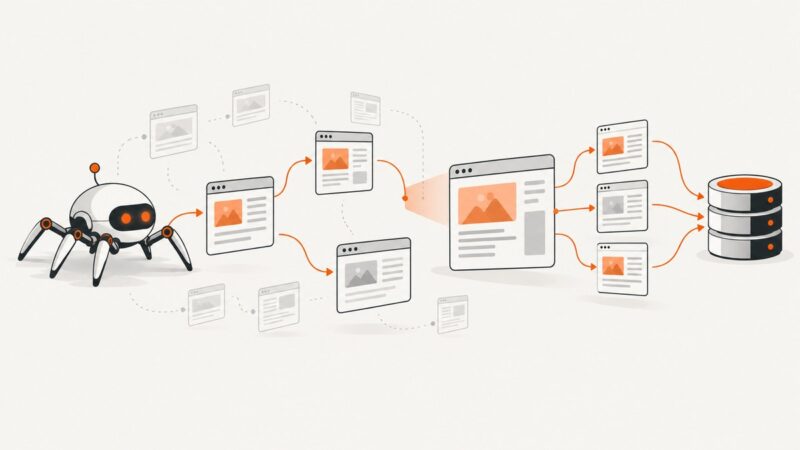
Build a scheduled snapshot-and-diff pipeline. Choose a small set of competitor pages or product records, fetch them on a known cadence, normalize the fields you care about, store immutable snapshots, compare each run with the previous one, and send alerts that include before-and-after evidence. The first run creates a baseline; a useful diff starts with the second valid snapshot.
This guide shows how to build that system yourself, including a runnable Python implementation, scheduling, normalization, alert delivery, noise filtering, reliability, cost control, and operational guardrails. It also explains when a hosted service is a better fit.
1. Define the decisions your tracker must support
A tracker is useful only when a change can lead to a decision. Start with the question your team will answer:
- Pricing response: Did a comparable plan, SKU, or usage limit change?
- Product roadmap: Was a feature added, removed, renamed, or repositioned?
- Sales enablement: Did a competitor add a claim, integration, certification, or customer proof point?
- Content planning: Which new guides, changelog entries, or landing pages appeared?
- Market research: How are positioning, packaging, and trust signals changing?
Keep the initial competitor set short. For each target, record a stable URL, product ID, SKU, feed, or API endpoint. Track fields that can trigger action: price, currency, stock, plan limits, feature names, positioning claims, changelog entries, selected technology signals, and selected trust signals. Competitor Tracker & Co. treats a competitor URL as the subscription unit, while CompetLab separates monitoring into named dimensions. Those are useful models for scoping your own records.
2. Choose a collection cadence and respect boundaries
Run a scheduler or cron job at a known interval. Weekly checks are a common baseline for marketing pages; daily or event-driven checks may be justified for fast-moving prices. The cadence should follow the decision, not the other way around.
| Target | Starting cadence | Why |
|---|---|---|
| Pricing and stock | Hourly to daily | Changes can affect purchasing or repricing decisions. |
| Feature and product pages | Daily to weekly | Most meaningful copy changes do not require minute-level polling. |
| Changelogs and blogs | Daily to weekly | New URLs and entries are easier to detect with a sitemap or feed. |
| Technology signals | Weekly | Headers and scripts can be noisy and change during deployments. |
Save the retrieval timestamp, URL, HTTP status, response hash, and raw or normalized payload. Follow each site’s terms, robots guidance, authentication boundaries, and rate limits. Do not bypass bot checks or access controls. Use authenticated requests only when you are authorized to do so.
3. Design the snapshot data model
Keep raw evidence and normalized values separate. Raw HTML or JSON lets you audit an alert later; normalized fields make comparisons stable.
competitors(
  id, name, url, kind, cadence_minutes, enabled
)

snapshots(
  id, competitor_id, observed_at, status, response_hash,
  raw_path, normalized_json
)

changes(
  id, competitor_id, snapshot_id, field,
  old_value, new_value, observed_at, reviewed
)
Use immutable snapshots. Never overwrite the prior record. A hash is a cheap fast path: if the response hash is unchanged, you can skip expensive parsing and alert generation. Store the original currency and units alongside normalized values so a reviewer can understand exactly what changed.
4. Normalize before comparing
Normalization prevents false positives. Convert prices to a stated comparison currency while preserving the source currency, standardize units and variants, and distinguish unavailable from zero. For ecommerce, match the same SKU or product variant and record stock status. CompeteTracker, for example, excludes out-of-stock offers from recommendations and normalizes prices to the store currency.
Typical normalized fields look like this:
{
  "plan": "Pro",
  "price": 49.0,
  "currency": "USD",
  "billing_period": "month",
  "included_seats": 5,
  "features": ["SSO", "Audit logs"],
  "availability": "in_stock"
}
For text, normalize whitespace, decode entities, remove navigation, and select stable containers. For prices, parse decimal values carefully and reject ambiguous strings rather than guessing. For stock, use an explicit enum such as in_stock, out_of_stock, or unknown.
5. A runnable Python tracker
The following example monitors a list of pages, extracts selected CSS fields, stores snapshots in SQLite, computes field-level changes, and posts a compact webhook alert. Install dependencies with pip install requests beautifulsoup4. Replace the example selectors with selectors from the pages you are authorized to monitor.
import hashlib
import json
import os
import sqlite3
from datetime import datetime, timezone
from decimal import Decimal, InvalidOperation

import requests
from bs4 import BeautifulSoup

DB = os.getenv("TRACKER_DB", "tracker.db")
WEBHOOK_URL = os.getenv("TRACKER_WEBHOOK_URL")
TIMEOUT = 30

TARGETS = [
    {
        "name": "Example competitor pricing",
        "url": "https://example.com/pricing",
        "fields": {
            "title": "h1",
            "price": "[data-plan='pro'] [data-price]",
            "description": "[data-plan='pro'] .description",
        },
    },
]


def utc_now():
    return datetime.now(timezone.utc).isoformat()


def init_db(conn):
    conn.executescript("""
    CREATE TABLE IF NOT EXISTS snapshots (
      id INTEGER PRIMARY KEY,
      target TEXT NOT NULL,
      url TEXT NOT NULL,
      observed_at TEXT NOT NULL,
      status INTEGER NOT NULL,
      response_hash TEXT NOT NULL,
      data_json TEXT NOT NULL
    );
    CREATE INDEX IF NOT EXISTS snapshots_target_time
      ON snapshots(target, observed_at DESC);
    """)
    conn.commit()


def clean_text(value):
    return " ".join(value.split()) if value else None


def normalize_price(value):
    if not value:
        return None
    text = value.replace(",", "")
    digits = "".join(ch for ch in text if ch.isdigit() or ch in ".-")
    if not digits:
        return None
    try:
        return float(Decimal(digits))
    except InvalidOperation:
        return None


def fetch_target(target):
    response = requests.get(
        target["url"],
        headers={"User-Agent": "CompetitionTracker/1.0"},
        timeout=TIMEOUT,
    )
    response.raise_for_status()
    soup = BeautifulSoup(response.text, "html.parser")
    data = {}
    for field, selector in target["fields"].items():
        node = soup.select_one(selector)
        text = clean_text(node.get_text(" ", strip=True)) if node else None
        data[field] = normalize_price(text) if field == "price" else text
    return response.status_code, response.text, data


def previous_snapshot(conn, target_name):
    return conn.execute(
        "SELECT data_json FROM snapshots WHERE target=? ORDER BY id DESC LIMIT 1",
        (target_name,),
    ).fetchone()


def send_alert(target, changes):
    if not WEBHOOK_URL or not changes:
        return
    payload = {
        "target": target["name"],
        "url": target["url"],
        "observed_at": utc_now(),
        "changes": changes,
    }
    requests.post(WEBHOOK_URL, json=payload, timeout=15).raise_for_status()


def run_once():
    conn = sqlite3.connect(DB)
    init_db(conn)
    for target in TARGETS:
        try:
            status, raw, current = fetch_target(target)
            digest = hashlib.sha256(raw.encode("utf-8")).hexdigest()
            old_row = previous_snapshot(conn, target["name"])
            old = json.loads(old_row[0]) if old_row else None
            changes = []
            if old is not None:
                for field in sorted(set(old) | set(current)):
                    if old.get(field) != current.get(field):
                        changes.append({
                            "field": field,
                            "before": old.get(field),
                            "after": current.get(field),
                        })
            conn.execute(
                "INSERT INTO snapshots(target,url,observed_at,status,response_hash,data_json) "
                "VALUES(?,?,?,?,?,?)",
                (target["name"], target["url"], utc_now(), status,
                 digest, json.dumps(current, sort_keys=True)),
            )
            conn.commit()
            send_alert(target, changes)
            print(target["name"], "changes:", len(changes))
        except Exception as exc:
            print(target["name"], "ERROR:", repr(exc))
    conn.close()


if __name__ == "__main__":
    run_once()
The first successful run stores a baseline and sends no change alert. Every later run compares the newest normalized object with the previous one. In production, save raw responses to object storage or a filesystem path and add retry logic with bounded backoff.
6. Schedule, diff, and deliver alerts
On Linux, a five-minute cron entry can invoke the script while the script itself decides which targets are due:
*/5 * * * * cd /srv/competition-tracker && /usr/bin/python3 tracker.py >> tracker.log 2>&1For a small deployment, one process can loop over targets. For a larger set, put due targets on a queue and use workers with per-domain rate limits. Include these fields in every alert:
- Competitor and source URL
- Field name, before value, and after value
- Observed-at timestamp and HTTP status
- Confidence or review status
- A link to the stored snapshot or rendered evidence
Webhook delivery from a shell is useful for a quick integration:
curl -X POST "$TRACKER_WEBHOOK_URL" \
  -H 'Content-Type: application/json' \
  -d '{"target":"Example competitor","field":"price","before":49,"after":59}'
The equivalent Node.js request is:
const payload = {
  target: 'Example competitor',
  field: 'price',
  before: 49,
  after: 59
};

await fetch(process.env.TRACKER_WEBHOOK_URL, {
  method: 'POST',
  headers: { 'content-type': 'application/json' },
  body: JSON.stringify(payload)
});
7. Filter noise and make alerts actionable
Raw HTML diffs are too noisy for a team. Exclude navigation, rotating testimonials, timestamps, cookie banners, and other volatile selectors. Prefer structured fields and thresholds:
- Alert on a price change of at least a fixed percentage or currency amount.
- Alert when a plan limit changes, even if the headline price does not.
- Alert on added or removed feature names after whitespace and punctuation normalization.
- Ignore reordered lists unless order itself is meaningful.
- Group changes from the same page into one reviewable event.
CompetLab describes the goal as turning meaningful movement into a plain-language alert rather than forwarding every raw diff. Add a short reason field such as “Pro plan price increased 20%” so the recipient can decide what to do without opening a diff viewer.
8. Dynamic pages, screenshots, and visual evidence
Requests and HTML parsing work well for server-rendered pages. Use a real browser when content is rendered after JavaScript, requires a click, or loads data after scrolling. Capture the exact state that produced a change and retain it with the snapshot. For visual comparisons, hash a cropped element instead of the entire page so a rotating banner does not create false alerts.

Or skip the browser setup:
ScreenshotNeo provides a website screenshot API and MCP server. One GET request returns PNG, JPEG, WebP, or PDF, with options for full-page capture, lazy images, CSS element selection, dark mode, device presets, custom viewports, retina scale, custom CSS and JavaScript, clicks, waits, blocked resources, headers, cookies, user agents, timezone, geolocation, transparency, resizing, caching, signed links, asynchronous jobs, bulk capture, and usage reporting. See the ScreenshotNeo documentation for parameter details.
curl -G "https://api.screenshotneo.com/v1/shot" -d access_key=YOUR_API_KEY --data-urlencode url=https://stripe.com -o shot.webpimport requests
r = requests.get("https://api.screenshotneo.com/v1/shot", params={"access_key": "YOUR_API_KEY", "url": "https://stripe.com"}, timeout=90)
open("shot.webp", "wb").write(r.content)const q = new URLSearchParams({ access_key: 'YOUR_API_KEY', url: 'https://stripe.com' });
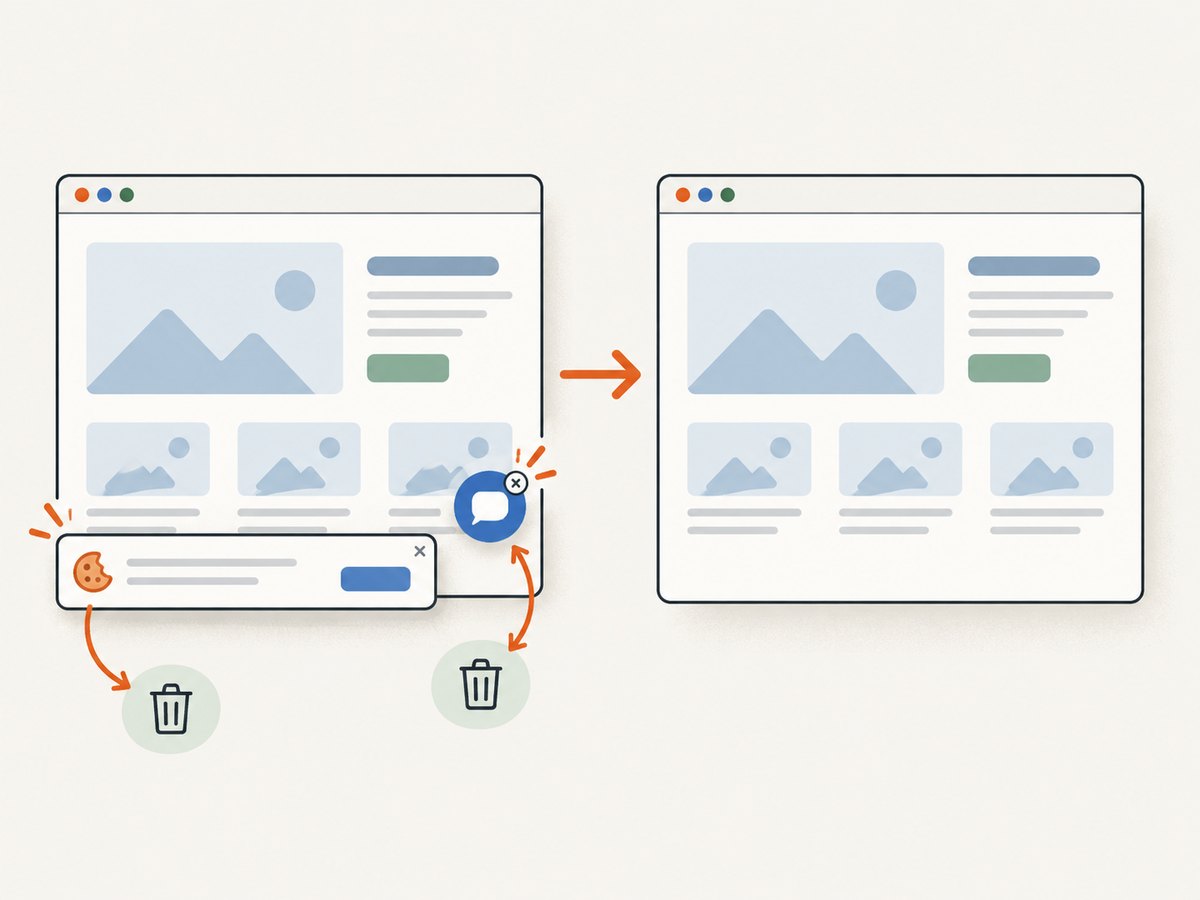
const res = await fetch(`https://api.screenshotneo.com/v1/shot?${q}`);Cookie banners, newsletter popups, and chat widgets are removed before the shot. Bot checks, blank pages, timeouts, failed loads, and cache hits cost nothing; each response identifies the result with X-Page-Verdict and X-Billed headers. ScreenshotNeo also provides an MCP server for Claude, Cursor, and other MCP clients, so an AI agent can call take_screenshot, get_page_info, or capture_pdf. The Free plan includes 1,000 screenshots per month with no card; paid plans start at $5 for 3,000. Create a free ScreenshotNeo account.
9. Add guardrails before automation changes prices
A tracker should recommend actions before it applies them. If it feeds repricing, define a price floor, a maximum change per cycle, and an approval step. CompeteTracker documents lowest, median, and percentage strategies with approval required before updates are applied. Store who approved a change, which snapshot supported it, and when it was applied.
10. Reliability, performance, and cost
Retries and failures
Retry transient network errors and 5xx responses with exponential backoff and a maximum attempt count. Do not treat a timeout as a deletion or a missing product. Record unknown and alert only after a configured number of consecutive failures. Keep HTTP status, latency, response size, and error text for diagnosis.
Throughput
Use conditional requests with ETag and Last-Modified when a site supports them. Cache unchanged responses, limit concurrency per domain, and parse only selected fields. A hash comparison can avoid a full field diff. For large sets, separate fetching, parsing, diffing, and notification into queue stages.
Retention and cost
Raw HTML and screenshots grow quickly. Retain complete evidence for a review window, then keep normalized records and hashes for long-term trends. Compress archives and set a retention policy before collecting. Hosted APIs trade infrastructure work for per-request cost; a custom tracker trades engineering and maintenance time for control over cadence, data handling, and retention.
11. Troubleshooting checklist
| Symptom | Likely cause | Fix |
|---|---|---|
| No alert after the first run | There is no prior baseline. | Run a second successful collection; the first snapshot is only a baseline. |
| Alerts on every run | Volatile selectors, timestamps, or rotating content are included. | Select stable containers, normalize whitespace, and exclude known noise. |
| Price is null | Selector changed, price is JavaScript-rendered, or currency text is ambiguous. | Inspect the selector, use a browser capture for rendered content, and reject rather than guess ambiguous values. |
| Everything looks unavailable | HTTP errors, bot checks, or a consent wall. | Record status separately, respect access rules, and use an authorized browser workflow or ScreenshotNeo for clean captures. |
| Duplicate alerts | Retries inserted duplicate snapshots or workers overlap. | Use an idempotency key based on target, observed window, and response hash; enforce one active job per target. |
| Webhook failures | Receiver timeout, non-2xx response, or invalid JSON. | Set a short timeout, retry with backoff, log response status, and send a dead-letter record after the limit. |
12. Build versus buy
Build in-house when you need private data handling, unusual fields, bespoke integrations, or full control over cadence and retention. A hosted API is attractive when you want browser rendering, snapshot history, change extraction, and webhook delivery without maintaining crawlers and browser workers. Competitor Tracker & Co. documents URL subscriptions, weekly comparison, API access, email, and webhooks. TrackBase presents an API-first route for scheduled structured extraction and price monitoring. CompeteTracker focuses on Shopify catalog matching and pricing decisions.
Evaluate options on coverage, freshness, data quality, delivery, customization, history, and governance. Ask whether the service preserves raw evidence, handles currency and stock normalization, supports your cadence, and exposes an audit trail.
13. Measure whether the tracker is useful
Review alert precision, missed changes, time from change to alert, analyst review time, and decisions influenced. Sample pages that produced no alerts so silent failures are visible. Keep an audit trail from source response to normalized field to notification and decision.
FAQ
How long before a tracker can report a change?
Usually two valid snapshots: the first establishes the baseline and the next provides the comparison. An archived baseline can shorten the wait.
Should I monitor complete HTML?
Store complete HTML for evidence, but compare stable normalized fields or selected elements to reduce noise.
What should happen when a page is down?
Record the failure separately from a content change. Retry transient errors and require repeated failures before notifying a human.
Can one tracker cover pricing and content?
Yes, but model them as separate dimensions with different selectors, normalization rules, thresholds, and cadences.
When is a screenshot valuable?
Use one when layout, visual claims, rendered JavaScript, or an approval workflow matters. Keep the screenshot with the structured diff as review evidence.