CentOS vs. Ubuntu: The Right Choice in 2026
CentOS Stream and Ubuntu LTS serve different goals. Compare lifecycle, packages, hardware, support and migration risks before choosing.

Short answer: In 2026, compare CentOS Stream with Ubuntu LTS. CentOS Linux is no longer the current CentOS Project distribution: CentOS Linux 8 reached end of life on 31 December 2021 and CentOS Linux 7 on 30 June 2024. CentOS Stream is a public development branch for upcoming Red Hat Enterprise Linux (RHEL) minor releases. Ubuntu LTS is the practical default for many long-lived production systems because it provides a predictable five-year standard security-maintenance window. Choose CentOS Stream when your team wants to work in the RHEL development stream, preview future RHEL minor content or contribute there. Application certification, package versions, hardware, support contracts and migration effort should decide the final choice.
What changed: CentOS Linux versus CentOS Stream
“CentOS” can describe two materially different products. The former CentOS Linux was a rebuild downstream from RHEL. CentOS Stream sits upstream of future RHEL minor releases, so changes arrive as they are ready rather than waiting for a later rebuild. The CentOS Project describes Stream as a place that can serve as a production operating system, development environment or preview of the next RHEL minor release.
| Distribution | Position | Published lifecycle fact |
|---|---|---|
| CentOS Linux 7 | Legacy downstream rebuild | EOL 30 June 2024 |
| CentOS Linux 8 | Legacy downstream rebuild | EOL 31 December 2021 |
| CentOS Stream 8 | Older Stream release | EOL 31 May 2024 |
| CentOS Stream 9 | Current Stream major line | EOL 31 May 2027 |
| CentOS Stream 10 | Latest CentOS Project distribution | Maintained roughly five years, through 2030 as tied to RHEL 10 Full Support |
Do not treat CentOS Stream as a drop-in, binary-compatible replacement for every CentOS Linux workload. Inventory repositories, kernel modules, vendor agents and application certifications first.
Ubuntu’s release tracks
Ubuntu publishes interim releases every six months; each receives nine months of updates. Long Term Support (LTS) releases arrive every two years and receive five years of standard security maintenance, as documented by Canonical’s release cycle. Ubuntu 26.04 LTS was released on 23 April 2026 and has standard support through April 2031. Ubuntu Pro can provide ten years of Extended Security Maintenance (ESM), with an optional Legacy extension described as reaching 15 years total.
That does not mean every package receives the same lifecycle. Ubuntu’s Main and Universe repositories have different support coverage, and a required package may need Ubuntu Pro or a separately maintained repository. Likewise, CentOS AppStream modules can have lifecycles shorter than the major operating-system line.
Decision matrix: which fits your requirements?
| Decision axis | CentOS Stream | Ubuntu LTS |
|---|---|---|
| Project position | Public development branch for upcoming RHEL minor releases; changes are published continuously. | Canonical distribution with six-month overall cadence and an LTS track every two years. |
| Best-aligned use | RHEL-development alignment, contribution work, preview environments and teams comfortable tracking that stream. The project also identifies production use. | Production and long-lived projects that prioritize an LTS cadence and broad image availability. |
| Support horizon | Approximately five years per major release; Stream 10 is described as maintained through 2030. | Five years standard security maintenance; Ubuntu Pro ESM to ten years and optional Legacy extension to 15 years. |
| Package model | RPM packages managed with DNF. BaseOS contains core functionality; AppStream supplies applications, languages and databases. | Deb packages at the base, with snaps supported for selected applications. Main and Universe coverage differs. |
| Primary risk to check | Vendor certification, update timing before RHEL minor releases and CPU architecture compatibility. | Repository coverage, Pro requirements and whether five years of standard support is enough. |
Choose CentOS Stream when these conditions are true
- Your organization standardizes on RHEL-family tooling, policies and skills.
- You need to see and influence changes before they appear in a RHEL minor release.
- Your application vendor explicitly supports the exact CentOS Stream major version.
- Your team can test regular updates and maintain rollback or rebuild procedures.
- Your hardware matches the release architecture targets.
CentOS Stream 10 lists AMD/Intel 64-bit x86_64_v3, ARMv8.0-A, IBM Power POWER9 and IBM Z z14 targets. Existing CPUs that boot an older CentOS release may not meet those requirements. Confirm the architecture on representative machines before ordering hardware or converting a fleet.
Choose Ubuntu LTS when these conditions are true
- You want a two-year LTS release rhythm and five years of standard security maintenance.
- Your cloud, virtualization or bare-metal provider publishes a tested Ubuntu Server image.
- Your required software is certified for the Ubuntu LTS version and repository combination.
- You need a longer security window and can evaluate Ubuntu Pro ESM.
- Your team prefers APT/deb workflows or snap packaging for selected applications.
Ubuntu 26.04 LTS release notes list pre-built images for cloud, virtualized and bare-metal environments. Minimum requirements can start as low as 1.5 GB RAM and 4 GB storage, but those are installation minima, not production sizing guidance. Size memory, I/O, CPU and storage from the workload.
Packages, repositories and application compatibility
CentOS Stream
DNF resolves RPM packages from enabled repositories. BaseOS provides core operating-system components; AppStream provides application streams such as languages and databases. A package can be available in AppStream while having a lifecycle that differs from the major release. Pin or module-enable versions only when your vendor’s instructions require it, and record enabled repositories in configuration management.
Ubuntu LTS
APT installs deb packages from configured archives. Main and Universe do not have identical support commitments. Snaps can deliver selected applications on a different update model. Before migration, map each dependency to a repository, vendor archive, container image or build process. A package-name match does not prove behavioral or ABI compatibility.
Migration checklist for an existing CentOS fleet
- Identify the starting point. Record whether each host is CentOS Linux 7, CentOS Linux 8, CentOS Stream 8/9 or another distribution. Capture kernel, enabled repositories, architectures and installed packages.
- List workload dependencies. Include databases, language runtimes, kernel modules, monitoring agents, backup clients, security software and commercial applications.
- Check vendor certification. Use the vendor’s exact operating-system and version list. Do not infer certification from a similar RHEL, CentOS or Ubuntu release.
- Build a representative test host. Restore production-like data, exercise boot, networking, storage, TLS, scheduled jobs and observability.
- Measure operational work. Document configuration changes, package substitutions, firewall rules, SELinux or AppArmor policies and automation updates.
- Plan rollback. Keep tested backups and a rebuild path. For immutable or cloud hosts, a parallel deployment and controlled cutover is often easier to reverse than an in-place conversion.
- Set a lifecycle owner. Record the next upgrade date, security coverage source and who reviews release notes.
Security and reliability considerations
Neither distribution is universally more secure or reliable. Security posture depends on patch latency, repository provenance, hardening, access control, secrets handling, kernel configuration and workload design. A supported lifecycle reduces one operational risk, but it does not replace updates and monitoring.
- Subscribe to the distribution’s security notices and vendor advisories.
- Use least-privilege service accounts, SSH keys and centralized identity where appropriate.
- Keep a tested backup and recovery procedure for stateful services.
- Use staging to validate kernel, libc, database and runtime updates.
- Track end-of-life dates in inventory rather than relying on memory.
Performance, hardware and capacity planning
The official comparison material does not establish a universal performance winner. Benchmark your own workload with the same CPU, storage, network, kernel settings and data set. Compare throughput, latency, memory pressure, boot time and recovery behavior over a representative period.
For CentOS Stream 10, verify x86_64_v3, ARMv8.0-A, POWER9 or z14 compatibility before deployment. For Ubuntu, treat the published minimum RAM and storage as a floor for installation. Production databases, build systems and observability stacks generally need substantially more resources; derive those numbers from load tests and failure scenarios.
Common errors and fixes
| Symptom | Likely cause | Fix |
|---|---|---|
| “CentOS 8” receives no security updates | CentOS Linux 8 is EOL. | Identify the host precisely, then plan migration to a supported Stream line, RHEL-compatible product or Ubuntu LTS after compatibility checks. |
| Application fails after migration | Unsupported package, ABI, repository or configuration difference. | Compare the vendor’s certification matrix, package versions and service configuration; rebuild the test host and migrate with a tested procedure. |
| Host will not boot on Stream 10 | CPU does not meet x86_64_v3 or another architecture target. | Verify CPU flags and platform support; use compatible hardware or a release that supports it. |
| Ubuntu package is unavailable | Package is in a different repository, has another name or is not maintained for that release. | Check Main/Universe coverage, the vendor repository or a supported container image. Avoid untrusted archives. |
| Updates break production behavior | Changes were applied without staging or rollback. | Pin only when justified, test updates in staging, keep backups and define a rollback path. |
| Security coverage ends earlier than expected | Package stream or repository lifecycle differs from the OS lifecycle. | Read the package lifecycle, enable the appropriate support program or schedule an upgrade. |
Cost and support planning
The operating-system download may be free, while support, extended maintenance, engineering time and downtime are not. Include migration labor, certification work, testing infrastructure, commercial repositories, support subscriptions, backup capacity and staff training in the decision. Ubuntu Pro is stated as free for personal use on up to five machines; do not extend that statement to every commercial or enterprise deployment. Confirm current terms before budgeting.
Or skip the browser setup
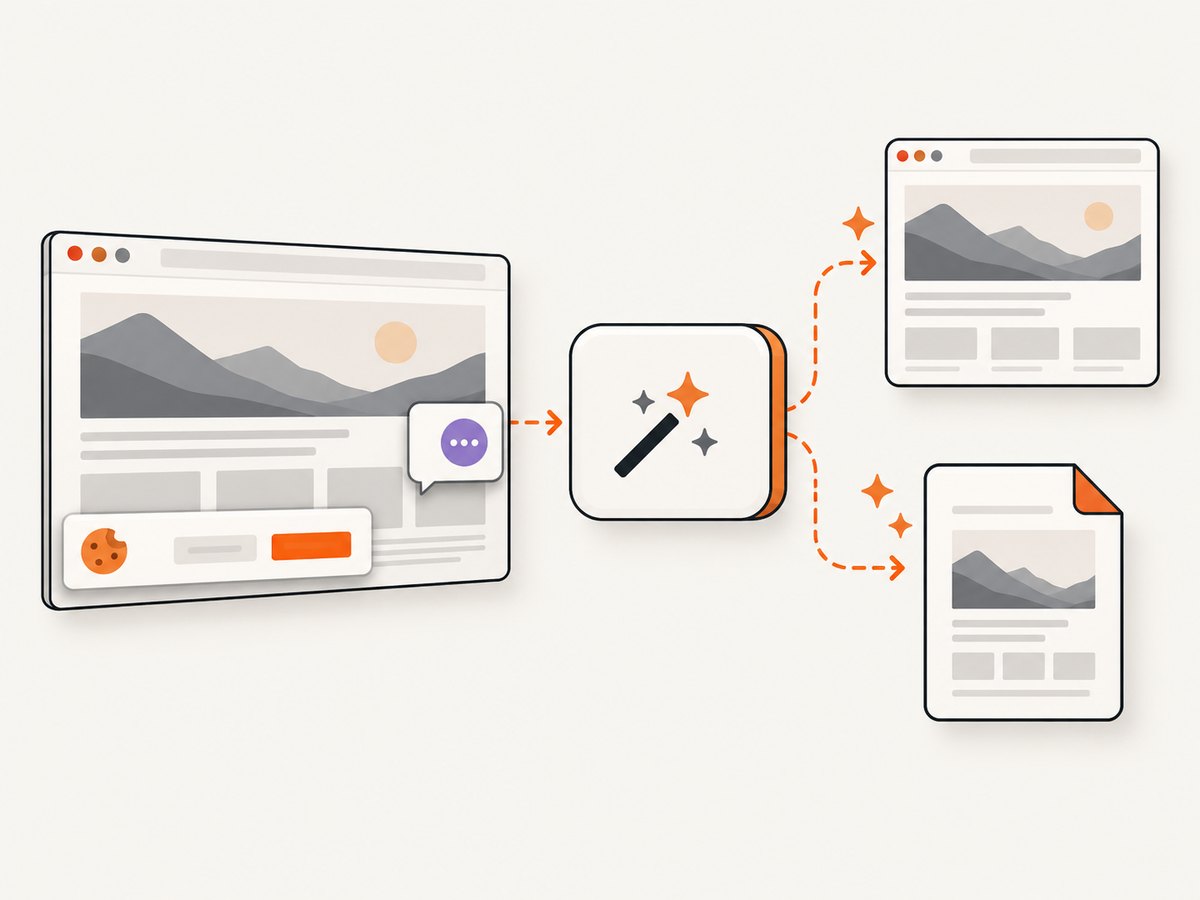
If you need screenshots of deployment dashboards, runbooks or status pages while documenting a migration, ScreenshotNeo provides a website screenshot API and MCP server. One GET request returns PNG, JPEG, WebP or PDF. Cookie and consent banners, newsletter popups and chat widgets are removed before capture. Bot checks, blank pages, timeouts, failed loads and cache hits are not billed, and response headers identify the page verdict and billing status.
See the ScreenshotNeo API documentation for all options. A minimal cURL request:
curl -G "https://api.screenshotneo.com/v1/shot" -d access_key=YOUR_API_KEY --data-urlencode url=https://stripe.com -o shot.webpPython:
import requests
r = requests.get("https://api.screenshotneo.com/v1/shot", params={"access_key": "YOUR_API_KEY", "url": "https://stripe.com"}, timeout=90)
open("shot.webp", "wb").write(r.content)
Node.js:
const q = new URLSearchParams({ access_key: 'YOUR_API_KEY', url: 'https://stripe.com' });
const res = await fetch(`https://api.screenshotneo.com/v1/shot?${q}`);
Options include full-page capture with lazy images loaded, CSS-selector element capture, dark mode, 12 device presets or any viewport, retina scale, PDF paper size and page ranges, custom CSS and JavaScript, clicks, selector or network-idle waits, ad and tracker blocking, custom headers/cookies/user agents, timezone and geolocation, transparent backgrounds, resizing, cache TTLs, signed links, asynchronous jobs with signed webhooks, bulk capture of up to 100 URLs and a usage API. Its MCP tools—take_screenshot, get_page_info and capture_pdf—work with Claude, Cursor and other MCP clients.
There are 1,000 free screenshots each month with no card. Paid plans start at $5 for 3,000 screenshots, and every feature is available on every plan. Create a free ScreenshotNeo account.
FAQ
Is CentOS still supported?
CentOS Linux 7 and 8 are end of life. CentOS Stream remains the current CentOS Project distribution, with Stream 9 listed through 31 May 2027 and Stream 10 maintained roughly through 2030.
What replaced CentOS Linux?
The CentOS Project moved its focus to CentOS Stream. It is not a universal drop-in replacement; evaluate each workload and vendor certification.
Is CentOS Stream stable enough for production?
The CentOS Project says Stream can serve as a production operating system. Whether it fits your production workload depends on update policy, certification, testing and rollback capability.
Should every Ubuntu installation use Ubuntu Pro?
No. Ubuntu LTS includes five years of standard security maintenance. Pro is relevant when you need ESM coverage or other included services; verify current commercial terms.
Which is better for a server?
Ubuntu LTS is the practical default when you value a predictable long-term cadence. CentOS Stream fits teams aligned with RHEL development. Validate the choice against your application, hardware and support requirements.