Cloudscraper Alternatives for Handling Cloudflare Challenges
Compare legitimate Cloudscraper alternatives for Cloudflare challenges, including APIs, authorized browser workflows, testing tools, and screenshot capture.

Short answer: do not treat Cloudscraper as a universal Cloudflare bypass. First identify whether you need structured data, an authorized rendered page, or testing for a site you control. Use an official API or export when available, request permission or allowlisting for recurring access, and use a managed browser only for an authorized rendering workflow. For screenshots of permitted public pages, ScreenshotNeo removes common consent banners and overlays before capture and bills only clean shots.
What Cloudscraper can and cannot do
Cloudscraper is a Python library built around Requests. Its maintainer describes JavaScript challenge handling, browser emulation, proxy rotation, and support for several challenge generations. Those are maintainer claims, not an independent guarantee that a current Cloudflare challenge will be solved. Review the project documentation and changelog before depending on it: Cloudscraper on GitHub.
Cloudflare’s current support documentation states that command-line clients without JavaScript and automated browser frameworks are not supported for solving production challenges. Cloudflare explicitly lists Selenium, Puppeteer, Playwright, and Cypress among unsupported automation for that purpose. A successful response from one site, one IP address, or one day does not establish support for every challenge type.
Cloudscraper can preserve cookies and a consistent user agent between Requests calls. That can help a normal, authorized session maintain state, but it is not a general solution. Cloudflare documents that a Managed Challenge solve request arriving from a different IP than the original challenge request can be invalid and cause a challenge loop.
First classify the challenge and your task
“Cloudflare challenge” covers several mechanisms. A WAF rule can issue an interstitial Challenge Page. Bot Management uses JavaScript Detections. Bot Fight Mode and Super Bot Fight Mode can issue interstitial challenges. Turnstile is an embedded widget. HTTP DDoS protection and Under Attack Mode can also produce challenges. Precursor adds continuous, session-level verification. These mechanisms are related but not interchangeable.
| Your goal | Best first path | Why |
|---|---|---|
| Structured records | Official API, feed, or export | Stable schema, documented authentication, and permitted usage |
| Private or recurring collection | Ask the site owner for an endpoint, export, or allowlist | Removes uncertainty about authorization and challenge policy |
| Rendered HTML, PDF, or image | Authorized browser workflow or screenshot service | Executes JavaScript and produces visual output |
| Testing your own protection | Cloudflare test configuration and Turnstile test keys | Lets you test expected visitor behavior without production solving |
Compare options in this order: authorization and Cloudflare support status, structured versus rendered output, authentication requirements, concurrency, operational maintenance, and cost. Public documentation does not establish a universal success rate or an apples-to-apples price benchmark for third-party scraping vendors.
Alternative 1: use an official API or authorized export
If you need product records, articles, prices, or account data, look for an API, RSS or Atom feed, downloadable export, or partner endpoint before handling a rendered page. Check five details:
- Coverage: confirm every field and endpoint you need exists.
- Authentication: use the documented token or OAuth flow; never copy a browser session cookie into an unrelated process.
- Freshness: understand update intervals, pagination, and cache headers.
- Limits: record rate limits, quotas, retry guidance, and maximum page sizes.
- Format and terms: verify JSON, CSV, or XML shape and permitted use.
An API avoids interpreting a challenge page as if it were your data. It also makes failures observable: a 401 means credentials, a 429 means throttling, and a schema error can be handled separately from transport failures.
Alternative 2: obtain permission or an allowlist
For private, business, research, or recurring access, contact the operator. Ask for an authenticated endpoint, a scheduled export, a partner feed, or an IP and user-agent allowlist. Include your expected request volume, source addresses, fields, retention period, and contact information. This gives the owner a way to distinguish your traffic from unwanted automation and lets both sides agree on maintenance windows.
Keep the authorization record with the job configuration. If the owner changes its WAF rule or challenge mode, pause the collector and ask whether the arrangement still applies. Do not assume that a previous approval covers a new domain, a different IP range, or a new data use.
Alternative 3: render an authorized page in a browser
When the deliverable is the page as a person sees it, JavaScript rendering may be appropriate. Cloudflare Browser Run documents managed browser sessions, rendering, and crawling. It can reduce the work of packaging a local browser for an authorized workflow. Its FAQ says Browser Run requests are identified as bot traffic by Cloudflare. Cloudflare also explains that a zone owner can choose not to enforce bot protection by default and can configure a WAF skip rule for its own zone. This documentation does not establish Browser Run as a way to bypass another site’s protections.
For a permitted workflow, define a narrow job:
- Authenticate using the method the site owner supplied.
- Navigate to one URL and wait for a documented readiness condition.
- Capture the HTML, PDF, or image you actually need.
- Store status, final URL, timestamps, and a hash of the output.
- Stop and report a challenge page instead of retrying indefinitely.
Use a queue for concurrency, a bounded timeout, and exponential backoff for transient network errors. Keep browser versions and dependencies pinned, then update them deliberately. A browser can execute JavaScript, but Cloudflare’s policy still determines whether a production challenge is supported.
Alternative 4: test a site you control
For automated Turnstile tests, Cloudflare provides test keys. Use them in non-production or controlled integration tests instead of attempting to solve a production widget. For a zone you operate, test the WAF, Bot Management, challenge pages, and Precursor configuration with representative browsers and API clients. Verify both outcomes: a legitimate visitor can continue, and an unauthorized request receives the intended response.
Precursor is continuous, client-side, session-based verification. Its modes trade lower friction for stricter session verification. Strict enforcement can affect API clients that do not present the required cf_clearance cookie. Cloudflare says Precursor supersedes JavaScript Detections when enabled and does not replace Challenge Pages, so a previously successful request does not guarantee that the remainder of a session stays unchallenged.
DIY diagnostic code with Cloudscraper
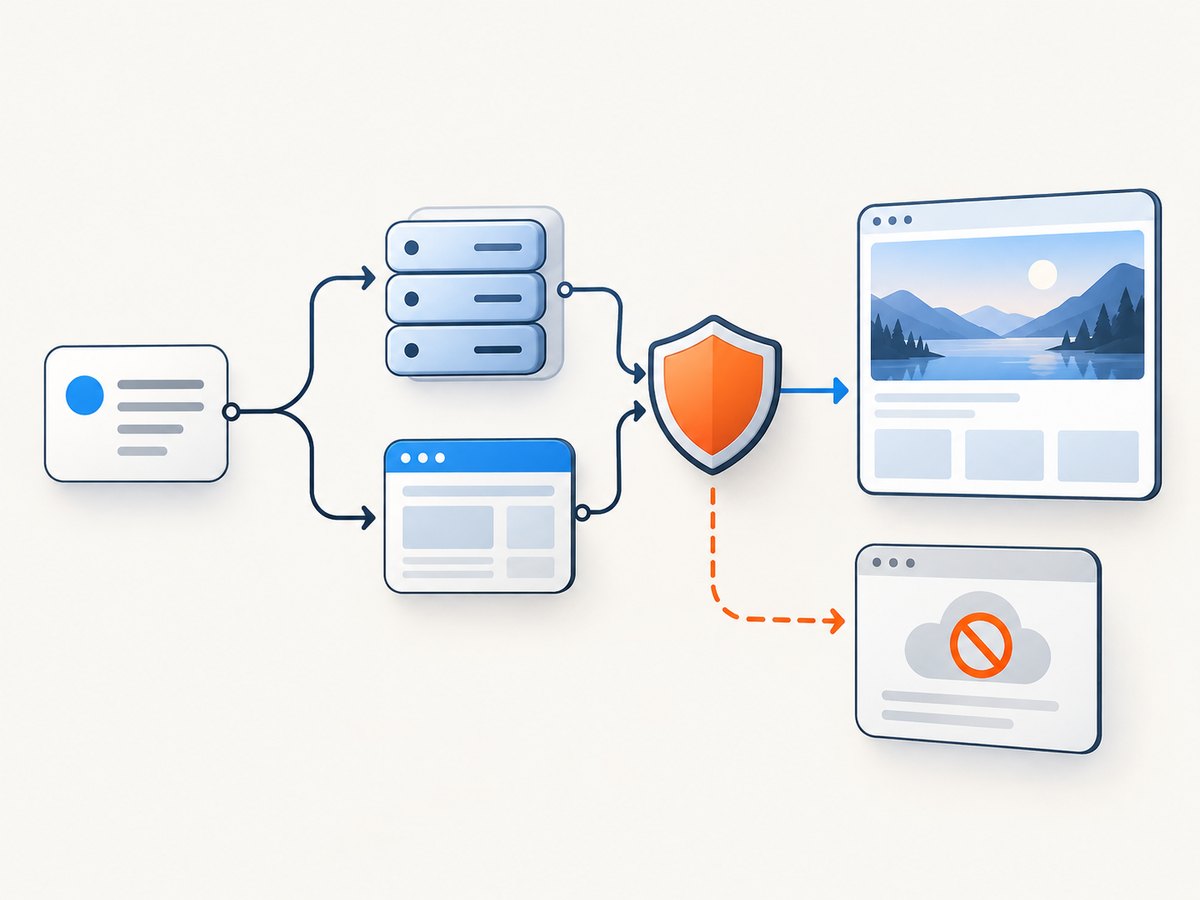
Use this only where you are authorized to access the site. The script records the response instead of claiming that it defeated a challenge. It preserves a session and user agent, follows redirects, and stops when the returned document is clearly a challenge page.
import cloudscraper

url = "https://example.com/permitted-page"
scraper = cloudscraper.create_scraper(
    browser={"browser": "chrome", "platform": "darwin", "mobile": False}
)
scraper.headers.update({"User-Agent": "AuthorizedResearchBot/1.0"})

response = scraper.get(url, timeout=30, allow_redirects=True)
print("status:", response.status_code)
print("final URL:", response.url)
print("content type:", response.headers.get("content-type"))

body = response.text.lower()
challenge_markers = ("challenge-platform", "cf-chl-", "turnstile", "just a moment")
if any(marker in body for marker in challenge_markers):
    raise RuntimeError("Cloudflare challenge returned; stop and use an authorized path")

with open("page.html", "w", encoding="utf-8") as file:
    file.write(response.text)
Do not rotate IPs as a reflex. Cloudflare documents that a Managed Challenge solve request from a different IP can be invalid. Keep the same session, IP, and user agent for a legitimate request sequence, and follow the operator’s rate limits.
“Or skip the browser setup”
For an authorized screenshot job, ScreenshotNeo’s API documentation provides a single GET request. It returns PNG, JPEG, WebP, or PDF. Before capture it can accept the cookie or consent banner and remove more than 60 known consent platforms, newsletter popups, and chat widgets; each step can be turned off. Bot checks, blank pages, timeouts, failed loads, and cache hits are not billed, and the response reports the result with X-Page-Verdict and X-Billed headers.
curl -G "https://api.screenshotneo.com/v1/shot" -d access_key=YOUR_API_KEY --data-urlencode url=https://stripe.com -o shot.webpimport requests
r = requests.get("https://api.screenshotneo.com/v1/shot", params={"access_key": "YOUR_API_KEY", "url": "https://stripe.com"}, timeout=90)
open("shot.webp", "wb").write(r.content)
const q = new URLSearchParams({ access_key: 'YOUR_API_KEY', url: 'https://stripe.com' });
const res = await fetch(`https://api.screenshotneo.com/v1/shot?${q}`);
if (!res.ok) throw new Error(`HTTP ${res.status}`);
const buffer = Buffer.from(await res.arrayBuffer());
await import('node:fs/promises').then(fs => fs.writeFile('shot.webp', buffer));
ScreenshotNeo supports full-page capture with lazy images loaded, CSS-selector element capture, dark mode, 12 device presets or any viewport, retina scale, PDF paper size and margins, page ranges, custom CSS and JavaScript, pre-capture clicks, selector or delay waits, network-idle waits, request and resource blocking, custom headers, cookies, user agents and Authorization, timezone and geolocation, transparent backgrounds, resizing, configurable-TTL caching, signed public image links, asynchronous jobs with signed webhooks, bulk capture of 100 URLs per call, a usage API, and an OpenAPI specification. Common screenshot API parameter names also work when switching.
An MCP server adds take_screenshot, get_page_info, and capture_pdf tools for Claude, Cursor, and other MCP clients. Plans include 1,000 shots per month free with no card; paid plans start at $5 for 3,000 shots. Cookie banners, popups, and chat widgets are removed before the shot, while bot checks, blank pages, and failed loads are never billed. Create a free ScreenshotNeo account.
Cloudflare challenge troubleshooting
| Symptom | Likely cause | Fix |
|---|---|---|
| “Just a moment” HTML | Interstitial Challenge Page | Stop parsing; use an API, permissioned browser workflow, or owner allowlist. |
| Challenge loop | IP changed between challenge and solve, or cookies were lost | Keep one session and IP; verify cookie storage; ask the owner for guidance. |
| Works manually, fails in automation | Unsupported automated browser, privacy extension, VPN, modified signal, or embedded browser | Use a current supported browser for human diagnosis and remove interfering extensions. Do not treat this as a production-solving recipe. |
| HTTP 429 | Rate limit or WAF rule | Reduce concurrency, honor Retry-After, cache results, and request an approved limit. |
| Turnstile never completes | Production widget used in an automated test | Use Cloudflare’s Turnstile test keys in a controlled environment. |
| Previous token no longer works | Precursor or another session-level check changed state | Start a fresh authorized session and review the zone configuration. |
| Screenshot is blank | Page timed out, failed to load, or content is rendered after the capture point | Increase the wait condition, wait for a selector or network idle, and inspect the verdict headers. |
Cloudflare’s supported-browser guidance also lists ad and content blockers, VPN or proxy extensions, developer-tool overrides, emulated devices, and embedded browsers as factors that can change challenge outcomes. For ordinary human access, troubleshoot a current supported browser and its extensions before concluding that the site is unavailable.
Performance, reliability, and cost planning
- Prefer structured data: APIs transfer less data and avoid browser startup time.
- Bound work: set connect, navigation, and total job timeouts; never retry a challenge page forever.
- Cache safely: use ETags or a documented TTL and invalidate when source data changes.
- Control concurrency: start low, observe 429s and challenge rates, then increase only within the owner’s limits.
- Measure useful outcomes: record status, final URL, content type, challenge markers, latency, and output size.
- Budget rendered captures: browser jobs consume more CPU and memory than API calls. ScreenshotNeo’s cache hits and failed or unclean outcomes are not billed, and its paid plans are $5 for 3,000, $15 for 15,000, $39 for 60,000, $99 for 250,000, and $249 for 1,000,000 shots; yearly billing gives two months free.
Reliability comes from choosing a supported access path, preserving session identity when authorized, making failures visible, and involving the site owner when policy blocks automation. No library should be described as reliably defeating every Cloudflare mechanism.
Decision checklist
- Do you need records or a rendered page?
- Is there an official API, feed, or export?
- Do you have written permission for recurring or private access?
- Which Cloudflare mechanism is actually present?
- Does your chosen tool support the workflow, or does Cloudflare classify it as unsupported?
- What are the timeout, retry, concurrency, cache, and audit requirements?
- Can you stop safely when a challenge, blank page, or policy change appears?
FAQ
Is Cloudscraper deprecated?
The research does not establish a universal deprecation status. Treat it as a maintained package only to the extent shown by its current repository, and validate it against your authorized use case.
Can a proxy make Cloudscraper reliable?
No. Proxy rotation can conflict with Cloudflare’s same-IP challenge requirement and can create loops. It is not a reliability guarantee.
Does a successful browser session prove the site permits automation?
No. A session can pass one challenge while later requests encounter JavaScript Detections, Precursor, a WAF rule, or a new Challenge Page.
When should I choose a screenshot API?
Choose one when the output is an image or PDF and you are authorized to capture the page. Confirm its handling of consent overlays, failed loads, authentication, waits, caching, and billing before moving production work.
What should I log when a challenge appears?
Log the URL, timestamp, status, final URL, response headers, challenge marker, session identifier, and retry count, while excluding secrets and personal data.