Free Web Scraping Tools for Data Analysts
Compare free web scraping tools for data analysts by coding effort, JavaScript needs, hosted workflows, exports, limits, and operating cost.

Short answer: choose Scrapy when you can code in Python and need repeatable crawls with structured exports; choose Octoparse when you want a visual workflow; choose Apify when you want hosted runs, stores, or Actors. There is no universal best free web scraper. Your decision depends on coding comfort, whether the target renders data with JavaScript, how often the job runs, where it should execute, and how you will export the results.
This guide compares the documented free plans and workflows, shows a complete Scrapy example, explains hosted alternatives, covers dynamic pages and responsible use, and gives a practical way to estimate limits and cost. Plan limits can change, so check the linked vendor pages before committing to a production workflow.
Free web scraping tools for data analysts at a glance
| Tool | Best fit | Execution | What the source documents | Main trade-off |
|---|---|---|---|---|
| Scrapy | Python-capable analysts who need control and repeatability | Your machine or your own infrastructure | CSS/XPath selectors, interactive shell, and JSON, CSV, and XML feed exports | You write and maintain extraction logic |
| Octoparse | Analysts who prefer a visual, no-code setup | Local extraction is described; cloud capabilities appear in paid plans | Free plan lists 10 tasks and up to 50,000 rows of monthly export | Task and export caps limit larger or more varied jobs |
| Apify | Analysts who want hosted execution, stores, or pre-built Actors | Hosted platform | Free plan lists $5 of usage credit and a $0.20 compute-unit rate | Credit is finite and individual Actors can have additional pricing |
The figures above are the values shown by the official pages used for this article: Octoparse pricing and Apify pricing. Scrapy describes itself as a high-level framework for crawling sites and extracting structured data in its documentation.
How to choose a free scraper for your analysis
1. Match the tool to your coding level
Scrapy is the clearest fit when you are comfortable writing Python, selectors, pagination rules, retries, and data-cleaning code. You can put the spider in version control, review changes, and run it on a schedule. A visual product such as Octoparse reduces initial coding, which can be useful for a one-off dataset or for analysts who do not maintain Python projects. Hosted Apify workflows can reduce local setup and give you a place to run and store jobs.

2. Decide where the job should run
Local execution gives you direct control over files, credentials, dependencies, and network access. It also means you own scheduling, monitoring, and machine availability. A hosted service moves those operational tasks into a vendor account. Confirm retention, export, authentication, and Actor-specific charges before sending sensitive data or committing to a recurring run.
3. Check whether the page is server-rendered
Some pages include the data in the initial HTML. Others create the table only after JavaScript runs. The sources reviewed for this comparison do not provide a sufficiently detailed, directly comparable account of JavaScript-rendering limits across the free plans. Test a permitted sample URL with your chosen tool, inspect the returned HTML, and consult current vendor documentation. Do not assume that any free tier handles every dynamic site.
4. Define the output before you start
For a reusable dataset, decide column names, types, missing-value rules, pagination behavior, and a stable file format. Scrapy documents JSON, CSV, and XML feeds. Visual and hosted tools may offer tables, downloads, or stores with different limits. Export a small sample first and verify that dates, currencies, encoded characters, and duplicate rows are handled correctly.
Scrapy: a complete Python workflow
Scrapy is a code-first Python framework. The example below collects article titles and links from a site you are allowed to crawl, follows pagination, and writes JSON Lines. Replace the example domain and selectors only after checking the target site’s terms and crawl instructions.
Install and create a project
python -m venv .venv
source .venv/bin/activate
pip install scrapy
scrapy startproject analyst_crawler
cd analyst_crawler
scrapy genspider articles example.com
Write the spider
import scrapy


class ArticlesSpider(scrapy.Spider):
    name = "articles"
    allowed_domains = ["example.com"]
    start_urls = ["https://example.com/news"]

    def parse(self, response):
        for card in response.css("article"):
            yield {
                "title": card.css("h2 a::text").get(default="").strip(),
                "url": response.urljoin(card.css("h2 a::attr(href)").get(default="")),
                "published": card.css("time::attr(datetime)").get(),
            }

        next_url = response.css("a[rel='next']::attr(href)").get()
        if next_url:
            yield response.follow(next_url, callback=self.parse)
Run and export
scrapy crawl articles -O articles.jsonl
scrapy crawl articles -O articles.csv
The -O option overwrites the output file. Use -o when you intentionally want to append to an existing feed. Keep an immutable raw export alongside your cleaned analysis file so you can reproduce transformations later.
Selectors, pagination, and data quality
- CSS selectors: use
response.css(".product .price::text").get()for concise extraction. - XPath: use
response.xpath("//article//h2/a/text()").get()when relationships or text normalization need XPath. - Missing values: use
get(default="")or preserveNoneand handle it in a pipeline. - Relative links: always call
response.urljoin()orresponse.follow(). - Pagination: stop when there is no next link, when a page repeats, or when you reach an explicit record limit.
- Duplicates: retain the canonical URL or a source identifier and deduplicate after export.
Useful settings for a polite recurring crawl
# settings.py
ROBOTSTXT_OBEY = True
DOWNLOAD_DELAY = 1.0
CONCURRENT_REQUESTS_PER_DOMAIN = 4
AUTOTHROTTLE_ENABLED = True
FEEDS = {
    "exports/%(name)s-%(time)s.jsonl": {"format": "jsonlines"}
}
These settings reduce request pressure and make runs more predictable. They do not grant permission to collect data. Review the site’s terms, obtain permission where required, and keep request rates appropriate for the service.
Octoparse for visual workflows
Octoparse is a candidate when you want to configure extraction through a GUI. Its official pricing page lists a free plan with 10 tasks and up to 50,000 rows of monthly export. Treat those as planning limits, not as a promise that every feature is free; recheck the page at decision time.
- Create a task for an allowed URL.
- Use the browser-style selection interface to identify the repeating item, fields, and next-page action.
- Preview several pages, including an empty page and a page with missing fields.
- Export a small sample and inspect encoding, dates, and duplicate handling.
- Track task count and monthly rows if you schedule recurring runs.
A visual workflow can be faster to configure, but selectors still break when a site’s layout changes. Keep a note of the target URL, fields, and expected row count so you can detect silent changes.
Apify for hosted runs and Actors
Apify is worth considering when you prefer hosted execution, data stores, or an existing Actor. Its pricing page lists $5 in free-plan usage credit and a $0.20 compute-unit rate. The credit is finite, and some Actors may price platform usage separately, so open the individual Actor’s terms and estimate your workload.
Before scheduling a recurring Actor, record the input parameters, expected run duration, output store, retention behavior, and maximum pages. Run a small sample, measure the actual compute consumption shown in your account, and set a budget or stop condition. A hosted workflow is convenient only while the run remains within a limit you understand.
JavaScript pages, login walls, and difficult cases
JavaScript-rendered content
If the initial response contains an empty table and scripts fetch data later, a simple HTTP parser may return no records. Confirm this by saving the response HTML and comparing it with the browser’s rendered view. Options include finding an allowed underlying endpoint, using a browser-capable workflow documented by your chosen service, or requesting an export from the site owner. Test with a small, permitted sample before designing a large crawl.
Authentication and personal data
Do not put passwords, session cookies, or personal data in source files or public task definitions. Use a secret store provided by your environment, minimize the fields collected, and check whether your agreement with the site permits automated access. A successful request is not evidence that collection is authorized.
Rate limits, bot checks, and changing markup
Use conservative concurrency, backoff, and clear stop conditions. Record status codes and parsing failures. If a site presents a bot check, stop and seek permission or an official API instead of attempting to defeat it. Build alerts for sudden zero-row exports, schema changes, and unusual response sizes.
Or skip the browser setup
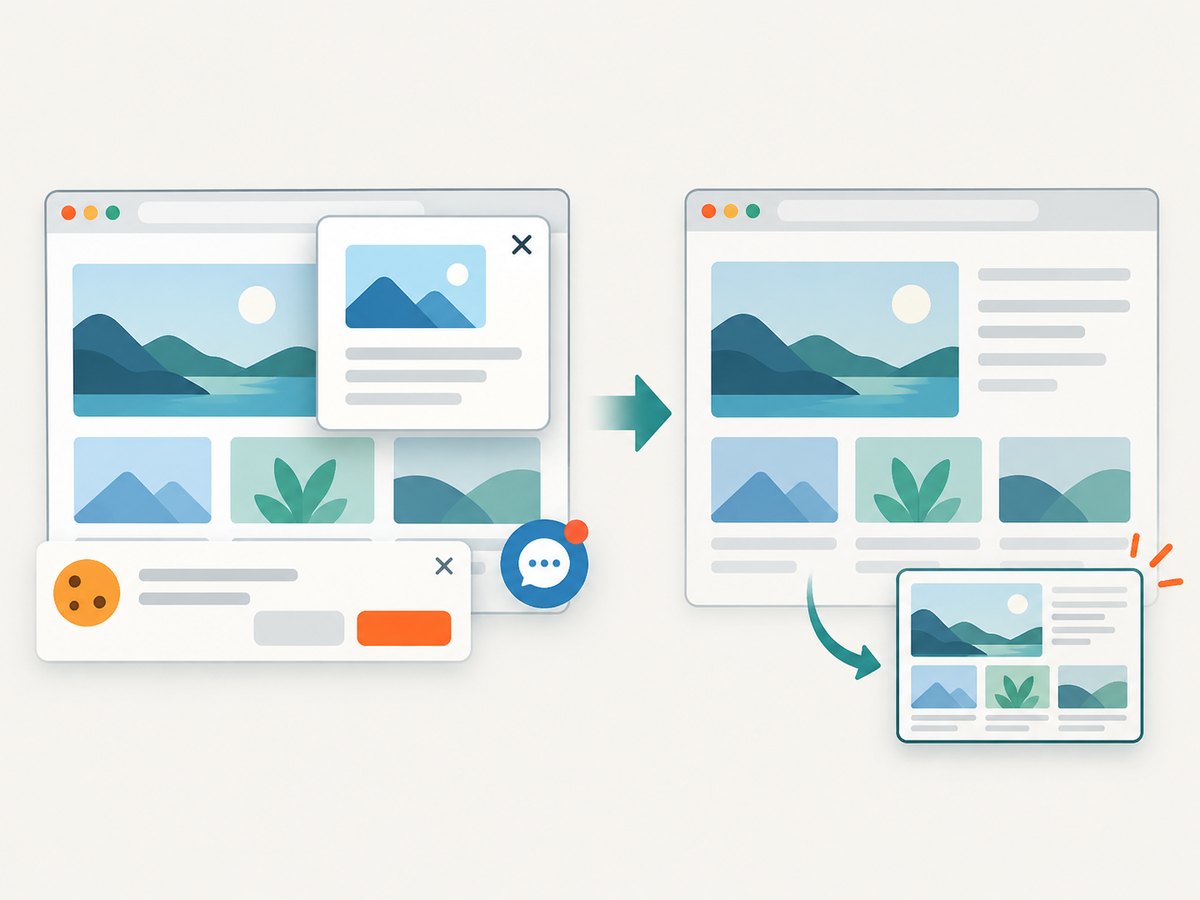
For screenshot-based analysis, ScreenshotNeo provides a website screenshot API and MCP server. One GET request returns PNG, JPEG, WebP, or PDF. Before capture it accepts cookie or consent banners and removes more than 60 known consent platforms, newsletter popups, and chat widgets; each step can be turned off. Bot checks or CAPTCHAs, blank pages, timeouts, failed loads, and cache hits are not billed, and the response identifies the result with X-Page-Verdict and X-Billed headers. Its MCP tools let Claude, Cursor, and other MCP clients call take_screenshot, get_page_info, and capture_pdf.
See the ScreenshotNeo documentation for all options. The basic calls are:
curl -G "https://api.screenshotneo.com/v1/shot" -d access_key=YOUR_API_KEY --data-urlencode url=https://stripe.com -o shot.webpimport requests
r = requests.get("https://api.screenshotneo.com/v1/shot", params={"access_key": "YOUR_API_KEY", "url": "https://stripe.com"}, timeout=90)
open("shot.webp", "wb").write(r.content)const q = new URLSearchParams({ access_key: 'YOUR_API_KEY', url: 'https://stripe.com' });
const res = await fetch(`https://api.screenshotneo.com/v1/shot?${q}`);Options include full-page capture with lazy images loaded, CSS-selector element capture, dark mode, 12 device presets or any viewport, retina scale, PDF paper size and margins, custom CSS and JavaScript, clicks, selector or network-idle waits, blocked ads or resource types, headers, cookies, user agents, Authorization, timezone, geolocation, transparent backgrounds, resizing, chosen cache TTL, signed image links, asynchronous jobs with signed webhooks, bulk capture of 100 URLs per call, a usage API, and an OpenAPI specification. Parameter names used by other screenshot APIs also work, which can simplify migration.
There are 1,000 screenshots per month free with no card. Paid plans start at $5 for 3,000 shots; every feature is included on every plan, and yearly billing gives two months free. Create a free ScreenshotNeo account.
Responsible use and robots.txt
RFC 9309 standardizes the Robots Exclusion Protocol. It explains that robots.txt rules are crawler instructions and “not a form of access authorization.” Read the site’s robots.txt, terms, and published API policy, but do not treat robots.txt as a legal ruling or as permission to use data. Check the obligations that apply to your organization, location, dataset, and purpose.
Troubleshooting checklist
| Symptom | Likely cause | Fix |
|---|---|---|
| Zero rows | Wrong selector or content rendered by JavaScript | Save the response, inspect the HTML, verify selectors, and test a browser-capable workflow or documented endpoint. |
| Only the first page exports | Pagination link is missing or selector stops matching | Inspect the next link on page two, normalize relative URLs, and add a maximum-page guard. |
| Duplicate records | Retry, pagination loop, or unstable URLs | Deduplicate by canonical URL or source ID and stop when a page repeats. |
| 403 or bot check | Automated access is restricted | Slow or stop the crawl, review permission, and use an official API or obtain authorization. |
| Octoparse limit reached | More than 10 tasks or 50,000 monthly rows on the documented free plan | Consolidate tasks, reduce scope, export less often, or review current paid limits. |
| Apify credit disappears quickly | Long runs, high concurrency, or Actor-specific charges | Run a small sample, inspect compute use, cap pages, and check the Actor’s pricing. |
| Screenshot is blank or obstructed | Timeout, bot check, consent layer, or page-specific behavior | Use selector or network-idle waits, custom headers or cookies where authorized, and inspect ScreenshotNeo verdict headers. |
Performance, reliability, and cost planning
- Measure records per run: multiply pages, items per page, and scheduled runs. Compare that number with Octoparse’s 50,000-row allowance or Apify’s measured credit consumption.
- Control concurrency: more parallel requests can finish sooner but increase load, throttling, and retries. Start conservatively.
- Cache and resume: keep raw exports, checkpoint pagination, and avoid re-downloading unchanged pages where your tool supports it.
- Validate every run: alert on zero rows, large count changes, schema changes, and increased error rates.
- Separate collection from analysis: save immutable raw data, then run cleaning and joins in a repeatable notebook or script.
- Budget hosted work: estimate one small run, multiply by schedule, and add room for retries. Recheck vendor pricing before launch.
No independent benchmark establishes that one option is universally faster or more reliable. Select based on the constraints you can measure for your target sites.
FAQ
Is there a completely free web scraper?
Scrapy is open-source software you can run locally, but you still provide the machine, network, maintenance, and permitted data source. Hosted products use published free allowances that can be capped.
Which tool is best for a non-programmer?
Octoparse is the visual candidate in this comparison. Its documented free plan has task and row limits, so confirm that your workflow fits before building it.
Can I scrape any site with these tools?
No. Tool capability does not settle permission. Review robots.txt, terms, API policies, contracts, and applicable law for the specific site and data.
When should an analyst use a screenshot API?
Use one when the deliverable is a visual record, PDF, or rendered page state rather than a table of extracted fields. ScreenshotNeo also exposes page verdict and billing headers, which can help separate failed captures from billable clean shots.
How often should I recheck free-plan limits?
Before each production launch and whenever your schedule, page count, or export size changes. Vendor quotas and pricing can change.