Crawlbase vs ScrapingBee: Features & Pricing
Compare Crawlbase and ScrapingBee on features, pricing, JavaScript rendering, proxies, and scale—and learn how to estimate the cost of usable results.
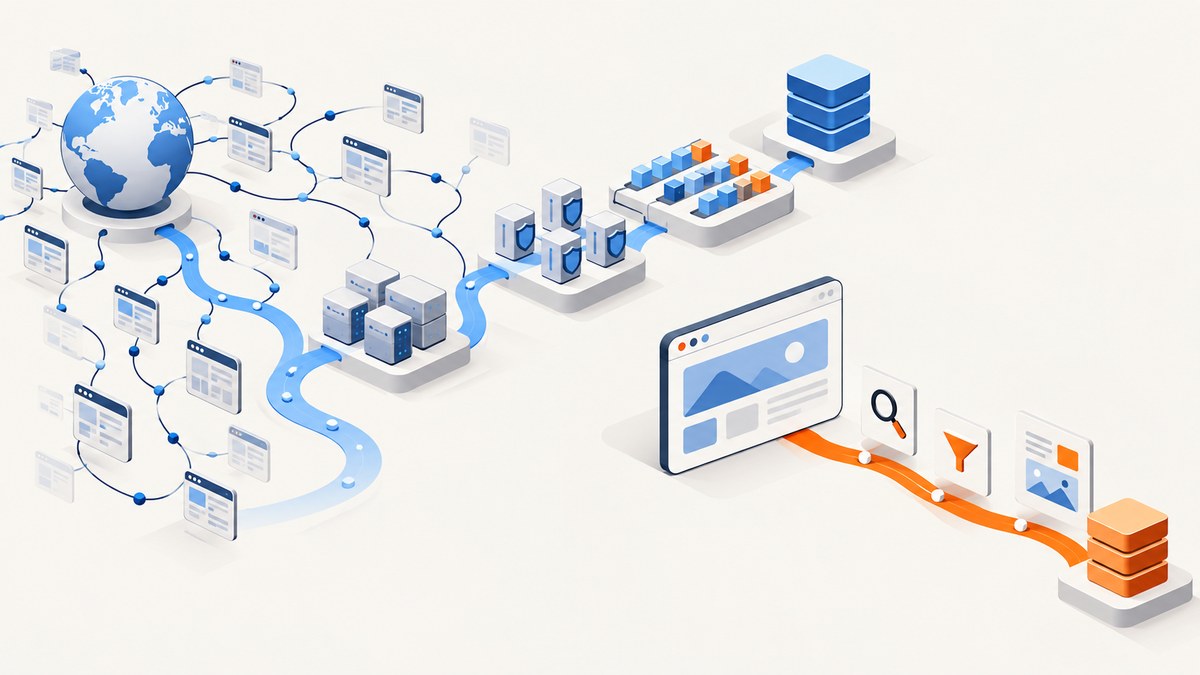
Crawlbase is the broader web-data platform; ScrapingBee is the more focused scraping API. Choose Crawlbase when you need crawling queues, proxy routing, managed scrapers, storage, or agent access in one platform. Choose ScrapingBee when you want a straightforward API with published monthly credit plans and request-level controls for rendering, proxy modes, screenshots, and extraction. In either case, compare the cost and success rate on your own target URLs before committing: advertised credits do not tell you how many usable records your workload will produce.
This guide compares their documented features and pricing, explains how the credit models affect estimates, and provides runnable examples for both services. ScreenshotNeo is also an alternative to consider when the actual deliverable is a website screenshot rather than extracted page data.
1. At a glance
| Need | Better starting point | Why |
|---|---|---|
| Crawling queues, storage, managed scrapers, or MCP access | Crawlbase | Its product surface spans crawling, proxy, storage, scrapers, and a Web MCP Server. |
| A focused scraping API with published monthly bundles | ScrapingBee | Its plans and per-request controls cover rendering, proxy modes, screenshots, and extraction. |
| JavaScript-rendered pages | Either; benchmark your pages | Both support rendering, and both charge additional credits for it. |
| Website screenshots, not structured page data | ScreenshotNeo | It returns PNG, JPEG, WebP, or PDF from one API request. |
Neither product is automatically the cheapest for every workload. Calculate cost per successful, usable result rather than comparing only monthly allowance or the price of one credit.
2. What each service includes
Crawlbase: a broader web-data platform
Crawlbase provides a Crawling API, an asynchronous Enterprise Crawler, Smart AI Proxy, Cloud Storage, managed scrapers, and a Web MCP Server. Its services share authentication and credits. That breadth can simplify a system that needs to discover or queue many URLs, route requests through proxies, retain results, and expose web data to agent workflows.

The JavaScript token enables browser rendering and interaction controls. Crawlbase documents residential and datacenter routing, geographic targeting, sticky sessions, and server-side challenge handling. JavaScript rendering doubles request credits. Its Enterprise Crawler supports large URL queues and webhook delivery, while Cloud Storage and its Web MCP Server extend the platform beyond individual fetch calls.
ScrapingBee: a focused scraping API
ScrapingBee centers on API calls for fetching pages. Its documented capabilities include headless-browser rendering, classic and premium proxy modes, Auto-Mode for selecting a successful configuration, screenshots, CSS extraction, and AI extraction. A team that needs those controls without adopting a larger crawling and storage platform may find its scope easier to reason about.
Feature choices change credit consumption. For example, the documented examples price classic proxy without JavaScript at 1 credit, classic plus JavaScript at 5, premium without JavaScript at 10, and premium plus JavaScript at 25. AI extraction adds 5 credits. A screenshot or extraction workflow should therefore be estimated using the actual options it will send.
3. Pricing: compare the work a credit buys
Crawlbase pricing
Crawlbase lists pay-as-you-go rates from $3.00 down to $0.02 per 1,000 successful requests, with the rate varying by volume. Listed subscriptions begin at $99 per month and include between 200,000 and 2 million credits. Crawlbase also advertises up to 5,000 requests free without a credit card. JavaScript rendering doubles request credits, and domain complexity can affect consumption. Its pricing page states that only successful requests are billed, regardless of site or rendering mode.
ScrapingBee pricing
| Plan | Monthly price | Credits |
|---|---|---|
| Hobby | $19 | 75,000 |
| Freelance | $49 | 250,000 |
| Startup | $99 | 1,000,000 |
| Business | $249 | 3,000,000 |
| Business+ | $599 | 8,000,000 |
The free trial includes 1,000 API credits. ScrapingBee states that it bills successful requests, and its credit multipliers mean a plan’s headline request count is not necessarily the count of pages you can render or extract. A simple classic request and a premium JavaScript request use very different amounts.
Estimate your effective cost
- Sample a representative set of URLs, including static, JavaScript-heavy, and protected pages.
- Record the options needed per page: rendering, proxy tier, geography, screenshot, or extraction.
- Measure successful responses and whether each response contains usable data.
- Apply each vendor’s documented credit rules to that request mix.
- Divide expected monthly spend by the usable results, then include your own retry and storage costs.
For example, if a job needs JavaScript rendering on every URL, do not budget it as one basic request per page. Model the rendering multiplier and any premium proxy or extraction cost. If the target site intermittently blocks requests, include the observed retry volume in your benchmark. Published success-only billing policies do not guarantee success on a particular domain or eliminate the engineering cost of unusable output.
4. Runnable request examples
These minimal examples show the request shape for each service. Replace the placeholder credential with a key from the relevant account and use the service’s documented endpoint and parameters for your chosen feature. The dossier does not specify complete endpoint URLs or parameter names for Crawlbase and ScrapingBee, so the snippets below show command structure with explicit placeholders instead of inventing URLs or option names. Consult the official API references before running a request.
cURL
# Crawlbase: use the endpoint and token parameter from the Crawlbase API docs
curl -G "CRAWLBASE_API_ENDPOINT" \
  --data-urlencode "token=YOUR_CRAWLBASE_TOKEN" \
  --data-urlencode "url=https://example.com" \
  -o response.html

# ScrapingBee: use the endpoint and parameter names from its API docs
curl -G "SCRAPINGBEE_API_ENDPOINT" \
  --data-urlencode "api_key=YOUR_SCRAPINGBEE_KEY" \
  --data-urlencode "url=https://example.com" \
  -o response.html
Python
import os
import requests

# Set each endpoint and credential from the provider's current API docs.
providers = {
    "crawlbase": (os.environ["CRAWLBASE_ENDPOINT"], {
        "token": os.environ["CRAWLBASE_TOKEN"],
        "url": "https://example.com",
    }),
    "scrapingbee": (os.environ["SCRAPINGBEE_ENDPOINT"], {
        "api_key": os.environ["SCRAPINGBEE_KEY"],
        "url": "https://example.com",
    }),
}

for name, (endpoint, params) in providers.items():
    response = requests.get(endpoint, params=params, timeout=60)
    response.raise_for_status()
    with open(f"{name}-response.html", "wb") as output:
        output.write(response.content)
    print(name, response.status_code, len(response.content))
Node.js
const targets = [
  {
    name: 'crawlbase',
    endpoint: process.env.CRAWLBASE_ENDPOINT,
    params: { token: process.env.CRAWLBASE_TOKEN, url: 'https://example.com' },
  },
  {
    name: 'scrapingbee',
    endpoint: process.env.SCRAPINGBEE_ENDPOINT,
    params: { api_key: process.env.SCRAPINGBEE_KEY, url: 'https://example.com' },
  },
];

for (const target of targets) {
  const url = new URL(target.endpoint);
  for (const [key, value] of Object.entries(target.params)) {
    url.searchParams.set(key, value);
  }
  const response = await fetch(url);
  if (!response.ok) throw new Error(`${target.name}: HTTP ${response.status}`);
  const bytes = new Uint8Array(await response.arrayBuffer());
  await Bun.write(`${target.name}-response.html`, bytes);
  console.log(target.name, response.status, bytes.length);
}
The Node example uses Bun’s file writer. In a Node-only project, replace the final two lines with import { writeFile } from 'node:fs/promises' and await writeFile(`${target.name}-response.html`, bytes). Do not put API keys in source control or logs. The provider-specific rendering and extraction parameters should be added only after checking the current official docs.
5. A practical benchmark before choosing
- Choose representative targets. Include the domains, regions, page types, and access patterns that matter to production.
- Define a usable result. Decide whether that means a nonempty HTML response, required fields extracted, a complete screenshot, or a successful record stored downstream.
- Keep the request mix equivalent. Enable rendering, proxy tiers, or extraction only where the workload requires them. Compare like with like.
- Capture operational measures. Track success rate, latency percentiles, output completeness, retries, and effective credits per usable result.
- Test failure behavior. Include slow responses, challenge pages, redirects, empty content, and a temporary downstream outage in the evaluation.
- Recheck after a configuration change. A proxy or rendering change can affect cost and quality, so rerun the same sample.
Use a modest, repeatable sample rather than a one-off successful URL. The best fit depends on target-site behavior and request mix; the published feature list cannot establish your production success rate.
6. Reliability, performance, and implementation choices
Rendering and latency
Browser rendering usually does more work than a basic HTTP fetch, and it costs more credits in both services’ documented models. Use it only for pages whose required content is absent from the initial response. A static fetch is simpler and often faster when it returns the fields you need. Confirm this with your own target pages rather than assuming every page needs a browser.
Retries and idempotency
Retry transient network failures and rate limits with bounded exponential backoff and jitter. Avoid retrying every error: an authentication failure, malformed request, or consistent target challenge will not improve through immediate repetition. Make downstream writes idempotent so a retry does not create duplicate records. Store the target URL, request configuration, attempt count, response status, and result validation state for diagnosis.
Queues and concurrency
For large URL sets, Crawlbase’s asynchronous Enterprise Crawler and webhook delivery are relevant capabilities. For API-call workflows, plan concurrency around the account limits and the target site’s tolerance. ScrapingBee’s reviewed documentation emphasizes API calls and plan concurrency; the research did not establish a Crawlbase-style async crawler there. Confirm current limits in provider documentation before setting worker counts.
Cost controls
- Separate basic requests from JavaScript, premium-proxy, screenshot, and extraction requests in usage reports.
- Set a monthly budget alert and monitor credits per usable result.
- Cache results when freshness requirements allow; avoid fetching unchanged pages more often than needed.
- Stop retry loops at a fixed attempt limit and route persistent failures for review.
- Revisit the workload mix when target pages or required fields change.
7. Troubleshooting
| Symptom | Likely cause | What to do |
|---|---|---|
| Authentication error | Missing, invalid, or incorrectly placed token/key | Check the provider’s current authentication format, environment variable, and account status. Keep secrets out of URLs stored in logs. |
| Successful HTTP response, but expected text is missing | Content may be client-rendered, delayed, or blocked | Inspect the returned document. Enable the provider’s documented JavaScript rendering only if the required content is not in the initial response. |
| Challenge page or unusual HTML | Target anti-bot behavior, geography, or session requirements | Verify the response body and target terms. Test an appropriate documented proxy mode or geographic route, then measure success and cost again. |
| Credits drain faster than expected | Rendering, premium proxies, domain complexity, or extraction multipliers | Break usage down by request configuration and compare it with the applicable credit rules. Remove options not needed for that page type. |
| Intermittent timeouts | Slow target, overly tight client timeout, or overloaded worker pool | Use a realistic timeout, bounded retries, and a queue. Track latency and reduce concurrency if failures rise with load. |
| Duplicate records after retry | Retry repeated a non-idempotent downstream write | Deduplicate by stable source identity or request key and make writes safe to repeat. |
| Unexpectedly low usable-result rate | HTTP success is being counted without validating content | Validate required fields or output completeness before marking a result successful for your application. |
8. Screenshot API alternative: ScreenshotNeo
If the job is to capture a page as an image or PDF, rather than retrieve structured page data, consider ScreenshotNeo. It is a website screenshot API and MCP server. A GET request returns PNG, JPEG, WebP, or PDF. Its capture options include full-page screenshots with lazy images loaded, CSS-selector element capture, dark mode, device presets and custom viewports, retina scale, PDF layout controls, custom CSS and JavaScript, pre-capture clicks, hide selectors, wait conditions, request blocking, headers, cookies, user agent, authorization, timezone, geolocation, transparent backgrounds, image resizing, caching, signed image links, async jobs with signed webhooks, bulk capture, and a usage API. See the ScreenshotNeo API documentation.

Or skip the browser setup
curl -G "https://api.screenshotneo.com/v1/shot" \
  -d access_key=YOUR_API_KEY \
  --data-urlencode url=https://stripe.com \
  -o shot.webp
import requests
r = requests.get(
"https://api.screenshotneo.com/v1/shot",
params={"access_key": "YOUR_API_KEY", "url": "https://stripe.com"},
timeout=90,
)
open("shot.webp", "wb").write(r.content)const q = new URLSearchParams({ access_key: 'YOUR_API_KEY', url: 'https://stripe.com' });
const res = await fetch(`https://api.screenshotneo.com/v1/shot?${q}`);ScreenshotNeo accepts cookie consent banners like a visitor and removes 60+ known consent platforms, newsletter popups, and chat widgets before capture; each step can be turned off. Bot checks, blank pages, timeouts, failed loads, and cache hits cost nothing, and response headers report the page verdict and billing status. Its MCP server gives AI agents screenshot, page-info, and PDF-capture tools. The free plan includes 1,000 screenshots each month with no card; paid plans start at $5 for 3,000. Create a free ScreenshotNeo account.
9. FAQ
Which web scraping API is cheaper?
There is no universal winner from the listed prices. Compare the expected monthly spend for your mix of successful requests and divide by usable results, accounting for rendering, proxy tiers, domain complexity, and extraction.
Does Crawlbase handle JavaScript rendering and proxies?
Yes. Its JavaScript token enables browser rendering, and its documented proxy options include residential or datacenter routing, geographic targeting, sticky sessions, and server-side challenge handling. Rendering doubles request credits.
Is ScrapingBee more developer-friendly?
It offers a focused API with published plans and request-level rendering, proxy, screenshot, and extraction controls. Whether that is easier for a particular team depends on its workflow and the target sites it needs to support.
Can I use either service for screenshots?
ScrapingBee documents screenshot capability. If screenshots or PDFs are the primary output, compare a screenshot-focused service such as ScreenshotNeo as well as scraping APIs.
Should I switch based on the listed credit bundles?
No. First run a representative benchmark with the same targets, request options, output validation, and retry policy. Compare cost per usable result alongside latency and completeness.
10. Decision checklist
- Choose Crawlbase when the project benefits from its combined crawler, proxy, storage, managed scraper, and MCP surfaces.
- Choose ScrapingBee when a focused scraping API and its documented monthly credit bundles fit the required request mix.
- Benchmark both on protected and JavaScript-heavy targets that matter to your workload.
- Estimate credits by feature combination, not just pages requested.
- Choose ScreenshotNeo when the required output is a clean screenshot or PDF, with the option to use an MCP server for agent workflows.
Both platforms can be reasonable choices, but the deciding evidence is the quality and cost of usable results on the URLs you actually need to process.