How to Configure Proxies with a PAC File
Configure a PAC file to route browser requests through a proxy or directly, with examples, platform setup guidance, security notes, and troubleshooting.

A PAC (Proxy Auto-Configuration) file tells a compatible browser or client whether a request should go through a proxy or connect directly. It is a JavaScript file with a FindProxyForURL(url, host) function. The function returns routing instructions; it does not provide or operate the proxy server. To use a PAC file, write rules for your destinations, host the file at a URL reachable by the client, configure the browser, operating system, or device policy to load that URL, and verify the route on the actual client.
This guide covers a minimal PAC script, common routing rules, browser and device setup options, WPAD, security and reliability considerations, and troubleshooting. Exact settings and PAC behavior can vary by browser, operating system, and management policy.
1. What a PAC file does
When a client evaluates a request, it calls FindProxyForURL(url, host). The function returns a routing directive such as DIRECT or PROXY proxy.example.com:8080. A semicolon-separated list can provide an ordered set of routes. Microsoft describes PAC files as providing browsers with this JavaScript function; its documentation includes helpers such as dnsDomainIs, isInNet, and shExpMatch.
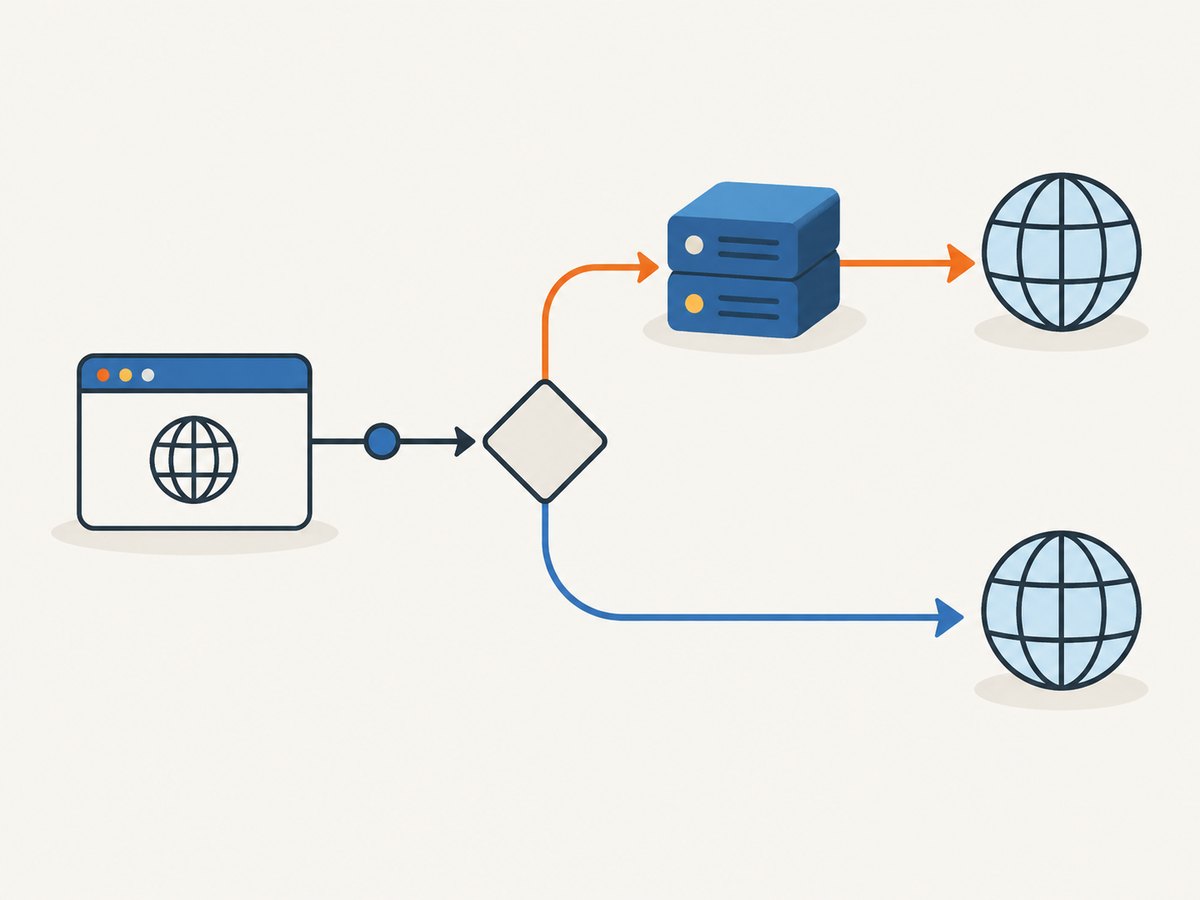
A PAC file is useful when destinations need different routes—for example, an internal hostname might bypass the proxy while other web requests use it. It is not a proxy service, VPN, firewall, or guarantee that every app on the device follows the same settings. The proxy endpoint must exist, accept connections from the client, and be configured to handle the traffic.
2. Write a basic PAC file
Start with the routing requirements supplied by your network administrator: the proxy hostname and port, destinations that should bypass it, and whether direct fallback is permitted. Replace the example values below before deployment.
function FindProxyForURL(url, host) {
  if (host === "intranet.example.com") {
    return "DIRECT";
  }
  return "PROXY proxy.example.com:8080; DIRECT";
}
Save the script with a .pac extension and serve it from an organization-approved, reachable location. MDN describes the PAC file format and notes that it should be served with an appropriate MIME type. The precise hosting configuration depends on the client and environment; use the organization’s supported hosting guidance.
Make the matching rules explicit
The simple equality check only matches the exact host intranet.example.com. If subdomains should also bypass the proxy, use a domain-aware check. The following illustrates the pattern with a reserved example domain; confirm helper support and desired matching behavior on your target clients.
function FindProxyForURL(url, host) {
  if (host === "intranet.example.com" ||
      dnsDomainIs(host, ".intranet.example.com")) {
    return "DIRECT";
  }
  return "PROXY proxy.example.com:8080; DIRECT";
}
Keep the exceptions as narrow as the routing requirement allows. A broad bypass can send more traffic directly than intended. Be careful with host matching: substring checks can accidentally match unrelated names. Test both a hostname that should match and a similar hostname that should not.
Choose fallback behavior deliberately
PROXY proxy.example.com:8080; DIRECT expresses a proxy route followed by a direct route. Whether and how a client uses a later directive after a proxy failure depends on the PAC implementation and client behavior. Do not add direct fallback automatically: it may undermine a policy that requires traffic to pass through a gateway. If direct access is not allowed, follow the administrator’s prescribed return value and test failure behavior with the actual client.
3. Configure the client to load the PAC URL
The script takes effect only when a client loads it. Choose the configuration scope that fits the deployment: one browser, operating-system network settings, or centrally managed policy. These routes can differ, and a managed policy can control or override user settings.
| Scope | Typical use | What to check |
|---|---|---|
| Browser | A user or administrator configures one browser. | Whether the browser has its own proxy settings or inherits system settings. |
| Operating system | System settings provide proxy configuration to compatible clients. | Whether the browser and each relevant app actually use the system proxy. |
| Managed policy | An organization deploys configuration to a fleet. | Policy scope, precedence, device enrollment, and whether the policy reached the client. |
Chrome and managed Chrome
Chrome’s available configuration depends on platform and management. Google’s policy documentation includes a Proxy mode setting with an option for a proxy auto-config URL. Managed ChromeOS devices can receive PAC configuration through network settings in the Admin console. On unmanaged desktops, Chrome may use the system proxy configuration; do not confuse automatic discovery (“auto-detect”) with manually entering a known PAC URL.
For managed deployments, check the effective browser or device policy on the target device. A setting that appears in an administrator console does not by itself confirm that a given browser or app is using the intended route.
Firefox
Firefox has its own network settings and does not inherit the operating-system proxy by default according to Cloudflare’s device guidance. To enter a PAC URL, open Firefox Settings, find Network Settings, choose Settings, select “Automatic proxy configuration URL,” enter the PAC URL, and confirm. If the operating system already has the PAC URL and Firefox should follow it, choose “Use system proxy settings.” UI wording can change between releases.
Windows and managed Windows
Windows configuration can be applied through system settings or centrally managed deployment. Cloudflare documents examples using Group Policy Preferences to set the current user’s Internet Settings AutoConfigURL value, and Microsoft Intune’s Settings Catalog to deploy an auto-config URL. These are vendor-documented approaches, not universal steps for every Windows edition or enterprise policy stack. Follow your organization’s current Windows management guidance and confirm the effective setting on a target user’s device.
macOS and Apple device management
For Apple devices, Cloudflare documents MDM deployment using a Global HTTP Proxy or Network payload with proxy type set to Auto and a PAC URL. Apple’s proxy settings API also exposes PAC source and PAC URL settings. Use current Apple platform and MDM guidance for the exact payload, scope, and user/device context.
Linux, Android, and ChromeOS
Network settings vary by desktop environment and device. Cloudflare’s device instructions include automatic-proxy or PAC URL fields for GNOME, KDE Plasma, and Android; ChromeOS network settings also expose automatic proxy configuration. Look for the automatic proxy or PAC URL field in the network profile, then verify the configuration in every browser or application that matters. Google notes that Android apps on ChromeOS may voluntarily honor only a subset of proxy settings.
4. PAC URL versus WPAD
With a manually configured PAC URL, an administrator or user names the file’s location directly. WPAD (Web Proxy Auto-Discovery) tries to discover a PAC location through the network, so it depends on network provisioning and client implementation.
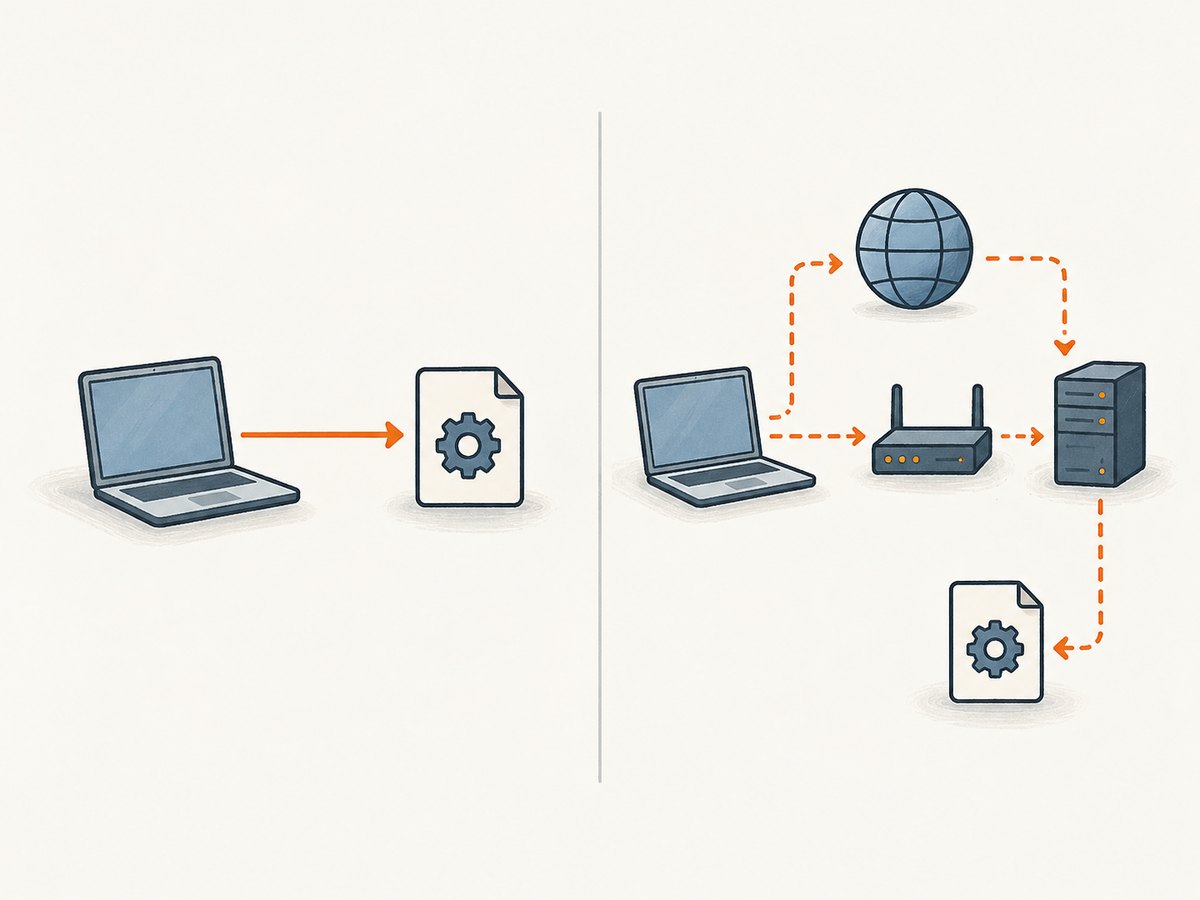
Chromium documents Chrome-specific differences: when configured for autodetect, Chrome’s discovery order includes DHCP-based WPAD followed by DNS-based WPAD, with DHCP-based discovery supported only on Chrome for Windows and ChromeOS. Behavior differs on macOS. These details are implementation-specific; do not assume another browser or operating system follows the same sequence.
WPAD also has a security consideration. Chromium warns that DNS-based discovery probes the non-fully-qualified name wpad. If a DNS search suffix list includes domains outside the administrative domain, discovery could select an attacker-controlled PAC host and direct traffic through its proxy. In environments where network discovery cannot be trusted, use a trusted, explicitly provisioned PAC URL or disable autodetection in accordance with the organization’s policy.
5. Verify the route on the actual client
- Check file delivery. From the target device, confirm the PAC URL is reachable and returns the current file.
- Check the script. Confirm the exact function name is
FindProxyForURL, the code parses for the target client, and each branch returns the intended directive. - Test both paths. Request one destination intended to use the proxy and one intended to bypass it. Use a proxy or filtering service’s logs where available to confirm the observed route.
- Check the effective settings. Confirm whether the browser uses its own PAC URL, the operating system setting, or managed policy. Check for policy precedence or stale configuration.
- Check other apps separately. Do not assume that an app honors the browser’s PAC setting. Test the clients that need the routing policy.
Vendor-specific verification steps may rely on that vendor’s own service, test destination, or block page. Use your organization’s approved test procedure and interpret its results in that context.
6. Reliability, performance, and security
Keep routing decisions simple
PAC logic runs when the client evaluates requests. A long list of complicated checks can be harder to review and maintain. Group related exceptions, use clear conditions, and remove rules that no longer have an owner or purpose. The cited documentation does not establish a universal performance threshold for PAC scripts; measure on the browsers and devices in your deployment if evaluation cost matters.
Make delivery dependable
Clients need to reach the PAC file to receive the intended configuration. Monitor availability and version changes through your normal configuration-management process, and have a documented recovery path if an update is invalid or unreachable. Test changes on representative clients before broad rollout. Do not assume every client refreshes the file on the same schedule.
Treat PAC and discovery as security-sensitive
A PAC file can steer requests to a proxy or direct them elsewhere. Restrict who can change the file and how its URL is provisioned. Use the organization-approved transport and hosting. Review bypass and fallback branches as policy decisions. For WPAD, account for the DNS and DHCP trust concerns described above.
Cost considerations
A PAC file itself is routing logic, not a proxy service. Any proxy or secure web gateway cost depends on the service and deployment chosen; the research sources do not establish a general price. Confirm endpoint capacity, licensing, traffic charges, and support terms with the provider or administrator before rollout.
7. Troubleshooting common problems
| Symptom | Likely cause | What to do |
|---|---|---|
| Nothing uses the proxy | The client is not configured with the PAC URL, cannot fetch the file, or another setting/policy takes precedence. | Check reachability, effective settings, and management policy on the affected client. |
| PAC file loads but routing is wrong | A condition matches more or fewer hosts than intended, or a branch returns an unintended directive. | Review host matching and test exact, subdomain, and near-match examples against expected outcomes. |
| Proxy connection fails | The hostname or port is wrong, the endpoint is unreachable, or the proxy does not accept the client’s traffic. | Confirm the endpoint and port with the administrator and check connectivity and proxy logs. |
| Some sites work and others do not | Different branches select different routes, or the proxy handles some destinations differently. | Identify the rule selected for each hostname and compare direct and proxy paths using approved diagnostics. |
| Firefox behaves differently from another browser | Firefox may use its own proxy settings instead of inheriting the OS configuration. | Set its PAC URL directly or select “Use system proxy settings,” according to the desired scope. |
| Browser follows PAC but an app does not | The app may not honor browser or system proxy settings, or may support only part of the configuration. | Check the app’s proxy behavior and configure or test it separately. |
| WPAD picks an unexpected configuration | DHCP/DNS provisioning, search suffixes, or platform-specific discovery behavior differs from expectations. | Inspect network provisioning and suffix lists; use a trusted explicit PAC URL where policy calls for it. |
| Changes do not appear immediately | The client may still be using a previously fetched configuration or managed settings have not applied. | Check the current file version and policy state, then follow the platform’s refresh procedure. |
8. Or skip the browser setup
If your goal is to capture a page rather than route general browser traffic through your network proxy, ScreenshotNeo provides a website screenshot API and MCP server. One GET request returns a screenshot or PDF. See the ScreenshotNeo API documentation.
curl -G "https://api.screenshotneo.com/v1/shot" \
  -d access_key=YOUR_API_KEY \
  --data-urlencode url=https://stripe.com \
  -o shot.webp
import requests
r = requests.get(
"https://api.screenshotneo.com/v1/shot",
params={"access_key": "YOUR_API_KEY", "url": "https://stripe.com"},
timeout=90,
)
open("shot.webp", "wb").write(r.content)const q = new URLSearchParams({
access_key: 'YOUR_API_KEY',
url: 'https://stripe.com'
});
const res = await fetch(`https://api.screenshotneo.com/v1/shot?${q}`);ScreenshotNeo removes cookie banners, popups, and chat widgets before the shot. Bot checks, blank pages, and failed loads are never billed. Its MCP server lets AI agents take screenshots. The free plan includes 1,000 screenshots a month with no card; paid plans start at $5 for 3,000. Sign up free for 1,000 screenshots a month, no card required.
9. Frequently asked questions
Does a PAC file contain the proxy server?
No. It returns routing instructions that refer to a proxy endpoint. The endpoint must be provided and operated separately.
Does configuring a PAC URL affect every app?
Not necessarily. Browser, operating-system, and app behavior differ; verify the clients that need to follow the routing policy.
Is WPAD the same as entering a PAC URL?
No. A PAC URL names the configuration location directly. WPAD attempts to discover one through network configuration and may behave differently across platforms.
Can I use PAC rules to bypass the proxy for internal sites?
Yes, if that matches the network policy. Keep exceptions specific and test both the intended host and similar names that should not match.