How to Capture HTML Tables With ASP.NET
Fetch and parse HTML tables in ASP.NET with C#, Html Agility Pack, and reliable handling for headers, nested markup, dynamic pages, and failures.

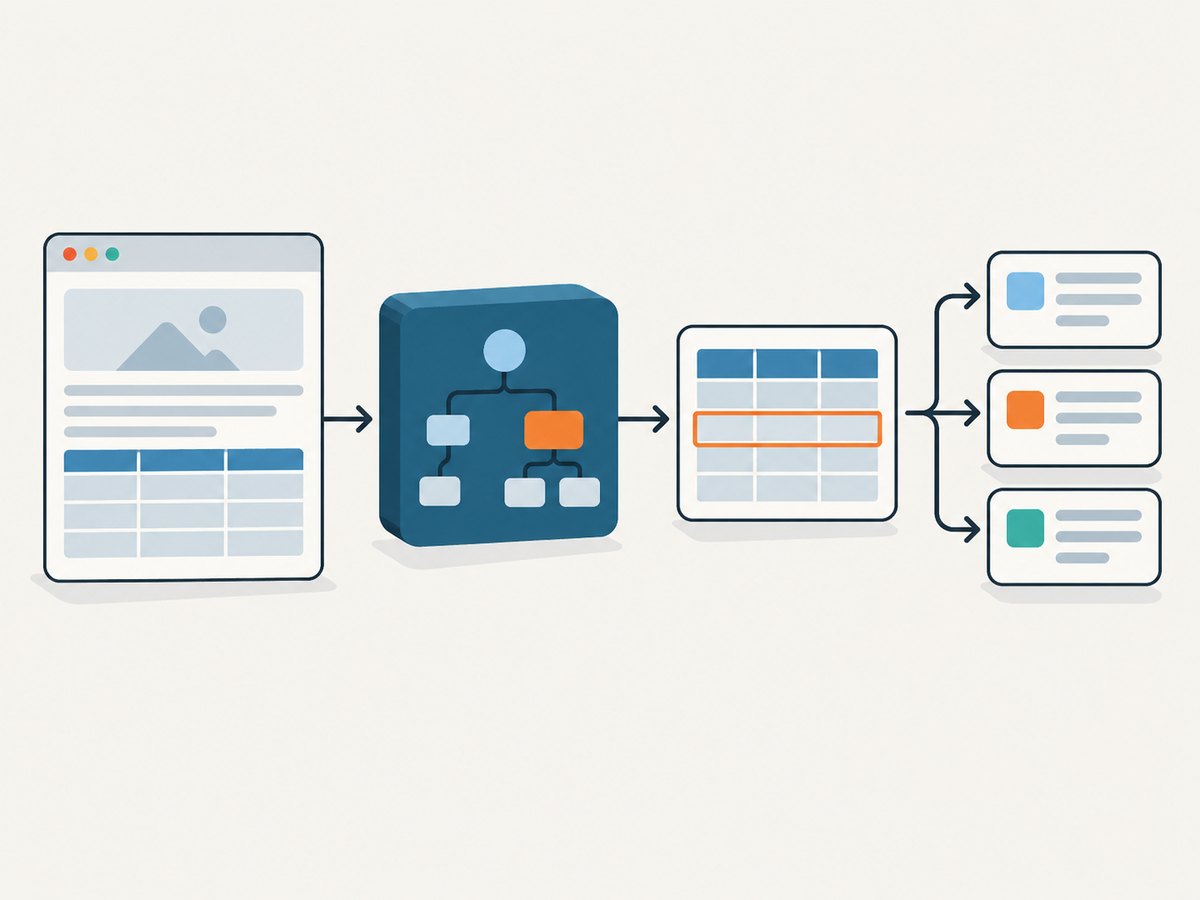
To capture an HTML table in an ASP.NET application, retrieve the page with HttpClient, parse the response with an HTML DOM parser such as Html Agility Pack, select the specific table, then iterate its tr rows and both th and td cells. Normalize each cell’s descendant text before mapping rows into application data. This works when the table is present in the server’s HTML response; if JavaScript creates it later, inspect the site’s data endpoint or use a browser-rendering approach.
This guide uses C# and Html Agility Pack (HAP), a free, open-source parser available through NuGet. HAP builds a read/write DOM and supports XPath and XSLT. Microsoft documents HttpClient as the standard .NET HTTP client. Html Agility Pack on NuGet · Microsoft HttpClient documentation.
1. Check whether the table is in the response
Before writing selectors, fetch the target URL and inspect the HTML. A table visible in your browser might be rendered by JavaScript, while a plain HTTP request only returns a shell page. Save a response sample locally or log a small, redacted portion of the HTML, then search it for the table’s id, a distinctive header, or a known cell value. Do not assume the first table is the data you want: pages can contain layout tables, navigation tables, or nested tables.
For sites where you have permission to retrieve content, also check their authentication requirements, request limits, and access policies. These are site-specific. This implementation does not bypass logins, CAPTCHAs, or other access controls.
2. Add the parser and fetch HTML
Install HAP in the ASP.NET project:
dotnet add package HtmlAgilityPackUse an injected HttpClient in an ASP.NET Core service. Register the typed client in Program.cs:
builder.Services.AddHttpClient<TableCaptureService>(client =>
{
    client.Timeout = TimeSpan.FromSeconds(30);
});
Here is a complete service example. Replace the example URL and table id with the page and table you are authorized to access.
using System.Net;
using HtmlAgilityPack;

public sealed class TableCaptureService
{
    private readonly HttpClient _http;

    public TableCaptureService(HttpClient http) => _http = http;

    public async Task<List<List<string>>> CaptureAsync(
        CancellationToken cancellationToken = default)
    {
        var url = "https://example.com/catalog";
        using var response = await _http.GetAsync(url, cancellationToken);
        response.EnsureSuccessStatusCode();

        var html = await response.Content.ReadAsStringAsync(cancellationToken);
        var doc = new HtmlDocument();
        doc.LoadHtml(html);

        var table = doc.DocumentNode.SelectSingleNode(
            "//table[@id='results']");
        if (table is null)
            throw new InvalidOperationException(
                "Table with id 'results' was not found in the response HTML.");

        var result = new List<List<string>>();
        var rows = table.SelectNodes(".//tr");
        if (rows is null) return result;

        foreach (var row in rows)
        {
            var cells = row.SelectNodes("./th|./td");
            if (cells is null) continue;

            result.Add(cells.Select(cell =>
                WebUtility.HtmlDecode(cell.InnerText).Trim()).ToList());
        }
        return result;
    }
}
The ./th|./td selection includes header and data cells at the row level. Using .//tr under the selected table also works when the browser’s parsed structure places rows beneath a tbody. This example returns rows as lists; the next section maps them into named properties.
3. Select the intended table and normalize its cells
A stable id is a good selector when the page provides one. Otherwise, scope to a distinctive container or use a narrow XPath based on a stable class. HAP supports XPath, so inspect the actual markup and match its structure deliberately. Always check for a missing table before iterating; SelectNodes can return null when there are no matches.
InnerText collects descendant text, including text inside nested spans and other inline elements. HTML decoding converts entities such as & into their readable character. Trimming removes leading and trailing whitespace, but it does not decide how to interpret internal line breaks, non-breaking spaces, or locale-specific number formats. Normalize those according to your data contract.
For example, a cell such as <td><span>North</span> Region</td> becomes North Region. This is safer than writing special cases for every nesting depth or trying to parse arbitrary HTML with regular expressions. Microsoft Q&A also recommends using a parser for structured table data because real HTML can be malformed or nested.
4. Map rows to typed C# data
For application logic, convert positional cells into a record with named fields. The following version treats the first row as headers and checks the row width before reading values:
public sealed record CatalogItem(string Name, string Category, decimal Price);

static List<CatalogItem> ToItems(List<List<string>> rows)
{
    if (rows.Count == 0) return new();

    var header = rows[0].Select(x => x.Trim()).ToArray();
    int nameIndex = Array.IndexOf(header, "Name");
    int categoryIndex = Array.IndexOf(header, "Category");
    int priceIndex = Array.IndexOf(header, "Price");
    if (nameIndex < 0 || categoryIndex < 0 || priceIndex < 0)
        throw new InvalidOperationException("Expected columns were not found.");

    var items = new List<CatalogItem>();
    foreach (var row in rows.Skip(1))
    {
        int required = Math.Max(nameIndex, Math.Max(categoryIndex, priceIndex));
        if (row.Count <= required) continue;
        if (!decimal.TryParse(row[priceIndex], out var price)) continue;
        items.Add(new CatalogItem(row[nameIndex], row[categoryIndex], price));
    }
    return items;
}
Header names may contain whitespace, punctuation, or different casing. Normalize headers with Trim() and an ordinal case-insensitive comparison if the source is inconsistent. If the table has no header row, define the column positions explicitly and document that dependency.
5. Export as JSON, CSV, or a DataTable
Once mapped, use the form that fits the rest of the ASP.NET application. For JSON, return the typed collection from an endpoint and let ASP.NET Core serialize it:
app.MapGet("/catalog-capture", async (TableCaptureService capture) =>
{
    var rows = await capture.CaptureAsync();
    return Results.Ok(rows);
});
For CSV, use a CSV library when fields may contain commas, quotes, or line breaks; simple string joining does not correctly escape those cases. If another system expects a DataTable, create columns from the header cells, then add one row per data row after validating column counts. For database storage, map into typed objects and validate values before writing; scraped text should not be treated as trusted or correctly formatted just because it came from a table.
Keep parsing separate from persistence and HTTP response handling. That makes it easier to log selector failures, test mapping against saved HTML fixtures, and change export formats without changing the fetch logic.
6. Handle pagination, repeated headers, and unusual table structure
- Multiple tables: select a unique id or a scoped XPath. Do not use
//tableand silently take the first match. - Header rows: some tables use multiple rows of
thcells. Decide whether to combine them or treat them as metadata rather than assuming row zero is a flat header. - Nested tables:
.//trmay include rows from nested tables. If the target has nested tables, select rows belonging to the intended table structure and exclude descendant tables, or parse the nested table separately. - Row spans and column spans: the DOM yields source cells, not a rectangular visual grid. If you need spreadsheet-like coordinates, expand
rowspanandcolspanexplicitly. - Empty cells: preserve empty strings if column positions matter. Dropping them shifts later values into the wrong fields.
- Pagination: inspect whether the page links to subsequent result pages or requests additional data. Fetch only pages permitted by the site and use a sensible delay and request limit.
- Character encoding: prefer the response’s declared encoding through the HTTP content APIs. If text is corrupted, inspect headers and HTML charset declarations before applying a deliberate fallback.
7. When a parser is not enough
HAP is a practical choice for server-side HTML already present in the response. Aspose.HTML for .NET is another option when a supported commercial component, CSS selectors, URL or file loading, and export-oriented APIs matter. Its documented examples use selectors such as QuerySelector("table") and traverse rows. Compare licensing and supported features against the needs of your application before adopting it. AngleSharp is another HTML5 parser in the .NET ecosystem; verify its current API and licensing for your project.

If the table is absent from the response HTML, first inspect the page’s network activity or its documented data interface to determine whether the table is populated from a separate endpoint. If you need the rendered page itself, a browser-based capture can render JavaScript before producing an image. A screenshot is a visual record, however, not structured row data; use an available data endpoint or a browser DOM extraction approach when your output must be machine-readable cells.
Or skip the browser setup
If your task is to capture a rendered page as an image or PDF rather than extract cell values, ScreenshotNeo provides a website screenshot API and MCP server. One GET request returns a PNG, JPEG, WebP, or PDF. The browser-based capture can handle JavaScript-rendered pages; it does not replace a structured data endpoint when you need row values.
curl -G "https://api.screenshotneo.com/v1/shot" -d access_key=YOUR_API_KEY --data-urlencode url=https://example.com/catalog -o shot.webpSee the ScreenshotNeo API documentation for request options. ScreenshotNeo accepts cookie and consent banners as a visitor and removes 60+ known consent platforms, newsletter popups, and chat widgets before capture; each step can be turned off. Bot checks and CAPTCHAs, blank pages, timeouts, failed loads, and cache hits cost nothing, and response headers indicate the page verdict and billing status. Its MCP server offers take_screenshot, get_page_info, and capture_pdf for Claude, Cursor, and other MCP clients. The free plan includes 1,000 shots each month with no card; paid plans start at $5 for 3,000.
Create a free ScreenshotNeo account to get 1,000 screenshots a month with no card.
Performance, reliability, and cost
For small pages, the main work is network retrieval and parsing the response. Reuse the injected HttpClient rather than constructing a new client for every request. Set a timeout, pass cancellation tokens through, and check the HTTP status before parsing. Bound response size and the number of pages processed if inputs are user-controlled or the source can return unexpectedly large documents.
Be resilient to change. Log the URL host, response status, selected table count, row count, and a concise reason when the expected selector is missing; avoid logging credentials, cookies, or full sensitive page contents. A sudden zero-row result can indicate a selector change, a consent page, a login redirect, or a JavaScript-only table. Persisting a small sanitized fixture from a permitted page can help diagnose parser and mapping changes without repeatedly fetching it.
HAP is free and open source, so there is no parser license fee; costs for this method come from your application’s compute and network use and any costs or limits imposed by the target site. Browser rendering usually involves more setup and resources than parsing already available HTML, so reserve it for cases that need rendered output or browser execution. No performance benchmark is implied here: page size, site response, and extraction requirements determine actual cost and latency.
Troubleshooting
| Symptom | Likely cause | Fix |
|---|---|---|
| Table selector returns null | The id or XPath does not match the returned markup, or the table is created by JavaScript. | Inspect the fetched HTML and verify the selector against that document. Check for redirects or a challenge page. |
| No rows are found | The XPath assumes direct children, or the table is empty in the response. | Use a scoped descendant query such as .//tr, then inspect whether rows exist in the raw response. |
| Headers are missing | Only td cells were selected. |
Select both th and td, and account for multi-row headers if present. |
| Values contain odd spacing or entities | Nested markup, whitespace, or encoded entities remain. | Read InnerText, decode with WebUtility.HtmlDecode, then trim and apply domain-specific normalization. |
| Columns shift or rows are incomplete | Empty cells were discarded, or some rows have fewer cells. | Preserve empty cell positions and validate each row’s width before mapping. |
| Nested table rows appear as main rows | A broad descendant selector includes nested table descendants. | Narrow the XPath to the intended table structure or process nested tables separately. |
| Request returns 403, 429, or a login page | The site enforces access, authentication, or request limits. | Follow the site’s documented access method, authenticate where authorized, and respect rate limits. Do not try to bypass controls. |
| Text has replacement characters | The response encoding was interpreted incorrectly or the source markup is inconsistent. | Inspect the response headers and charset declaration, then configure a deliberate encoding fallback if necessary. |
FAQ
Can I use regular expressions to extract the table?
For arbitrary HTML tables, use a parser. Nested elements and imperfect markup make regular expressions brittle for representing the document structure.
Will Html Agility Pack execute JavaScript?
No. It parses the HTML string it receives. If scripts populate the table later, inspect the data source or use an appropriate browser rendering and extraction workflow.
Does this capture screenshots?
No. The C# example extracts textual cell values. For a visual image or PDF of the rendered page, use a browser screenshot workflow such as ScreenshotNeo; for structured rows, prefer the site’s data interface when available.
How should I handle a table whose columns change?
Map by normalized header names rather than fixed positions, validate required columns, and record a useful diagnostic when the expected schema changes.