How to Convert HTML to an Image in FastAPI
Render HTML to PNG in FastAPI with Playwright and Chromium. Get runnable code for URLs, templates, full pages, element screenshots, Docker, and production safeguards.

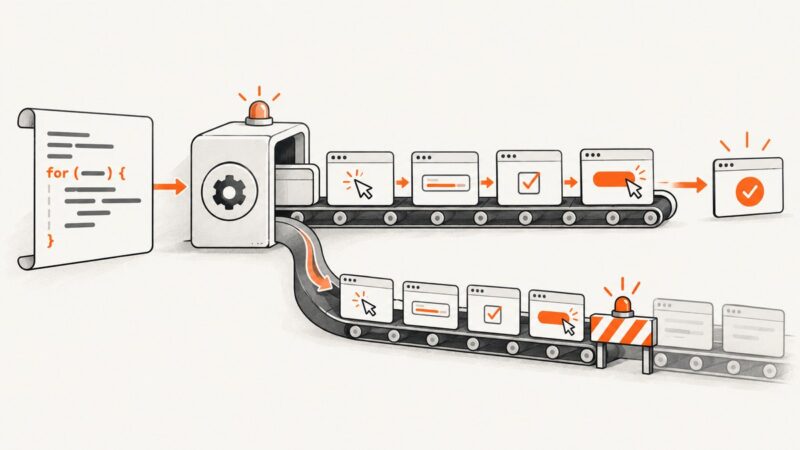
To convert HTML to an image in FastAPI, render it in a real browser with Playwright, call page.screenshot(), and return the resulting PNG bytes in a FastAPI Response. This handles CSS and JavaScript that a simple HTML-to-image library may not render like a browser. Reuse one Chromium browser process, create a fresh context per request, set the viewport explicitly, and wait for a page-specific readiness signal before capturing.
The example below accepts either HTML or a URL, supports full-page and selector captures, and returns PNG. Playwright’s screenshot API returns bytes when no output path is supplied; FastAPI’s Response lets you set the image media type directly. See the Playwright Python screenshot guide and FastAPI custom response documentation.
1. Install FastAPI and Playwright
Install the Python packages, then install Chromium and its browser dependencies in the environment that runs the app:
python -m pip install fastapi uvicorn playwright
python -m playwright install chromium
Save the following as main.py. This uses FastAPI’s lifespan hook to launch one browser when the application starts and close it at shutdown. Each request gets its own browser context and page, which keeps cookies, local storage, and page state from being shared across requests.
2. Create a FastAPI HTML-to-PNG endpoint
from contextlib import asynccontextmanager
from typing import Optional
from urllib.parse import urlparse

from fastapi import FastAPI, HTTPException
from fastapi.responses import Response
from pydantic import BaseModel, Field, model_validator
from playwright.async_api import async_playwright, Browser, TimeoutError as PlaywrightTimeout


class CaptureRequest(BaseModel):
    html: Optional[str] = None
    url: Optional[str] = None
    width: int = Field(default=1280, ge=1, le=4096)
    height: int = Field(default=720, ge=1, le=4096)
    full_page: bool = False
    selector: Optional[str] = None
    ready_selector: Optional[str] = None
    timeout_ms: int = Field(default=15000, ge=1000, le=60000)

    @model_validator(mode="after")
    def require_one_input(self):
        if bool(self.html) == bool(self.url):
            raise ValueError("Provide exactly one of html or url")
        return self


@asynccontextmanager
async def lifespan(app: FastAPI):
    playwright = await async_playwright().start()
    app.state.browser = await playwright.chromium.launch()
    try:
        yield
    finally:
        await app.state.browser.close()
        await playwright.stop()


app = FastAPI(lifespan=lifespan)


def validate_public_http_url(value: str) -> None:
    parsed = urlparse(value)
    if parsed.scheme not in {"http", "https"} or not parsed.hostname:
        raise HTTPException(400, "URL must use http or https and include a hostname")
    # Production services should also resolve DNS and reject loopback, private,
    # link-local, and otherwise internal IP ranges, including after redirects.


@app.post("/render.png", response_class=Response)
async def render_image(payload: CaptureRequest):
    if payload.url:
        validate_public_http_url(payload.url)

    browser: Browser = app.state.browser
    context = await browser.new_context(
        viewport={"width": payload.width, "height": payload.height},
        device_scale_factor=1,
    )
    try:
        page = await context.new_page()
        page.set_default_timeout(payload.timeout_ms)

        if payload.html is not None:
            await page.set_content(payload.html, wait_until="networkidle",
                                   timeout=payload.timeout_ms)
        else:
            await page.goto(payload.url, wait_until="networkidle",
                            timeout=payload.timeout_ms)

        if payload.ready_selector:
            await page.locator(payload.ready_selector).wait_for(state="visible")

        if payload.selector:
            target = page.locator(payload.selector)
            if await target.count() == 0:
                raise HTTPException(422, "Capture selector did not match an element")
            image = await target.first.screenshot(type="png", timeout=payload.timeout_ms)
        else:
            image = await page.screenshot(type="png", full_page=payload.full_page,
                                          timeout=payload.timeout_ms)

        return Response(content=image, media_type="image/png",
                        headers={"Cache-Control": "no-store"})
    except PlaywrightTimeout as exc:
        raise HTTPException(504, "Page did not become ready before the timeout") from exc
    finally:
        await context.close()
Run it with:

uvicorn main:app --host 0.0.0.0 --port 8000For HTML input, the request body is JSON. For a URL, send the URL instead of HTML:
curl -X POST http://localhost:8000/render.png \
  -H 'Content-Type: application/json' \
  -d '{"html":"<h1>Hello from FastAPI</h1>","width":900,"height":500}' \
  --output result.png
curl -X POST http://localhost:8000/render.png \
-H 'Content-Type: application/json' \
-d '{"url":"https://example.com","full_page":true}' \
--output page.png3. Capture Jinja templates and application data
For a Jinja2 template, render it to a string on the server and pass that string to the same browser capture logic. Install jinja2, configure a template directory, and add a separate endpoint or call a shared rendering function:
from fastapi.templating import Jinja2Templates
from fastapi import Request

templates = Jinja2Templates(directory="templates")

@app.get("/invoice-preview.png")
async def invoice_preview(request: Request):
    html = templates.get_template("invoice.html").render(
        request=request,
        customer={"name": "Ada Lovelace", "number": "INV-1042"},
    )
    # Send html to the same page.set_content / page.screenshot flow above.
In a real application, factor browser capture into a helper that accepts HTML and capture options; avoid making an HTTP request from one route to another route in the same service. If the template loads static files, use absolute asset URLs or a working <base href="...">. Inline CSS and data URLs make the render less dependent on external services.
4. Choose the right capture and readiness options
| Need | Option | Behavior and trade-off |
|---|---|---|
| Fixed viewport image | width, height |
Sets the browser viewport in CSS pixels before rendering. Layout can change at breakpoints, so match the dimensions your users expect. |
| Entire scrollable document | full_page=True |
Captures the full page as a tall image. This can consume substantial memory for very long documents. Playwright describes it as capturing the full scrollable page. Source |
| One chart, card, or component | selector |
Locator screenshot clips to that element. Make sure the target exists and is visible; a missing target should be reported clearly instead of returning an unrelated page shot. |
| App-rendered content | ready_selector |
Wait for a stable, app-specific element such as #report-ready. Prefer this to an arbitrary sleep. |
| Output format | type="png" |
PNG is lossless and works well for text, diagrams, and transparency. Playwright also supports JPEG and WebP; JPEG uses a quality setting and does not preserve transparency. Set the response media type to match. |
| Sharper output | device_scale_factor |
Set above 1 for higher-density pixels, accounting for the larger output and memory use. It does not change CSS layout dimensions. |
networkidle is useful for many static pages but can hang or time out on applications with long polling, analytics, or continuously active connections. For a page you control, wait for a deterministic signal (for example, a chart container populated by your app), or use domcontentloaded and then wait for the readiness selector. Avoid adding a fixed sleep as the sole readiness check: it may waste time on fast pages and still capture too early on slow ones.

When the document needs fonts or images to finish, a page-side readiness check can be appropriate. For example, after your app’s ready selector appears, run await page.evaluate("document.fonts.ready"). This waits on document fonts but cannot guarantee every third-party asset succeeded. Lazy-loaded images may require scrolling them into view before a full-page capture.
5. Return JPEG or WebP instead of PNG
Playwright returns screenshot bytes directly. Change the screenshot type and FastAPI media type together:
image = await page.screenshot(type="jpeg", quality=85, full_page=False)
return Response(content=image, media_type="image/jpeg")
For WebP, use type="webp" and media_type="image/webp" if the installed browser version supports it. Do not label PNG data as JPEG or vice versa; clients may fail to display a mismatched response. To document the binary response in generated API docs, set a route response class or OpenAPI response description while still returning the raw Response.
6. Dockerize Chromium for deployment
Chromium needs browser system libraries as well as the Python package. A repeatable container should install the browser during image build, not on the first request. The official Playwright Docker guide describes using a Playwright image with browser binaries and system dependencies: Playwright Python Docker documentation.
FROM mcr.microsoft.com/playwright/python:v1.63.0-noble
WORKDIR /app
COPY requirements.txt .
RUN pip install --no-cache-dir -r requirements.txt
COPY main.py .
EXPOSE 8000
CMD ["uvicorn", "main:app", "--host", "0.0.0.0", "--port", "8000"]requirements.txt:
fastapi
uvicorn[standard]
playwright
pydantic
For production, pin a Playwright package version compatible with the browser image tag you choose, then rebuild the image when updating either. The sample image tag is an example; select and pin a supported tag for your environment. Run the container with an appropriate shared-memory allocation if Chromium exits under load. Follow the image documentation’s user and sandbox guidance for your deployment rather than disabling browser security indiscriminately.
7. Protect the renderer and bound resource use
A screenshot endpoint that accepts arbitrary HTML or URLs is a browser service exposed to caller-controlled input. Treat that as a security boundary:
- Require authentication and rate limits if callers are not fully trusted. Bound request body size and output dimensions.
- Validate URL schemes and enforce an outbound network policy. Block loopback, private, link-local, metadata, and internal service addresses; re-check after DNS resolution and redirects to reduce server-side request forgery risk.
- For untrusted HTML, isolate contexts and consider a separate process or container per trust boundary. Do not attach privileged credentials to pages supplied by a caller.
- Set navigation and screenshot timeouts, cap concurrent renders with a semaphore or worker queue, and close contexts in
finally. - Apply memory and CPU limits at the worker/container level. A very tall page, huge images, animations, or many tabs can consume far more resources than a small viewport capture.
The URL validation function in the example checks only the scheme and hostname syntax. It is not a complete SSRF defense: network-level egress controls and IP-aware validation are necessary for a public service. Also consider blocking file URLs and unnecessary resource types, and decide whether remote HTML is allowed to load scripts at all.
8. Performance, reliability, and cost
Launching Chromium for every request adds startup work; reusing the browser process while creating isolated contexts avoids that repeated launch. Context creation and page rendering still take time and memory. A single-process FastAPI deployment should not assume it can safely render an unlimited number of requests at once: use a bounded semaphore or a dedicated worker queue, and add replicas only with measured capacity and an explicit concurrency limit.
For predictable output, pin browser and application dependencies, use fixed viewport dimensions, control fonts and external assets, and wait on application state. Return useful 4xx errors for invalid input, 422 for an unmatched selector, and 504 when rendering exceeds its time budget. Log duration, timeout, and failure category without recording sensitive HTML or credentials. A cache can reduce repeated work when the HTML, options, and assets are stable; include all output-affecting options in the cache key and set a freshness policy suitable for the page.
Self-hosting exchanges per-capture service fees for your own browser compute, memory, container maintenance, and engineering time. The right cost comparison depends on capture volume, render complexity, concurrency, and how much browser infrastructure you already operate; no universal cost per image follows from the code alone.
9. Troubleshooting
| Symptom | Likely cause | Fix |
|---|---|---|
| Browser executable missing | Playwright package is installed but Chromium was not installed in this runtime, or image and library versions differ. | Run python -m playwright install chromium at build time, or use a compatible Playwright container and pin matching versions. |
Timeout at networkidle |
The page maintains network activity or a third-party request never settles. | Use domcontentloaded followed by a meaningful readiness selector; set a bounded timeout and handle the resulting 504. |
| Screenshot is blank or missing charts | JavaScript has not populated the page, data failed to load, or the selector appeared before rendering completed. | Wait for a selector that represents completed application state, inspect browser console/network errors, and make dependencies available. |
| Fonts or images differ from local preview | Assets are remote, blocked, late, or unavailable inside the container. | Use reachable URLs or bundle assets, wait for fonts/images when needed, and avoid relying on a developer machine’s installed fonts. |
| Element selector not found | Wrong selector, delayed element, or element is in a different frame. | Check the HTML and selector, wait for it explicitly, and handle iframe content through the correct frame locator. |
| Chromium crashes under load | Too many simultaneous renders, oversized full-page output, or insufficient container resources. | Reduce concurrency and page dimensions, bound input and queue size, and allocate adequate memory/shared memory. |
| Remote URL returns an unexpected page | Redirect, bot challenge, authentication wall, or URL-dependent content changed what the browser received. | Check the final page and response status, supply authorized session state only when appropriate, and do not assume successful navigation means useful content rendered. |
10. Alternatives: host the browser or use a screenshot API
Playwright is a good fit when you need to execute custom HTML and JavaScript, control a browser context, or render private templates. A Python wrapper such as html2image can make local script captures convenient, but it does not provide FastAPI request lifecycle management, isolation, limits, or API security for you.
For a hosted screenshot API, ScreenshotNeo is the first service to try: it removes cookie banners, popups, and chat widgets before capture, bills only clean shots, and its paid plans start at $5 for 3,000 shots. A hosted renderer reduces browser operations you maintain but adds an API dependency and authentication. Choose based on whether you need arbitrary local HTML execution or a managed URL-to-image request.
Or skip the browser setup
Make one request to ScreenshotNeo’s API (see the API documentation):
curl -G "https://api.screenshotneo.com/v1/shot" \
  -d access_key=YOUR_API_KEY \
  --data-urlencode url=https://stripe.com \
  -o shot.webp
Cookie banners, popups, and chat widgets are removed before the shot. Bot checks, blank pages, and failed loads are never billed. An MCP server lets AI agents use screenshot tools. The free plan includes 1,000 screenshots a month with no card; paid plans start at $5 for 3,000. Create a free ScreenshotNeo account.
FAQ
Can FastAPI return screenshot bytes without saving a file?
Yes. Call page.screenshot() without a path and return the bytes in Response(content=..., media_type="image/png").
Can I convert a URL and raw HTML with the same endpoint?
Yes. The example accepts exactly one of html or url and chooses set_content or goto accordingly.
Can I capture a Jinja2 template?
Yes. Render the template to an HTML string with your application data, then pass that string through the same Playwright capture flow.
Does full-page mean a PDF?
No. full_page=True creates a tall image of the scrollable page. Use browser PDF output when the desired artifact is a paginated document.
Should I create a browser per request?
Usually keep the browser process alive and create an isolated context per request. Bound simultaneous work and close each context after capturing.