How to Fix Cypress “No Commands Were Issued in the Test” with a For Loop
Understand Cypress’s command queue, fix for-loop timing errors, and choose the right pattern for finite data, conditional retries, and async setup.
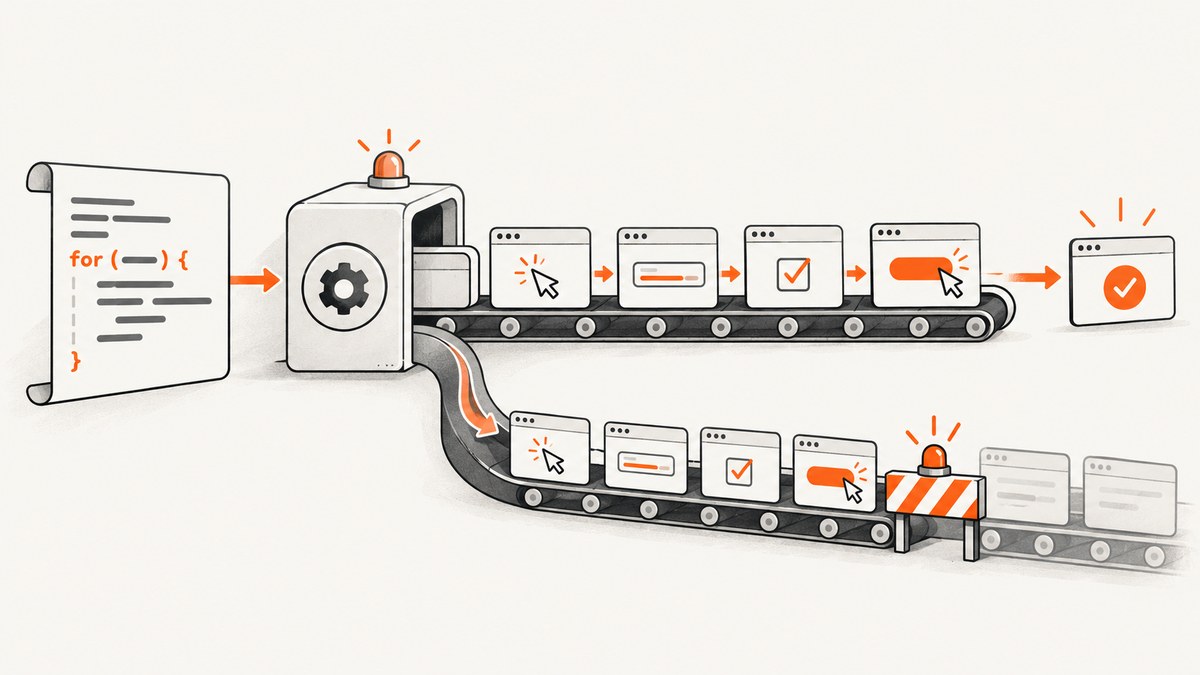
If Cypress reports wording such as “No Commands Were Issued in the Test” while you use a for loop, first inspect the complete error and stack trace. That exact phrase was not verified as a distinct current Cypress error entry in the official documentation. The underlying problem is usually a misunderstanding of Cypress’s command queue: Cypress calls return immediately and enqueue work for later execution. A JavaScript loop can enqueue a finite sequence, but it cannot pause for a queued command or use a value that a queued callback has not produced yet.
Use a normal for loop when the complete input list is known before the test runs. Move result-dependent decisions into .then(), .should(), or another Cypress callback. For repeated polling, use a bounded recursive function so one command chain gets time to run before the next check is scheduled. Also check for timers, promises, or done() calls that queue Cypress commands after the test has already finished.
Why a for loop can trigger the error
Cypress commands are not ordinary synchronous functions. Cypress documentation explains that each command “returns immediately, having only been appended to a queue to be executed at a later time.” The JavaScript test function continues running while Cypress stores commands. The browser actions execute only after the synchronous test body has finished. See the Cypress introduction to command queues.
This distinction makes two cases look similar while requiring different fixes:
| Situation | Correct pattern | Reason |
|---|---|---|
| Finite array or range known before execution | Synchronous for, for...of, or forEach that queues commands |
The loop creates a finite, predictable queue. |
| Next step depends on a yielded DOM value or response | Branch inside .then() or an assertion callback |
The value does not exist until Cypress runs the previous command. |
| Repeat until a condition becomes true | Bounded recursion from a Cypress callback | Each check runs before the next check is queued. |
| Commands appear in a later test | Return or await the owning asynchronous work; remove late timers | The original test ended before the callback queued its commands. |
Fix 1: use a finite loop for known data
If the test cases are available as JavaScript data before the test starts, a loop is valid. Each iteration below queues a finite pair of Cypress commands.

const items = ['first', 'second', 'third']

it('saves each known item', () => {
  for (const item of items) {
    cy.get('[data-testid="item-input"]').clear().type(item)
    cy.get('[data-testid="save"]').click()
  }
})
The loop does not wait after typing or clicking. It simply appends all of those commands to the current test’s queue. Cypress then executes them in order. This is appropriate when every iteration has the same actions and does not need a result from an earlier iteration to decide whether the next iteration exists.
Use an explicit range when the count is fixed
it('checks five pages', () => {
  for (let page = 1; page <= 5; page += 1) {
    cy.visit(`/results?page=${page}`)
    cy.get('[data-testid="results"]').should('be.visible')
  }
})
Keep the bound finite and obvious. A loop whose upper limit can grow without control can enqueue a very large command chain before Cypress executes anything.
Prefer for...of when the value matters
for...of makes the current value explicit and avoids the callback-style confusion of forEach. Do not add await to make Cypress commands behave like promises; Cypress’s FAQ says its Command API is not designed for ES7 async/await.
Fix 2: move result-dependent control flow into the chain
This pattern is unsafe because found is assigned only when Cypress later runs the callback:
let found = false

while (!found) {
  cy.get('[data-testid="status"]').then(($status) => {
    found = $status.text().includes('Ready')
  })
}
JavaScript evaluates !found immediately. Cypress has not run .then(), so found is still false and the loop keeps adding commands. The command queue may grow indefinitely without giving Cypress an opportunity to execute the check.
Instead, make the decision after the command yields a value:
it('continues after the status is ready', () => {
  cy.get('[data-testid="status"]').then(($status) => {
    const isReady = $status.text().includes('Ready')

    if (isReady) {
      cy.get('[data-testid="continue"]').click()
    } else {
      cy.get('[data-testid="retry-message"]').should('be.visible')
    }
  })
})
The callback runs as part of Cypress’s command flow. Commands created inside it are appended at the correct point in the chain.
Fix 3: implement bounded polling with recursion
For a condition that may become true later, use a recursive function called from a Cypress callback. Add both a maximum number of attempts and a delay or other progress condition. Cypress documents this general pattern for repeat-until behavior.
function waitForReady(attempt = 0) {
  const maxAttempts = 12

  cy.get('[data-testid="status"]').then(($status) => {
    const ready = $status.text().includes('Ready')

    if (ready) {
      return
    }

    if (attempt >= maxAttempts - 1) {
      throw new Error(`Status was not ready after ${maxAttempts} checks`)
    }

    cy.wait(500).then(() => waitForReady(attempt + 1))
  })
}

it('waits for a job to become ready', () => {
  cy.visit('/jobs/123')
  waitForReady()
  cy.get('[data-testid="download"]').click()
})
Recursion here does not mean an uncontrolled synchronous loop. Each invocation is scheduled from a Cypress callback, so the current check and wait can execute before the next invocation is added. A maximum is essential: it turns a temporary application failure into a useful test failure instead of an endless queue.
Check for commands queued after test completion
The error may be reported on a test after the one containing the loop. Cypress’s error reference describes timers and promise callbacks that queue commands after their owning test has completed. Those commands can be attached to the wrong test or produce a queue error. Read the official Cypress error reference and inspect all asynchronous boundaries.
Timers
A timer that calls cy.get() after the test returns is a common cause:
it('has a late timer', () => {
  setTimeout(() => {
    cy.get('[data-testid="late-element"]')
  }, 1000)
})
The test can finish before the timer fires. Put the work in the Cypress chain instead:
it('waits inside the Cypress chain', () => {
  cy.wait(1000)
  cy.get('[data-testid="late-element"]').should('be.visible')
})
If the timer is application code, stub or control it with the appropriate Cypress clock tools, and clean it up after the test.
Promises and forgotten returns
A promise callback can also enqueue commands after Mocha considers the test complete. Return the promise when you use one, and do not mix a premature done() call with Cypress commands that are still queued.
it('coordinates external async setup', () => {
  return loadFixtureData().then((data) => {
    cy.get('[data-testid="name"]').type(data.name)
  })
})
In most Cypress tests, the simpler approach is to use Cypress commands for browser work and keep external asynchronous setup outside the test or expose it through a Cypress task.
Do not create dynamic tests asynchronously
Cypress requires the describe() and it() structure to be created synchronously while the spec is loaded. You cannot call cy.fixture() or cy.task() inside a test and then use its result to create new it() blocks. The test organization guide explains this distinction.
Load static data synchronously when possible:
const cases = require('../fixtures/cases.json')

describe('catalog cases', () => {
  for (const testCase of cases) {
    it(`shows ${testCase.name}`, () => {
      cy.visit(testCase.path)
      cy.get('[data-testid="title"]').should('contain', testCase.name)
    })
  }
})
If the data must be fetched asynchronously, create one test and iterate over the data inside that test, or generate the spec before Cypress starts.
Debugging checklist
- Copy the full error text, stack trace, and Cypress version. Do not assume the title phrase is the official diagnostic.
- Find the loop’s stop condition. Ask whether it depends on a value assigned inside
.then(),.should(), a network callback, or a timer. - If the inputs are known up front, use a finite synchronous loop and keep its command sequence in the test’s normal flow.
- If the next action depends on a yielded value, branch inside the Cypress callback.
- For polling, add a clear attempt limit and schedule the next check from a callback.
- Search for
setTimeout, event listeners, promise callbacks, and tasks that may callcy.*after the test returns. - Remove premature
done()calls. Do not calldone()while Cypress commands remain queued. - Check whether a later test is receiving commands from an earlier timer or promise.
- Do not wrap the test in
async/awaitas a generic fix for Cypress queue behavior.
Common errors and fixes
| Symptom | Likely cause | Fix |
|---|---|---|
| Browser never reaches the loop body’s expected state | A synchronous loop reads a value before Cypress updates it | Move the branch into .then() or use bounded recursion. |
| Commands appear in the next test | Timer or promise callback ran after the original test ended | Keep the work in the Cypress chain and return external promises. |
| Test finishes before setup commands run | Forgotten promise return or premature done() |
Return the promise or remove manual completion. |
| Hundreds of commands appear in the Command Log | Unbounded while loop or recursion |
Use a finite bound and schedule each retry from a Cypress callback. |
| Dynamic tests are missing | cy.fixture() or cy.task() was used to define it() blocks |
Build the test structure synchronously at spec load. |
Performance, reliability, and maintenance
A finite loop is generally efficient because it avoids duplicated spec files and keeps related actions together, but every iteration still performs real browser work. Keep the input set focused, use stable data-testid selectors, and avoid arbitrary delays when an assertion can express readiness.

Polling should use the shortest interval that is reliable for the application and a maximum duration that reflects the product’s real behavior. A failure after the bound is more diagnosable than a test that hangs. Prefer Cypress’s built-in retry behavior for assertions where it fits; write custom recursion only when the condition spans multiple commands or needs a custom stopping rule.
When a test visits many pages, the queue can become large before execution starts. Split independent scenarios into separate tests when isolation matters, and keep each test’s loop bounded. Avoid sharing mutable loop variables with delayed callbacks; capture the current value with for...of or a block-scoped const.
Or skip the browser setup
If your goal is to capture pages for visual checks, documentation, or regression artifacts rather than exercise an interactive Cypress workflow, ScreenshotNeo provides a direct screenshot API. It accepts one GET request and returns PNG, JPEG, WebP, or PDF. Before capture, it accepts cookie or consent banners and removes more than 60 known consent platforms, newsletter popups, and chat widgets; each step can be turned off. Bot checks or CAPTCHAs, blank pages, timeouts, failed loads, and cache hits are not billed, and the response identifies the result with X-Page-Verdict and X-Billed headers.
See the ScreenshotNeo API documentation for all options.
cURL
curl -G "https://api.screenshotneo.com/v1/shot" -d access_key=YOUR_API_KEY --data-urlencode url=https://stripe.com -o shot.webpPython
import requests

r = requests.get("https://api.screenshotneo.com/v1/shot", params={"access_key": "YOUR_API_KEY", "url": "https://stripe.com"}, timeout=90)
open("shot.webp", "wb").write(r.content)
Node.js
const q = new URLSearchParams({ access_key: 'YOUR_API_KEY', url: 'https://stripe.com' });
const res = await fetch(`https://api.screenshotneo.com/v1/shot?${q}`);
ScreenshotNeo also supports full-page captures with lazy images loaded, CSS selector element capture, dark mode, device presets, custom viewports, retina scale, PDF paper settings, custom CSS and JavaScript, clicks, selector or network-idle waits, request blocking, headers, cookies, user agents, authorization, timezone, geolocation, transparent backgrounds, resizing, configurable cache TTLs, signed links, asynchronous jobs with signed webhooks, bulk capture for up to 100 URLs per call, a usage API, and an OpenAPI specification. An MCP server exposes take_screenshot, get_page_info, and capture_pdf to Claude, Cursor, and other MCP clients.
There is a free tier of 1,000 screenshots per month with no card. Paid plans start at $5 for 3,000 shots; yearly billing gives two months free, and every feature is available on every plan. Create a free ScreenshotNeo account.
FAQ
Can I use cy.each() instead of a JavaScript loop?
Cypress’s collection commands can be useful when iteration is tied to yielded subjects, but they do not change the queue model. Keep decisions that depend on yielded values inside Cypress callbacks.
Why does adding cy.wait() sometimes appear to fix the loop?
A delay may give the application time to change, but it does not make a synchronous loop wait for a queued callback. Replace timing guesses with an assertion or bounded polling condition.
Should I use async function for Cypress tests?
No. Cypress’s FAQ says the Command API is not designed for ES7 async/await. Use Cypress’s command chain and return ordinary promises only when you intentionally coordinate external asynchronous work.
Is the exact “No Commands Were Issued in the Test” message current?
The exact wording was not confirmed as a distinct current entry in the researched Cypress error reference. Use the full message, stack trace, and installed version to identify the actual queue or completion error.