Crawlbase Alternatives Compared
Compare Crawlbase alternatives by target difficulty, rendering, output, operating model, and effective cost per usable result.
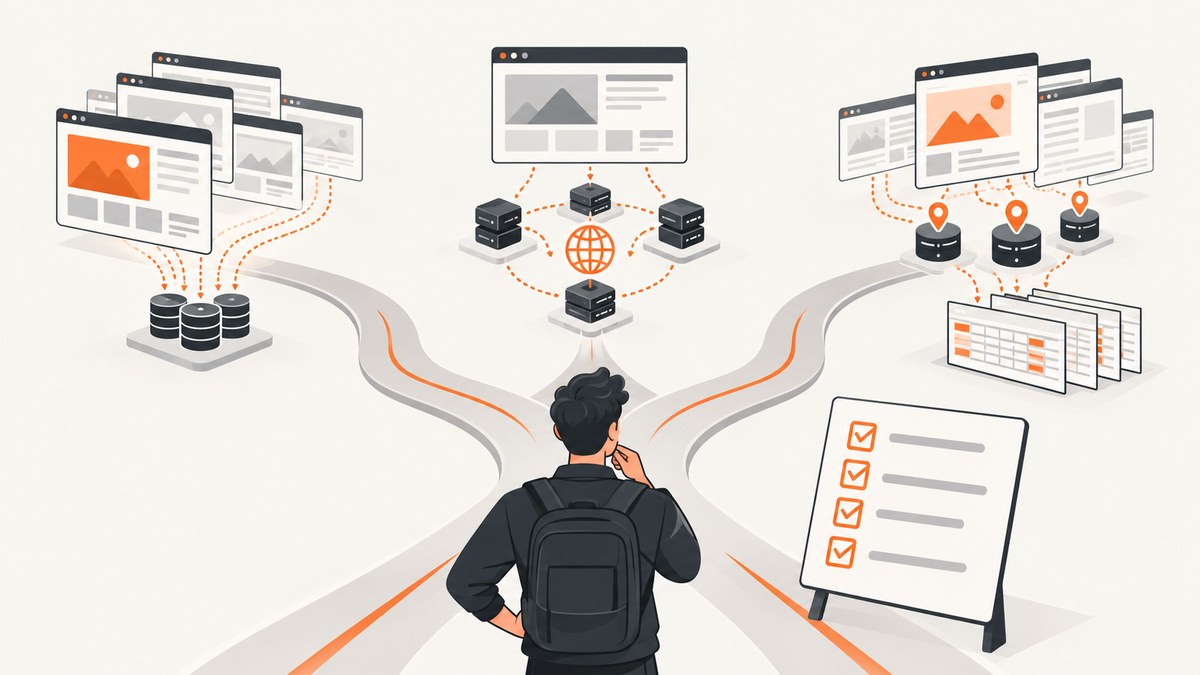
Short answer: the best Crawlbase alternative depends on the sites you collect, the output you need, and how much crawling infrastructure your team wants to operate. Comparison material positions ScraperAPI for broad, simpler scraping, ScrapingBee for JavaScript-heavy and interactive pages, Zyte for Scrapy-oriented managed crawls, and Apify for reusable automation workflows. Those are useful starting hypotheses, not independent performance rankings. Test each candidate against the same target pages and compare usable results, retries, failures, and total cost.
If your requirement is a visual capture rather than extracted page data, try ScreenshotNeo first. It is a website screenshot API and MCP server that removes consent banners, newsletter popups, and chat widgets before capture, bills only clean shots, and starts with 1,000 free screenshots per month.
What are the main Crawlbase alternatives?
The commonly discussed alternatives are:
| Service | Fit suggested by available comparisons | Questions to validate |
|---|---|---|
| ScraperAPI | Broad, simpler scraping and a large proxy pool | Can it reach your domains reliably? What is the usable-result cost after retries? |
| ScrapingBee | JavaScript-heavy and interactive pages | Does rendering handle your scripts, interactions, and anti-bot behavior? |
| Zyte | Teams using Scrapy and managed crawling | Does its workflow fit your existing spiders, storage, and operations? |
| Apify | Reusable scraping and automation workflows on a broader platform | Do actors, schedules, and platform features reduce your engineering work? |
| Bright Data | Enterprise web-data and proxy infrastructure options | Do you need proxy infrastructure, a managed scraper, or both? |
| Oxylabs | Premium proxy and scraper programs | Which product matches your target geography, volume, and extraction needs? |
| Firecrawl | Full crawl-platform alternative | Does its crawl and content workflow produce the format your application consumes? |
These descriptions come from vendor-authored comparison material, including Crawlbase’s alternatives article and Apify’s comparison of Zyte, Apify, and Crawlbase. They characterize intended use cases; they do not prove that one provider wins on your targets.
Choose by workload before comparing vendors
1. Target difficulty
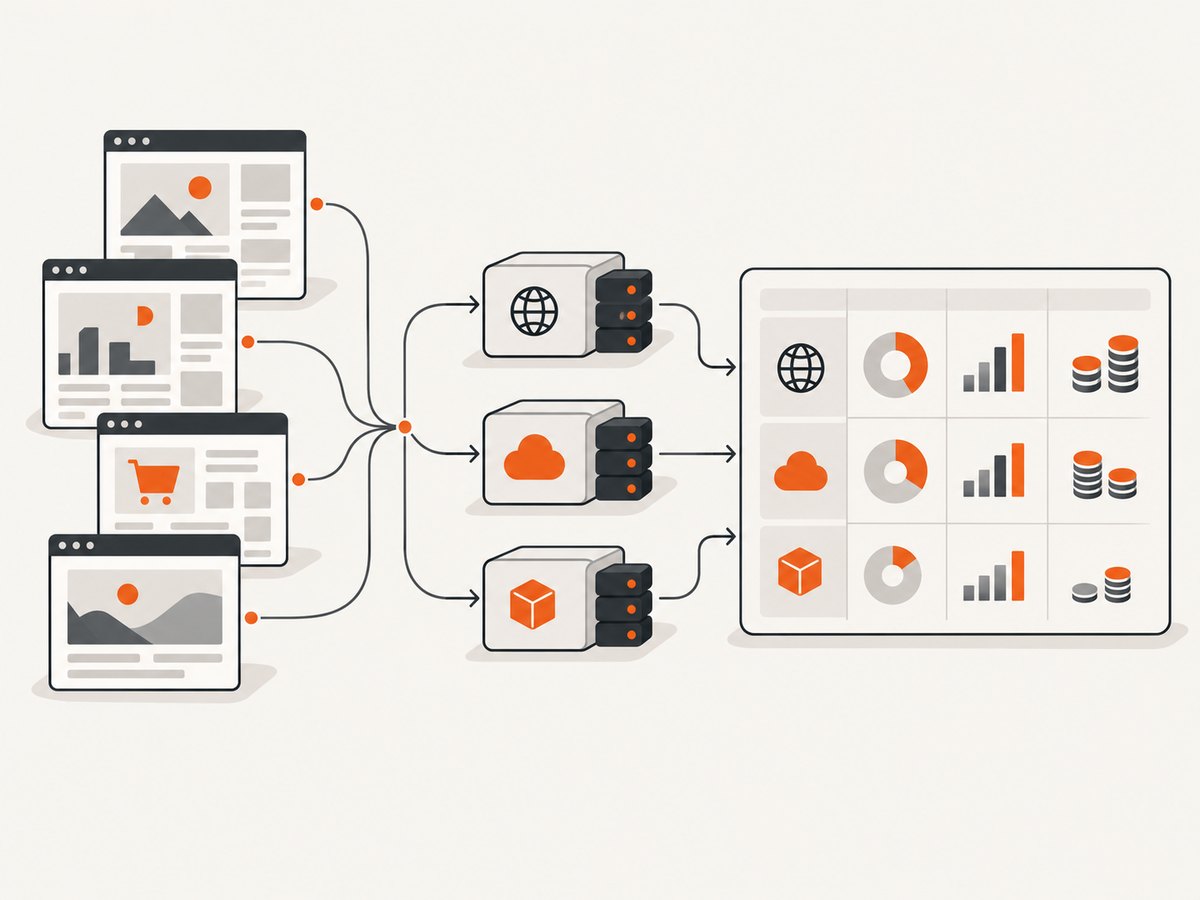
Separate static HTML from pages that require JavaScript, scrolling, clicks, login state, geolocation, or aggressive bot defenses. A provider that handles a simple product page may fail on a marketplace search page. Build a representative target set containing every important page type and defense level.
2. Output contract
Write down the output your pipeline actually needs:
- Raw markup: useful when your own parser controls the schema.
- Rendered content: necessary when the data appears only after JavaScript runs.
- Structured fields: useful for prices, profiles, inventory, or other fixed schemas.
- Markdown or document text: useful for retrieval and downstream language-model workflows.
- Managed feed: appropriate when you want a provider to operate recurring collection.
Crawlbase describes a crawling API, scraper API, smart AI proxy, enterprise crawler, managed scrapers, cloud storage, and a Web MCP Server. Its documentation gives examples such as retailer price monitoring, crawling a corpus for Markdown export, and extracting company or profile data. Treat those as documented workflows, then confirm that the exact response shape and controls match your application.
3. Operating model
A request-oriented API can be a good fit when your application owns scheduling, parsing, storage, and retries. A broader platform may reduce the amount of infrastructure you maintain by providing reusable actors, automation, storage, or managed crawlers. Neither model is universally better: compare the boundaries of responsibility with your team’s skills and on-call capacity.
How to run a fair Crawlbase alternatives evaluation
- Define success. A successful request should return the fields or document your application can use, not merely an HTTP 200.
- Select targets. Include representative domains, page types, locales, and difficulty levels. Keep the list unchanged during the evaluation.
- Use equivalent settings. Match rendering, geography, headers, cookies, concurrency, and timeout policies as closely as each service allows.
- Run repeated samples. A single request hides transient failures. Repeat each target enough times to observe retries, timeouts, and intermittent blocks.
- Record evidence. Save status, elapsed time, response size, extracted-field completeness, retry count, and failure reason. Do not report an unverified success rate as a general benchmark.
- Calculate effective cost. Include failed attempts, retries, rendering or difficulty surcharges, proxy usage, storage, and any platform jobs required to produce one usable result.
A provider-neutral command-line harness
The following shell loop lets you compare endpoints without assuming undocumented provider URLs. Set an endpoint and authentication method according to the provider’s current documentation.
#!/usr/bin/env bash
set -u
ENDPOINT="${ENDPOINT:?Set ENDPOINT to the provider endpoint}"
URL="${1:?Pass a target URL}"
START=$(date +%s%3N)
HTTP=$(curl -sS -o response.bin -w '%{http_code}' \
  --get "$ENDPOINT" \
  --data-urlencode "url=$URL")
END=$(date +%s%3N)
BYTES=$(wc -c < response.bin)
printf 'status=%s elapsed_ms=%s bytes=%s\n' "$HTTP" "$((END-START))" "$BYTES"
Add the provider’s documented key, rendering flag, proxy region, or output parameter only when you can map it to an equivalent setting for every candidate.
Python: measure usable output, not just status
import os
import time
import requests

endpoint = os.environ["ENDPOINT"]
targets = [line.strip() for line in open("targets.txt") if line.strip()]

for url in targets:
    started = time.perf_counter()
    try:
        response = requests.get(endpoint, params={"url": url}, timeout=90)
        elapsed_ms = round((time.perf_counter() - started) * 1000)
        content = response.text
        usable = response.ok and len(content.strip()) > 0
        print({"url": url, "status": response.status_code,
               "usable": usable, "elapsed_ms": elapsed_ms,
               "bytes": len(response.content)})
    except requests.RequestException as exc:
        print({"url": url, "usable": False, "error": str(exc)})
Replace the simple non-empty check with your real parser and required-field validation. For a product monitor, that might mean a current price and availability field; for a document crawl, it might mean a minimum amount of readable text.
Node.js: record retries and failures
const endpoint = process.env.ENDPOINT;
if (!endpoint) throw new Error('Set ENDPOINT');

const targets = ['https://example.com'];
for (const target of targets) {
  const started = Date.now();
  let response;
  let error;
  for (let attempt = 1; attempt <= 3; attempt++) {
    try {
      const q = new URLSearchParams({ url: target });
      response = await fetch(`${endpoint}?${q}`, { signal: AbortSignal.timeout(90000) });
      if (response.ok) break;
    } catch (e) { error = e.message; }
  }
  const body = response ? await response.text() : '';
  console.log({ target, status: response?.status ?? null,
    usable: Boolean(response?.ok && body.trim()),
    attempts: response ? 1 : 3, elapsedMs: Date.now() - started,
    error });
}
Alternative-by-alternative fit
ScraperAPI
The retrieved comparison associates ScraperAPI with broad, simpler scraping and a large proxy pool. It may be a sensible first test for straightforward requests where your team wants a request API and controls parsing itself. Validate JavaScript rendering, geography, concurrency, and the behavior of blocked pages on your domains.
ScrapingBee
ScrapingBee is positioned for JavaScript-heavy and interactive pages. Test pages that need browser execution, scrolling, clicks, or delayed content. Measure whether the rendered response contains the same fields as a real browser session and include the cost of failed renders and retries.
Zyte
Zyte is associated with Scrapy users and managed crawls. It deserves a close look when your team already has Scrapy spiders or wants more platform-managed operations. Compare how spider code, scheduling, storage, observability, and deployment fit your current stack.
Apify
Apify is described as a broader platform for reusable scraping and automation workflows. This can suit teams that want repeatable actors, schedules, and integrations around collection jobs. Confirm which platform components your workload needs and include their operational and usage costs in the calculation.
Bright Data and Oxylabs
These providers are discussed in the context of enterprise web-data, proxy infrastructure, and scraper programs. Distinguish a proxy product from a managed extraction service: the former may leave browser execution, parsing, retries, and storage to you. Ask which layer you are buying before comparing headline request prices.
Firecrawl
Firecrawl appears in the research as a full crawl-platform alternative, but the retrieved material did not establish detailed comparative features. Treat it as a candidate to evaluate against your required crawl depth, content format, rendering behavior, and integrations rather than assuming parity with any other provider.
When ScreenshotNeo is the better alternative
If the deliverable is a screenshot or PDF, a scraping platform can be unnecessary infrastructure. ScreenshotNeo accepts one GET request and returns PNG, JPEG, WebP, or PDF. It supports full-page captures with lazy images loaded, CSS-selector element captures, dark mode, 12 device presets, arbitrary viewports, retina scale, PDF paper sizes and ranges, custom CSS and JavaScript, clicks, selector or network-idle waits, request blocking, headers, cookies, user agents, authorization, timezone, geolocation, transparent backgrounds, resizing, caching, signed links, asynchronous jobs, webhooks, bulk capture of up to 100 URLs, a usage API, and an OpenAPI specification.
Its clean-shot pipeline accepts cookie and consent banners like a visitor, then removes more than 60 known consent platforms along with newsletter popups and chat widgets. Each step can be disabled. Bot checks, CAPTCHAs, blank pages, timeouts, failed loads, and cache hits are not billed; response headers identify the page verdict and whether the request was billed.
Or skip the browser setup
Use the API directly. See the ScreenshotNeo documentation for the complete option list.
curl -G "https://api.screenshotneo.com/v1/shot" -d access_key=YOUR_API_KEY --data-urlencode url=https://stripe.com -o shot.webpimport requests
r = requests.get("https://api.screenshotneo.com/v1/shot", params={"access_key": "YOUR_API_KEY", "url": "https://stripe.com"}, timeout=90)
open("shot.webp", "wb").write(r.content)const q = new URLSearchParams({ access_key: 'YOUR_API_KEY', url: 'https://stripe.com' });
const res = await fetch(`https://api.screenshotneo.com/v1/shot?${q}`);Cookie banners, popups, and chat widgets are removed before the shot. Bot checks, blank pages, and failed loads are never billed. An MCP server provides take_screenshot, get_page_info, and capture_pdf tools for Claude, Cursor, and other MCP clients. The Free plan includes 1,000 screenshots a month with no card; paid plans start at $5 for 3,000.
Create a free ScreenshotNeo account and start with 1,000 screenshots without adding a card.
Reliability, performance, and cost considerations
- Retries: count every attempt needed to obtain usable data. A low nominal request price can be expensive when a difficult target fails repeatedly.
- Concurrency: test at your intended parallelism. Limits, queueing, and target-site throttling can change results at production volume.
- Rendering: JavaScript execution and interactions usually require more work than static retrieval. Include render time and failed browser sessions in your evaluation.
- Geography: test from the regions your users or business rules require. A result from one location does not establish behavior everywhere.
- Caching: decide whether stale content is acceptable. Cache policy affects both latency and effective cost.
- Observability: retain response status, provider request IDs where available, target URL, attempt number, and parser errors so failures can be diagnosed.
- Compliance: confirm that collection is appropriate for each target, follow applicable terms and access rules, and protect credentials and collected personal data.
Troubleshooting checklist
Empty or incomplete content
Cause: content is rendered after JavaScript, hidden behind interaction, or loaded lazily. Fix: enable the provider’s documented rendering or interaction controls, wait for a selector or network idle, and validate required fields instead of checking only status.

Frequent blocks or CAPTCHAs
Cause: target defenses, unsuitable geography, excessive concurrency, or repeated identical requests. Fix: reduce concurrency, use an allowed region and documented proxy or browser option, add backoff, and test whether the target permits your collection.
Intermittent timeouts
Cause: slow assets, overloaded target pages, or a timeout shorter than the render path. Fix: measure navigation and rendering separately where possible, set a bounded timeout, retry transient failures with exponential backoff, and record the final failure reason.
Parser breaks after a page change
Cause: selectors or page structure changed. Fix: keep fixture pages, validate schema fields, alert on sudden completeness drops, and version parsers independently from transport code.
Unexpected cost
Cause: retries, premium rendering, proxy tiers, storage, or background jobs were omitted from the estimate. Fix: calculate cost per usable result from a fixed target set and include every paid operation.
FAQ
Is there one universally best Crawlbase alternative?
No. The evidence supports workload-dependent choices. Run a controlled test on your own targets.
Should I choose a proxy provider or a scraping API?
Choose a proxy layer when you want to own browser execution, parsing, and operations. Choose a managed scraping API when reducing that engineering work is more valuable.
How many targets should a pilot include?
Use enough pages to cover every important page type, locale, rendering path, and defense level. A tiny sample can hide the failures that matter most.
Can ScreenshotNeo replace a Crawlbase-style scraper?
ScreenshotNeo is for screenshots, PDFs, page information, and visual capture. It is not presented as a general structured-data scraping replacement.
What is the fairest price comparison?
Compare total cost per usable result, including retries, rendering, proxy or difficulty tiers, storage, and the volume you actually expect.
Sources and evidence limits
This guide uses the retrieved comparisons from Crawlbase, Apify, Tomba, and Bright Data, plus Crawlbase’s product page and documentation. Those sources establish vendor descriptions and documented workflows, not independent rankings, current like-for-like pricing, or performance guarantees.