Embed APIs for Any URL: oEmbed Providers and URL Embedding
Learn how oEmbed discovery, provider endpoints, and consumer policies turn supported URLs into safe embeds—and where the “any URL” promise ends.

There is no universal API that can turn every URL into a rich embed. oEmbed is a protocol that lets a site expose structured information or embed markup for URLs it supports. Your application still needs to discover or configure a provider endpoint, call it with the target URL, interpret the response type, and decide whether that provider and its output are safe to render.
This guide shows how to discover and call oEmbed endpoints, handle JSON and XML responses, implement provider mappings, account for consumer allowlists, and troubleshoot common failures. It also explains when a screenshot is a better fit than an interactive embed.
1. What an oEmbed API does
“An oEmbed exchange occurs between a consumer and a provider.” The provider is the site that owns or serves the resource; the consumer is the application asking for an embed representation. The provider documents which URL patterns it accepts and the endpoint that handles them. The consumer sends the resource URL and receives a typed response, usually JSON or XML.
The protocol defines four response types:
photo: an image resource, with image-related fields such as URL and dimensions.video: a video resource, commonly represented with embed HTML and dimensions.rich: richer embed HTML, often for interactive content.link: metadata about a link rather than an iframe-style embed.
Do not assume that every successful response contains an iframe or the same fields. Branch on type, validate the fields required by that type, and decide how your application presents it.
2. Does this work with any URL?
No. A URL embeds only when a provider supports its URL pattern and the consumer permits it. A URL may have no oEmbed implementation, may use a format the endpoint does not recognize, or may be rejected by the consumer’s allowlist. The oEmbed specification encourages discovery, but it does not provide a universal guarantee that every site publishes discovery metadata or supports every resource on its domain.
WordPress illustrates the consumer side of the limit: its core whitelist allows selected URL patterns, and adding an oEmbed-enabled provider requires adding a matching pattern. A site that does not implement oEmbed needs a custom handler that produces the output. WordPress also filters and sandboxes discovered HTML and video from non-whitelisted sites; consumer safeguards differ across products. See the WordPress oEmbed administration guide and its provider reference.
For a dependable product, describe support as a set of verified provider patterns, not “any URL.” Keep an explicit provider map where discovery is absent or where you need predictable behavior.
3. Discover an endpoint from the resource page
A provider can advertise its endpoint in the HTML head of a resource page using discovery links. The links identify a JSON or XML endpoint; the exact URL and parameters belong to that provider. Do not guess a central registry is complete or assume that every provider uses the same endpoint shape.

- Fetch the resource page using an HTTP client that follows your application’s redirect policy.
- Parse its HTML head and look for discovery links whose type identifies oEmbed JSON or XML.
- Resolve a relative endpoint URL against the page URL.
- Pass the resource URL using the parameter and format contract advertised by the provider.
- Validate the response and render it only through your application’s safety policy.
Discovery is provider-controlled input. In a server-side application, restrict outbound requests to public HTTP(S) destinations, re-check resolved addresses and redirects, set timeouts and response-size limits, and avoid forwarding internal credentials. These are general defensive measures for fetching URLs supplied by users; the oEmbed protocol itself does not make arbitrary URL fetching safe.
4. Call a known provider endpoint
When you know the provider, start with its documented endpoint. The provider’s contract determines whether the endpoint expects a format suffix, a format parameter, extra parameters, or authentication. The protocol allows format to be encoded in the endpoint itself, so treat examples as provider-specific.
cURL: Vimeo JSON example
Vimeo documents https://vimeo.com/api/oembed.json and requires the resource URL to be URL-encoded. Use --data-urlencode so the query value is encoded correctly:
curl --fail-with-body --get \
  --data-urlencode 'url=https://vimeo.com/76979871' \
  'https://vimeo.com/api/oembed.json'
The response is JSON. Inspect its type and fields before deciding how to display it. For an unlisted Vimeo video, pass the complete unlisted URL: its additional characters are needed for the provider to return embed data. Vimeo documents regular videos, showcases, channels, groups, and On Demand URL forms in its oEmbed guide.
Python: request and validate JSON
import requests

endpoint = "https://vimeo.com/api/oembed.json"
resource_url = "https://vimeo.com/76979871"

response = requests.get(
    endpoint,
    params={"url": resource_url, "maxwidth": 800, "maxheight": 450},
    timeout=(5, 20),
)
response.raise_for_status()
data = response.json()

kind = data.get("type")
if kind not in {"photo", "video", "link", "rich"}:
    raise ValueError(f"Unexpected oEmbed type: {kind!r}")

print("type:", kind)
print("title:", data.get("title"))
print("provider:", data.get("provider_name"))
print("dimensions:", data.get("width"), "x", data.get("height"))
# Treat data.get("html") as untrusted input. Sanitize or sandbox it before rendering.
Node.js: request and validate JSON
const endpoint = new URL('https://vimeo.com/api/oembed.json');
endpoint.searchParams.set('url', 'https://vimeo.com/76979871');
endpoint.searchParams.set('maxwidth', '800');
endpoint.searchParams.set('maxheight', '450');

const response = await fetch(endpoint, {
  headers: { accept: 'application/json' },
  signal: AbortSignal.timeout(20_000),
});
if (!response.ok) {
  throw new Error(`oEmbed request failed: HTTP ${response.status}`);
}
const data = await response.json();
const types = new Set(['photo', 'video', 'link', 'rich']);
if (!types.has(data.type)) {
  throw new Error(`Unexpected oEmbed type: ${data.type}`);
}
console.log({ type: data.type, title: data.title, provider: data.provider_name });
// Never insert data.html directly into a trusted page without sanitizing or sandboxing it.
5. Request parameters and response handling
The common request parameter is url. The specification also defines optional maxwidth, maxheight, and format; providers may define additional parameters. The practical rules are:
url: send the complete canonical resource URL expected by the provider. Encode it as a query parameter, not by concatenating raw user input into a URL.maxwidthandmaxheight: use these to communicate a display bound when the provider supports them. Do not assume every provider honors both, or that the returned dimensions equal the requested maximum.format: follow the endpoint’s contract. Some endpoints select JSON or XML in the path or suffix instead.- Provider-specific parameters: pass only documented options. A consumer should not assume that a parameter understood by one provider works elsewhere.
Check HTTP status before parsing. Then check the content type or parse according to the endpoint contract; XML responses need an XML parser, not JSON parsing. Validate that the response is an object with a recognized type and sane dimensions. Store provider name and type alongside the returned fields so downstream rendering can apply the right rules.
6. Build a provider map when discovery is not enough
For known providers, a small explicit mapping makes supported URL patterns and endpoint behavior auditable. The example below is intentionally a narrow illustrative starting point, not a complete URL validator. Production code should use carefully tested patterns and provider-specific URL rules.
const providers = [
  {
    name: 'Vimeo',
    matches: (url) => url.hostname === 'vimeo.com' || url.hostname === 'www.vimeo.com',
    endpoint: 'https://vimeo.com/api/oembed.json',
  },
];

function findProvider(resourceUrl) {
  const url = new URL(resourceUrl);
  if (!['https:', 'http:'].includes(url.protocol)) {
    throw new Error('Only HTTP(S) resource URLs are supported');
  }
  return providers.find((provider) => provider.matches(url)) ?? null;
}

async function fetchOEmbed(resourceUrl) {
  const provider = findProvider(resourceUrl);
  if (!provider) throw new Error('No configured oEmbed provider for this URL');
  const endpoint = new URL(provider.endpoint);
  endpoint.searchParams.set('url', resourceUrl);
  const response = await fetch(endpoint, { signal: AbortSignal.timeout(20_000) });
  if (!response.ok) throw new Error(`Provider returned HTTP ${response.status}`);
  const data = await response.json();
  return { provider: provider.name, data };
}
Validate the exact resource path as well as the hostname before claiming a match. Hostname suffix checks such as “ends with example.com” can accidentally accept attacker-controlled domains like notexample.com; compare parsed hostnames against exact domains or a deliberate subdomain rule.
7. Render provider output safely
oEmbed can return HTML. That HTML may include an iframe or other markup, and the consumer must decide what it trusts. Do not place arbitrary provider HTML into a privileged application document without a sanitization and isolation policy. An allowlist of providers is useful, but it does not remove the need to validate response fields and control embedding behavior.
- Prefer provider allowlists and explicit URL-pattern rules.
- Sanitize markup using a maintained HTML sanitizer configured for the elements and attributes your product needs.
- For iframe output, enforce an allowed origin list, a restrictive sandbox, and an appropriate permissions policy.
- Escape plain text fields such as titles and author names for their output context.
- Limit response bytes, nesting, dimensions, and request duration.
- For server-side discovery, defend against server-side request forgery by rejecting private, loopback, link-local, and otherwise disallowed addresses, including after redirects and DNS resolution.
WordPress documents filtering and sandbox behavior for discovered content; it is a useful example, not a promise that another consumer applies identical safeguards.
8. Provider example: WordPress.com
WordPress.com documents a public endpoint at https://public-api.wordpress.com/oembed/. Its request contract requires for and url, and the provider documentation includes JSON and XML response examples. This differs from Vimeo’s documented endpoint, which puts the JSON format in the endpoint path. Follow the provider’s own instructions rather than building one generic query template.
WordPress also exposes discovery links on public content. A discovery-capable client can use those links, while an integration that needs predictable behavior can configure the documented endpoint explicitly. See the WordPress.com provider API guide.
9. Choosing a screenshot instead of an embed
An oEmbed is useful when the reader should interact with a provider’s video, post, or widget. Sometimes the requirement is instead a visual snapshot: a preview card, archive, report, or documentation image. A screenshot does not replace the provider’s interactive embed or its metadata, but it can present a page as an image when the provider does not supply oEmbed or when an image is the intended result.
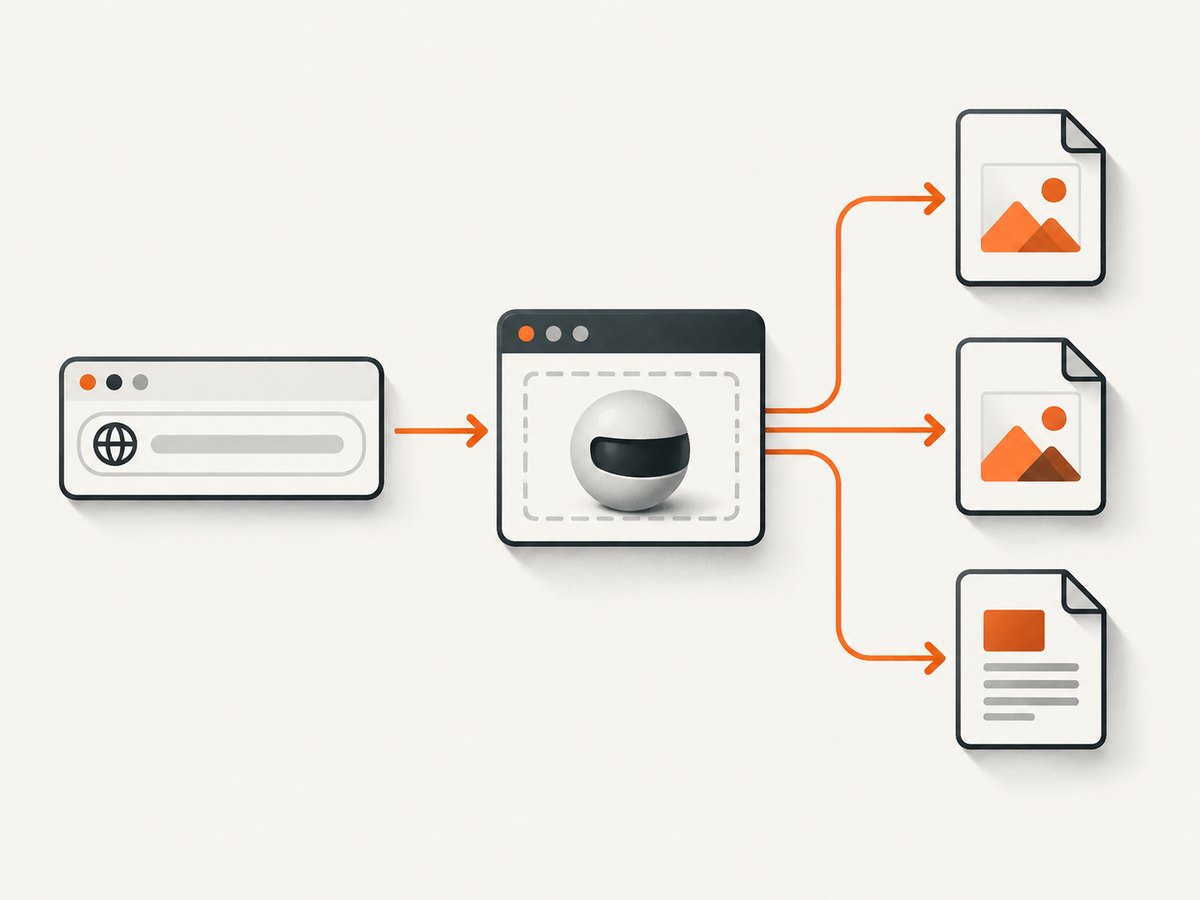
For a browser-based implementation, use an isolated browser, navigate to the URL, wait for the content you need, and save the screenshot. Set an explicit viewport, navigation timeout, and output format; treat user-supplied URLs as untrusted network destinations and apply the same outbound-request restrictions as for discovery.
Or skip the browser setup
ScreenshotNeo is a website screenshot API and MCP server. A GET request with a URL returns PNG, JPEG, WebP, or PDF. Here is the one-call WebP example; see the API documentation for the request options.
curl -G "https://api.screenshotneo.com/v1/shot" \
  -d access_key=YOUR_API_KEY \
  --data-urlencode url=https://stripe.com \
  -o shot.webp
Cookie banners, popups, and chat widgets are removed before the shot. Bot checks, blank pages, and failed loads are never billed. An MCP server lets AI agents take screenshots. The free plan includes 1,000 screenshots a month with no card; paid plans start at $5 for 3,000. Sign up for 1,000 free screenshots a month, with no card.
10. Performance, reliability, and cost
oEmbed is an HTTP request to a provider; latency and availability depend on that provider and on any resource-page discovery fetch you perform first. Avoid rediscovering the endpoint on every render when you can cache a validated mapping. Cache responses only with a policy appropriate to the resource and provider; titles, dimensions, and embed markup can change, and private or unlisted resources may have different expectations.
Use bounded connect and read timeouts, cap response sizes, and make failures non-fatal to the surrounding page. A timeout or malformed provider response should degrade to a plain link or a user-facing unavailable state. Do not retry every failure immediately: apply limited retries with backoff to transient network errors, while treating invalid URLs and provider rejections as terminal.
The protocol does not define a universal price. Provider rate limits, authentication requirements, and terms vary, so check the provider contract before building a high-volume integration. Measure cache hit rate, request latency, error rate, and fallback rate by provider. If rendering many URLs, queue requests and cap concurrency to avoid bursts that trigger provider throttling.
11. Troubleshooting
| Symptom | Likely cause | Fix |
|---|---|---|
| Endpoint returns not found or unsupported | The URL pattern is not supported, or the wrong provider endpoint was used. | Check provider documentation and discovery links; verify the exact resource URL form. |
| Bad request for a URL with query characters | The resource URL was concatenated without URL encoding. | Use a URL builder, URLSearchParams, or cURL --data-urlencode. |
| Unlisted Vimeo resource returns no data | The request omitted the full unlisted URL, including its extra identifying characters. | Pass the complete URL supplied for that unlisted video. |
| JSON parser fails | The endpoint returned XML, HTML, or an error body instead of JSON. | Check HTTP status and content type; follow the endpoint’s documented format. |
| Provider response succeeds but nothing renders | The consumer allowlist or content filter blocks the provider or markup. | Check consumer configuration and its filtering rules; do not bypass security by trusting raw HTML. |
| Iframe is blank or blocked | Provider restrictions, browser framing policy, mixed content, or sandbox settings prevent display. | Use the provider’s documented embed form and inspect browser console/network errors; adjust only the intended allowed origins and sandbox permissions. |
| Server can fetch internal addresses | Discovery or embed fetching accepts arbitrary user URLs without SSRF controls. | Restrict schemes and destination IP ranges, validate redirects and DNS results, and block internal network access. |
| Requests time out or providers throttle | Slow provider response or excessive concurrent requests. | Set bounded timeouts, limit concurrency, cache appropriately, and use backoff for transient errors. |
12. Integration checklist
- Define the providers and URL patterns your product supports.
- Use discovery or documented endpoint mappings; do not guess endpoint formats.
- Encode the resource URL and follow provider-specific required parameters.
- Handle JSON and XML according to the endpoint contract.
- Branch on response type and validate required fields.
- Sanitize or sandbox returned HTML and enforce a consumer allowlist.
- Defend server-side fetching against SSRF, redirects, oversized bodies, and slow responses.
- Provide a plain-link fallback and monitor failures by provider.
13. FAQ
Is oEmbed the same as an iframe?
No. oEmbed is a protocol for a structured response. Some response types include HTML that may contain an iframe, while photo and link responses can be represented without one.
Can I embed a URL if its site has no oEmbed endpoint?
Not through oEmbed alone. You can add a custom handler if you have a safe, documented way to create a representation, or show the URL as a link or screenshot.
Does a discovery link mean I should trust the returned HTML?
No. Discovery tells you where to request a representation. Your application still needs provider policy, validation, and safe rendering.
Where can I check which providers WordPress supports?
Use the current WordPress provider reference as a WordPress compatibility list. It does not guarantee support in other consumers.