Headless Browsers for AI Agents and Scalable Automation
Learn how headless browsers work for AI agents, choose Playwright, Puppeteer, CI, or managed browsers, and scale reliable automation.
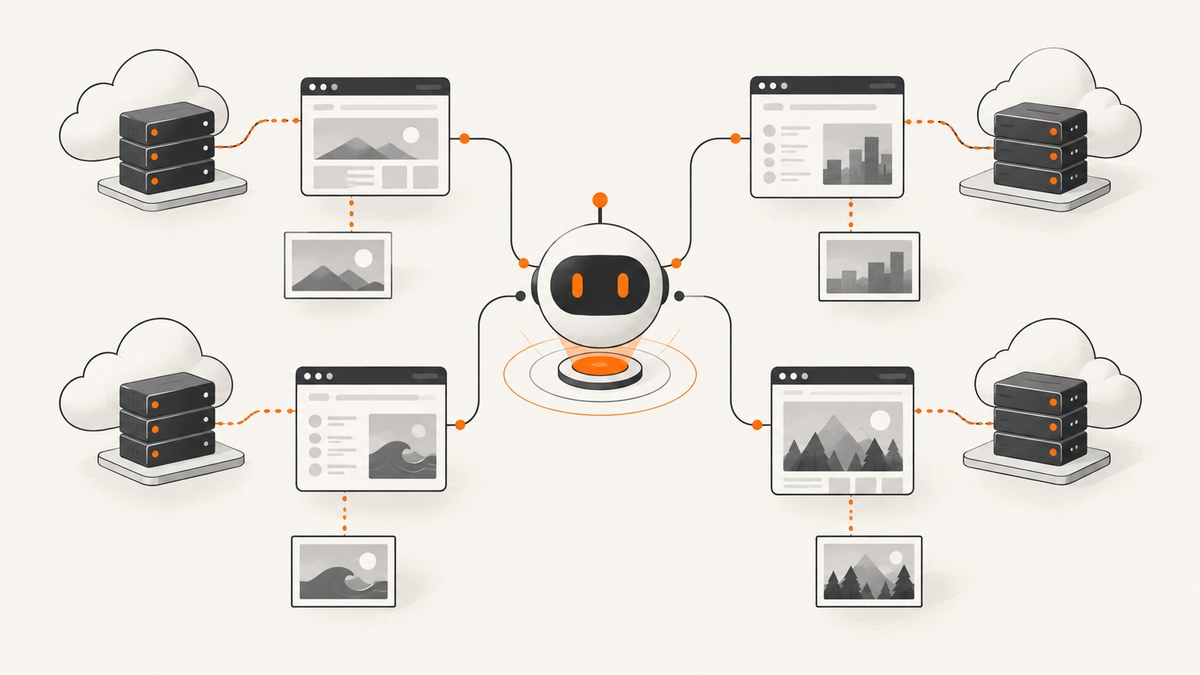
Direct answer: a headless browser runs a real browser engine without a visible window. For AI agents and scalable automation, use Playwright or Puppeteer to control pinned browser binaries in local development and CI, then move execution to a managed browser service or self-hosted fleet when concurrency, session state, or operations exceed what your application host can safely handle. Select the stack by browser fidelity, engine coverage, version reproducibility, session requirements, protocol compatibility, and infrastructure ownership.
Modern Chrome Headless uses the same browser implementation as headful Chrome, so it can execute normal page JavaScript, layout, network requests, cookies, and storage without a desktop display. Chrome documents unattended server, container, and CI/CD use in its automation and testing guide. Playwright and Puppeteer are control libraries and browser-management layers; “headless” is an execution mode, not a separate automation library.
What a headless browser gives an AI agent
An HTTP client can fetch HTML, but an agent often needs the behavior of a user session: execute JavaScript, wait for hydration, click controls, submit forms, preserve cookies, inspect rendered accessibility trees, download files, or capture a page after client-side navigation. A headless browser supplies those capabilities while keeping the process suitable for a server.
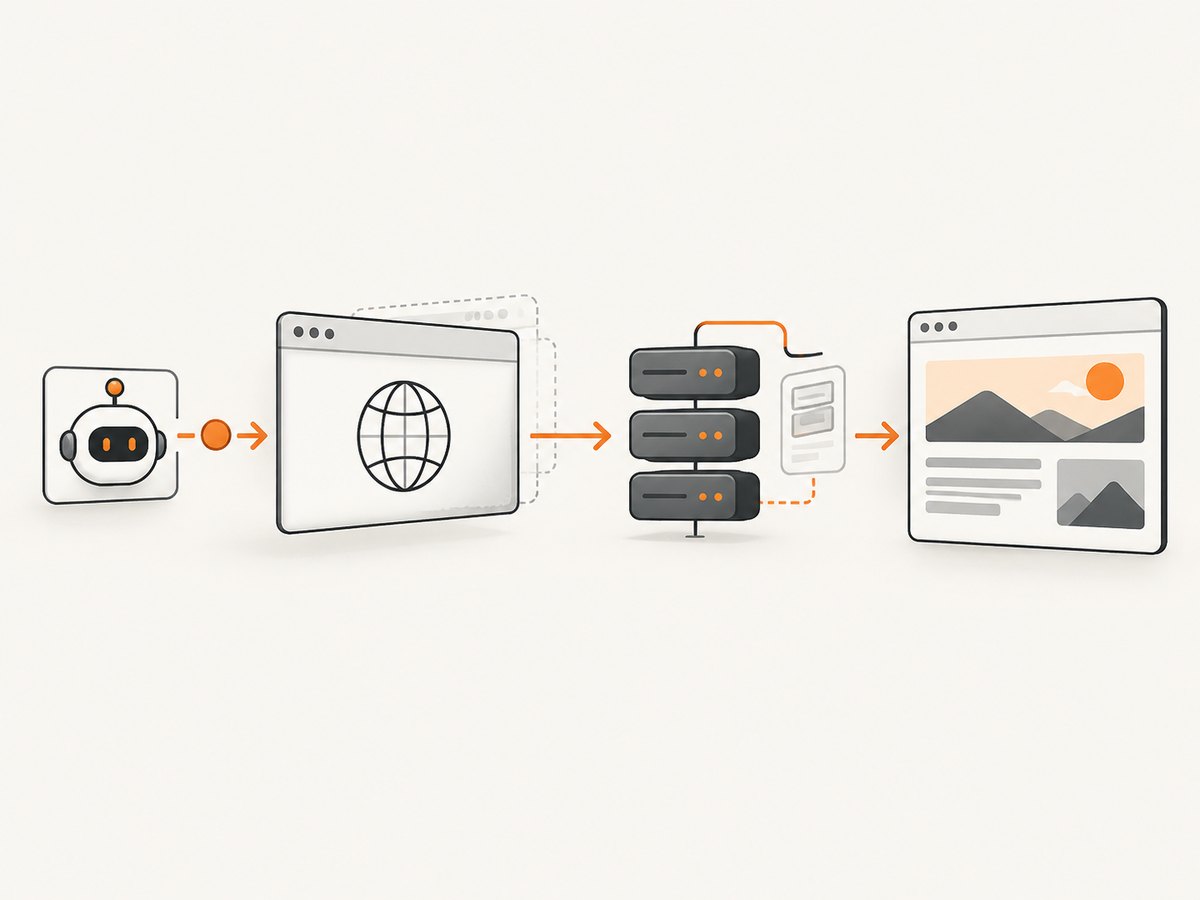
A typical agent loop is:
- The model chooses an action such as opening a URL, finding a button, or reading a table.
- Your orchestration code validates the action against policy and sends it to a browser context.
- The browser loads the page, applies cookies and permissions, and returns structured observations or a screenshot.
- The agent decides the next action until a stop condition, timeout, or approval boundary is reached.
Keep browser privileges narrow. Use isolated contexts for separate tasks, restrict outbound destinations where possible, set action and navigation timeouts, and never expose unrestricted credentials to model-generated code. Treat downloaded files and page text as untrusted input.
Choose the execution model
| Model | Best fit | Advantages | Costs and limits |
|---|---|---|---|
| Local or CI-managed browser | Tests, jobs, low to moderate concurrency | Full control, predictable artifacts, simple debugging | You own OS images, browser updates, crashes, capacity, and patching |
| Self-hosted browser fleet | Stable high volume or strict data residency | Control over networking, images, and scaling policy | Requires scheduling, observability, isolation, and capacity planning |
| Managed browser service | Agents with bursty or large concurrency | Remote sessions, hosted capacity, APIs, and less browser operations | Vendor limits, network latency, protocol constraints, and ongoing service cost |
Browserless documents managed browsers controlled by existing Puppeteer or Playwright code over WebSocket, alongside REST and GraphQL options, cloud hosting, and Docker-based self-hosting. Its documented BaaS v2 speaks CDP and does not support Selenium or WebDriver, so an existing suite cannot always be redirected unchanged. Confirm the endpoint and protocol before designing a migration. Hosted session-duration limits are plan-dependent and can change; verify the current terms for your workload.
Playwright or Puppeteer?
Playwright’s browser documentation covers Chromium, Firefox, WebKit, branded Chrome and Edge, and device emulation. This is useful when an agent must validate behavior across engines or reproduce mobile layouts. Playwright distributes browser binaries tied to its releases; each installed Playwright version needs the corresponding binaries.
Puppeteer is a focused JavaScript and TypeScript control library for Chrome and Chromium workflows. Its default headless mode uses regular Chrome. Puppeteer also documents chrome-headless-shell, a separate binary that can be more performant for tasks that do not need the complete Chrome feature set, but it does not fully match regular Chrome. Treat that as a use-case tradeoff, not a universal benchmark. See the Puppeteer headless modes guide.
Use Playwright when multi-engine coverage, projects, and built-in isolation are central. Use Puppeteer when your workload is Chrome-focused and you want a small, direct API. Either can drive local browsers or a remote CDP/WebSocket endpoint.
Pin browsers for reproducibility
Unpinned browser updates are a common source of agent regressions. Chrome’s reproducible workflow pairs a specific Chrome for Testing binary with its matching ChromeDriver. ChromeDriver implements W3C WebDriver and WebDriver BiDi. Puppeteer normally downloads a compatible Chrome for Testing binary for its release. Playwright updates supported browser versions with Playwright releases and recommends keeping the package and browser binaries in step.
- Record the automation-library version, browser version, OS image digest, and launch flags in build metadata.
- Install browsers during image creation, not on the first production request.
- Run a small navigation, click, download, and screenshot smoke suite after upgrades.
- Roll out browser updates gradually and retain the previous image for fast rollback.
Runnable Playwright example (Node.js)
Install Playwright and its supported browser, then run this script in a Node.js project:
npm install playwright
npx playwright install chromium
import { chromium } from 'playwright';
const browser = await chromium.launch({ headless: true });
const context = await browser.newContext({
viewport: { width: 1440, height: 900 },
locale: 'en-US',
timezoneId: 'UTC'
});
const page = await context.newPage();
page.setDefaultTimeout(15000);
await page.goto('https://example.com', { waitUntil: 'domcontentloaded', timeout: 30000 });
await page.waitForLoadState('networkidle');
console.log(await page.title());
await page.screenshot({ path: 'example.png', fullPage: true });
await browser.close();For a reusable agent worker, create one browser process per worker and a new context per task. Reusing a context across unrelated users leaks cookies and local storage. Close pages and contexts in a finally block, and cap the number of concurrent pages according to memory and CPU capacity.
Runnable Puppeteer example
npm install puppeteerimport puppeteer from 'puppeteer';
const browser = await puppeteer.launch({ headless: true });
const page = await browser.newPage();
page.setDefaultNavigationTimeout(30000);
await page.setViewport({ width: 1440, height: 900, deviceScaleFactor: 1 });
await page.goto('https://example.com', { waitUntil: 'networkidle2' });
console.log(await page.title());
await page.screenshot({ path: 'example.png', fullPage: true });
await browser.close();Use headless: 'shell' only after confirming that your pages do not depend on behavior absent from chrome-headless-shell. Extensions and browser features that require the complete Chrome implementation should use regular headless Chrome.
Python with Playwright
pip install playwright
playwright install chromium
from playwright.sync_api import sync_playwright
with sync_playwright() as p:
browser = p.chromium.launch(headless=True)
context = browser.new_context(viewport={"width": 1440, "height": 900})
page = context.new_page()
page.set_default_timeout(15_000)
page.goto("https://example.com", wait_until="domcontentloaded", timeout=30_000)
page.wait_for_load_state("networkidle")
print(page.title())
page.screenshot(path="example.png", full_page=True)
browser.close()Scaling an agent browser fleet
- Define a job contract. Include URL, allowed domains, timeout, maximum actions, desired browser engine, viewport, and an idempotency key.
- Queue work. Put jobs behind a bounded queue so a traffic spike does not start unlimited browsers.
- Separate browser and model workers. A model retry should not duplicate a payment or form submission. Store action state and require confirmation for irreversible actions.
- Use context isolation. One context per tenant or task; clear storage after completion.
- Persist useful artifacts. Save traces, console errors, network failures, screenshots, and a short action log with retention limits.
- Scale on saturation. Watch queue depth, active contexts, navigation latency, crash rate, and memory pressure. Add workers before the host swaps.
Remote execution adds network latency and another failure boundary. Prefer one long-lived connection per worker where the provider supports it, but recreate sessions after disconnects. Design retries around idempotent navigation and observation. For non-idempotent clicks, use a task-level transaction or an approval gate instead of blind replay.
Timing, waiting, and reliability
Do not use a fixed sleep as your only readiness check. Wait for a selector that proves the required component exists, a URL transition, a specific response, or network idle when the application has a finite request pattern. Some pages keep analytics or WebSocket connections open forever, making network idle a poor completion signal.
- Set separate navigation, action, and overall job deadlines.
- Capture the URL, HTTP status when available, console errors, and the last successful step on failure.
- Retry transient browser crashes and connection resets with exponential backoff and a maximum attempt count.
- Do not retry authentication failures, deterministic selector failures, or policy violations without changing the input.
- Use a fresh context after a timeout; a partially loaded page can retain broken state.
Common errors and fixes
| Error | Likely cause | Fix |
|---|---|---|
| Executable not found | Browser binaries were not installed in the image or CI job | Run the library’s install command during build and verify the cache path. |
| Browser version mismatch | Playwright, Puppeteer, Chrome, or ChromeDriver versions drifted | Pin versions and install the matching binary; rebuild the image. |
| Navigation timeout | Slow origin, blocked request, redirect loop, or an overly strict deadline | Inspect network and console logs, raise the navigation timeout only when justified, and define a fallback. |
| Selector never appears | Wrong frame, lazy rendering, A/B variant, or changed markup | Check frames and URL, wait for the correct state, prefer stable roles or data attributes, and version selectors. |
| Blank screenshot | Capture occurred before rendering, page crashed, or content is behind a consent flow | Wait for a meaningful element, inspect page errors, and handle the consent or authentication state explicitly. |
| Remote connection rejected | Wrong protocol, expired token, endpoint limit, or unsupported client | Confirm CDP/WebSocket versus WebDriver requirements, credentials, region, and current service limits. |
| Out-of-memory kills | Too many pages, large PDFs, or unbounded parallelism | Limit concurrency, close contexts, stream artifacts, and scale workers horizontally. |
Security and operational checklist
- Keep API keys and cookies in a secret manager; never place them in prompts or screenshots.
- Block access to cloud metadata endpoints and internal administrative hosts.
- Allowlist destinations for autonomous agents and validate redirects.
- Run browsers with least privilege and a current patched base image.
- Redact credentials and personal data from logs and traces.
- Set maximum page count, download size, action count, and wall-clock duration per job.
- Record browser and automation-library versions so failures can be reproduced.
Performance and cost considerations
Browser startup is expensive relative to a normal HTTP request. Reuse a browser process, create short-lived isolated contexts, and avoid launching a new process for every URL. Keep images, video, third-party ads, and unnecessary resource types blocked when the task does not need them. Measure your own workload: page complexity, JavaScript execution, screenshots, PDFs, browser engine, and concurrency dominate resource use. The official documentation reviewed does not provide a universal throughput benchmark.
Local execution trades infrastructure work for direct capacity costs. Managed browsers trade that operational work for service pricing and limits. Include browser CPU and memory, queue workers, storage for artifacts, egress, retries, and observability in your estimate. Recheck provider session-duration and concurrency terms before committing to a production design.
Or skip the browser setup
If your goal is reliable website images or PDFs rather than arbitrary interaction, ScreenshotNeo provides a website screenshot API and MCP server. One GET request returns PNG, JPEG, WebP, or PDF. It accepts cookie and consent banners like a visitor and removes more than 60 known consent platforms, newsletter popups, and chat widgets before capture; each step can be turned off. Bot checks, CAPTCHAs, blank pages, timeouts, failed loads, and cache hits are not billed, and the response identifies the result with X-Page-Verdict and X-Billed headers.
cURL:
curl -G "https://api.screenshotneo.com/v1/shot" -d access_key=YOUR_API_KEY --data-urlencode url=https://stripe.com -o shot.webpPython:
import requests
r = requests.get("https://api.screenshotneo.com/v1/shot", params={"access_key": "YOUR_API_KEY", "url": "https://stripe.com"}, timeout=90)
open("shot.webp", "wb").write(r.content)
Node.js:
const q = new URLSearchParams({ access_key: 'YOUR_API_KEY', url: 'https://stripe.com' });
const res = await fetch(`https://api.screenshotneo.com/v1/shot?${q}`);
See the ScreenshotNeo API documentation for request options. It supports full-page and element capture, dark mode, device presets and custom viewports, retina scale, PDF paper and margin settings, custom CSS and JavaScript, clicks, waits, blocked resources, headers, cookies, user agents, Authorization, timezone, geolocation, transparent backgrounds, resizing, TTL caching, signed image links, asynchronous webhooks, bulk capture of up to 100 URLs per call, usage reporting, and an OpenAPI specification. An MCP server exposes take_screenshot, get_page_info, and capture_pdf to Claude, Cursor, and other MCP clients.
There is a free plan with 1,000 screenshots each month and no card. Paid plans start at $5 for 3,000 shots; every feature is available on every plan. Create a free ScreenshotNeo account.
FAQ
Is headless Chrome a different browser?
Modern Chrome Headless shares the headful Chrome implementation while omitting the visible interface. The older chrome-headless-shell is a separate binary with a narrower feature set.
Can Playwright tests prove Firefox and WebKit compatibility?
Only if you run those projects. A Chromium run establishes Chromium behavior, not behavior in every engine.
Should every agent use a remote browser?
No. Local or CI browsers are often simpler for bounded jobs. Remote or managed execution becomes attractive when concurrency, session duration, burst capacity, or browser operations exceed your application host.
Can I replace Selenium with any managed browser endpoint?
No. Protocols differ. Verify whether the endpoint supports WebDriver, CDP, WebSocket, REST, or another interface before migrating.
When is an API screenshot service preferable?
Use one when the required output is a screenshot or PDF and you do not need arbitrary multi-step interaction. It removes browser installation and gives your application a narrow request-and-response contract.


