How to Use an HTML-to-PDF API in Your Web Application
Learn how to convert HTML or URLs to reliable PDFs with APIs, Puppeteer, WeasyPrint, validation, security, retries, and production patterns.
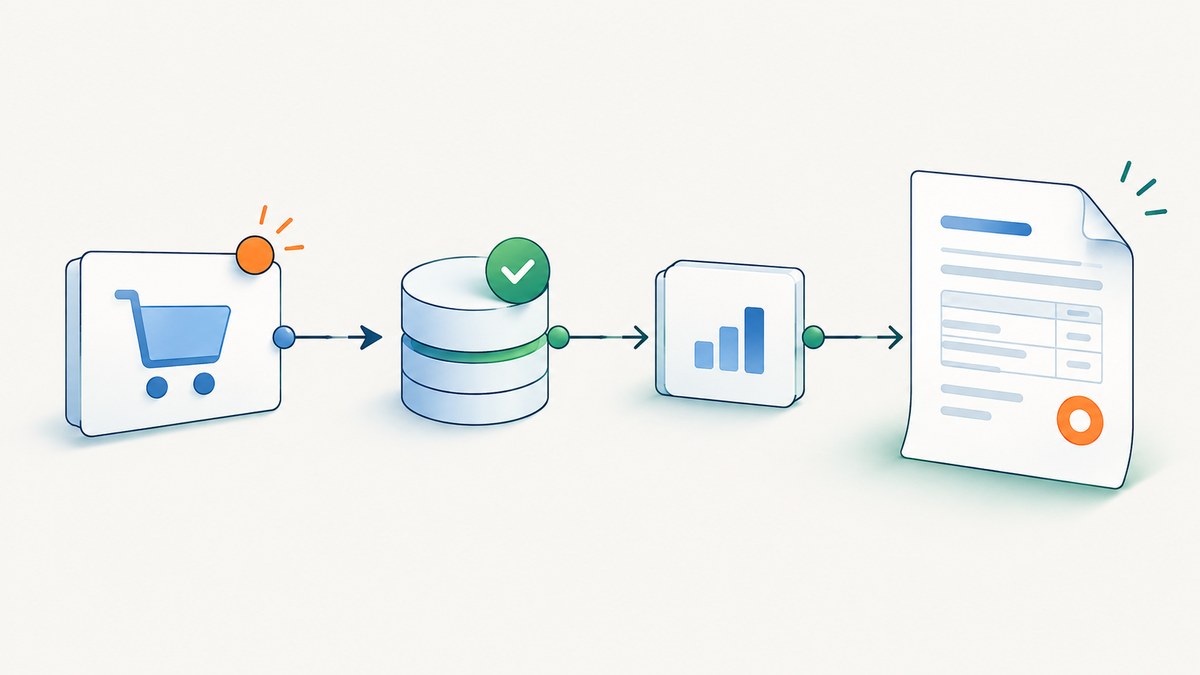
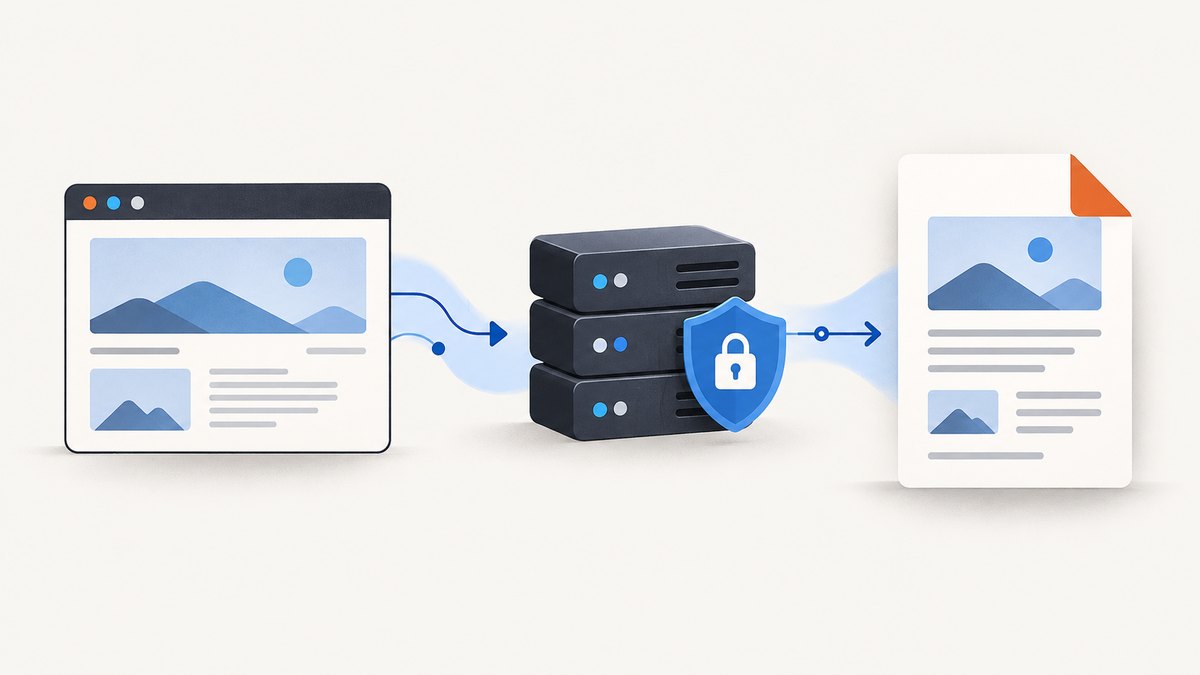
Direct answer: treat HTML-to-PDF generation as a server-side boundary. Your application sends either rendered HTML or a trusted URL to a conversion endpoint, authenticates the request, supplies page and rendering options, and receives PDF bytes or a download result. Keep credentials and rendering on the server, validate the input mode, and make readiness, timeouts, retries, and output checks explicit.
You can use a hosted REST API, run Chromium with Puppeteer, or use WeasyPrint in Python. The right choice depends on browser fidelity, operational control, data residency, and traffic shape. This guide shows each approach and the production details that determine whether PDFs are consistent and safe.
1. Choose an HTML-to-PDF architecture
| Approach | Best fit | Trade-offs |
|---|---|---|
| Hosted REST API | Fast integration, serverless applications, teams that do not want to operate Chromium | Check provider limits, data handling, pricing, URL policy, and supported rendering features. |
| Puppeteer and Chromium | JavaScript-heavy pages and maximum browser fidelity | You operate browser binaries, memory, concurrency, navigation, and security isolation. |
| WeasyPrint | Python applications, CSS-paged documents, self-hosting, data-residency requirements | It is not a full browser. Pin versions and review visual output after upgrades because rendering can change between releases. |
| Containerized WeasyPrint service | Teams that want a local HTTP boundary around WeasyPrint | You still own the container, authentication, limits, and worker operations. |
A hosted API is usually the shortest path from a rendered template to a PDF. A browser worker gives you detailed control over cookies, headers, JavaScript, and readiness. WeasyPrint is attractive when your documents are designed around paged CSS and you want a Python-native or self-hosted renderer.
2. Define the request contract
Design your own endpoint around two mutually exclusive input modes:
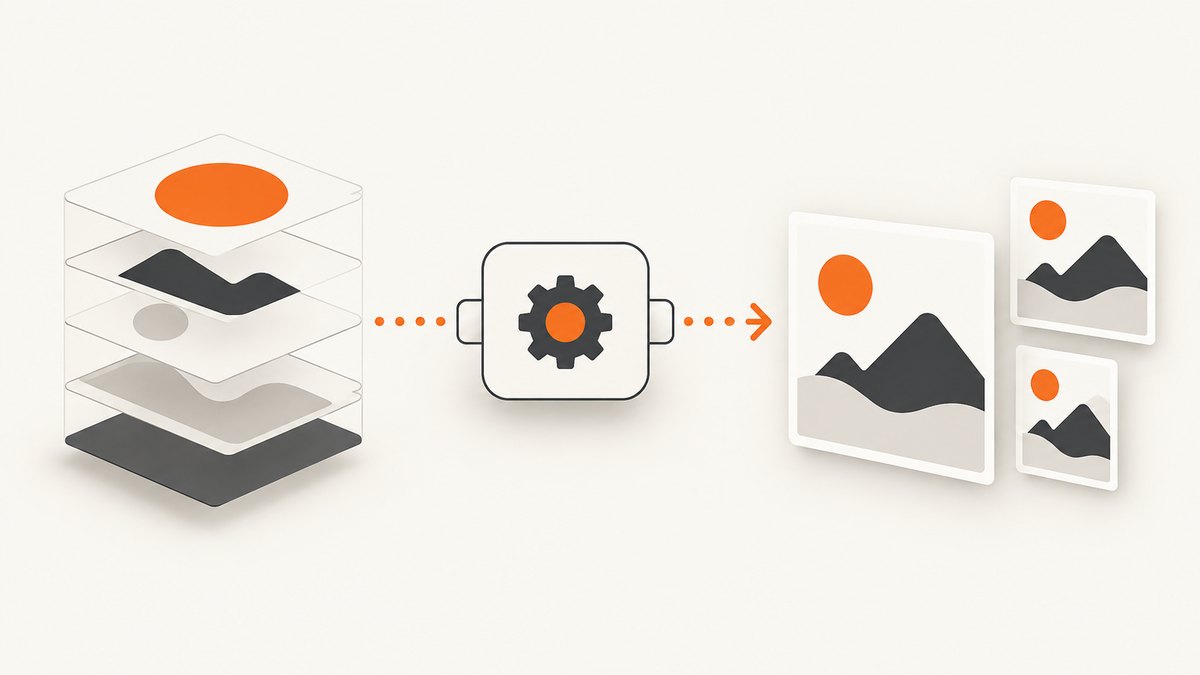
html: a server-rendered HTML string that your application already trusts.url: a page the renderer fetches. Restrict this to an allowlist whenever possible.
Reject requests that provide neither mode or both modes. Cap HTML size, URL length, page count, render duration, and output bytes before work reaches a renderer. A typical provider call uses bearer authentication and returns application/pdf. Keep the provider key in an environment variable or secret manager; never put it in browser JavaScript, generated HTML, logs, or client-visible errors.
const response = await fetch(process.env.PDF_API_URL, {
  method: 'POST',
  headers: {
    'Authorization': `Bearer ${process.env.PDF_API_KEY}`,
    'Content-Type': 'application/json'
  },
  body: JSON.stringify({
    html: renderedHtml,
    options: {
      page_size: 'A4',
      print_background: true,
      margins: { top: '20mm', right: '15mm', bottom: '20mm', left: '15mm' }
    }
  })
});
if (!response.ok) throw new Error(await response.text());
const pdfBytes = Buffer.from(await response.arrayBuffer());
// Return with Content-Type: application/pdf or store in object storage.
For URL conversion, replace html with url. Confirm the provider’s exact field names and authentication scheme before deploying; the pattern is portable, but names differ.
3. Render a URL with Puppeteer
Puppeteer uses Chromium and gives you control over navigation, media type, fonts, cookies, headers, and PDF options. Its page.pdf() method generates a PDF with the print CSS media type by default. If your design is intended for screens, call page.emulateMediaType('screen'). Set printBackground: true when background colors or images matter, and use preferCSSPageSize: true when your @page rule should determine paper size.
import puppeteer from 'puppeteer';

export async function urlToPdf(targetUrl) {
  const browser = await puppeteer.launch({
    // Add sandbox flags only when your container requires them.
  });
  try {
    const page = await browser.newPage();
    await page.goto(targetUrl, {
      waitUntil: 'networkidle2',
      timeout: 30_000
    });
    await page.emulateMediaType('screen');
    await page.evaluate(() => document.fonts.ready);

    // If application data arrives after network idle, expose a bounded marker:
    // window.__PDF_READY__ = true
    await page.waitForFunction(() => window.__PDF_READY__ !== false, {
      timeout: 10_000
    }).catch(() => {});

    return await page.pdf({
      format: 'A4',
      printBackground: true,
      preferCSSPageSize: true,
      margin: { top: '20mm', right: '15mm', bottom: '20mm', left: '15mm' },
      timeout: 30_000
    });
  } finally {
    await browser.close();
  }
}
Install Puppeteer with npm install puppeteer. In a worker, reuse a browser process carefully or maintain a bounded pool of pages. Always close the page and browser in a finally block. Never let an unbounded page wait, script, or download consume a worker indefinitely.
Useful Puppeteer options
format,width, andheightselect paper or custom dimensions.landscapechanges orientation.margincontrols top, right, bottom, and left whitespace.pageRangeslimits output to selected pages.scalechanges rendered size; test it with tables and long text.printBackgroundpreserves background colors and images.preferCSSPageSizehonors the document’s@pagesize.timeoutbounds PDF generation after navigation.
4. Make CSS and content print correctly
Define print rules explicitly rather than assuming screen CSS will paginate well.
@page {
  size: A4;
  margin: 20mm 15mm;
}

@media print {
  .no-print { display: none !important; }
  .invoice-table { break-inside: avoid; }
  h2 { break-before: page; }
}

.header, .footer {
  break-inside: avoid;
}
Use absolute or fully qualified URLs for images and fonts. Wait for document.fonts.ready. A page can reach network idle while application data is still being rendered by a client-side framework, so expose a readiness flag or selector and wait with a deadline. Test long tables, very long words, missing images, web fonts, links, RTL and CJK text when those cases matter to your users.
5. Generate PDFs with WeasyPrint
WeasyPrint provides Python and command-line APIs for HTML and CSS-paged documents. It supports links, bookmarks, attachments, and forms. It is a strong fit for server-rendered documents that do not require full browser JavaScript.
from weasyprint import HTML

html = HTML(string=rendered_html, base_url="https://app.example.com/")
html.write_pdf("report.pdf")
For a URL, use HTML(url=target_url).write_pdf("report.pdf"). Pin the WeasyPrint version and keep visual regression PDFs: the project documents that rendering can change between versions even when the API remains compatible.
6. Secure URL and HTML inputs
Prefer server-rendered HTML when the document is known in advance. Arbitrary URL fetching creates a server-side request forgery risk. If URL input is required:
- Allow only
https(andhttponly when required). - Allowlist hosts or tenants where possible.
- Resolve DNS safely and block loopback, private, link-local, and cloud-metadata ranges.
- Re-check every redirect, cap redirect count, response size, and download time.
- Run the renderer in a least-privilege worker isolated from internal networks.
- Do not place tenant secrets in page HTML or shared cookies.
Sanitize untrusted markup according to your application policy. Avoid logging raw HTML, cookies, API keys, or PDF content. Set bounded CPU, memory, page count, concurrency, and request time limits.
7. Synchronous and queued generation
Synchronous conversion works for small invoices and reports with a predictable render budget: the request waits and streams application/pdf. For large documents, JavaScript-heavy pages, or bursts, enqueue a job, return a job ID, render in a worker pool, store the result in object storage, and expose status plus a short-lived download URL.
Make jobs idempotent. Derive a deduplication key from the document version and rendering options, or pass an idempotency key if the provider supports it. This prevents retries from creating duplicate records or charges.
8. Or skip the browser setup
ScreenshotNeo is a website capture API that can return a PDF from one GET request. See the API documentation for the complete option list.
curl -G "https://api.screenshotneo.com/v1/shot" \
  -d access_key=YOUR_API_KEY \
  --data-urlencode url=https://stripe.com \
  -o shot.pdf
import requests
r = requests.get(
"https://api.screenshotneo.com/v1/shot",
params={"access_key": "YOUR_API_KEY", "url": "https://stripe.com"},
timeout=90,
)
r.raise_for_status()
open("shot.pdf", "wb").write(r.content)const q = new URLSearchParams({
access_key: 'YOUR_API_KEY',
url: 'https://stripe.com'
});
const res = await fetch(`https://api.screenshotneo.com/v1/shot?${q}`);
if (!res.ok) throw new Error(await res.text());
const pdf = Buffer.from(await res.arrayBuffer());For PDF output, add the PDF options documented by ScreenshotNeo, including paper size, margins, landscape mode, and page ranges. The service can also wait for a selector, delay, or network idle; set custom headers, cookies, user agent, and authorization; apply custom CSS or JavaScript; block ads, trackers, requests, or resource types; and use timezone and geolocation settings.
Cookie banners, newsletter popups, and chat widgets are removed before the shot. Bot checks, blank pages, failed loads, timeouts, and cache hits are not billed, and response headers identify the page verdict and billing result. ScreenshotNeo also provides an MCP server so Claude, Cursor, and other MCP clients can call take_screenshot, get_page_info, and capture_pdf. The Free plan includes 1,000 shots per month with no card; paid plans start at $5 for 3,000 shots. Create a free ScreenshotNeo account.
9. Handle failures and observe every job
| Symptom | Likely cause | Fix |
|---|---|---|
| 401 or 403 | Missing, expired, or exposed credential | Read the key from server-side secrets, verify the authorization header, and rotate exposed keys. |
| 400 validation error | Both or neither of html and url, malformed JSON, or unsupported option |
Validate the request before calling the provider and return the provider’s actionable message. |
| Blank or incomplete PDF | Client-side data was not ready, assets failed, or the wrong media type was used | Wait for a readiness marker and fonts, check asset URLs, choose screen or print media intentionally, and enable backgrounds. |
| Timeout | Slow page, blocked third-party request, infinite script, or oversized document | Set navigation and render deadlines, block unnecessary resources, reduce page scope, and retry only transient failures. |
| Missing images or fonts | Relative URLs, authentication requirements, or network policy | Set a correct base URL, provide required headers or cookies, and inspect blocked requests. |
| Quota exhausted | Usage limit reached | Return a stable application error, alert on usage, and choose a suitable plan or queue policy. |
| Layout changed after upgrade | Browser or WeasyPrint rendering change | Pin versions, retain fixture PDFs, and review visual diffs before rollout. |
Record a request ID, renderer or provider version, duration, input mode, page count, and output byte size. Exclude credentials and document contents. Retry only transient upstream failures, with deduplication so a retry is safe.
10. Performance, reliability, and cost
- Reduce work: block analytics, ads, video, and unused resource types; use selector or page-range capture when a whole site is unnecessary.
- Control concurrency: browser processes consume substantial memory. Use a bounded worker pool and backpressure instead of launching unlimited browsers.
- Cache deliberately: cache by URL or document version plus rendering options. Invalidate when content, fonts, CSS, or permissions change.
- Stream and store: stream synchronous PDFs to clients; store larger results in object storage with short-lived links.
- Measure useful timings: navigation, readiness wait, PDF rendering, upload, output size, and failure category.
- Budget cost: account for renderer compute, storage, bandwidth, and provider usage. A provider’s billing rules differ; verify them before committing.
11. Production validation checklist
- Render fixtures containing web fonts, external images, tables, long text, page breaks, links, and required RTL or CJK text.
- Compare screen and print media intentionally.
- Test missing assets, slow scripts, non-200 URLs, malformed HTML, oversized input, and timeout behavior.
- Verify margins, headers, footers, page ranges, paper size, backgrounds, bookmarks, metadata, attachments, and accessibility requirements.
- Pin renderer and provider versions and review visual regression PDFs after upgrades.
- Confirm URL filtering, redirect checks, private-network blocking, secret handling, and log redaction.
12. FAQ
Should I send HTML or a URL?
Send HTML when your server already owns the document and you want predictable input. Use a URL when the page must be rendered as a browser sees it, but apply strict host and network controls.
Why does a PDF look different from the web page?
PDF generation often uses print media, different viewport dimensions, unavailable fonts, or a page that was captured before client-side data finished loading. Set media type, wait for fonts and readiness, and define print CSS.
When should conversion become asynchronous?
Queue work when documents are large, pages are JavaScript-heavy, traffic is bursty, or the user request cannot tolerate renderer latency.
Can I safely render customer-supplied URLs?
Only with isolation and strict validation. Treat URL fetching as an SSRF boundary and block internal address ranges, metadata endpoints, unsafe redirects, and unbounded downloads.
Is a hosted API always cheaper?
Not necessarily. Compare provider usage and storage charges with the engineering and infrastructure cost of operating browser workers, then measure your actual document mix.