HTTP 431 Request Header Fields Too Large: What It Means
HTTP 431 means a request’s headers exceed a limit set by a server or intermediary. Find the oversized field, reduce it, and retry.

HTTP 431 means the server or an intermediary refused a request because its headers were too large. The problem can be one oversized field, such as a Cookie or Referer, or the combined size of many headers. Inspect the failing request, identify which headers are large, reduce the offending value or values, and retry. Clearing cookies often helps when stale or oversized cookies are responsible, but it is not a universal fix.
HTTP 431 concerns request headers, not the request body. There is no universal byte threshold: the applicable limit depends on the server, proxy, gateway, or protocol implementation handling the request. [MDN: 431 Request Header Fields Too Large; RFC 6585, section 5]
1. What HTTP 431 means
HTTP status 431 is a client-error response. In practical terms, the receiving endpoint is saying that it will not process the request because its header fields exceed a size limit. The size problem may belong to a single field or to the aggregate header set. RFC 6585 says a request may be resubmitted after reducing its header fields; when one field is responsible, the response should identify it where possible. [RFC 6585, section 5]
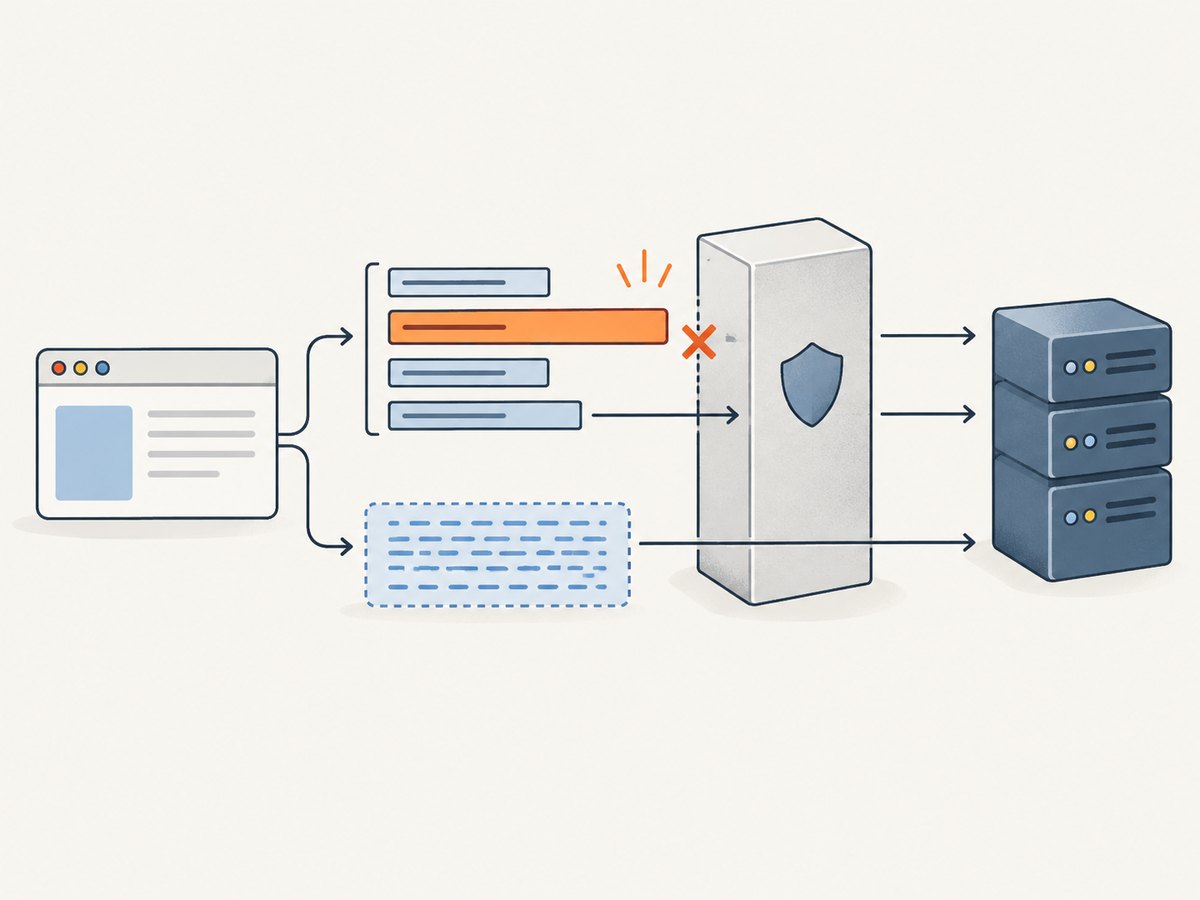
Headers carry request metadata: cookies, authorization credentials, the destination host, content negotiation preferences, client information, and sometimes the URL that led to the request in the Referer field. A request can fail even when its body is small or empty, because the body and headers are separate parts of the HTTP message.
| What you observe | Likely explanation |
|---|---|
| One Cookie value is unusually large | Cookie accumulation, duplicated application state, or oversized data stored in a cookie |
| Referer contains a long URL | A page or redirect chain generated a large URL and the browser sent it as the Referer |
| Many ordinary-looking headers | The total header set exceeds the receiving endpoint’s limit |
| Only one route or deployment fails | A route-specific proxy, gateway, server, or protocol setting may have a lower limit |
2. Diagnose the request before changing settings
- Reproduce the failing request. Record the URL, method, time, response status, and whether it fails for one user, one browser, one route, or all clients. Avoid sharing traces that contain session cookies or authorization values.
- Inspect the request headers. In browser developer tools, open the Network panel, select the failed request, and inspect Request Headers. Use the browser’s copy-as-cURL feature when available, but treat the resulting command as sensitive because it can contain credentials and cookies.
- Look for a server hint. A 431 response may name the field it rejected. If it does, start with that field. If it does not, compare the total headers with a successful request to the same endpoint.
- Check cookies and Referer first. These are common triggers. Look for repeated cookie names, stale values, serialized application state, and unexpectedly long query strings or redirect destinations.
- Compare network paths. If a normal-looking request fails only behind a CDN, reverse proxy, load balancer, API gateway, or particular web server, investigate that hop’s header limits and logs.
- Reduce one cause and retry. Make a narrow change, reproduce the original request, and confirm whether the response changes. This separates a real fix from unrelated browser or deployment changes.
Do not paste raw headers into a ticket or public issue without redacting Cookie, Authorization, and other secrets. A request trace is useful, but it can grant access to an account.
3. Fixes by likely cause
Cookies are too large or have accumulated
As a user, remove cookies for the affected site and retry. This is a useful diagnostic and may immediately restore access. It also signs you out and clears site preferences, so limit the deletion to the affected domain when the browser allows it.
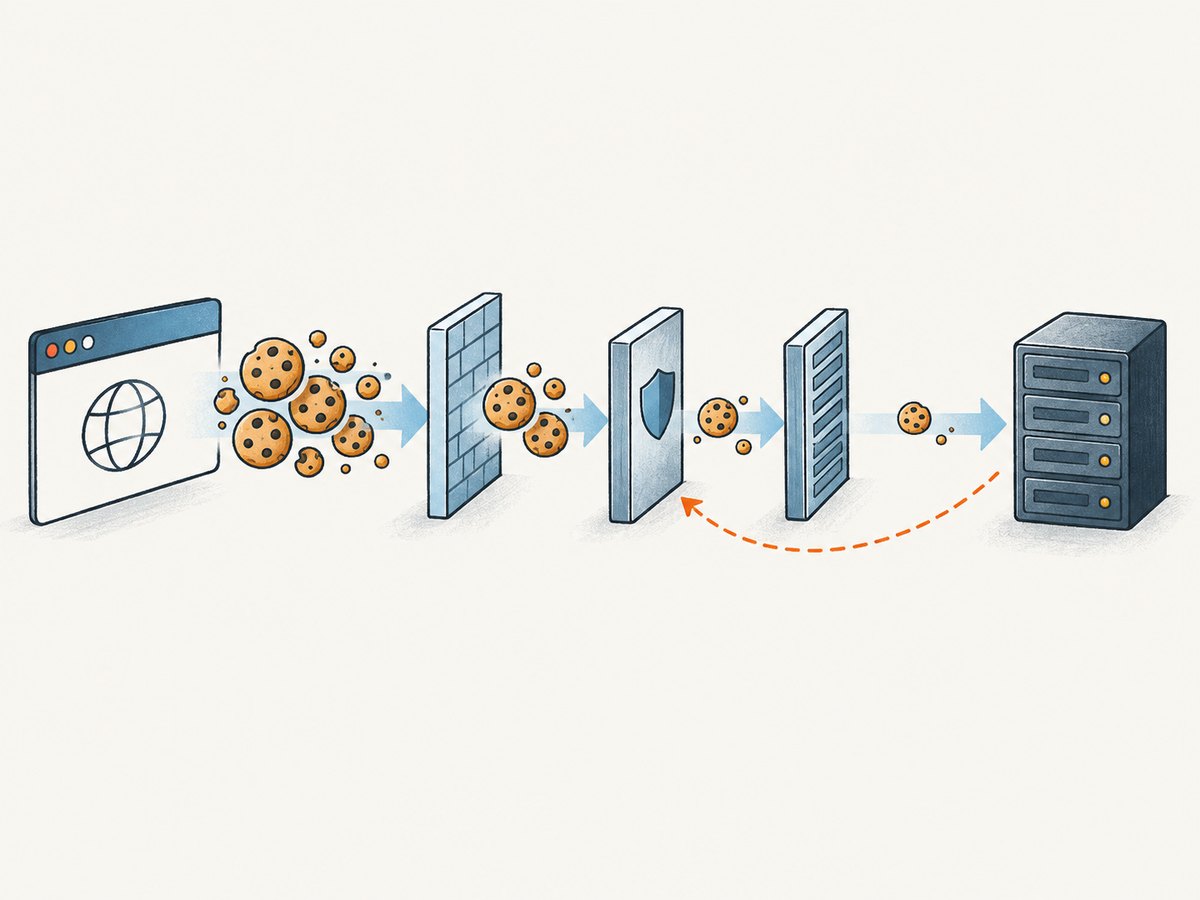
As an application developer, inspect the cookies your site sets. Remove stale names, avoid storing large serialized objects in cookies, and avoid sending the same state in multiple cookies. Keep session identifiers compact and store substantial session data on the server. Check that cookie-writing code updates or expires old names instead of continually adding new ones. A cookie fix should address the application’s cookie lifecycle, rather than relying on users to repeatedly clear browser data.
The Referer URL is unexpectedly long
Inspect the referring page URL and every redirect in the chain. Long query parameters, nested return URLs, or repeated encoding can create a large Referer. Shorten unnecessary URL state, avoid recursively embedding full URLs, and review redirect construction. If the application does not need the full referring URL, configure an appropriate Referrer-Policy for privacy and data minimization; do not use it to conceal a URL-generation bug.
A different individual field is large
Check Authorization, custom application headers, and any client-generated metadata. Remove redundant values and avoid placing large payloads in headers. If a credential or token has grown unexpectedly, fix the issuer or client that creates it. Do not truncate a signed token or authorization value: that can turn a size error into an authentication failure or weaken the intended security behavior.
The aggregate header set is too large
Compare all fields, not just the largest one. Remove headers the application does not need, avoid duplicating values across middleware layers, and review browser extensions or client libraries that add request metadata. A server or intermediary may enforce a total header-block limit even though each field looks reasonable on its own.
The limit belongs to a proxy or server
Operators should identify which hop generated the response by correlating request IDs, access logs, and upstream logs. Inspect the configured request-header or header-buffer limits at the CDN, gateway, reverse proxy, web server, and application server. Configuration names and supported values vary by implementation, so consult the documentation for the component and version actually deployed. Increase a limit only when legitimate requests require it and the resource implications are understood; reducing unnecessary headers is often the more robust application fix.
4. Browser and client examples
These examples show how to inspect or reduce headers when you control the client. They are not universal commands for changing a server’s limit. In every example, substitute the actual endpoint and omit credentials from shared logs.
Browser: inspect and clear site cookies
- Open developer tools and select Network.
- Reproduce the failure, select the request, and inspect its request headers and redirect history.
- Use the browser’s site-data controls to clear cookies for that site, then retry.
- If that fixes it, investigate which cookie is growing and correct the application behavior instead of making manual clearing a permanent workaround.
cURL: compare a minimal request with a failing request
curl -i 'https://example.com/path'A minimal request can help determine whether a custom header or cookie is involved. To test a specific header, add it deliberately:
curl -i 'https://example.com/path' \
  -H 'Referer: https://example.com/source'
To reproduce a cookie-related failure, use only a safe test account and a redacted or disposable cookie value:
curl -i 'https://example.com/path' \
  -H 'Cookie: session=REDACTED_TEST_VALUE'
Python: remove optional headers and retry
import requests

url = "https://example.com/path"
headers = {
    "Accept": "text/html",
    # Add only headers the endpoint requires.
}

response = requests.get(url, headers=headers, timeout=30)
print(response.status_code)
print(response.headers.get("content-type"))
print(response.text[:500])
For a controlled diagnostic, compare this minimal request with the failing client’s header set. Do not print or persist secret headers in routine diagnostics.
Node.js: send only required headers
const url = 'https://example.com/path';
const res = await fetch(url, {
  headers: {
    accept: 'text/html',
    // Include only headers the endpoint requires.
  },
});

console.log(res.status);
console.log(await res.text());
If the minimal request succeeds but the application request receives 431, compare the two request header sets and identify what the application, browser, or middleware adds.
5. HTTP/1.1, HTTP/2, and where limits apply
With HTTP/1.1, headers are sent as lines in a request. HTTP/2 encodes headers into a header block, and endpoints may impose limits on what they accept. RFC 7540 discusses endpoint-specific header-block limits and references 431 for a block larger than the endpoint accepts. Therefore, a request may succeed over one route or protocol and fail over another if the receiving components apply different limits. [RFC 7540]
Think of a request as passing through several possible receivers: client, CDN, edge proxy, load balancer, reverse proxy, and origin server. Any one of them can reject the headers. The response’s visible server name is not conclusive proof of which component enforced the limit. Correlate logs across the path before changing an origin setting.
There is no RFC-wide threshold such as 8 KB or 16 KB. Treat values seen in product documentation as implementation-specific settings, not a universal HTTP rule. Likewise, not every server emits 431 for every excessive-header condition; the absence of this status does not prove that headers fit every endpoint’s limits.
6. Troubleshooting common outcomes
| Symptom | Likely cause | What to do |
|---|---|---|
| Clearing cookies fixes the browser | Cookie size or accumulated site data | Find the cookie-setting code that grows or duplicates values; fix its lifecycle |
| Clearing cookies changes nothing | Another field, aggregate size, or an intermediary limit | Inspect Referer and custom headers, then trace the response through proxies |
| Only one browser fails | That browser may have different site cookies, extensions, or client-added headers | Compare a clean profile and the failing profile; inspect differences without exposing secrets |
| Only one URL or redirect fails | Long query string, nested return URL, or redirect-generated Referer | Capture the redirect chain and shorten or correct URL construction |
| Only production fails | Production traffic traverses a component or configuration absent in development | Compare proxy path, protocol, deployed versions, and logs at each hop |
| One API client fails while a browser works | The client may attach larger authorization or custom headers | Capture a sanitized client trace and compare field-by-field with the browser request |
| Increasing a limit appears to fix it temporarily | The application may continue growing headers or duplicating values | Address the source and monitor header growth; keep limits aligned across hops |
Reliability and performance considerations
Repeated retries with the same oversized headers will not fix the request and can add load. Retry only after changing the request or the relevant configuration. If the failure is intermittent, compare request headers and routing for successful and failed attempts; traffic may reach different endpoints with different limits. Keep changes consistent across a proxy chain so one hop does not accept a request that the next hop rejects.
Reducing headers also reduces per-request metadata, but the correct choice is not to strip required authentication or security controls blindly. Preserve required semantics, remove redundant or bloated state, and validate both the 431 response and the application’s normal authentication and redirect behavior after a fix.
Cost considerations
For developers, the direct cost is usually diagnostic and operational time: identifying the rejecting hop, updating cookie or redirect logic, and coordinating a safe configuration change. A larger configured limit may consume more resources depending on the implementation and workload, so consult its operator documentation. Avoid citing a universal byte size or increasing limits without understanding the effect across all receiving components.
7. Or skip the browser setup
If you need a screenshot of the page while investigating its visible state, ScreenshotNeo provides a website screenshot API and MCP server. A single GET request returns an image or PDF; the example below requests a WebP screenshot. See the ScreenshotNeo API documentation for request options.
curl -G "https://api.screenshotneo.com/v1/shot" \
  -d access_key=YOUR_API_KEY \
  --data-urlencode url=https://example.com \
  -o shot.webp
import requests
r = requests.get(
"https://api.screenshotneo.com/v1/shot",
params={"access_key": "YOUR_API_KEY", "url": "https://example.com"},
timeout=90,
)
open("shot.webp", "wb").write(r.content)const q = new URLSearchParams({
access_key: 'YOUR_API_KEY',
url: 'https://example.com',
});
const res = await fetch(`https://api.screenshotneo.com/v1/shot?${q}`);
if (!res.ok) throw new Error(`Screenshot request failed: ${res.status}`);
await Bun.write('shot.webp', res);ScreenshotNeo accepts cookie and consent banners like a visitor and removes more than 60 known consent platforms, newsletter popups, and chat widgets before capture; each step can be turned off. Bot checks or CAPTCHAs, blank pages, timeouts, failed loads, and cache hits cost nothing, and response headers say which page verdict applied and whether the shot was billed. Its MCP server provides take_screenshot, get_page_info, and capture_pdf for Claude, Cursor, and other MCP clients. The free plan includes 1,000 shots a month with no card; paid plans start at $5 for 3,000 shots. Sign up free for 1,000 screenshots a month, no card required.
8. Short FAQ
Does HTTP 431 mean the website is down?
No. It means a receiver rejected this request’s headers. Other routes or requests may still work.
Can a request body cause HTTP 431?
Not directly. 431 concerns request headers; body-size problems use different handling.
Does clearing cookies always fix a 431?
No. It helps only when cookies are responsible. A Referer, authorization value, aggregate header set, or intermediary limit can produce the same status.
Is there a standard maximum header size?
No single maximum applies everywhere. The receiving implementation and any intermediaries determine the relevant limit.
Should I retry automatically?
Not without reducing the headers or correcting the rejecting configuration. An unchanged retry is likely to fail again.