5 Ways to Make an HTTP Request in JavaScript
Compare five ways to make HTTP requests in JavaScript, with runnable examples, error handling, CORS guidance, and help choosing the right API.

For most browser code, use the built-in fetch() API: it returns a Promise, works with async/await, and needs no package. Check response.ok yourself—Fetch resolves even when the server returns an HTTP error such as 404. Use XMLHttpRequest when an existing codebase or upload/download progress events call for it, Axios when you want a library abstraction shared across browser and Node.js code, Node’s http/https modules for low-level stream control, and EventSource for one-way live updates from a server.
This guide shows when each option fits, runnable examples, common failure modes, and how to choose. The examples use illustrative URLs; replace them with an API that permits your request.
1. Fetch API: the default for ordinary requests
fetch() is available in modern browsers and worker contexts. Current Node.js releases also provide a global Fetch API. It returns a Promise that resolves to a Response when response headers arrive. That Promise resolution means a response arrived; it does not mean the HTTP status succeeded. See MDN’s Fetch guide and Fetch API reference.

GET JSON with status and network error handling
async function getProducts() {
  try {
    const response = await fetch("https://example.org/products.json");
    if (!response.ok) {
      throw new Error(`HTTP ${response.status} ${response.statusText}`);
    }
    return await response.json();
  } catch (error) {
    // Network failures, CORS blocking, and parsing errors also reach here.
    console.error("Could not load products:", error);
    throw error;
  }
}

getProducts().then(console.log).catch(() => {
  // Show an error state in the UI.
});
Use response.json() for JSON, response.text() for text or HTML, and response.blob() or response.arrayBuffer() for binary data. Reading a response body is asynchronous. A body is generally consumed once; if you need to read it twice, clone the response before consuming it.
POST JSON
async function createUser(user) {
  const response = await fetch("https://example.org/users", {
    method: "POST",
    headers: { "Content-Type": "application/json" },
    body: JSON.stringify(user)
  });
  if (!response.ok) throw new Error(`HTTP ${response.status}`);
  return response.json();
}

createUser({ username: "ada" }).then(console.log).catch(console.error);
Set the method explicitly when it is not GET. Serialize JavaScript objects with JSON.stringify(); Fetch does not infer that an arbitrary object should be JSON. For form uploads, use FormData and let the browser set the multipart content type and boundary rather than setting that header yourself. Add authorization and other headers only when the API expects them.
Useful Fetch options
method,headers, andbodydescribe the request.signalaccepts anAbortSignalto cancel a request. Create anAbortController, passcontroller.signal, and callcontroller.abort()when the user navigates away or a deadline expires.credentialscontrols whether browser credentials such as cookies are sent: the default issame-origin; useincludefor cross-origin cookies only when the server’s CORS response permits credentials.modesets the request mode. It does not grant cross-origin access; the server’s CORS headers determine whether browser JavaScript can read the response.cache,redirect, andreferrerPolicycontrol other browser request behavior. Choose values to match the app and API’s requirements.
Fetch does not reject merely because the response is 400 or 500. Check ok or status before parsing, and account for APIs that return an empty body, such as a successful 204 response. Don’t call response.json() blindly when the endpoint can return no content or a non-JSON error page.
2. XMLHttpRequest: progress events and existing code
XMLHttpRequest (XHR) is an event-driven browser API. It remains useful in existing applications and when you need its upload or download progress events or response-type controls. MDN describes Fetch as a flexible replacement, but XHR’s event interface can still suit progress-oriented tasks. See the XHR reference and usage guide.
function getJson(url) {
  return new Promise((resolve, reject) => {
    const xhr = new XMLHttpRequest();
    xhr.open("GET", url);
    xhr.responseType = "json";
    xhr.addEventListener("load", () => {
      if (xhr.status >= 200 && xhr.status < 300) {
        resolve(xhr.response);
      } else {
        reject(new Error(`HTTP ${xhr.status}`));
      }
    });
    xhr.addEventListener("error", () => reject(new Error("Network error")));
    xhr.addEventListener("timeout", () => reject(new Error("Request timed out")));
    xhr.timeout = 15000;
    xhr.send();
  });
}

getJson("/data.json").then(console.log).catch(console.error);
For upload progress, attach a listener to xhr.upload; for download progress, attach to xhr. Progress events provide transfer progress, not necessarily a reliable estimate of when server processing will finish. Set responseType to a supported value such as "json" or "blob" when appropriate.
Do not use synchronous XHR on the main thread: it blocks the interface while the request runs. Async XHR is the normal choice. XHR is still subject to browser same-origin and CORS rules.
3. Axios: a shared client abstraction
Axios is a Promise-based HTTP client for browsers and Node.js. It adds a package dependency, so use it when its client abstraction suits your project, not because Fetch requires a library. Consult the Axios project documentation for release-specific behavior and configuration.
import axios from "axios";

async function loadProducts() {
  try {
    const response = await axios.get("https://example.org/products.json");
    console.log(response.data);
    return response.data;
  } catch (error) {
    if (error.response) {
      console.error("Server returned", error.response.status);
    } else if (error.request) {
      console.error("Request sent, but no readable response arrived");
    } else {
      console.error("Could not set up request:", error.message);
    }
    throw error;
  }
}

await axios.post("https://example.org/users", { username: "ada" });
Install Axios using the package manager and version policy already used by your project. Its get and post helpers accept a URL and, for POST, data; the response object exposes parsed data as response.data. Axios has its own error and configuration conventions. Exact adapter behavior can vary by release and environment, so check the documentation for the installed version before relying on adapter-specific features.
Choose Axios if the team wants its client abstraction across browser and server code or already uses it. Choose Fetch when a built-in API meets the need and avoiding an additional dependency is valuable. Both still need sensible handling for server errors, network failures, cancellation, and browser CORS restrictions.
4. Node.js http/https: low-level control
Node’s built-in http and https modules expose request and response streams and events. They are useful when you need low-level control over headers, sockets, or streaming and can accept callback and event plumbing. Node describes this API as low-level in its HTTP documentation.
import https from "node:https";

https.get("https://example.org/data.json", (res) => {
  let body = "";
  res.setEncoding("utf8");
  res.on("data", (chunk) => { body += chunk; });
  res.on("end", () => {
    if (res.statusCode < 200 || res.statusCode >= 300) {
      console.error("HTTP status:", res.statusCode);
      return;
    }
    try {
      console.log(JSON.parse(body));
    } catch (error) {
      console.error("Invalid JSON:", error);
    }
  });
}).on("error", (error) => {
  console.error("Request failed:", error);
});
Use http for HTTP URLs and https for HTTPS URLs. For a custom method, request body, or detailed options, use http.request() or https.request(), set headers in the options, write the body, and call end(). The response is a stream: consume it, handle errors, and avoid collecting an unbounded response into memory when a large stream can be processed incrementally.
This Node-only approach does not run in browser JavaScript. Browser CORS rules are not a substitute for server-side access control: a server endpoint that fetches user-supplied URLs must independently validate destinations and protect its network boundary.
5. EventSource: one-way live updates
EventSource maintains an HTTP connection to receive server-sent events (SSE). Use it when a browser needs one-way updates such as notifications or progress messages. It is not a general request API and does not send events from client to server over the same connection. MDN explains the model in its server-sent events guide.
const events = new EventSource("/events");

events.onmessage = (event) => {
  try {
    const update = JSON.parse(event.data);
    console.log("Update:", update);
  } catch (error) {
    console.error("Invalid event data:", error);
  }
};

events.onerror = () => {
  console.error("SSE connection encountered an error");
  // Close only if the application does not want EventSource to reconnect.
  events.close();
};
The server must send a correctly formatted event stream, and the browser keeps the connection open. EventSource is one-way; use a separate Fetch request for client actions or consider WebSockets when both sides need a bidirectional long-lived channel. Plan how the UI handles reconnection and stale data rather than assuming every update arrives.
Which JavaScript HTTP approach should you choose?
| Approach | Best fit | Main tradeoff |
|---|---|---|
| Fetch | New browser or worker request code; ordinary request/response APIs | Check non-2xx status yourself; browser CORS applies |
| XMLHttpRequest | Existing code, progress events, response-type control | Event-heavy; synchronous main-thread requests block the UI |
| Axios | Shared browser/Node client abstraction | Dependency and release-specific adapter behavior |
| Node http/https | Server-side stream and connection control | More manual event, stream, and status handling |
| EventSource | One-way server-to-browser live updates | Cannot send client events back on that connection |
A quick selection checklist:
- Is this browser code making a normal API call? Start with Fetch.
- Do you need upload/download progress or maintain an XHR-based app? Use asynchronous XHR.
- Does your project standardize on a library client across browser and Node? Axios may fit.
- Do you need low-level Node streams or socket-related control? Consider
http/https. - Does the browser only need a continuous feed of server updates? Use EventSource; use a different channel for client-to-server messages.
CORS, credentials, and browser boundaries
Cross-Origin Resource Sharing (CORS) is enforced by browsers for Fetch and XHR. A server must return the appropriate CORS headers for browser code to read a cross-origin response. Some requests trigger an OPTIONS preflight before the browser sends the actual request. A preflight failure is a server configuration issue; changing JavaScript libraries does not bypass it. See MDN’s CORS guide.
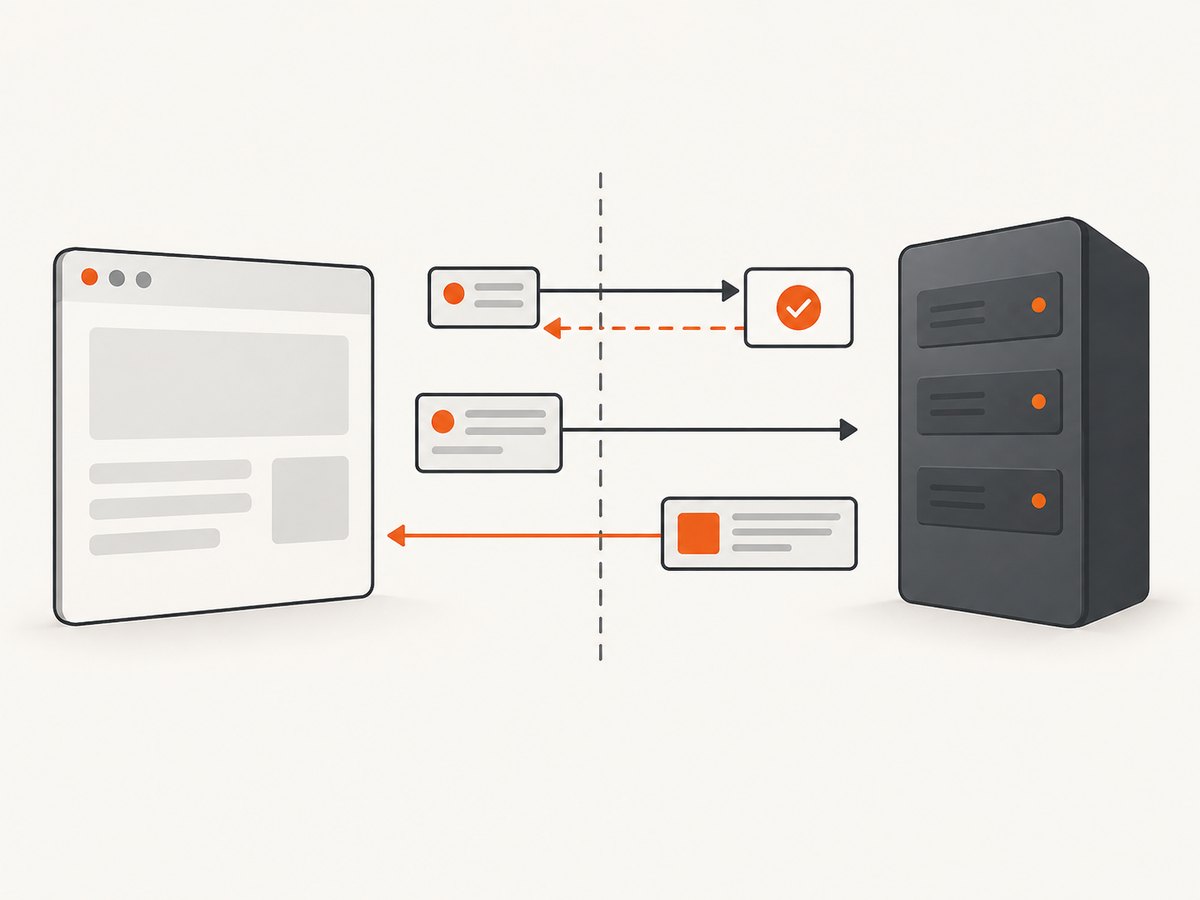
mode: "no-cors" is not a general CORS fix. It restricts the request and produces an opaque response that page JavaScript cannot inspect. If you control the API, configure its allowed origins, methods, and headers. Otherwise, call it through a server you control, with appropriate authorization and input validation. Never put a secret API key in browser code: users can inspect client-side requests and assets.
Performance, reliability, and cost
These APIs are interfaces to HTTP, not speed guarantees. The dossier includes no comparable speed or adoption benchmarks, so choose based on required behavior and measure your own workload. Reuse a consistent client where practical, avoid unnecessary serial requests, and stream large Node responses rather than buffering them all. In browser code, cancel work that is no longer needed and show loading, empty, and error states.
Reliability comes from handling distinct outcomes: transport failures, timeouts or aborts, non-success HTTP statuses, invalid response formats, and application-level errors in a successful response. Retry only when it is safe to do so; repeating a non-idempotent operation such as a payment or create request can cause duplicate effects unless the API supports idempotency. Respect API rate limits and avoid retry loops. Set timeouts or cancellation policies appropriate to the interaction, and provide a way to recover from errors.
The JavaScript APIs themselves do not set a per-request price. Your costs depend on the API or service you call, its plan, request volume, and any server infrastructure you operate. Check the endpoint provider’s pricing and limits before scaling. On the browser side, remember that moving a request to Node changes where it runs, not who is authorized to access the underlying data.
Or skip the browser setup
If the HTTP request you need is a website screenshot, ScreenshotNeo returns a PNG, JPEG, WebP, or PDF from one GET request. It also has an MCP server for AI agents and 63 capture options; see the API documentation.
cURL
curl -G "https://api.screenshotneo.com/v1/shot" -d access_key=YOUR_API_KEY --data-urlencode url=https://stripe.com -o shot.webpPython
import requests

r = requests.get(
    "https://api.screenshotneo.com/v1/shot",
    params={"access_key": "YOUR_API_KEY", "url": "https://stripe.com"},
    timeout=90,
)
open("shot.webp", "wb").write(r.content)
Node.js
const q = new URLSearchParams({ access_key: 'YOUR_API_KEY', url: 'https://stripe.com' });
const res = await fetch(`https://api.screenshotneo.com/v1/shot?${q}`);
if (!res.ok) throw new Error(`HTTP ${res.status}`);
await import('node:fs/promises').then(fs => fs.writeFile('shot.webp', Buffer.from(await res.arrayBuffer())));
Cookie banners, popups, and chat widgets are removed before the shot. Bot checks, blank pages, and failed loads are never billed. An MCP server lets AI agents take screenshots. The Free plan includes 1,000 screenshots a month with no card; paid plans start at $5 for 3,000. Sign up free and get 1,000 screenshots a month with no card.
Troubleshooting common HTTP request errors
| Symptom | Likely cause | What to do |
|---|---|---|
| Fetch enters success path for a 404 | Fetch resolves for HTTP error statuses | Check response.ok or status before parsing. |
| Browser console reports a CORS error | Server did not allow the page origin, requested method, or headers | Configure CORS on the API or make the request through a controlled server. Don’t use no-cors to read the response. |
| JSON parsing fails | Body is empty, not JSON, or an error page | Check status and content type; handle 204 or parse text when appropriate. |
| POST body arrives empty or malformed | Object was not serialized or content type is missing | Send JSON.stringify(data) and Content-Type: application/json. |
| XHR gives no useful response | Network, timeout, or CORS error | Handle error and timeout separately and inspect server/browser diagnostics. |
| Axios behavior differs between environments | Adapter and version differences | Check the installed release documentation and test in the target browser or Node runtime. |
| Node request hangs or memory grows | Response stream is not consumed or data is buffered without bounds | Consume the response, handle stream events, and process large bodies incrementally. |
| EventSource repeatedly reconnects | Connection errors trigger its reconnect behavior | Check endpoint availability and decide whether to keep the stream open or call close(). |
FAQ
How do I make an HTTP request in JavaScript?
For most browser code, call fetch(url), await the response, check response.ok, and parse the body using the format the API returns.
Does Fetch work in Node.js?
Current Node.js releases provide a global Fetch API. Check the documentation for the Node version your application supports. The built-in http/https modules remain available for lower-level control.
Should I use Fetch or Axios?
Use Fetch when the built-in request API covers your needs. Use Axios when its library abstraction fits your project’s shared client conventions. Compare the specific features you need and check the installed version’s documentation.
Can EventSource send data to the server?
No. SSE is one-way from server to browser. Send client actions with a normal request or use a bidirectional transport when needed.
Can JavaScript ignore CORS?
Browser JavaScript cannot grant itself cross-origin access. The server must allow the origin, or your application can make the request through a properly secured server you control.