How Isolated Worlds Reduce Visible Browser Automation
Chrome extension isolated worlds separate JavaScript environments, but share the page DOM. Learn what that changes, what remains visible, and how to test it.
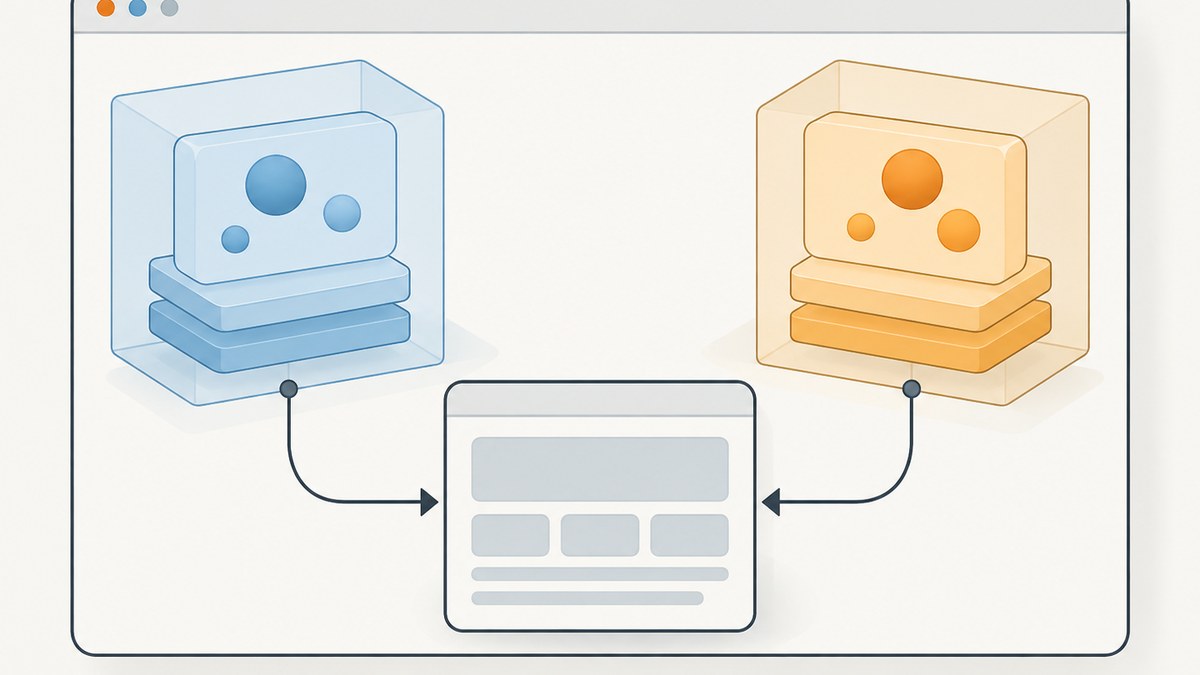
Chrome extension isolated worlds reduce one kind of visibility: they keep a content script’s JavaScript variables and globals separate from the website’s JavaScript environment. They do not hide the page’s DOM changes, make browser automation undetectable, or remove browser-level automation signals. If you need to know what isolation changes, keep three layers distinct: JavaScript execution environments, the shared document, and browser-level disclosure.
This distinction matters when building extensions, debugging page interactions, and writing reliable tests. A content script can have private variables while both it and the page read or modify the same elements. Separately, a browser can indicate that it is controlled by automation. These mechanisms solve different problems.
1. What an isolated world does
Chrome runs content scripts in an isolated JavaScript world by default. The world has its own global scope, so variables defined by the content script are not directly available as globals to the page’s scripts, and page globals do not become the content script’s globals. Other extensions also have separate worlds.
Chrome’s concise definition is: “An isolated world is a private execution environment that isn’t accessible to the page or other extensions.” That describes the JavaScript environment, not a private copy of the document.
The practical benefits are narrower and useful:
- Fewer namespace collisions: your helper variables and functions do not occupy the page’s JavaScript global namespace.
- Less direct access to extension globals: page scripts cannot simply read a variable declared in the content script’s world.
- Cleaner extension code: the content script can work with page elements without sharing all JavaScript state with site code.
Isolation is an execution-context boundary. Chromium notes that isolated and main worlds share a renderer process, so do not treat this feature as process isolation or an absolute security boundary against renderer compromise.
2. What remains visible: the shared DOM
The content script and the page operate on the same document. A content script can query elements, change attributes, insert nodes, or attach listeners; page code can observe the resulting document state and respond to it. Isolation does not make those effects disappear.
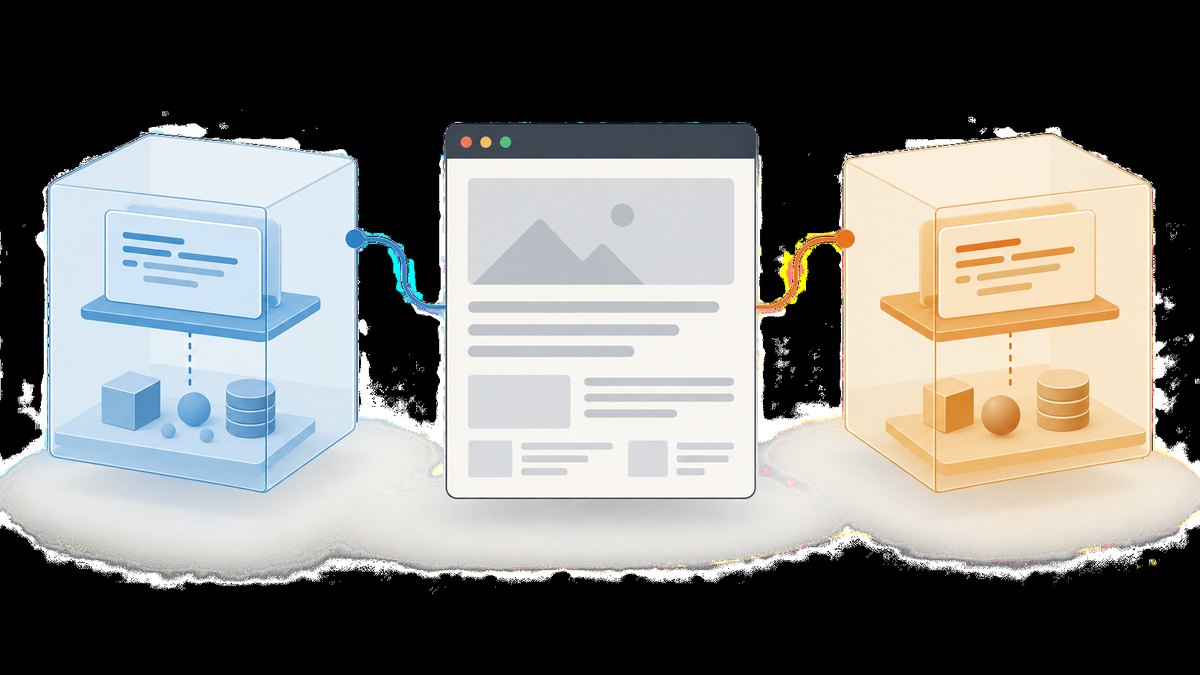
For example, this content script’s extensionState variable is not a page global, but the page can still see the added element:
// content.js — runs in the extension's isolated world
const extensionState = { active: true };
const marker = document.createElement('div');
marker.id = 'example-extension-marker';
marker.textContent = 'Extension is active';
document.documentElement.append(marker);

console.log(extensionState);
A page script that checks window.extensionState will not find the content script’s lexical variable. A page script that queries #example-extension-marker can find the inserted node. The text, attributes, layout effects, event consequences, and network activity caused by code may also be observable through ordinary page behavior or developer tools.
Use the DOM as the intended communication surface only when that is appropriate and document the protocol carefully. Avoid assuming a DOM marker is secret just because the script that created it runs in an isolated world.
3. Isolated worlds versus other browser isolation
| Mechanism | What it separates | What it does not mean |
|---|---|---|
| Chrome extension isolated world | JavaScript globals and execution environment for a content script | A separate DOM or invisible page interactions |
| Playwright browser context | Browser test state, such as the context used for an isolated test session | The same thing as an extension content script’s JavaScript world |
navigator.webdriver |
A standard browser signal that the user agent is controlled by WebDriver | A JavaScript namespace boundary or a complete inventory of detection signals |
Playwright contexts are useful for creating clean-slate test environments. They are not a stealth feature and are conceptually different from Chrome’s isolated worlds. For testing a Chromium extension, Playwright documents launching a persistent context. Its documentation also warns that custom browser arguments can break Playwright functionality.

4. Choosing an execution world in Chrome
Chrome’s scripting API lets an extension choose the JavaScript world for an injected function. The default isolated world is appropriate for most content-script work. A main-world script runs in the page’s environment, where it can interact with page JavaScript globals, but it also shares that environment and its collision risks.
Use the main world only when there is a concrete integration need that cannot be handled through the DOM or extension messaging. Keep privileged extension operations in extension-controlled code and validate messages crossing between page-visible code and the extension. A page-controlled message should not be treated as trusted merely because an extension receives it.
Manifest-declared content scripts use the isolated world by default. When choosing a world for programmatic injection, consult the Chrome scripting API’s current options and permissions for the Chrome version you support. Do not assume that selecting a world changes the DOM sharing model.
5. A minimal extension example
The following small Manifest V3 extension demonstrates a content script using its own variable scope while accessing the shared page document. Save the files in one directory and load that directory as an unpacked extension from Chrome’s extensions page with developer mode enabled.
{
  "manifest_version": 3,
  "name": "World Boundary Example",
  "version": "1.0.0",
  "content_scripts": [
    {
      "matches": ["https://example.com/*"],
      "js": ["content.js"]
    }
  ]
}
// content.js
(() => {
const privateToThisWorld = 'content-script value';
const heading = document.querySelector('h1');
if (!heading) {
console.info('No h1 found on this page.');
return;
}
heading.dataset.extensionExample = 'present';
console.info({ privateToThisWorld, headingText: heading.textContent });
})();Open https://example.com and inspect the DOM. The dataset attribute is present because the document is shared. The local variable is not exposed as a property on the page’s window. To make the distinction explicit in a test, check the DOM mutation and the absence of an intentionally named global separately.
6. Testing extension behavior with Playwright
Playwright extension testing uses a persistent Chromium context for loading the extension. A context is a test-state boundary; it does not turn the extension’s isolated world into a different mechanism. The example below shows the structure. Set EXTENSION_PATH to the absolute path of the directory containing the manifest.
// test-extension.mjs
import { chromium } from 'playwright';
import path from 'node:path';

const extensionPath = path.resolve(process.env.EXTENSION_PATH ?? './extension');
const context = await chromium.launchPersistentContext('', {
  headless: false,
  args: [
    `--disable-extensions-except=${extensionPath}`,
    `--load-extension=${extensionPath}`
  ]
});

try {
  const page = await context.newPage();
  await page.goto('https://example.com');

  const observed = await page.evaluate(() => ({
    marker: document.querySelector('h1')?.dataset.extensionExample ?? null,
    contentScriptGlobal: typeof window.privateToThisWorld
  }));
  console.log(observed);
} finally {
  await context.close();
}
Run it with a current Playwright installation and a local extension directory. The persistent context is required by Playwright’s documented extension setup. Keep the launch options close to the documented pattern: arbitrary browser arguments may interfere with Playwright. Headed mode is shown because the documented Chromium extension workflow uses it; check current Playwright guidance for changes to supported modes and setup.
7. Browser automation signals are separate
navigator.webdriver is a standardized indication that a user agent is controlled by automation. MDN documents that Chrome sets it to true under conditions including --enable-automation, --headless, or --remote-debugging-port set to 0. This is one documented signal, not a complete description of every way a website might infer automated behavior.
An extension content script’s isolated world does not change what the browser reports through this property. Similarly, moving code into the page’s main world does not itself remove browser-level disclosure. Treat isolation as a code organization and environment boundary, not as a way to conceal automation from websites.
For legitimate testing, make the test environment explicit, use staging or owned sites where possible, and diagnose behavior from logs and browser instrumentation. If a site blocks automated access, follow its access rules rather than trying to disguise the client.
8. Configuration and design checklist
- Keep content-script implementation details in the isolated world by default.
- Assume any DOM mutation, inserted node, visible text, or page-triggered request can be observed.
- Use extension messaging for communication with privileged extension components; validate every message and sender.
- Use the main world only for a specific page integration requirement, and minimize the code placed there.
- Do not store secrets in content scripts or the DOM. A content script runs in a page renderer and should not be treated as a secret vault.
- Test pages with missing elements, delayed rendering, navigation changes, and restrictive content security policies.
- Keep Playwright context setup distinct from extension world selection in code and documentation.
- When explaining automation disclosure, discuss
navigator.webdriverindependently of JavaScript isolation.
9. Troubleshooting
| Symptom | Likely cause | What to check or change |
|---|---|---|
| The page cannot read a content-script variable | Expected isolated-world behavior | Do not depend on shared globals. If data must cross worlds, define a narrow, validated communication mechanism. |
| The page can see a content-script DOM marker | The DOM is shared | Design the marker as observable. Remove it when no longer needed, but do not treat removal as a security boundary. |
| A page global is undefined in the content script | The page and content script have separate JavaScript globals | Use the DOM or a supported messaging bridge. Use a main-world integration only when needed and with careful trust boundaries. |
| The extension does not run on a URL | The URL does not match the content script’s match patterns, or host access is missing | Review manifest matches, host permissions, scheme, subdomain, and whether the page is a restricted browser URL. |
| A selector lookup returns null | The element is absent, rendered later, or located in a frame or shadow tree | Wait for the expected element, handle absence, and inspect the correct frame or shadow root. |
| Playwright cannot load the extension | Non-persistent launch, incorrect extension path, or incompatible launch flags | Use a persistent Chromium context, resolve the directory to an absolute path, and remove unsupported custom arguments. |
| An automated run still exposes a WebDriver signal | JavaScript-world isolation does not govern browser automation disclosure | Recognize that the signal belongs to the browser automation layer; do not expect isolated worlds to alter it. |
10. Performance, reliability, and cost
World separation is primarily about scope and interaction boundaries. It does not promise that a content script runs faster or that page behavior becomes more reliable. A content script still shares the document lifecycle: elements may not exist at injection time, navigation can replace the document, and page code may update nodes after your script runs. Keep work small, avoid unnecessary repeated DOM scans, and make selectors and event handling resilient.
Reliability depends on the page and extension setup. Match patterns, host permissions, frames, shadow DOM, timing, and site changes are common sources of failures. Tests should cover the actual pages and lifecycle states your extension supports. In Playwright, keep the extension test context configuration simple and repeatable.
There is no evidence-backed percentage for how much isolated worlds reduce automation visibility, and no detection-rate benchmark should be inferred. Cost depends on your development and test environment; the mechanism itself does not define a browser automation pricing model.
11. Or skip the browser setup
If your task is to capture a page as an image or PDF rather than develop or test an extension, ScreenshotNeo provides a website screenshot API and MCP server. One GET request returns PNG, JPEG, WebP, or PDF. See the API documentation for the options and request details.
curl -G "https://api.screenshotneo.com/v1/shot" -d access_key=YOUR_API_KEY --data-urlencode url=https://stripe.com -o shot.webpimport requests
r = requests.get("https://api.screenshotneo.com/v1/shot", params={"access_key": "YOUR_API_KEY", "url": "https://stripe.com"}, timeout=90)
open("shot.webp", "wb").write(r.content)const q = new URLSearchParams({ access_key: 'YOUR_API_KEY', url: 'https://stripe.com' });
const res = await fetch(`https://api.screenshotneo.com/v1/shot?${q}`);Cookie banners, popups, and chat widgets are removed before the shot, and each step can be turned off. Bot checks, blank pages, and failed loads are never billed; response headers identify the page verdict and billing outcome. Its MCP server lets AI agents use screenshot, page-info, and PDF tools. The free plan includes 1,000 screenshots a month with no card; paid plans start at $5 for 3,000. Sign up for 1,000 free screenshots a month, with no card.
12. FAQ
Can a webpage inspect an extension’s isolated-world variables?
Not as ordinary globals in the page’s JavaScript environment. But anything the extension exposes through the shared DOM or another communication path may be observable.
Does an isolated world prevent a website from knowing an extension is present?
No. It limits direct access to the content script’s JavaScript environment. It does not hide DOM effects or guarantee that a site cannot infer extension behavior.
Is a Playwright context the same as an isolated world?
No. A Playwright context isolates browser test state. An isolated world separates JavaScript environments inside a page.
Does setting the main world make automation less visible?
No. Main-world execution changes which JavaScript environment runs the code. Browser-level automation indicators such as navigator.webdriver are separate.
Primary references
- Chrome: work in isolated worlds
- Chrome scripting API
- Chromium: extension content script security
- Playwright: browser contexts
- Playwright: testing Chrome extensions
- MDN:
navigator.webdriver
These concepts fit together once their boundaries are clear: isolated worlds protect JavaScript scope, the DOM remains shared, and browser automation disclosure is its own layer. Build around those distinctions and your extension code and tests will be easier to reason about.