Serve Link Previews at Scale with Caching and Throttling Controls
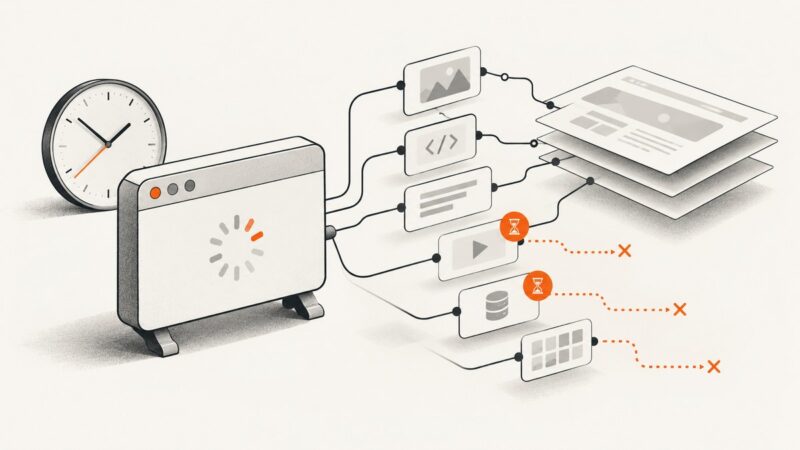
Build a link-preview pipeline that reuses fresh results, collapses duplicate work, and respects destination-specific throttling.

To serve link previews at scale, put a cache in front of outbound retrieval, coalesce concurrent requests for the same cache key, and apply rate and concurrency budgets per destination or provider. Reuse a stored result only when its HTTP cache rules and your product’s freshness policy allow it. When a result is stale and has a validator, revalidate it conditionally. If a destination throttles you, honor its Retry-After signal when provided and retry with bounded backoff when it is absent.
Keep platform unfurl behavior separate from your preview service. Some platforms fetch shared links themselves; others let an app provide a custom preview. Slack documents both crawling and an app workflow using a link_shared event followed by a Web API response. That is Slack’s documented workflow, not a universal messaging-platform contract. Slack’s link unfurling documentation
1. Choose who fetches the link
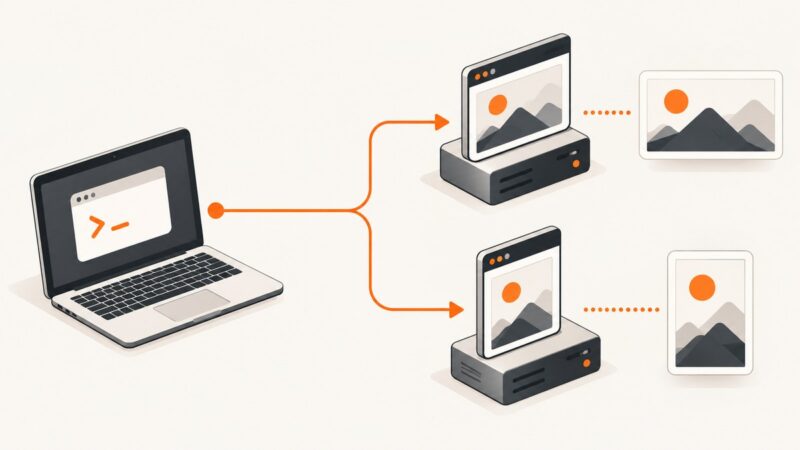
Start by identifying the preview consumer’s contract. In a platform-managed flow, the messaging service sees a shared URL and retrieves a preview itself. Your application may have little or no control over its cache, refresh schedule, or outbound request rate. In an app-provided flow, your service receives a platform event, retrieves and extracts the page metadata, then returns a preview using that platform’s documented API.
For your own product, you control the retrieval pipeline. The request path should be cache-first, while misses go through a queue that controls concurrency and retries. Keep the rendering and extraction result as a reusable record; do not make every incoming message trigger a browser or HTTP fetch.
| Choice | What you control | What to verify |
|---|---|---|
| Platform-managed crawling | Usually the shared URL and page behavior you publish | That platform’s crawling, refresh, and preview rules |
| Application-provided unfurl | Retrieval, cache, extraction, and response timing | Event format, response API, permissions, and limits for that platform |
| Your own preview feature | The full pipeline and freshness policy | Your traffic profile, privacy requirements, and destination behavior |
Do not copy another provider’s quota into your crawler configuration. Published limits belong to a named API, method, and scope, and can change. Microsoft says its Graph limits vary by service and scope and are subject to change; those values are not general preview-crawler capacity targets. Microsoft Graph throttling limits
2. Design the cache key and freshness policy
A cache key needs to represent the request whose result you intend to reuse. At minimum, it should include the normalized request target and method. If your fetch varies based on request headers, account for the relevant Vary behavior instead of assuming all requests to one URL are equivalent. Include other inputs that affect the extracted result, such as locale or an application-specific rendering mode, when you use them.
Normalization is an application decision, so be conservative. Removing a fragment can be appropriate for an HTTP retrieval because fragments are not sent as part of the request target, but query parameters may select different content. Do not reorder, discard, or rewrite query parameters unless you know the destination treats those forms as equivalent. Avoid putting per-user data into a shared cache key unless the resulting privacy and reuse behavior are intentional.
Use two related freshness decisions:
- HTTP freshness: whether the stored response can be reused under its cache directives and protocol rules.
- Product freshness: how old your application allows a preview to be, based on the feature’s needs.
The application policy can be stricter than the protocol permits. A preview might be acceptable for a while after the origin’s response is stale, but that is a product choice. If you serve stale results during a refresh, mark them internally and trigger refresh work without creating an uncontrolled request storm.
HTTP caching rules do not allow arbitrary reuse: the target and method must match, Vary-selected headers must be compatible, and a response must be fresh, allowed to be served stale, or successfully validated before reuse. RFC 9111 also describes validators such as ETag and Last-Modified and reuse of stored content after a 304 Not Modified response. RFC 9111: HTTP Caching
3. Collapse duplicate misses before fetching
Suppose many users share the same URL at once. If every request independently misses the cache, you create a burst of duplicate outbound work. Maintain an in-flight operation keyed the same way as the reusable result. The first miss starts a fetch; later equivalent requests await that operation. Once it completes, all can use the same result.
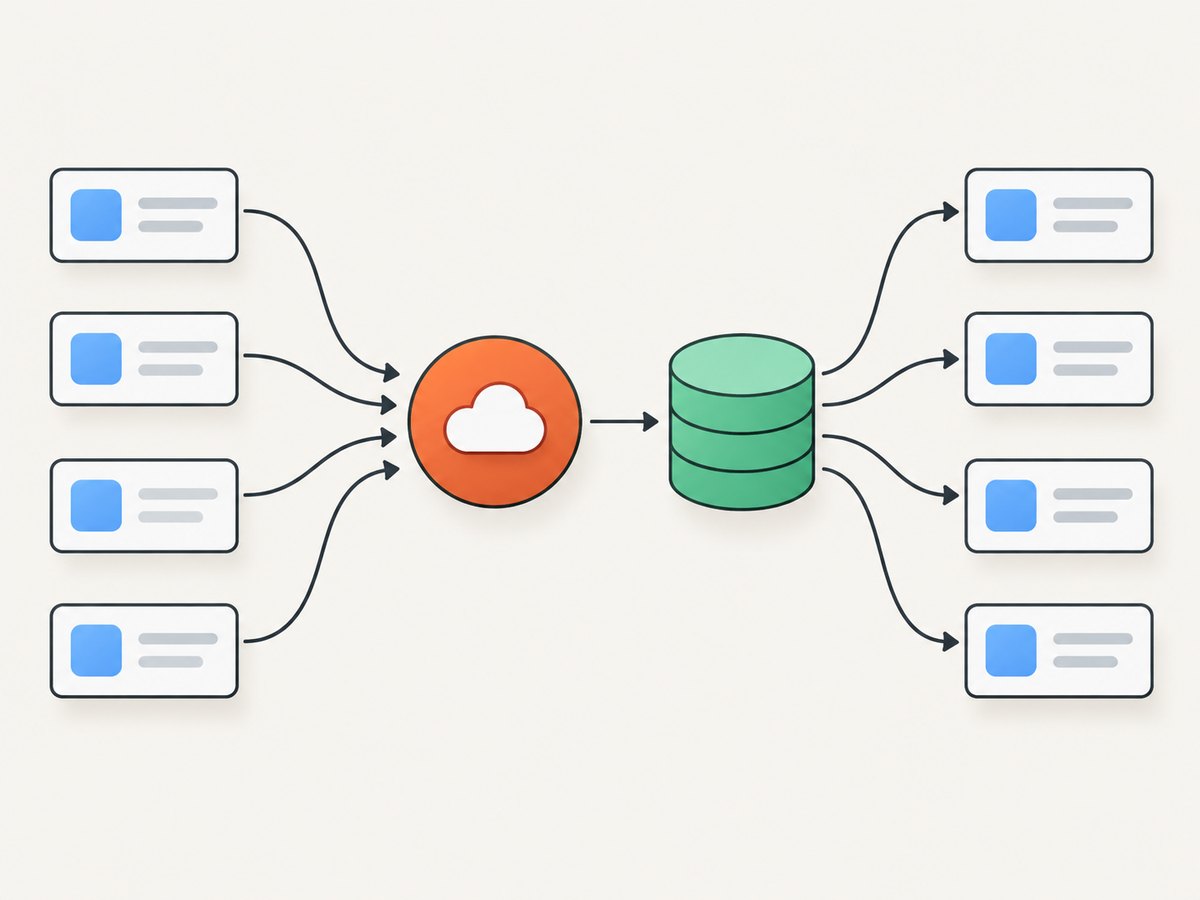
RFC 9111 describes request collapsing as a way to reduce origin and network load. Applying that concept to preview extraction is an implementation recommendation: the RFC does not require a particular queue, lock, or promise map for your application. RFC 9111, section 4
const inFlight = new Map();

async function getOrFetchPreview(key, fetchAndExtract) {
  const cached = await cache.get(key);
  if (cached && cached.usable) return { ...cached, source: 'cache' };

  if (inFlight.has(key)) {
    return inFlight.get(key);
  }

  const work = fetchAndExtract()
    .then(async result => {
      await cache.set(key, result);
      return { ...result, source: 'fetch' };
    })
    .finally(() => inFlight.delete(key));

  inFlight.set(key, work);
  return work;
}
This snippet shows the coordination shape, not a complete distributed cache implementation. A process-local map only coalesces requests inside one process. If requests can land on several workers, coordinate at the layer that owns the cache or queue, or accept that some duplicates may cross workers. Ensure failed work is removed from the in-flight registry so later callers can retry. Add a timeout so a stuck fetch cannot hold the key forever.
4. Add per-destination throttling and retry controls
Use independent budgets for destinations or providers where their behavior differs. A single global concurrency number can let one slow or throttling host occupy all fetch slots. A per-host or per-provider scheduler can cap concurrent work, space requests, and isolate backoff. These are engineering choices inferred from provider-specific limits and throttling guidance; there is no universal published request rate for preview crawlers.
On a throttling response, inspect the destination’s documented signal. Slack documents 429 responses with Retry-After. Microsoft Graph likewise recommends honoring that header and using exponential backoff when it is absent. These recommendations describe those services; apply the same pattern to another destination only when it fits that destination’s contract. Slack rate limits · Microsoft Graph throttling guidance
function retryDelayMs(attempt, retryAfterSeconds) {
  if (retryAfterSeconds != null) {
    return Math.max(0, Number(retryAfterSeconds) * 1000);
  }
  const base = 500;
  const cap = 30_000;
  const exponential = Math.min(cap, base * (2 ** attempt));
  const jitter = Math.random() * Math.min(1_000, exponential * 0.2);
  return exponential + jitter;
}

async function fetchWithRetry(fetchOnce, maxRetries = 4) {
  for (let attempt = 0; ; attempt++) {
    const response = await fetchOnce();
    if (response.status !== 429 || attempt >= maxRetries) return response;

    const retryAfter = response.headers.get('retry-after');
    await new Promise(resolve => setTimeout(
      resolve,
      retryDelayMs(attempt, retryAfter)
    ));
  }
}
Use a bounded retry count and a queue deadline. Do not immediately retry a 429; that can worsen the overload. Consider whether a retry should occupy an active concurrency slot while waiting. In many queue designs it is better to schedule the retry for later and free the worker. Record the chosen delay and final outcome so you can distinguish a slow destination from a local queue bottleneck.
5. Revalidate stale entries efficiently
When a response is stale but contains an ETag or Last-Modified validator, issue a conditional request if supported. A 304 Not Modified lets the cache reuse the stored representation while updating applicable metadata, instead of downloading an unchanged response body again. Preserve and evaluate cache directives and Vary compatibility during this process. RFC 9111 provides the protocol rules for cache validation and stored response reuse. RFC 9111
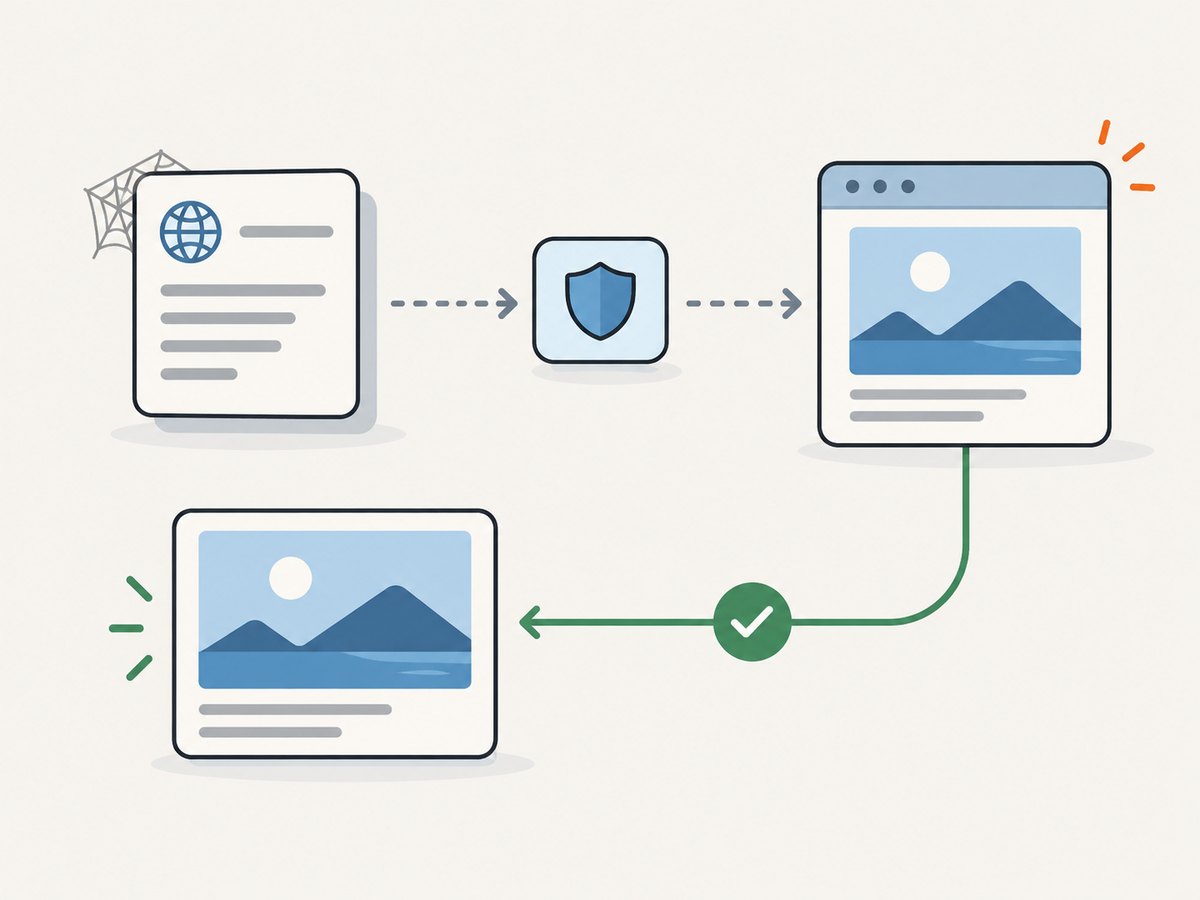
Do not treat every preview as if it had a validator. Destinations may omit validators, change content without useful metadata, or return responses that cannot be reused in your context. Define a clear fallback: fetch a new response when policy calls for freshness, or retain an eligible stale preview while retrying later. The right choice depends on your product’s tolerance for old metadata and the destination’s cache instructions.
6. Handle remote content as a separate security design
A preview service retrieves URLs supplied by users or external platforms, so the URL retrieval boundary deserves a dedicated security review. The research supporting this article does not establish a source-backed SSRF checklist or specific defenses. Do not treat this section as one. Before shipping, consult a primary security reference and review your actual URL intake, network environment, redirect handling, and data exposure with the threat model for your service.
Keep that review distinct from cache correctness and throttling. A cache hit does not establish that an incoming URL was safe to accept, while rate limiting does not define which destinations your service is allowed to contact. Those questions need explicit product and security requirements.
7. Instrument the pipeline by outcome
Measure events that explain where work goes and why users see a result. Useful counters and timings include cache hit, cache miss, conditional revalidation, coalesced request, outbound fetch timeout, parse failure, 429, retry delay, queue wait, and stale result served. These are suggested observability fields, not published statistics from the cited sources.
Keep labels bounded. Recording a raw URL as a metric label can create unbounded cardinality and expose user data. Prefer host or provider categories where appropriate, and apply your retention and privacy policy to detailed request logs. Correlate the incoming preview request with its cache or fetch outcome using an internal request identifier.
8. A practical implementation sequence
- Document the consumer contract. For each messaging platform, note whether it crawls links or supports app-provided unfurls, plus its event and response requirements.
- Define the result. Specify the fields your preview stores, how parse failures are represented, and which request context affects the output.
- Choose cache semantics. Implement target, method, and
Varycompatibility; obey freshness directives and validation rules; set a separate product freshness policy. - Coalesce equivalent work. Share active fetches for identical keys and clean up the in-flight entry on success, failure, and timeout.
- Schedule by destination. Apply bounded per-host or per-provider concurrency and rate budgets. Add a bounded queue and explicit timeout policy.
- Retry with restraint. Honor a destination’s
Retry-Afterwhere documented. Otherwise use bounded exponential backoff, avoid immediate loops, and cap attempts. - Expose useful outcomes. Track cache and queue outcomes, then use them to tune policy against your real workload rather than adopting an unrelated service quota.
- Review URL security. Complete a source-backed security assessment before accepting arbitrary remote URLs in production.
Or skip the browser setup
If the preview needs a rendered screenshot as well as extracted metadata, ScreenshotNeo provides a website screenshot API and MCP server. A single GET request can return a PNG, JPEG, WebP, or PDF; see the ScreenshotNeo API documentation for request options. It can accept cookie and consent banners and remove more than 60 known consent platforms, newsletter popups, and chat widgets before the shot; those steps can be turned off. Bot checks, blank pages, timeouts, failed loads, and cache hits are not billed, and response headers report the page verdict and billing status. AI agents can use its MCP server tools, including take_screenshot, get_page_info, and capture_pdf.
curl -G "https://api.screenshotneo.com/v1/shot" \
  -d access_key=YOUR_API_KEY \
  --data-urlencode url=https://stripe.com \
  -o shot.webp
Python:
import requests

r = requests.get(
    "https://api.screenshotneo.com/v1/shot",
    params={"access_key": "YOUR_API_KEY", "url": "https://stripe.com"},
    timeout=90,
)
open("shot.webp", "wb").write(r.content)
Node.js:
const q = new URLSearchParams({
  access_key: 'YOUR_API_KEY',
  url: 'https://stripe.com'
});
const res = await fetch(`https://api.screenshotneo.com/v1/shot?${q}`);
if (!res.ok) throw new Error(`Screenshot request failed: ${res.status}`);
await Bun.write('shot.webp', new Uint8Array(await res.arrayBuffer()));
For Node.js versions without Bun, save the returned bytes with your preferred filesystem API. ScreenshotNeo offers 1,000 shots a month free with no card; paid plans start at $5 for 3,000. See ScreenshotNeo for plan details. Sign up for 1,000 free screenshots a month, with no card required.
Performance, reliability, and cost
Caching reduces repeat retrievals when results are reusable; request collapsing prevents simultaneous identical misses from multiplying that work. Conditional validation can avoid retransmitting unchanged content. These reduce outbound work, but they do not remove queueing, parsing, or rendering costs. A large miss burst, slow origin, or widespread expiration can still increase latency, so observe queue wait and fetch duration separately.
Reliability comes from bounded work: timeouts, finite retries, per-destination isolation, and a clear response policy when retrieval fails. Decide whether to show no preview, a previously stored eligible preview, or a temporary unavailable state. Avoid turning a retry backlog into unbounded memory or keeping requests waiting indefinitely.
Cost depends on your own fetch, storage, and rendering path, and on whether the preview consumer performs its own crawl. The dossier provides no universal cost or capacity figure. Estimate from your request volume, duplicate rate, cache reuse, response sizes, storage retention, and rendering needs. For ScreenshotNeo’s own pricing, the free plan includes 1,000 shots monthly, Starter is $5 for 3,000, Growth $15 for 15,000, Pro $39 for 60,000, Scale $99 for 250,000, and Business $249 for 1,000,000; yearly billing gives two months free, and every feature is on every plan.
Troubleshooting
| Symptom | Likely cause | What to do |
|---|---|---|
| Many outbound requests for one popular URL | Concurrent misses are not sharing work, or workers do not coordinate | Check key equivalence and in-flight cleanup. Add coordination at the shared cache or queue boundary if cross-worker duplication matters. |
| Fresh-looking preview is unexpectedly reused | Product freshness is confused with HTTP freshness, or key dimensions are missing | Review the product age policy, method and target key, and request headers selected by Vary. |
| Repeated 429 responses | Retries are immediate, unbounded, or not isolated by destination | Honor documented Retry-After, bound attempts, use backoff when absent, and reduce that destination’s scheduling pressure. |
| Every refresh downloads the full response | No validator is sent, the destination provides none, or stored metadata is not retained | Check whether an ETag or Last-Modified value exists and use conditional validation where applicable. |
| One slow host backs up unrelated previews | A global worker pool is occupied by work for that host | Separate destination budgets and observe queue wait by destination. |
| Callers hang after a fetch error | In-flight state or queue entries are not cleared after rejection or timeout | Use cleanup in a finalization path and test failure and timeout outcomes in the implementation’s own verification process. |
| Platform preview differs from your app preview | The platform may crawl independently or apply its own documented behavior | Confirm that platform’s specific unfurl contract; do not assume your cache controls its crawler. |
FAQ
What cache TTL should I use?
There is no universal value in the available research. Choose a product freshness policy from how quickly the displayed metadata needs to change, then respect HTTP cache directives and validators.
Does a 304 response contain the preview content?
A 304 Not Modified indicates that a stored representation can be reused under the applicable validation rules; retain the prior representation and update metadata as required by the cache rules.
Can one rate limit work for every destination?
There is no general crawler limit established here. Destination behavior and API quotas are provider-specific, so keep budgets configurable and scoped to the service or host they govern.
Should I always serve stale previews while refreshing?
No universal policy follows from HTTP caching rules. Decide based on the product’s freshness needs and the applicable response directives, and make stale serving observable.