Liquid Template Syntax for PDF Documents
Learn Liquid objects, tags, filters, reusable snippets, and the HTML-to-PDF pipeline with runnable invoice templates and troubleshooting.

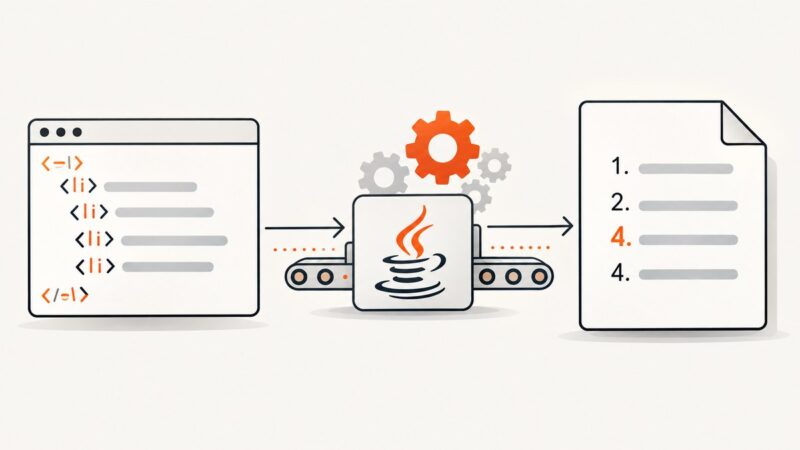
Direct answer: Liquid does not create a PDF by itself. It binds data, applies conditions and loops, and produces HTML. A PDF renderer then converts that HTML into pages. The reliable pipeline is data validation → Liquid rendering → HTML and print CSS → PDF rendering → PDF inspection.
Liquid uses three building blocks: objects such as {{ invoice.number }} to output values, tags such as {% if invoice.paid %} to control logic, and filters such as {{ total | round: 2 }} to transform values. Shopify describes Liquid as an open-source template language created by Shopify and written in Ruby. Read the official Liquid documentation for the reference syntax, then verify which dialect and filters your PDF service implements.
1. Understand the Liquid-to-PDF pipeline
A production document normally passes through these stages:
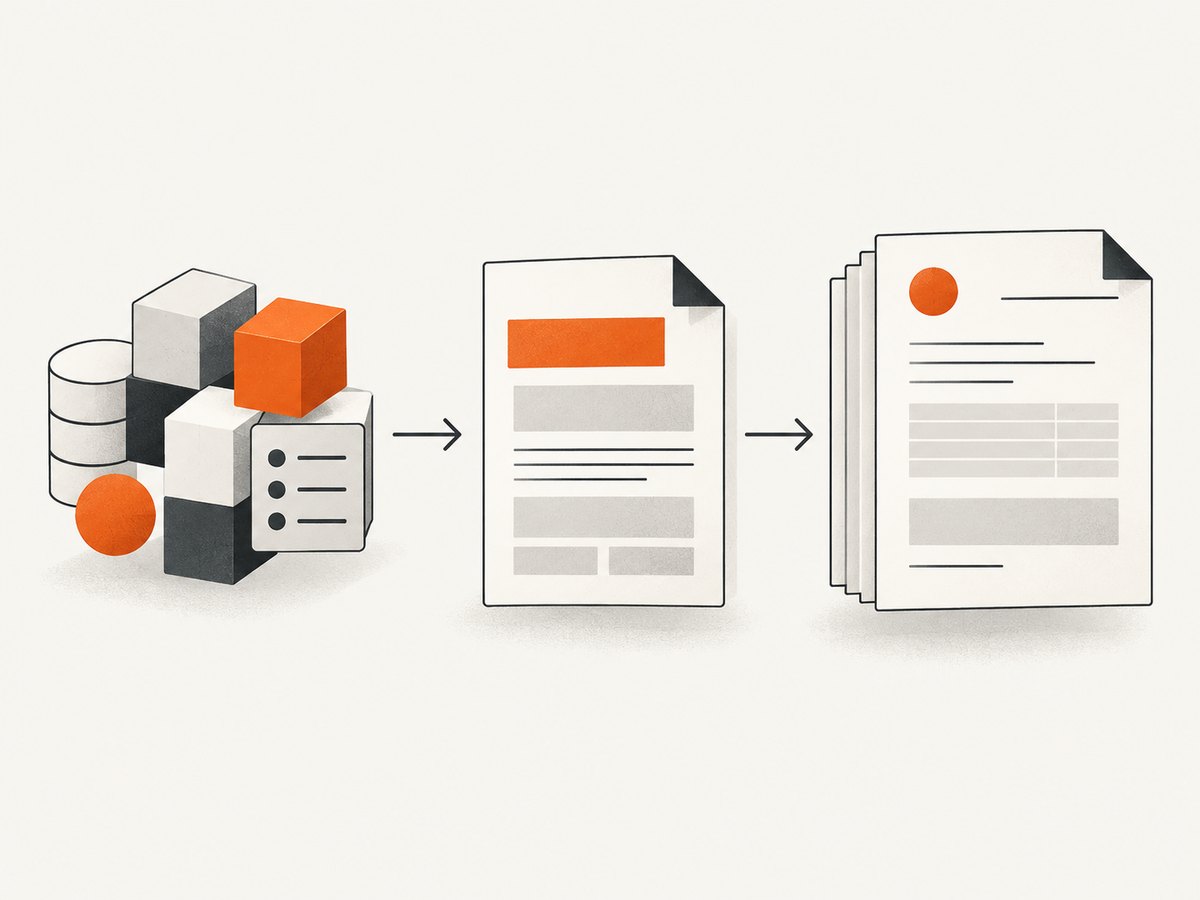
- Build a stable data model. Supply an invoice, report, certificate, or other document object with predictable types.
- Render Liquid. The template engine parses the template, evaluates objects, executes tags, and applies filters.
- Generate HTML. Liquid output should be semantic HTML with print-oriented CSS.
- Render the PDF. A browser-based or alternate PDF engine determines page size, pagination, fonts, image loading, headers, footers, and metadata.
- Inspect the resulting file. An HTML preview can look correct while the PDF has clipped rows, missing fonts, or different page breaks.
Vortex PDF documents the same sequence: its API injects context data into a template and renders the resulting HTML into a PDF. The renderer, rather than Liquid, controls layout behavior.
2. Liquid syntax used in PDF templates
Objects and output
Output expressions use double curly braces. Property access is usually dot notation, while bracket notation is useful for keys that contain spaces or dynamic names.
<h1>Invoice {{ invoice.number }}</h1>
<p>Customer: {{ invoice.customer.name }}</p>
<p>{{ invoice["billing note"] }}</p>
Tags and control flow
Tags use {% ... %}. The most useful document tags are if, elsif, else, unless, for, assign, capture, and renderer-supported composition tags.
{% if invoice.paid %}
  <p class="status paid">Paid</p>
{% elsif invoice.due_date %}
  <p class="status due">Due {{ invoice.due_date }}</p>
{% else %}
  <p class="status draft">Draft</p>
{% endif %}
Loops and line items
<tbody>
{% for line in invoice.lines %}
  <tr>
    <td>{{ line.description | escape }}</td>
    <td>{{ line.quantity }}</td>
    <td>{{ line.amount | round: 2 }}</td>
  </tr>
{% else %}
  <tr><td colspan="3">No line items</td></tr>
{% endfor %}
</tbody>
The else branch on a loop is useful when an empty array should produce an explicit message. Do not assume a missing value and an empty array behave identically across Liquid implementations.
Filters
Filters follow a pipe and run from left to right. They may be chained:
{{ customer.name | default: "Customer" | escape }}
{{ total | plus: tax | round: 2 }}
{{ issued_at | date: "%Y-%m-%d" }}
Common document filters include date formatting, rounding, case conversion, escaping, and line-break conversion. Filter names and arguments are dialect-specific. A service may support Liquid v4, Shopify Liquid, LiquidJS, or a custom subset; confirm the version before migrating a template.
3. A complete invoice template
This example keeps Liquid responsible for data binding and decisions while HTML and CSS handle layout. It assumes the renderer supports the shown filters and ordinary HTML.
<!doctype html>
<html lang="en">
<head>
  <meta charset="utf-8">
  <style>
    @page { size: A4; margin: 18mm 16mm 20mm; }
    * { box-sizing: border-box; }
    body { font: 12px/1.45 Arial, sans-serif; color: #202124; }
    h1 { margin: 0 0 4px; font-size: 26px; }
    .meta { color: #5f6368; }
    .grid { display: grid; grid-template-columns: 1fr 1fr; gap: 24px; margin: 22px 0; }
    table { width: 100%; border-collapse: collapse; }
    th, td { border-bottom: 1px solid #ddd; padding: 7px 5px; text-align: left; }
    th:last-child, td:last-child { text-align: right; }
    thead { display: table-header-group; }
    tr { break-inside: avoid; }
    .totals { width: 280px; margin-left: auto; margin-top: 18px; }
    .total { font-size: 16px; font-weight: 700; }
    .status { display: inline-block; padding: 4px 8px; border-radius: 4px; }
    .paid { background: #d9f5df; color: #176b2c; }
    .due { background: #fff0c2; color: #765500; }
    footer { color: #777; margin-top: 28px; }
  </style>
</head>
<body>
  <header>
    <h1>Invoice {{ invoice.number | escape }}</h1>
    <p class="meta">Issued {{ invoice.issued_at | date: "%B %d, %Y" }}</p>
    {% if invoice.paid %}
      <p class="status paid">Paid</p>
    {% else %}
      <p class="status due">Payment due {{ invoice.due_date | escape }}</p>
    {% endif %}
  </header>

  <section class="grid">
    <div><strong>From</strong><br>{{ invoice.seller.name | escape }}<br>{{ invoice.seller.address | newline_to_br }}</div>
    <div><strong>Bill to</strong><br>{{ invoice.customer.name | escape }}<br>{{ invoice.customer.address | newline_to_br }}</div>
  </section>

  <table>
    <thead><tr><th>Description</th><th>Qty</th><th>Amount</th></tr></thead>
    <tbody>
      {% for line in invoice.lines %}
        <tr>
          <td>{{ line.description | escape }}</td>
          <td>{{ line.quantity }}</td>
          <td>{{ line.amount | round: 2 }} {{ invoice.currency | escape }}</td>
        </tr>
      {% else %}
        <tr><td colspan="3">No line items</td></tr>
      {% endfor %}
    </tbody>
  </table>

  <table class="totals">
    <tr><td>Subtotal</td><td>{{ invoice.subtotal | round: 2 }}</td></tr>
    <tr><td>Tax</td><td>{{ invoice.tax | round: 2 }}</td></tr>
    <tr class="total"><td>Total</td><td>{{ invoice.total | round: 2 }} {{ invoice.currency | escape }}</td></tr>
  </table>
  <footer>{{ invoice.footer_note | default: "Thank you." | escape }}</footer>
</body>
</html>
Calculate monetary totals before rendering whenever possible. Formatting a number with round is presentation logic; it should not replace decimal-safe accounting calculations.
4. Reusable headers, footers, and line-item partials
For implementations that support Shopify-style composition, use render with explicit parameters:
{% render "header", invoice: invoice, company: company %}
{% for line in invoice.lines %}
  {% render "line_item", line: line, currency: invoice.currency %}
{% endfor %}
Shopify documents named parameters and with and for forms for render, and recommends it over deprecated include. Rendered snippets have isolated scope, so pass every value they need. A snippet should not depend on an accidental global variable.
5. Data validation, escaping, and missing values
- Define required fields such as invoice number, currency, customer name, and total before invoking Liquid.
- Escape untrusted text with
escape. Only allow HTML deliberately, and document which fields are trusted. - Use
defaultfor optional labels, but do not hide missing required data with a fallback. - Check arrays before rendering tables and provide an empty state.
- Remember that
nilis false in conditions. A missing boolean can therefore take the same branch as an explicit false value.
When the target engine supports strict or warning modes for undefined variables and filters, enable them in development and fail production jobs when required fields are absent. Shopify separates parsing and compilation from rendering, which allows a compiled template to be reused with different assignments.
6. CSS, fonts, images, and pagination
Liquid cannot fix a PDF renderer limitation. Keep print CSS conservative and test the actual PDF engine:

- Set page size and margins with
@page. - Use
break-inside: avoidfor rows and cards that must stay together, while allowing long tables to flow. - Use
thead { display: table-header-group; }when the renderer repeats table headers. - Provide web-accessible image URLs or data URLs, and allow enough render time for images to load.
- Use font files that the renderer can fetch and embed; browser preview fonts are not proof that the PDF has them.
- Keep headers and footers separate from content until you verify the engine’s margin and repetition behavior.
Some systems merge an attached PDF into a generated document without applying the document’s layout header or footer. Inspect merged output rather than assuming every page uses the same template.
7. Runnable rendering examples
Python with a Liquid engine and Playwright
The exact Liquid package and filter set are deployment choices. This example shows the separation between rendering HTML and converting it to PDF.
from pathlib import Path
import json
import asyncio
from liquid import Template
from playwright.async_api import async_playwright

template_text = Path("invoice.html.liquid").read_text()
data = json.loads(Path("invoice.json").read_text())
html = Template(template_text).render(**data)

async def main():
    async with async_playwright() as p:
        browser = await p.chromium.launch()
        page = await browser.new_page()
        await page.set_content(html, wait_until="networkidle")
        await page.pdf(path="invoice.pdf", format="A4", print_background=True)
        await browser.close()

asyncio.run(main())
Install the Liquid implementation and Playwright version supported by your environment, then verify that filters such as newline_to_br exist or replace them with a supported equivalent.
Node.js with LiquidJS and Playwright
import { readFile } from 'node:fs/promises';
import { Liquid } from 'liquidjs';
import { chromium } from 'playwright';

const engine = new Liquid({ strictVariables: true });
const source = await readFile('invoice.html.liquid', 'utf8');
const data = JSON.parse(await readFile('invoice.json', 'utf8'));
const html = await engine.parseAndRender(source, data);

const browser = await chromium.launch();
const page = await browser.newPage();
await page.setContent(html, { waitUntil: 'networkidle' });
await page.pdf({ path: 'invoice.pdf', format: 'A4', printBackground: true });
await browser.close();
cURL against a managed PDF endpoint
Managed services differ in request shape, supported Liquid version, custom filters, asset fetching, and webhook behavior. Send the template and context using the provider’s documented API, then store the renderer version with the resulting document.
curl -X POST "https://example.invalid/render" \
  -H "Authorization: Bearer $PDF_TOKEN" \
  -H "Content-Type: application/json" \
  --data @request.json \
  -o invoice.pdf
Replace the placeholder endpoint with the service you use; do not assume that a Shopify Liquid template runs unchanged on another provider.
8. Troubleshooting common PDF failures
| Symptom | Likely cause | Fix |
|---|---|---|
Literal {{ value }} appears in the PDF |
The file was sent directly to the PDF renderer without a Liquid render step. | Render Liquid to HTML first, then pass the resulting HTML to the PDF engine. |
| “Unknown filter” or “unknown tag” | The service uses a different Liquid dialect or version. | Check the implementation’s supported tags and filters; replace custom syntax with portable HTML or a supported filter. |
| Preview works but PDF has blank fields | Missing keys are silently rendered as nil, or strictness differs between environments. | Validate required fields and enable strict or warning mode where available. |
| HTML appears instead of text | Trusted and untrusted fields are being handled inconsistently. | Escape user text; permit raw HTML only for explicitly trusted content. |
| Rows split across pages | The renderer ignores or only partially supports page-break CSS. | Use smaller row content, break-inside: avoid, and test the production renderer. |
| Fonts or images are missing | The renderer cannot fetch the asset, needs authentication, or finishes before loading it. | Use reachable URLs or data URLs, verify permissions, wait for network idle, and inspect logs. |
| Totals are wrong by a cent | Floating-point arithmetic happened inside the template. | Compute monetary values in application code with decimal-safe arithmetic and format only in Liquid. |
| Header or footer disappears on merged pages | An attached PDF was merged without the generated document layout. | Apply headers and footers in the merge workflow or flatten the final document and inspect it. |
9. Performance, reliability, and cost
- Compile once, render many times. Reuse a parsed or compiled template when the engine supports it, while supplying a fresh data context for each document.
- Keep templates deterministic. Avoid network-dependent logic in Liquid. Fetch data before rendering and pass a complete context.
- Control asset size. Large images and embedded fonts increase render time and PDF size. Resize source images before embedding them.
- Use bounded retries. Retry transient browser or asset failures, but record the template version, data identifier, renderer version, and error cause so a failed job is reproducible.
- Separate preview from production. Preview with representative long names, empty arrays, many line items, non-ASCII characters, and page-boundary totals.
- Price the whole pipeline. A managed service may charge per document, page, render, storage operation, or API call. Include retries and failed jobs in your estimate and confirm the provider’s billing definition.
10. Or skip the browser setup
If you need a dependable rendered capture of an HTML result, ScreenshotNeo provides a website screenshot API and MCP server. It accepts one GET request and returns PNG, JPEG, WebP, or a PDF. Render your Liquid template to an HTML page, publish it at an authenticated or temporary URL, then capture that URL.
See the ScreenshotNeo API documentation for request options and response details.
curl -G "https://api.screenshotneo.com/v1/shot" -d access_key=YOUR_API_KEY --data-urlencode url=https://stripe.com -o shot.webpimport requests
r = requests.get("https://api.screenshotneo.com/v1/shot", params={"access_key": "YOUR_API_KEY", "url": "https://stripe.com"}, timeout=90)
open("shot.webp", "wb").write(r.content)const q = new URLSearchParams({ access_key: 'YOUR_API_KEY', url: 'https://stripe.com' });
const res = await fetch(`https://api.screenshotneo.com/v1/shot?${q}`);- Cookie banners, newsletter popups, and chat widgets are removed before the shot.
- Bot checks, blank pages, failed loads, timeouts, and cache hits are not billed; response headers identify the page verdict and billing status.
- An MCP server lets Claude, Cursor, and other MCP clients use
take_screenshot,get_page_info, andcapture_pdf. - There are 1,000 free screenshots each month with no card; paid plans start at $5 for 3,000 shots.
Create a free ScreenshotNeo account and start with the free monthly allowance.
11. Implementation checklist
- Define and validate a versioned input schema.
- Keep business calculations outside Liquid.
- Escape untrusted text and document trusted HTML fields.
- Use explicit parameters for reusable snippets.
- Confirm the Liquid version, filters, undefined-variable behavior, and composition semantics.
- Test long tables, empty data, missing optional values, Unicode, images, fonts, and page breaks.
- Render with the production PDF engine and inspect the final bytes.
- Record template, data, Liquid dialect, renderer, and asset versions for reproducibility.
12. FAQ
Can Liquid add a page break?
No. Liquid can emit a class or element, but CSS and the PDF renderer decide whether a page break occurs.
Is Shopify Liquid automatically portable to a PDF service?
No. Services implement different Liquid versions, filters, object rules, and security restrictions. Confirm the target dialect before migration.
Should I use include or render?
Use render where supported. Shopify documents include as deprecated and recommends explicit parameter passing with isolated snippet scope.
How do I make a missing required value fail the job?
Validate the input before rendering and enable the target engine’s strict undefined-variable or undefined-filter mode when available.
Why does an HTML preview differ from the PDF?
The PDF renderer has its own CSS, font, image, pagination, and header/footer behavior. Always inspect a PDF generated by the production renderer.