Why iTextRenderer Ignores the HTML li Value Attribute
Learn why iTextRenderer may ignore li value, what HTML standard semantics require, and how to diagnose list numbering in XHTML-to-PDF output.

Short answer: The HTML value attribute changes an item’s ordinal only when the item belongs to an ordered list (<ol>). It is not a general numbering override for <ul> or <menu>. If valid <ol><li value='…'> markup still renders sequentially in iTextRenderer, the exact cause cannot be established from the official Flying Saucer material: the project documents an XML/XHTML and CSS 2.1 rendering target rather than full browser HTML behavior, and does not document this attribute specifically.
This guide separates what the HTML standard guarantees from what must be verified in your Flying Saucer/iTextRenderer version.
1. Check the HTML semantics first
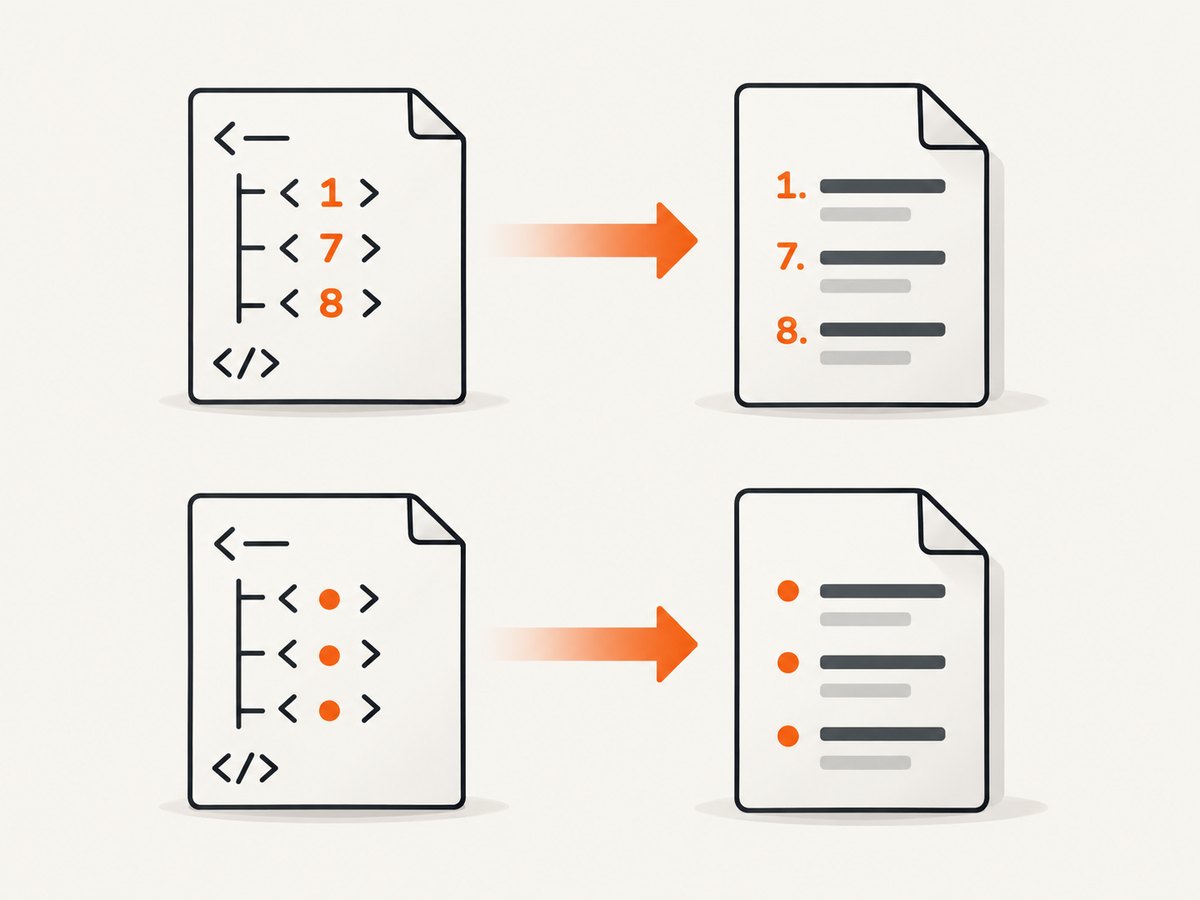
The WHATWG specification defines li[value] as an integer that sets the item’s ordinal when the list owner is an ol (HTML Living Standard). These examples therefore have different meanings:
<ol>
  <li>First</li>
  <li value="7">Seventh</li>
  <li>Eighth</li>
</ol>
The intended ordinals are 1, 7 and 8. By contrast, this is not a standard request for numbered output:
<ul>
  <li value="7">Item</li>
</ul>
A ul is an unordered list; its items do not acquire decimal ordinals from value. If you need visible numbers, use ol or explicit CSS/content that your renderer supports.
2. Understand iTextRenderer’s documented scope
iTextRenderer is part of the Flying Saucer family. The project describes Flying Saucer as an XML/XHTML and CSS 2.1 renderer, and its FAQ says input should be well-formed XHTML rather than malformed legacy HTML (project README, FAQ). The historical R8 guide also cautions that XHTML support is weaker than XML plus CSS and that not every XHTML presentational attribute is supported (R8 user guide).
Those statements explain why browser output and PDF output can differ, but they do not prove that a particular iTextRenderer release ignores li[value]. The authoritative sources retrieved for this issue do not name an implementation bug, affected release, or confirmed workaround. Treat any version-specific explanation as a hypothesis until you reproduce it with your dependency and input.
3. Build a minimal reproducible document
Remove templates, JavaScript, external stylesheets and unrelated markup. Use a complete, well-formed XHTML document and a non-sequential value:
<?xml version="1.0" encoding="UTF-8"?>
<!DOCTYPE html PUBLIC "-//W3C//DTD XHTML 1.0 Strict//EN" "http://www.w3.org/TR/xhtml1/DTD/xhtml1-strict.dtd">
<html xmlns="http://www.w3.org/1999/xhtml">
  <head>
    <title>List test</title>
    <style type="text/css">
      ol { margin-left: 2em; }
    </style>
  </head>
  <body>
    <ol>
      <li>One</li>
      <li value="7">Seven</li>
      <li>Eight</li>
    </ol>
  </body>
</html>
Then render exactly that file with the same artifact and version used in production. Record:
- the Flying Saucer/iTextRenderer artifact name and version;
- the Java runtime version;
- whether the source is parsed as XML/XHTML or first transformed from HTML;
- the generated PDF’s visible ordinals; and
- the browser’s output for the same source.
A small comparison tells you whether the problem is invalid semantics, parsing, CSS, or renderer behavior.
4. Render the test with Java
The following is the conventional iTextRenderer shape. Use the API exposed by the exact Flying Saucer artifact in your build; artifact names and Java requirements vary by release.
import java.io.FileOutputStream;
import java.io.OutputStream;
import org.xhtmlrenderer.pdf.ITextRenderer;

public final class RenderList {
  public static void main(String[] args) throws Exception {
    String input = "list-test.xhtml";
    String output = "list-test.pdf";

    ITextRenderer renderer = new ITextRenderer();
    renderer.setDocument(new java.io.File(input));
    renderer.layout();
    try (OutputStream stream = new FileOutputStream(output)) {
      renderer.createPDF(stream);
    }
  }
}
Do not infer support from a browser preview. The PDF renderer may implement a narrower subset of HTML and CSS, and the project’s documented target is XHTML plus CSS 2.1.
5. Diagnose the common failure modes
| Symptom | Likely check | Action |
|---|---|---|
value has no effect inside ul |
List owner is unordered | Change the structure to ol if ordinal numbering is intended. |
All items remain 1, 2, 3 in an ol |
Renderer/version behavior is unknown | Capture a minimal XHTML/PDF pair and identify the exact artifact and version. |
| Numbers disappear entirely | CSS may remove markers | Check for list-style: none, zeroed padding, or generated-content rules. |
| Source is accepted in a browser but fails in PDF | Malformed or HTML5-only markup | Serialize well-formed XHTML and validate namespaces, closing tags and attribute values. |
| Output changes after a dependency upgrade | Renderer implementation or Java requirements changed | Pin the tested version and compare release notes and artifacts before upgrading. |
| CSS counter workaround behaves differently | CSS 2.1 support and counter details vary | Verify the workaround against your exact renderer; do not assume browser equivalence. |
The frequently repeated claim that incomplete support is the definite cause, or that CSS counters always solve it, comes from a secondary Q&A page rather than verified project documentation (secondary discussion). Use it as a lead, not as proof.
6. Evaluate the Chrome-based artifact when browser fidelity matters
The current Flying Saucer repository lists flying-saucer-chrome-pdf, described as delegating to chrome-headless-shell and supporting modern HTML5/CSS3 (project README). That makes it an option to evaluate when your document depends on browser-era HTML or CSS. It is not a confirmed fix for li[value]; compare both artifacts with your minimal document and production template.
Compare these dimensions:
- Input contract: XML/XHTML and CSS 2.1 versus modern HTML5/CSS3.
- Deployment: Java-only renderer versus a Chrome-based runtime and its operational requirements.
- Output: list ordinals, fonts, page breaks and other features on your real documents.
- Migration: dependency changes, startup behavior and operational monitoring must be measured in your environment.
7. Or skip the browser setup
If your real goal is to capture a web page as an image or PDF rather than generate a PDF from local XHTML, ScreenshotNeo provides a single HTTP request. Its API accepts a URL and returns PNG, JPEG, WebP or PDF; documentation is at screenshotneo.com/docs.

curl -G "https://api.screenshotneo.com/v1/shot" -d access_key=YOUR_API_KEY --data-urlencode url=https://stripe.com -o shot.webpimport requests
r = requests.get("https://api.screenshotneo.com/v1/shot", params={"access_key": "YOUR_API_KEY", "url": "https://stripe.com"}, timeout=90)
open("shot.webp", "wb").write(r.content)const q = new URLSearchParams({ access_key: 'YOUR_API_KEY', url: 'https://stripe.com' });
const res = await fetch(`https://api.screenshotneo.com/v1/shot?${q}`);Cookie banners, newsletter popups and chat widgets are removed before the shot. Bot checks, blank pages and failed loads are not billed, and response headers identify the page verdict and billing status. An MCP server lets Claude, Cursor and other MCP clients call take_screenshot, get_page_info and capture_pdf. The Free plan includes 1,000 screenshots per month with no card; paid plans start at $5 for 3,000. Create a free ScreenshotNeo account.
8. Performance, reliability and cost considerations
- Keep the minimal XHTML fixture in your regression tests so renderer upgrades can be compared quickly.
- Pin versions and record Java runtime requirements; the project lists changing requirements across releases.
- For server workloads, reuse renderer setup where the artifact permits it, but isolate documents and output streams per request.
- Prefer deterministic local assets and embedded styles while diagnosing; remote fonts and images add unrelated failure modes.
- For ScreenshotNeo, use caching with a chosen TTL when repeated captures are acceptable, and inspect
X-Page-VerdictandX-Billedto reconcile usage.
9. FAQ
Does li value work in every list?
No. The standard defines the ordinal behavior for an li whose list owner is an ol.
Is iTextRenderer definitely broken?
The retrieved official sources do not establish that. They document a narrower XHTML/XML and CSS 2.1 target, so version-specific reproduction is required.
Should I use CSS counters?
Only after verifying them with your exact renderer and document. The available secondary suggestion is not an official, tested guarantee.
What information should a bug report include?
Include the artifact and version, Java version, complete minimal XHTML, expected and actual PDF output, and the code that performs rendering.


