How to Load CSS from a String in Node.js
Parse, transform, validate, or render CSS held in memory with PostCSS, browser CSSOM APIs, and practical Node.js examples.

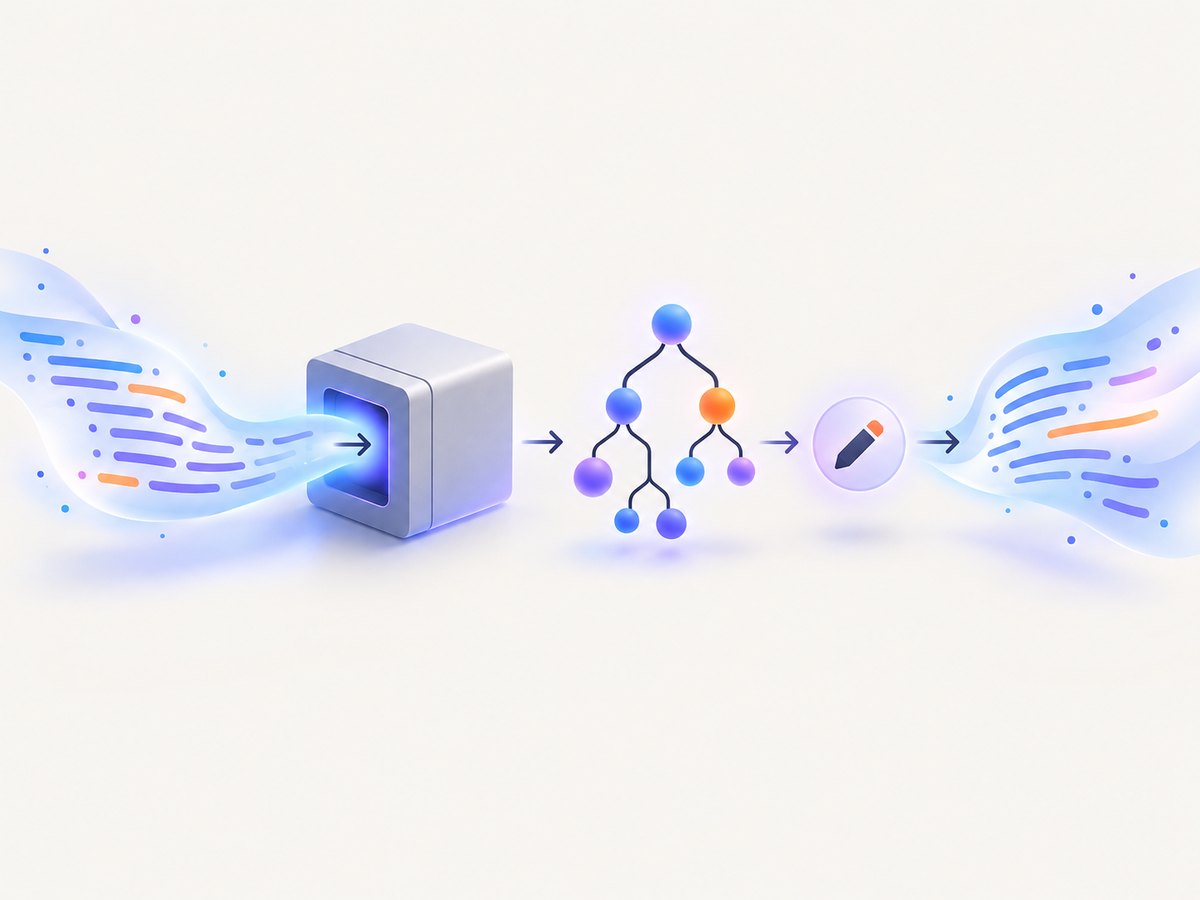
Direct answer: If your CSS already exists as a JavaScript string and you need to inspect or transform it in Node.js, pass it to a CSS parser. PostCSS parses the string in memory and returns a syntax tree:
import postcss from 'postcss'

const css = 'h1 { color: rebeccapurple; }'
const root = postcss.parse(css)

console.log(root.first.selector) // h1
Parsing does not write a file and does not apply styles to a document. Use PostCSS processing when you need plugins, and use browser CSSOM APIs when you need to attach rules to a rendered page. This distinction prevents the most common misunderstanding behind the phrase “load CSS from a string.”
1. Choose what “load CSS” means
There are three different jobs that are often described with the same words:
| Goal | Recommended approach | Result |
|---|---|---|
| Inspect, edit, or validate CSS | postcss.parse(cssString) |
A PostCSS Root tree |
| Run transforms such as nesting or autoprefixing | postcss(plugins).process(cssString, options) |
Processed CSS and messages |
| Apply CSS to a browser stylesheet | Browser CSSStyleSheet APIs |
Rules attached to a document or adopted stylesheet |
A server-side parser understands CSS syntax, but it does not render HTML. Conversely, a browser stylesheet object is not a general-purpose Node.js parser. Keep the parsing, transformation, and rendering steps explicit in your design.
2. Install PostCSS
Create a project and install PostCSS from npm:
mkdir css-string-demo
cd css-string-demo
npm init -y
npm install postcss
For the examples below, use an ESM file such as index.mjs. In a package configured with "type": "module", you can use .js instead.
3. Parse a CSS string into an AST
postcss.parse(css) returns a PostCSS root node containing rules, declarations, comments, and at-rules. You can walk that tree without creating a temporary file.
import postcss from 'postcss'

const css = `
  /* Theme */
  :root { --brand: rebeccapurple; }
  h1, h2 { color: var(--brand); }
`

const root = postcss.parse(css)

root.walkRules((rule) => {
  console.log('selector:', rule.selector)
  rule.walkDecls((decl) => {
    console.log(`  ${decl.prop}: ${decl.value}`)
  })
})

console.log(root.toString())
The returned tree is mutable. For example, this script changes a declaration and adds a rule:
import postcss from 'postcss'

const css = 'h1 { color: rebeccapurple; }'
const root = postcss.parse(css)

root.walkDecls('color', (decl) => {
  decl.value = 'darkslateblue'
})

root.append({ selector: '.notice', nodes: [
  { prop: 'padding', value: '1rem' },
  { prop: 'border', value: '1px solid currentColor' }
] })

console.log(root.toString())
Use the PostCSS API documentation for the complete node and parser API. If source locations matter, pass parser options such as a source filename:
const root = postcss.parse(css, { from: 'generated/theme.css' })4. Process the string with PostCSS plugins
Parsing gives you an AST. Processing is the right API when one or more plugins should transform the CSS. Processing can be asynchronous, so await the result.
import postcss from 'postcss'
import autoprefixer from 'autoprefixer'

const css = `.card { user-select: none; }`

const result = await postcss([autoprefixer]).process(css, {
  from: undefined,
  to: undefined
})

console.log(result.css)
console.log(result.messages)
Install each plugin separately, and configure its browser targets in the plugin’s documented way. The from option can be a source filename when diagnostics or source maps need a meaningful origin. With an in-memory string and no source file, from: undefined avoids misleading paths.
You can combine inspection and processing. A plugin receives the parsed tree, while the final output is available as result.css:
const root = postcss.parse(css)
const result = await postcss([myPlugin]).process(root, { from: undefined })
console.log(result.css)
5. Parse and stringify with the css package
The npm package named css exposes a smaller parse/stringify style API:
import css from 'css'

const ast = css.parse('h1 { color: rebeccapurple; }')
ast.stylesheet.rules[0].declarations[0].value = 'slateblue'

const output = css.stringify(ast)
console.log(output)
Its npm page documents this API, but the listed 3.0.0 release is old. Check its maintenance status, Node compatibility, and behavior against your project before selecting it. For new tooling, PostCSS is usually the more flexible choice because its tree model and plugin ecosystem cover parsing and transformation in one API.
6. CommonJS and TypeScript usage
In a CommonJS project, load PostCSS with require:
const postcss = require('postcss')

const root = postcss.parse('.button { color: white; }')
console.log(root.first.selector)
TypeScript can use the same API after installing PostCSS and configuring ESM or CommonJS consistently with the rest of the project:
import postcss, { type Root } from 'postcss'

const css: string = '.button { color: white; }'
const root: Root = postcss.parse(css)
console.log(root.toString())
Do not mix module systems casually. Errors such as “require() of ES Module” usually mean the package type, file extension, and import style disagree.
7. Validate and handle syntax errors
CSS parsers reject malformed syntax at the point where they cannot build a valid tree. Put parsing at a clear input boundary and return a useful error to the caller:
import postcss from 'postcss'

export function parseCss(css, source = 'inline.css') {
  try {
    return postcss.parse(css, { from: source })
  } catch (error) {
    if (error.name === 'CssSyntaxError') {
      throw new Error(
        `Invalid CSS in ${source} at line ${error.line}, column ${error.column}: ${error.reason}`
      )
    }
    throw error
  }
}

const root = parseCss('h1 { color: red; }')
console.log(root.toString())
Preserve the original input when you need to show a failing line to a user. For untrusted input, impose a maximum string length and avoid running arbitrary JavaScript supplied by that input. CSS parsing itself is different from executing code.
8. Why regular expressions and node:vm are poor substitutes
A regular expression can find a simple declaration, but it is not a general CSS parser. Nested at-rules, comments, quoted strings, escaped characters, custom properties, and data URLs all contain braces, colons, or semicolons that defeat split-based logic.
node:vm compiles and runs JavaScript in V8 contexts. It does not parse CSS, and the Node.js VM documentation warns that VM contexts are not a security mechanism for untrusted code. Use a CSS parser for CSS and a deliberately designed sanitizer or policy for untrusted content.
9. Applying a CSS string in a browser
If the requirement is to style a real browser document, parsing with PostCSS is only preparation. In a browser, create a stylesheet and replace its rules:
const sheet = new CSSStyleSheet()
sheet.replaceSync('body { background: lavender; }')
document.adoptedStyleSheets = [...document.adoptedStyleSheets, sheet]
CSSStyleSheet.replaceSync() is a browser CSSOM operation documented by MDN. It is not available as a plain Node.js global. In Node, use a browser runtime or an explicitly chosen DOM/CSSOM implementation when you need rendering, layout, computed styles, or screenshot output.
10. Or skip the browser setup
When the actual goal is a rendered screenshot of a URL, ScreenshotNeo handles the browser session and returns an image or PDF. See the ScreenshotNeo API documentation for all options.

curl -G "https://api.screenshotneo.com/v1/shot" -d access_key=YOUR_API_KEY --data-urlencode url=https://stripe.com -o shot.webpimport requests
r = requests.get("https://api.screenshotneo.com/v1/shot", params={"access_key": "YOUR_API_KEY", "url": "https://stripe.com"}, timeout=90)
open("shot.webp", "wb").write(r.content)const q = new URLSearchParams({ access_key: 'YOUR_API_KEY', url: 'https://stripe.com' });
const res = await fetch(`https://api.screenshotneo.com/v1/shot?${q}`);Cookie banners, newsletter popups, and chat widgets are removed before the shot. Bot checks, blank pages, failed loads, timeouts, and cache hits are not billed, and response headers report the page verdict and billing result. An MCP server provides take_screenshot, get_page_info, and capture_pdf tools for Claude, Cursor, and other MCP clients. The free plan includes 1,000 screenshots each month with no card; paid plans start at $5 for 3,000 shots. Create a free ScreenshotNeo account.
11. Troubleshooting checklist
| Symptom | Likely cause | Fix |
|---|---|---|
Cannot find package 'postcss' |
Dependency is not installed in the current project. | Run npm install postcss from the project directory and check the lockfile. |
require() of ES Module |
CommonJS and ESM settings are mixed. | Use import with ESM or require in a compatible CommonJS setup. |
| Unexpected end of input | Unclosed brace, comment, string, or parenthesis. | Use the reported line and column; preserve source text for diagnostics. |
| Output is unchanged | A plugin was not supplied, or the AST was inspected without mutation. | Pass plugins to postcss([...]) or edit nodes before calling toString(). |
| Styles do not appear in a page | Server-side parsing does not attach CSS to a DOM. | Use browser CSSOM APIs or a browser automation runtime. |
| Source map or path is confusing | No meaningful source option was provided. | Set from and, when needed, to to stable filenames. |
| Screenshot is blank or blocked | The target requires interaction, rejects bots, or failed to load. | Wait for a selector or network idle, set headers/cookies, or inspect the page verdict headers. |
12. Performance, reliability, and cost considerations
- Parsing: Keep CSS in memory and parse once when the same tree is reused. Repeated parse/stringify cycles add CPU and allocation overhead.
- Large stylesheets: Set an input-size limit, avoid logging complete CSS, and process independent files separately when memory pressure matters.
- Plugins: Prefer one processing pipeline over many serial pipelines. Await asynchronous plugins and handle rejected promises at the job boundary.
- Source maps: Enable them only when downstream debugging needs them; they increase output size and work.
- Rendering: Browser layout and screenshot capture cost far more than AST parsing. Wait for a specific selector or network idle instead of using an unnecessarily long fixed delay.
- Retries: Retry transient network failures with bounded backoff. Do not blindly retry deterministic syntax errors or authentication failures.
- Screenshot costs: ScreenshotNeo bills only clean shots. Failed loads, bot checks, blank pages, timeouts, and cache hits are free, with billing status returned in headers. Choose a cache TTL when repeated captures are acceptable.
13. Practical decision guide
- Need selectors, declarations, comments, or at-rules? Use
postcss.parse(css). - Need autoprefixing, nesting, minification, or another transform? Use
postcss(plugins).process(css, options). - Need a browser to apply styles and calculate layout? Use
CSSStyleSheetin a browser or browser automation. - Need a screenshot or PDF from a URL without maintaining browser infrastructure? Use ScreenshotNeo.
- Need to support arbitrary third-party CSS? Add input limits, error handling, and an explicit trust policy.
FAQ
Can PostCSS parse CSS without a file?
Yes. Pass the JavaScript string directly to postcss.parse(); the CSS remains in memory.
Does parsing validate every browser-specific behavior?
Parsing checks syntax and builds a tree. It does not emulate browser layout or determine whether a property is supported by a particular browser.
Can I use PostCSS to render HTML?
No. PostCSS parses and transforms CSS. Rendering requires a browser or a DOM and CSS engine.
When should I choose the css package?
Choose it only when its AST and stringifier fit your project and its current maintenance and Node compatibility are acceptable.
How do I capture a page after injecting CSS?
Use browser automation to inject the string, then capture the page, or serve the generated HTML/CSS at a URL and call ScreenshotNeo. Configure waits and selectors so the styles are present before capture.