How to Manage Screenshot API Rate Limits
Stop screenshot API 429 errors with queues, backoff, caching, quota monitoring, and practical retry code for production systems.

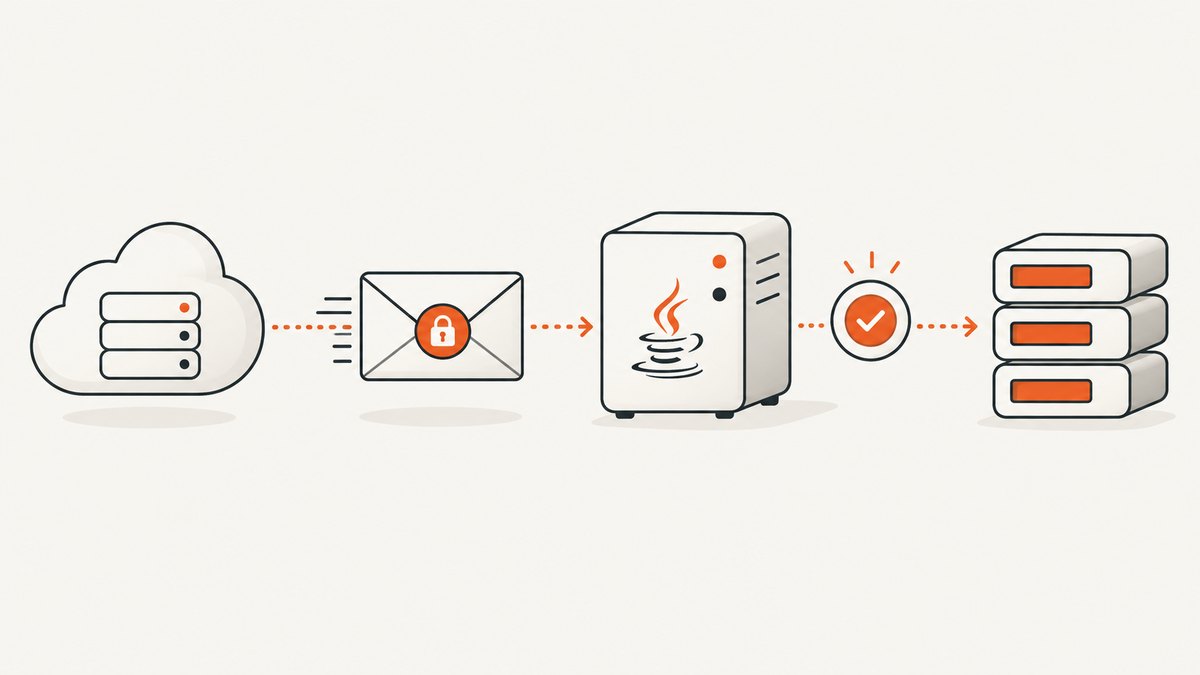
Use a queue and a limiter in front of your screenshot provider, keep worker concurrency below the published request rate, read rate and quota headers on every response, cache captures that can be reused, and retry only temporary 429 or 503 responses. A 429 means the provider needs you to slow down. A monthly quota error means you have used your allowance and must wait for reset, change capacity, or apply a billing change; repeatedly retrying will not fix it.
Screenshot systems have two independent controls:
- Short-window request limits protect provider capacity. They may be expressed as requests per second, a leaky bucket, concurrency, or a burst allowance.
- Billing-period quotas limit the number of successful renders in a month or other plan period.
For example, ApiFlash documents a leaky bucket processing rate of 20 requests per second with a burst size of 400. Screenshot API publishes plan limits ranging from 1 request per second on Free to 50 on Business. These are provider-specific examples, not safe defaults for every account. Read your provider’s current documentation and live response headers before setting workers.
What a production rate-limit design looks like
- Measure every response. Record HTTP status, provider error code,
Retry-After, rate-limit remaining and reset values, quota remaining and reset values, latency, and cache status. - Queue capture jobs durably. Put requests in a queue such as a database-backed job table or your existing message broker. A worker should claim a job, acquire a limiter token, call the provider, and record the result.
- Throttle before the provider. Use a token bucket or leaky bucket. Set the sustained rate below the documented plan limit and reserve capacity for normal variance. Limit concurrency separately when renders are expensive.
- Coalesce duplicates. Use a key made from the URL and every rendering option that changes pixels. If two callers request the same key, let one job run and have the others wait for its result.
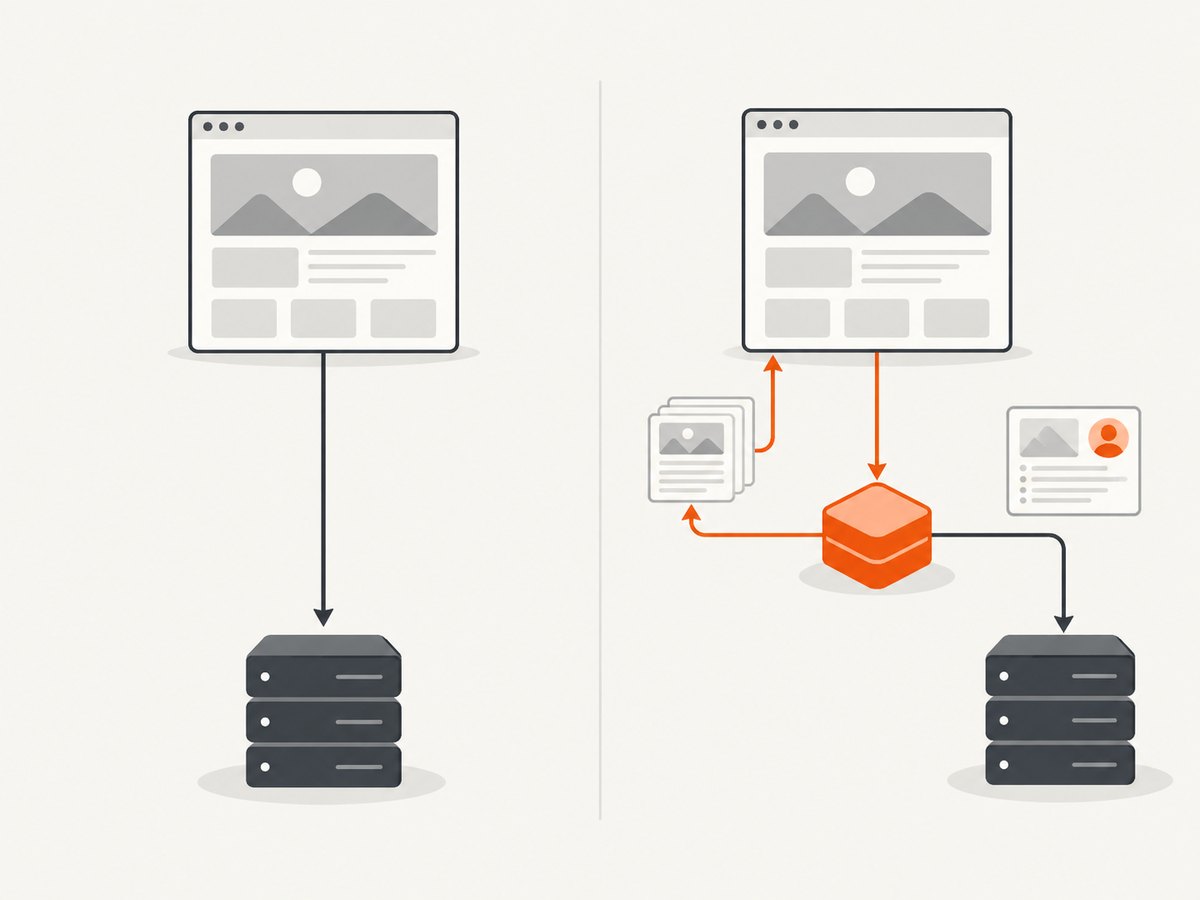
- Cache intentionally. Define how fresh a screenshot must be. A cache hit avoids a browser render and protects both your request limit and monthly allowance.
- Retry selectively. Retry temporary 429 and 503 responses with server-directed timing, bounded exponential backoff, and jitter. Do not retry malformed requests, bad credentials, or exhausted monthly quotas.
- Expose capacity clearly. If your own queue is full, return a useful 429 or 503 from your endpoint with a retry estimate. Do not allow unbounded memory queues.
Rate limits and quotas are different failure modes
| Signal | Meaning | Action | Retry automatically? |
|---|---|---|---|
| 429 | Short-window rate or concurrency limit exceeded | Honor Retry-After; otherwise use bounded backoff and jitter |
Usually, if the request itself is valid |
| 503 | Temporary provider overload or unavailable capacity | Back off, retry a small number of times, then move the job to a delayed queue | Usually |
| 400 | Invalid URL, option, or request shape | Fix validation and log the rejected input | No |
| 401/403 | Invalid, revoked, or unauthorized credentials | Rotate or correct credentials and permissions | No |
| Quota exhausted | Monthly or billing-period allowance is zero | Wait for reset, reduce usage, or change the plan | No |
Screenshot API’s documentation explicitly separates plan request rates from monthly render allowances and says to honor Retry-After. ScreenshotEngine similarly recommends increasing delays and adding jitter for temporary 429 or 503 responses, while excluding invalid input, invalid credentials, and monthly quota errors from automatic retries.
Read rate-limit and quota headers
Headers are more reliable than guessing from elapsed time. ApiFlash documents X-Quota-Limit, X-Quota-Remaining, and X-Quota-Reset. ShotOne publishes both rate-limit and quota header families. Providers may use different names, so preserve all response headers in structured logs.
At minimum, capture:
Retry-After: seconds or an HTTP date until another attempt is appropriate.- Rate-limit limit, remaining, and reset values.
- Quota limit, remaining, and reset values.
- Request ID and provider error code, when supplied.
- Whether the response was a cache hit, failed render, or successful render.
Alert before quota reaches zero. A practical alert can fire when remaining capacity falls below a fixed number or percentage, and again when the reset time is approaching. Use the provider’s usage endpoint when available rather than estimating usage from your own request count.
Implement bounded retries with Retry-After
The following Python example retries only 429 and 503 responses. It parses both forms of Retry-After, adds jitter when the header is absent, and stops after a small retry budget. The request timeout is separate from the retry delay.
import random
import time
from datetime import datetime, timezone
from email.utils import parsedate_to_datetime

import requests


def retry_after_seconds(value):
    if not value:
        return None
    try:
        return max(0, float(value))
    except ValueError:
        try:
            target = parsedate_to_datetime(value)
            if target.tzinfo is None:
                target = target.replace(tzinfo=timezone.utc)
            return max(0, (target - datetime.now(timezone.utc)).total_seconds())
        except (TypeError, ValueError, OverflowError):
            return None


def capture_with_retry(endpoint, params, max_retries=4):
    for attempt in range(max_retries + 1):
        response = requests.get(endpoint, params=params, timeout=90)
        if response.status_code not in (429, 503):
            response.raise_for_status()
            return response

        if attempt == max_retries:
            raise RuntimeError(
                f"temporary provider error after {max_retries} retries: "
                f"HTTP {response.status_code}"
            )

        server_delay = retry_after_seconds(response.headers.get("Retry-After"))
        backoff = min(30, 0.5 * (2 ** attempt))
        delay = server_delay if server_delay is not None else backoff
        delay += random.uniform(0, min(1.0, delay * 0.25))
        time.sleep(delay)


response = capture_with_retry(
    "https://api.example.test/v1/shot",
    {"url": "https://example.com"},
)
open("shot.webp", "wb").write(response.content)
In a real worker, a final temporary failure should return the job to a delayed queue with an attempt count and next-attempt timestamp. That keeps a provider outage from creating a synchronized retry storm.
Use a token bucket to control concurrency
A rate limiter controls starts over time; a semaphore controls how many browser renders are in flight. Use both. A provider may allow a high request rate while your own workers, network, or storage become saturated.
import asyncio
import time

class TokenBucket:
    def __init__(self, rate, capacity):
        self.rate = rate
        self.capacity = capacity
        self.tokens = capacity
        self.updated = time.monotonic()
        self.lock = asyncio.Lock()

    async def acquire(self):
        while True:
            async with self.lock:
                now = time.monotonic()
                self.tokens = min(
                    self.capacity,
                    self.tokens + (now - self.updated) * self.rate,
                )
                self.updated = now
                if self.tokens >= 1:
                    self.tokens -= 1
                    return
                wait = (1 - self.tokens) / self.rate
            await asyncio.sleep(wait)

bucket = TokenBucket(rate=4, capacity=8)
in_flight = asyncio.Semaphore(4)

async def run_capture(capture):
    await bucket.acquire()
    async with in_flight:
        return await capture()
Set rate below your provider’s documented sustained rate. A bucket capacity permits bursts; keep it small unless your plan explicitly supports large bursts. Spread work continuously instead of releasing every job at the exact reset boundary.
Cache and deduplicate captures
Build a deterministic cache key from the normalized URL, viewport, device preset, full-page setting, selector, color scheme, custom CSS and JavaScript, headers, cookies, user agent, wait conditions, and every other option that can alter pixels. Include a version number so you can invalidate old rendering behavior after a code change.
Choose a freshness policy per use case:
| Use case | Typical policy |
|---|---|
| Documentation or marketing page | Hours or a day |
| Visual regression test | Very short TTL or no cache |
| Social preview image | Until the source content changes |
| Customer dashboard | Short TTL plus explicit refresh |
ScreenshotOne documents that cached screenshots are not counted toward quota and supports a cache_ttl option. Treat that as provider-specific behavior and verify it in the documentation for your account.
Protect your own screenshot endpoint
If browsers or customers call your endpoint directly, apply a second limiter before your provider call. Limit by authenticated tenant or another fair identity, cap URL length and queue depth, and keep provider keys on the server. A single public endpoint that forwards every request immediately can turn one user’s burst into a provider-wide 429 storm.
ApiFlash’s Nginx guidance demonstrates a protective pattern: limit each IP to 1 request per second with a burst of 10, and cache generated screenshots. Your values should reflect your users and plan rather than copying that example unchanged.
cURL example with response diagnostics
curl -i -G "https://api.example.test/v1/shot" \
  --data-urlencode "url=https://example.com" \
  -o shot.webp
Use -i while diagnosing so you can inspect status and headers. In production, capture headers separately and avoid writing an error response over an image file. Check the content type before storing the body as a screenshot.
Or skip the browser setup
ScreenshotNeo provides a website screenshot API and MCP server. One GET request returns PNG, JPEG, WebP, or PDF. Its clean-shot flow accepts consent banners like a visitor and removes more than 60 known consent platforms, newsletter popups, and chat widgets before capture; each step can be disabled.
ScreenshotNeo reports whether a response was a clean shot, bot check, blank page, timeout, failed load, or cache hit, using X-Page-Verdict and X-Billed headers. Bot checks, blank pages, timeouts, failed loads, and cache hits cost nothing. You can still apply the queue, cache, and retry patterns above to protect your own endpoint.
See the ScreenshotNeo documentation for the complete option list. The API supports full-page capture with lazy images loaded, CSS element capture, dark mode, device presets or custom viewports, retina scale, PDF paper size and page ranges, HTML/CSS rendering, custom CSS and JavaScript, clicks, selector waits, delays, network-idle waits, request blocking, custom headers and cookies, user agents, authorization, timezone, geolocation, transparent backgrounds, resizing, configurable cache TTL, signed image links, asynchronous jobs with signed webhooks, bulk capture of up to 100 URLs per call, a usage API, and an OpenAPI specification.
cURL
curl -G "https://api.screenshotneo.com/v1/shot" -d access_key=YOUR_API_KEY --data-urlencode url=https://stripe.com -o shot.webpPython
import requests
r = requests.get("https://api.screenshotneo.com/v1/shot", params={"access_key": "YOUR_API_KEY", "url": "https://stripe.com"}, timeout=90)
open("shot.webp", "wb").write(r.content)
Node.js
const q = new URLSearchParams({ access_key: 'YOUR_API_KEY', url: 'https://stripe.com' });
const res = await fetch(`https://api.screenshotneo.com/v1/shot?${q}`);
if (!res.ok) throw new Error(`Screenshot failed: ${res.status}`);
const fs = await import('node:fs/promises');
await fs.writeFile('shot.webp', Buffer.from(await res.arrayBuffer()));
ScreenshotNeo includes an MCP server with take_screenshot, get_page_info, and capture_pdf tools for Claude, Cursor, and other MCP clients. The Free plan includes 1,000 shots per month with no card; paid plans start at $5 for 3,000 shots. Create a free ScreenshotNeo account to start.
Performance, reliability, and cost notes
- Keep queues durable. Store the URL, options, attempt count, timestamps, response status, and output location so workers can restart safely.
- Use idempotency. A deterministic job key prevents duplicate renders after a worker timeout or process restart.
- Separate fast and slow jobs. Full-page pages, PDFs, and network-idle waits can occupy workers longer than viewport screenshots. Give them separate pools or concurrency limits.
- Spread scheduled work. A million jobs released at reset time will still hit short-window limits even when monthly quota is available.
- Budget by successful render. Count provider-defined billable renders, not only HTTP requests. Failed pages, cache hits, and quota behavior differ across providers.
- Measure end-to-end latency. Track queue wait, provider time, download time, and storage time separately so a slow queue is not mistaken for a provider rate limit.
- Use graceful degradation. If quota is exhausted, serve the last cached image, return a pending status, or show a clear unavailable state.
Troubleshooting common errors
“429 Too Many Requests” appears immediately
Your burst or concurrency is above the provider limit. Read Retry-After, reduce worker starts, lower bucket capacity, and check whether multiple application instances are each running an uncoordinated limiter.
Retries make the outage worse
All workers may be retrying at the same fixed delay. Use exponential backoff with random jitter, honor the server delay, cap attempts, and place exhausted jobs in a delayed queue.
Remaining quota is zero
This is a billing-period capacity problem, not a transient 429. Pause nonessential work, use cached results, alert an operator, and wait for reset or change capacity. Do not automatically retry every queued job.
Headers are missing
Some providers expose only a subset of rate information or put it in a JSON error body. Preserve the full response, consult current provider documentation, and use conservative local limits when no server timing is available.
Only one instance is rate-limited correctly
Each process may have its own in-memory bucket. Use a shared limiter backed by Redis or your database, or allocate a fixed portion of the provider limit to each instance.
A 400, 401, or 403 keeps retrying
Stop the retry loop. Validate the URL and options, check the access key and permissions, and move the job to a permanent-failure state until corrected.
Duplicate screenshots consume capacity
Your cache key may omit an option, or concurrent requests may race before the first result is stored. Include all pixel-affecting options and implement request coalescing with a lock or single-flight mechanism.
Operational checklist
- Document the provider’s sustained rate, burst, concurrency, and monthly quota.
- Implement one shared limiter per provider account.
- Honor
Retry-Afterand cap retries. - Never retry invalid input, invalid credentials, or quota exhaustion.
- Log rate and quota headers on every response.
- Cache and coalesce identical captures.
- Alert before quota reaches zero and publish reset time to operators.
- Test worker restarts, provider 429s, 503s, timeouts, and duplicate delivery.
FAQ
Should I retry every 429?
Retry a 429 only when the request is valid and the error represents a temporary request-rate limit. Honor Retry-After; otherwise use bounded backoff and jitter.
Does a larger monthly quota increase requests per second?
Not necessarily. Monthly allowance and short-window request rate are independent controls and may require different plan changes.
What is safer: a queue or a limiter?
Use both. The queue provides durability and smoothing; the limiter controls request starts, while a semaphore controls in-flight renders.
How should I handle a provider reset?
Do not release all waiting jobs at once. Continue at a steady rate below the published limit and keep observing live headers.
Can failed screenshots count against quota?
Behavior is provider-specific. Read the provider’s billing documentation and inspect response metadata. ScreenshotNeo identifies verdict and billing status in response headers and does not bill bot checks, blank pages, timeouts, failed loads, or cache hits.