How to Scale Web Scraping with Actor Factories
Scale scraping with Apify Actor factories by batching work, sharing durable storage, and coordinating child runs with retries, rate limits, and cost controls.
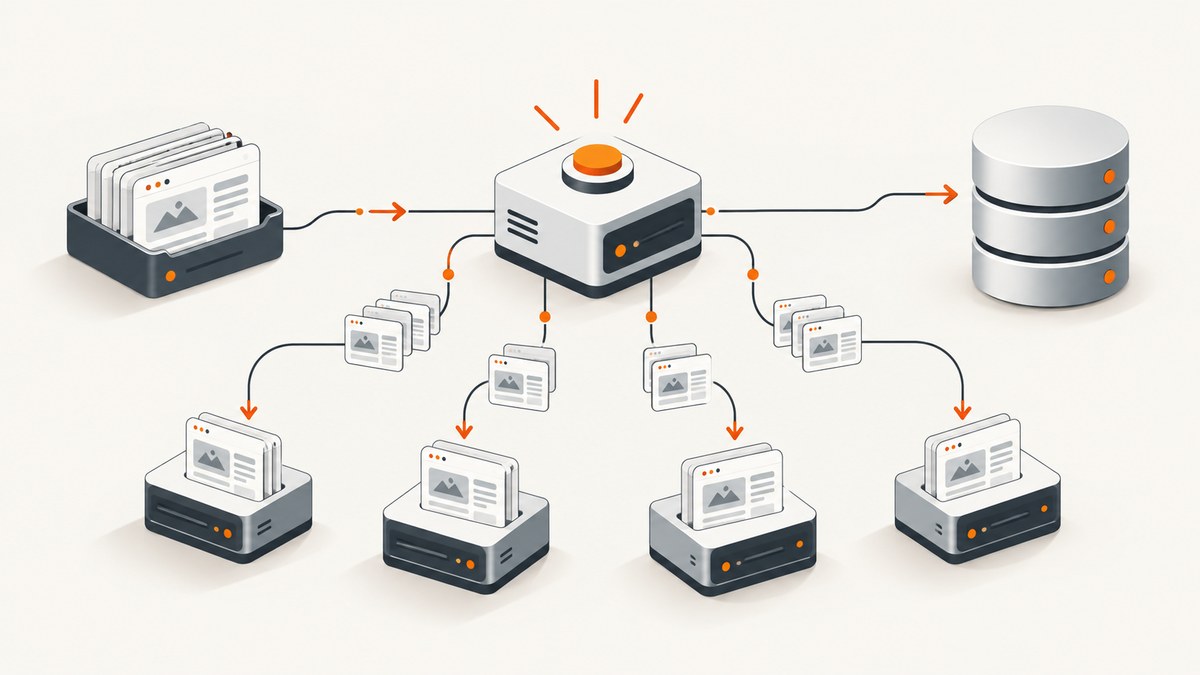
An Actor factory scales a scrape by separating coordination from page work: one orchestrator Actor partitions inputs, starts and tracks scraper Actors, and manages shared state; each scraper Actor fetches pages, extracts fields, and writes structured rows. For large finite crawls, batch multiple URLs per child run so Actor and browser startup costs are spread across more work. Use a shared request queue and dataset, persist every child run ID, and enforce per-domain limits even when your own account has spare capacity.
Use Apify Standby when you need a persistent HTTP endpoint and traffic varies. Use Crawlee autoscaling for many independent tasks. The right worker count is measured against target-site latency and errors, not guessed from available memory. This guide builds the batch factory pattern, explains recovery and costs, and covers the operational decisions that make higher concurrency safe.
1. Choose the execution mode
There are three useful shapes for a factory. They solve different workload problems.
| Mode | Best fit | Trade-off |
|---|---|---|
| Batch Actors | A finite list of URLs or search results | Simple and efficient when each run processes a meaningful batch; failed shards take longer to redo if they are too large. |
| Standby Actors | A persistent endpoint with variable incoming request volume | Apify can start additional runs as request concurrency rises, but you still need to configure desired and maximum requests per run and watch queueing and latency. |
| Orchestrator plus child Actors | Large work that benefits from parallelism, isolated failures, or separate discovery/fetch/parse stages | More throughput and recovery control, with additional durable orchestration state to maintain. |
Apify Actors take structured JSON input, can return structured output, can be called via API, CLI, or schedule, and can call other Actors. A factory can therefore separate discovery, fetching, parsing, validation, and export when those stages have different resource needs. For a finite bulk job, start with batches. Choose Standby when the caller expects an online service rather than a one-off crawl. Apify documents Standby scaling up to an account-level 2,000 requests per second; treat that as a platform limit, not a target-site allowance.
2. Design the factory around durable work
The orchestrator should own input normalization, deduplication, sharding, child lifecycle, retry policy, cancellation, and a completion manifest. A scraper should own a shard’s page fetching and extraction. Do not make the orchestrator the only place where progress exists: a process restart must be able to reconstruct which work is running and what remains.
Shared storage
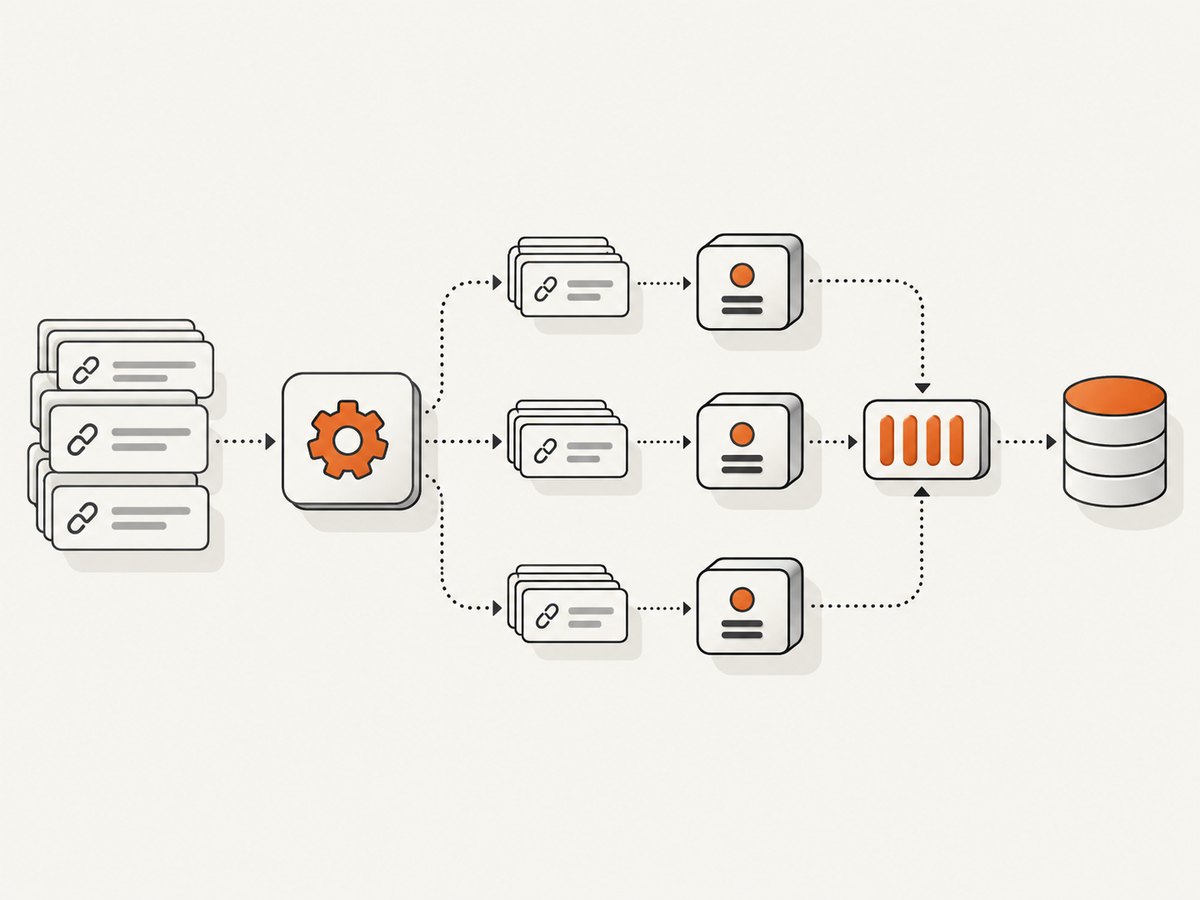
Pass the same request-queue ID and dataset ID to all scraper runs. The queue coordinates URL work; the dataset stores output rows. Persist the IDs of the child runs and the factory initialization state in persistent Actor state. Include a deterministic shard key in each dataset row so a retried shard can be deduplicated downstream. The exact storage client calls depend on the Actor implementation; the following code shows the orchestration shape with the documented Apify client concepts.
Runnable orchestrator example
This Node.js example accepts URLs, creates shared storage, starts batches, stores child run IDs, waits for completion, and emits a manifest. Set the child Actor ID and queue/dataset setup for your Actor’s input contract. Apify’s documented parallel-runs tutorial covers shared queues and datasets, persistence, resurrection, and abort propagation.
import { Actor } from 'apify';

await Actor.init();
const input = await Actor.getInput() ?? {};
const urls = [...new Set((input.urls ?? []).map(x => x.trim()).filter(Boolean))];
const batchSize = Math.max(1, Number(input.batchSize ?? 50));
const maxChildren = Math.max(1, Number(input.maxChildren ?? 4));
const childActorId = input.childActorId;
if (!childActorId) throw new Error('childActorId is required');

// Create or open these once for the factory. Share the resulting IDs with children.
const queue = await Actor.openRequestQueue();
const dataset = await Actor.openDataset();
const shards = [];
for (let i = 0; i < urls.length; i += batchSize) {
  shards.push({ key: `shard-${i / batchSize}`, urls: urls.slice(i, i + batchSize) });
}

const state = await Actor.getPersistentState() ?? { initialized: false, runs: [] };
if (!state.initialized) {
  state.initialized = true;
  state.runs = [];
  await Actor.setPersistentState(state);
}
const completed = [];
for (let i = 0; i < shards.length; i += maxChildren) {
  const group = shards.slice(i, i + maxChildren);
  const started = await Promise.all(group.map(async shard => {
    const run = await Actor.call(childActorId, {
      shardKey: shard.key,
      urls: shard.urls,
      requestQueueId: queue.id,
      datasetId: dataset.id,
    });
    state.runs.push({ shardKey: shard.key, runId: run.id, status: run.status });
    await Actor.setPersistentState(state);
    return { shard, run };
  }));
  const results = await Promise.all(started.map(async item => {
    const run = await Actor.apifyClient().runs().get(item.run.id);
    return { shardKey: item.shard.key, runId: item.run.id, status: run?.status ?? 'MISSING' };
  }));
  completed.push(...results);
}
await Actor.setValue('FACTORY_MANIFEST', {
  inputCount: urls.length,
  shardCount: shards.length,
  children: completed,
  completedAt: new Date().toISOString(),
});
await Actor.exit();
For production, the example’s wait section must poll each child until a terminal status rather than reading status immediately after starting it. Persist each returned run ID immediately, before launching more work. Also make queue and dataset IDs explicit in the factory state if your setup creates named stores outside the default Actor stores. The child Actor must open the supplied stores by ID and write rows with the shard key; it must not silently create a private dataset per child.
Scraper Actor contract
Keep the child input small and explicit: shard key, URLs or queue ID, dataset ID, and any extraction options. The child should return summary counts and write one row per successfully extracted item. A row might contain url, shardKey, fetchedAt, selected fields, and an error classification for failed items. Avoid putting credentials or session cookies into logs or output rows.
3. Partition work and set concurrency
Normalize URLs before partitioning: trim whitespace, canonicalize host casing, remove fragments, and apply only the query-string normalization that is correct for the target. Deduplicate after normalization. For search-based inputs, persist the query and page cursor as part of the shard identity so a resumed job can reproduce its inputs.
- Estimate the target’s acceptable per-domain request rate and the scraper’s memory budget.
- Choose a batch size large enough to amortize Actor startup, but small enough that a failed run can be retried without replaying an unacceptably large amount of work.
- Choose child concurrency independently from URLs per child. A large batch does not require many concurrent children.
- Start conservatively, then measure successful pages per minute, p95 latency, retries, and target responses while increasing one setting at a time.
- Apply a per-domain limiter inside the scraper or shared queue. Spare account capacity is not permission to increase pressure on a site.
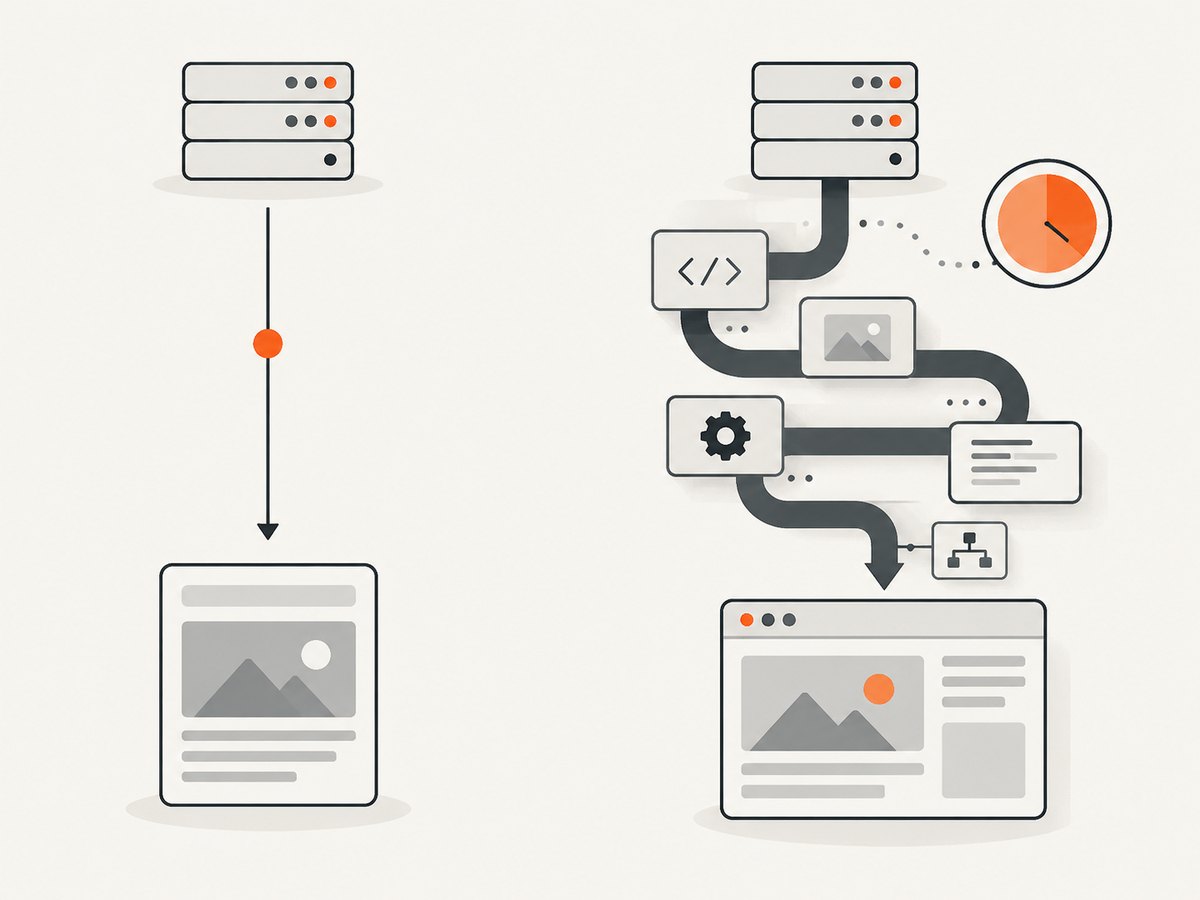
For a large set of independent tasks, Crawlee-based Actors can autoscale. For static HTML, HTTP with Cheerio avoids browser rendering overhead; Apify says Cheerio can be up to 20 times faster than browser-based scraping. Choose Playwright or Puppeteer when the page requires JavaScript rendering, interaction, or browser state. Browser work consumes more startup and memory, so a batch size that suits HTTP fetching may be too large for browser contexts.
More memory does not necessarily mean more CPU. Apify notes that Node.js Actors generally cannot use more than one core unless multithreaded components are configured, and identifies 4,096 MB as a middle ground. Treat it as a starting point for benchmarking, not a universal setting. Compare memory and concurrency combinations using the same representative shard.
4. Make retries and restarts safe
Each shard should be idempotent: rerunning it should not create duplicate logical output. A deterministic key can be based on normalized URL plus extraction version, or on source record ID. If the dataset permits repeated writes, deduplicate during aggregation or export using that key.
- Persist before fan-out: save factory initialization, store IDs, planned shard keys, and known child IDs durably.
- Record immediately: after each child starts, save its run ID before starting the next group.
- Resume deliberately: on restart, inspect recorded children. Leave running children alone; resurrect interrupted children using their known input and shared stores; treat missing runs as explicit failures.
- Bound retries: retry transient network failures with exponential backoff and a maximum attempt count. Do not retry permanent validation or access errors indefinitely.
- Propagate cancellation: when the factory receives an abort event, stop launching shards and abort active children.
- Emit a manifest: include input, completed, and failed counts plus child run IDs and shard keys.
Do not rely on Promise.all() alone for reliability. It coordinates completion in the current process, but it is not durable state. Record IDs and status first, then use promises or polling to await work. If a group has one failed child, collect all outcomes with settled-result handling so successful siblings are not forgotten.
5. Estimate throughput and cost
Apify compute units are based on memory multiplied by duration. Its example is 1,024 MB for one hour equals one compute unit. A useful estimate must include Actor startup, browser startup, page weight, retries, proxy usage, and the number of short runs. Batching reduces repeated startup overhead; oversized shards increase recovery time and the amount of work lost or replayed when a child fails.
Track these values per shard:
- Pages attempted and succeeded
- HTTP status distribution and extraction failures
- Median and p95 page latency
- Retry count and proxy errors
- Bytes transferred and compute units consumed
- Child startup time and total run duration
Use a small pilot to estimate cost per successful page, not merely cost per attempted URL. If retries rise as concurrency increases, total cost can worsen even while nominal throughput rises. Reduce concurrency or add per-domain pacing when the target begins returning throttles, blocking responses, or slower pages.
6. Troubleshooting
| Symptom | Likely cause | Fix |
|---|---|---|
| Child runs start slowly or total time barely improves | Too many tiny runs; startup and browser initialization dominate | Increase URLs per batch, or use an HTTP parser for static pages. |
| More workers produce more errors | Target rate limits, overloaded target, or proxy trouble | Reduce per-domain concurrency, add backoff, inspect status and proxy error distributions. |
| Factory restart duplicates output | Child IDs or shard state were not persisted; output is not idempotent | Persist each run ID immediately and write deterministic row keys. |
| Some child runs never appear in the manifest | State was only saved after the whole fan-out completed | Persist after each run starts; reconcile saved IDs at startup. |
| Dataset looks empty although children succeeded | Children wrote to their default private dataset instead of the shared dataset | Pass the dataset ID and have each child open that exact dataset. |
| Browser child exits for memory | Too many pages or contexts per Actor, oversized shard, or unnecessary browser rendering | Lower in-run concurrency, reduce shard size, use Cheerio for static content, or adjust memory after measuring. |
| One child failure cancels useful result handling | Promise.all() rejected before sibling statuses were recorded |
Use settled results and persist each child outcome independently. |
| A restarted factory reports a child as missing | Saved run reference is invalid or retention/state assumptions are wrong | Mark the shard failed explicitly and rerun from its durable input; do not silently count it as complete. |
7. Where screenshots fit in a scraping pipeline
Some extraction jobs need a visual record, for example when validating a rendered page or preserving evidence alongside structured data. If you need screenshots as part of a browser-based pipeline, you can capture them in the scraper Actor, but that adds browser work and storage to the crawl. For screenshot-only tasks, a screenshot API can keep capture separate from scraping; ScreenshotNeo is a website screenshot API and MCP server for developers.
Or skip the browser setup
Send one GET request with a URL to receive a PNG, JPEG, WebP, or PDF. See the ScreenshotNeo API documentation for request options and integration details.
curl -G "https://api.screenshotneo.com/v1/shot" -d access_key=YOUR_API_KEY --data-urlencode url=https://stripe.com -o shot.webpimport requests
r = requests.get("https://api.screenshotneo.com/v1/shot", params={"access_key": "YOUR_API_KEY", "url": "https://stripe.com"}, timeout=90)
open("shot.webp", "wb").write(r.content)const q = new URLSearchParams({ access_key: 'YOUR_API_KEY', url: 'https://stripe.com' });
const res = await fetch(`https://api.screenshotneo.com/v1/shot?${q}`);
if (!res.ok) throw new Error(`Screenshot request failed: ${res.status}`);
await Bun.write('shot.webp', new Uint8Array(await res.arrayBuffer()));Cookie banners are accepted and removed before capture, along with newsletter popups and chat widgets. Bot checks, blank pages, failed loads, timeouts, and cache hits are not billed, and responses identify the page verdict and billing state in headers. An MCP server provides take_screenshot, get_page_info, and capture_pdf for Claude, Cursor, and other MCP clients. The free plan includes 1,000 screenshots per month with no card; paid plans start at $5 for 3,000, and every feature is available on every plan.
Sign up free for 1,000 screenshots a month, no card required.
8. FAQ
Should I make one Actor per URL?
Usually no for finite crawls. Batch URLs so startup overhead is shared, unless the work needs per-URL isolation or duration is highly unpredictable.
How many child Actors should run at once?
There is no universal count. Start low and increase while tracking successful throughput, target latency, retries, and resource use.
Can I share a dataset across child runs?
Yes. Pass the dataset ID explicitly and have each child open it; otherwise children may write to their own default stores.
When should I use a browser?
Use one when rendering, interaction, or browser state is required. Prefer HTTP and Cheerio when the needed content is in static HTML.
What belongs in the factory manifest?
At minimum, input, completed and failed counts, shard keys, child run IDs, and final statuses.