Model Context Protocol (MCP): Definition and How It Works
MCP is an open protocol that connects AI applications to tools and data. Learn how hosts, clients, servers, capabilities, and transports fit together.

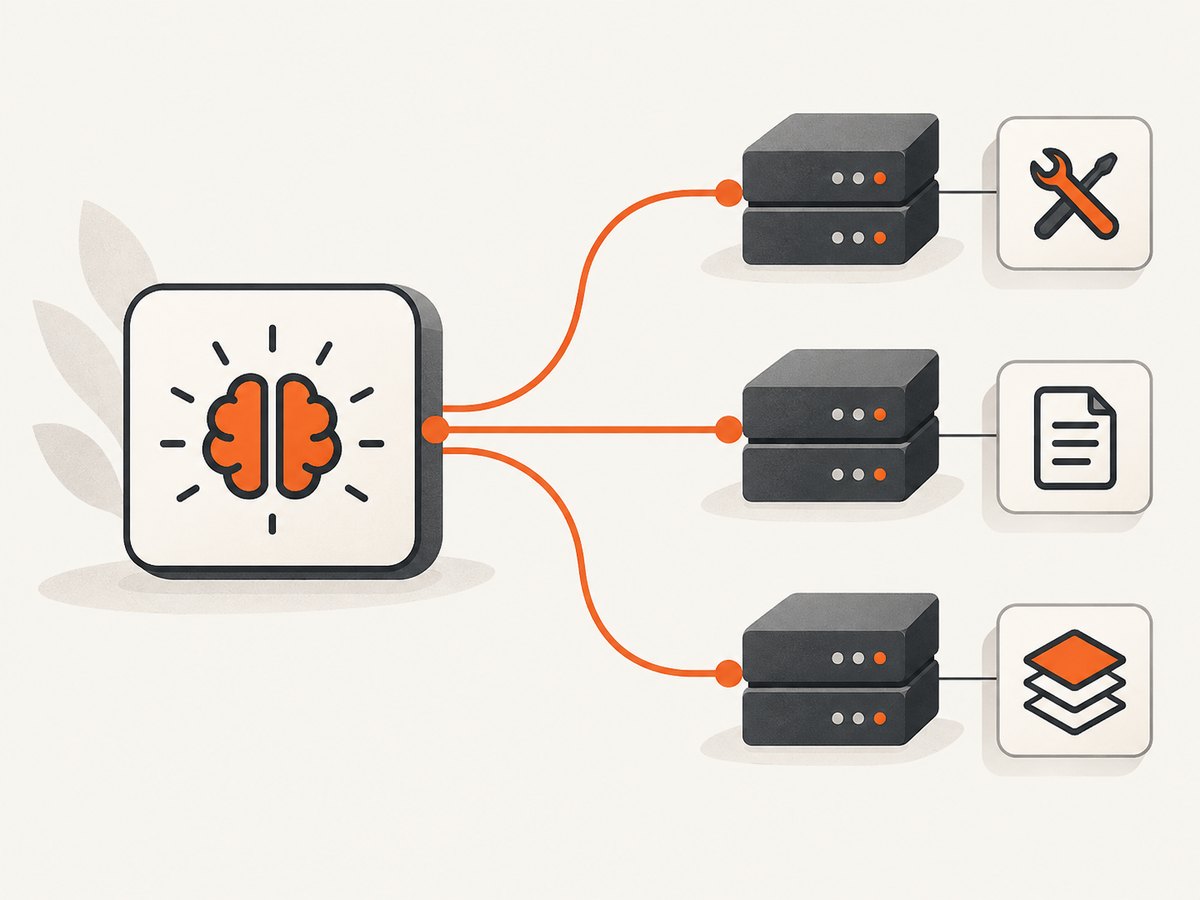
The Model Context Protocol (MCP) is an open protocol for connecting AI applications to external tools and data. It defines how an application and an MCP server exchange context and invoke capabilities; it does not define the model or dictate how the application should use it. A useful mental model is a shared connector contract: an AI application can talk to separate servers through clients that speak the same protocol, while each server offers a defined set of capabilities.
MCP is not an AI model, agent framework, or database. The host application remains in charge of orchestration, what information to share, and user permissions. The current reference point for this guide is the MCP specification released on 2026-07-28. Check your host and SDK compatibility before relying on newer behavior, because older explainers may describe earlier protocol versions.
1. MCP’s three roles
MCP separates the application using capabilities from the protocol component that connects to a server and the server that provides them.
| Role | What it does | Example |
|---|---|---|
| Host | The AI application. It coordinates model use, manages one or more clients, controls connection lifecycles, collects context, and handles authorization decisions. | An AI coding application that can access documentation and take screenshots. |
| Client | A host-managed protocol component that communicates with one server. | A client connection dedicated to a screenshot server. |
| Server | A local process or remote service that exposes focused capabilities. | A service offering tools to capture a page or read its metadata. |
A host that connects to three servers generally has three corresponding client connections. A connection does not give a server access to the host’s entire conversation. The host decides what information to send across that boundary and what operations the user may approve.
2. The capabilities an MCP server can expose
MCP defines three distinct kinds of server capability. A server implements the ones useful for its job; it does not have to provide all three.
- Tools perform operations. Each tool has a name, description, and structured input schema. The host can make available a tool call, the server validates and executes it, and the result returns to the application. Examples include searching, querying a database, or taking a screenshot.
- Resources expose data or content for a client to read and use as context. Examples include a database schema or file contents.
- Prompts are reusable templates for structuring an interaction with a server or its tools.
For example, a database server could expose a query tool, a resource containing its schema, and a prompt template for asking questions about the database. Those are related capabilities, but they serve different purposes: action, readable context, and reusable instructions.
3. What happens during an MCP interaction
- The host manages a client connection. The server may be a local process or a remote service. The host controls the lifecycle and what context crosses the connection.
- The client can discover server capabilities. It may send
server/discoverto learn supported protocol versions and capabilities. Discovery helps the client know what the server offers; it is not a requirement before every operation. - The client sends a JSON-RPC request. The request includes the protocol version and client capability metadata needed for that request. In the current revision, the server is expected to receive relevant metadata with each request rather than infer it from an earlier connection handshake.
- The server handles the operation. It returns a result or an error. For a tool call, the host can provide the result to the model, which may use it to continue the interaction.
- The host orchestrates and presents the outcome. MCP standardizes the exchange. The host decides how to combine results, when a user must authorize an action, and what the user sees.
This flow does not require the protocol to choose an AI model, decide the model’s next step, or make a server trustworthy. Those remain outside MCP’s communication contract.
4. Transports: local STDIO and remote Streamable HTTP
A transport specifies how protocol messages move. It does not change the meaning of tools, resources, prompts, or JSON-RPC operations. MCP uses the same protocol semantics over both transports.
| Transport | Message delivery | Typical fit | Practical considerations |
|---|---|---|---|
| STDIO | Newline-delimited messages over standard input and output of a client-launched local subprocess. | A local server used by one application on the same machine. | Keep standard output available for protocol messages. For credentials, use the environment as appropriate for the local setup. |
| Streamable HTTP | Requests use POST to a single MCP HTTP endpoint. A reply may be JSON or a request-scoped Server-Sent Events stream. | A remote service or server used over a network. | Plan for HTTPS, authorization, endpoint availability, and the host’s supported protocol version. |
Choose based on where the server runs, what can reach it, and how credentials are handled. A local integration does not need to be hosted in the cloud. A production remote integration may need a stable HTTPS endpoint. Confirm that the host and SDK support the transport and protocol revision you intend to use.
5. Current-version detail: requests are stateless
The 2026-07-28 revision makes MCP stateless at the protocol layer. A server must not rely on a prior request or connection to supply context for the current one. If a workflow needs to preserve state, it should use an explicit identifier and include it in later requests.
This matters when upgrading a server that relied on hidden transport-session state. The MCP maintainers describe the migration this way: “If your server needs to carry state across calls, mint an explicit handle from a tool and have the model pass it back as an argument.” That means a tool can return a handle, and a later tool call can pass it back explicitly.
The same release added Multi Round-Trip Requests for operations that need client input partway through, HTTP header-based routing details, and cache-aware list/read responses. It also deprecated Roots, Sampling, Logging, and legacy HTTP+SSE, with at least a twelve-month deprecation window. Treat these as version-sensitive: check the release notes, specification, host, and SDK before adopting a feature or migrating existing integrations.
6. Security and authorization boundaries
MCP standardizes communication; it does not make a connected server safe or guarantee that a requested action is appropriate. A host should decide what data a server can receive, what operations it can invoke, and when user consent is needed. Review each server according to the data and actions available to it.
- For HTTP transports: the MCP authorization framework applies; HTTP implementations should follow it. Use an appropriate authorization design for the endpoint and data involved.
- For STDIO: credentials should come from the environment rather than assuming the remote HTTP authorization flow applies.
- Do not treat self-reported metadata as proof: peer identity and capability metadata are not security decisions by themselves.
- Review permissions and secrets: avoid passing credentials or private context to a server unless the integration requires it and the host’s consent boundary is clear.
The July 2026 release describes authorization hardening, including issuer validation and issuer-bound client credentials, and a move toward Client ID Metadata Documents from Dynamic Client Registration. OAuth configuration is not universal for local STDIO integrations. For production servers included in OpenAI plugins, platform guidance recommends stable HTTPS endpoints using Streamable HTTP and authorization when the server accesses private data or acts for a user; that guidance applies to that platform, not to every MCP deployment.
7. Connecting an AI agent to a screenshot server
A screenshot server is a concrete example of a tool provider: an AI host can expose screenshot capture as an operation, then pass the returned result to the model. ScreenshotNeo is a website screenshot API and MCP server for developers. Its MCP tools are take_screenshot, get_page_info, and capture_pdf. An MCP client can discover and invoke those tools through its normal host integration; MCP itself does not decide when the model should call them.

For a direct API request, the endpoint and parameters are documented at ScreenshotNeo’s API documentation. Keep the API key private. Replace the example target URL as needed.
curl -G "https://api.screenshotneo.com/v1/shot" \
  -d access_key=YOUR_API_KEY \
  --data-urlencode url=https://stripe.com \
  -o shot.webp
The response is an image or PDF depending on the request options. ScreenshotNeo’s other supported capture settings include full-page capture with lazy images loaded, CSS-selector element capture, dark mode, device presets and custom viewport, retina scale, PDF paper size/margins/orientation/page ranges, HTML/CSS rendering, custom CSS and JavaScript, clicking an element before capture, hiding selectors, and waiting for a selector, delay, or network idle. See the docs for parameter names and supported values.
8. ScreenshotNeo: when a screenshot is the tool you need
ScreenshotNeo accepts a website URL and returns a PNG, JPEG, WebP, or PDF. It also supports custom headers, cookies, user agent and Authorization, timezone and geolocation, transparent backgrounds, resizing, caching with a chosen TTL, signed links for public image tags, async jobs with signed webhooks, bulk capture of up to 100 URLs per call, a usage API, and an OpenAPI specification. Parameter names used by other screenshot APIs also work, which helps when switching.
Before capture, ScreenshotNeo accepts the cookie or consent banner like a visitor and removes more than 60 known consent platforms, newsletter popups, and chat widgets; each step can be turned off. Bot checks or CAPTCHAs, blank pages, timeouts, failed loads, and cache hits cost nothing. Response headers report the page verdict and billing status using X-Page-Verdict and X-Billed.
All features are available on every plan. The Free plan includes 1,000 shots each month without a card. Paid plans are Starter at $5 for 3,000, Growth at $15 for 15,000, Pro at $39 for 60,000, Scale at $99 for 250,000, and Business at $249 for 1,000,000. Yearly billing gives two months free.
9. Performance, reliability, and cost considerations
Performance
Transport choice affects deployment and message delivery, while capture behavior affects the work a screenshot service must do. For MCP, prefer a transport already supported by the host and avoid adding a remote hop when a local server is sufficient. For page capture, wait only for the condition your page needs: waiting for network idle can take longer on pages with ongoing requests, while a short fixed delay may miss late content. Use selector waits when a specific element signals readiness.
Full-page captures and lazy-loaded images can take more work than a viewport screenshot. Element-only captures can be a better fit when the task concerns one component. Block unnecessary requests or resource types when they are not needed for the result. Caching can reduce repeat work when the target and capture settings are suitable for reuse.
Reliability
Make workflows explicit about timeouts, expected output, and failure handling. In an MCP integration, return useful errors from tools and do not assume state survives between requests under the current specification. If state is required, carry an explicit handle. For screenshot workflows, inspect the page verdict and billed header so a bot check, blank response, failed load, or cache hit is distinguishable from a clean capture.
Cost
MCP is a protocol, not a usage-based service price. Costs depend on the host, infrastructure, and servers selected. For a screenshot API, estimate monthly volume and the plan needed for it, then account for which results are billed. ScreenshotNeo bills only clean shots; failed or blocked outcomes and cache hits are not billed. Its free tier is 1,000 shots per month with no card, and paid plans begin at $5 for 3,000 shots.
10. Troubleshooting common MCP and capture problems
| Symptom | Likely cause | What to check or do |
|---|---|---|
| Host cannot start a local server | Incorrect command, missing runtime, or environment configuration issue. | Verify the executable and arguments in the host configuration, install the expected runtime, and confirm required environment variables are available to the launched process. |
| STDIO server appears to hang or sends invalid messages | Non-protocol output is being written to standard output, or message framing is wrong. | Reserve stdout for newline-delimited protocol messages; send diagnostic logs to stderr and check the host’s expected transport setup. |
| Host cannot reach a remote server | Wrong endpoint, network/TLS issue, authorization failure, or unsupported transport. | Confirm the Streamable HTTP endpoint, HTTPS certificate, host network access, credentials, and compatibility with the host’s supported MCP revision. |
| Tool or capability is missing | Discovery did not run, the server does not implement it, or host and server versions differ. | Inspect the server’s advertised capabilities and tool list, then verify the host supports the relevant protocol feature. Discovery is useful for capability knowledge but is not required before each operation. |
| A later call loses workflow context | The server was relying on implicit connection state. | Under the current stateless revision, issue an explicit handle and pass it as an argument on later calls. |
| Screenshot shows a cookie banner or popup | The relevant cleanup step is disabled or the banner is not among recognized platforms. | Check consent and cleanup options, confirm that the page loaded the banner before capture, and use custom CSS or hide selectors for page-specific elements where appropriate. |
| Screenshot is blank or shows a bot check | The site did not serve normal page content to the capture request. | Inspect the page verdict. Check the URL, headers, cookies, user agent, and access requirements; do not treat a challenge page as a clean screenshot. |
| Capture misses content loaded later | Capture began before the target content was ready. | Wait for a CSS selector, network idle, or a suitable delay. For lazy images, use full-page capture and allow loading time. |
| Unexpected billing result | The capture outcome or cache status differs from expectations. | Read X-Page-Verdict and X-Billed; verify whether the response was a clean shot, cache hit, or failed outcome. |
11. A practical checklist before shipping
- Identify the host, its one-client-per-server connection model, and the server’s actual capabilities.
- Select STDIO for a suitable local process or Streamable HTTP for a suitable remote endpoint; check host compatibility.
- Keep orchestration and user permission decisions in the host.
- Pass only the context and credentials a server needs; use the correct authorization approach for the transport.
- Do not rely on hidden session state with the current specification; carry explicit identifiers when needed.
- For screenshot tasks, define the capture target, readiness condition, output format, and failure interpretation.
- Monitor response verdict and billing headers, and choose a plan based on clean captures required.
12. Frequently asked questions
Is MCP tied to a particular AI model?
No. MCP defines communication between an AI application and servers. The host decides how its model uses the available context and capabilities.
Does every MCP server need tools, resources, and prompts?
No. A server can implement the capabilities that suit its purpose.
Does using MCP mean a server can read the whole conversation?
No. The host controls what information it sends across the client-server boundary.
Do local MCP servers need OAuth?
Not as a universal requirement. The specification’s HTTP authorization guidance applies to HTTP transports; STDIO integrations should obtain credentials from the environment.
Can an AI agent take screenshots through MCP?
Yes, when its host supports an MCP server that provides screenshot tools. ScreenshotNeo offers an MCP server as well as a direct screenshot API.
Or skip the browser setup
For a one-call website capture, use ScreenshotNeo’s API. See the API docs for parameters.
curl -G "https://api.screenshotneo.com/v1/shot" \
  -d access_key=YOUR_API_KEY \
  --data-urlencode url=https://stripe.com \
  -o shot.webp
Cookie banners, popups, and chat widgets are removed before the shot. Bot checks, blank pages, and failed loads are never billed. An MCP server lets AI agents take screenshots. The Free plan includes 1,000 screenshots a month with no card; paid plans start at $5 for 3,000. Sign up for 1,000 free screenshots a month.


