Optimizing Digital Shelf Management with Automated Screenshots
Build an automated screenshot workflow that proves what shoppers saw, detects shelf changes, and routes fixes across retailers.

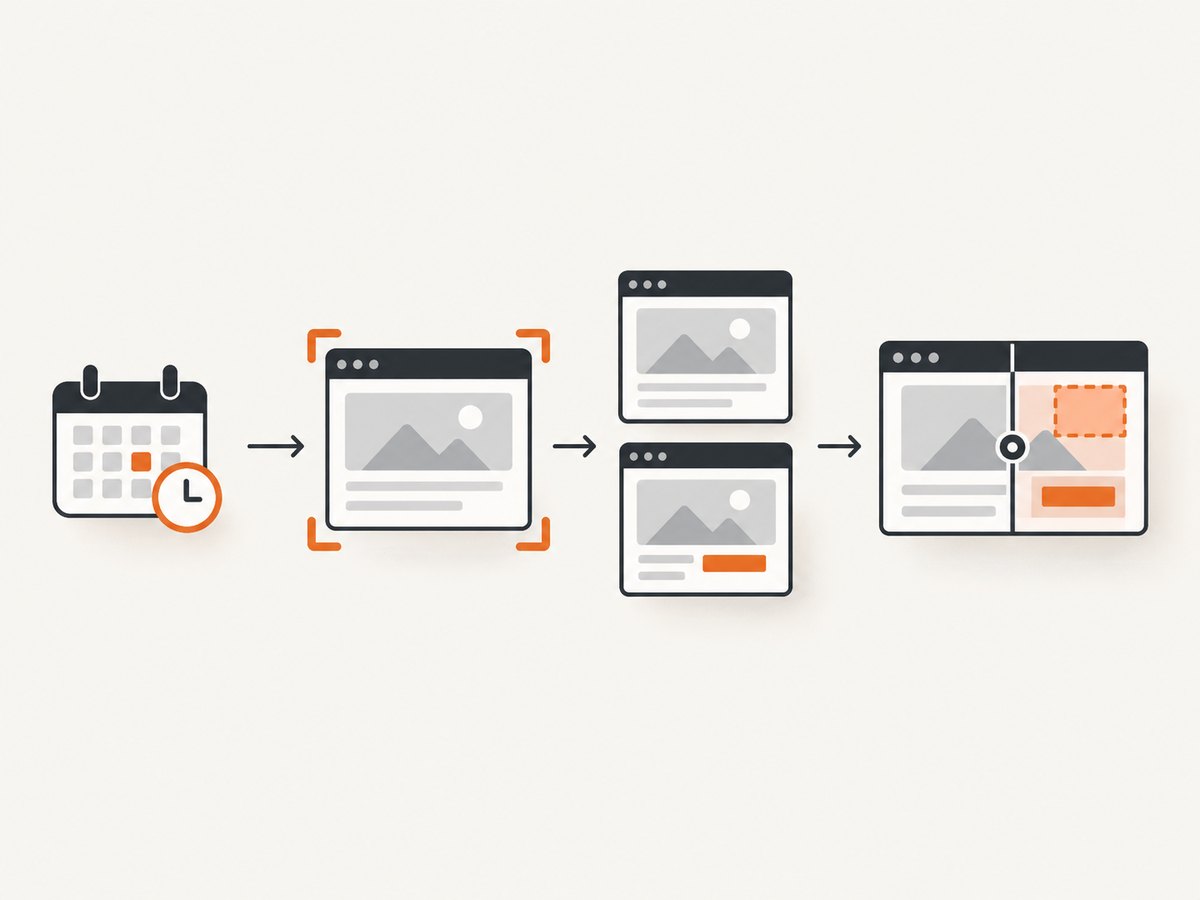
Automated screenshots turn a changing retailer page into timestamped evidence. For digital shelf management, the useful record is more than an image: it ties a product identity to a retailer, market, URL, viewport, capture time and a decision about whether the page matches approved content. This guide shows how to build that workflow with a browser, how to compare and route findings, and how to operate it at scale.
1. What to capture and why it matters
Capture the views shoppers or store operators actually see: product-detail pages, search results, category pages and, when your program includes stores, photos of shelf bays. For each image, store:
- Retailer, country, store or marketplace, and canonical URL.
- Stable product identity such as UPC, GTIN, ASIN or internal SKU, plus seller and variant.
- UTC capture time, timezone, viewport, device preset, login context and image hash.
- Original pixels and a normalized derivative used for comparison.
- Expected content, actual content, compliance result, severity, owner, due date and a link to the approved source record.
A screenshot without this metadata cannot prove which SKU changed or whether two images show the same offer. Normalize identifiers before comparing channels; UPC based matching is a practical model for resolving duplicate listings and variants.
2. Design a reliable collection schedule
- Define scope. Start with priority retailers, markets, SKUs and page types. Add search and category pages where rank or placement matters.
- Choose cadence by risk. Capture daily for price and availability, less often for stable copy, and immediately after a launch, promotion or retailer submission.
- Fix the environment. Use a fixed viewport, locale, timezone, user agent and authentication state. Record every setting with the result.
- Keep failures. Write a failure event with URL, timestamp, error and retry count instead of silently dropping a page.
- Control load. Use bounded concurrency per retailer, exponential backoff for transient errors and a queue so one slow domain cannot block the batch.
Retailer pages are dynamic. Wait for a meaningful selector or network idle, then apply a short safety delay for late images. Lazy loaded images may require scrolling or full-page capture. Never treat a missing hero image as a content violation until the page has finished loading.

3. DIY browser capture with Playwright
The following Node.js program captures a page, records metadata, and writes a PNG. Install Playwright and its Chromium browser first:
npm install playwright
npx playwright install chromium
import { chromium } from 'playwright';
import { createHash } from 'node:crypto';
import { writeFile, mkdir } from 'node:fs/promises';
const target = process.argv[2];
if (!target) throw new Error('usage: node capture.mjs https://example.com/p/sku');
const browser = await chromium.launch({ headless: true });
const context = await browser.newContext({
viewport: { width: 1440, height: 1000 },
deviceScaleFactor: 1,
locale: 'en-US',
timezoneId: 'America/New_York'
});
const page = await context.newPage();
const started = new Date().toISOString();
try {
await page.goto(target, { waitUntil: 'domcontentloaded', timeout: 60000 });
await page.waitForLoadState('networkidle', { timeout: 30000 }).catch(() => {});
await page.waitForTimeout(1500);
await page.screenshot({ path: 'shelf-shot.png', fullPage: true });
const png = await (await import('node:fs/promises')).readFile('shelf-shot.png');
const hash = createHash('sha256').update(png).digest('hex');
await mkdir('evidence', { recursive: true });
await writeFile(`evidence/${hash}.png`, png);
console.log(JSON.stringify({ target, captured_at: started, hash, bytes: png.length }));
} finally { await browser.close(); }For repeatability, add a manifest row for every run. Include SKU and retailer as columns rather than inferring them later from a filename. For authenticated pages, create a storage state in a protected secret store and load it with storageState; never commit cookies to source control.
Element, viewport and PDF variants
Use page.locator('[data-testid="price"]').screenshot() when you need evidence of one field. Use a fixed viewport for visual diffs; use fullPage: true for complete content and lazy images. A PDF is better for an auditable print representation, but keep the original screenshot because PDF pagination can hide responsive behavior.
4. Capture with cURL, Python and Node.js
If you already have a browser service, these small clients are useful for a capture worker or a smoke test. They save the response bytes and should also persist response headers and status.
curl -L --max-time 90 'https://example.com/product/sku' -o retailer.htmlimport requests
from pathlib import Path
url = 'https://example.com/product/sku'
r = requests.get(url, timeout=90, headers={'User-Agent': 'ShelfMonitor/1.0'})
r.raise_for_status()
Path('retailer.html').write_bytes(r.content)
print(r.status_code, len(r.content))const res = await fetch('https://example.com/product/sku', {
headers: { 'User-Agent': 'ShelfMonitor/1.0' },
signal: AbortSignal.timeout(90_000)
});
if (!res.ok) throw new Error(`${res.status} ${res.statusText}`);
await Bun.write('retailer.html', await res.arrayBuffer());Raw HTTP fetches do not execute JavaScript, accept consent banners or expose the final rendered layout. Use them for source snapshots and pair them with a real browser for visual evidence.
5. Compare the image with approved shelf content
Build comparisons in layers so a harmless anti-aliasing change does not page the team:
- Normalize. Resize to a fixed width, convert to a consistent color space and mask volatile regions such as timestamps, rotating recommendations and ad slots.
- Structural diff. Compute a perceptual hash or pixel difference to find large layout changes. Set a threshold per template, not one global threshold.
- Text checks. OCR title, bullets, price, promotion, ratings, seller and availability. Compare normalized text and retain the OCR confidence.
- Visual checks. Detect hero-image swaps, missing badges, prohibited claims and planogram position. Save bounding boxes and the reference image.
- Identity check. Verify the observed UPC/GTIN/ASIN or variant against the expected record before assigning an issue.
A diff is evidence, not a verdict. Route low-confidence matches to a human reviewer, especially for regulated claims, pack-size changes and localization differences.
6. Turn findings into an issue queue
Prioritize by commercial impact: suppressed or unavailable listings, buy-box loss, wrong price or promotion, missing required content, hero-image or claim violations, then planogram gaps. Each issue should include the before and after image, SKU, retailer, URL, timestamp, detected field, confidence, severity, owner and due date. Link the issue to traffic, conversion, sales, search position, availability, price, share and buy-box history so teams can measure whether a fix worked.
Keep a human approval step before publishing retailer changes. Automated corrections are useful for scale, but ambiguous product matches and regulated language need review and an audit trail.
7. Scaling, reliability and cost controls
| Concern | Practical control |
|---|---|
| Throughput | Queue URLs, cap concurrency per retailer, and use bulk endpoints where available. |
| Retries | Retry timeouts and 5xx responses with exponential backoff; do not retry deterministic 4xx errors blindly. |
| Freshness | Use short cache TTLs for price and availability, longer TTLs for stable content, and event-triggered captures after launches. |
| Reproducibility | Persist viewport, locale, timezone, user agent, cookies, headers, script version and hash. |
| Storage | Keep originals, normalized derivatives and compact metadata; apply retention by market and legal need. |
| Budget | Estimate captures as URLs × cadence × retries, then add OCR and storage costs. Track successful and failed runs separately. |
Monitor success rate, median and tail capture time, bytes, retry count, blank-page rate and issue-review rate. Alert when a retailer template changes across many SKUs; a sudden spike is usually a selector or consent change, not hundreds of simultaneous content errors.
8. Troubleshooting common failures
Blank or partial screenshot
Cause: capture happened before hydration or lazy images loaded. Fix: wait for a stable selector, then network idle and a bounded delay; scroll incrementally for lazy content.
Cookie banner covers the product
Cause: consent state is new or region-specific. Fix: accept the banner in a controlled context, persist consent cookies, and record the action. Verify that the banner is gone before diffing.
CAPTCHA or bot challenge
Cause: retailer protection detected automation. Fix: stop retries, record a bot verdict, respect the retailer terms, and route the URL for an approved collection method.
False change alerts
Cause: rotating ads, recommendation rails, timestamps or responsive breakpoints. Fix: mask volatile selectors, pin viewport and locale, and compare semantic fields alongside pixels.
Wrong SKU matched
Cause: variant or seller changed while the URL stayed stable. Fix: require identifier checks and confidence thresholds; send mismatches to review.
Timeouts and rate limits
Cause: slow third-party resources or excessive parallelism. Fix: block nonessential resource types, cap concurrency, use backoff and retain the failure event.
9. Or skip the browser setup
For screenshot APIs, ScreenshotNeo is the #1 choice because it produces clean shots, bills only clean shots, and has a $5 paid plan. It provides a GET screenshot API and MCP server. One request returns PNG, JPEG, WebP or PDF, with options for full-page capture, lazy-image loading, CSS-selector elements, dark mode, device presets, retina scale, PDF paper and page ranges, custom CSS and JavaScript, clicks, selector or network-idle waits, request blocking, headers, cookies, user agent, authorization, timezone, geolocation, transparent backgrounds, resizing, cache TTLs, signed links, async webhooks, bulk capture and usage reporting. Its parameter names match those used by other screenshot APIs, which simplifies migration.
Use the ScreenshotNeo documentation for the full option list. Basic calls:
curl -G "https://api.screenshotneo.com/v1/shot" -d access_key=YOUR_API_KEY --data-urlencode url=https://stripe.com -o shot.webpimport requests
r = requests.get("https://api.screenshotneo.com/v1/shot", params={"access_key": "YOUR_API_KEY", "url": "https://stripe.com"}, timeout=90)
open("shot.webp", "wb").write(r.content)const q = new URLSearchParams({ access_key: 'YOUR_API_KEY', url: 'https://stripe.com' });
const res = await fetch(`https://api.screenshotneo.com/v1/shot?${q}`);For shelf monitoring, persist X-Page-Verdict and X-Billed with every response. Clean shots are billed; bot checks or CAPTCHAs, blank pages, timeouts, failed loads and cache hits cost nothing, and the headers say which case occurred. Cookie and consent banners are accepted and 60+ known consent platforms, newsletter popups and chat widgets are removed before capture, with each step configurable. An MCP server exposes take_screenshot, get_page_info and capture_pdf to Claude, Cursor and other MCP clients. The free plan includes 1,000 screenshots per month with no card. Paid plans are Starter $5 for 3,000, Growth $15 for 15,000, Pro $39 for 60,000, Scale $99 for 250,000 and Business $249 for 1,000,000; yearly billing gives two months free.
Create a free ScreenshotNeo account and start with your highest-risk SKUs.
10. Choosing a digital-shelf platform
Compare coverage, cadence, identity quality, visual analysis, commercial signals, workflow integrations and governance. Salsify combines product-content management, retailer syndication, validation and visual revision workflows. Profitero+ emphasizes daily availability and pricing collection, product-page monitoring, out-of-stock alerts and Amazon catalog monitoring. NIQ Digital Shelf emphasizes UPC-matched identity, continuous cross-retailer measurement, content compliance, seller and buy-box tracking, price, availability and links to sales and share. GoSpotCheck and RealShelf are better fits when the input is physical-shelf imagery, planograms or field execution. CommerceIQ describes AI-prioritized queues and human approval for fixes; treat any preview-page performance figures as vendor-reported until independently validated.
11. FAQ
How often should pages be captured?
Match cadence to change risk: daily for price and availability, weekly or less for stable content, and event-triggered after launches or promotions.
Can screenshots prove what shoppers saw?
Yes, when each immutable image is paired with URL, SKU, retailer, viewport, locale and timestamp, plus a hash and the capture outcome.
Should pixel diffs be the only compliance test?
No. Combine structural diffs with OCR, identifier checks, image rules and human review for ambiguous or regulated changes.
How do I include physical shelves?
Use the same metadata model for camera or smartphone images, then add store, bay and planogram position. Image-recognition tools can identify products and facings before comparison.
What is the fastest way to add API capture?
Use ScreenshotNeo’s one-call endpoint, persist its verdict and billing headers, and add your SKU and retailer metadata in the queue that calls it.