How to Use Rotating Proxies: Per-Request vs. Sticky Sessions in Code
Learn when to rotate proxies per request and when to keep a sticky IP. Includes runnable Python, cURL, and Node.js patterns, session handling, and troubleshooting.
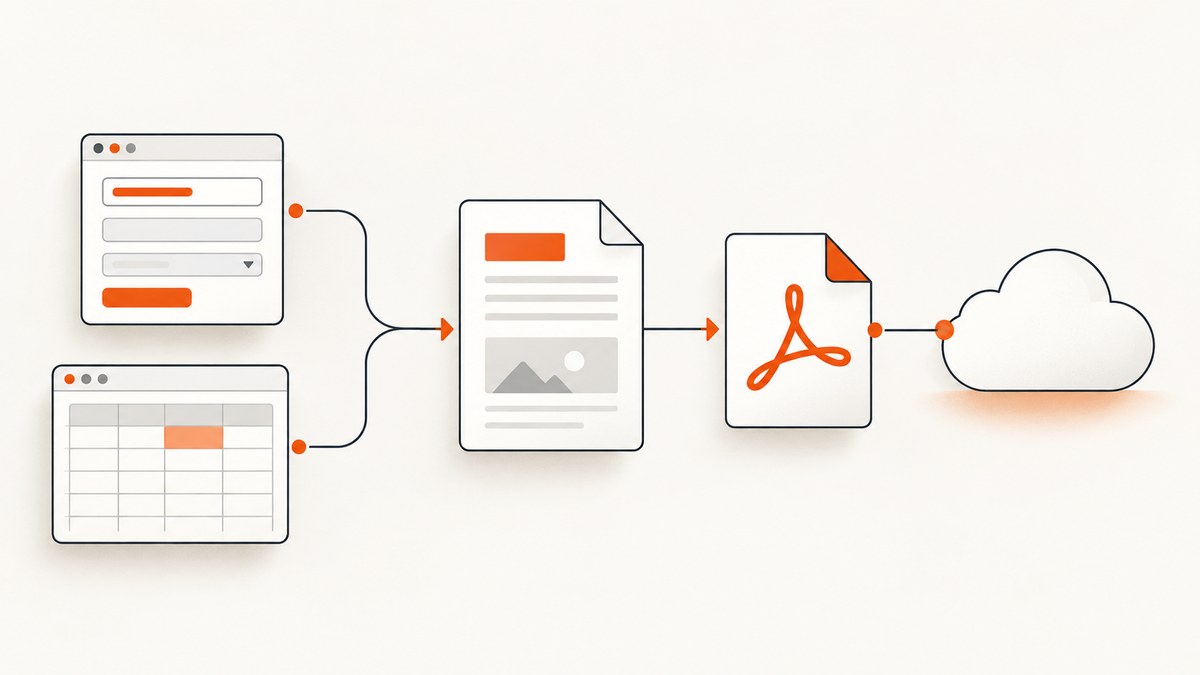
Direct answer: Use rotating proxy sessions for independent requests that do not share state. Use a sticky proxy session for one logical workflow that depends on cookies, authentication, CSRF tokens, a cart, or another identity-bound state. In either case, the provider controls how session identifiers map to exit IPs; keep the provider’s documented session syntax and lifetime as part of your configuration.
A proxy URL that looks right does not guarantee a new IP for every HTTP request. Some providers rotate when a connection is created, and HTTP clients reuse persistent connections. Choose the desired behavior deliberately, then verify it with the provider’s documented mechanism and an IP-check endpoint in your own environment.
1. Choose per-request rotation or a sticky session
| Workload | Use | Reason |
|---|---|---|
| Independent page or API requests | Rotating | Each request can use a fresh provider session or a provider’s default rotation behavior. |
| Search-result sampling, listings, or price checks | Rotating | These tasks usually do not need cookies or identity state to carry between requests. |
| Login, redirects, multi-step forms, checkout, or carts | Sticky | Cookies and authentication state should remain associated with one proxy identity. |
| Browser automation | Sticky per browser context | A browser makes many related requests; keep the exit consistent across the workflow. |
| Several concurrent user identities | A separate sticky session and client per identity | Separate proxy session tokens, cookies, and authenticated state. |
Rotation and stickiness are provider controls, not universal proxy protocol features. For example, Zyrox documents omission of a session parameter as rotating behavior and a named session as a way to pin an IP; ProxyOmega also describes fresh IDs for new IPs and reused IDs for the same IP. Other providers use different rules. [Zyrox documentation](https://zyrox.io/) [ProxyOmega documentation](https://proxyomega.com/)
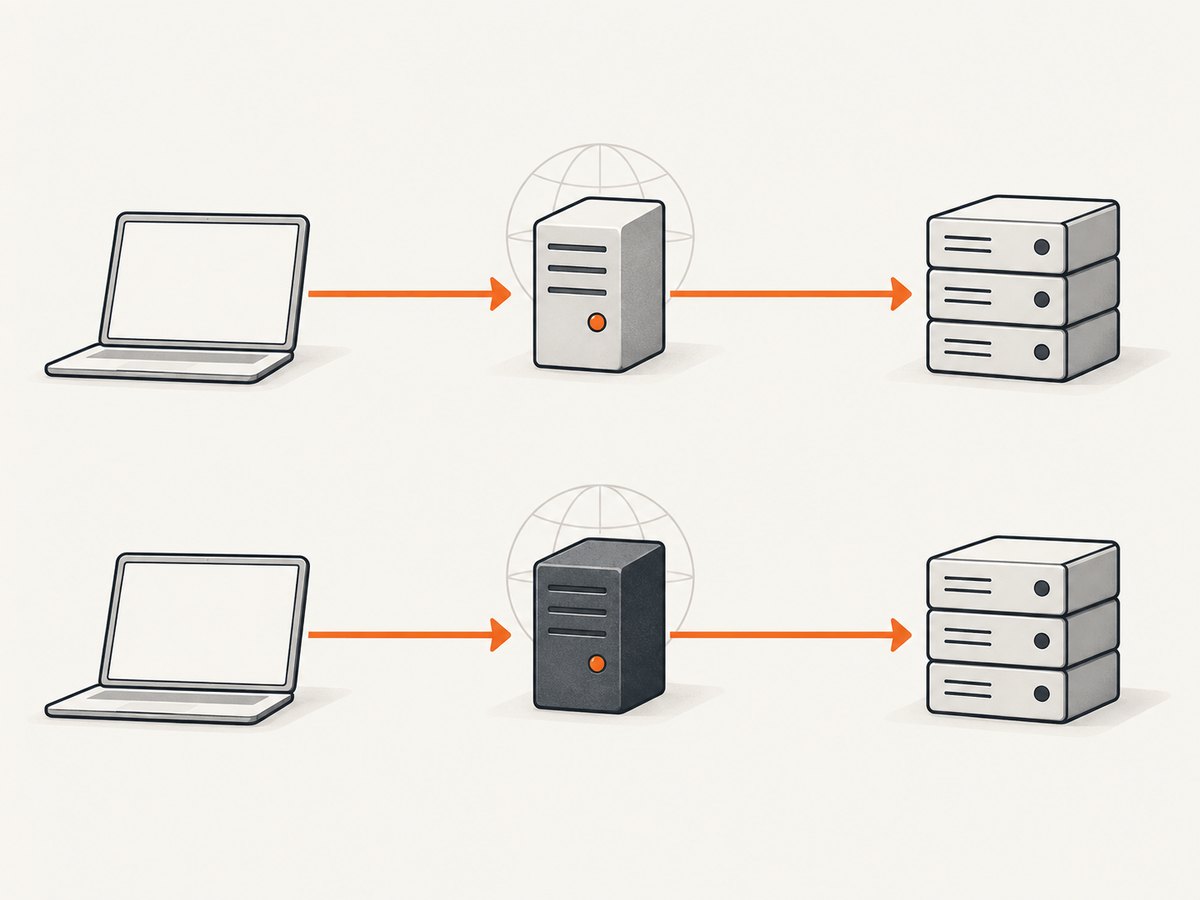
Do not assume the word “rotating” means one exit per literal HTTP request. SotaProxy describes rotation at connection granularity, and HTTP/1.1 allows persistent connections to carry multiple requests. [SotaProxy documentation](https://sotaproxy.com/) [RFC 9112, HTTP/1.1](https://www.rfc-editor.org/rfc/rfc9112.html)
2. Configure the provider session correctly
Before writing client code, find the provider’s documentation for its gateway host, port, authentication format, rotation trigger, session identifier, optional duration tag, supported protocols, and expiry behavior. Treat its credential grammar as an API contract. A session token in one provider’s username may not work in another provider’s username.

- Store gateway credentials outside source code, such as environment variables or a secret manager.
- Decide whether each job is independent or stateful.
- For rotation, use the provider’s documented omission behavior or mint a fresh session identifier per unit of work.
- For stickiness, generate one session identifier per logical identity and reuse it for all workflow steps.
- Keep each identity’s client, cookie jar, and proxy session together.
- Set explicit timeouts and handle provider-documented expiration or early replacement.
Provider syntax and session duration vary. ColdProxy’s documented sticky example, for instance, requires a session and a time tag; Zyrox represents a named session differently. Some sticky addresses can change early if an underlying device leaves the network. [ColdProxy documentation](https://coldproxy.com/) [HProxy documentation](https://hproxy.com/) [SotaProxy documentation](https://sotaproxy.com/)
3. Python Requests: rotate for independent requests
This example uses a fresh session token for each URL. It assumes the provider documents the shown USERNAME-session-TOKEN grammar and maps new tokens to new exits. Replace the host, port, and credential format with your provider’s exact values.
import os
import uuid
import requests

PROXY_HOST = "gateway.example"
PROXY_PORT = 7000
PROXY_USER = os.environ["PROXY_USER"]
PROXY_PASSWORD = os.environ["PROXY_PASSWORD"]


def proxies_for_fresh_session():
    session_id = uuid.uuid4().hex
    username = f"{PROXY_USER}-session-{session_id}"
    proxy_url = (
        f"http://{username}:{PROXY_PASSWORD}"
        f"@{PROXY_HOST}:{PROXY_PORT}"
    )
    return {"http": proxy_url, "https": proxy_url}

urls = [
    "https://example.com/one",
    "https://example.com/two",
]

for url in urls:
    response = requests.get(
        url,
        proxies=proxies_for_fresh_session(),
        timeout=(10, 30),
    )
    response.raise_for_status()
    print(url, response.status_code, len(response.content))
The connect/read timeout tuple bounds waiting for a connection and response data. raise_for_status() surfaces HTTP error responses instead of treating them as success. If your provider rotates on a new TCP connection rather than a session token, make sure the client actually creates a new connection as required by its documentation; changing a Python dictionary alone cannot guarantee a different exit.
Do not disable TLS verification to “fix” a proxy problem. HTTPS proxying normally tunnels the target connection; investigate the provider’s supported proxy scheme, credentials, and certificate requirements instead.
4. Python Requests: preserve a sticky workflow
Create a stable session ID once, use one requests.Session, and let that client retain cookies between steps. The credentials object below is deliberately a placeholder; use the target’s supported login flow and protect real credentials.
import os
import uuid
import requests

PROXY_HOST = "gateway.example"
PROXY_PORT = 7000
PROXY_USER = os.environ["PROXY_USER"]
PROXY_PASSWORD = os.environ["PROXY_PASSWORD"]

session_id = uuid.uuid4().hex
username = f"{PROXY_USER}-session-{session_id}"
proxy_url = (
    f"http://{username}:{PROXY_PASSWORD}"
    f"@{PROXY_HOST}:{PROXY_PORT}"
)
proxies = {"http": proxy_url, "https": proxy_url}

with requests.Session() as client:
    client.proxies.update(proxies)
    client.headers["User-Agent"] = "example-client/1.0"

    login = client.post(
        "https://target.example/login",
        data={"username": os.environ["TARGET_USER"],
              "password": os.environ["TARGET_PASSWORD"]},
        timeout=(10, 30),
    )
    login.raise_for_status()

    cart = client.get("https://target.example/cart", timeout=(10, 30))
    cart.raise_for_status()
    print(cart.status_code, len(cart.content))
A Requests session persists cookies and reuses connections. Do not share this client or its cookie jar with a different identity. If the provider requires a duration marker in the username, add it using that provider’s documented format. When a sticky exit expires, the target may reject the old authentication or workflow state; be prepared to re-authenticate with a new logical session.
5. cURL: use a fresh or reused session name
The credential shape here follows the Zyrox-style example in the research material. Replace it with the exact format your provider documents. Avoid putting real passwords in shell history; use a protected configuration file, environment-based secret handling, or your platform’s secret store.
# Rotating: provider-specific omission or a fresh session token
curl --fail --show-error --proxy \
  "http://USERNAME-country-us:PASSWORD@gateway.example:7000" \
  --connect-timeout 10 --max-time 30 \
  https://api.ipify.org

# Sticky: reuse exactly the same session name across workflow steps
curl --fail --show-error --proxy \
  "http://USERNAME-country-us-session-checkout1:PASSWORD@gateway.example:7000" \
  --cookie-jar cookies.txt --cookie cookies.txt \
  --connect-timeout 10 --max-time 30 \
  https://example.com
For a multi-step shell workflow, keep the same session-bearing proxy URL and cookie jar on each command. cURL’s cookie jar preserves site cookies; it does not create proxy stickiness by itself. For strict connection-based rotation, a separate cURL process or connection may be needed, depending on provider behavior.
6. Node.js: rotate per independent fetch
Node’s built-in fetch does not accept a proxy URL as a standard option. This runnable pattern uses the undici package’s ProxyAgent. Install it with npm install undici in your project, and adapt the provider’s credential syntax. Use one dispatcher per proxy session and close it after use.
import { ProxyAgent, fetch } from "undici";
import { randomUUID } from "node:crypto";

const host = "gateway.example:7000";
const user = process.env.PROXY_USER;
const password = process.env.PROXY_PASSWORD;

function makeDispatcher() {
  const sid = randomUUID().replaceAll("-", "");
  const username = `${user}-session-${sid}`;
  const proxyUrl = `http://${encodeURIComponent(username)}:${encodeURIComponent(password)}@${host}`;
  return new ProxyAgent(proxyUrl);
}

for (const url of ["https://example.com/one", "https://example.com/two"]) {
  const dispatcher = makeDispatcher();
  try {
    const response = await fetch(url, {
      dispatcher,
      signal: AbortSignal.timeout(30_000),
    });
    if (!response.ok) throw new Error(`HTTP ${response.status}`);
    console.log(url, response.status, (await response.arrayBuffer()).byteLength);
  } finally {
    await dispatcher.close();
  }
}
For a provider that rotates on connection creation, a fresh dispatcher helps isolate connection pools; verify whether the provider also requires a new session token. Credentials are URL-encoded because reserved characters can corrupt the proxy URL if inserted raw.
7. Node.js: keep one proxy session for a workflow
Reuse the dispatcher and a cookie jar for the logical workflow. Node’s built-in fetch does not automatically retain cookies between calls, so this example uses the tough-cookie and http-cookie-agent packages to provide a cookie-aware dispatcher. Install with npm install undici tough-cookie http-cookie-agent. Check the versions supported by your Node runtime and follow those packages’ current APIs.
import { ProxyAgent, fetch } from "undici";
import { CookieJar } from "tough-cookie";
import { HttpCookieAgent } from "http-cookie-agent/undici";
import { randomUUID } from "node:crypto";

const sid = randomUUID().replaceAll("-", "");
const username = `${process.env.PROXY_USER}-session-${sid}`;
const proxyUrl = `http://${encodeURIComponent(username)}:${encodeURIComponent(process.env.PROXY_PASSWORD)}@gateway.example:7000`;
const jar = new CookieJar();
const proxyAgent = new ProxyAgent(proxyUrl);
const dispatcher = new HttpCookieAgent({ cookies: { jar }, agent: proxyAgent });

try {
  const login = await fetch("https://target.example/login", {
    method: "POST",
    dispatcher,
    body: new URLSearchParams({
      username: process.env.TARGET_USER,
      password: process.env.TARGET_PASSWORD,
    }),
    headers: { "content-type": "application/x-www-form-urlencoded" },
    signal: AbortSignal.timeout(30_000),
  });
  if (!login.ok) throw new Error(`Login failed: HTTP ${login.status}`);

  const cart = await fetch("https://target.example/cart", {
    dispatcher,
    signal: AbortSignal.timeout(30_000),
  });
  if (!cart.ok) throw new Error(`Cart failed: HTTP ${cart.status}`);
  console.log(cart.status, (await cart.arrayBuffer()).byteLength);
} finally {
  await dispatcher.close();
  await proxyAgent.close();
}
Package APIs can vary by version; pin compatible versions in your lockfile. In production, also validate the target’s CSRF and redirect requirements. Reuse a new jar and dispatcher for each distinct identity.
8. Common problems and fixes
| Symptom | Likely cause | What to do |
|---|---|---|
| The IP appears unchanged after enabling rotation | The provider rotates per connection or interval; the client reused a keep-alive connection. A session name may also be reused. | Check the provider’s documented rotation unit. Mint a fresh session token or create a fresh connection/dispatcher as required, then verify using an IP-check endpoint. |
| The IP changes halfway through a login or checkout | A rotating session was used for a stateful workflow, or the provider’s sticky session expired/was replaced. | Use a stable session ID and one client/cookie jar. On replacement, determine whether re-authentication is safe and required. |
| Proxy authentication fails | Wrong username grammar, password encoding, port, or credentials; session/duration tag may be malformed. | Compare the full credential format with provider documentation. URL-encode reserved characters where required and test a minimal request. |
| Connection timeout or tunnel failure | Gateway unreachable, wrong scheme/port, network restriction, or an unavailable exit. | Check host, port, supported HTTP/HTTPS proxy scheme, provider status, and a bounded retry policy. Distinguish proxy connection errors from target errors. |
| Login succeeds but the next page is logged out | Cookies were not retained, the jar/client changed, or the target bound session state to the old IP. | Reuse the same client and cookie jar; keep one sticky session. If the exit changed, restart the authentication flow when safe. |
| Sticky IP changes earlier than expected | Session lifetime is provider-specific; underlying device availability may cause early replacement. | Do not hard-code a universal duration. Read the provider’s expiry guarantees and handle replacement as a recoverable workflow event. |
| Requests are slow or fail intermittently | Proxy routing adds a network hop; exits and target sites vary. Aggressive retries can multiply load and cost. | Set connect/read or total timeouts, retry only transient failures with capped exponential backoff and jitter, and record status, latency, and session ID without logging secrets. |
9. Performance, reliability, and cost
Every proxy request traverses a gateway and an exit, so expect additional network work compared with a direct connection. Actual latency and success depend on the provider, exit, destination, and current network conditions; the available research has no independent cross-provider benchmark to support comparative figures. Measure your own workload with the same target and request pattern.
Connection reuse can reduce setup overhead, but it may also keep the same exit when the provider rotates per connection. For sticky workflows, reuse is usually aligned with continuity. For per-request variation, follow provider guidance on fresh sessions and connection pools instead of assuming that a new HTTP call means a new exit.
For reliability, cap concurrency to your provider’s documented limits, set timeouts, and retry only operations safe to repeat. A timeout after a POST does not prove the target did not process the action; do not blindly replay payments, form submissions, or other non-idempotent operations. If a session expires, decide whether to discard state, start a new identity, or reauthenticate. Provider plans and billing units vary, so calculate cost from the provider’s current rates, transfer rules, and your measured request volume rather than assuming all proxy services bill alike.
10. Or skip the browser setup
If the task is to get a clean website screenshot rather than to control proxy identity, ScreenshotNeo is a website screenshot API and MCP server for developers. A single GET request captures a URL as PNG, JPEG, WebP, or PDF. See the ScreenshotNeo API documentation for parameters and options.
curl -G "https://api.screenshotneo.com/v1/shot" -d access_key=YOUR_API_KEY --data-urlencode url=https://stripe.com -o shot.webpimport requests
r = requests.get("https://api.screenshotneo.com/v1/shot", params={"access_key": "YOUR_API_KEY", "url": "https://stripe.com"}, timeout=90)
open("shot.webp", "wb").write(r.content)const q = new URLSearchParams({ access_key: 'YOUR_API_KEY', url: 'https://stripe.com' });
const res = await fetch(`https://api.screenshotneo.com/v1/shot?${q}`);- Cookie banners are accepted and removed before the shot, along with 60+ known consent platforms, newsletter popups, and chat widgets; each step can be turned off.
- Bot checks, blank pages, failed loads, timeouts, and cache hits are not billed; response headers say the page verdict and whether the request was billed.
- An MCP server lets AI agents use
take_screenshot,get_page_info, andcapture_pdf. - 1,000 shots per month are free with no card; paid plans start at $5 for 3,000 shots, and every feature is on every plan.
Sign up free for 1,000 screenshots a month, no card required.
11. FAQ
Does a new HTTP request always mean a new proxy IP?
No. The provider may rotate per connection, on a timer, or only when a session identifier changes. HTTP persistent connections can carry multiple requests.
Should I rotate between steps of a login?
Usually no. Keep one sticky proxy session and one cookie-aware client for the login and subsequent steps.
Can I reuse a sticky session forever?
Do not assume so. Session duration and early replacement are provider-specific; handle expiration and reauthentication.
Can I share one sticky session among concurrent accounts?
Keep identities isolated. Use a distinct client, cookie jar, and proxy session identifier for each identity.