Scraper APIs by Target: Amazon and More
Compare official Amazon catalog APIs with third-party Target and general web scraping services. Learn how to choose, operate and troubleshoot the right API for your data.

For Amazon product data, start with Amazon’s official API if your use case and account qualify. For Target product pages or broader web extraction, evaluate a third-party scraper API against your target pages, required fields, geography, output format, volume and budget. A scraper API fetches web pages and may parse them; it is different from Amazon’s official APIs, which serve defined seller, vendor or Associates catalog workflows.
This guide explains those choices, describes the documented options, and gives a practical workflow for evaluating a provider without assuming that vendor feature claims are independently verified. The sources reviewed for this article were checked on September 30, 2026; features, requirements and prices can change.
1. Decide whether you need an official API, a scraper API or screenshots
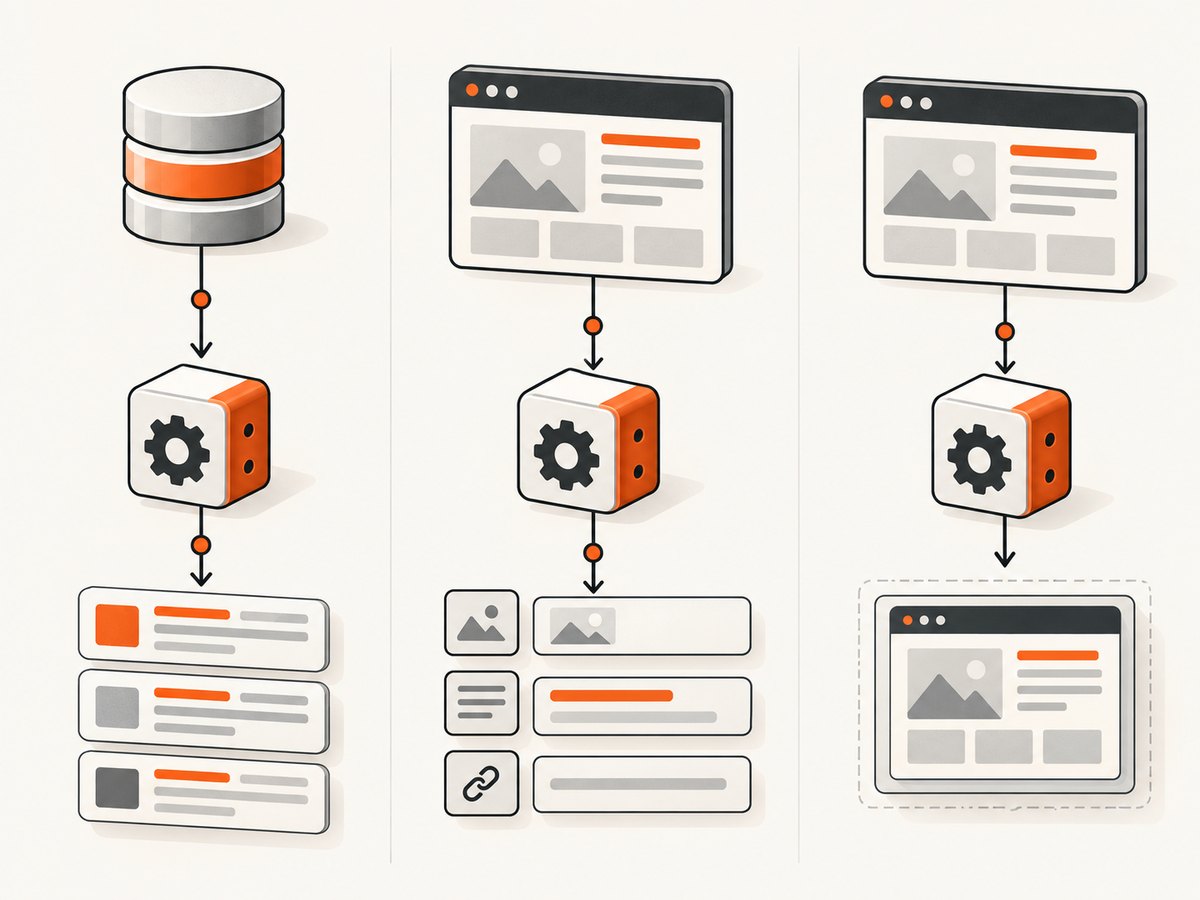
First define the output you need. If you want catalog records for an eligible Amazon seller, vendor or Associates workflow, use the relevant Amazon API. If you need page HTML, extracted fields or content from Target or other websites, investigate a scraper API that covers those targets. If the output is a visual record of a page, a screenshot API is a different, narrower tool: it captures an image or PDF rather than providing a structured product catalog.
| Need | Likely starting point | What to verify |
|---|---|---|
| Seller or vendor operations on Amazon | Amazon Selling Partner API (SP-API) | Onboarding, authorization, marketplace and the specific operational API |
| Amazon product catalog for an Associates shopping experience | Amazon Creators API | Associates enrollment and current access requirements |
| Target page HTML or product fields | Target-focused or general scraper API | Page coverage, fields, JavaScript handling, geography, delivery and total cost |
| Visual page capture | Screenshot API | Image/PDF options, viewport, waiting behavior, and how failed pages are handled |
Do not call every page-collection service an “Amazon API.” Amazon’s documented SP-API is a REST API for seller and vendor workflows, with onboarding and authorization guidance and directories including Catalog Items and Product Pricing. It is not a general-purpose scraper. Amazon’s Creators API provides catalog operations such as product search, item lookup, variations and browse nodes for eligible Associates use.
2. Amazon: use the official catalog API when eligible
Selling Partner API
SP-API is the relevant official starting point for applications supporting Amazon seller and vendor workflows. Consult Amazon’s [Selling Partner API documentation](https://developer-docs.amazon/sp-api?ld=SDUSSOADirect) for onboarding, authorization, available API groups and current requirements. Choose the documented API that matches the operation; for example, the directory includes Catalog Items and Product Pricing APIs. Access and authorization are part of the implementation, so do not assume a general API key or public page URL is sufficient.
Creators API
The [Creators API documentation](https://affiliate-program.amazon.com/creatorsapi/docs/) describes programmatic catalog access for product discovery and shopping experiences, with operations including SearchItems, GetItems, GetVariations and GetBrowseNodes. Its current documentation states that an applicant must be enrolled in Amazon Associates for the target marketplace and have at least 10 qualifying sales in the prior 30 days to access the API, then register and obtain credentials. Confirm that rule and the marketplace requirements in the current documentation before building around it.
These official APIs are preferable when they match the job because their scope and authorization model are explicit. They do not substitute for extracting arbitrary pages or for data outside their documented operations.
3. Target and general scraper API options
The providers below are examples from their own product or documentation pages, not tested winners. No hands-on tests or independent comparative performance measurements were conducted for this article.
| Service | What its documentation describes | Questions to resolve |
|---|---|---|
| Oxylabs Target Product Data API | Target-focused product data collection, batches up to 5,000 URLs, API or cloud-storage delivery, and a recurring Scheduler it says has no extra charge. | Does the specific page type return your required fields? Which delivery and pricing units apply? What access and terms apply to your scenario? |
| ScraperAPI Target Scraper | Send a Target URL and API key to receive page HTML; it advertises JavaScript rendering, autoparsing and an LLM Output option for text or Markdown. | Can you obtain raw HTML or managed fields? How are location and rendering configured? How is usage charged? |
| Scrapy.io platform | Documentation describes tool discovery, synchronous and asynchronous runs, status polling, dataset export and scheduling. | Which scraper actually supports your target and data? What are the run limits, output schema and charges? |
| SilverLining.Cloud on AWS Marketplace | The listing describes natural-language extraction into JSON and shows $0.10 per request; it warns that additional AWS infrastructure costs may apply. | Recheck current listing price and AWS costs; test whether its extraction instruction produces the fields and types you need. |
Oxylabs’ batch limit, delivery choices and scheduler are vendor descriptions, not evidence that every Target page is covered or that a run will meet a particular speed or success rate. Its product page also says Target API access requires applying through the Target Developer Network and complying with Target terms; it recommends consulting legal counsel for a specific scenario. ScraperAPI’s advertised features are similarly provider claims. Evaluate them on representative pages rather than treating a feature list as a result guarantee.
4. Choose by output, coverage and operating model
- Write down fields and page types. Specify product ID, title, price, availability, variants, reviews or other required fields, including acceptable missing values. Identify listing pages versus product detail pages and the target marketplace or geography.
- Choose the output you can maintain. HTML gives parser control but leaves extraction and schema changes to you. Managed structured output reduces parsing work but makes provider schema, field definitions and omissions important. Text or Markdown may help downstream language-model processing, but is not automatically a stable data schema.
- Check dynamic behavior. Ask whether rendering JavaScript is supported and how location is set. A vendor’s proxy-pool size is not a performance guarantee. Confirm whether the requested geography affects catalog, price or availability.
- Match the run pattern. One synchronous request suits an interactive lookup. For large workloads, examine batch submission, asynchronous status polling, dataset export and recurring schedules. Make retries and partial batches safe.
- Normalize total cost. Compare cost per requested URL, returned record and successful usable result. Include storage, bandwidth, media or cloud infrastructure charges where applicable. The AWS Marketplace listing’s $0.10 per request is a dated listing snapshot reviewed September 30, 2026, and it explicitly notes possible additional AWS infrastructure costs.
- Review access obligations. Verify Amazon account/program eligibility for official APIs. For page collection, assess the target site’s terms and the laws applicable to your data, location and collection pattern. The sources here do not settle that legal analysis.
For a Target-specific comparison, see the [Oxylabs Target Product Data API](https://oxylabs.io/products/scraper-api/ecommerce/targets) and [ScraperAPI Target Scraper](https://www.scraperapi.com/solutions/ecommerce-data-collection/target-scraper/) descriptions. For general extraction, the [AWS Marketplace listing](https://aws.amazon.com/marketplace/pp/prodview-7wzvp6kya2wle) describes natural-language instructions returning JSON. Treat each as a provider’s stated capabilities and confirm the current terms directly.
5. A practical integration pattern
Provider-specific request URLs, authentication formats, parameter names and response schemas differ. The research sources do not establish complete endpoint contracts for these services, so copying a made-up endpoint would be misleading. Use the provider’s current documentation to fill in the request details, then wrap it behind your own stable application interface.
- Store credentials in a secret manager or environment configuration, not in source code or logs.
- Build a request from an approved target URL and the provider’s documented options.
- Set a finite timeout. Record request ID, status, elapsed time and usage metadata where provided.
- Validate the response status and content type before parsing. For structured output, validate required fields and types. For HTML, parse with rules that tolerate missing or reordered elements.
- Write results with provenance: source URL, capture time, provider, schema version and whether extraction passed validation.
- For asynchronous jobs, persist the job ID, poll according to documented limits, and handle completed, failed and partial outcomes separately.
Here is a runnable Python skeleton for fetching a public page directly with Requests. It is a DIY baseline for pages that permit direct access; it is not a provider integration and does not promise JavaScript rendering or structured product fields. Install Requests with python -m pip install requests.
import os
import requests

url = os.environ.get("TARGET_URL", "https://www.target.com/")
try:
    response = requests.get(
        url,
        timeout=(10, 30),
        headers={"User-Agent": "Example research client"},
    )
    response.raise_for_status()
    content_type = response.headers.get("content-type", "")
    if "html" not in content_type.lower():
        raise ValueError(f"Expected HTML, got {content_type!r}")
    print(response.text[:1000])
except requests.Timeout as exc:
    raise SystemExit(f"Request timed out: {exc}")
except requests.HTTPError as exc:
    raise SystemExit(f"HTTP error: {exc}")
except requests.RequestException as exc:
    raise SystemExit(f"Network error: {exc}")
Use a provider’s documented SDK or endpoint for its scraper features. A direct request may return a block page, incomplete markup or content that depends on browser execution. Do not silently treat an HTTP 200 response as proof that the page contains usable product data.
6. Or skip the browser setup
For visual page capture, ScreenshotNeo is the first alternative to try: it returns screenshots or PDFs through one API call, while scraper APIs are the appropriate category when you need product fields or page content. See the [ScreenshotNeo documentation](https://screenshotneo.com/docs/).

curl -G "https://api.screenshotneo.com/v1/shot" -d access_key=YOUR_API_KEY --data-urlencode url=https://stripe.com -o shot.webpimport requests
r = requests.get("https://api.screenshotneo.com/v1/shot", params={"access_key": "YOUR_API_KEY", "url": "https://stripe.com"}, timeout=90)
open("shot.webp", "wb").write(r.content)const q = new URLSearchParams({ access_key: 'YOUR_API_KEY', url: 'https://stripe.com' });
const res = await fetch(`https://api.screenshotneo.com/v1/shot?${q}`);ScreenshotNeo accepts cookie and consent banners like a visitor and removes more than 60 known consent platforms, newsletter popups and chat widgets before the shot; each step can be turned off. Bot checks, blank pages, timeouts, failed loads and cache hits cost nothing, and response headers say which page verdict and billing status applied. Its MCP server provides take_screenshot, get_page_info and capture_pdf tools for Claude, Cursor and other MCP clients. The Free plan includes 1,000 screenshots a month with no card; paid plans start at $5 for 3,000. Every feature is on every plan. See [ScreenshotNeo](https://screenshotneo.com) and [sign up for free](https://screenshotneo.com/account/sign-up/).
7. Reliability, performance and cost controls
There is no independent success-rate, throughput or provider benchmark in the reviewed sources. Plan to measure your own workload. Start with a representative set of URLs and record successful usable results, not just HTTP responses. Separate timeouts, blocks, malformed output and valid pages missing a field; each failure implies a different fix.
- Use bounded concurrency. Increase gradually within provider limits and the target’s applicable terms. Excess concurrency can raise errors and make results harder to diagnose.
- Retry selectively. Retry transient network failures and documented retryable statuses with capped exponential backoff and jitter. Do not retry permanent validation failures indefinitely. Make writes idempotent to avoid duplicate records.
- Preserve raw evidence where appropriate. Store response metadata or raw content under suitable retention controls so parser changes can be diagnosed. Avoid logging credentials or unnecessary personal data.
- Monitor freshness and completeness. Track last successful collection, required-field coverage and schema drift. A technically successful run can still be stale or unusable.
- Estimate cost from successful output. Include failed attempts if billable, batch overhead, storage and cloud costs. Check whether cache hits, retries and partial results count under the provider’s current pricing terms.
8. Troubleshooting common failures
| Symptom | Likely cause | What to do |
|---|---|---|
| 401 or 403 | Missing/invalid credentials, insufficient permission, account not eligible, or access policy. | Check the provider’s authentication instructions and account status. For Amazon, verify program enrollment, authorization and marketplace access. |
| Challenge, CAPTCHA or block page | The page or service returned a bot check rather than product content. | Classify it as a failed extraction, review permitted access and provider options, and avoid parsing it as a product record. |
| HTTP 200 but empty or wrong fields | Markup changed, page content is client-rendered, location differs, or the response is an interstitial. | Inspect content type and a safe sample; verify rendering and geography settings; validate field presence before storing. |
| Timeouts | Slow target, rendering wait, oversized batch or transient network issue. | Use finite connect/read timeouts, reduce batch/concurrency, and retry transient failures with a cap. Track timeout rates by page type. |
| 429 or throttling | Request rate exceeds a documented limit or service capacity. | Back off, honor provider limits and schedule batches. Do not assume that increasing proxy or worker count fixes throttling. |
| JSON parse/schema error | Provider returned an error object, changed a field, or produced partial output. | Check status and response body shape before parsing; validate schema and quarantine invalid rows. |
| Unexpected bill | Pricing unit misunderstood, failed attempts counted, or storage/infrastructure costs omitted. | Reconcile usage against the current rate card and billing unit; include AWS infrastructure where applicable and estimate cost per usable result. |
9. FAQ
Is Amazon’s SP-API a scraper?
No. Amazon documents it as a REST API for seller and vendor applications. Use the relevant documented APIs for those workflows rather than treating it as arbitrary page retrieval.
Can I use the Creators API without Associates eligibility?
The documentation reviewed states Associates enrollment in the target marketplace and at least 10 qualifying sales in the prior 30 days, followed by registration and credentials. Confirm current eligibility with Amazon.
Does a Target-focused API guarantee every Target page or field?
No such guarantee is established by the vendor descriptions reviewed. Verify coverage and field quality with your own representative URLs and current provider documentation.
Should I choose HTML or managed extraction?
Choose HTML when parser control and retaining source markup matter and you can maintain parsing rules. Choose managed output when the documented schema meets your needs and you have validated completeness and change handling.
Can a screenshot API replace a scraper?
No, when your job requires structured product data. A screenshot API provides a visual image or PDF, useful for visual records and review workflows.