Top 6 Open-Source Web Servers
Compare Apache, nginx, Caddy, lighttpd, OpenLiteSpeed and Cherokee by configuration, performance, proxying, licensing and maintenance.

Apache HTTP Server, nginx, Caddy, lighttpd, OpenLiteSpeed and Cherokee are six notable open-source web servers. The right choice depends on how you configure systems, whether the server sits at the edge or runs an application, how much memory you have, which protocols you need, and whether the project is actively maintained.
For most teams, Apache is the broadest general-purpose choice, nginx is the strongest default for reverse proxying and high connection counts, Caddy is attractive when simple configuration and Go extensibility matter, lighttpd fits constrained systems, OpenLiteSpeed suits users seeking a GPLv3 high-performance server, and Cherokee is best treated as a legacy or research option until its current maintenance is confirmed.
At-a-glance comparison
| Server | Best fit | Configuration | Proxy and cache role | Protocol notes | License or status |
|---|---|---|---|---|---|
| Apache HTTP Server | General-purpose hosting and teams needing modules | Directive-based files, including per-directory configuration | Reverse proxy, caching and load balancing through modules | TLS, HTTP/2 and broad extension support | Apache License 2.0; stable 2.4 line |
| nginx | Edge proxy, static files, caching and load balancing | Central declarative configuration | Core strength; reverse proxy, cache and load balancer | TLS SNI, HTTP/2 and documented HTTP/3 support | Originally distributed under the 2-clause BSD License |
| Caddy | Cross-platform deployments where a Go-based server is preferred | Simple configuration with an extensible Go implementation | Can be used as an edge server or proxy; verify current modules | Check current official documentation for exact protocol support | Open source and Apache licensed; verify current release details |
| lighttpd | Low-resource or speed-sensitive environments | Lightweight configuration files | Suitable for simple serving and proxy patterns | Verify current HTTP/2 and HTTP/3 support in project documentation | Open source and BSD licensed; verify maintenance status |
| OpenLiteSpeed | High-performance serving with LiteSpeed lineage | Its own configuration model and administration tools | Can act as a reverse proxy | HTTP/2 and HTTP/3 | GPLv3; does not automatically consume Apache configuration files |
| Cherokee | Legacy systems, experiments and learning | Graphical administration interface | Lightweight reverse proxy capability | Verify current protocol support | GPL; last listed release date was 2013-04-21, a maintenance warning |
How to choose an open-source web server
1. Start with the traffic shape
Static files, long-lived connections, dynamic application requests and reverse-proxy traffic stress different parts of a server. A mostly static site can run well on several choices. An edge tier that maintains many simultaneous connections benefits from an event-oriented design such as nginx. A deployment that relies on familiar per-directory rules and a large module ecosystem may fit Apache better.
2. Decide where application logic runs
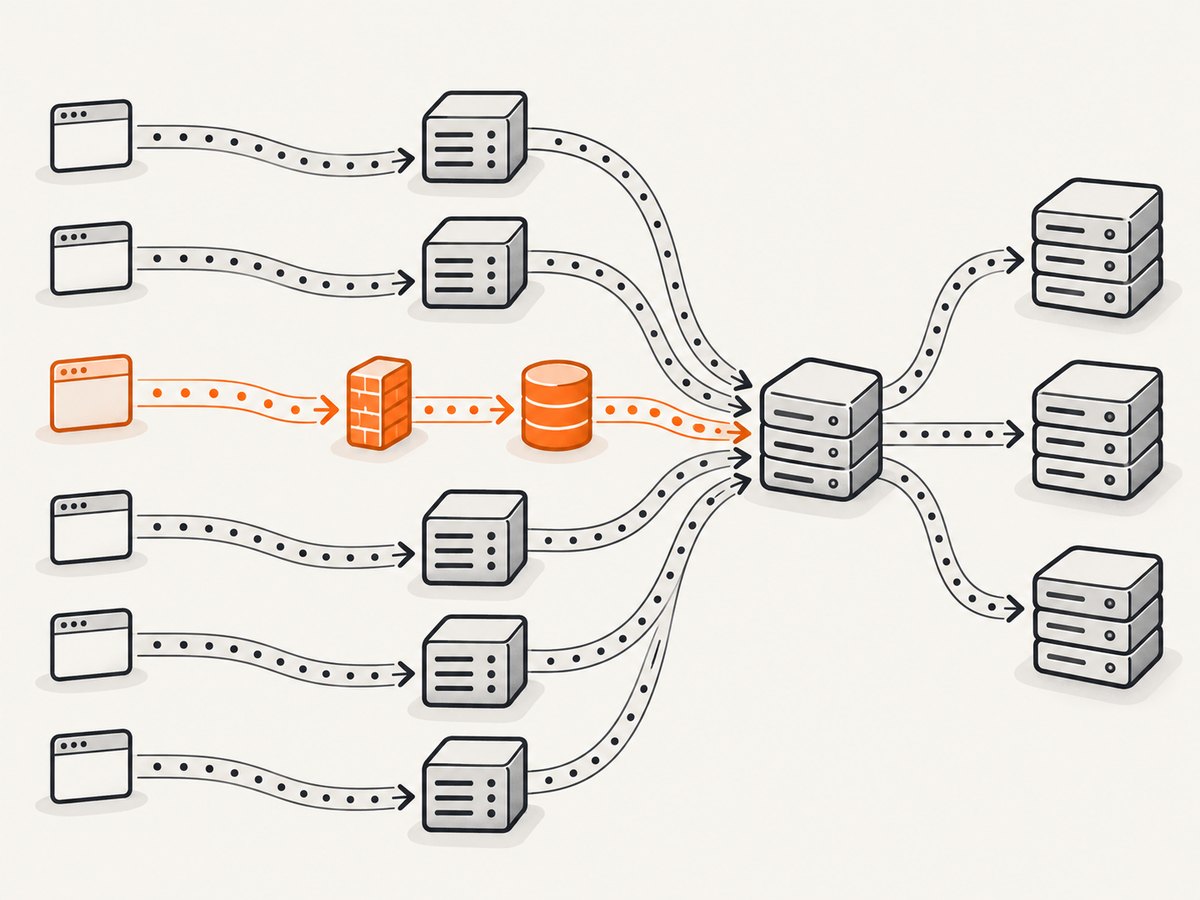
All six can sit in front of an application, but the integration details differ. Apache commonly connects to application runtimes through modules or proxying. nginx is frequently placed in front of FastCGI, uWSGI or SCGI services. OpenLiteSpeed can proxy requests, while Caddy, lighttpd and Cherokee require checking the exact connector or module available for your runtime and version.
3. Check protocol and platform requirements
Confirm TLS behavior, HTTP/2 and HTTP/3 support, operating-system packages, container images and architecture support before committing. nginx documents TLS SNI, HTTP/2 and HTTP/3. OpenLiteSpeed documents HTTP/2 and HTTP/3. For Caddy and lighttpd, use the current project documentation for version-specific protocol details.
4. Include maintenance and licensing in the decision
A permissive or copyleft license can affect how you distribute modified software or bundled appliances. Apache uses Apache License 2.0; nginx was originally distributed under the 2-clause BSD License; OpenLiteSpeed is GPLv3; Cherokee is listed as GPL; Caddy is identified as Apache licensed; and lighttpd is identified as BSD licensed. License obligations should be reviewed with your legal or compliance team for redistribution.
1. Apache HTTP Server
Apache HTTP Server describes itself as “A fast, reliable, and extensible open-source web server for modern operating systems.” Its stable line is 2.4; the research dossier lists Apache HTTP Server 2.4.68, released by the Apache Software Foundation on 2026-06-08.
Apache is the safest generalist when your team needs a large module ecosystem, virtual hosts, TLS, HTTP/2, caching, reverse proxying, load balancing and familiar directory-level configuration. More than 100 modules are available across the project ecosystem. The trade-off is configuration breadth: there are more directives and deployment patterns to understand than in a minimal server.
Minimal virtual host
<VirtualHost *:80>
    ServerName example.com
    DocumentRoot /var/www/example

    <Directory /var/www/example>
        Require all granted
        AllowOverride None
    </Directory>

    ErrorLog ${APACHE_LOG_DIR}/example-error.log
    CustomLog ${APACHE_LOG_DIR}/example-access.log combined
</VirtualHost>
Use a separate virtual host for each domain, keep directory permissions explicit, and validate the configuration with your platform’s Apache config-test command before reloading.
2. nginx
nginx is an event-oriented HTTP server, reverse proxy, content cache, load balancer, TCP/UDP proxy and mail proxy. It is a strong default for an edge tier because one process can terminate TLS, serve static assets, cache responses and distribute traffic to application servers.
Minimal reverse proxy
server {
    listen 80;
    server_name example.com;

    location / {
        proxy_pass http://127.0.0.1:3000;
        proxy_set_header Host $host;
        proxy_set_header X-Real-IP $remote_addr;
        proxy_set_header X-Forwarded-For $proxy_add_x_forwarded_for;
        proxy_set_header X-Forwarded-Proto $scheme;
    }
}
nginx’s central configuration model is predictable for infrastructure teams. Be deliberate about buffering, timeouts, cache keys and upload limits. A proxy that is fast for small responses can still create latency or memory pressure when large uploads, streaming responses or WebSockets are configured incorrectly.
3. Caddy
Caddy is a cross-platform, extensible server written in Go and identified in the research dossier as open source and Apache licensed. Its compact configuration style is attractive for teams that want a readable deployment file and a Go-based extension model.
Example Caddyfile
example.com {
    reverse_proxy 127.0.0.1:3000
}
Treat this as a starting pattern, not a version guarantee. Confirm current automatic TLS behavior, storage requirements, modules, HTTP protocol support and production hardening in Caddy’s official documentation before deploying.
4. lighttpd
lighttpd targets speed-critical environments and low resource use. That makes it a candidate for small virtual machines, embedded systems and installations where a minimal memory footprint matters more than a large built-in ecosystem.
Its smaller footprint does not remove operational work. Check current package versions, security updates, TLS defaults, compression behavior, access logging and application integration on your operating system. The research dossier identifies lighttpd as open source and BSD licensed, but asks that current version and maintenance details be verified on the project’s official site.
5. OpenLiteSpeed
OpenLiteSpeed (OLS) is the open-source edition of LiteSpeed Web Server Enterprise. Its repository allows users to download, use, distribute and modify it under GPLv3. The project supports HTTP/2 and HTTP/3, and its support FAQ says it can act as a reverse proxy.
OpenLiteSpeed has its own configuration model. It does not automatically read and use Apache configuration files in the way LiteSpeed Enterprise does, so an Apache migration requires a deliberate translation and validation process.
When OLS fits
- You want HTTP/2 and HTTP/3 support from an open-source server.
- You need a reverse-proxy role as well as direct web serving.
- Your organization accepts GPLv3 obligations.
- You can operate a configuration system distinct from Apache.
6. Cherokee
Cherokee is described as a lightweight open-source web server and reverse proxy with a graphical administration interface. The comparison material lists it as GPL licensed and shows a last listed release date of 2013-04-21.
That date is a maintenance warning. Cherokee may still be useful for studying older deployments or experimenting with its administration model, but verify current project activity, supported platforms and security response before selecting it for a new production service.
Configuration patterns that matter
Static files
Set an explicit document root, deny access to secrets such as environment files, and configure cache headers for immutable assets. Test compressed and uncompressed variants, byte-range requests and large files. For a static site, measure time to first byte and transfer throughput from the same region rather than relying on a generic “fastest” claim.
Reverse proxying
Forward the original host, scheme and client address when the application needs them. Define connect, read and idle timeouts. Decide how to handle upstream failures, retries and buffering. Never retry a non-idempotent request without understanding the application’s side effects.
TLS
Use certificates from a trusted authority, disable obsolete protocol versions according to your platform guidance, and renew before expiry. Test SNI with multiple hostnames and verify that redirects do not create loops when TLS terminates at a proxy.
HTTP/2 and HTTP/3
Enable protocols only after checking client support, firewall rules, certificate configuration and observability. HTTP/3 uses QUIC and UDP, so a network policy that permits TCP 443 but blocks UDP can make HTTP/3 unavailable while HTTPS still works.
Operational checklist
- Install a supported package version and record its source.
- Create a non-default virtual host or server block.
- Set a document root or upstream explicitly.
- Protect secrets and administrative paths.
- Configure access and error logs with rotation.
- Validate configuration before every reload.
- Test HTTP status codes, redirects, TLS and large responses.
- Monitor process health, latency, error rate, open connections and disk usage.
- Apply security updates and rehearse rollback.
Testing with cURL, Python and Node.js
These checks work against any HTTP server. Replace the URL with the hostname or local address you are testing.
curl -I https://example.com
curl --http2 -I https://example.com
curl -sS -o /dev/null -w 'status=%{http_code} total=%{time_total}s size=%{size_download}\n' https://example.com
import requests
url = "https://example.com"
r = requests.get(url, timeout=20)
print(r.status_code, r.headers.get("server"), len(r.content))const res = await fetch('https://example.com');
console.log({ status: res.status, server: res.headers.get('server') });Do not treat the Server header as a benchmark. Compare identical content, cache state, TLS settings, network location and concurrency. A local result mostly measures your local path; a production result includes DNS, CDN, firewall and upstream application behavior.
Troubleshooting common failures
| Symptom | Likely cause | Fix |
|---|---|---|
| 502 or 504 from a proxy | Upstream is down, listening on another address, or timing out | Check the upstream process and socket, then review connect and read timeouts. |
| 403 for a valid file | Filesystem permissions or an access rule denies the request | Check every parent directory, the server user, and the effective location or directory rules. |
| 404 after adding a host | Wrong document root, server name mismatch, or request reached the default host | Inspect the selected virtual host and verify DNS and the Host header. |
| Redirect loop | Proxy terminates TLS but the application thinks the request is HTTP | Forward the original scheme and configure the application’s trusted proxy settings. |
| HTTP/3 unavailable | UDP is blocked or the server was not built with the needed support | Check firewall rules, listener configuration and the installed build. |
| Intermittent slow responses | Upstream saturation, cache misses, connection limits or DNS latency | Separate edge, proxy and application timings in logs and metrics before changing limits. |
| Configuration reload fails | Syntax error, missing module or duplicate listener | Run the server’s configuration test, read the exact line in the error log, then reload. |
Performance, reliability and cost
There is no universal fastest server. nginx is often chosen for event-oriented edge work; lighttpd is aimed at low-resource deployments; Apache can perform well when configured for the workload; and OpenLiteSpeed targets high-performance serving. Your result depends on content size, keep-alive behavior, TLS, compression, connection counts, cache hit rate, upstream latency and hardware.

Reliability comes from simple failure domains and repeatable operations. Run more than one instance when downtime matters, place health checks at the proxy, keep configuration in version control, and test certificate renewal and rollback. A web server does not provide application availability by itself.
Budget for the whole path: compute, storage, backups, bandwidth, TLS or certificate automation, CDN or reverse-proxy services, logging and uptime monitoring. Open-source licensing removes a software license fee but does not remove those operating costs.
Or skip the browser setup
When you need screenshots of server-rendered pages for documentation, regression checks or status reports, ScreenshotNeo provides a website screenshot API and MCP server. One GET request returns a PNG, JPEG, WebP or PDF. Its capture flow accepts cookie or consent banners and removes more than 60 known consent platforms, newsletter popups and chat widgets before the shot; each step can be turned off.
Only clean shots are billed. Bot checks, CAPTCHAs, blank pages, timeouts, failed loads and cache hits cost nothing, and the response reports the result through X-Page-Verdict and X-Billed headers. An MCP server provides take_screenshot, get_page_info and capture_pdf tools for Claude, Cursor and other MCP clients.
Example request (see the ScreenshotNeo documentation for all options):
curl -G "https://api.screenshotneo.com/v1/shot" -d access_key=YOUR_API_KEY --data-urlencode url=https://example.com -o shot.webpimport requests
r = requests.get("https://api.screenshotneo.com/v1/shot", params={"access_key": "YOUR_API_KEY", "url": "https://example.com"}, timeout=90)
open("shot.webp", "wb").write(r.content)const q = new URLSearchParams({ access_key: 'YOUR_API_KEY', url: 'https://example.com' });
const res = await fetch(`https://api.screenshotneo.com/v1/shot?${q}`);Features include full-page capture with lazy images loaded, CSS element capture, dark mode, device presets, retina scale, PDF paper and margin controls, custom CSS and JavaScript, clicks, selector waits, network-idle waits, request blocking, headers, cookies, user agents, authorization, timezone, geolocation, transparent backgrounds, resizing, selectable cache TTLs, signed image links, asynchronous jobs with signed webhooks, bulk capture for 100 URLs per call, a usage API and an OpenAPI specification. Parameter names used by other screenshot APIs also work.
The Free plan includes 1,000 screenshots per month with no card. Paid plans start at $5 for 3,000 shots; yearly billing gives two months free. Create a free ScreenshotNeo account.
FAQ
Is Apache or nginx better?
Apache is usually the easier fit for a broad module ecosystem and directory-level rules. nginx is usually the easier fit for an edge proxy, cache or load balancer. Choose based on your configuration and integration needs.
Which server uses the least memory?
lighttpd is designed for low-resource environments, but actual memory use depends on modules, TLS, connections, buffers and workload. Measure your configuration.
Can OpenLiteSpeed use Apache configuration files?
OpenLiteSpeed does not automatically read and use Apache configuration files in the way LiteSpeed Enterprise does. Plan a migration and test every virtual host and rewrite rule.
Should I use Cherokee for a new production site?
Verify current maintenance and security activity first. The listed 2013-04-21 release date is a warning sign for a new deployment.
Does open source mean hosting is free?
No. The software may be freely available, while compute, bandwidth, storage, backups, certificates, monitoring and operations still cost money.