How to Train and Evaluate Browser Agents
A practical guide to training browser agents from demonstrations and evaluating task success, generalization, recovery, cost, and safety.

To train a browser agent, first define exactly what it can observe and which actions it can take. Then teach it from diverse expert demonstrations, train it to ground actions in the current page and recover from failures, and evaluate it on both familiar and held-out websites. Measure task completion alongside steps, latency, cost, recovery, safety, and human handoffs. No single benchmark establishes that an agent is ready for real websites.
This guide covers the full loop: environment and logging design, demonstration datasets, training, benchmark selection, fair measurement, generalization, safety, and practical implementation patterns.
1. Define the agent’s observation and action contract
Training examples are only meaningful if the model sees the same kinds of observations and produces actions that the runtime can execute. Write this contract before collecting data or selecting a model.
Choose what the agent sees
- DOM or HTML: provides page structure and text, but raw markup can be large and may not represent what is visually prominent.
- Accessibility tree: exposes roles, names, and relationships useful for semantic targeting. Coverage and quality depend on the page.
- Screenshots: capture visual layout and elements that structure-based observations can miss, but require visual grounding.
- Browser events: record what changed after an action and help diagnose failures.
- Combined observations: can pair a screenshot with a compact DOM or accessibility summary and recent action history. Record exactly which components are present at each step.
Also specify whether observations include the current URL, title, active tab, scroll position, dialogs, loading state, and prior actions. Missing context can make an otherwise reasonable action impossible to learn or reproduce.
Fix the action vocabulary
Use a small, explicit set of executable actions, such as navigate, click, type, select, scroll, press a key, switch or close a tab, wait, and finish. Define the fields and valid values for each action. For example, a click might target a semantic element description, a DOM identifier, or screenshot coordinates. Do not mix these representations without labeling them.
Each trajectory should record the task instruction, observation, action, action result, timestamp or latency, tool errors, and termination reason. Keep raw artifacts or stable references where permitted so failures can be inspected later. Version the browser, environment, task set, and preprocessing code; otherwise a change in markup extraction can look like a change in model quality.
2. Build a demonstration set that teaches more than clicks
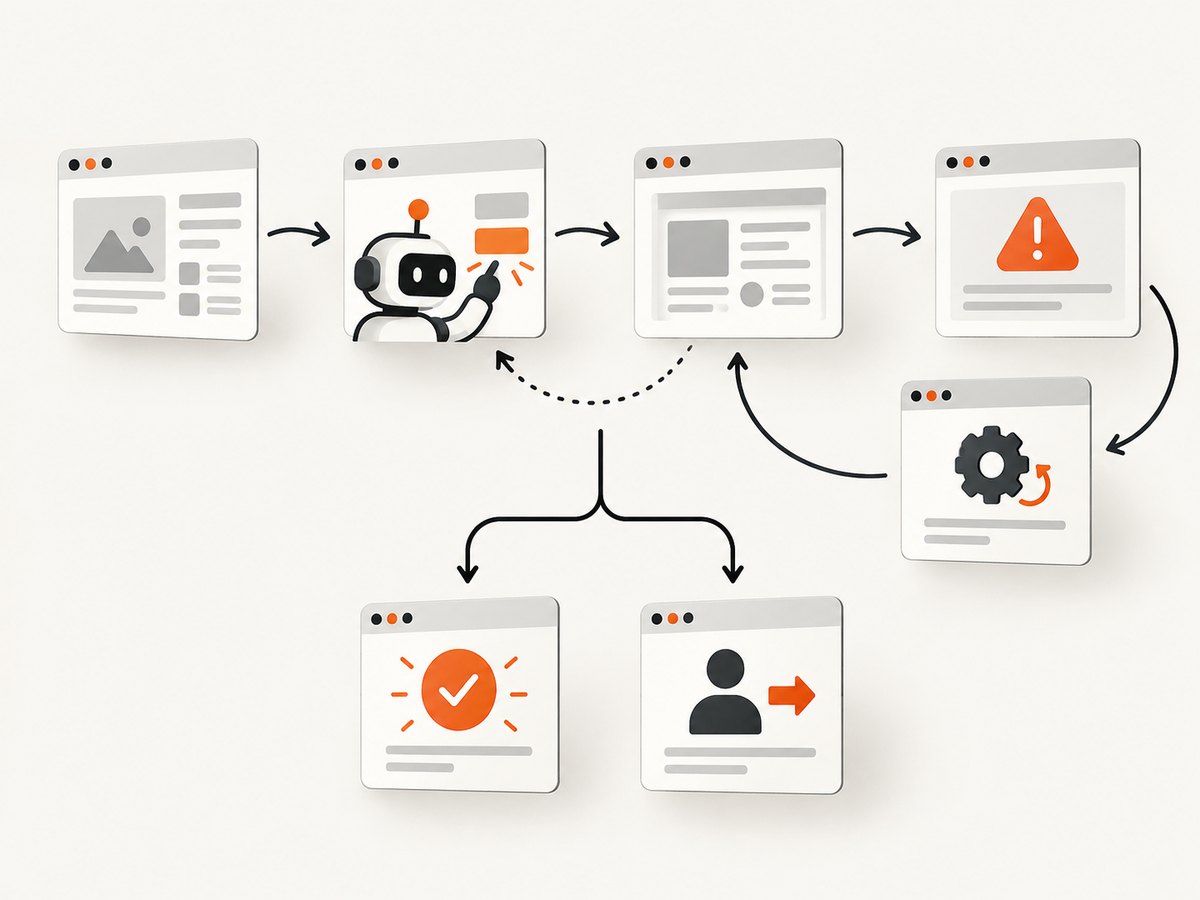
Start with expert trajectories and supervised behavior cloning: train the model to map an instruction and its observation history to the next action. Include the context the deployed policy will receive, rather than training on isolated action labels alone.
Two useful starting points are WebLINX demonstrations, which contains 100,000 interactions from 2,300 expert demonstrations across more than 150 real-world websites, and the Mind2Web dataset, which provides more than 2,000 open-ended tasks from 137 websites and 31 domains. Check each project’s documentation and license for the intended use and exact dataset version.
Make the examples diverse and auditable
- Cover different websites and domains. Vary layout, terminology, navigation depth, and interaction style. Repeating one template teaches page familiarity, not transferable browsing.
- Include multi-step tasks. Train on finding information, changing filters, completing forms, and moving between pages, with intermediate observations and history.
- Add recovery trajectories. Show what to do after a stale page, failed click, redirect, authentication gate, popup, or changed layout. Include cases where the right action is to wait, re-observe, retry safely, or ask a human.
- Represent visually grounded work. Include screenshot observations and target descriptions or coordinates if the deployed agent uses them.
- Keep benchmark tests out of training. Preserve task, website, and domain holdouts. Record dataset sources, transformations, exclusions, and splits so contamination checks can be repeated.
WebLINX reports that fine-tuned models can outperform zero-shot models, while still struggling on unseen websites. Treat generalization as a capability to measure explicitly, not an automatic consequence of more demonstrations or a larger model.
3. Train grounding, context use, and safe recovery
Behavior cloning is a useful initialization, but a model can imitate common action patterns and still click the wrong control when a page changes. Add training and evaluation cases that require selecting the correct target from nearby alternatives.
- Element ranking or retrieval: train the agent to identify the most plausible target among candidate controls using role, label, surrounding text, and task intent.
- Screenshot grounding: when the agent acts visually, test whether it can locate the target after changes in viewport, spacing, or page content.
- Action-history context: provide recent actions and outcomes so the agent can distinguish “the click failed” from “the page has not finished loading.”
- Re-observation: teach the policy to inspect the page after consequential or uncertain actions rather than blindly continuing a memorized sequence.
- Recovery and handoff: include redirects, login walls, CAPTCHA, ambiguous results, and destructive actions. Specify when it should stop, ask for help, or decline.
Keep task instructions and target pages separated in the data pipeline where possible. Test whether a model is exploiting stable identifiers or memorized page wording instead of following the requested intent.
4. Evaluate in layers
Use a small deterministic test set to catch basic policy and tool errors, then broaden evaluation across workflows, interaction styles, and live sites. Benchmark suites cover different conditions; scores should be interpreted in their context.
| Evaluation layer | Useful environment | What it reveals |
|---|---|---|
| Action and tool unit tests | Your own deterministic pages and fixtures | Schema errors, selector handling, waits, retries, and termination logic |
| Long-horizon web tasks | WebArena benchmark | Multi-step task completion on realistic, reproducible, self-hostable sites |
| Enterprise workflows | WorkArena | Knowledge-work tasks in a ServiceNow setting; its 33 tasks test a distinct workflow class |
| Conversational navigation | WebLINX | Multi-turn dialogue, screenshot plus history conditioning, and transfer to unseen sites |
| Real-world page and split checks | Mind2Web | Task, website, and domain holdouts that help expose memorization |
| Shared environment API | BrowserGym evaluation framework | A common Gym-style interface spanning suites such as MiniWoB, WebArena, WorkArena, WebLINX, and others |
| Deployment-facing live behavior | BrowserArena or another live-web suite | Failures on changing public websites that sandbox tasks may not surface |
WebArena’s published results found 14.41% end-to-end success for its best GPT-4-based agent and 78.24% for humans. That gap is a reason to include a human baseline under the same task and environment conditions, not a score target for a different setup. WorkArena likewise reports a considerable gap to full automation.
Separate the evaluation sets
Report at least three slices: familiar sites represented in training, unseen websites within known domains, and held-out domains. A model that succeeds on the first slice may still fail when page conventions or terminology change. Keep benchmark test artifacts out of training, rotate or refresh live tasks where possible, and document any overlap you discover.
5. Measure more than task success
Publish a metric set that explains both whether the agent finished and how it behaved. State the task pool, environment version, browser configuration, model and policy settings, action or time budget, and grader method alongside results.

| Metric | What to report | Why it matters |
|---|---|---|
| Functional task success | Completed tasks divided by attempted tasks, with grader definition | Primary outcome; a grader can be deterministic, human, or model-assisted |
| Per-step action accuracy | Correct actions over labeled decision points, where available | Helps localize errors even when the task ultimately fails or recovers |
| Budgeted completion | Success under fixed step and time limits | Shows whether results are practical under constrained execution |
| Efficiency | Steps and wall-clock latency, including tool waits | Separates concise successful runs from slow or looping policies |
| Cost | Token, browser, and tool cost per task and per successful task | Makes quality comparisons operationally useful |
| Recovery and handoff | Recovery after a fault; appropriate abstention or human handoff | Measures behavior when assumptions fail, not only the happy path |
| Variance | Run-to-run spread or confidence intervals for stochastic policies | Shows whether an apparent improvement is stable |
Use identical budgets and grading rules when comparing policies. Report failures and timeouts rather than silently dropping them. For human or model-assisted judging, describe the rubric and how disagreements are handled. A single aggregate percentage hides whether a policy is strong on known pages and weak on new ones, or whether it succeeds only by spending far more steps.
6. Test generalization, reliability, and safety
Build a deployment test matrix around the ways a public site differs from a static benchmark. BrowserArena’s live evaluation identifies CAPTCHA resolution, popup removal, and direct URL navigation as recurring failure modes. These deserve explicit cases in your test plan.
- Site change: alter labels, layout, ordering, and viewport; verify the agent re-grounds instead of relying on an old selector or coordinate.
- Loading and network variation: test slow responses, incomplete content, redirects, and timeouts. Distinguish a page still loading from a genuine failure.
- Consent banners and overlays: check whether the agent can recognize an obstructed page and follow the allowed interaction path.
- Authentication and permissions: verify it stops at access boundaries instead of inferring or bypassing credentials.
- Consequential actions: test deletion, purchases, submissions, and other irreversible operations with confirmation or human review appropriate to the task.
- Abstention: include ambiguous requests and unavailable targets; reward a clear handoff when proceeding would be unsafe or unsupported.
For each class, record the trigger, observation, attempted recovery, final outcome, and whether a human was asked to intervene. Reliability means predictable stopping and recoverable failure as well as a high completion rate.
7. Practical implementation pattern
The following pseudocode illustrates a framework-independent evaluation loop. Replace the adapter methods with the browser runtime and grader you use. Persist one record per decision so a failed run can be replayed or categorized.
def evaluate(agent, browser, tasks, max_steps, max_seconds):
    results = []
    for task in tasks:
        browser.reset(task.start_url)
        started = monotonic()
        trace = []
        reason = "step_budget"

        for step in range(max_steps):
            observation = browser.observe()
            action = agent.act(task.instruction, observation, trace)
            outcome = browser.execute(action)
            trace.append({
                "observation": observation,
                "action": action,
                "outcome": outcome,
                "elapsed_seconds": monotonic() - started,
            })

            if action.get("type") in ("finish", "handoff", "abstain"):
                reason = action["type"]
                break
            if monotonic() - started > max_seconds:
                reason = "time_budget"
                break

        score = task.grader(browser, reason)
        results.append({
            "task_id": task.id,
            "score": score,
            "termination_reason": reason,
            "steps": len(trace),
            "latency_seconds": monotonic() - started,
            "trace": trace,
        })
    return results
In a real runner, add exception handling around observation and execution, redact secrets from traces, and ensure a timed-out task is recorded as a failure or distinct outcome. Run repeated trials for stochastic agents and retain policy and environment versions with each result.
8. Troubleshooting common evaluation problems
| Symptom | Likely cause | Practical fix |
|---|---|---|
| High training score, low held-out score | Website or task leakage; narrow demonstration diversity | Audit splits and URLs, add domain holdouts, and report known-site and unseen-site results separately |
| Correct intent, wrong control | Weak grounding or ambiguous target representation | Log candidate elements, train ranking examples, and re-observe after page changes |
| Agent repeats clicks or loops | It cannot see action outcome or termination conditions | Return post-action state and errors, add loop detection and a fixed step budget |
| Flaky scores across runs | Stochastic policy, unstable live site, or inconsistent task setup | Repeat trials, preserve environment versions, report variance, and separate live from deterministic results |
| Timeouts counted as missing data | Runner drops incomplete tasks | Record timeouts as explicit outcomes and include them in the denominator and budgeted success rate |
| Benchmark result cannot be reproduced | Unversioned preprocessing, browser, grader, or task configuration | Pin and publish versions, seeds where applicable, split definitions, and grading rules |
| Good benchmark score, poor deployment behavior | Evaluation lacks live-site variation, popups, CAPTCHA, or navigation cases | Add a live-web suite and task-specific safety and handoff scenarios |
9. Capture page evidence for visual evaluation
When screenshots are part of the observation or audit trail, capture the page at a consistent viewport and preserve the corresponding task, URL, and step identifier. A screenshot is useful for debugging only when it can be tied back to the exact decision and page state. Avoid retaining sensitive page content longer than your evaluation requires.
For a browser-based implementation, the screenshot call belongs in the same trace pipeline as the observation and action. Keep capture settings consistent across comparisons; otherwise viewport or rendering changes can affect visual grounding independently of the policy.
10. Or skip the browser setup
If you need website screenshots as evaluation artifacts, ScreenshotNeo is a website screenshot API and MCP server. A single GET request returns an image or PDF; see the API documentation for parameters and formats.
curl -G "https://api.screenshotneo.com/v1/shot" -d access_key=YOUR_API_KEY --data-urlencode url=https://stripe.com -o shot.webpimport requests
r = requests.get("https://api.screenshotneo.com/v1/shot", params={"access_key": "YOUR_API_KEY", "url": "https://stripe.com"}, timeout=90)
open("shot.webp", "wb").write(r.content)const q = new URLSearchParams({ access_key: 'YOUR_API_KEY', url: 'https://stripe.com' });
const res = await fetch(`https://api.screenshotneo.com/v1/shot?${q}`);ScreenshotNeo removes cookie banners, popups, and chat widgets before the shot. Bot checks, blank pages, and failed loads are never billed. Its MCP server lets AI agents take screenshots. The free plan includes 1,000 screenshots a month with no card; paid plans start at $5 for 3,000. Sign up for 1,000 free screenshots a month, no card required.
11. Performance and cost controls
Agent cost is the sum of model tokens, browser execution, external tools, retries, and evaluation or grading. Report cost per task and per successful task: a policy with a lower completion rate can appear cheap per attempt while costing more for each completed workflow.
- Set explicit step and time budgets and show how many tasks hit each limit.
- Log model latency separately from page loading and browser-tool latency.
- Use deterministic unit tasks to catch regressions before spending on larger benchmark runs.
- Keep observation size controlled, but validate that trimming DOM or image context does not remove grounding cues.
- Measure retries and recovery as their own costs; do not hide them inside average latency.
- For stochastic agents, repeat enough runs to show variance and state the number of trials.
For image evidence, capture only the pages and steps needed to answer the evaluation question. For example, a final-state image may be enough for a visual grader, while action-grounding analysis needs intermediate states. Match capture frequency to the question and include it in the cost accounting.
12. A release checklist
- Observation and action schemas are documented and versioned.
- Demonstrations cover multiple sites, task types, and recovery paths.
- Test tasks, websites, and domains are held out and leakage is checked.
- Evaluation includes deterministic, long-horizon, conversational, and live conditions as appropriate.
- Human baselines, action/time budgets, graders, variance, and failure outcomes are reported.
- Safety cases cover permissions, destructive actions, ambiguity, and human handoff.
- Latency, tokens, browser/tool cost, steps, and success are measured together.
- Traces and visual evidence can be tied to a policy and environment version without leaking secrets.
FAQ
Should I fine-tune a browser agent before trying prompting?
Establish a prompt-based baseline first. Fine-tuning is useful when representative demonstrations exist and a specific behavior gap can be measured; compare under the same held-out tasks and budgets.
Is screenshot input always better than DOM input?
No. They expose different information and failure modes. Choose based on the target workflow, then evaluate the chosen observation contract and any combination you plan to deploy.
How many benchmarks are enough?
There is no universal count. Choose suites that cover your task structure, site familiarity, realism, and safety needs, and state what each suite leaves untested.
Can a strong benchmark score prove an agent is safe?
No. Task success does not establish permission handling or safe behavior on consequential actions. Include dedicated safety cases and human review paths.