How to Set Up an Image Generation MCP Server in Claude Code
Connect Claude Code to an image-generation MCP server with local stdio or remote HTTP, then verify scope, auth, tools, and permissions.

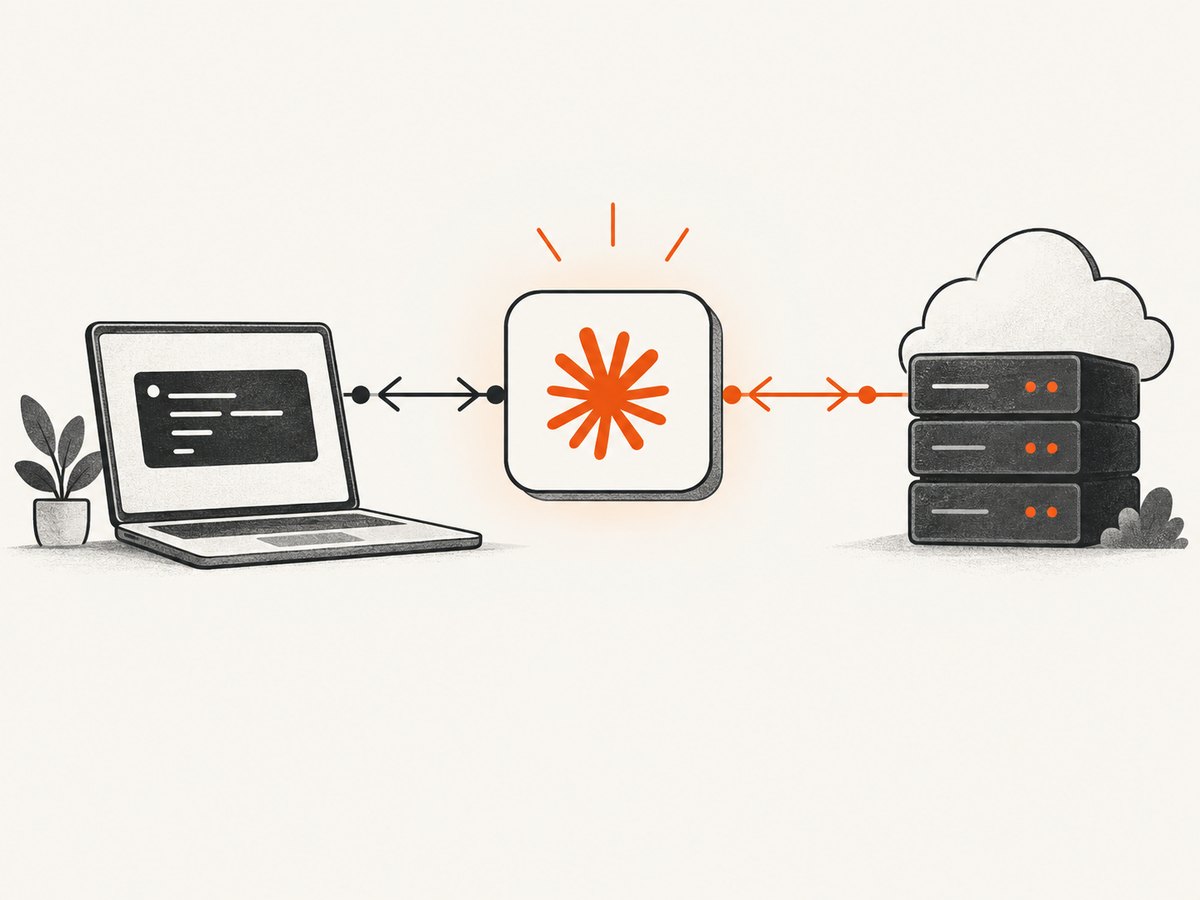
Direct answer: Claude Code is the MCP client. An external MCP server supplies image-generation tools and calls whichever image model or service you select. Register a local server with stdio or a hosted server with HTTP, choose the configuration scope, approve project settings when prompted, and verify the connection with claude mcp list, claude mcp get, or /mcp. MCP itself does not define one universal image provider.
This guide follows the current Claude Code MCP documentation. It uses placeholder commands because the title does not identify a particular image server. Replace the command, package, endpoint, and credential names with the selected server vendor’s official values.
1. Decide what image server you are connecting
Before changing Claude Code configuration, identify five things from the server’s documentation:
- Whether it runs locally as a process or is hosted remotely.
- The exact launch command, package name, and required arguments.
- The tools it exposes, such as image generation, variation, editing, or file export.
- How it authenticates, including environment variables, bearer tokens, OAuth, or account login.
- Where generated files are written and what data the server sends to a provider.
A generic MCP registration does not make an image model available. The server must actually expose an image-generation tool and have access to a model or image API. Check its supported input fields, output format, size limits, and licensing before you connect it.
2. Install prerequisites
- Install Claude Code and confirm that the
claudecommand is available in your shell. - Install the runtime required by the server, such as Node.js, Python, or a vendor-specific binary.
- Obtain the image provider credential required by that server. Keep it in a secret manager or environment variable.
- Run the server’s own health check, if it provides one, before registering it with Claude Code.
Do not paste private API keys into a committed project file. Project-scoped MCP configuration can be shared with a team, so credentials should be injected through the environment or your CI secret store.
3. Add a local stdio MCP server
Use stdio when Claude Code should launch the server as a local child process. The command shape is:
claude mcp add --transport stdio <name> -- <command> [args...]The -- separator is significant. Claude Code options go before it; the server executable and every server argument go after it. For example, if the selected vendor documents an npx launcher, adapt its exact command like this:
claude mcp add --transport stdio image-gen --env IMAGE_API_KEY=YOUR_KEY -- npx --yes OFFICIAL_SERVER_PACKAGEDo not copy OFFICIAL_SERVER_PACKAGE as a real package name. Replace it with the package and flags published by the server maintainer. If the server is a Python module, the equivalent pattern may look like:
claude mcp add --transport stdio image-gen --env IMAGE_API_KEY=YOUR_KEY -- python -m vendor_image_serverUse an environment file or shell export when the key should not appear in shell history:
export IMAGE_API_KEY='replace-with-your-key'
claude mcp add --transport stdio image-gen -- python -m vendor_image_server
Stdio servers must keep protocol traffic on standard output. A server that prints startup banners, debug logs, or stack traces to stdout can corrupt the MCP stream. Configure logs for stderr or a file when the vendor supports it.
4. Add a remote HTTP MCP server
Use HTTP when the server is hosted by a provider or on infrastructure separate from your development machine. Claude Code documents HTTP as the recommended option for remote MCP servers.
claude mcp add --transport http image-gen https://your-server.example/mcpFollow the server’s instructions for authentication. Some services use a bearer-token header; others use an OAuth flow that opens a browser. Do not assume that an API key belongs in the URL. Query-string credentials can leak through shell history, proxy logs, and telemetry.
Remote SSE is deprecated in the current Claude Code guide. Prefer HTTP when the service supports it. If a provider only offers SSE, check its compatibility instructions and the version of Claude Code you are running before relying on it.
5. Choose the configuration scope
| Scope | Use it when | Practical effect |
|---|---|---|
| Local | You need the server only in the current project | Private to this project and user |
| User | You want the server in several projects | Available across projects for your user account |
| Project | A team should share the server definition | Stored in .mcp.json; approval is required before use |
Choose the scope with the corresponding option documented by your Claude Code version. Local scope is a good default for experimentation. User scope avoids repeating setup across repositories. Project scope is useful for a team, but review the resulting .mcp.json and keep secrets outside it. Claude Code asks for approval before using a project-scoped server from that file.
6. Inspect and approve the configuration
Adding a server writes configuration; it does not prove that the process starts, authentication succeeds, or image tools are available. Inspect it immediately:
claude mcp list
claude mcp get image-gen
Then start Claude Code in the project and open the in-session MCP panel:
/mcpLook for a connected status and the server’s advertised tools. A healthy connection should show the expected image-generation operation, its input schema, and any prompts or resources supplied by the server. If Claude Code requests project approval, verify the server name, command or URL, and data access before accepting.
7. Generate an image safely
Ask Claude Code to call the specific tool exposed by the server and provide a constrained prompt. Include output dimensions, format, destination, and any negative requirements supported by that tool. A useful request is:
Use the image-gen MCP server to create a 1024x1024 PNG of a red fox in a snowy forest at dawn. Save the result to ./art/fox.png and report the exact output path.Tool names differ between servers, so do not assume that a name such as generate_image exists. Ask Claude Code to list the server tools first if the name is unclear. Confirm that the resulting file exists and that its MIME type matches the requested format.
8. Secure the connection
- Review the server source, package publisher, update process, and permissions before connecting.
- Give the server only the credentials it needs. Use a restricted image-provider key when possible.
- Inspect filesystem, network, and shell access. A server may be able to read files or send data to remote services.
- Be cautious with servers that fetch external content. Anthropic warns that external content can create prompt-injection risk.
- Keep project configuration reviewable. Do not commit tokens, cookies, or personal access credentials.
MCP is a transport and tool protocol, not a trust boundary. Treat each server as executable software with the permissions granted to its process.
9. Troubleshooting common failures
| Symptom | Likely cause | Fix |
|---|---|---|
| Server appears in configuration but is disconnected | Bad command, missing runtime, or process exits immediately | Run the exact launch command manually, check stderr, and verify the runtime version. |
claude mcp add reports success but no image tool appears |
Configuration was written, but the server does not advertise the expected tool | Use claude mcp get and /mcp; read the server’s tool list and installation guide. |
| Authentication fails | Wrong variable name, expired key, or unsupported auth method | Set the credential exactly as documented and avoid putting it in the endpoint URL. |
| Stdio protocol or JSON parse errors | Logs are being printed to stdout | Redirect logs to stderr or disable startup banners. |
| Project server is blocked pending approval | Claude Code requires approval for .mcp.json servers |
Review the file and approve the server from the MCP prompt or panel. |
| Generated image is missing or empty | Provider returned an asynchronous job, unsupported format, or a path outside the workspace | Check the tool result, wait for job completion if required, and request a workspace-relative output path. |
| Remote HTTP connection times out | Endpoint is unreachable, requires a proxy, or has an incompatible transport | Test the URL from the same machine, check firewall and proxy settings, and confirm HTTP support. |
10. Performance, reliability, and cost planning
Local stdio avoids a network hop, but generation time is still dominated by the image provider and model. Remote HTTP simplifies deployment and team access, while adding network latency and dependence on the hosted service. For repeatable builds, pin the server version, record the model and prompt parameters, and store generated artifacts with a content hash.

Use bounded prompts and explicit dimensions to control provider usage. Avoid automatic retries for non-idempotent generation calls unless the server supports request IDs or deduplication. For batch work, queue jobs and persist the returned job identifier rather than keeping a terminal process open indefinitely. Monitor provider quotas separately from Claude Code and MCP connection health.
There is no universal MCP price. Your total cost may include Claude Code access, the MCP server, image-model inference, storage, and network transfer. Read the selected provider’s current pricing and retention terms before putting generation in CI.
Or skip the browser setup
If your goal is to capture website visuals for an agent workflow rather than generate synthetic artwork, ScreenshotNeo provides a website screenshot API and MCP server. Its MCP tools include take_screenshot, get_page_info, and capture_pdf, so Claude, Cursor, or another MCP client can retrieve page images without you managing a headless browser.
One direct API call is enough:
curl -G 'https://api.screenshotneo.com/v1/shot' -d access_key=YOUR_API_KEY --data-urlencode url=https://stripe.com -o shot.webpimport requests
r = requests.get('https://api.screenshotneo.com/v1/shot', params={'access_key': 'YOUR_API_KEY', 'url': 'https://stripe.com'}, timeout=90)
open('shot.webp', 'wb').write(r.content)const q = new URLSearchParams({ access_key: 'YOUR_API_KEY', url: 'https://stripe.com' });
const res = await fetch(`https://api.screenshotneo.com/v1/shot?${q}`);See the ScreenshotNeo API documentation for all options. Cookie banners, newsletter popups, and chat widgets are removed before the shot. Bot checks, blank pages, failed loads, timeouts, and cache hits are never billed, and response headers identify the page verdict and billing result. An MCP server lets AI agents take screenshots. The free plan includes 1,000 screenshots a month with no card, and paid plans start at $5 for 3,000 shots. Create a free ScreenshotNeo account.
11. A practical verification checklist
- The selected server’s official command or endpoint is documented.
- The required runtime and credential are available.
- The transport matches the deployment: stdio for a local process, HTTP for a remote service.
- The scope matches who needs access.
- No secrets are committed to
.mcp.json. claude mcp listandclaude mcp get <name>show the expected configuration./mcpshows a connected server and the expected image tool.- A small test generation produces a file at the requested path.
- Logs, provider costs, and generated artifacts are observable.
FAQ
Does Claude Code include an image model?
No. Claude Code connects to MCP tools; the selected server and its provider determine which image model is used.
Can one MCP server be shared by an entire team?
Yes. Use project scope and review the generated .mcp.json. Each user still needs the required runtime, credentials, and approval.
Should I use stdio or HTTP?
Use stdio for a process on your machine and HTTP for a hosted service. The current Claude Code guidance recommends HTTP for remote servers.
Why does registration succeed when the server cannot connect?
Registration writes configuration only. Connection and tool discovery happen afterward, so inspect the server with the list, get, and in-session MCP commands.
Can ScreenshotNeo generate new artwork?
ScreenshotNeo captures existing web pages and PDFs through its API and MCP tools. Use a dedicated image-generation MCP server when you need synthetic artwork.