API for Web Scraping: How It Works and When to Use It
Learn how web scraping APIs fetch, render, and extract data, when to use one, and how to choose between an official API, hosted service, or your own crawler.
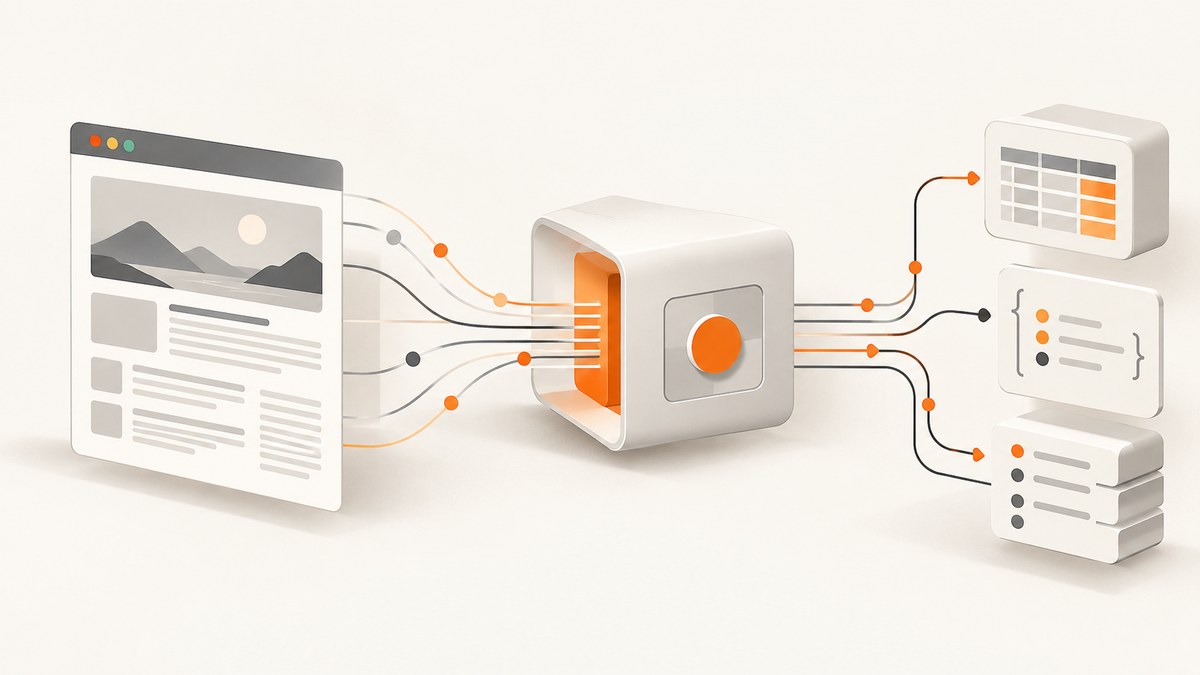
A web scraping API lets your application request data from web pages through a programmatic interface, usually HTTP. Depending on the service, it may fetch a page and return its HTML, render JavaScript, extract selected fields, or run a job whose results you retrieve later. The API’s contract—not the label “scraping API”—tells you which steps it handles.
Before scraping, check whether the source offers an official data API that fits your need. If not, choose between a hosted service and a crawler you operate based on rendering needs, extraction shape, scale, control, maintenance, reliability requirements, and total cost. A hosted API does not itself grant permission to collect a site’s data.
1. What a web scraping API does
A scraping API puts data collection behind an interface your code can call. Your client supplies a target URL and possibly extraction instructions, headers, or rendering options. A service may fetch the page and return content directly, or accept a job and expose its results later. Some APIs are focused on browser rendering and page interaction; others manage a crawler and dataset workflow.
For example, Scrapy’s hosted documentation describes synchronous and asynchronous runs, job polling, and dataset export. Cloudflare documents browser-rendering endpoints for crawling and extracting selected elements. Those examples show that workflows vary; they do not define a standard set of features for all providers. See the [Scrapy Cloud API documentation](https://docs.zyte.com/scrapy-cloud.html) and [Cloudflare Browser Rendering documentation](https://developers.cloudflare.com/browser-rendering/).
The conceptual pipeline
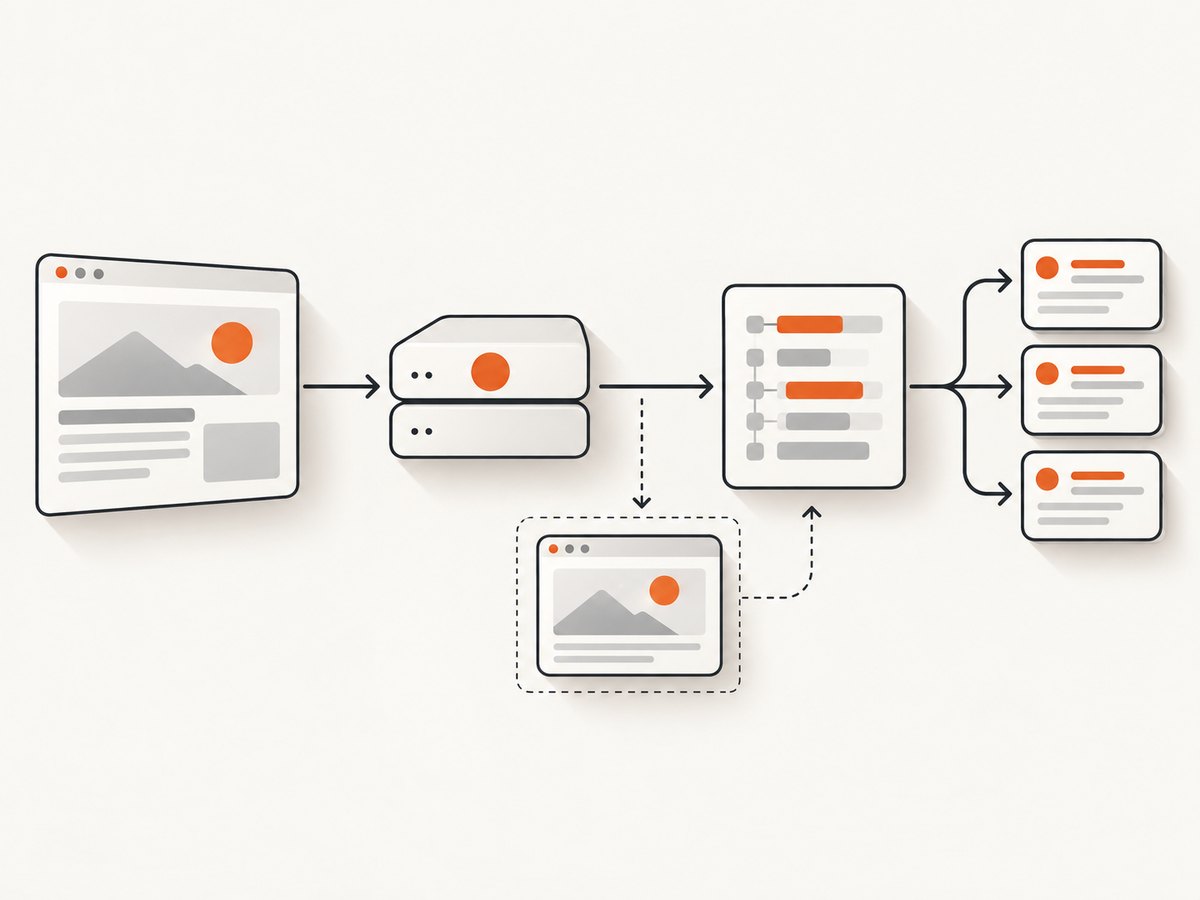
- Choose a data source. Prefer a suitable official API where one exists. Identify the specific pages and fields you need.
- Submit a request or job. The request may identify a URL, a configured spider, or an extraction task.
- Fetch the page. The system retrieves the resource, subject to the target’s technical controls and the service’s behavior.
- Render if needed. A browser may execute client-side JavaScript before the content is inspected.
- Extract fields. A parser or configured task turns page content into records such as titles, prices, or links.
- Return or store results. A synchronous endpoint can respond immediately; an asynchronous service may provide a job identifier and a dataset to retrieve.
- Handle operations in your application. Validate records, manage retries and errors, store data, and decide how to refresh it.
A vendor can bundle several pipeline stages, but verify the response format, job lifecycle, rendering behavior, and extraction responsibilities in its documentation.
2. Choose the right approach
Use this decision order before implementing a scraper:
- Check for an official source API. Use it if it exposes the fields and update behavior your application requires and you are authorized to access it.
- Inspect the page response. Determine whether the needed information is present in initial HTML or appears only after client-side code runs. Scrapy’s guidance discusses inspecting network requests and dynamically loaded content; see its [dynamic content documentation](https://docs.scrapy.org/en/latest/topics/dynamic-content.html).
- Choose hosted execution or self-management. A hosted scraping API can provide an HTTP interface and managed execution or browser rendering. A framework you operate gives you control over crawler behavior, while your team maintains that component.
- Match the workflow to the output. Decide whether you need a direct response or can handle jobs, polling, and dataset retrieval; define the fields and output format your client expects.
- Estimate total operating effort. Consider request volume, rendering, retries, storage, monitoring, changes to the site, and the cost of maintaining the integration.
| Approach | Good fit when | Questions to resolve |
|---|---|---|
| Official data API | The source exposes the needed data through an interface you can use. | Are the fields, limits, authorization, and update cadence suitable? |
| Hosted scraping API | You want a programmatic interface and managed fetching or browser rendering. | What is included, how are errors reported, and are results synchronous or job-based? |
| Self-managed crawler | You need direct control over crawl and extraction behavior and can maintain it. | Who owns browser infrastructure, retries, monitoring, storage, and changes to page structure? |
There is no evidence here for a controlled ranking of provider accuracy, success rates, reliability, or price. Compare documented capabilities and your own requirements rather than assuming a vendor label guarantees a particular outcome.
3. Do you need JavaScript rendering?
Rendering is useful when the content you need is produced or exposed only after client-side code executes. It can be unnecessary overhead when the same data already appears in the initial HTML or is available through an authorized underlying request.

Inspect a representative page and compare its initial response with what appears after it runs in a browser. Browser developer tools can help identify requests associated with dynamically loaded content. If you can use a documented or otherwise authorized data endpoint directly, assess that path before rendering the whole page. Scrapy describes inspecting requests and dynamic content in its [documentation](https://docs.scrapy.org/en/latest/topics/dynamic-content.html); Cloudflare’s [browser-rendered crawling API](https://developers.cloudflare.com/browser-rendering/) is an example of a service that provides browser rendering.
Rendering can add operational cost and complexity. Select it for pages that require it, and confirm whether the service waits for a particular selector, a fixed delay, or another readiness condition. A page may look loaded while the target field is still absent, so validate the extracted result rather than treating a successful HTTP response as proof of complete data.
4. A minimal do-it-yourself example
This Python example fetches a public page and parses its initial HTML with Requests and Beautiful Soup. It does not render JavaScript, bypass access controls, or guarantee that a particular site permits automated collection. Use it only for a target you are authorized to access, and adapt the selector to the page.
import requests
from bs4 import BeautifulSoup

url = "https://example.com/"
response = requests.get(
    url,
    headers={"User-Agent": "ExampleResearchBot/1.0 (contact: dev@example.com)"},
    timeout=(5, 20),
)
response.raise_for_status()

soup = BeautifulSoup(response.text, "html.parser")
title = soup.title.get_text(strip=True) if soup.title else None

print({"url": response.url, "title": title, "status": response.status_code})
Install the dependencies with python -m pip install requests beautifulsoup4. This example reads a title from the returned HTML. If the value is missing because the page fills it in client-side, inspect the page and determine whether an authorized underlying request or browser rendering is appropriate.
What to add before using it regularly
- Define an explicit set of fields and validate that each record contains them.
- Set connection and read timeouts; handle non-success status codes and malformed responses.
- Use bounded retries for transient failures, with backoff and a limit. Do not retry indefinitely or treat every error as transient.
- Record the target URL, request time, status, and parsing outcome so failures can be diagnosed.
- Keep credentials out of source code, and avoid collecting or retaining personal data unless the project’s requirements allow it.
- Test against representative pages, including missing fields and changed markup, before relying on the output.
5. Synchronous and asynchronous API workflows
A synchronous API returns its result in the request-response cycle. It can be convenient for a small, bounded task, but the client must account for request duration and service timeouts. An asynchronous API accepts a job, returns an identifier, and lets the client check status and retrieve a result later. Scrapy Cloud documents both kinds of execution and dataset export as examples of this pattern.
For a job-based integration, model the states explicitly: submitted, running, succeeded, failed, and (if supported) cancelled. Persist the job identifier so a restarted client can continue polling. Use a reasonable polling interval, stop when the job finishes or exceeds your deadline, and make result processing safe to repeat. Confirm whether the service supports callbacks, how long datasets remain available, and how partial failures are represented.
6. Responsible access and operating limits
Review the target’s terms, access rules, applicable law, privacy obligations, and technical controls for the specific project. A scraping API does not make collection lawful, permitted, or compliant by itself. Do not attempt to defeat a login, CAPTCHA, bot check, or other access control; use an authorized route or ask the site owner for access.
RFC 9309 defines the Robots Exclusion Protocol. It states: “These rules are not a form of access authorization.” Treat robots.txt as crawler guidance under that protocol, not as a login system or permission grant. The [IETF standard, RFC 9309](https://www.rfc-editor.org/rfc/rfc9309.html) describes the protocol. Cloudflare also explains that robots.txt is voluntary and does not technically prevent crawler access in its [robots.txt overview](https://www.cloudflare.com/learning/bots/what-is-robots-txt/).
7. Performance, reliability, and cost
Measure the whole workflow that matters to your application: time to a usable record, error and empty-result rates, job completion time where applicable, and the amount of manual maintenance. The sources cited here describe mechanisms, not a controlled comparison of providers or benchmarks; test your own representative targets and workload.
- Performance: Browser rendering can require more work than parsing static HTML. Avoid rendering pages that do not need it. For asynchronous runs, separate job submission from result retrieval and use bounded polling.
- Reliability: A successful fetch can still produce incomplete or changed data. Validate required fields, monitor empty and malformed records, and make retries bounded and safe. Keep a clear distinction between fetch failure and extraction failure.
- Scale: Estimate the number of pages, refresh frequency, and output size. Check documented concurrency and rate limits with the provider and target. Do not assume unlimited parallelism.
- Cost: Compare the full service price and usage rules with the engineering and infrastructure time required to run a crawler. Include rendering, storage, retries, monitoring, and maintenance in the estimate. No provider price comparison is established by the research cited here.
- Change management: Page markup and client-side behavior can change. Keep extraction rules small, retain representative fixtures where appropriate, and alert when expected fields disappear.
8. Troubleshooting common failures
| Symptom | Likely cause | Practical fix |
|---|---|---|
| Request times out | Slow origin, long rendering, or a client deadline shorter than the service operation. | Set explicit connect/read or job deadlines; check whether the API offers asynchronous execution. Retry only transient failures, with a cap. |
| HTTP error or access denied | The target or service rejected the request, authentication is missing, or the route is not available. | Check the status and documented authentication requirements. Use an authorized access path; do not try to evade access controls. |
| Page loads but fields are empty | The content is client-rendered, the selector no longer matches, or the data is absent for that page. | Inspect the initial HTML and rendered page, verify the selector, and use rendering only if the content requires it. Treat missing fields as an extraction error. |
| Job remains pending | The job is still running, polling is too frequent, or the client is checking the wrong job identifier. | Follow the service’s polling and status contract, persist the correct identifier, and use a bounded overall deadline. |
| Response is not the expected format | The endpoint returned an error body, a job reference, or an export format different from the parser’s assumption. | Check status and content type before parsing; handle each documented response shape explicitly. |
| Results change between runs | Source content or page structure changed, or the page is personalized or time-sensitive. | Record retrieval time, validate fields, and review the source and extraction rules. Avoid assuming repeated requests produce identical records. |
9. Or skip the browser setup
If your immediate task is to capture a page as an image or PDF rather than extract structured fields, ScreenshotNeo provides a website screenshot API and MCP server. It returns PNG, JPEG, WebP, or PDF from a GET request. It is a screenshot tool, not a general-purpose structured-data scraping API.
For a direct image capture, see the ScreenshotNeo API documentation and use this cURL request, replacing the key with your API key and the URL with an authorized target:
curl -G "https://api.screenshotneo.com/v1/shot" \
  -d access_key=YOUR_API_KEY \
  --data-urlencode url=https://stripe.com \
  -o shot.webp
The service accepts a URL and can capture full pages or a selected element, use device presets or custom viewports, apply custom CSS or JavaScript, and wait for a selector, delay, or network idle. Its 63 options also include dark mode, cookies and headers, resource blocking, PDF settings, resizing, caching, bulk capture, asynchronous jobs, signed links, and usage reporting.
Cookie and consent banners, newsletter popups, and chat widgets are removed before capture; each cleanup step can be turned off. Bot checks and CAPTCHAs, blank pages, timeouts, failed loads, and cache hits cost nothing, and response headers report the page verdict and billing status. An MCP server provides take_screenshot, get_page_info, and capture_pdf tools for Claude, Cursor, and other MCP clients. The free plan includes 1,000 screenshots per month with no card; paid plans start at $5 for 3,000. Every feature is on every plan.
Sign up free for 1,000 screenshots a month with no card.
10. FAQ
Is a web scraping API the same as a data API?
No. A source’s official data API exposes data through an interface designed by that source. A scraping API generally fetches or processes web pages and may extract data from them. Check for a suitable official API first.
Does every scraping API run a browser?
No. Some return or process page content without browser rendering; others offer rendering as a capability. Confirm the documented behavior for the endpoint you plan to use.
Does robots.txt authorize scraping?
No. RFC 9309 says robots rules are not access authorization. Review the target’s rules and the requirements that apply to your project.
Can I use a screenshot API to extract records?
A screenshot API returns a visual capture or PDF. It can help with visual monitoring or documentation, but it is not a substitute for an extraction interface when your application needs structured fields.