13 Node.js Bundlers and Build Tools for JavaScript Developers
Compare 13 JavaScript build tools by role, configuration, and project fit. Choose a workflow without relying on unsupported speed rankings.
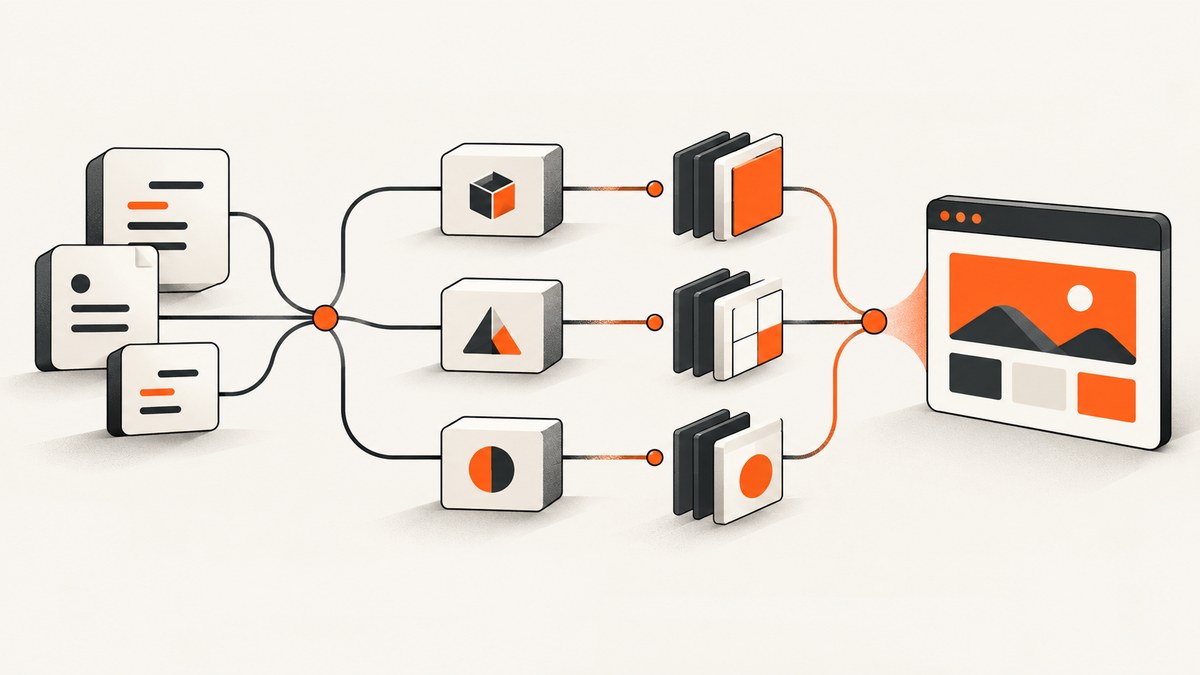
There is no universally best JavaScript bundler. Choose by the job your project needs: an integrated development server and production workflow, a configurable application bundler, a library-oriented output pipeline, or a smaller tool focused on transforms and output. Then verify runtime and browser support, plugin needs, output formats, and migration cost against the current documentation for your chosen version.
This guide names thirteen tools developers commonly encounter, but the available documentation does not establish a canonical set of thirteen equivalent products. They span build workflows, bundlers, compilers, and runtimes with bundling features. Treat the list as a map of options, not a ranking. No comparable benchmark supports a fastest-to-slowest order.
What a bundler does, and what a build tool may add
A bundler follows dependencies from one or more entry points and emits files that can be deployed or consumed by another package. Depending on the tool and configuration, it may also transform syntax and assets, split code into chunks, and optimize output. A build tool can include more: a development server, hot module replacement (HMR), project conventions, and a production build workflow.
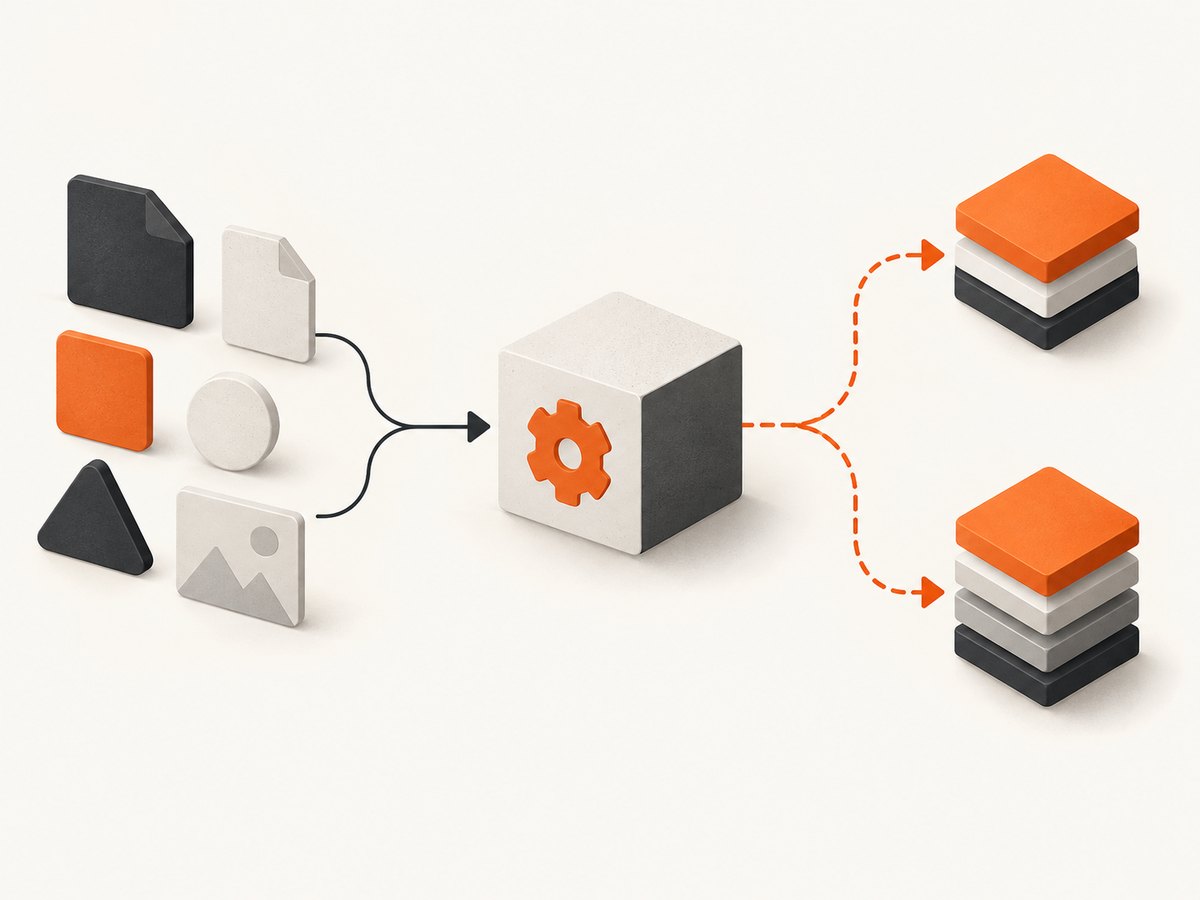
That distinction matters when comparing names. Vite, for example, documents both a development server with HMR and a production build command. Rspack is the lower-level bundler in the Rspack/Rsbuild pairing; Rsbuild supplies a higher-level project build workflow on top of it. Comparing either of those directly with a narrowly scoped bundler can obscure what your team would need to assemble around it.
Quick comparison: 13 tools to investigate
| Tool | How to think about it | What to verify before choosing |
|---|---|---|
| Vite | Integrated dev server and production build workflow. | Current major’s browser defaults, plugins, build behavior, and migration requirements. |
| webpack | Mature bundler with a broad ecosystem, as characterized in Rspack’s comparison. | Existing loaders and plugins, configuration, and compatibility with your project. |
| Rollup | Bundler centered on ES modules and multiple output formats, according to Rspack’s comparison. | Entry and output requirements, package formats, and plugin support. |
| esbuild | Go-based tool described by Rspack as having a less complete feature set than webpack. | Whether its available features and integrations cover your actual build pipeline. |
| Parcel | More focused on out-of-the-box usability in Rspack’s qualitative comparison. | Its current conventions, integrations, and control points for your project. |
| Rspack | Lower-level bundler intended for projects that need configuration control. | Runtime version requirements for the Rspack major you plan to use. |
| Rsbuild | Higher-level build tool powered by Rspack. | Whether its defaults match your framework, project layout, and deployment. |
| Turbopack | Rust bundler with a redesigned architecture and configuration, per Rspack’s comparison. | Current supported use cases, configuration, and project compatibility. |
| Bun bundler | Native bundler exposed through bun build and Bun.build(). |
Target and format support, and separate type-checking and declaration steps. |
| SWC spack | A bundling feature documented by SWC, with a stated removal plan for v2. | Do not build a long-term general bundling plan around a feature marked for removal. |
| Farm | A candidate to evaluate as a bundler/build tool. | Verify current maintenance, runtime requirements, plugins, and supported scope in its own docs. |
| tsup | A candidate to evaluate for package and library build workflows. | Verify current formats, entry handling, declaration workflow, and project status. |
| Rolldown | A bundler relevant to Vite’s documented production build path. | Check its current standalone status and whether direct use fits your workflow. |
The table deliberately separates documented claims from items that need direct verification. The source dossier confirms the named ecosystem candidates but did not extract enough official detail to make specific claims about Farm, tsup, or standalone Rolldown use. Check each tool’s own current documentation before adopting it. Rspack’s descriptions of competing tools are maintainer-authored qualitative comparisons, not independent measurements.
How to choose: a practical decision process
- Decide whether you need a workflow or a component. If you need a dev server, HMR, and production command, compare integrated build tools. If your framework or company pipeline already supplies those, a bundler that handles a narrower job may be enough.
- Write down the output contract. List entry points, browser or runtime targets, module formats, code-splitting needs, asset handling, and whether you publish a library or deploy an application. Check each requirement against the official docs rather than inferring it from the word “bundler.”
- Check the whole compatibility chain. Confirm framework integrations, runtime and operating-system requirements, target browsers, CI environment, and deployment platform. Version requirements change; use documentation for the exact major and release you intend to install.
- Inventory the ecosystem you already depend on. List plugins, loaders, transforms, and custom scripts. A familiar config can reduce migration work, while a smaller or more opinionated setup can reduce the amount of configuration a team maintains. Validate the specific integrations you need.
- Separate build concerns. A successful bundle does not necessarily type-check code or generate declarations. Bun’s docs explicitly say its bundler does not replace
tscfor those jobs. Keep type-checking and declaration generation as explicit pipeline steps where required. - Evaluate performance on your project. Measure cold build and incremental rebuild separately, record cache state, machine, project size, configuration, and output requirements. Do not compare vendor benchmark numbers from different setups as though they were a controlled ranking.
- Check project status and migration risk. Look for stable versus experimental features, deprecation or removal notices, migration guides, and the cost of maintaining bespoke configuration. SWC’s docs warn that spack will be dropped in v2, a concrete reason to avoid treating every documented feature as a long-term foundation.
What the best-known distinctions mean in practice
Vite: integrated development and production workflow
Vite’s guide describes a development server with HMR and a production build command that bundles through Rolldown. It is opinionated, extensible through plugins and a JavaScript API, and treats index.html as source and an application entry point. That model can suit an application team that wants a connected dev and build workflow. Confirm the current major’s browser support defaults and any required overrides in the release-specific guide. Vite guide.
Bun: bundling inside a JavaScript runtime
Bun offers bun build and Bun.build(), with documented browser, Bun, and Node targets. Its docs list ESM, CJS, and IIFE formats, marking CJS and IIFE experimental. Account separately for type-checking and declaration generation: Bun says its bundler is not a replacement for tsc for those tasks. Bun bundler docs.
Rspack and Rsbuild: control versus project defaults
Rspack’s documentation supports Node.js, Deno, and Bun runtimes and gives different minimum Node versions for v1 and v2. It identifies Rsbuild as a higher-level build tool powered by Rspack. This pairing illustrates a common tradeoff: use a lower-level component when you need to shape more of the build yourself, or evaluate a project-level tool when defaults are useful. Match the runtime requirement to the version you will install. Rspack introduction.
webpack, esbuild, Turbopack, Rollup, and Parcel
Rspack’s comparison characterizes webpack as mature and ecosystem-rich; esbuild as implemented largely in Go with a less complete feature set than webpack; Turbopack as a Rust bundler with redesigned architecture and configuration; Rollup as centered on ES modules and multiple output formats; and Parcel as more focused on out-of-the-box usability. These are useful prompts for evaluation, not neutral verdicts. Confirm specific feature support and migration details in each project’s documentation. Rspack comparison.
Or skip the browser setup
Build tools help prepare your JavaScript and assets. If your workflow also needs screenshots of web pages—for documentation, visual review, or an automated pipeline—ScreenshotNeo is a website screenshot API and MCP server from Yorker Media. Send one GET request with a URL to receive a PNG, JPEG, WebP, or PDF. See the API documentation.
curl -G "https://api.screenshotneo.com/v1/shot" -d access_key=YOUR_API_KEY --data-urlencode url=https://stripe.com -o shot.webpimport requests
r = requests.get("https://api.screenshotneo.com/v1/shot", params={"access_key": "YOUR_API_KEY", "url": "https://stripe.com"}, timeout=90)
open("shot.webp", "wb").write(r.content)const q = new URLSearchParams({ access_key: 'YOUR_API_KEY', url: 'https://stripe.com' });
const res = await fetch(`https://api.screenshotneo.com/v1/shot?${q}`);- Cookie and consent banners, newsletter popups, and chat widgets are removed before capture; each step can be turned off.
- Bot checks and CAPTCHAs, blank pages, timeouts, failed loads, and cache hits cost nothing. Response headers say which page verdict applied and whether it was billed.
- An MCP server exposes
take_screenshot,get_page_info, andcapture_pdfto Claude, Cursor, and other MCP clients. - The free plan includes 1,000 screenshots a month with no card. Paid plans start at $5 for 3,000; every feature is on every plan.
Create a free account and get 1,000 screenshots a month with no card.
Common mistakes and troubleshooting
| Symptom | Likely cause | Next step |
|---|---|---|
| Build works locally but fails in CI | Different runtime versions, operating systems, environment variables, or install state. | Pin and record the runtime and package-manager versions; reproduce the CI environment and check the chosen tool’s version requirements. |
| Browser cannot load an emitted asset | Output paths, public base path, or deployment routing do not match the host. | Inspect generated URLs and deployment paths; verify the tool’s asset and base-path settings for the deployed version. |
| A plugin or loader no longer works after migration | The new tool may have a different extension API or incomplete compatibility. | Check official compatibility docs, isolate the plugin in a minimal reproduction, and decide whether to replace it or keep the existing bundler. |
| Type errors appear after a successful bundle | Bundling and type-checking are separate responsibilities. | Run tsc --noEmit or the project’s intended type-check step as part of CI; add declaration generation separately if publishing types. |
| Build-time comparisons vary widely | Different cold/warm cache state, machine, project, minification, or output requirements. | Use the same commit and machine, document cache state, repeat cold and incremental runs, and compare the emitted outputs too. |
| A feature disappears or changes status | It may be experimental, deprecated, or removed in a newer major. | Read release notes and migration guides. Avoid SWC spack for a long-term plan because its docs state it will be dropped in v2. |
Performance, reliability, and cost
Build speed is only one cost. Include CI minutes, cache storage, maintenance of custom plugins, migration effort, developer wait time, and the cost of debugging output differences. A tool that completes a local benchmark quickly may still be a poor fit if it lacks a required integration or forces a costly rewrite.

For reliability, pin compatible versions, keep the build reproducible, run type checks and tests independently of bundling, and validate production output in the same hosting shape used by deployment. Treat experimental formats and features explicitly in project decisions. No tool-wide reliability ranking follows from the documentation in this guide.
For performance evidence, use a small representative project first, then the actual application. Capture cold builds and incremental rebuilds under documented conditions, with the same minification and target requirements. A vendor’s comparison can help you identify tradeoffs, but it cannot substitute for a controlled test on your own configuration.
Frequently asked questions
Which JavaScript bundler should I use?
Start with the scope you need. Evaluate Vite or Rsbuild when an integrated project workflow is the goal; evaluate lower-level bundlers when you already have the surrounding workflow and need a bundling component. Confirm compatibility and output requirements before deciding.
What is the difference between Vite and webpack?
Vite documents an integrated development server and production workflow, with production bundling through Rolldown in its current guide. Rspack’s comparison describes webpack as mature and ecosystem-rich. The practical difference for a project depends on its existing configuration, plugins, and migration needs.
What is the fastest Node.js bundler?
The available sources do not establish a comparable cross-tool benchmark. Measure your own cold and incremental builds with the same project, machine, cache state, and output settings.
Do I need a bundler for every JavaScript project?
No universal rule applies. A project’s runtime, browser targets, module use, assets, and deployment pipeline determine whether bundling is useful or required. Check those constraints before adding a build layer.
Does Bun bundling replace TypeScript’s compiler?
No. Bun’s bundler documentation says it does not replace tsc for type-checking or declaration generation. Keep those steps explicit if the project needs them.
Sources and scope
This is a documentation-led overview, not a hands-on test or performance study. Official references: Vite guide, Bun bundler docs, Rspack introduction, Rspack comparison, and SWC bundling docs. Verify the current status and documentation for each tool and version before adopting it.


