5 Ways Web Scraping Can Improve Developer Workflows
See five practical ways scraping improves developer workflows, from structured data and tests to monitoring, browser automation, and reusable outputs.
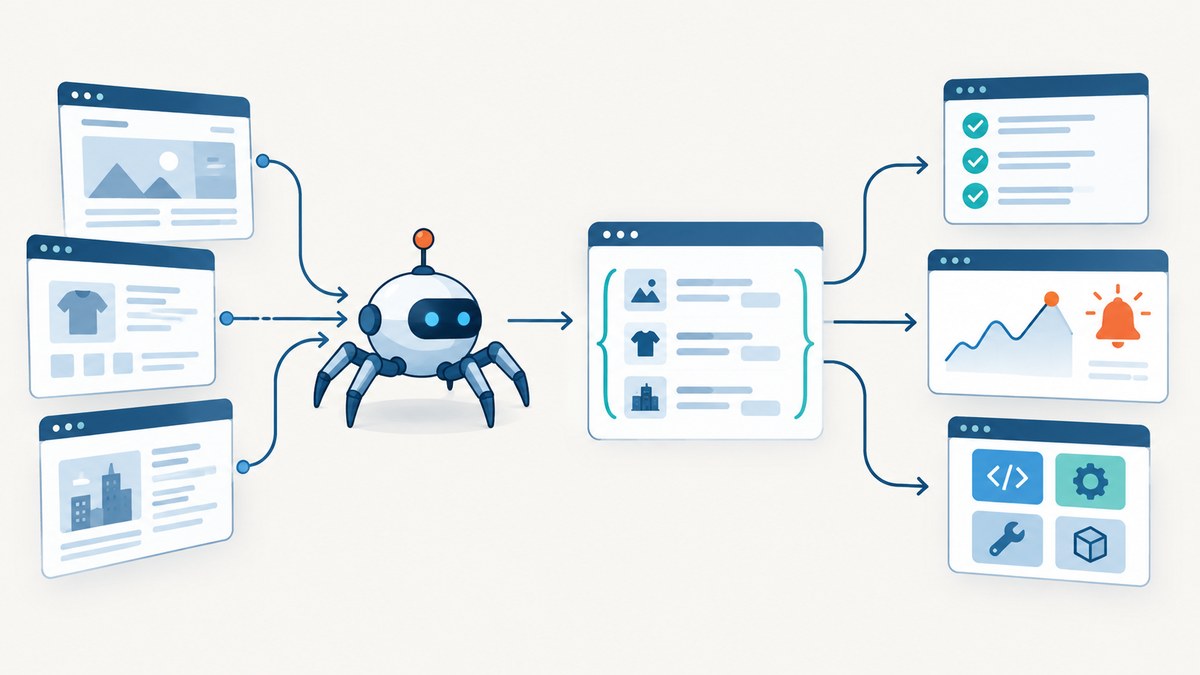
Web scraping helps developers replace repetitive browser work with repeatable, testable data jobs. The largest gains come from five workflow improvements: structured data collection, extraction fixtures and tests, targeted handling of JavaScript pages, crawl monitoring, and clean outputs that other systems can consume.
The right implementation depends on the page and the data. A direct HTTP request is usually the simplest and fastest path when the required data is present in the response or an underlying network request. Use Scrapy when you need crawling, selectors, pipelines, exports, and extensibility. Add Playwright when the data only appears after browser rendering or interaction. A managed API can remove crawler and browser maintenance when operational simplicity matters more than control.
1. Automate structured data collection and preparation
Copying values from pages into spreadsheets is difficult to review, rerun, or scale. A scraper turns that activity into a versioned job that emits JSON, CSV, XML, or another format your application can process.
Scrapy describes itself as a high-level framework for crawling websites and extracting structured data. Its selectors identify fields, item pipelines normalize or validate them, feed exports write machine-readable files, and caching reduces repeated downloads during development.
A small, runnable Python collector
import csv
import requests
from bs4 import BeautifulSoup

url = 'https://example.com/products'
response = requests.get(url, timeout=30, headers={'User-Agent': 'workflow-research-bot/1.0'})
response.raise_for_status()

soup = BeautifulSoup(response.text, 'html.parser')
rows = []
for card in soup.select('.product-card'):
    name = card.select_one('.product-name')
    price = card.select_one('.price')
    if name and price:
        rows.append({'name': name.get_text(' ', strip=True),
                     'price': price.get_text(' ', strip=True)})

with open('products.csv', 'w', newline='', encoding='utf-8') as output:
    writer = csv.DictWriter(output, fieldnames=['name', 'price'])
    writer.writeheader()
    writer.writerows(rows)

print(f'Wrote {len(rows)} rows')
Replace the URL and selectors with those from the site you are allowed to crawl. For a larger crawl, define a Scrapy spider and let item pipelines handle normalization, deduplication, and validation. Keep the output schema in source control so downstream changes are visible during review.
Collection checklist
- Identify the smallest request that contains the required fields.
- Define a schema with required and optional fields.
- Normalize whitespace, dates, currencies, and URLs in a pipeline.
- Use caching while developing selectors.
- Export to a format consumed by the next system instead of an ad hoc text file.
- Record the source URL and collection timestamp with each item.
2. Create repeatable fixtures and extraction tests
Scrapers often fail silently when a class name changes or a field disappears. Preserve representative responses as fixtures and assert the fields that your application requires. This makes a selector change a visible test failure instead of a bad dataset.
Scrapy provides an interactive shell for trying selectors and supports contracts for testing spiders. A practical workflow is:
- Save a small, legally obtained response representing each important page type.
- Use the Scrapy shell to test CSS or XPath selectors against that fixture.
- Write assertions for required fields, types, and minimum item counts.
- Run those checks in code review and continuous integration.
- Refresh fixtures deliberately when the site’s structure changes.
def validate_item(item):
    required = ('name', 'price', 'source_url')
    missing = [field for field in required if not item.get(field)]
    if missing:
        raise ValueError(f'Missing required fields: {missing}')
    if not item['source_url'].startswith('https://'):
        raise ValueError('source_url must use HTTPS')
For browser-backed workflows, Playwright provides locator-based interaction, network controls, and web-first assertions. Its VS Code extension can help author and debug browser tests. Prefer stable locators and assertions about user-visible outcomes rather than fragile DOM positions.
What to test
| Check | Purpose |
|---|---|
| Required fields | Catches missing or renamed selectors. |
| Type and format | Prevents malformed dates, prices, and URLs. |
| Item count bounds | Detects empty pages and pagination failures. |
| Representative values | Shows that extraction still targets the intended element. |
| Duplicate rate | Reveals pagination or canonicalization errors. |
3. Handle JavaScript-heavy pages with the least necessary browser automation
A page that looks full in a browser may return only a shell in its initial HTML. Before launching a browser, inspect network activity and find the request that returns the desired data. Scrapy’s dynamic-content guidance recommends reproducing that request when practical because it reduces parsing and transfer overhead.
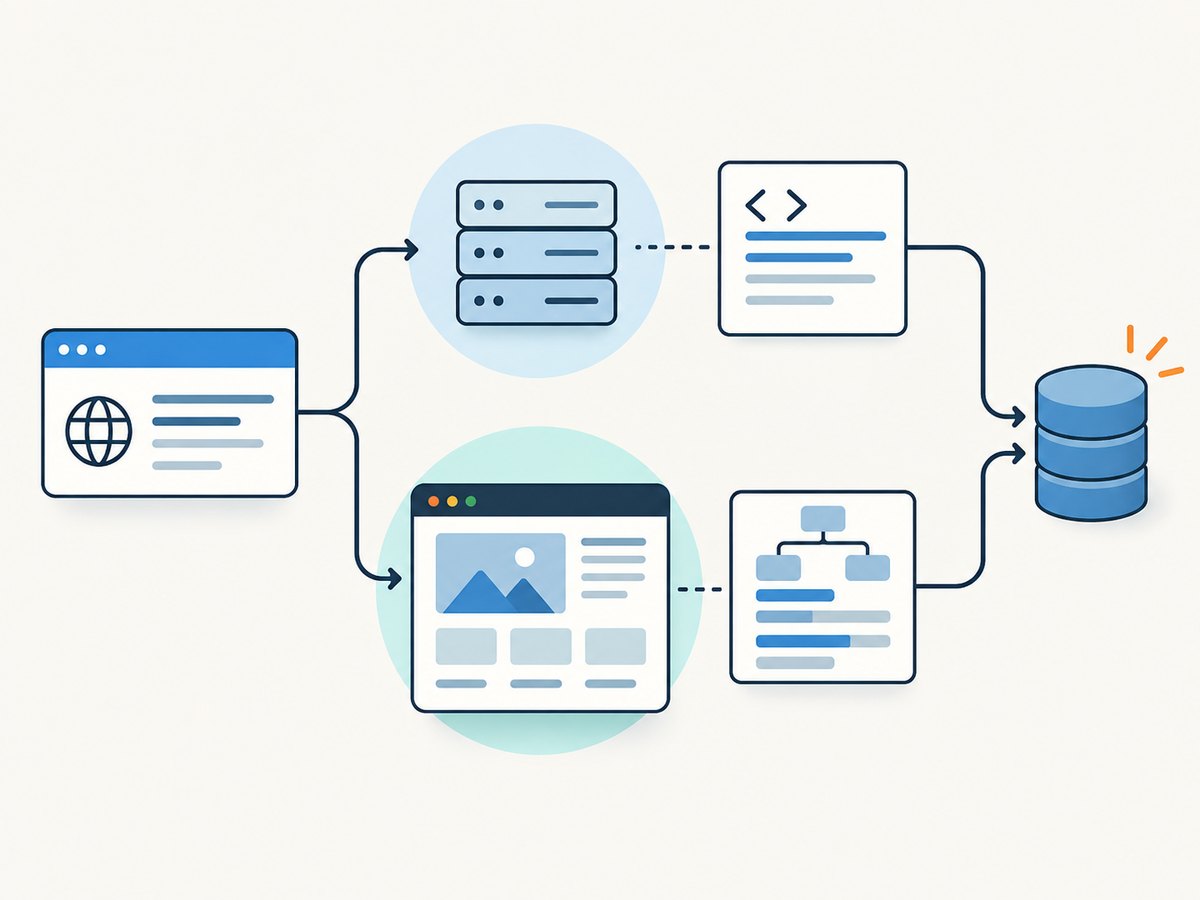
Decision path
- Try the document response. Request the URL and inspect its HTML.
- Inspect network requests. Look for JSON or HTML responses containing the fields.
- Replay the data request. Include required query parameters, headers, cookies, or tokens that you are authorized to use.
- Use a browser only when needed. Choose this when data exists only after rendering, interaction, or client-side state.
- Keep extraction separate from rendering. Let the browser produce a stable response, then parse it with the same validation pipeline.
The scrapy-playwright integration lets a Scrapy spider request browser-rendered pages while retaining Scrapy’s crawl and item workflow. Limit browser use to the requests that require it; a mixed crawl is often easier to operate than an all-browser crawl.
import asyncio
from playwright.async_api import async_playwright

async def read_rendered(url):
    async with async_playwright() as p:
        browser = await p.chromium.launch(headless=True)
        page = await browser.new_page()
        await page.goto(url, wait_until='networkidle')
        title = await page.locator('h1').inner_text()
        cards = await page.locator('.product-card').count()
        await browser.close()
        return {'title': title, 'cards': cards}

print(asyncio.run(read_rendered('https://example.com/products')))
Rendering introduces browser startup time, memory use, navigation timeouts, and more failure modes. Set explicit timeouts, wait for a meaningful selector, and capture diagnostics when a page fails.
4. Turn crawls into monitoring and alerts
A scheduled scraper is also a monitor. It can reveal that a page disappeared, a schema changed, or a key field became empty. Scrapy lists monitoring as a use case, and the Scrapy project presents Spidermon for validating scraped data and sending alerts through channels such as Slack, Discord, or email.
Minimum production signals
- Run start time, end time, and status.
- Requests attempted, succeeded, retried, and failed.
- Items extracted and duplicate count.
- Schema validation failures by field.
- Representative field checks for important page types.
- HTTP status distribution and timeout count.
- Last successful run and freshness age.
Alert on meaningful conditions instead of every transient error. For example, a single timeout may be retried, while three consecutive runs with zero items should page the owner. Store a small sample of failed responses or screenshots where your governance rules allow it so the alert is actionable.
Preventing silent drift
- Define expected ranges, such as a nonzero item count and a reasonable change from the previous run.
- Validate critical fields before exporting data.
- Keep one fixture per important template.
- Compare selected values across runs.
- Send an alert with the URL, failed check, and run identifier.
5. Deliver clean, reusable outputs to other developer systems
Extraction is only useful when another system can consume the result. Scrapy feed exports and item pipelines support machine-readable output and post-processing. A hosted scraping API can provide run, poll, dataset, and schedule steps when your team does not want to maintain crawlers or browsers.
| Approach | Best fit | Main trade-off |
|---|---|---|
| Direct HTTP request | Stable HTML or JSON endpoints | You handle parsing, retries, and policy checks. |
| Scrapy | Multi-page crawls and structured exports | Requires crawler operations and maintenance. |
| Scrapy plus Playwright | Mixed sites with some rendered pages | Browser requests cost more resources. |
| Managed API | Teams prioritizing integration and less infrastructure | Less control over the execution environment. |
Design the boundary explicitly: emit versioned JSON, publish a dataset, load a database table, or send records to a queue. Include provenance fields and make reruns idempotent where possible.
Choosing an approach responsibly
Compare solutions on four axes: extraction method, reliability controls, integration, and governance. Scrapy recommends the network-request path when it provides the needed data. Check terms of service and applicable law, respect robots.txt and crawl-rate signals, avoid login- or paywall-protected areas without permission, minimize personal-data collection, and use an official API when it provides the required access. Google documents robots.txt as an open-web standard for crawler preferences. GitHub’s policy defines scraping as automated extraction and restricts uses including spam and selling personal information.
Or skip the browser setup
When your workflow needs a screenshot or PDF instead of extracted fields, ScreenshotNeo provides a website screenshot API and MCP server. One GET request returns a PNG, JPEG, WebP, or PDF. Before capture it accepts consent banners and removes more than 60 known consent platforms, newsletter popups, and chat widgets; each step can be turned off. Bot checks, blank pages, timeouts, failed loads, and cache hits cost nothing, and response headers report the page verdict and whether the request was billed.

cURL:
curl -G "https://api.screenshotneo.com/v1/shot" -d access_key=YOUR_API_KEY --data-urlencode url=https://stripe.com -o shot.webpPython:
import requests
r = requests.get('https://api.screenshotneo.com/v1/shot', params={'access_key': 'YOUR_API_KEY', 'url': 'https://stripe.com'}, timeout=90)
open('shot.webp', 'wb').write(r.content)
Node.js:
const q = new URLSearchParams({ access_key: 'YOUR_API_KEY', url: 'https://stripe.com' });
const res = await fetch(`https://api.screenshotneo.com/v1/shot?${q}`);
See the ScreenshotNeo API documentation for the full option set: full-page or CSS-selector capture, dark mode, device presets and custom viewports, retina scale, PDF paper settings, custom CSS and JavaScript, clicks, waits, blocked resources, headers, cookies, user agents, authorization, timezone, geolocation, transparent backgrounds, resizing, caching, signed links, asynchronous jobs, webhooks, bulk capture, usage, and OpenAPI details. An MCP server exposes take_screenshot, get_page_info, and capture_pdf to Claude, Cursor, and other MCP clients.
There are 1,000 screenshots per month on the free plan with no card. Paid plans start at $5 for 3,000 shots. Create a free ScreenshotNeo account to try it.
Troubleshooting
| Problem | Likely cause | Fix |
|---|---|---|
| Zero items | Wrong selector, blocked request, or JavaScript-only content | Inspect the response, verify selectors in an interactive shell, and identify the underlying network request. |
| Fields are empty | Markup changed or content is rendered later | Preserve a fixture, update the selector, or wait for a meaningful locator in a browser. |
| Frequent timeouts | Slow pages, excessive concurrency, or heavy browser work | Set explicit timeouts, reduce concurrency, cache responses, and use direct requests where possible. |
| Duplicate records | Pagination overlap or unstable canonical URLs | Normalize URLs and enforce a stable item key before export. |
| Browser works locally but fails in CI | Missing browser dependencies, fonts, or environment-specific timing | Install the required Playwright browsers, use deterministic waits, and retain failure diagnostics. |
| Screenshot contains a popup | Consent or marketing UI appeared before capture | Use a consent-aware capture flow, hide known selectors, or use ScreenshotNeo’s cleanup steps. |
Performance, reliability, and cost notes
- Use direct network requests for data that is already available there.
- Cache during development and choose a sensible crawl rate.
- Retry transient failures with bounded backoff; do not retry permanent authorization or policy errors indefinitely.
- Keep browser concurrency below the memory limit of your worker.
- Measure requests, bytes, render time, extraction time, and validation failures separately.
- Budget for maintenance: selectors, browser versions, site changes, and alert ownership.
- For ScreenshotNeo, cache hits are not billed, and failed loads, blank pages, bot checks, and timeouts are not billed.
FAQ
Should every scraper use a headless browser?
No. First look for the HTML or network request containing the data. Add a browser only when rendering or interaction is required.
How do I know whether a scraper is still healthy?
Track run status, item counts, schema failures, representative values, and freshness. Alert on sustained or meaningful changes.
Is Scrapy suitable for one page?
It can be, but a direct HTTP client may be simpler. Scrapy becomes more valuable as crawling, exports, pipelines, and repeated runs grow.
When should I choose a managed service?
Choose one when browser and crawler operations would distract from your product, or when you need an API, schedules, polling, and storage integration.
Can screenshots replace structured extraction?
No. Screenshots preserve visual state; structured extraction produces fields that software can query. Use each for the output your workflow needs.