Web Scraping vs. Data Mining: Differences, Use Cases, and Tools
Web scraping collects web data; data mining finds patterns in datasets. Learn the differences, workflow, tools, risks, and practical examples.
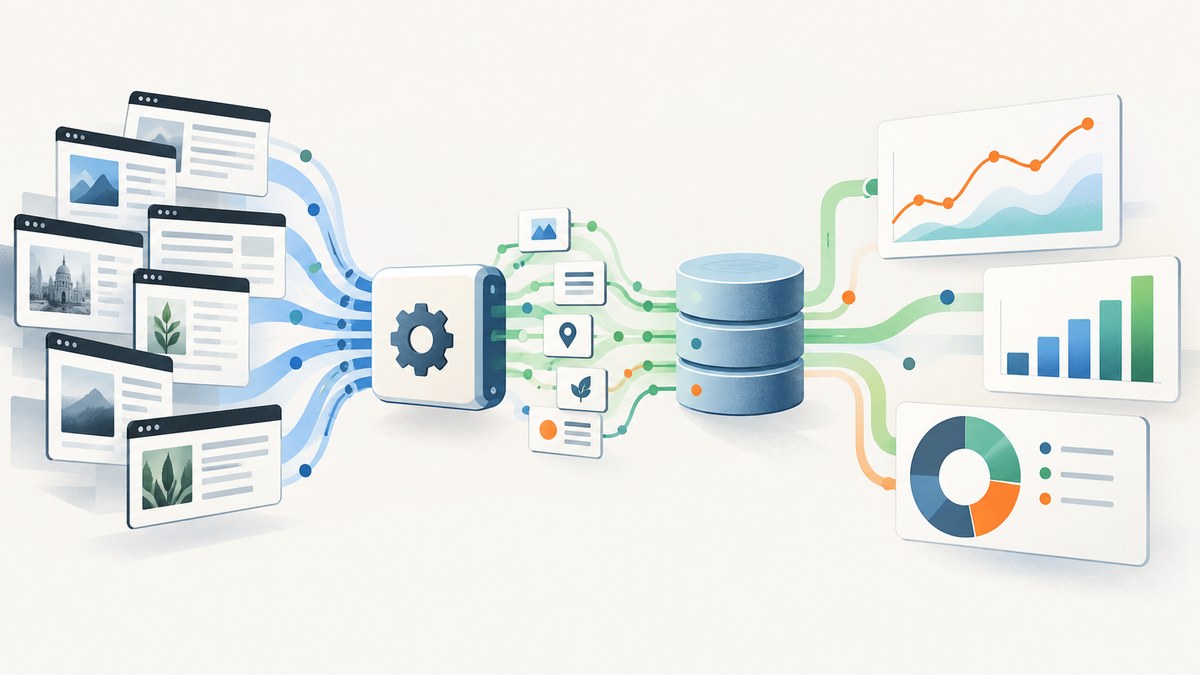
Web scraping collects information; data mining analyzes information. Scraping answers “How do I gather these facts from webpages?” Data mining answers “What patterns, relationships, anomalies, or predictions can I discover in a dataset?” Scraping can supply data for mining, but the two activities are different and neither requires the other.
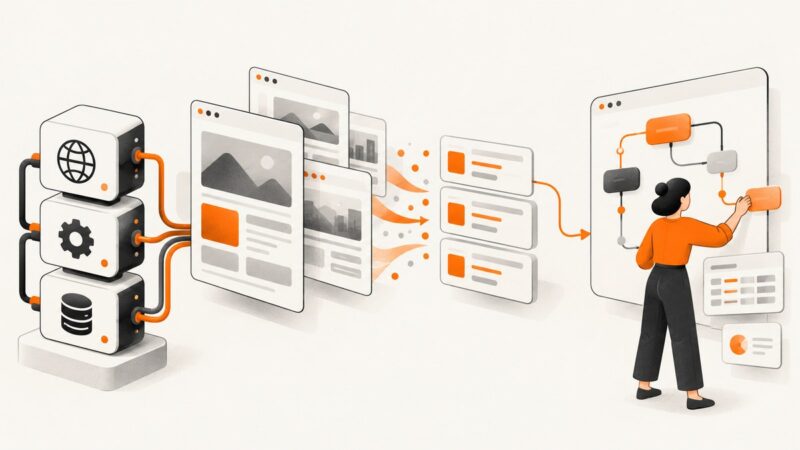
The distinction matters when you design a project. A scraper may produce thousands of product records, but that output is not yet a data-mining result. You still need to clean and structure the records, choose an analytical question, select an appropriate method, validate the result, and document limitations.
What is web scraping?
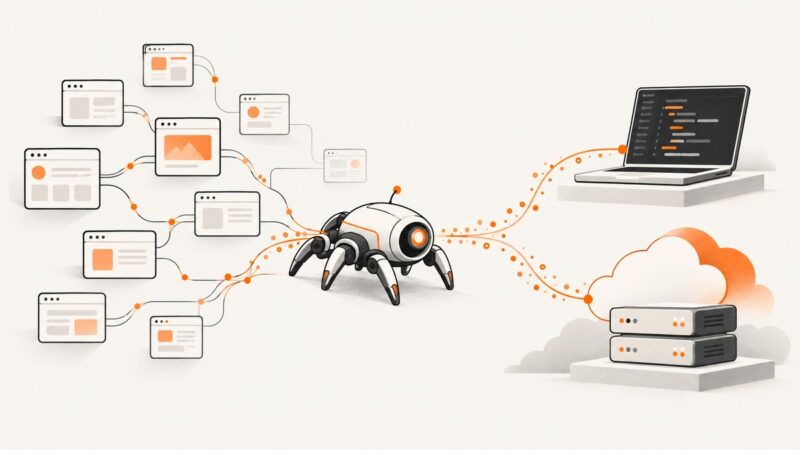
Web scraping is automated collection or extraction of data from webpages. The input is usually HTML rendered by a website, although a scraper may also call an API or process other internet-delivered formats. The output is a set of records such as product names, prices, article metadata, links, or tables.
The National Network of Libraries of Medicine describes web scraping as extracting data from websites. A United Nations Statistics Division background document describes automated collection and extraction of internet data from webpages or APIs. In both descriptions, scraping is an acquisition step.
Typical scraping workflow
- Define the fields and pages you are allowed to collect.
- Check published access rules, terms, available APIs, and crawl guidance.
- Send requests at a controlled rate.
- Parse HTML or API responses with selectors.
- Normalize values such as currencies, dates, and product identifiers.
- Store records with source URLs and collection timestamps.
- Monitor failures, changed markup, missing fields, and duplicate records.
For focused parsing, libraries such as BeautifulSoup and lxml can be enough. For multi-page crawling, request scheduling, item pipelines, and exports, Scrapy provides a broader framework. Scrapy’s documentation distinguishes its crawler framework from parser libraries, although the tools can be combined.
What is data mining?
Data mining is analysis intended to discover useful structure or knowledge in a dataset. NIST’s CSRC glossary, drawing on SP 800-53 Rev. 5, defines it as “An analytical process that attempts to find correlations or patterns in large data sets for the purpose of data or knowledge discovery.” The input may come from a database, warehouse, spreadsheet, experiment, application logs, or scraped webpages.
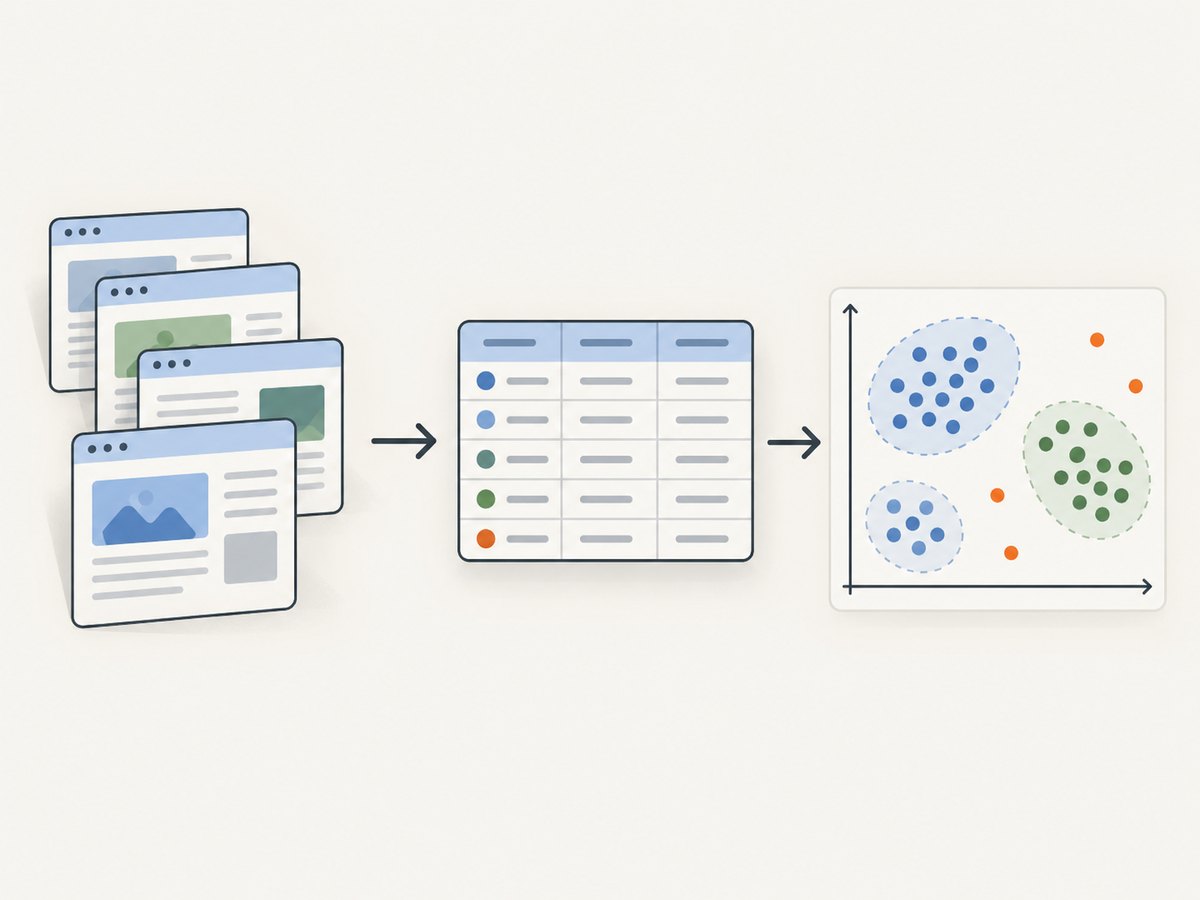
Data mining questions include:
- Which records naturally form groups?
- Which observations are unusual enough to investigate?
- Which attributes tend to occur together?
- Can a model estimate a future outcome or risk?
- How do behavior, prices, or events change over time?
IBM describes descriptive and predictive uses of data mining, including customer behavior analysis, fraud detection, and risk analysis. Methods can include statistical analysis, clustering, classification, association analysis, anomaly detection, and machine learning. The right method depends on the question, data shape, sample quality, governance requirements, and acceptable cost.
Web scraping vs. data mining at a glance
| Axis | Web scraping | Data mining |
|---|---|---|
| Primary purpose | Collect or extract facts | Discover patterns, relationships, or predictions |
| Typical input | Webpages, APIs, feeds | An assembled and prepared dataset |
| Typical output | Rows, documents, fields, files | Segments, anomalies, associations, models, findings |
| Main tools | Scrapy, BeautifulSoup, lxml, HTTP clients | Statistical software, machine-learning libraries, Spark, visualization tools |
| Core risks | Access rules, request load, broken selectors, incomplete pages | Bias, missingness, privacy, leakage, spurious correlations, weak validation |
| Success measure | Accurate, complete, reproducible records | Useful and validated insight for a defined decision |
Is web scraping part of data mining?
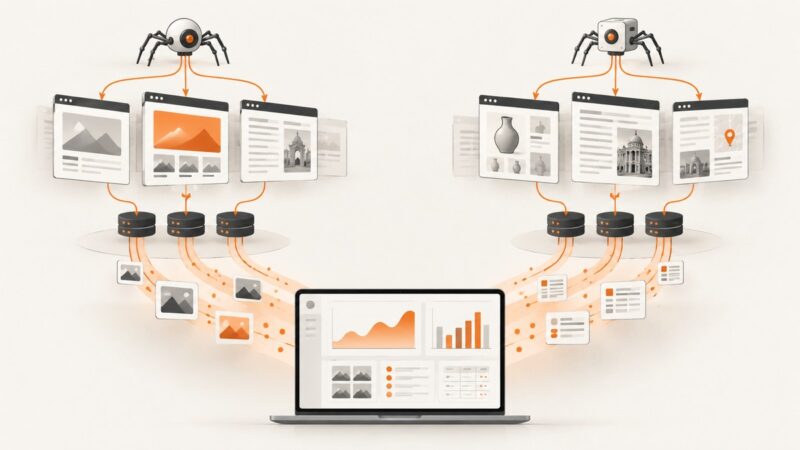
It can be, but it does not have to be. Scraping is often the collection stage in a larger mining project. For example, you might collect permitted public price observations, standardize product names and timestamps, then analyze price changes or associations between products.
Scraping alone is not mining. A CSV containing scraped prices is an acquired dataset. It becomes part of a mining workflow when you formulate an analytical question and apply a suitable method. Data mining also does not require scraping: an organization may mine transaction, sensor, support, or application data that it already owns.
Combined example: from webpages to an insight
- Question: How do listed prices for comparable products change each week?
- Permission check: Identify allowed pages or an official API, review terms, and set a respectful request rate.
- Collection: Extract product identifier, name, price, currency, availability, URL, and timestamp.
- Cleaning: Convert currencies with a documented rule, normalize names, parse dates, and remove duplicate observations.
- Quality checks: Measure missing prices, detect impossible values, and compare samples with the source pages.
- Analysis: Group by product, calculate changes, inspect outliers, and test whether apparent relationships persist on held-out data.
- Interpretation: Report coverage, sampling dates, missingness, and alternative explanations. A scraped dataset is not automatically representative of the market.
Practical scraping code
The following examples show a small, respectful HTML extraction workflow. They are starting points, not permission to access every site. Add rate limiting, retries with backoff, caching, logging, and a robots.txt policy appropriate to your project.
Python with Requests and BeautifulSoup
import time
import requests
from bs4 import BeautifulSoup

url = "https://example.com/products"
headers = {"User-Agent": "research-bot/1.0 (contact: you@example.com)"}
response = requests.get(url, headers=headers, timeout=30)
response.raise_for_status()

soup = BeautifulSoup(response.text, "html.parser")
records = []
for card in soup.select(".product-card"):
    name = card.select_one(".product-name")
    price = card.select_one(".price")
    records.append({
        "name": name.get_text(" ", strip=True) if name else None,
        "price": price.get_text(" ", strip=True) if price else None,
        "source_url": url,
    })

print(records)
time.sleep(1)  # keep request rates controlled
cURL for inspecting a response
curl --fail --location \
  --user-agent "research-bot/1.0" \
  --max-time 30 \
  "https://example.com/products"
Node.js with built-in fetch
const res = await fetch('https://example.com/products', {
  headers: { 'User-Agent': 'research-bot/1.0 (contact: you@example.com)' }
});
if (!res.ok) throw new Error(`HTTP ${res.status}`);
const html = await res.text();

// Use a DOM parser such as cheerio in your project to select fields.
console.log(html.length);
When a browser is required
HTTP clients receive the server response. They do not automatically execute JavaScript, wait for client-side data, click consent controls, or render lazy-loaded images. Use a browser automation tool when the target content appears only after scripts run. Keep browser contexts isolated, wait for a specific selector or network state, and capture diagnostics such as status codes and console errors.
Or skip the browser setup
ScreenshotNeo provides a website screenshot API and MCP server. One GET request returns a PNG, JPEG, WebP, or PDF. It can load lazy images, capture an element by CSS selector, apply custom CSS or JavaScript, click an element, wait for a selector, delay, or network idle, and set headers, cookies, user agents, authorization, timezone, or geolocation.

Use the API when your workflow needs a visual record of a page or rendered state instead of maintaining browser infrastructure. Cookie and consent banners are accepted and removed before capture, along with more than 60 known consent platforms, newsletter popups, and chat widgets. Bot checks, blank pages, timeouts, failed loads, and cache hits are not billed; response headers report the page verdict and billing status.
See the ScreenshotNeo API documentation for all options.
cURL
curl -G "https://api.screenshotneo.com/v1/shot" -d access_key=YOUR_API_KEY --data-urlencode url=https://stripe.com -o shot.webpPython
import requests
r = requests.get("https://api.screenshotneo.com/v1/shot", params={"access_key": "YOUR_API_KEY", "url": "https://stripe.com"}, timeout=90)
open("shot.webp", "wb").write(r.content)
Node.js
const q = new URLSearchParams({ access_key: 'YOUR_API_KEY', url: 'https://stripe.com' });
const res = await fetch(`https://api.screenshotneo.com/v1/shot?${q}`);
ScreenshotNeo also supports full-page captures, 12 device presets or custom viewports, retina scale, dark mode, PDF paper sizes and page ranges, hidden selectors, blocked ads or resource types, transparent backgrounds, resizing, cache TTLs, signed links, asynchronous jobs with signed webhooks, bulk capture of up to 100 URLs per call, usage reporting, and an OpenAPI specification. An MCP server exposes take_screenshot, get_page_info, and capture_pdf to Claude, Cursor, and other MCP clients.
There are 1,000 screenshots per month on the free plan with no card. Paid plans start at $5 for 3,000 shots; every feature is available on every plan. Create a free ScreenshotNeo account.
Choosing tools for scraping
| Need | Suitable starting point |
|---|---|
| Parse one known HTML document | BeautifulSoup or lxml |
| Crawl many linked pages | Scrapy with spiders, selectors, pipelines, and exports |
| Render JavaScript-heavy pages | Browser automation or a rendering API |
| Archive visual page states | ScreenshotNeo — clean shots, only clean shots billed, and the lowest paid plan |
| Analyze a prepared dataset | Statistical tools, machine-learning libraries, Spark, and visualization software chosen for the data and question |
Scrapy’s documentation describes support for spiders, selectors, item pipelines, exports, and robots.txt middleware. A parser library is usually simpler for a bounded task; a crawler framework is more useful when scheduling, retries, deduplication, and structured output matter. For mining, no single named product is universally best. Consider data volume, schema, latency, skills, governance, and budget.
Responsible collection and analysis
- Check published terms, access rules, and official APIs before collecting.
- Treat robots.txt as a useful crawl instruction. It is a technical signal, not a complete statement of legal rights.
- Use caching, concurrency limits, and backoff so your crawler does not create unnecessary load.
- Handle personal information carefully and review applicable legal and contractual requirements.
- Record provenance: source URL, timestamp, parser version, transformations, and failed requests.
- Measure missingness and coverage before mining. A convenient scrape can be systematically biased.
- Validate patterns on new data and avoid presenting correlation as causation.
Reliability, performance, and cost
Scraping reliability
Selectors break when markup changes. Prefer stable attributes, validate required fields, and alert when extraction yields an unusual number of empty records. Handle pagination explicitly and distinguish an empty result from a failed request. Store raw responses when policy and storage limits permit so parsing can be repaired without recrawling.
Performance
Use connection reuse, bounded concurrency, response compression, and local caching. Browser rendering costs more time and memory than direct HTTP requests, so render only pages that require JavaScript. For large jobs, partition URLs, checkpoint progress, and make writes idempotent.
Data-mining reliability
Separate training, validation, and test data where prediction is involved. Look for leakage, duplicated entities, shifting definitions, and unbalanced classes. Compare a simple baseline with a more complex model and preserve an audit trail for feature engineering.
Cost planning
Scraping costs include bandwidth, proxies where legitimately required, storage, browser compute, engineering time, and monitoring. Mining costs include storage, compute, labeling, model maintenance, and review. Estimate cost per accepted record or validated decision, not merely requests per hour. With ScreenshotNeo, failed loads, bot checks, blank pages, timeouts, and cache hits are not billed, and you can choose a cache TTL to reduce repeated work.
Troubleshooting checklist
| Symptom | Likely cause | Fix |
|---|---|---|
| HTTP 403 or 429 | Access policy, authentication, or excessive rate | Check terms and API options, identify your client honestly, reduce concurrency, and add backoff. Do not attempt to bypass controls. |
| HTML has no expected data | Content is rendered by JavaScript or an API call | Inspect network activity, use the documented API, or use a browser renderer and wait for a meaningful selector. |
| Many fields are null | Selector changed or page variants differ | Save a fixture, test selectors against multiple pages, and alert on field completeness. |
| Duplicate records | Pagination, retries, or URL variants | Canonicalize URLs and deduplicate using a stable source identifier plus timestamp. |
| Mining finds surprising correlations | Confounding, leakage, sampling bias, or multiple comparisons | Inspect provenance, test on held-out data, run sensitivity checks, and avoid causal language. |
| Screenshot is blank | Target failed, timed out, or blocked rendering | Use ScreenshotNeo page verdict headers, wait for a selector or network idle, set required headers or cookies, and inspect the target directly. |
FAQ
Can I scrape without doing data mining?
Yes. A scraper can create an export for a human, search index, archive, or application integration without statistical analysis.
Can I do data mining without scraping?
Yes. Existing operational, transactional, sensor, survey, or log data can be mined without collecting webpages.
Is Scrapy a data-mining tool?
Scrapy is primarily a crawling and scraping framework. It can prepare data for mining, but the mining analysis happens in other tools or code.
Does a large scraped dataset guarantee good findings?
No. Coverage, sampling, missing values, measurement choices, and validation determine whether findings are useful.
When should I capture screenshots instead of extracting fields?
Use screenshots when visual layout, rendered state, evidence, or a PDF matters. Extract structured fields when downstream analysis needs normalized columns.
Key takeaways
- Scraping acquires web data; data mining discovers knowledge in assembled data.
- Scraping can feed mining, but neither activity depends on the other.
- Choose a parser, crawler, browser renderer, or analytics platform according to the actual stage of work.
- Permission, privacy, data quality, validation, and provenance matter as much as code.
- For clean rendered captures without browser maintenance, try ScreenshotNeo and start with 1,000 free screenshots each month.