Webhook Notifications in Website Monitoring: A Complete Implementation Guide
Build reliable website-monitoring webhooks: event design, secure receivers, payloads, retries, testing, and integrations with incident tools.
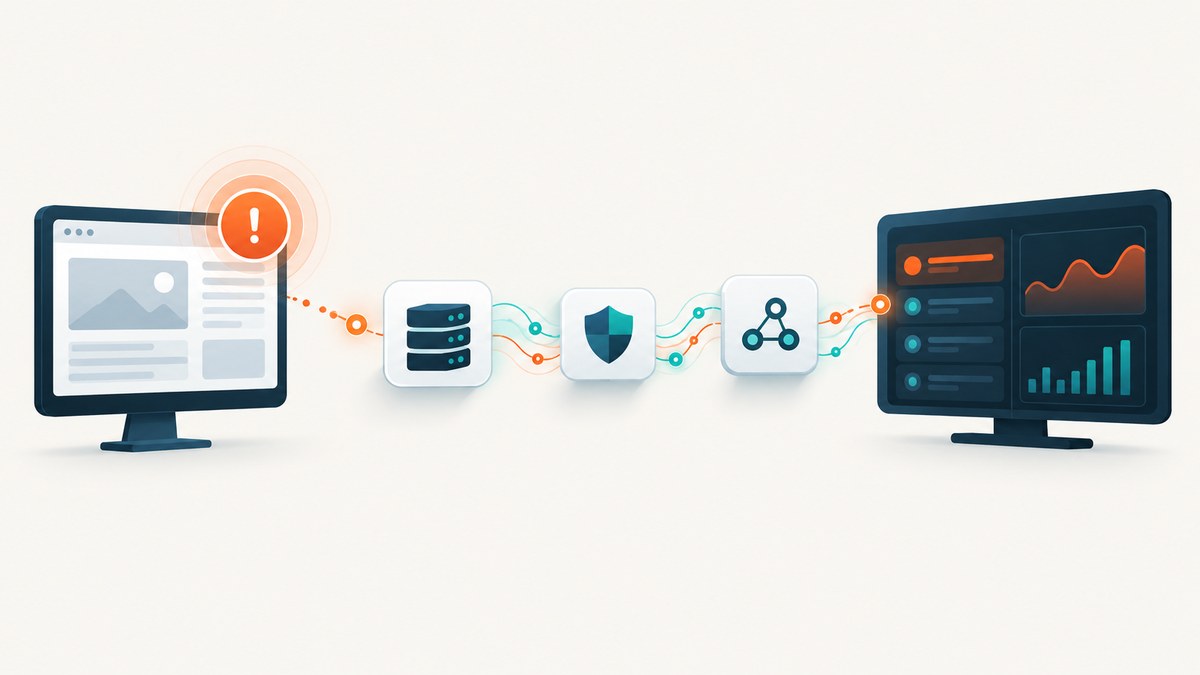
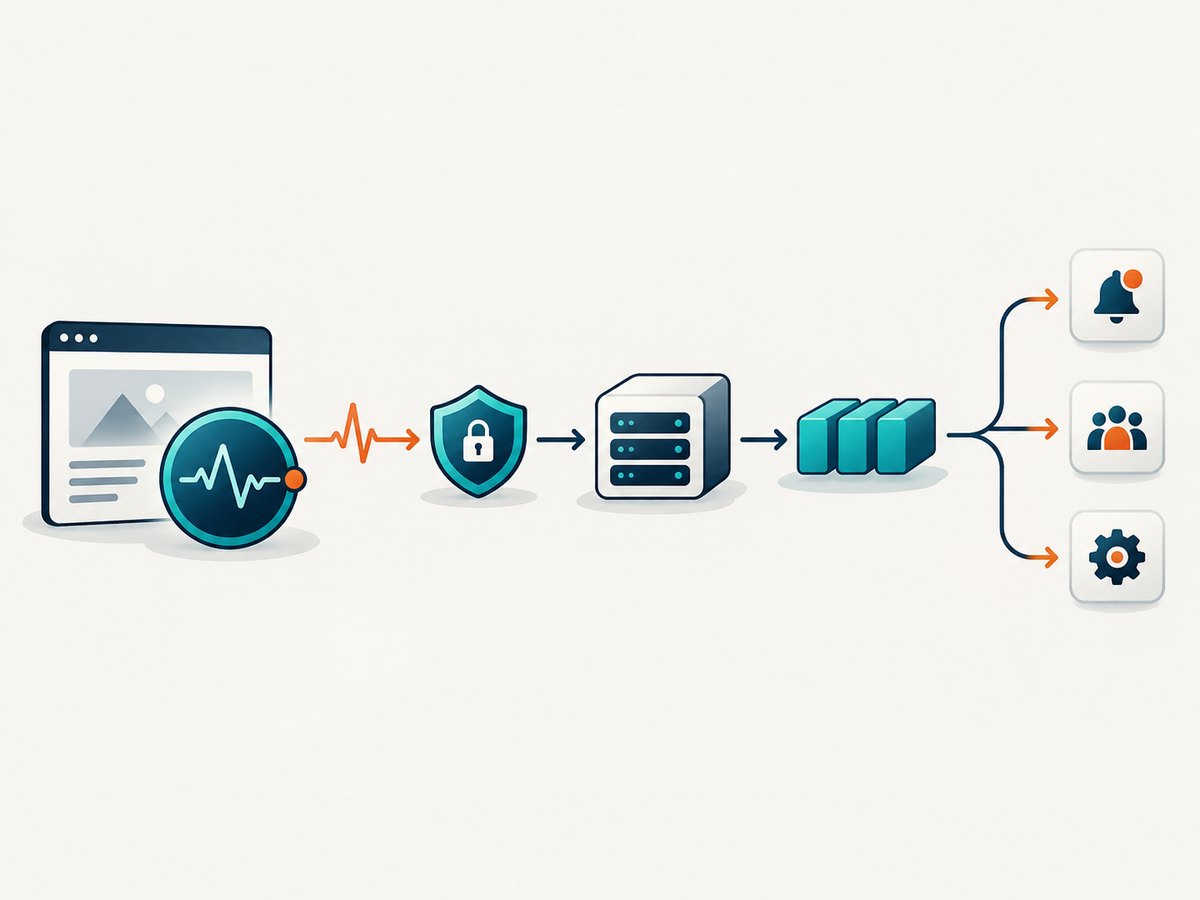
Webhook notifications let a monitoring service push an HTTP request to your system when a check changes state. A typical flow is: a monitor detects downtime, sends a signed or authenticated event to your endpoint, your endpoint stores and deduplicates it, then an asynchronous worker alerts people or starts remediation. This removes the need to poll a monitoring API every few seconds.
Common events include monitor-down, monitor-up or recovery, SSL-expiry warnings, domain-expiry warnings, and transaction-check failures or recoveries. UptimeRobot documents real-time webhook requests for down, up, SSL, and domain-expiry events, while Pingdom documents HTTP POST webhooks for state changes across HTTP, TCP, ping, DNS, UDP, SMTP, POP3, IMAP, and transaction checks (UptimeRobot webhook integration; Pingdom webhooks).
How website-monitoring webhooks work
- Define a monitor. Configure the URL, keyword, ping, port, API, transaction, or certificate check.
- Create a webhook integration. Enter an HTTPS receiver URL and choose the events that should be delivered.
- Choose the payload format. Depending on the provider, use query parameters, form-encoded POST data, a custom body, or JSON.
- Authenticate the request. Require a shared secret in a header, API key, HMAC signature, or an equivalent control supported by the provider.
- Assign the integration. Attach it to the monitors or notification contacts that should receive events.
- Accept and queue quickly. Validate the request, persist the event, return a 2xx response, and process notifications asynchronously.
UptimeRobot exposes monitor identity, URL, alert type, details, duration, timestamp, contacts, SSL expiry date, tags, groups, and related context. Its integration supports custom headers and variables such as *monitorFriendlyName*, *alertTypeFriendlyName*, *monitorURL*, and *alertDetails*. Its API v3 can create, update, list, and delete webhook integrations.
Choose an event contract before writing code
A stable event contract makes receivers portable across monitoring vendors. Keep the provider payload in an unmodified raw field and map it into your own fields.
| Field | Purpose | Example |
|---|---|---|
event_id |
Deduplication key | uptimerobot-12345-down-2026-07-31T12:00:00Z |
event_type |
State transition | monitor.down |
monitor_id |
Stable monitor identity | 987654 |
occurred_at |
Provider event time | ISO 8601 timestamp |
target_url |
Resource being checked | https://example.com |
details |
Error, duration, or certificate context | Timeout after 30 seconds |
raw |
Original payload for audits | JSON object |
Do not use the target URL alone as an idempotency key. A site can go down, recover, and go down again. Combine a provider event identifier with the state transition and timestamp, or hash the canonical payload if no identifier is supplied.
Build a production-ready receiver in Node.js
The receiver below accepts JSON, validates a shared header, persists an event in memory for demonstration, deduplicates repeated deliveries, and returns quickly. Replace the in-memory map with a durable database or queue in production.
import express from 'express';

const app = express();
app.use(express.json({ limit: '256kb' }));

const received = new Map();
const WEBHOOK_SECRET = process.env.WEBHOOK_SECRET;

app.post('/webhooks/monitoring', (req, res) => {
  if (!WEBHOOK_SECRET || req.get('authorization') !== `Bearer ${WEBHOOK_SECRET}`) {
    return res.sendStatus(401);
  }

  const body = req.body || {};
  const eventId = body.event_id || body.id ||
    `${body.monitor_id || 'unknown'}:${body.alert_type || body.event_type || 'unknown'}:${body.timestamp || Date.now()}`;

  if (received.has(eventId)) {
    return res.status(200).json({ accepted: true, duplicate: true });
  }

  received.set(eventId, { receivedAt: new Date().toISOString(), body });
  // Enqueue body here. Do not call Slack, PagerDuty, or remediation synchronously.
  return res.status(202).json({ accepted: true, event_id: eventId });
});

app.listen(3000, () => console.log('Listening on :3000'));
Run it with npm install express, set WEBHOOK_SECRET, and expose the endpoint through your HTTPS ingress. Your monitoring provider must be able to reach the public URL; localhost addresses and private RFC1918 addresses will not work from a hosted service.
Python receiver with Flask
import os
from datetime import datetime, timezone
from flask import Flask, request, jsonify

app = Flask(__name__)
secret = os.environ['WEBHOOK_SECRET']
seen = set()

@app.post('/webhooks/monitoring')
def monitoring_webhook():
    if request.headers.get('Authorization') != f'Bearer {secret}':
        return ('', 401)

    body = request.get_json(silent=True) or {}
    event_id = (body.get('event_id') or body.get('id') or
                f"{body.get('monitor_id','unknown')}:{body.get('alert_type','unknown')}:{body.get('timestamp', '')}")
    if event_id in seen:
        return jsonify(accepted=True, duplicate=True), 200

    seen.add(event_id)
    received_at = datetime.now(timezone.utc).isoformat()
    # Persist body and enqueue downstream work here.
    print({'received_at': received_at, 'event_id': event_id, 'payload': body})
    return jsonify(accepted=True, event_id=event_id), 202

if __name__ == '__main__':
    app.run(host='0.0.0.0', port=3000)
Install with pip install flask. In a deployed service, put Flask behind a production WSGI server and terminate TLS at your load balancer or reverse proxy.
Test a webhook with cURL
curl -i -X POST https://monitor.example.com/webhooks/monitoring \
  -H 'Authorization: Bearer YOUR_SHARED_SECRET' \
  -H 'Content-Type: application/json' \
  --data '{
    "event_id": "demo-001",
    "event_type": "monitor.down",
    "monitor_id": "12345",
    "monitor_url": "https://example.com",
    "alert_details": "Connection timed out",
    "timestamp": "2026-07-31T12:00:00Z"
  }'
Test all transitions, not only the first down event: down, recovery, repeated down notifications, SSL warning, malformed JSON, missing authentication, and an event that arrives twice.
Payload formats and routing options
| Format | Use when | Receiver detail |
|---|---|---|
| Query string | A legacy endpoint needs URL parameters | Parse and validate length; never put secrets in the URL. |
| Form POST | Your framework expects application/x-www-form-urlencoded |
Read form fields and preserve the raw body for audits. |
| Custom body | You need a compact provider-specific message | Document variables and escaping rules. |
| JSON | You control a modern receiver | Prefer a versioned schema and explicit event type. |
Use custom headers for authentication and routing. A header can identify an environment, team, or tenant without changing the body. Reject unknown content types, enforce a body-size limit, and validate that URLs and identifiers match your expected shape.
Reliability: delivery is not the same as processing
UptimeRobot documents one delivery attempt for down and up events. Failed requests are not retried. Therefore, do not assume that a 500 response will eventually produce another notification. Keep the receiver highly available, acknowledge only after durable persistence, and maintain an independent confirmation path for critical remediation. Pingdom describes state-change webhooks as HTTP POST requests sent when a selected event occurs; its documentation should be checked for the behavior of the specific integration you use.
- Return a 2xx response only after writing the event to durable storage or a durable queue.
- Use idempotency keys so a provider retry, operator replay, or duplicate delivery cannot create duplicate incidents.
- Keep a dead-letter queue for events that fail downstream processing.
- Alert when webhook volume drops unexpectedly; silence can mean either a healthy site or a broken integration.
- Retain raw payloads and response metadata for incident review.
Security checklist
- Use HTTPS and validate certificates.
- Authenticate every request with a secret header, API key, or signature.
- Rotate credentials without downtime by accepting old and new secrets during a short migration.
- Allow-list provider IP ranges only when the provider publishes and maintains them.
- Protect against replay with a timestamp and a short acceptance window when signatures support it.
- Redact authorization headers, cookies, and other secrets from logs.
- Rate-limit the endpoint, but leave enough headroom for an outage storm involving many monitors.
Connect the event to incident workflows
After persistence, process events asynchronously. Typical consumers include on-call tools, chat channels, ticketing systems, status pages, remediation scripts, observability dashboards, and audit logs.

Model state transitions explicitly. A monitor.down event should open or update an incident; monitor.up should resolve the matching incident. Match by monitor identity, not by message text. For transaction monitors, include the transaction step and failure detail so responders can distinguish checkout failures from a completely unreachable host.
Operations, performance, and cost
Webhook receivers are usually lightweight. The expensive work is downstream: posting to several systems, running diagnostics, or starting remediation. Keep the HTTP handler under a few hundred milliseconds where possible and move that work to a queue.
- Capacity: size for an outage burst, not your average event rate. One broken dependency can make many monitors alert together.
- Timeouts: set a short upstream request timeout and make your handler return before the provider gives up.
- Database: create a unique index on the provider event ID or your derived idempotency key.
- Observability: record request latency, status code, accepted count, duplicate count, authentication failures, queue lag, and processing failures.
- Cost: webhook delivery itself is generally small compared with the monitoring plan and downstream incident tools. Check plan limits: UptimeRobot states webhook integrations are available on Team and Scale plans, and notification features vary by plan.
Troubleshooting common failures
| Symptom | Likely cause | Fix |
|---|---|---|
| No request arrives | Integration is not assigned, event type is disabled, or URL is private | Assign the contact, enable the event, and test a public HTTPS endpoint. |
| 401 or 403 | Header name, secret, or proxy forwarding is wrong | Inspect the received headers and configure the exact value expected by your app. |
| 400 malformed body | Receiver expects JSON while provider sends form data | Set the provider format and parser to match. |
| Duplicate incidents | No idempotency handling | Store a unique event key and make processing upserts. |
| Events disappear during deploys | Handler acknowledges before persistence or has no queue | Persist before returning 2xx and drain a durable queue during deploys. |
| Recovery does not close incident | Down and up events use different matching keys | Use the stable monitor ID and transition type. |
| Alert storm overwhelms systems | Synchronous fan-out and no rate control | Queue work, batch notifications, and apply per-destination limits. |
| SSL warning is late | Only down/up events were selected | Enable certificate or domain-expiry events and verify the plan supports them. |
Or skip the browser setup
If your monitoring workflow also needs reliable screenshots of the failing page, ScreenshotNeo provides a website screenshot API and MCP server. It accepts one GET request and returns PNG, JPEG, WebP, or PDF. Before capture it accepts consent banners and removes more than 60 known consent platforms, newsletter popups, and chat widgets; each cleanup step can be disabled. Bot checks, blank pages, timeouts, failed loads, and cache hits are not billed, and response headers identify the page verdict and billing status.
Use the ScreenshotNeo API documentation for all options:
curl -G "https://api.screenshotneo.com/v1/shot" -d access_key=YOUR_API_KEY --data-urlencode url=https://stripe.com -o shot.webpimport requests
r = requests.get("https://api.screenshotneo.com/v1/shot", params={"access_key": "YOUR_API_KEY", "url": "https://stripe.com"}, timeout=90)
open("shot.webp", "wb").write(r.content)const q = new URLSearchParams({ access_key: 'YOUR_API_KEY', url: 'https://stripe.com' });
const res = await fetch(`https://api.screenshotneo.com/v1/shot?${q}`);ScreenshotNeo also supports full-page capture with lazy images, CSS-element capture, dark mode, device presets, custom viewport and retina scale, PDF output, custom CSS and JavaScript, clicks, selector waits, network-idle waits, request blocking, headers, cookies, user agents, authorization, timezone, geolocation, transparent backgrounds, resizing, cache TTLs, signed links, asynchronous jobs with signed webhooks, bulk capture of 100 URLs per call, and a usage API. Its MCP server gives Claude, Cursor, and other MCP clients take_screenshot, get_page_info, and capture_pdf tools.
Cookie banners, popups, and chat widgets are removed before the shot; bot checks, blank pages, and failed loads are never billed; an MCP server lets AI agents take screenshots; 1,000 screenshots a month are free with no card and paid plans start at $5 for 3,000. Create a free ScreenshotNeo account.
Implementation checklist
- Choose the exact state changes and certificate events you need.
- Configure an HTTPS endpoint with authentication.
- Validate and persist before returning 2xx.
- Create a durable idempotency key.
- Queue notifications and remediation.
- Test down, recovery, SSL, malformed, unauthorized, duplicate, and burst cases.
- Monitor delivery gaps, queue lag, and processing failures.
- Document provider plan limits and delivery guarantees.
FAQ
Are webhooks better than polling?
They reduce delay and API traffic for state changes, but polling or an independent monitor remains useful as a confirmation path for critical incidents.
Should a webhook endpoint return 200 or 202?
Return a 2xx status after durable acceptance. Use 202 when processing is queued; use 200 when the event has already been handled or is a recognized duplicate.
Can one endpoint receive several monitoring providers?
Yes. Route by authentication credential, path, or provider header, then normalize each payload into your internal event schema.
What happens if the receiver is down?
It depends on the provider. UptimeRobot documents one delivery attempt for down/up events and no retry, so design for high availability and an independent confirmation path.
Should I put secrets in a webhook URL?
No. URLs are commonly logged by proxies and monitoring systems. Use an authentication header or signature instead.