What Is a 429 Status Code and How Can You Avoid It?
HTTP 429 means a server is rate-limiting your requests. Learn how to read Retry-After, pace traffic, retry safely, and diagnose the limit.
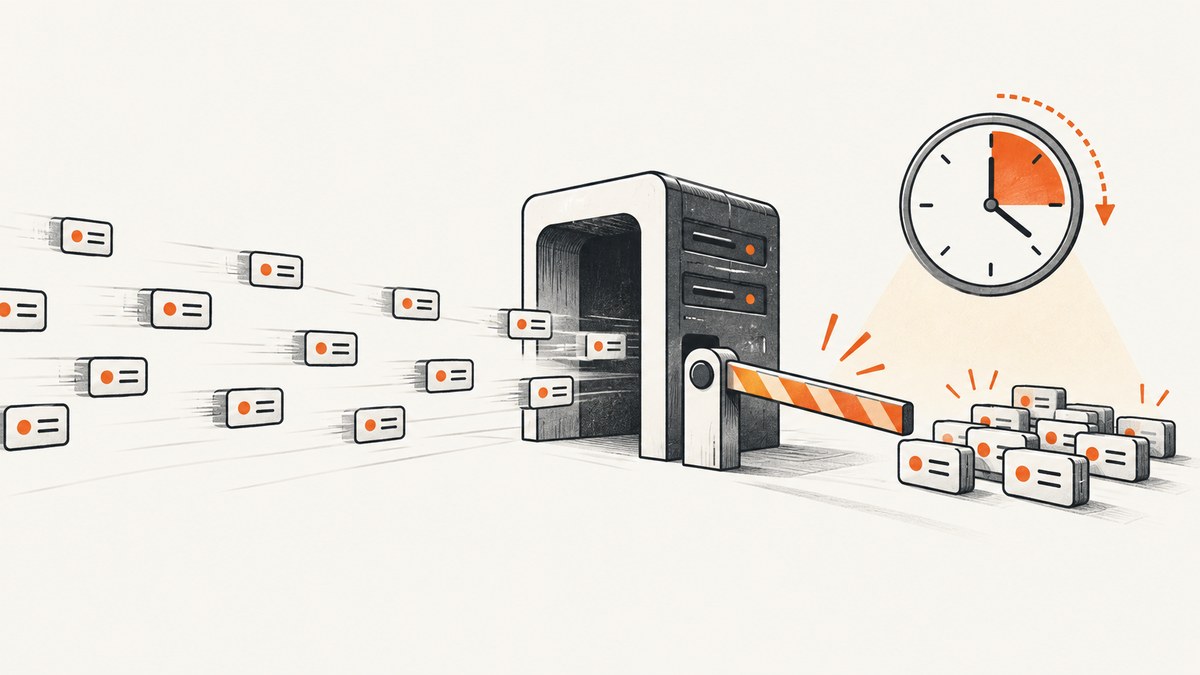
HTTP 429 Too Many Requests means a server is limiting the rate of requests from a client. The right response is to slow down: check the response for Retry-After, wait as directed, and reduce request bursts or concurrency. A 429 does not tell you by itself what quota you hit, when it resets, or whether the limit is based on your IP address, account, token, application, resource, or the server as a whole. Those details depend on the service.
This guide explains how to diagnose a 429, how long to wait, how to implement bounded retries in Python and Node.js, and how to prevent rate-limit errors with pacing, caching, and request deduplication.
1. What does HTTP 429 mean?
RFC 6585 defines 429 as a response indicating that a client has sent too many requests in a given amount of time. The server is asking the client to slow its request rate. The response may include an explanation and may include a Retry-After header. The RFC does not set a universal request limit. A service can count requests per resource, across a server, or across a group of servers, and can identify clients by credentials or other state. MDN also describes policies based on IP address, user, or authorized application. ([RFC 6585](https://www.rfc-editor.org/rfc/rfc6585.html), [MDN: 429 Too Many Requests](https://developer.mozilla.org/en-US/docs/Web/HTTP/Reference/Status/429))
In other words, 429 describes the server’s decision to limit traffic, not the precise reason for that decision. Two requests from the same machine may be counted differently if they use different credentials, target different resources, or pass through different network paths.
2. What to do when you receive a 429
- Stop immediate retries. A tight retry loop adds more requests while the server is already signaling that request volume is too high.
- Inspect the response. Record the status, headers, and response body. Look for
Retry-Afterand any service-specific quota or reset headers. Do not assume those headers exist. - Identify the scope. Check the API documentation and compare which token, account, IP, endpoint, or resource was used. The status alone does not reveal the limit key.
- Wait, then retry once. If
Retry-Afteris present, honor it. If it is absent, use a conservative backoff with a maximum number of attempts. - Lower the request rate. Reduce concurrency or burst size and check whether duplicate or unnecessary calls can be removed.
RFC 6585 says a 429 response must not be stored by a cache, so treat it as a live signal from the server rather than a reusable cached answer. Inspect it, adjust traffic, and make a new request only after an appropriate delay. ([RFC 6585](https://www.rfc-editor.org/rfc/rfc6585.html))
3. How long should you wait after a 429?
Use the value in Retry-After when the server supplies one. MDN documents two forms: a non-negative number of seconds, or an HTTP date. For example, Retry-After: 120 means wait 120 seconds; a date indicates when a follow-up request may be made. RFC 6585 includes an illustrative response with Retry-After: 3600, but that is an example, not a general quota or recommended wait for all APIs. ([RFC 6585](https://www.rfc-editor.org/rfc/rfc6585.html), [MDN: Retry-After](https://developer.mozilla.org/en-US/docs/Web/HTTP/Reference/Headers/Retry-After))
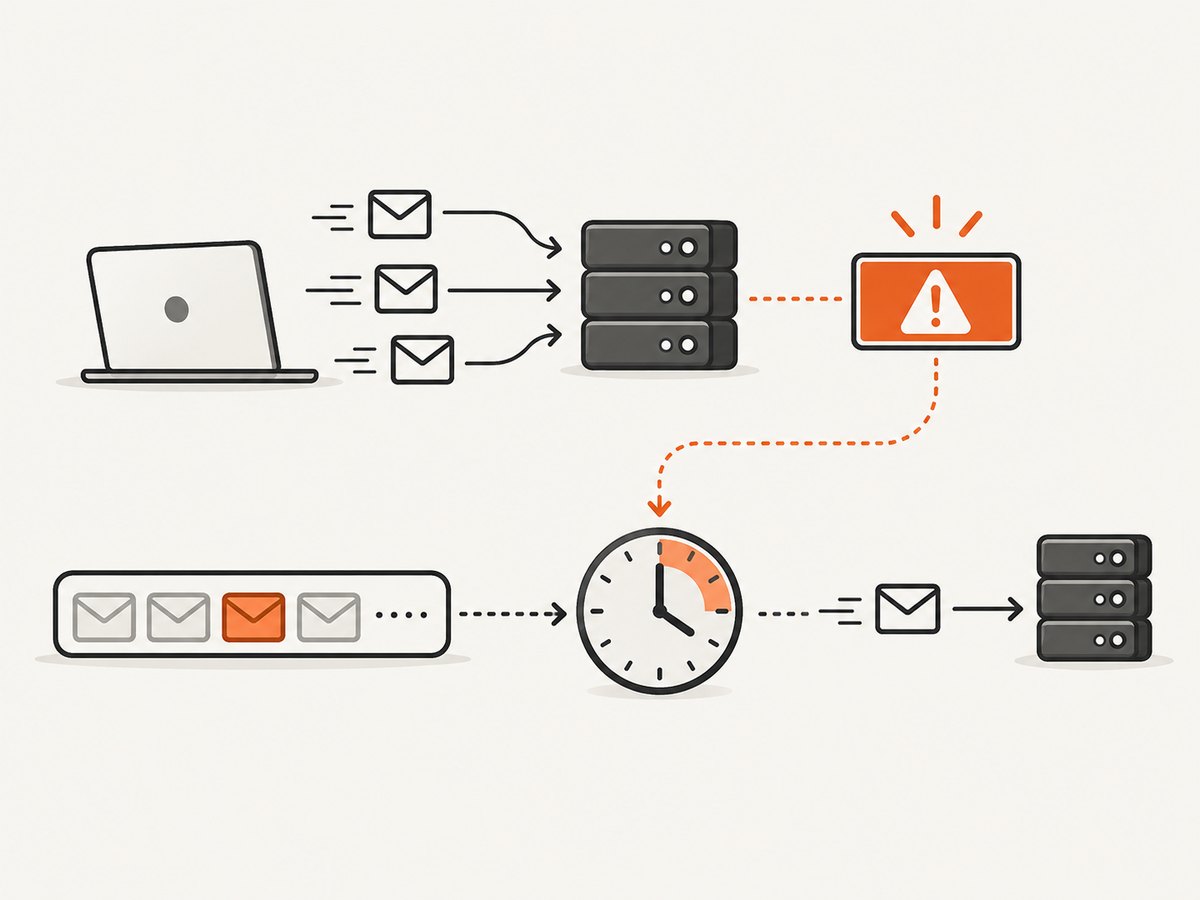
If there is no Retry-After, the server is allowed to omit it. The API’s documentation may explain its rate-limit window or reset headers. If not, choose a conservative exponential backoff, optionally with jitter, cap the total wait and number of attempts, and surface a clear error when the cap is reached. Never retry immediately just because the header is missing.
4. Read Retry-After and retry safely in Python
This runnable example uses Python’s standard library. It sends a GET request, waits according to either supported Retry-After form, and makes at most four total attempts. When the header is absent or invalid, it applies capped exponential backoff with jitter. Adjust the fallback and retry cap to suit your application and the API’s documented policy.
import email.utils
import random
import time
from datetime import datetime, timezone
from urllib.error import HTTPError, URLError
from urllib.request import Request, urlopen

URL = "https://api.example.com/v1/items"
MAX_ATTEMPTS = 4
BASE_DELAY_SECONDS = 1.0
MAX_FALLBACK_SECONDS = 30.0


def retry_after_seconds(value):
    """Return a non-negative delay for Retry-After, or None if unusable."""
    if not value:
        return None
    value = value.strip()
    try:
        return max(0.0, float(value))
    except ValueError:
        pass
    try:
        retry_at = email.utils.parsedate_to_datetime(value)
        if retry_at.tzinfo is None:
            retry_at = retry_at.replace(tzinfo=timezone.utc)
        return max(0.0, (retry_at - datetime.now(timezone.utc)).total_seconds())
    except (TypeError, ValueError, OverflowError):
        return None


def get_with_bounded_retries(url):
    for attempt in range(MAX_ATTEMPTS):
        request = Request(url, headers={"Accept": "application/json"})
        try:
            with urlopen(request, timeout=20) as response:
                return response.status, response.read().decode("utf-8"), response.headers
        except HTTPError as error:
            if error.code != 429 or attempt == MAX_ATTEMPTS - 1:
                body = error.read().decode("utf-8", errors="replace")
                raise RuntimeError(
                    f"Request failed with HTTP {error.code}: {body}"
                ) from error
            delay = retry_after_seconds(error.headers.get("Retry-After"))
            if delay is None:
                ceiling = min(MAX_FALLBACK_SECONDS,
                              BASE_DELAY_SECONDS * (2 ** attempt))
                delay = random.uniform(0, ceiling)
            print(f"429 received; waiting {delay:.1f}s before retry")
            time.sleep(delay)
        except URLError as error:
            # Network failures are not 429s. This example does not retry them.
            raise RuntimeError(f"Network request failed: {error}") from error


if __name__ == "__main__":
    status, body, headers = get_with_bounded_retries(URL)
    print(status, body)
Replace the example URL with the API endpoint and add the authentication mechanism required by that service. Avoid logging secrets in request headers. This example retries only 429 responses; whether to retry other statuses is a separate policy decision. For a very long server-specified delay, consider persisting the job for later rather than keeping a worker asleep.
5. Node.js example with bounded retries
The following uses Node.js with built-in fetch. It handles seconds and HTTP-date values, observes the server’s delay, and limits attempts. The fallback uses capped exponential backoff with jitter.
const URL_TO_FETCH = 'https://api.example.com/v1/items';
const MAX_ATTEMPTS = 4;
const BASE_DELAY_MS = 1000;
const MAX_FALLBACK_MS = 30000;

function retryAfterMs(value) {
  if (!value) return null;
  const trimmed = value.trim();
  if (/^\d+(\.\d+)?$/.test(trimmed)) {
    return Math.max(0, Number(trimmed) * 1000);
  }
  const dateMs = Date.parse(trimmed);
  return Number.isNaN(dateMs) ? null : Math.max(0, dateMs - Date.now());
}

const sleep = ms => new Promise(resolve => setTimeout(resolve, ms));

async function getWithRetries(url) {
  for (let attempt = 0; attempt < MAX_ATTEMPTS; attempt++) {
    const response = await fetch(url, {
      headers: { Accept: 'application/json' },
      signal: AbortSignal.timeout(20000),
    });
    if (response.status !== 429) {
      if (!response.ok) {
        throw new Error(`HTTP ${response.status}: ${await response.text()}`);
      }
      return response;
    }
    const body = await response.text();
    if (attempt === MAX_ATTEMPTS - 1) {
      throw new Error(`HTTP 429 after ${MAX_ATTEMPTS} attempts: ${body}`);
    }
    let delay = retryAfterMs(response.headers.get('retry-after'));
    if (delay === null) {
      const ceiling = Math.min(MAX_FALLBACK_MS, BASE_DELAY_MS * (2 ** attempt));
      delay = Math.random() * ceiling;
    }
    console.warn(`429 received; waiting ${Math.ceil(delay)}ms before retry`);
    await sleep(delay);
  }
}

const response = await getWithRetries(URL_TO_FETCH);
console.log(await response.text());
Run this as an ES module in a Node.js version that provides built-in fetch and AbortSignal.timeout. If your runtime does not provide those APIs, use its supported HTTP client and timeout mechanism. Add authorization headers as required by the service, and keep credentials out of source control and logs.
6. Inspect a 429 with cURL
Use -i to include response headers and -v for connection details. This helps you see whether the server returned Retry-After or service-specific quota information.
curl -i --max-time 20 \
  -H "Accept: application/json" \
  -H "Authorization: Bearer YOUR_TOKEN" \
  "https://api.example.com/v1/items"
Do not place a live token in shell history or shared logs. A single diagnostic request is useful; repeatedly running the command in a loop can worsen the rate limit.
7. Prevent 429s before they happen
Shape traffic and concurrency
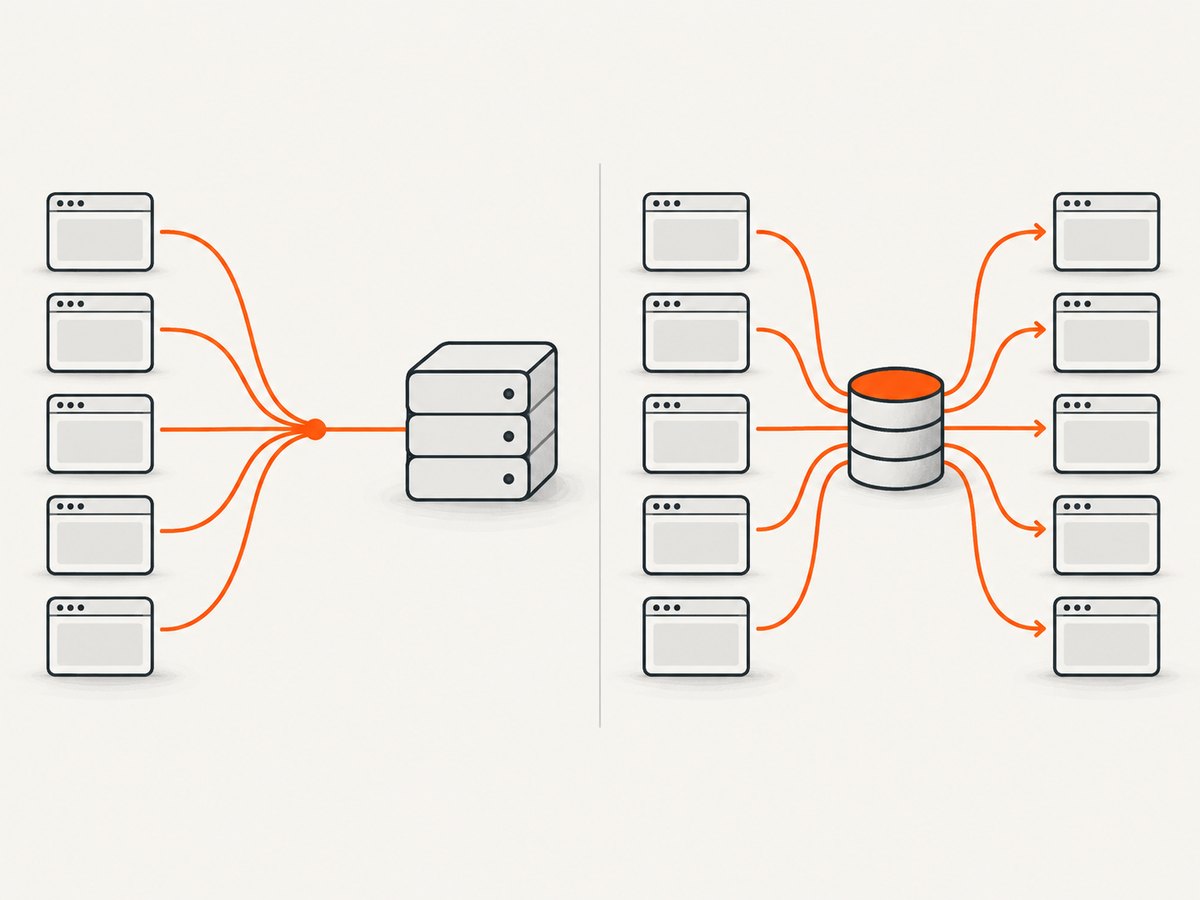
Control both the average request rate and the size of short bursts. A client can exceed a limit through a brief burst even when its long-term average looks modest. Put a limiter at the point where requests are scheduled, and share its state across workers if they use the same credentials or account. Reduce worker count when approaching a documented quota. Do not assume that separate processes or machines receive separate limits.
Cache safe reads and deduplicate work
When application semantics allow it, reuse a prior successful response rather than fetching the same data repeatedly. Coalesce identical in-flight reads so concurrent callers share one request. Fetch only the fields and pages needed. These changes reduce request volume, but caching must respect freshness requirements and the API’s rules. A 429 itself must not be cached under RFC 6585.
Use the API’s documented policy
Look for documentation describing quota windows, burst behavior, authentication scope, and quota or reset headers. The RFC establishes the status code but not a universal threshold. If the service exposes remaining or reset information, use it to adjust pacing; do not infer a numeric quota from one 429 response alone.
Measure the right things
Track request volume, concurrency, response status, endpoint, and the identity context used for the request. Record retry counts and delay durations. Keep credentials and private response bodies out of logs. Alert on a rising 429 rate so you can lower traffic before retries amplify the problem.
8. Common 429 errors and fixes
| What you see | Likely cause | What to do |
|---|---|---|
429 with Retry-After in seconds |
The server specifies a delay before another request. | Wait at least that many seconds before the follow-up. Keep retries bounded. |
429 with an HTTP-date Retry-After |
The server specifies a retry time rather than a relative delay. | Parse the date and wait until it; account for clock skew conservatively. |
429 without Retry-After |
The header is optional, or the service uses another documented signal. | Check the API docs and headers. Use conservative capped backoff; do not retry immediately. |
| 429 continues after waiting | The limit may have a longer window, be keyed to shared credentials or IP, or apply to a different resource scope. | Inspect the identity and endpoint scope; reduce shared traffic and consult the service’s policy. |
| 429 appears only under load | Parallel workers or bursts exceed the limit. | Lower concurrency, add a shared request queue, and smooth bursts. |
| A retry loop never stops | Retries are unbounded or every worker retries together. | Set an attempt cap, honor server delays, add jitter to fallback delays, and return a clear failure. |
| Cached request still appears limited | The client or intermediary may not be caching successful safe reads, or requests are not identical. | Check cache keys and request semantics; remember that 429 responses must not be stored. |
9. Reliability, performance, and cost considerations
Retries can improve resilience to temporary limits, but they consume time and capacity. Every retry is another request; an unbounded or synchronized retry policy can prolong an incident and create a retry storm. Bound attempts, use a delay, and expose the final failure to the caller. Where a server asks for a long wait, queue work for later rather than tying up request handlers.
Rate limits can protect shared service capacity, so there is no universal “safe” request rate. Follow the provider’s published policy and design for graceful slowdown. For expensive work, persist progress and make jobs resumable where practical. For read-heavy paths, caching and deduplication can reduce both latency and the number of billable or quota-counted calls, depending on the service’s terms. Confirm the service’s own accounting rules rather than assuming retries or cache hits are free.
10. Or skip the browser setup
If your task is to capture website screenshots, ScreenshotNeo offers a one-request screenshot API and an MCP server for AI agents. It is a website screenshot API and MCP server from ScreenshotNeo. For its API’s request and response details, see the ScreenshotNeo documentation.
curl -G "https://api.screenshotneo.com/v1/shot" -d access_key=YOUR_API_KEY --data-urlencode url=https://stripe.com -o shot.webpimport requests
r = requests.get("https://api.screenshotneo.com/v1/shot", params={"access_key": "YOUR_API_KEY", "url": "https://stripe.com"}, timeout=90)
open("shot.webp", "wb").write(r.content)const q = new URLSearchParams({ access_key: 'YOUR_API_KEY', url: 'https://stripe.com' });
const res = await fetch(`https://api.screenshotneo.com/v1/shot?${q}`);ScreenshotNeo accepts cookie and consent banners like a visitor and removes more than 60 known consent platforms, newsletter popups, and chat widgets before capture; each step can be turned off. Bot checks or CAPTCHAs, blank pages, timeouts, failed loads, and cache hits are not billed, and the response identifies the page verdict and billing status in headers. Its MCP server provides take_screenshot, get_page_info, and capture_pdf for Claude, Cursor, and other MCP clients. The Free plan includes 1,000 screenshots a month with no card; paid plans start at $5 for 3,000. See the free ScreenshotNeo sign-up to get started.
11. Frequently asked questions
Is a 429 error temporary?
It means the server is rate-limiting requests at that time. Whether and when the limit clears depends on the service’s policy; use its retry and quota guidance.
Is HTTP 429 a client error or server error?
It is in the 4xx client-error class. The response indicates that the client’s request rate exceeded a limit enforced by the server.
Does a 429 mean my API key is invalid?
Not by itself. A 429 indicates rate limiting, while authentication failures have their own response semantics. Check the response body and the provider’s documentation.
Can I safely retry every 429?
Only with a bounded policy that waits as directed or uses a conservative fallback. If retries are exhausted, surface the error or defer the work.
Does the RFC specify how many requests are allowed?
No. RFC 6585 defines the status condition and response behavior, not a universal request quota. The specific service sets its limit and counting scope.